Page 176 of 580
176 2-1. Driving procedures
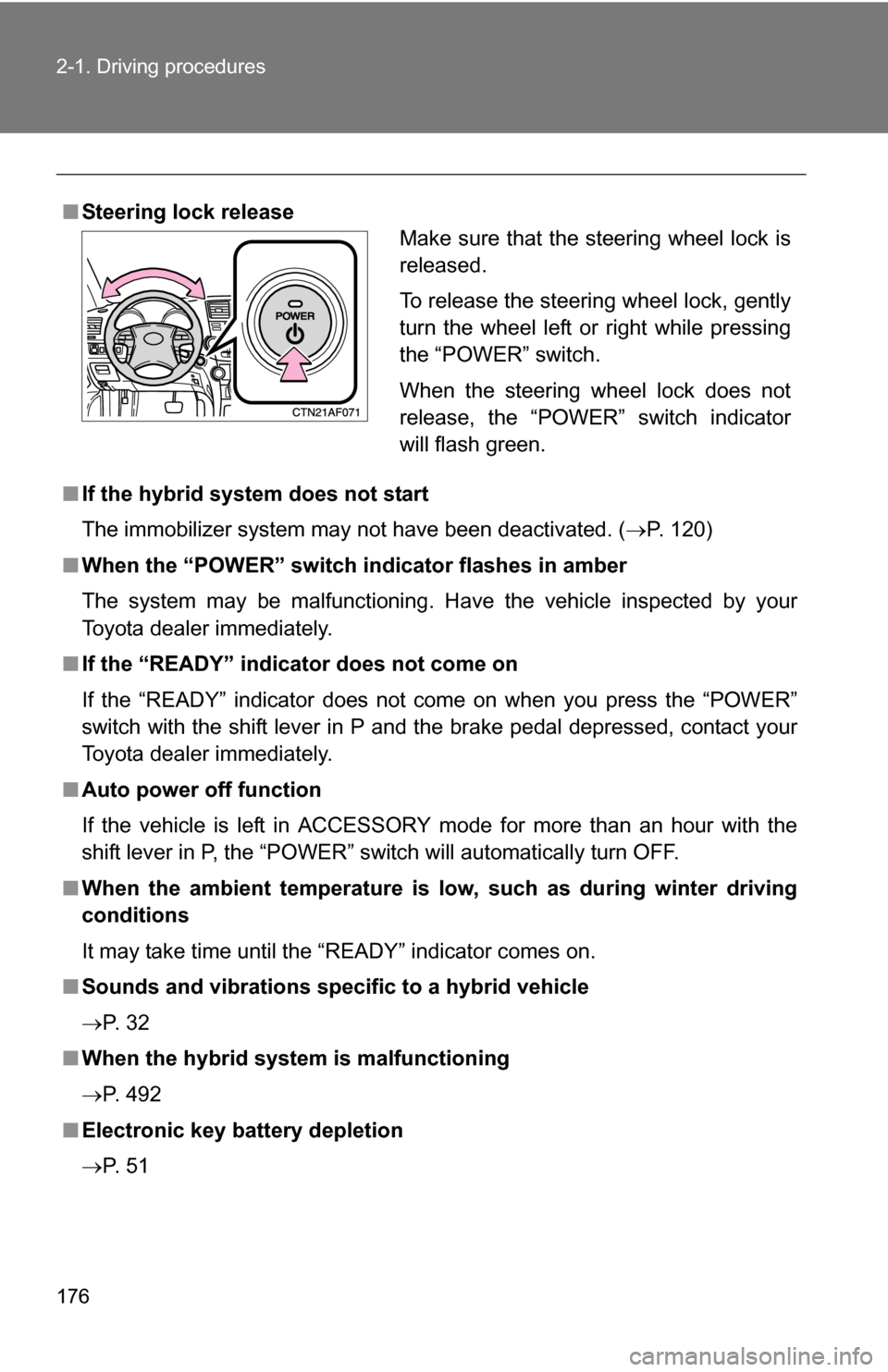
■Steering lock release
■ If the hybrid system does not start
The immobilizer system may not have been deactivated. ( P. 120)
■ When the “POWER” switch in dicator flashes in amber
The system may be malfunctioning. Have the vehicle inspected by your
Toyota dealer immediately.
■ If the “READY” indicator does not come on
If the “READY” indicator does not come on when you press the “POWER”
switch with the shift lever in P and the brake pedal depressed, contact your
Toyota dealer immediately.
■ Auto power off function
If the vehicle is left in ACCESSORY mode for more than an hour with the
shift lever in P, the “POWER” switch will automatically turn OFF.
■ When the ambient temperature is lo w, such as during winter driving
conditions
It may take time until the “READY” indicator comes on.
■ Sounds and vibrations specific to a hybrid vehicle
P. 3 2
■ When the hybrid system is malfunctioning
P. 492
■ Electronic key battery depletion
P. 5 1
Make sure that the steering wheel lock is
released.
To release the steering wheel lock, gently
turn the wheel left or right while pressing
the “POWER” switch.
When the steering wheel lock does not
release, the “POWER” switch indicator
will flash green.
Page 177 of 580
177
2-1. Driving procedures
2
When driving
■
When the electronic key battery is discharged
P. 517
■ Conditions affecting operation
P. 4 9
■ Note for the entry function
P. 5 1
CAUTION
■When starting the hybrid system
Always start the hybrid system while sitting in the driver's seat. Do not
depress the accelerator pedal while starting the hybrid system under any cir-
cumstances.
Doing so may cause an accident resulting in death or serious injury.
■ Caution when driving
Do not touch the “POWER” switch while driving.
Pressing and holding the “POWER” switch will stop the hybrid system, which
may lead to an unexpected accident.
NOTICE
■To prevent 12-volt battery from being discharge
Do not leave the “POWER” switch in ACCESSORY or ON mode for long
periods without the hybrid system on.
■ When starting the hybrid system
●Do not race a cold hybrid system.
● If the hybrid system becomes difficult to start, have the hybrid system
checked immediately by your Toyota dealer.
Page 337 of 580
337
3-4. Using the hand
s-free phone system (for cellular phone)
3
Interior features
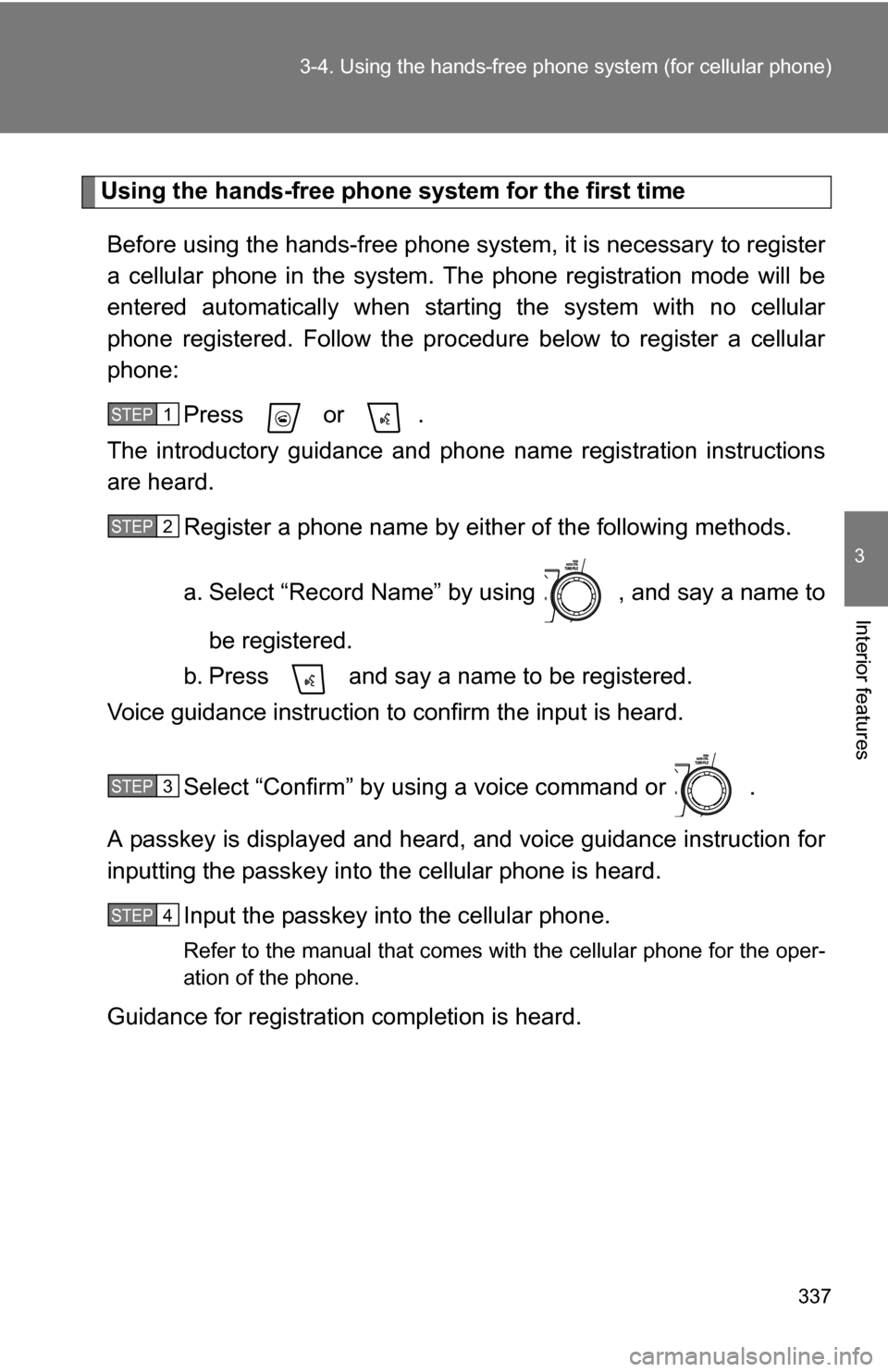
Using the hands-free phone system for the first time
Before using the hands-free phone system, it is necessary to register
a cellular phone in the system. Th e phone registration mode will be
entered automatically when starting the system with no cellular
phone registered. Follow the procedure below to register a cellular
phone:
Press or .
The introductory guidance and phone name registration instructions
are heard.
Register a phone name by either of the following methods.
a. Select “Record Name” by using , and say a name to
be registered.
b. Press and say a name to be registered.
Voice guidance instruction to confirm the input is heard.
Select “Confirm” by using a voice command or .
A passkey is displayed and heard, and voice guidance instruction for
inputting the passkey into the cellular phone is heard.
Input the passkey into the cellular phone.
Refer to the manual that comes with the cellular phone for the oper-
ation of the phone.
Guidance for registration completion is heard.
STEP1
STEP2
STEP3
STEP4
Page 339 of 580
339
3-4. Using the hand
s-free phone system (for cellular phone)
3
Interior features
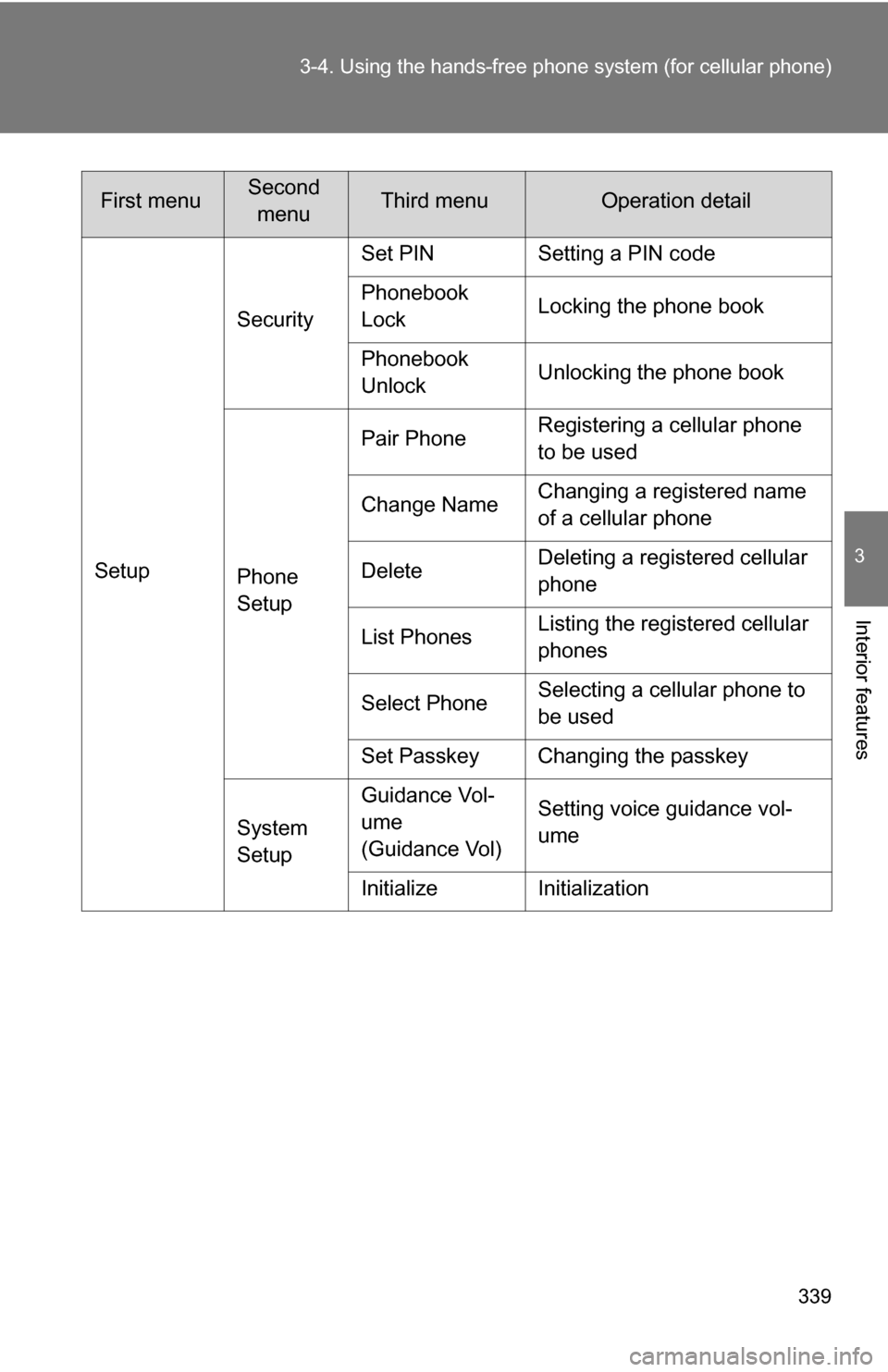
SetupSecurity
Set PIN Setting a PIN code
Phonebook
Lock
Locking the phone book
Phonebook
Unlock Unlocking the phone book
Phone
Setup Pair Phone
Registering a cellular phone
to be used
Change Name Changing a registered name
of a cellular phone
Delete Deleting a registered cellular
phone
List Phones Listing the registered cellular
phones
Select Phone Selecting a cellular phone to
be used
Set Passkey Changing the passkey
System
Setup Guidance Vol-
ume
(Guidance Vol)
Setting voice guidance vol-
ume
Initialize Initialization
First menuSecond menuThird menuOperation detail
Page 340 of 580
340 3-4. Using the hands-free phone system (for cellular phone)
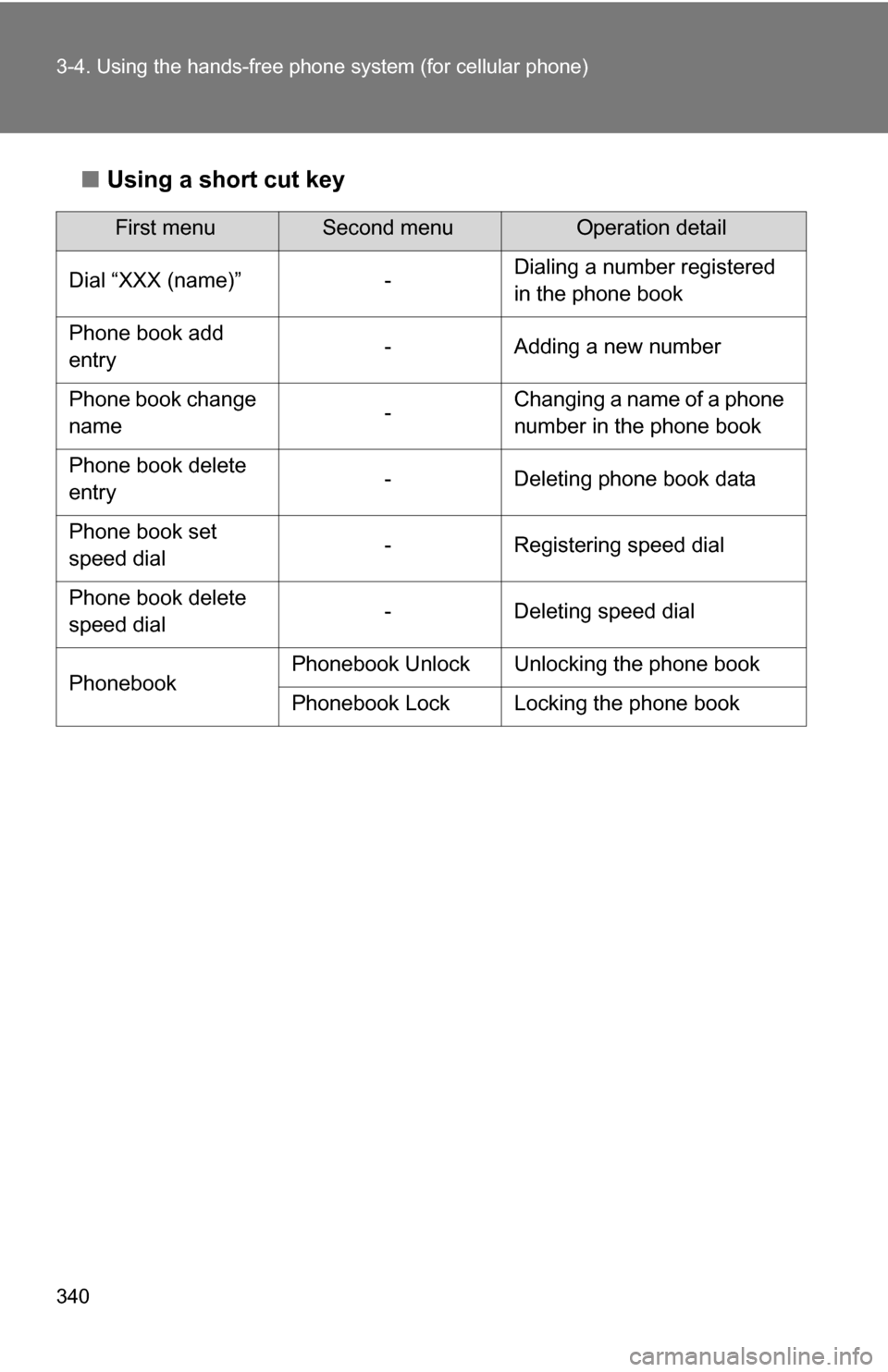
■Using a short cut key
First menuSecond menuOperation detail
Dial “XXX (name)” - Dialing a number registered
in the phone book
Phone book add
entry - Adding a new number
Phone book change
name -Changing a name of a phone
number in the phone book
Phone book delete
entry - Deleting phone book data
Phone book set
speed dial - Registering speed dial
Phone book delete
speed dial - Deleting speed dial
Phonebook Phonebook Unlock Unlocking the phone book
Phonebook Lock Locking the phone book
Page 341 of 580
341
3-4. Using the hand
s-free phone system (for cellular phone)
3
Interior features
■Automatic adjustment of volume
When vehicle speed is 50 mph (80 km/h) or more, the volume automatically
increases. The volume returns to the previous volume setting when vehicle
speed drops to 43 mph (70 km/h) or less.
■ When using a voice command
●For numbers, say a combination of single digits from zero to nine, #
(pound), (star), and + (plus).
● Say a command correctly and clearly.
■ The system may not recognize your voice in the following situations:
●When driving on a rough road
● When driving at high speeds
● When air is blowing out of the vents onto the microphone
● When the air conditioning fan emits a loud noise
■ The following cannot be performed while driving:
●Operating the system with
● Registering a cellular phone to the system
■ Changing the passkey
P. 349
Page 346 of 580
346
3-4. Using the hands-free phone system (for cellular phone)
Setting a cellular phone
Registering a cellular phoneSelect “Pair Phone” by using a voice command or , and do the
procedure for registering a cellular phone. ( P. 337)
Registering a cellular phone in the hands-free phone system allows
the system to function. The followin g function can be used for regis-
tered cellular phones:
■ Functions and operation procedures
To enter menu for each function, fo llow the steps below by using a
voice command or :
●Registering a cellular phone
1. “Setup” 2. “Phone Setup” 3. “Pair Phone”
● Selecting a cellular phone to be used
1. “Setup” 2. “Phone Setup” 3. “Select Phone”
● Changing a registered name
1. “Setup” 2. “Phone Setup” 3. “Change Name”
● Listing the registered cellular phones
1. “Setup” 2. “Phone Setup” 3. “List Phones”
● Deleting a cellular phone
1. “Setup” 2. “Phone Setup” 3. “Delete”
● Changing the passkey
1. “Setup” 2. “Phone Setup” 3. “Set Passkey”
Page 349 of 580
349
3-4. Using the hand
s-free phone system (for cellular phone)
3
Interior features
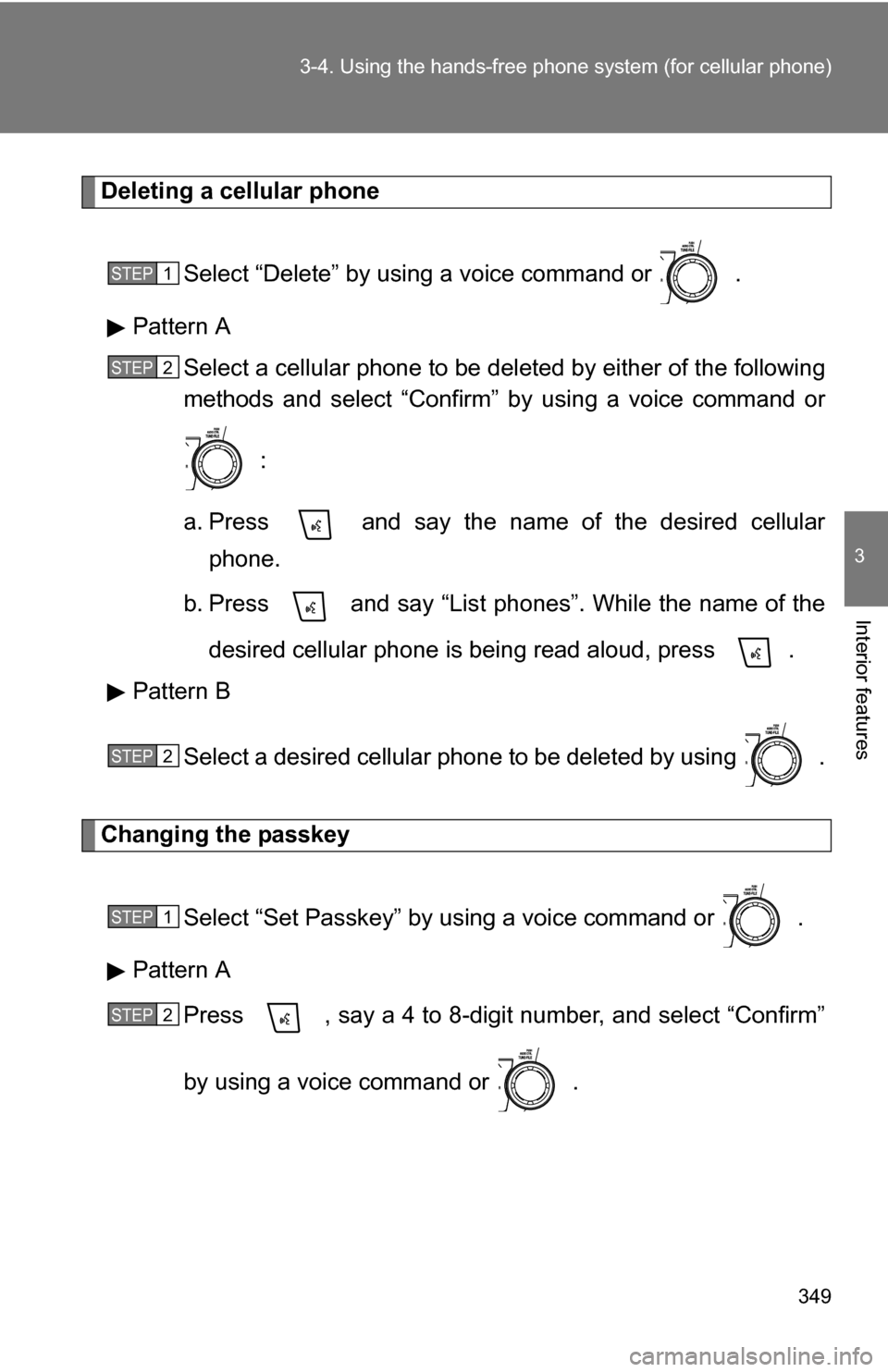
Deleting a cellular phone
Select “Delete” by using a voice command or .
Pattern A Select a cellular phone to be deleted by either of the following
methods and select “Confirm” by using a voice command or
:
a. Press and say the name of the desired cellular phone.
b. Press and say “List phones”. While the name of the
desired cellular phone is being read aloud, press .
Pattern B
Select a desired cellular phone to be deleted by using .
Changing the passkey
Select “Set Passkey” by using a voice command or .
Pattern A Press , say a 4 to 8-digit number, and select “Confirm”
by using a voice command or .
STEP1
STEP2
STEP2
STEP1
STEP2