2008 SUBARU TRIBECA key
[x] Cancel search: keyPage 244 of 409

7-10
Starting and operating
transmitter within a few seconds immedi-
ately following remote engine start shut-
down.&Pre-heating or pre-cooling
the interior of the vehicleBefore exiting the vehicle, set the tem-
perature controls to the desired setting
and operation. After the system starts the
vehicle, the heater or air-conditioning will
activate and heat or cool the interior to
your setting.&Service modeIn service mode, the remote start function
is temporarily disabled to prevent the
system from unexpectedly starting the
engine while being serviced.
! To engage the service mode
Turn the ignition switch to the “ON ”
position, depress and hold the brake pedal
then, press and release the “
”button on
the remote control transmitter three times.
The system will pause for 1 second and
then flash the parking lights and honk the
horn three times indicating that the system
is in service mode. When attempting to
activate the remote start system while in
service mode, the parking lights will flash
and the horn will honk two times and will
not start. !
To disengage the service mode
Turn the ignition switch to the “ON ”
position, depress and hold the brake
pedal, then press and release the “
”
button on the remote control transmitter
three times. The system will pause for 1
second and flash the parking lights one
time indicating that the system has exited
service mode.
NOTEWhen taking your vehicle in for service,
it is recommended that you inform the
service personnel that your vehicle is
equipped with a remote control start
system.& Remote transmitter program-
ming and programmable fea-
ture optionNew transmitters can be programmed to
the engine starter system in the event that
remote transmitters are lost, stolen or
damaged. The remote engine start system
also has one programmable feature that
can be adjusted for user preference.
The remote engine starter system can be
programmed to either make an audible
horn chirp upon remote start activation or
not. Remote transmitter programming and
feature programming can be adjusted
using the following procedure. 1. Open the driver
’s door (the driver ’s
door must remain opened throughout the
entire process).
2. Insert the key into the vehicle’ s ignition
switch and turn to the “ON”position.
3. Locate the small black programming
button behind the fuse box cover, on the
driver ’s side left under the dashboard
panel.
4. Press and hold the black programming
button for 10 to 15 seconds. The horn will
honk and the parking lights will flash three
times to indicate that the system has
entered programming mode. At this point
you can perform either action (Step 5 or
Step 6).
5. To program a remote transmitter:
press and release the “
”button on each
transmitter. The horn will honk and the
parking lights will flash one time to indicate
a successful transmitter learn each time
the “
”button is pressed. You can
program up to eight transmitters.
6. To toggle the Horn Confirmation chirps
ON/OFF: press and release the brake to
toggle the feature. The horn will chirp and
the parking lights will flash one time to
indicate Confirmation Horn Chirps are
“OFF ”. The horn will honk and the parking
lights will flash 2 times to indicate Con-
firmation Horn Chirps are “ON”. Pressing
the brake pedal repeatedly will toggle the
ProCarManuals.com
Page 245 of 409
feature ON or OFF each time.
7. To exit the remote transmitter and
feature programming mode, turn the igni-
tion switch to the“LOCK”position, remove
the key from the ignition switch and test
operation of the remote transmitter(s) and
horn confirmation feature.& System maintenance! Changing the remote control bat-
teries
The two 3-volt lithium batteries (model
CR-1220) supplied in your remote control
should last approximately three years,
depending on usage. When the batteries
begin to weaken, you will notice a
decrease in range (distance from the
vehicle that your remote control operates).
Follow the instructions below to change
the remote control batteries.
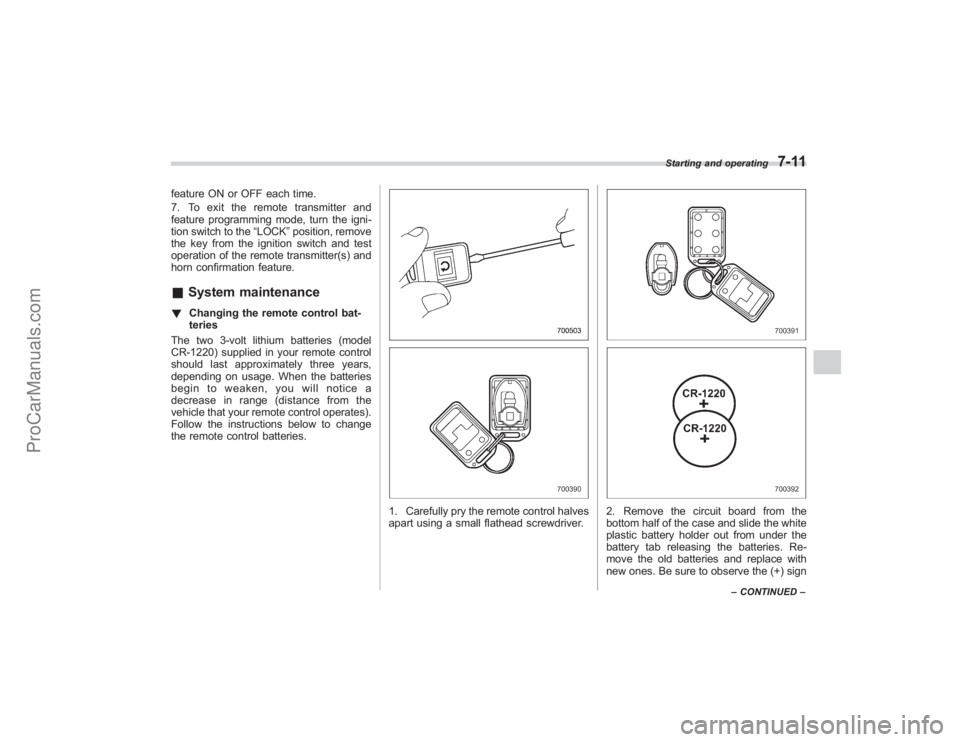
1. Carefully pry the remote control halves
apart using a small flathead screwdriver.
2. Remove the circuit board from the
bottom half of the case and slide the white
plastic battery holder out from under the
battery tab releasing the batteries. Re-
move the old batteries and replace with
new ones. Be sure to observe the (+) sign
Starting and operating
7-11
– CONTINUED –
ProCarManuals.com
Page 259 of 409
&Vehicle Dynamics Control
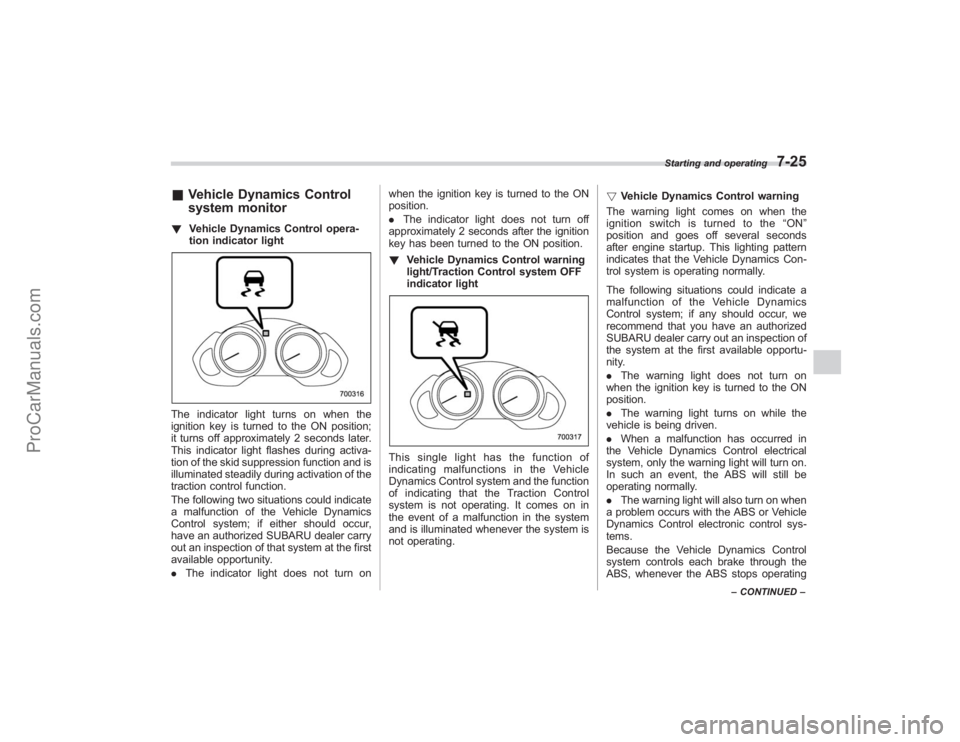
system monitor! Vehicle Dynamics Control opera-
tion indicator lightThe indicator light turns on when the
ignition key is turned to the ON position;
it turns off approximately 2 seconds later.
This indicator light flashes during activa-
tion of the skid suppression function and is
illuminated steadily during activation of the
traction control function.
The following two situations could indicate
a malfunction of the Vehicle Dynamics
Control system; if either should occur,
have an authorized SUBARU dealer carry
out an inspection of that system at the first
available opportunity.
.The indicator light does not turn on when the ignition key is turned to the ON
position.
.
The indicator light does not turn off
approximately 2 seconds after the ignition
key has been turned to the ON position.
! Vehicle Dynamics Control warning
light/Traction Control system OFF
indicator light
This single light has the function of
indicating malfunctions in the Vehicle
Dynamics Control system and the function
of indicating that the Traction Control
system is not operating. It comes on in
the event of a malfunction in the system
and is illuminated whenever the system is
not operating. !
Vehicle Dynamics Control warning
The warning light comes on when the
ignition switch is turned to the “ON ”
position and goes off several seconds
after engine startup. This lighting pattern
indicates that the Vehicle Dynamics Con-
trol system is operating normally.
The following situations could indicate a
malfunction of the Vehicle Dynamics
Control system; if any should occur, we
recommend that you have an authorized
SUBARU dealer carry out an inspection of
the system at the first available opportu-
nity.
. The warning light does not turn on
when the ignition key is turned to the ON
position.
. The warning light turns on while the
vehicle is being driven.
. When a malfunction has occurred in
the Vehicle Dynamics Control electrical
system, only the warning light will turn on.
In such an event, the ABS will still be
operating normally.
. The warning light will also turn on when
a problem occurs with the ABS or Vehicle
Dynamics Control electronic control sys-
tems.
Because the Vehicle Dynamics Control
system controls each brake through the
ABS, whenever the ABS stops operating
Starting and operating
7-25
– CONTINUED –
ProCarManuals.com
Page 260 of 409
7-26
Starting and operating
due to a malfunction in that electrical
system, the Vehicle Dynamics Control will
also become unable to control all four
brakes. Thus Vehicle Dynamics Control
system operation halts and the warning
light turns on. Although both the Vehicle
Dynamics Control system and the ABS
will be inoperable in this situation, it will
still be possible to stop the vehicle using
normal braking. The Vehicle Dynamics
Control system and the ABS do not
adversely affect operation of the vehicle
in any way when they are inoperable;
however should such a situation occur,
drive with care and have an authorized
SUBARU dealer carry out an inspection of
those systems at the first available oppor-
tunity.NOTEWhen the warning light turns on and off
in the following way, it indicates that
the Vehicle Dynamics Control system
is operating normally.
.Although turning on after the engine
has been started, the warning light
quickly turns off and stays off.
. The warning light turns on when the
vehicle is being driven; it then turns off
and stays off. !
Traction Control system OFF indica-
tor light
This light comes on to indicate that the
Traction Control system is in non-opera-
tion mode. This does not constitute failure
of the Vehicle Dynamics Control system.
NOTE. The indicator light may stay on for a
while after the engine has been started,
especially in cold weather. This occurs
because the engine has not yet
warmed up and is completely normal.
The light will turn off when the engine
has reached a suitable operating tem-
perature.
. When an engine problem occurs
and the malfunction indicator lamp
turns on, the indicator light will also
come on.
The following two situations could indicate
malfunction of the Vehicle Dynamics
Control system; if either should occur,
have an authorized SUBARU dealer carry
out an inspection of that system at the first
available opportunity.
. The indicator light does not turn on
when the ignition key is turned to the ON
position.
. The indicator light fails to turn off after
the engine is started, even when several
minutes have passed to allow the engine to heat up sufficiently.
&
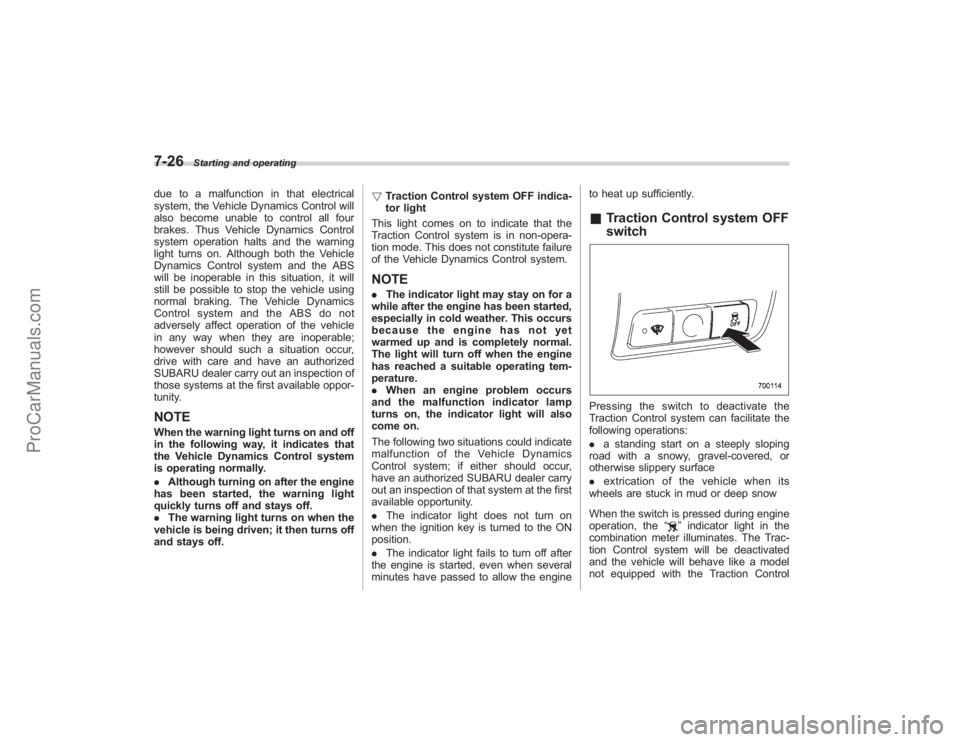
Traction Control system OFF
switchPressing the switch to deactivate the
Traction Control system can facilitate the
following operations:
. a standing start on a steeply sloping
road with a snowy, gravel-covered, or
otherwise slippery surface
. extrication of the vehicle when its
wheels are stuck in mud or deep snow
When the switch is pressed during engine
operation, the “
”indicator light in the
combination meter illuminates. The Trac-
tion Control system will be deactivated
and the vehicle will behave like a model
not equipped with the Traction Control
ProCarManuals.com
Page 261 of 409
system. When the switch is pressed again
to reactivate the Traction Control system,
the“
”indicator light goes off.
With the Traction Control system deacti-
vated, traction enhancement offered by
Traction Control system is unavailable.
Therefore you should not deactivate the
Traction Control system except under
above-mentioned situations.
NOTE. When the switch has been pressed
to deactivate the Traction Control sys-
tem, the Traction Control system auto-
matically reactivates itself the next time
the ignition key is turned to the “LOCK ”
position and the engine is restarted.
. If the switch is held down for 10
seconds or longer, the indicator light
goes off, the Traction Control system is
activated, and the system ignores any
further pressing of the switch. To make
the switch usable again, turn the igni-
tion key to the “LOCK ”position and
restart the engine.
. When the switch is pressed to
deactivate the Traction Control system,
the vehicle ’s running performance is
comparable with that of a vehicle that
does not have a Traction Control
system. Do not deactivate the Traction
Control system except when absolutely necessary.
Tire pressure monitoring
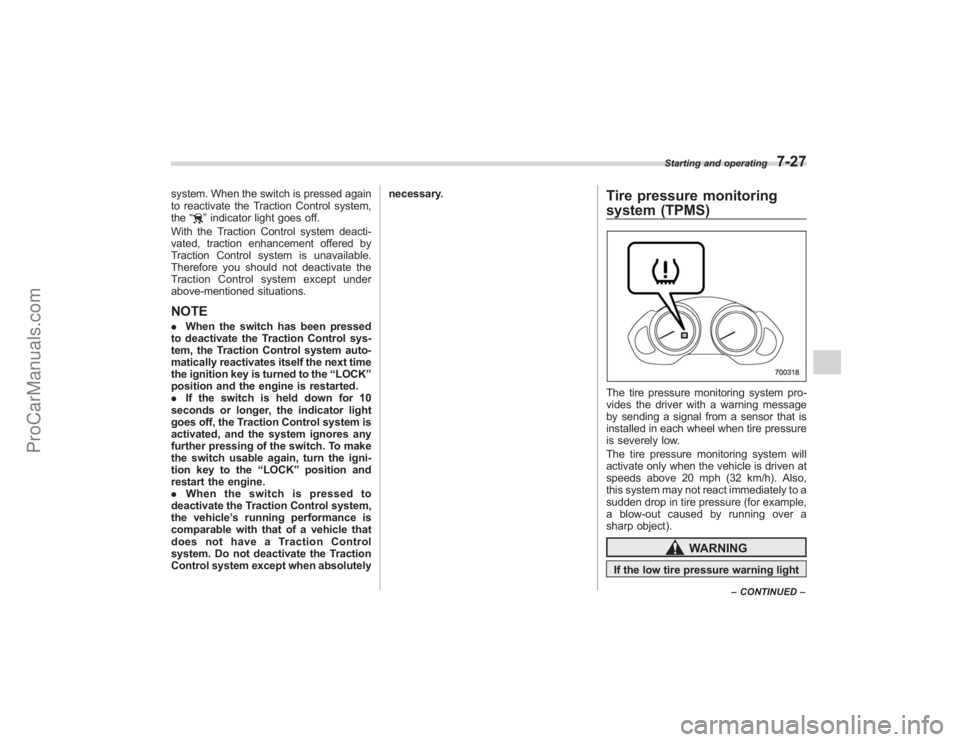
system (TPMS)The tire pressure monitoring system pro-
vides the driver with a warning message
by sending a signal from a sensor that is
installed in each wheel when tire pressure
is severely low.
The tire pressure monitoring system will
activate only when the vehicle is driven at
speeds above 20 mph (32 km/h). Also,
this system may not react immediately to a
sudden drop in tire pressure (for example,
a blow-out caused by running over a
sharp object).
WARNING
If the low tire pressure warning light
Starting and operating
7-27
–
CONTINUED –
ProCarManuals.com
Page 314 of 409
9-18
In case of emergency
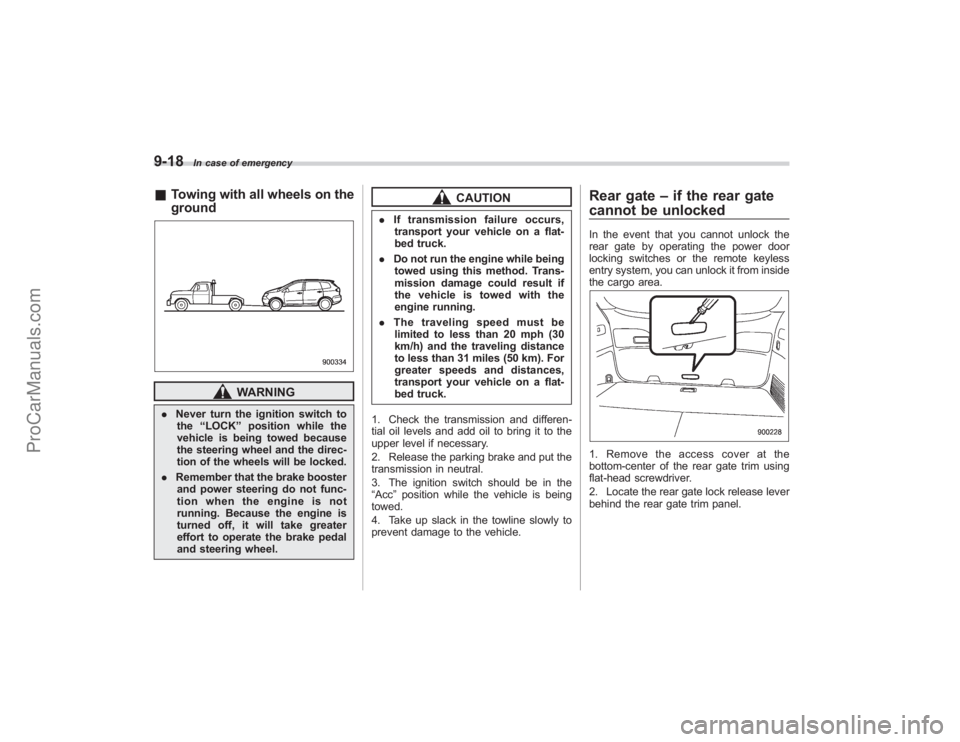
&Towing with all wheels on the
ground
WARNING
. Never turn the ignition switch to
the “LOCK ”position while the
vehicle is being towed because
the steering wheel and the direc-
tion of the wheels will be locked.
. Remember that the brake booster
and power steering do not func-
tion when the engine is not
running. Because the engine is
turned off, it will take greater
effort to operate the brake pedal
and steering wheel.
CAUTION
. If transmission failure occurs,
transport your vehicle on a flat-
bed truck.
. Do not run the engine while being
towed using this method. Trans-
mission damage could result if
the vehicle is towed with the
engine running.
. The traveling speed must be
limited to less than 20 mph (30
km/h) and the traveling distance
to less than 31 miles (50 km). For
greater speeds and distances,
transport your vehicle on a flat-
bed truck.
1. Check the transmission and differen-
tial oil levels and add oil to bring it to the
upper level if necessary.
2. Release the parking brake and put the
transmission in neutral.
3. The ignition switch should be in the
“Acc ”position while the vehicle is being
towed.
4. Take up slack in the towline slowly to
prevent damage to the vehicle.
Rear gate –if the rear gate
cannot be unlockedIn the event that you cannot unlock the
rear gate by operating the power door
locking switches or the remote keyless
entry system, you can unlock it from inside
the cargo area.1. Remove the access cover at the
bottom-center of the rear gate trim using
flat-head screwdriver.
2. Locate the rear gate lock release lever
behind the rear gate trim panel.
ProCarManuals.com
Page 326 of 409

11-4
Maintenance and service
guard against getting oil or fluids
in your eyes. If something does
get in your eyes, thoroughly
wash them out with clean water.
. Do not tamper with the wiring of
the SRS airbag system or seat-
belt pretensioner system, or at-
tempt to take its connectors
apart, as that may activate the
system or it can render it inop-
erative. The wiring and connec-
tors of these systems are yellow
for easy identification. NEVER
use a circuit tester for these
wiring.
If your SRS airbag or seatbelt
pretensioner needs service, con-
sult your nearest SUBARU deal-
er.
& Before checking or servicing
in the engine compartment
WARNING
. Always stop the engine and set
the parking brake firmly to pre-
vent the vehicle from moving.
. Always let the engine cool down.
Engine parts become very hot
when the engine is running and remain hot for some time after
the engine is stopped.
. Do not spill engine oil, engine
coolant, brake fluid or any other
fluid on hot engine components.
This may cause a fire.
. Always remove the key from the
ignition switch. When the ignition
switch is in the “ON ”position,
thecoolingfanmayoperate
suddenly even when the engine
is stopped.
& When you do checking or
servicing in the engine com-
partment while the engine is
running
WARNING
A running engine can be dangerous.
Keep your fingers, hands, clothing,
hair and tools away from the cooling
fan, belts and any other moving
engine parts. Removing rings,
watches and ties is advisable.
Engine hoodTo open the hood:
1. If the wiper blades are lifted off the
windshield, return them to their original
positions.
2. Pull the hood release knob under the
instrument panel.
ProCarManuals.com
Page 398 of 409
14-2
Index
A
ABS (Anti-lock Brake System)..................................... 7-20
Warning light ................................................. 3-15, 7-21
Accessories ....................................................... 5-4, 11-40
Accessory power outlet ................................................ 6-9
Active head restraint .................................................... 1-5
Air cleaner element .................................................. 11-14
Air filtration system ..................................................... 4-11
Air flow ...................................................................... 4-2
Air flow mode selection ................................................ 4-3
Alarm system ............................................................ 2-15
All-Wheel Drive warning light ....................................... 3-18
Aluminum wheel cleaning ............................................ 10-3
Aluminum wheels ..................................................... 11-30
Antenna system .......................................................... 5-2
Anti-lock Brake System (ABS) ..................................... 7-20
Arming the system ..................................................... 2-15
Armrest ..................................................................... 1-12
AT OIL TEMPerature warning light ............................... 3-13
Audio control button ................................................... 5-27
Audio input terminal ................................................... 5-29
Audio set ................................................................... 5-4
Auto-dimming mirror/compass ...................................... 3-38
Automatic climate control system .................................. 4-5
Automatic transmission ............................................... 7-12
Capacities ............................................................. 12-3
Fluid ................................................................... 11-15
MANUAL mode ..................................................... 7-15
Selector lever ........................................................ 7-13
Shift lock release ................................................... 7-17
Temperature warning light (AT OIL TEMP) ................. 3-13Automatic/Emergency Locking Retractor (A/ELR)
.......... 1-17
B
Battery .................................................................... 11-37
Jump starting ........................................................ 9-11
Replacement (Remote keyless entry system) .............. 2-7
Booster seat ............................................................. 1-36
Brake Assist ................................................................... 7-19
Booster ....................................................... 7-19, 11-21
Fluid ................................................................... 11-20
Pad and lining ...................................................... 11-22
Parking ....................................................... 7-29, 11-23
Pedal .................................................................. 11-21
System ................................................................. 7-19
Brake pedal Free play ............................................................. 11-21
Reserve distance .................................................. 11-22
Brake system ............................................................ 7-19
Warning light ......................................................... 3-16
Braking .................................................................... 7-18
Tips ..................................................................... 7-18
Breaking-in of new brake pads and linings ................... 11-22
Bulb
Chart ...................................................................
12-8
Replacing ............................................................ 11-41
C
Capacities ................................................................ 12-3
Cargo area Cover ................................................................... 6-13
ProCarManuals.com