2008 SUBARU TRIBECA engine
[x] Cancel search: enginePage 31 of 409
When the vehicle’s interior is warmed
enough or before you leave the vehicle,
be sure to turn the switch off.
CAUTION
. There is a possibility that people
with delicate skin may suffer
slight burns even at low tempera-
tures if they use the seat heater
for a long period of time. When
using the heater, always be sure
to warn the persons concerned.
. Do not put anything on the seat
which insulates against heat,
such as a blanket, cushion, or
similar items. This may cause the
seat heater to overheat.NOTEUse of the seat heater for a long period
of time while the engine is not running
can cause battery discharge.
Rear seats (5-seater models)/
Second-row seats (7-seater
models)
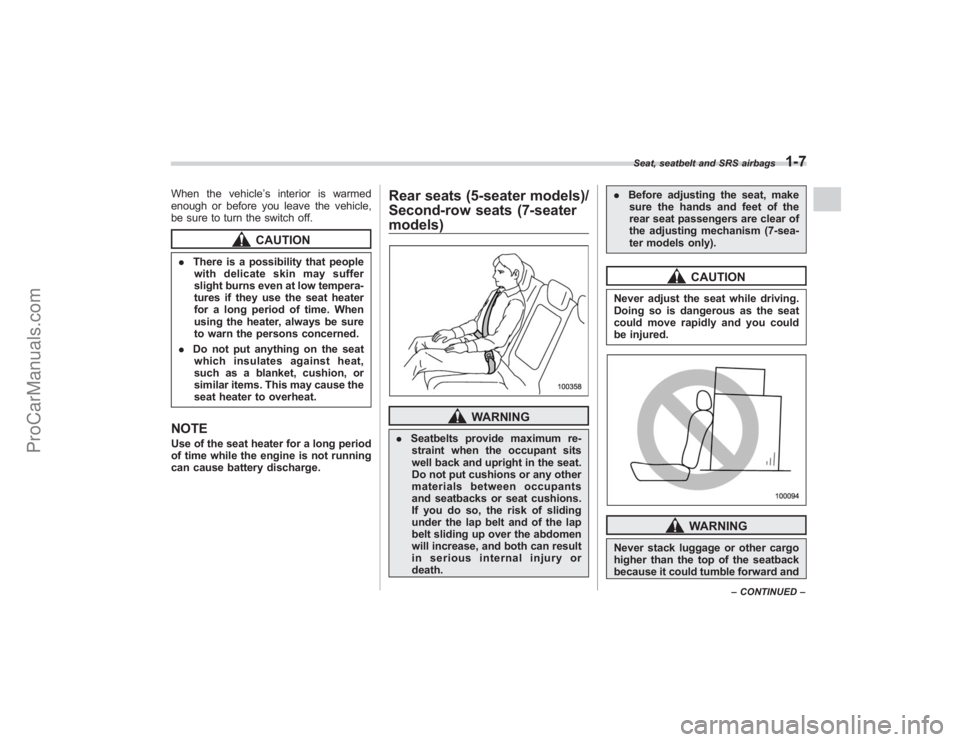
WARNING
. Seatbelts provide maximum re-
straint when the occupant sits
well back and upright in the seat.
Do not put cushions or any other
materials between occupants
and seatbacks or seat cushions.
If you do so, the risk of sliding
under the lap belt and of the lap
belt sliding up over the abdomen
will increase, and both can result
in serious internal injury or
death. .
Before adjusting the seat, make
sure the hands and feet of the
rear seat passengers are clear of
the adjusting mechanism (7-sea-
ter models only).
CAUTION
Never adjust the seat while driving.
Doing so is dangerous as the seat
could move rapidly and you could
be injured.
WARNING
Never stack luggage or other cargo
higher than the top of the seatback
because it could tumble forward and
Seat, seatbelt and SRS airbags
1-7
– CONTINUED –
ProCarManuals.com
Page 96 of 409
2-2
Keys and doors
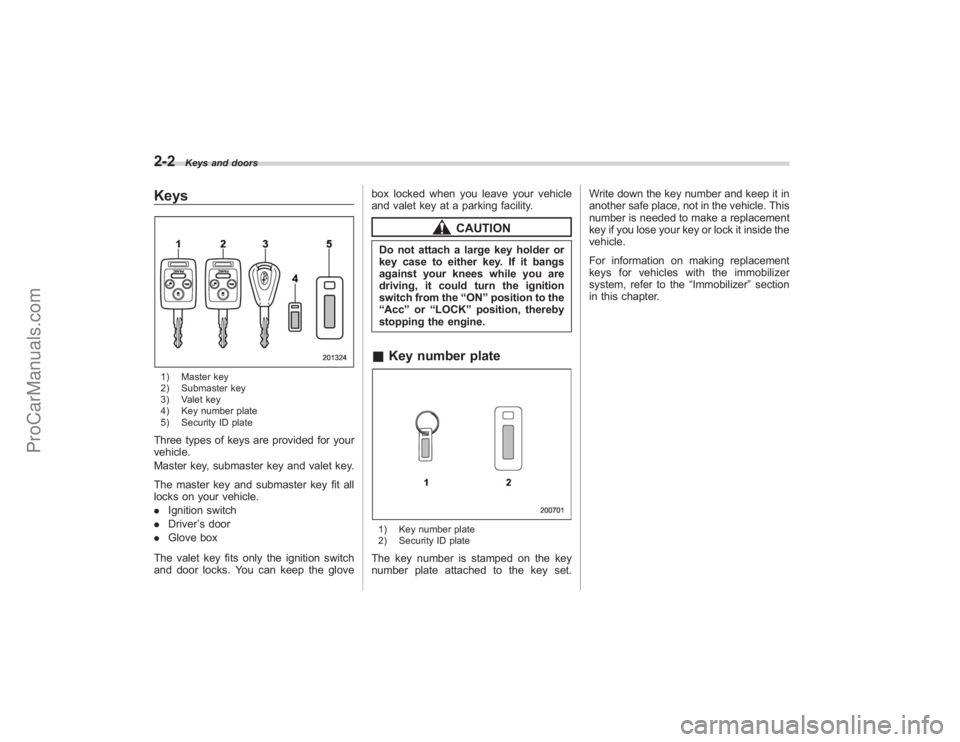
Keys1) Master key
2) Submaster key
3) Valet key
4) Key number plate
5) Security ID plateThree types of keys are provided for your
vehicle.
Master key, submaster key and valet key.
The master key and submaster key fit all
locks on your vehicle.
.Ignition switch
. Driver ’s door
. Glove box
The valet key fits only the ignition switch
and door locks. You can keep the glove box locked when you leave your vehicle
and valet key at a parking facility.
CAUTION
Do not attach a large key holder or
key case to either key. If it bangs
against your knees while you are
driving, it could turn the ignition
switch from the
“ON ”position to the
“ Acc ”or “LOCK ”position, thereby
stopping the engine.& Key number plate1) Key number plate
2) Security ID plateThe key number is stamped on the key
number plate attached to the key set. Write down the key number and keep it in
another safe place, not in the vehicle. This
number is needed to make a replacement
key if you lose your key or lock it inside the
vehicle.
For information on making replacement
keys for vehicles with the immobilizer
system, refer to the
“Immobilizer ”section
in this chapter.
ProCarManuals.com
Page 97 of 409
ImmobilizerThe immobilizer system is designed to
prevent an unauthorized person from
starting the engine. Only keys registered
with your vehicle’s immobilizer system can
be used to operate your vehicle. Even if
an unregistered key fits into the ignition
switch and can be turned to the “START”
position, the engine will automatically stop
after several seconds.
Each immobilizer key contains a trans-
ponder in which the key ’s ID code is
stored. When a key is inserted into the
ignition switch and turned to the “ON”
position, the transponder transmits the
key ’s ID code to the immobilizer system ’s
receiver. If the transmitted ID code
matches the ID code registered in the
immobilizer system, the system allows the
engine to be started. Since the ID code is
transmitted and acted upon almost in-
stantly, the immobilizer system does not
impede normal starting of the engine.
If the engine fails to start, pull out the key
once before trying again. Refer to the
“Ignition switch ”section in chapter 3.
This device complies with Part 15 of
the FCC Rules and with RSS-210 of
Industry Canada. Operation is subject
to the following two conditions: (1) This device may not cause harmful inter-
ference, and (2) this device must
accept any interference received, in-
cluding interference that may cause
undesired operation.
Changes or modifications not ex-
pressly approved by the party respon-
sible for compliance could void the
user
’s authority to operate the equip-
ment.
NOTETo protect your vehicle from theft,
please pay close attention to the fol-
lowing security precautions:
. Never leave your vehicle unattended
with its keys inside.
. Before leaving your vehicle, close all
windows and lock the doors and rear
gate.
. Do not leave spare keys or any
record of your key number in the
vehicle.
CAUTION
. Do not place the key under direct
sunlight or anywhere it may
become hot. .
Do not get the key wet. If the key
gets wet, wipe it dry with a cloth
immediately.
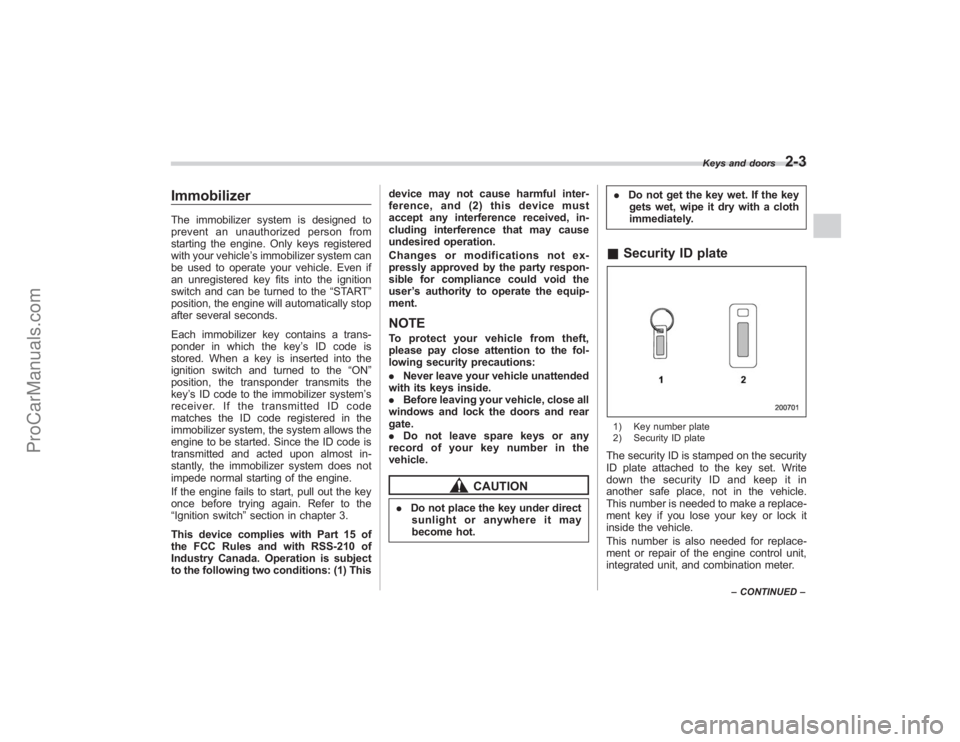
& Security ID plate1) Key number plate
2) Security ID plateThe security ID is stamped on the security
ID plate attached to the key set. Write
down the security ID and keep it in
another safe place, not in the vehicle.
This number is needed to make a replace-
ment key if you lose your key or lock it
inside the vehicle.
This number is also needed for replace-
ment or repair of the engine control unit,
integrated unit, and combination meter.
Keys and doors
2-3
–CONTINUED –
ProCarManuals.com
Page 109 of 409
Alarm systemThe alarm system helps to protect your
vehicle and valuables from theft. The horn
sounds and the turn signal lights flash if
someone attempts to break into your
vehicle.
The system can be armed and disarmed
with the remote transmitter.
The system does not operate when the
key is inserted into the ignition switch.
Your vehicle’s alarm system has been set
for activation at the time of shipment from
the factory. You can set the system for
deactivation yourself or have it done by
your SUBARU dealer.& System operationThe alarm system will give the following
alarms when triggered:
. The vehicle’ s horn will sound and the
turn signal lights will flash for 30 seconds.
. If any door (or the rear gate) remains
open after the 30-second period, the horn
will continue to sound for a maximum of 3
minutes. If the door (or the rear gate) is
closed while the horn is sounding, the
horn will stop sounding with a delay of up
to 30 seconds.
The alarm is triggered by: .
Opening a door or the rear gate
. Physical impact to the vehicle, such as
forced entry (only vehicles with shock
sensors (dealer option))
& Activating and deactivating
the alarm systemTo change the setting of your vehicle’ s
alarm system for activation or deactiva-
tion, do the following.
1. Disarm the alarm system (refer to
“Disarming the system ”in this section).
2. Sit in the driver ’s seat and shut all
doors (and the rear gate).
3. Turn the ignition switch to the “ON”
position.
4. Hold down the UNLOCK side of the
driver ’s power door locking switch, open
the driver ’s door within the following 1
second, and wait 10 seconds without
releasing the switch. The setting will then
be changed as follows:
If the system was previously activated:
The odometer/trip meter screen displays
“ AL oF ”and the horn sounds twice,
indicating that the system is now deacti-
vated.
If the system was previously deacti-
vated:
The odometer/trip meter screen displays “
AL on” and the horn sounds once,
indicating that the system is now acti-
vated.
NOTEYou may have the above setting
change done by your SUBARU dealer.& If you have accidentally trig-
gered the alarm system! To stop the alarm
Do any of the following operations:
. Press any button on the remote trans-
mitter.
. Turn the ignition switch to the “ON”
position.& Arming the system! To arm the system using remote
transmitter
1. Close all windows and the moonroof.
2. Remove the key from the ignition
switch.
3. Open the doors and get out of the
vehicle.
4. Make sure that the engine hood is
locked.
5. Close all doors (and the rear gate).
Keys and doors
2-15
– CONTINUED –
ProCarManuals.com
Page 110 of 409
2-16
Keys and doors
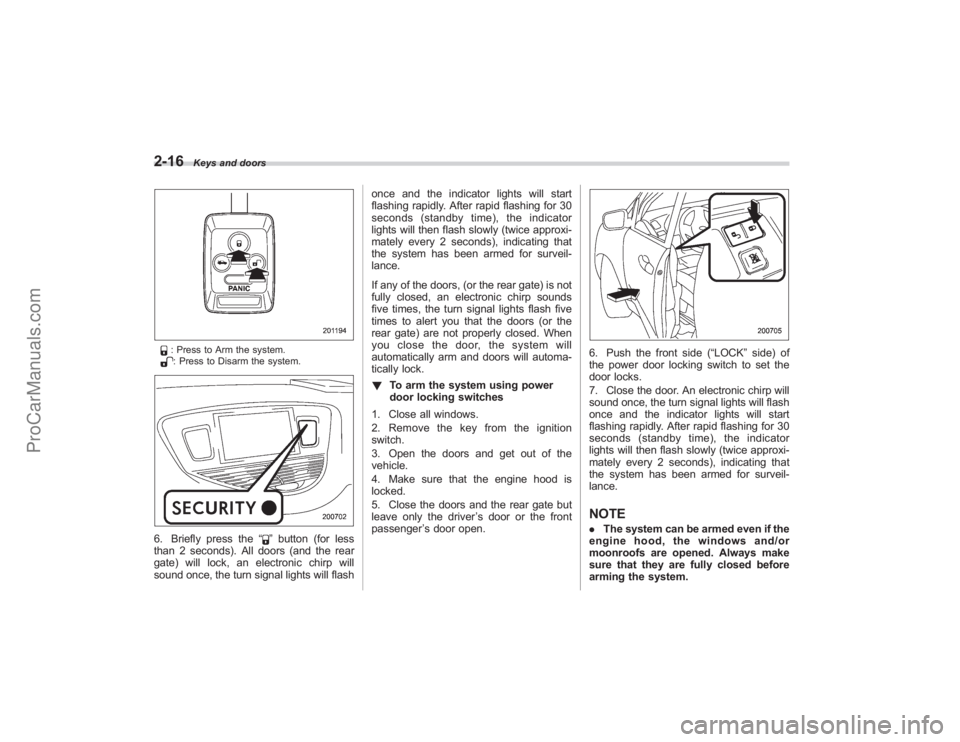
: Press to Arm the system.: Press to Disarm the system.
6. Briefly press the“
”button (for less
than 2 seconds). All doors (and the rear
gate) will lock, an electronic chirp will
sound once, the turn signal lights will flash once and the indicator lights will start
flashing rapidly. After rapid flashing for 30
seconds (standby time), the indicator
lights will then flash slowly (twice approxi-
mately every 2 seconds), indicating that
the system has been armed for surveil-
lance.
If any of the doors, (or the rear gate) is not
fully closed, an electronic chirp sounds
five times, the turn signal lights flash five
times to alert you that the doors (or the
rear gate) are not properly closed. When
you close the door, the system will
automatically arm and doors will automa-
tically lock.
!
To arm the system using power
door locking switches
1. Close all windows.
2. Remove the key from the ignition
switch.
3. Open the doors and get out of the
vehicle.
4. Make sure that the engine hood is
locked.
5. Close the doors and the rear gate but
leave only the driver ’s door or the front
passenger ’s door open.
6. Push the front side (“LOCK” side) of
the power door locking switch to set the
door locks.
7. Close the door. An electronic chirp will
sound once, the turn signal lights will flash
once and the indicator lights will start
flashing rapidly. After rapid flashing for 30
seconds (standby time), the indicator
lights will then flash slowly (twice approxi-
mately every 2 seconds), indicating that
the system has been armed for surveil-
lance.NOTE. The system can be armed even if the
engine hood, the windows and/or
moonroofs are opened. Always make
sure that they are fully closed before
arming the system.
ProCarManuals.com
Page 121 of 409
Ignition switch.................................................. 3-3
LOCK............................................................... 3-3
Acc.................................................................. 3-4
ON................................................................... 3-4
START ............................................................. 3-4
Key reminder chime ......................................... 3-4
Ignition switch light .......................................... 3-4
Hazard warning flasher .................................... 3-5
Meters and gauges. .......................................... 3-5
Combination meter illumination ........................ 3-5
Canceling the function for meter needle/gauge movement and combination meter sequential
illumination upon turning on the ignition
switch ............................................................ 3-5
Speedometer .................................................... 3-6
Odometer ......................................................... 3-6
Double trip meter ............................................. 3-7
Tachometer ...................................................... 3-7
Fuel gauge ....................................................... 3-8
Temperature gauge .......................................... 3-9
Warning and indicator lights ........................... 3-9
Seatbelt warning light and chime .................... 3-10
SRS airbag system warning light ..................... 3-11
Front passenger ’s frontal airbag ON and OFF
indicators ..................................................... 3-12
CHECK ENGINE warning light/Malfunction indicator lamp .............................................. 3-12
Charge warning light ...................................... 3-13
Oil pressure warning light .............................. 3-13
AT OIL TEMPerature warning light. .................. 3-13Rear differential oil temperature warning
light ............................................................. 3-14
Low tire pressure warning light ....................... 3-14
ABS warning light ........................................... 3-15
Brake system warning light ............................. 3-16
Low fuel warning light .................................... 3-17
Door open warning light ................................. 3-17
Windshield washer fluid warning light ............. 3-18
All-Wheel Drive warning light .......................... 3-18
Vehicle Dynamics Control operation indicator light ............................................................. 3-18
Vehicle Dynamics Control warning light/Traction Control system OFF indicator light ................ 3-18
Security indicator light .................................... 3-19
SPORT mode indicator light ............................ 3-20
Selector lever/Gear position indicator .............. 3-20
Turn signal indicator lights .............................. 3-20
High beam indicator light ................................ 3-20
Cruise control indicator light ........................... 3-20
Cruise control set indicator light ..................... 3-21
Headlight indicator light .................................. 3-21
Front fog light indicator light ........................... 3-21
Clock.............................................................. 3-21
Outside temperature indicator ...................... 3-22
Low outside temperature warning ................... 3-22
Multi function display (Vehicle without
Navigation System) .................................... 3-23
Current fuel consumption ............................... 3-23
Average fuel consumption .............................. 3-24
Driving range on remaining fuel ...................... 3-24
Journey time .................................................. 3-25
Instruments and controls
3
ProCarManuals.com
Page 123 of 409
Ignition switch
WARNING
.Never turn the ignition switch to
“ LOCK” while the vehicle is
being driven or towed because
that will lock the steering wheel,
preventing steering control. And
when the engine is turned off, it
takes a much greater effort than
usual to steer.
. Before leaving the vehicle, al-
ways remove the key from the
ignition switch for safety and
never allow an unattended child
to remain in the vehicle. Failure
to follow this procedure could
result in injury to a child or
others. Children could operate
the power windows, the moon-
roof or other controls or even
make the vehicle move.
CAUTION
Do not attach a large key holder or
key case to either key. If it banged
against your knees or hands while
you were driving, it could turn the
ignition switch from the “ON ”posi- tion to the
“Acc ”or “LOCK ”posi-
tion, thereby stopping the engine.
Also, if the key is attached to a
keyholder or to a large bunch of
other keys, centrifugal force may act
on it as the vehicle moves, resulting
in unwanted turning of the ignition
switch.
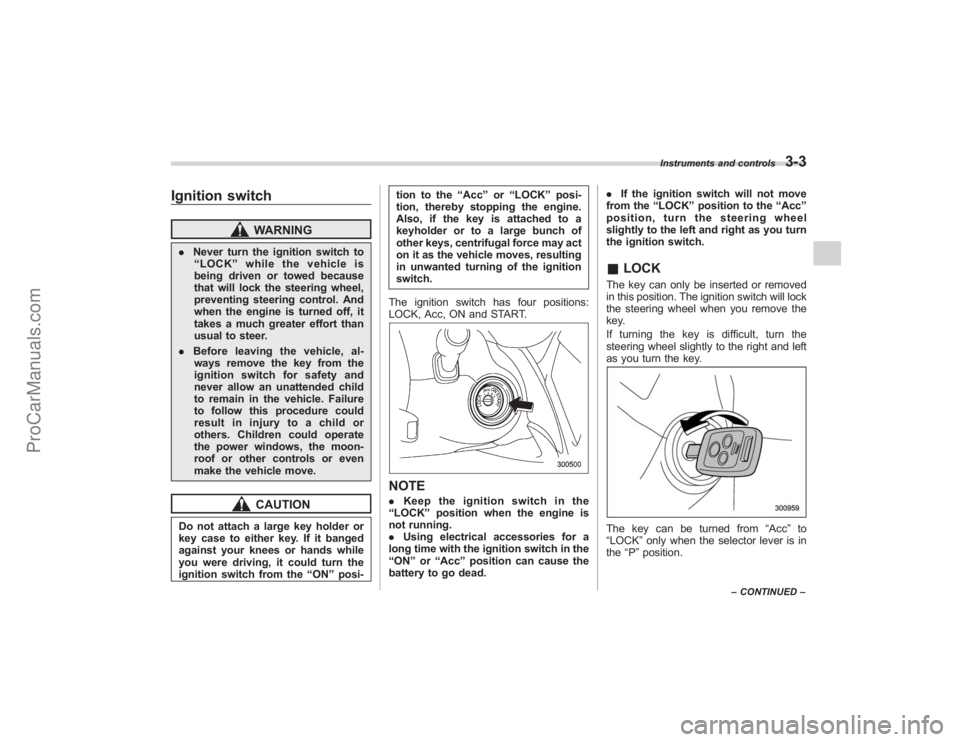
The ignition switch has four positions:
LOCK, Acc, ON and START.
NOTE. Keep the ignition switch in the
“ LOCK ”position when the engine is
not running.
. Using electrical accessories for a
long time with the ignition switch in the
“ ON ”or “Acc ”position can cause the
battery to go dead. .
If the ignition switch will not move
from the “LOCK ”position to the “Acc ”
position, turn the steering wheel
slightly to the left and right as you turn
the ignition switch.
& LOCKThe key can only be inserted or removed
in this position. The ignition switch will lock
the steering wheel when you remove the
key.
If turning the key is difficult, turn the
steering wheel slightly to the right and left
as you turn the key.The key can be turned from “Acc”to
“LOCK ”only when the selector lever is in
the “P ”position.
Instruments and controls
3-3
– CONTINUED –
ProCarManuals.com
Page 124 of 409
3-4
Instruments and controls
&AccIn this position the electrical accessories
(radio, accessory power outlet, etc.) can
be used.&ONThis is the normal operating position after
the engine is started.&START
CAUTION
Do not turn the ignition switch to the
“START ”position while the engine
is running.
The engine is started in this position. The
starter cranks the engine to start it. When
the key is released (after the engine has
started), the key automatically returns to
the “ON ”position.
If your registered key fails to start the
engine, pull out the key once (the security
indicator light will blink), and then insert
the key in the ignition switch and turn it to
the “START ”position and again try to start
the engine.
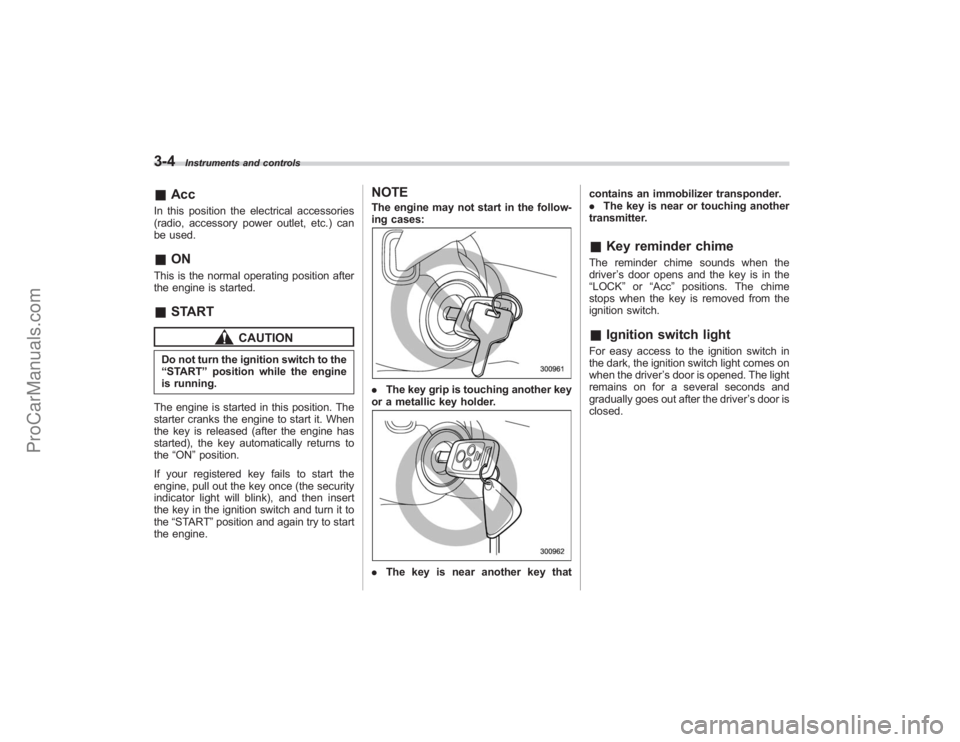
NOTEThe engine may not start in the follow-
ing cases:. The key grip is touching another key
or a metallic key holder.. The key is near another key that contains an immobilizer transponder.
.
The key is near or touching another
transmitter.
& Key reminder chimeThe reminder chime sounds when the
driver ’s door opens and the key is in the
“ LOCK” or“Acc ”positions. The chime
stops when the key is removed from the
ignition switch.& Ignition switch lightFor easy access to the ignition switch in
the dark, the ignition switch light comes on
when the driver ’s door is opened. The light
remains on for a several seconds and
gradually goes out after the driver ’s door is
closed.
ProCarManuals.com