2008 MERCEDES-BENZ E-CLASS SALOON battery
[x] Cancel search: batteryPage 307 of 401

Troubleshooting
304 Problem Possible cause/consequence Suggested solutions
The vehicle cannot be started
using the KEYLESS GO key and
the KEYLESS GO button. The KEY-
LESS GO key is in the vehicle. A door is open. The key therefore
cannot be detected so easily. X
Close the door and try to start the vehicle again. You did not depress the brake
when starting the engine. X
Depress the brake and press the KEYLESS GO button. There is interference from a pow-
erful source of radio waves. X
Start your vehicle using the KEYLESS GO key in the ignition lock. You have lost the KEYLESS GO
key. X
Have the KEYLESS GO key cancelled at a Mercedes-Benz Service
Centre.
X Report the loss immediately to the vehicle insurers.
X If necessary, have the manual locks changed too. Auxiliary heating*
Problem Possible cause/consequence Suggested solutions
The auxiliary heating is not work-
ing. The fuel level is down to the
reserve level. X
Refuel at the nearest filling station. The battery is not sufficiently
charged. X
Charge the battery. The auxiliary heating is faulty. X
Have the auxiliary heating checked at a qualified specialist work-
shop. Practical advice
* optional
211_AKB; 2; 5, en-GB
mkalafa
,V ersion: 2.9.4
2008-02-29T16:57:07+01:00 - Seite 304 Dateiname: 6515_3416_02_buchblock.pdf; preflight
Page 308 of 401
Troubleshooting
305Problem Possible cause/consequence Suggested solutions
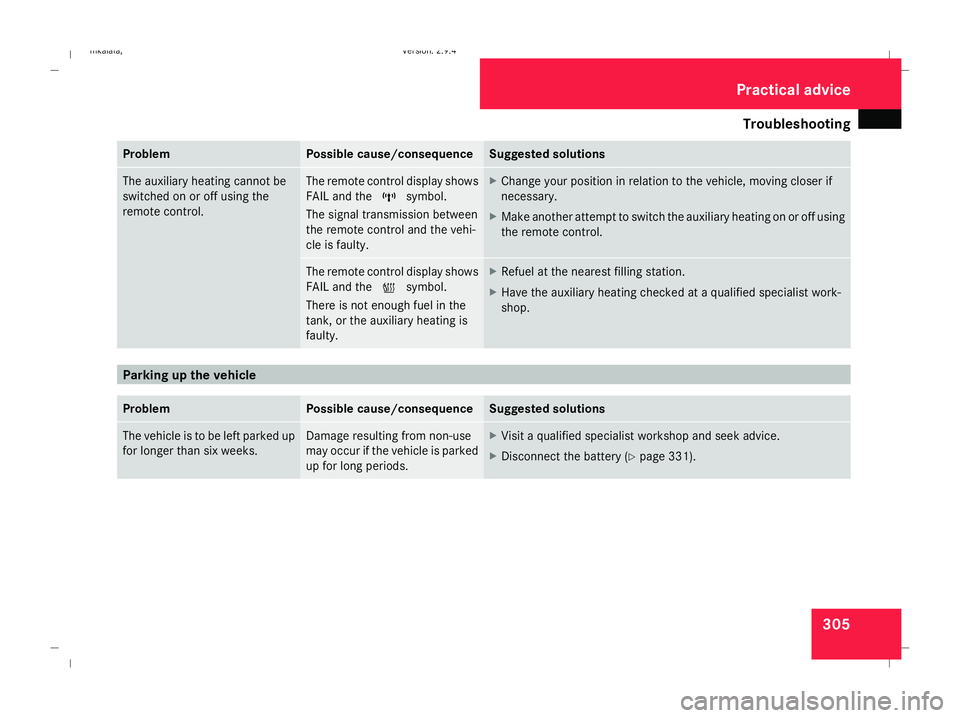
The auxiliary heating cannot be
switched on or off using the
remote control. The remote control display shows
FAIL and the
¢symbol.
The signal transmission between
the remote control and the vehi-
cle is faulty. X
Change your position in relation to the vehicle, moving closer if
necessary.
X Make another attempt to switch the auxiliary heating on or off using
the remote control. The remote control display shows
FAIL and the
¡symbol.
There is not enough fuel in the
tank, or the auxiliary heating is
faulty. X
Refuel at the nearest filling station.
X Have the auxiliary heating checked at a qualified specialist work-
shop. Parking up the vehicle
Problem Possible cause/consequence Suggested solutions
The vehicle is to be left parked up
for longer than six weeks. Damage resulting from non-use
may occur if the vehicle is parked
up for long periods. X
Visit a qualified specialist workshop and seek advice.
X Disconnect the battery ( Ypage 331). Practical advice
211_AKB; 2; 5, en-GB
mkalafa
,V ersion: 2.9.4
2008-02-29T16:57:07+01:00 - Seite 305 ZDateiname: 6515_3416_02_buchblock.pdf; preflight
Page 313 of 401
Changing the batteries
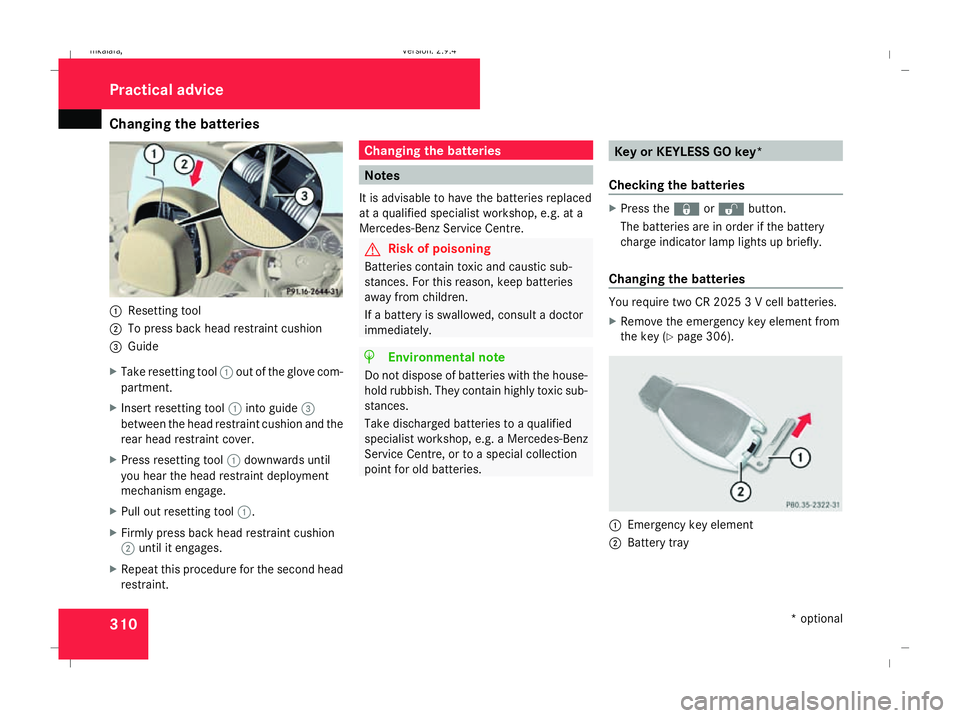
3101
Resetting tool
2 To press back head restraint cushion
3 Guide
X Take resetting tool 1out of the glove com-
partment.
X Insert resetting tool 1into guide 3
between the head restraint cushion and the
rear head restraint cover.
X Press resetting tool 1downwards until
you hear the head restraint deployment
mechanism engage.
X Pull out resetting tool 1.
X Firmly press back head restraint cushion
2 until it engages.
X Repeat this procedure for the second head
restraint. Changing the batteries
Notes
It is advisable to have the batteries replaced
at a qualified specialist workshop, e.g. at a
Mercedes-Benz Service Centre. G
Risk of poisoning
Batteries contain toxic and caustic sub-
stances. For this reason, keep batteries
away from children.
If a battery is swallowed, consult a doctor
immediately. H
Environmental note
Do not dispose of batteries with the house-
hold rubbish. They contain highly toxic sub-
stances.
Take discharged batteries to a qualified
specialist workshop, e.g. a Mercedes-Benz
Service Centre, or to a special collection
point for old batteries. Key or KEYLESS GO key*
Checking the batteries X
Press the jork button.
The batteries are in order if the battery
charge indicator lamp lights up briefly.
Changing the batteries You require two CR 2025 3 V cell batteries.
X
Remove the emergency key element from
the key (Y page 306). 1
Emergency key element
2 Battery tray Practical advice
* optional
211_AKB; 2; 5, en-GB
mkalafa,
Version: 2.9.4 2008-02-29T16:57:07+01:00 - Seite 310Dateiname: 6515_3416_02_buchblock.pdf; preflight
Page 314 of 401
Changing the bulbs
311
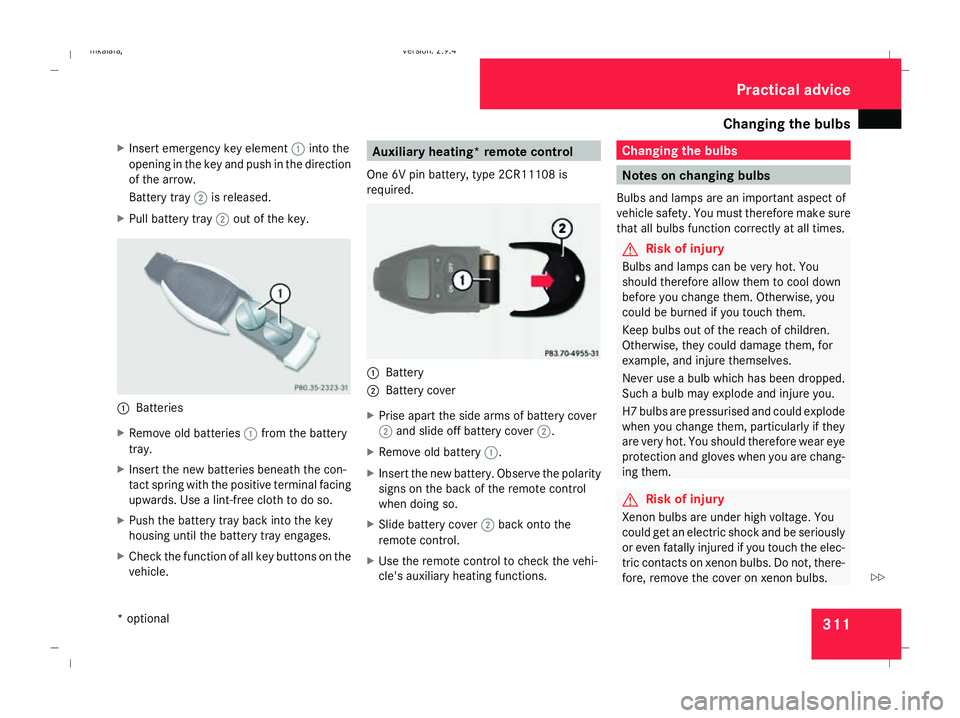
X
Insert emergency key element 1into the
opening in the key and push in the direction
of the arrow.
Battery tray 2is released.
X Pull battery tray 2out of the key. 1
Batteries
X Remove old batteries 1from the battery
tray.
X Insert the new batteries beneath the con-
tact spring with the positive terminal facing
upwards. Use a lint-free cloth to do so.
X Push the battery tray back into the key
housing until the battery tray engages.
X Check the function of all key buttons on the
vehicle. Auxiliary heating* remote control
One 6V pin battery, type 2CR11108 is
required. 1
Battery
2 Battery cover
X Prise apart the side arms of battery cover
2 and slide off battery cover 2.
X Remove old battery 1.
X Insert the new battery. Observe the polarity
signs on the back of the remote control
when doing so.
X Slide battery cover 2back onto the
remote control.
X Use the remote control to check the vehi-
cle's auxiliary heating functions. Changing the bulbs
Notes on changing bulbs
Bulbs and lamps are an important aspect of
vehicle safety. You must therefore make sure
that all bulbs function correctly at all times. G
Risk of injury
Bulbs and lamps can be very hot. You
should therefore allow them to cool down
before you change them. Otherwise, you
could be burned if you touch them.
Keep bulbs out of the reach of children.
Otherwise, they could damage them, for
example, and injure themselves.
Never use a bulb which has been dropped.
Such a bulb may explode and injure you.
H7 bulbs are pressurised and could explode
when you change them, particularly if they
are very hot. You should therefore wear eye
protection and gloves when you are chang-
ing them. G
Risk of injury
Xenon bulbs are under high voltage. You
could get an electric shock and be seriously
or even fatally injured if you touch the elec-
tric contacts on xenon bulbs. Do not, there-
fore, remove the cover on xenon bulbs. Practical advice
* optional
211_AKB; 2; 5, en-GB
mkalafa,
Version: 2.9.4 2008-02-29T16:57:07+01:00 - Seite 311 ZDateiname: 6515_3416_02_buchblock.pdf; preflight
Page 332 of 401
Battery
329Battery
Notes on the battery
In order for the battery to achieve the maxi-
mum possible service life, it must always be
sufficiently charged.
Have the battery charge checked more fre-
quently if you use the vehicle mainly for short
trips or if you leave it standing idle for a
lengthy period.
To prevent damage from corrosion, only
replace the battery with one that has a central
ventilation cover.
Consult a Mercedes-Benz Service Centre if
you wish to leave your vehicle parked up for
a long period of time. G
Risk of injury
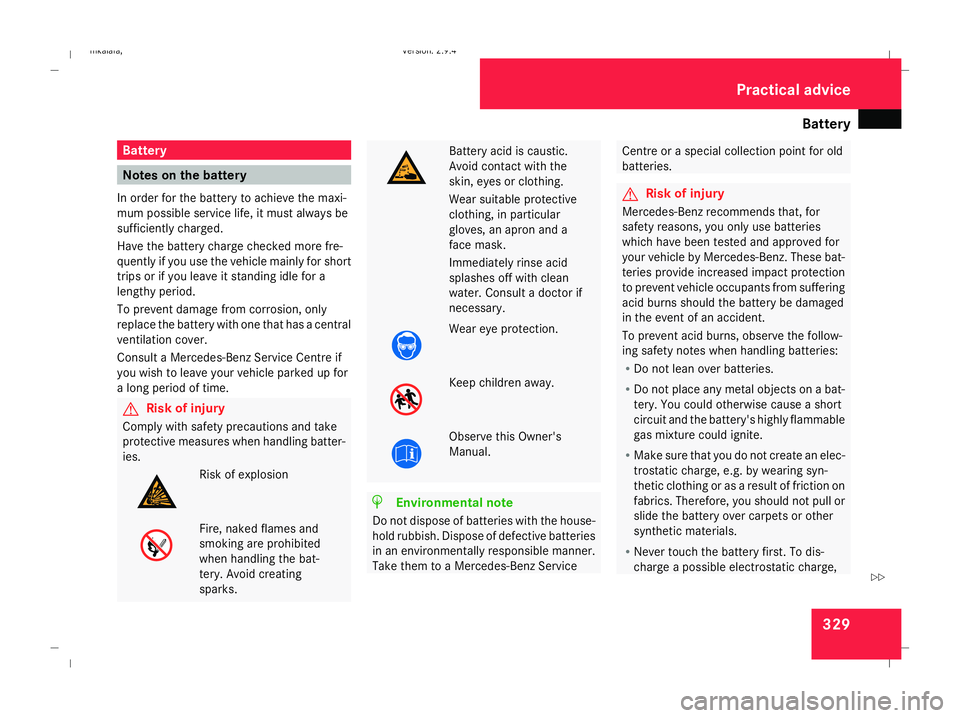
Comply with safety precautions and take
protective measures when handling batter-
ies. Risk of explosion
Fire, naked flames and
smoking are prohibited
when handling the bat-
tery. Avoid creating
sparks. Battery acid is caustic.
Avoid contact with the
skin, eyes or clothing.
Wear suitable protective
clothing, in particular
gloves, an apron and a
face mask.
Immediately rinse acid
splashes off with clean
water. Consult a doctor if
necessary.
Wear eye protection.
Keep children away.
Observe this Owner's
Manual.
H
Environmental note
Do not dispose of batteries with the house-
hold rubbish. Dispose of defective batteries
in an environmentally responsible manner.
Take them to a Mercedes-Benz Service Centre or a special collection point for old
batteries.
G
Risk of injury
Mercedes-Benz recommends that, for
safety reasons, you only use batteries
which have been tested and approved for
your vehicle by Mercedes-Benz. These bat-
teries provide increased impact protection
to prevent vehicle occupants from suffering
acid burns should the battery be damaged
in the event of an accident.
To prevent acid burns, observe the follow-
ing safety notes when handling batteries:
R Do not lean over batteries.
R Do not place any metal objects on a bat-
tery. You could otherwise cause a short
circuit and the battery's highly flammable
gas mixture could ignite.
R Make sure that you do not create an elec-
trostatic charge, e.g. by wearing syn-
thetic clothing or as a result of friction on
fabrics. Therefore, you should not pull or
slide the battery over carpets or other
synthetic materials.
R Never touch the battery first. To dis-
charge a possible electrostatic charge, Practical advice
211_AKB; 2; 5, en-GB
mkalafa,
Version: 2.9.4
2008-02-29T16:57:07+01:00 - Seite 329 ZDateiname: 6515_3416_02_buchblock.pdf; preflight
Page 333 of 401
Battery
330 step out of the vehicle first and touch the
bodywork.
R Do not wipe the battery using a cloth. The
battery may explode as a result of elec-
trostatic charge or due to flying sparks.
! Switch the engine off and remove the key
before unscrewing or disconnecting the
terminal clamps from the battery. You may
otherwise destroy electronic components
such as the alternator.
i Mercedes-Benz recommends that you
have all work involving the battery, e.g.
removing, charging and replacing, carried
out at a qualified specialist workshop, e.g.
a Mercedes-Benz Service Centre.
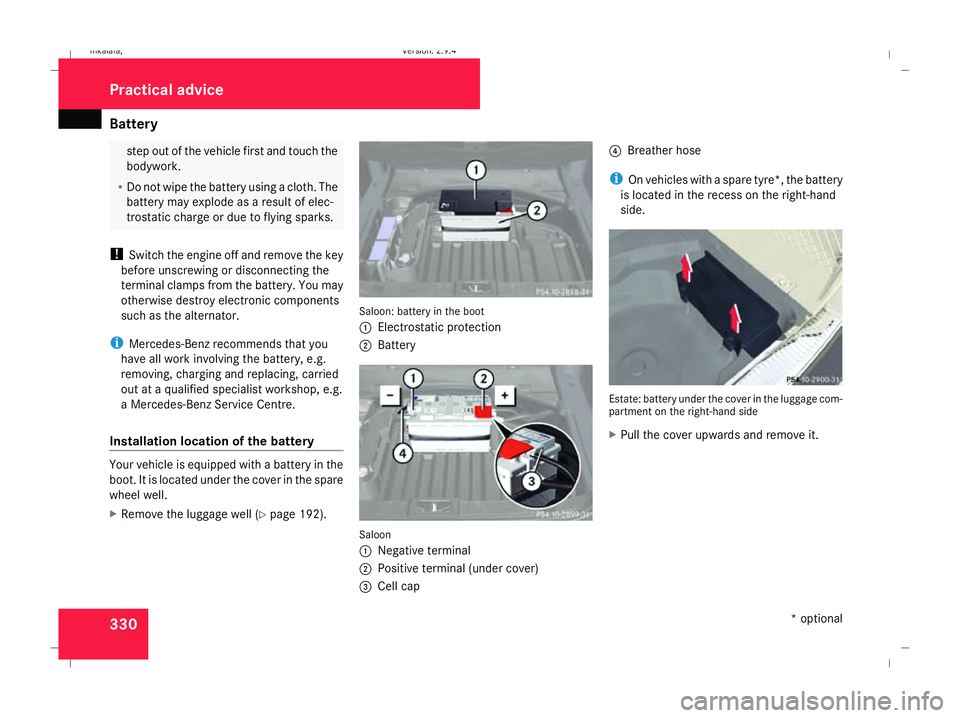
Installation location of the battery Your vehicle is equipped with a battery in the
boot. It is located under the cover in the spare
wheel well.
X Remove the luggage well (Y page 192). Saloon: battery in the boot
1
Electrostatic protection
2 Battery Saloon
1
Negative terminal
2 Positive terminal (under cover)
3 Cell cap 4
Breather hose
i On vehicles with a spare tyre*, the battery
is located in the recess on the right-hand
side. Estate: battery under the cover in the luggage com-
partment on the right-hand side
X
Pull the cover upwards and remove it. Practical advice
* optional
211_AKB; 2; 5, en-GB
mkalafa,
Version: 2.9.4 2008-02-29T16:57:07+01:00 - Seite 330Dateiname: 6515_3416_02_buchblock.pdf; preflight
Page 334 of 401
Battery
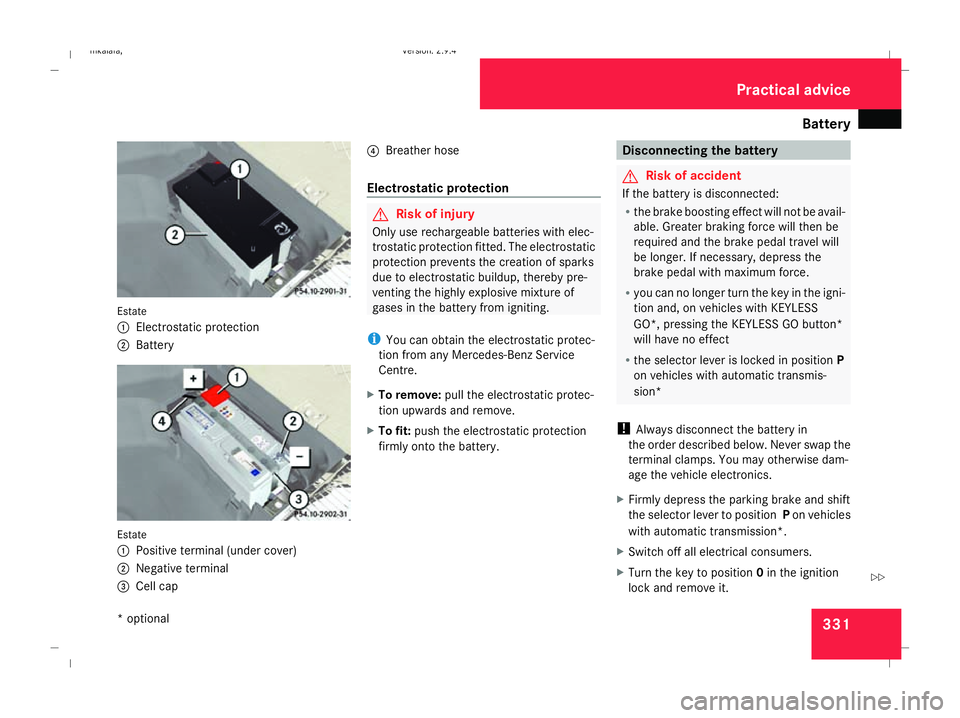
331Estate
1 Electrostatic protection
2 Battery Estate
1 Positive terminal (under cover)
2 Negative terminal
3 Cell cap 4
Breather hose
Electrostatic protection G
Risk of injury
Only use rechargeable batteries with elec-
trostatic protection fitted. The electrostatic
protection prevents the creation of sparks
due to electrostatic buildup, thereby pre-
venting the highly explosive mixture of
gases in the battery from igniting.
i You can obtain the electrostatic protec-
tion from any Mercedes-Benz Service
Centre.
X To remove: pull the electrostatic protec-
tion upwards and remove.
X To fit: push the electrostatic protection
firmly onto the battery. Disconnecting the battery
G
Risk of accident
If the battery is disconnected:
R the brake boosting effect will not be avail-
able. Greater braking force will then be
required and the brake pedal travel will
be longer. If necessary, depress the
brake pedal with maximum force.
R you can no longer turn the key in the igni-
tion and, on vehicles with KEYLESS
GO*, pressing the KEYLESS GO button*
will have no effect
R the selector lever is locked in position P
on vehicles with automatic transmis-
sion*
! Always disconnect the battery in
the order described below. Never swap the
terminal clamps. You may otherwise dam-
age the vehicle electronics.
X Firmly depress the parking brake and shift
the selector lever to position Pon vehicles
with automatic transmission*.
X Switch off all electrical consumers.
X Turn the key to position 0in the ignition
lock and remove it. Practical advice
* optional
211_AKB; 2; 5, en-GB
mkalafa
, Version: 2.9.4 2008-02-29T16:57:07+01:00 - Seite 331 ZDateiname: 6515_3416_02_buchblock.pdf; preflight
Page 335 of 401
Battery
332
X
Open the boot/luggage compartment.
X Remove the cover (Y page 256).
X Remove the battery cover.
X Remove the negative terminal clamp from
the battery.
X Remove the cover from the positive termi-
nal clamp.
X Remove the positive terminal clamp from
the battery.
X Disconnect the breather hose. Removing the battery
Saloon X
Disconnect the battery ( Ypage 331).
X Loosen the bolt which holds the battery in
place.
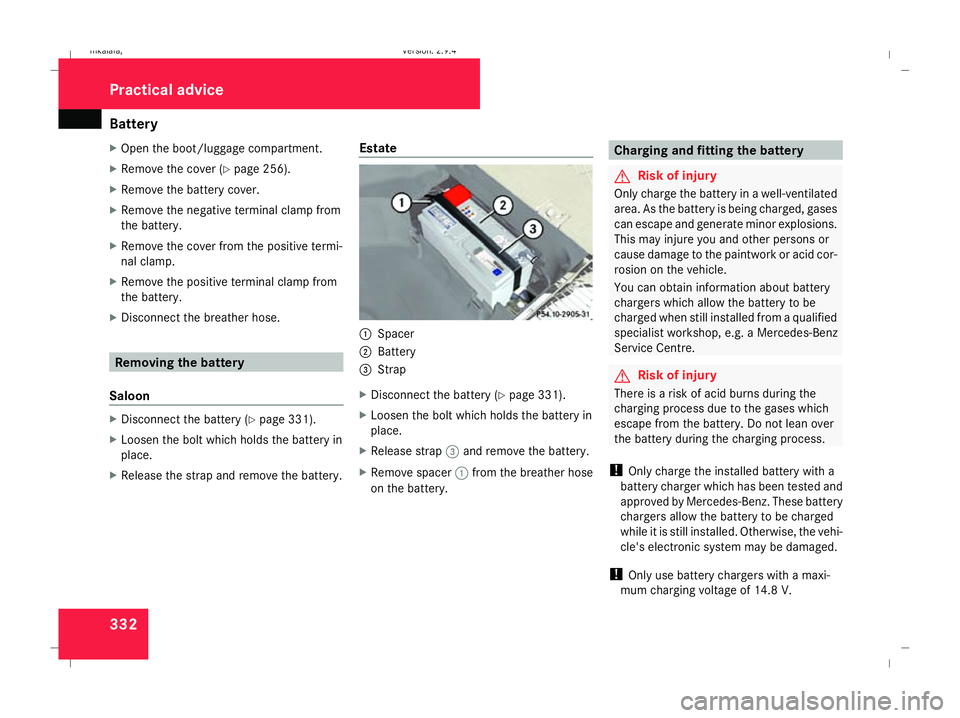
X Release the strap and remove the battery. Estate 1
Spacer
2 Battery
3 Strap
X Disconnect the battery ( Ypage 331).
X Loosen the bolt which holds the battery in
place.
X Release strap 3and remove the battery.
X Remove spacer 1from the breather hose
on the battery. Charging and fitting the battery
G
Risk of injury
Only charge the battery in a well-ventilated
area. As the battery is being charged, gases
can escape and generate minor explosions.
This may injure you and other persons or
cause damage to the paintwork or acid cor-
rosion on the vehicle.
You can obtain information about battery
chargers which allow the battery to be
charged when still installed from a qualified
specialist workshop, e.g. a Mercedes-Benz
Service Centre. G
Risk of injury
There is a risk of acid burns during the
charging process due to the gases which
escape from the battery. Do not lean over
the battery during the charging process.
! Only charge the installed battery with a
battery charger which has been tested and
approved by Mercedes-Benz. These battery
chargers allow the battery to be charged
while it is still installed. Otherwise, the vehi-
cle's electronic system may be damaged.
! Only use battery chargers with a maxi-
mum charging voltage of 14.8 V. Practical advice
211_AKB; 2; 5, en-GB
mkalafa,
Version: 2.9.4 2008-02-29T16:57:07+01:00 - Seite 332Dateiname: 6515_3416_02_buchblock.pdf; preflight