Page 236 of 487
234
3-3. Using the rear audio system
RX400h_U
Opening and closing the displayPress the lock release button to
open the display.
Pull the display down to an easily
viewable angle (between 90° and
125° ).
To close the display, press the dis-
play up until a click is heard to
close the display.
The illumination of the screen is
automatically turned off when the
display is closed. However, the rear
seat entertainment system is not
turned off.
Loading a disc
Insert the disc into the slot with the
label side up.
The DISC indicator light turns on
while the disc is loaded.
The player will play the track or
chapter, and will repeat it after it
reaches the end.
Page 238 of 487
236
3-3. Using the rear audio system
RX400h_U
■The rear seat entertainment system can be used when
The engine switch is in the ACC or ON position.
■Discs that can be used
Discs with the marks shown below can be used.
Playback may not be possible depending on recording format or disc features, or
due to scratches, dirt or deterioration.
■When appears on the screen
It indicates that the selected switch cannot work.
■Rear system lock
→P. 2 3 0
Page 255 of 487
253
3-3. Using the rear audio system
3
Interior features
RX400h_U
Changing the initial setting
Changing the audio languageSelect “Audio Language”.
Select the language you want to
hear, and press ENT to input it.
Select “Others” if you cannot find
the language you want to hear.
Enter the appropriate 4-digit lan-
guage code. Select a number, and
press ENT to input it.
Language code list (→P. 2 5 7 )
If a code that is not in the list is
entered, Incorrect Code will
appear on the screen.
Press or select to
display the initial setting screen.
The following initialization can
be changed here.
Audio language
Subtitle language
DVD language
Angle mark
Parental lock
Page 258 of 487
256
3-3. Using the rear audio system
RX400h_U
Setting viewer restriction levelsSetting a password allows the
viewer restriction to be effective.
Select “Parental Lock”.
Enter the password and press ENT.
The setting cannot be changed
unless the password is entered.
When you forget the password, ini-
tialize the password. (→P. 2 5 7 )
Select a restriction level (1-8), and
press ENT. The smaller the level
number, the stricter the age limit.
Setting the display mode
Pressing changes the dis-
play modes sequentially as follows:
Normal→Wide 1 → Wide 2
Page 263 of 487

261
3-4. Using the interior lights
3
Interior features
RX400h_U
■Illuminated entry system
The following lights turn on when any of the doors are unlocked or opened. (The
lights remain on for approximately 15 seconds when the doors are unlocked, but
the lights turn off immediately if the doors are locked.)
●Footwell lightings
●Engine switch light
●Front interior light (interior light switch is in the DOOR position)
●Rear interior light (interior light switch is in the DOOR position)
●Inside door handle lights
●Scuff lightings
The following lights turn on for approximately 15 seconds when the engine switch is
turned to the LOCK position from the ON or ACC position. (The lights turn off
immediately if the engine switch is turned to the ACC or ON position.)
●Engine switch light
●Front interior light (interior light switch is in the DOOR position)
●Rear interior light (interior light switch is in the DOOR position)
●Scuff lightings
The following lights turn on when the engine switch is in the ON position. (The lights
dim when the shift lever is moved out of the P position. The lights remain on for
approximately 15 seconds after turning the engine switch to the LOCK position
from the ON or ACC position.)
●Inside door handle lights
●Footwell lightings
The front overhead courtesy light turns on when the engine switch is in the ACC or
ON position.
Page 267 of 487
265
3
Interior features
RX400h_U
3-5. Using the storage features
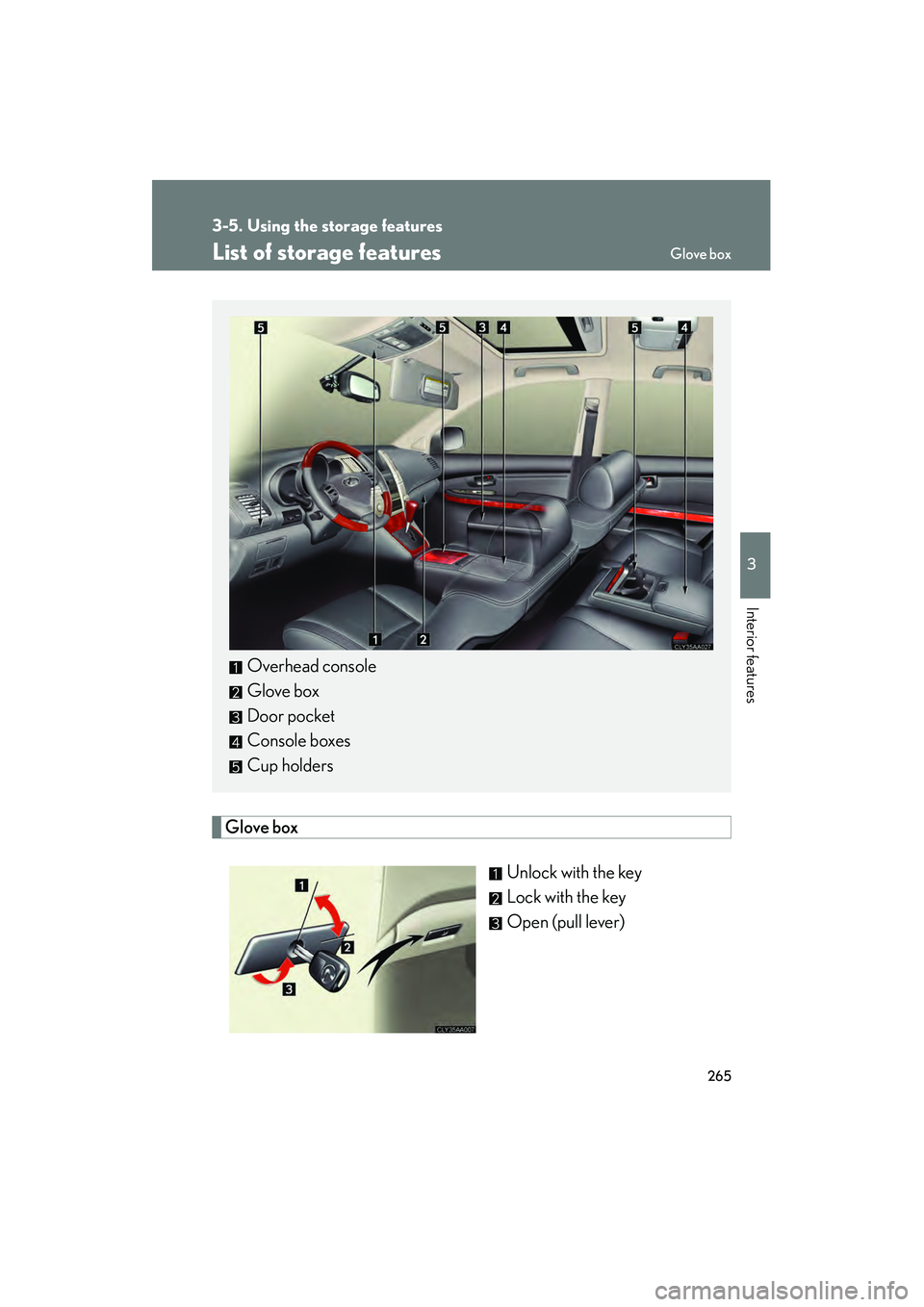
List of storage features
Glove boxUnlock with the key
Lock with the key
Open (pull lever)
Overhead console
Glove box
Door pocket
Console boxes
Cup holders
Glove box
Page 268 of 487
266
3-5. Using the storage features
RX400h_U
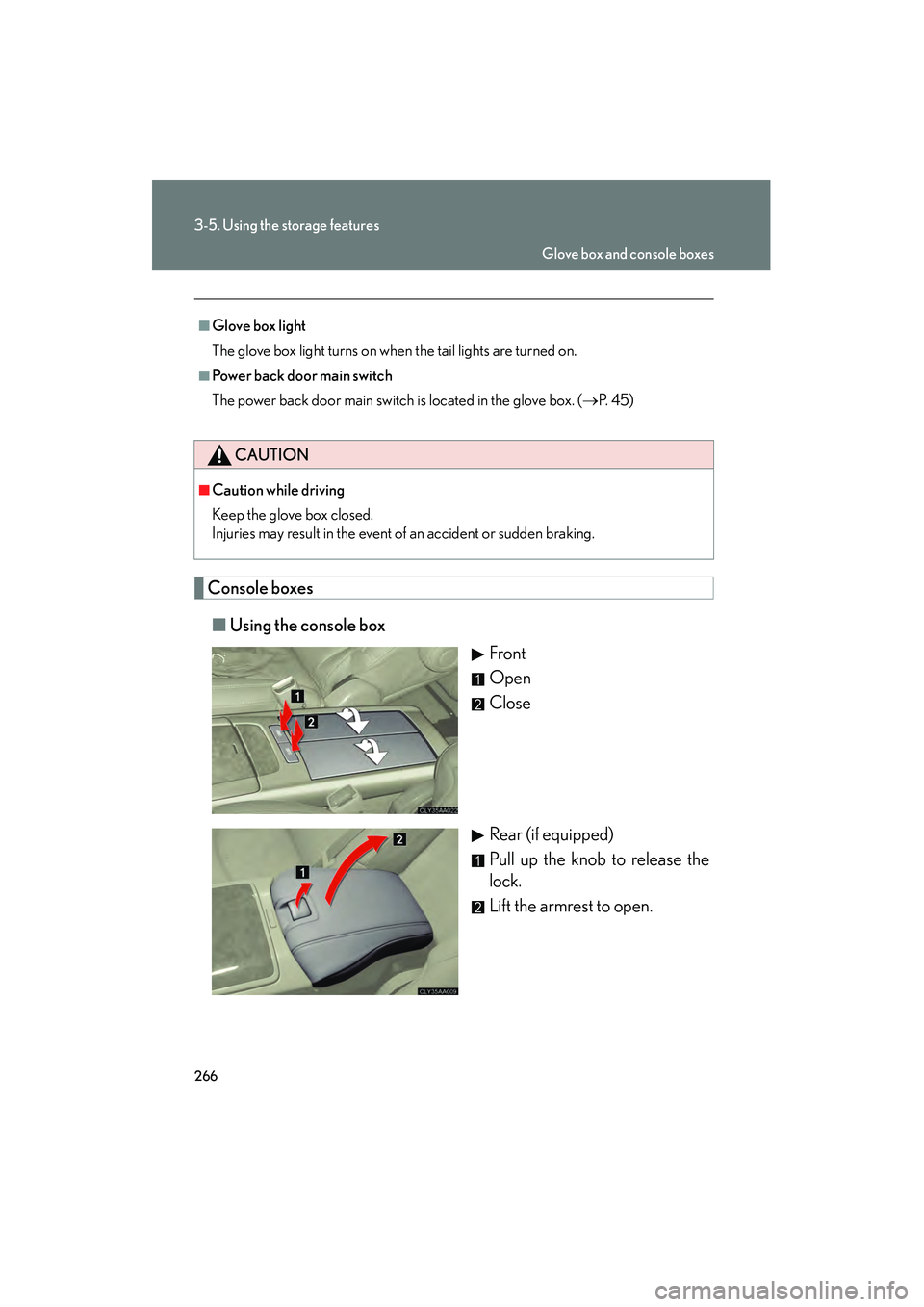
Console boxes■ Using the console box
Front
Open
Close
Rear (if equipped)
Pull up the knob to release the
lock.
Lift the armrest to open.
■Glove box light
The glove box light turns on when the tail lights are turned on.
■Power back door main switch
The power back door main switch is located in the glove box. ( →P. 4 5 )
CAUTION
■Caution while driving
Keep the glove box closed.
Injuries may result in the event of an accident or sudden braking.
Glove box and console boxes
Page 269 of 487
267
3-5. Using the storage features
3
Interior features
RX400h_U■
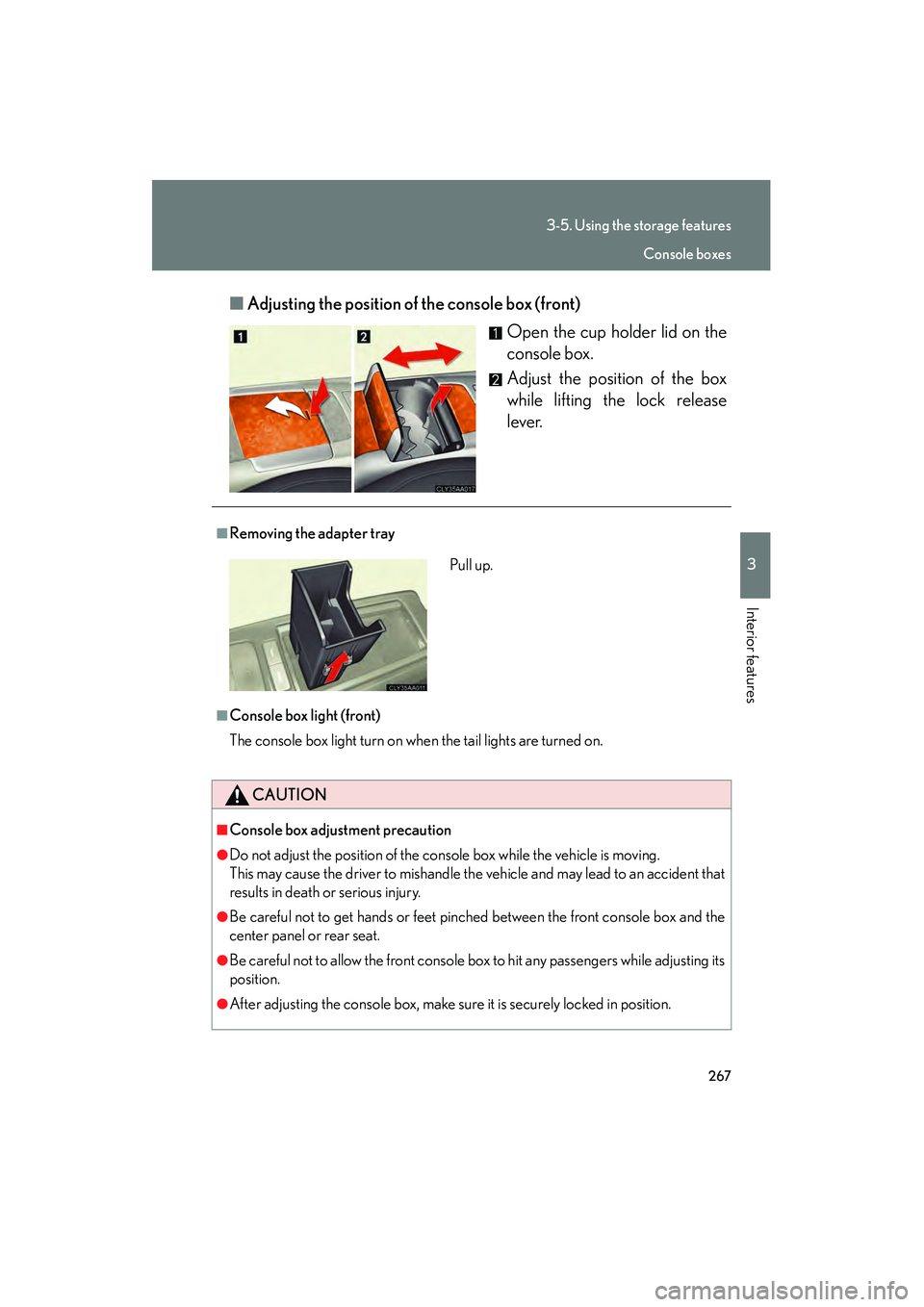
Adjusting the position of the console box (front)
Open the cup holder lid on the
console box.
Adjust the position of the box
while lifting the lock release
lever.
■Removing the adapter tray
■Console box light (front)
The console box light turn on when the tail lights are turned on.
CAUTION
■Console box adjustment precaution
●Do not adjust the position of the console box while the vehicle is moving.
This may cause the driver to mishandle the vehicle and may lead to an accident that
results in death or serious injury.
●Be careful not to get hands or feet pinched between the front console box and the
center panel or rear seat.
●Be careful not to allow the front console box to hit any passengers while adjusting its
position.
●After adjusting the console box, make sure it is securely locked in position.
Pull up.
Console boxes