Page 170 of 350
Driving your vehicle
52 4
1
2
3
4
5
6
7
8
9
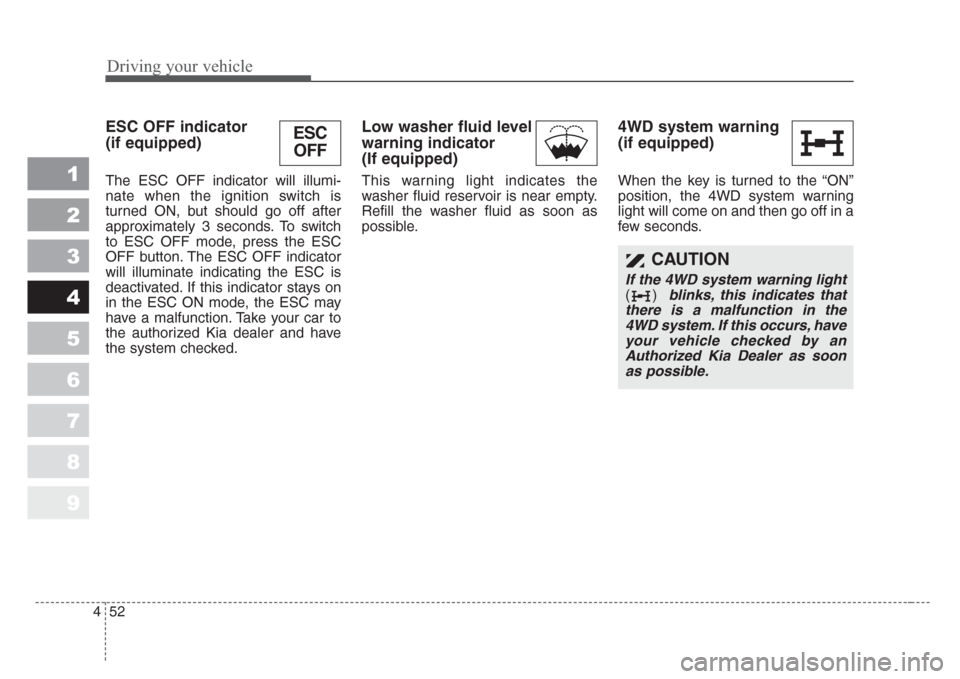
ESC OFF indicator
(if equipped)
The ESC OFF indicator will illumi-
nate when the ignition switch is
turned ON, but should go off after
approximately 3 seconds. To switch
to ESC OFF mode, press the ESC
OFF button. The ESC OFF indicator
will illuminate indicating the ESC is
deactivated. If this indicator stays on
in the ESC ON mode, the ESC may
have a malfunction. Take your car to
the authorized Kia dealer and have
the system checked.
Low washer fluid level
warning indicator
(If equipped)
This warning light indicates the
washer fluid reservoir is near empty.
Refill the washer fluid as soon as
possible.
4WD system warning
(if equipped)
When the key is turned to the “ON”
position, the 4WD system warning
light will come on and then go off in a
few seconds.
CAUTION
If the 4WD system warning light
() blinks,this indicates that
there is a malfunction in the
4WD system.If this occurs,have
your vehicle checked by an
Authorized Kia Dealer as soon
as possible.
ESC
OFF
Page 171 of 350
453
Driving your vehicle
1
2
3
4
5
6
7
8
9
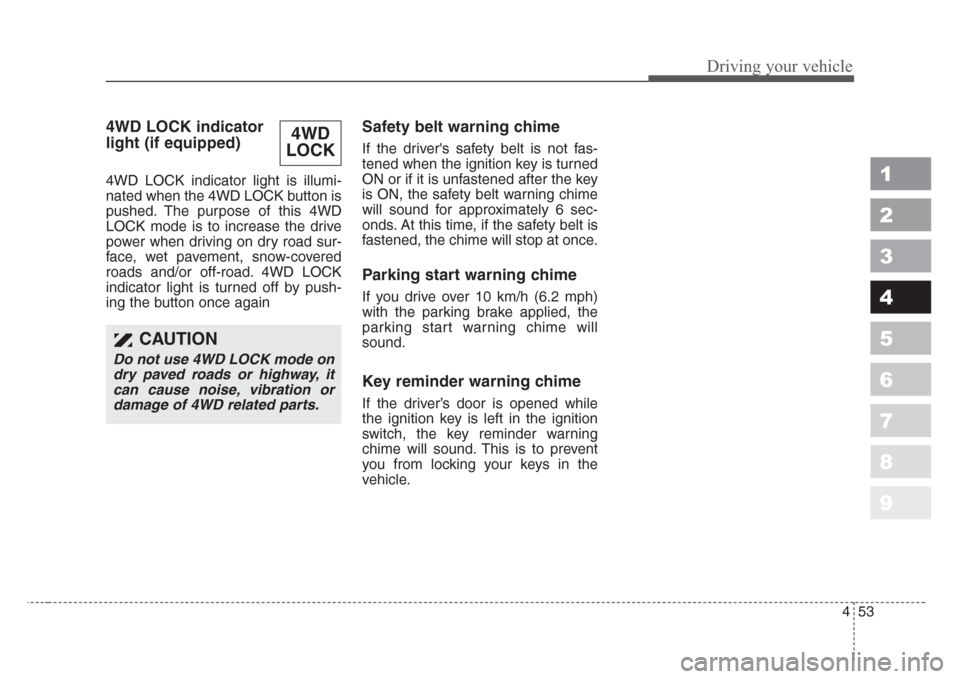
4WD LOCK indicator
light (if equipped)
4WD LOCK indicator light is illumi-
nated when the 4WD LOCK button is
pushed. The purpose of this 4WD
LOCK mode is to increase the drive
power when driving on dry road sur-
face, wet pavement, snow-covered
roads and/or off-road. 4WD LOCK
indicator light is turned off by push-
ing the button once again
Safety belt warning chime
If the driver's safety belt is not fas-
tened when the ignition key is turned
ON or if it is unfastened after the key
is ON, the safety belt warning chime
will sound for approximately 6 sec-
onds. At this time, if the safety belt is
fastened, the chime will stop at once.
Parking start warning chime
If you drive over 10 km/h (6.2 mph)
with the parking brake applied, the
parking start warning chime will
sound.
Key reminder warning chime
If the driver’s door is opened while
the ignition key is left in the ignition
switch, the key reminder warning
chime will sound. This is to prevent
you from locking your keys in the
vehicle.
4WD
LOCK
CAUTION
Do not use 4WD LOCK mode on
dry paved roads or highway,it
can cause noise, vibration or
damage of 4WD related parts.
Page 175 of 350
457
Driving your vehicle
1
2
3
4
5
6
7
8
9
Battery saver function
• The purpose of this feature is to
prevent the battery from being dis-
charged. The system automatically
turns off the headlights and park-
ing lights when the driver removes
the ignition key and opens the dri-
ver- side door.
• With this feature, the parklight will
be turned off automatically if the
driver parks on the side of road at
night.
If necessary, to keep the lights on
when the ignition key is removed,
perform the following :
1) Open the driver-side door.
2) Turn the parklights OFF and ON
again using the light switch on the
steering column.
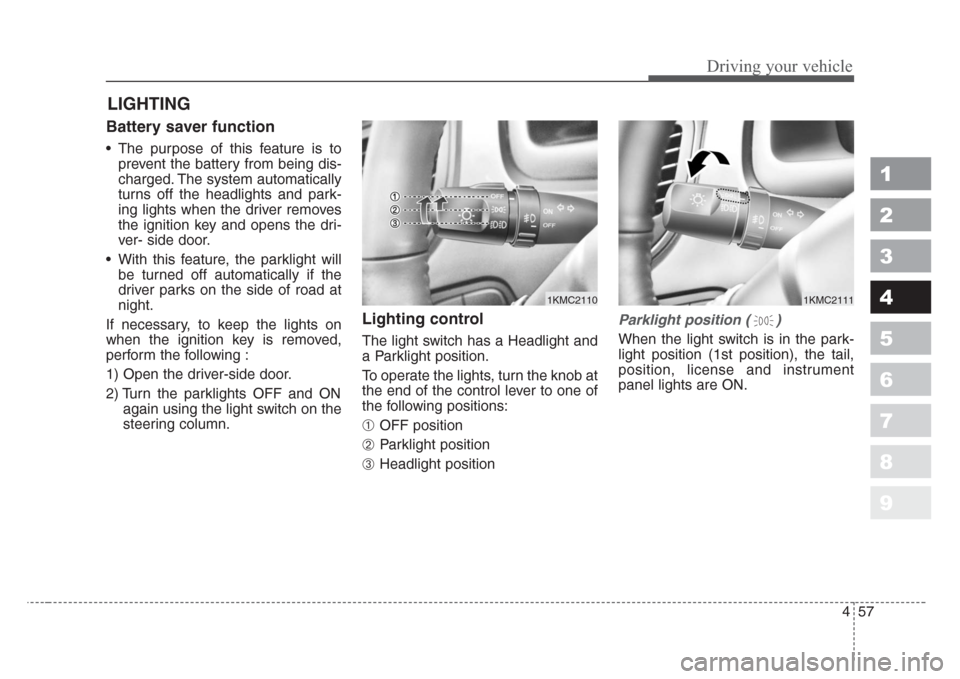
Lighting control
The light switch has a Headlight and
a Parklight position.
To operate the lights, turn the knob at
the end of the control lever to one of
the following positions:
➀ OFF position
➁ Parklight position
➂ Headlight position
Parklight position ( )
When the light switch is in the park-
light position (1st position), the tail,
position, license and instrument
panel lights are ON.
LIGHTING
1KMC21111KMC2110
Page 176 of 350
Driving your vehicle
58 4
1
2
3
4
5
6
7
8
9
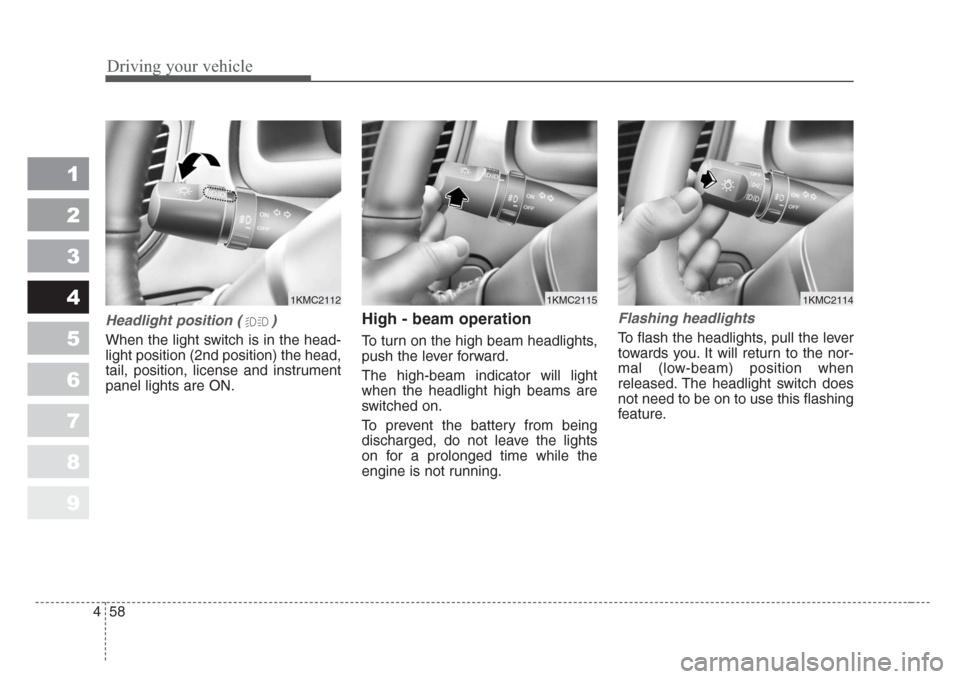
Headlight position ( )
When the light switch is in the head-
light position (2nd position) the head,
tail, position, license and instrument
panel lights are ON.
High - beam operation
To turn on the high beam headlights,
push the lever forward.
The high-beam indicator will light
when the headlight high beams are
switched on.
To prevent the battery from being
discharged, do not leave the lights
on for a prolonged time while the
engine is not running.
Flashing headlights
To flash the headlights, pull the lever
towards you. It will return to the nor-
mal (low-beam) position when
released. The headlight switch does
not need to be on to use this flashing
feature.
1KMC21121KMC21141KMC2115
Page 177 of 350
459
Driving your vehicle
1
2
3
4
5
6
7
8
9
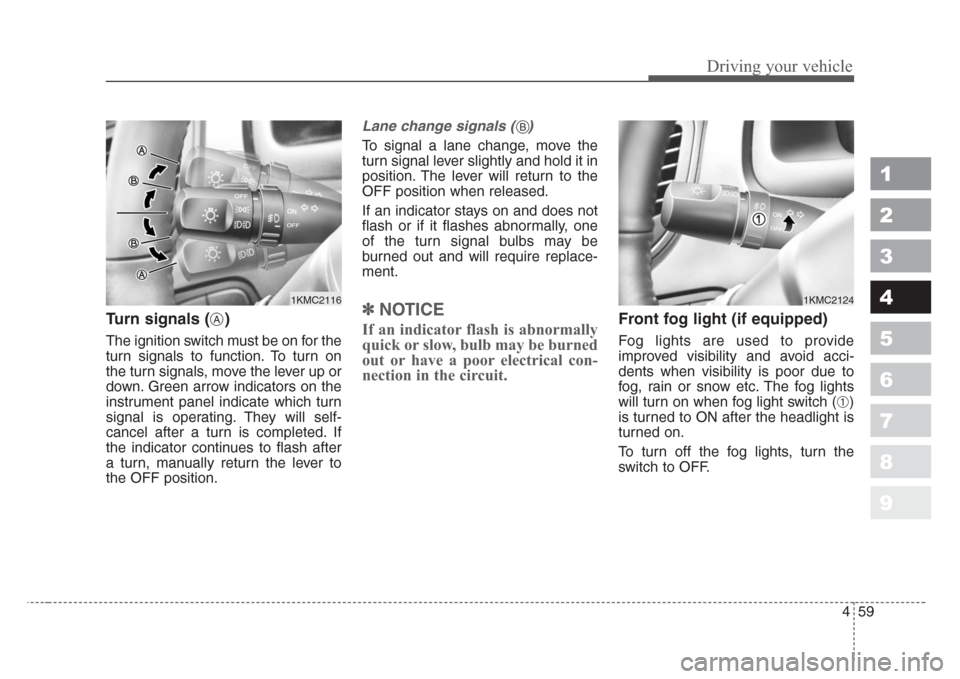
Turn signals ( )
The ignition switch must be on for the
turn signals to function. To turn on
the turn signals, move the lever up or
down. Green arrow indicators on the
instrument panel indicate which turn
signal is operating. They will self-
cancel after a turn is completed. If
the indicator continues to flash after
a turn, manually return the lever to
the OFF position.
Lane change signals ( )
To signal a lane change, move the
turn signal lever slightly and hold it in
position. The lever will return to the
OFF position when released.
If an indicator stays on and does not
flash or if it flashes abnormally, one
of the turn signal bulbs may be
burned out and will require replace-
ment.
✽
NOTICE
If an indicator flash is abnormally
quick or slow, bulb may be burned
out or have a poor electrical con-
nection in the circuit.Front fog light (if equipped) Fog lights are used to provide
improved visibility and avoid acci-
dents when visibility is poor due to
fog, rain or snow etc. The fog lights
will turn on when fog light switch (
➀)
is turned to ON after the headlight is
turned on.
To turn off the fog lights, turn the
switch to OFF.
1KMC2116
A
1KMC2124
B
Page 178 of 350
Driving your vehicle
60 4
1
2
3
4
5
6
7
8
9
✽
NOTICE
When in operation, the fog lights
consume large amounts of vehicle
electrical power. Only use the fog
lights when visibility is poor.
Unnecessary battery and generator
drain could occur if the fog lights
are used excessively.
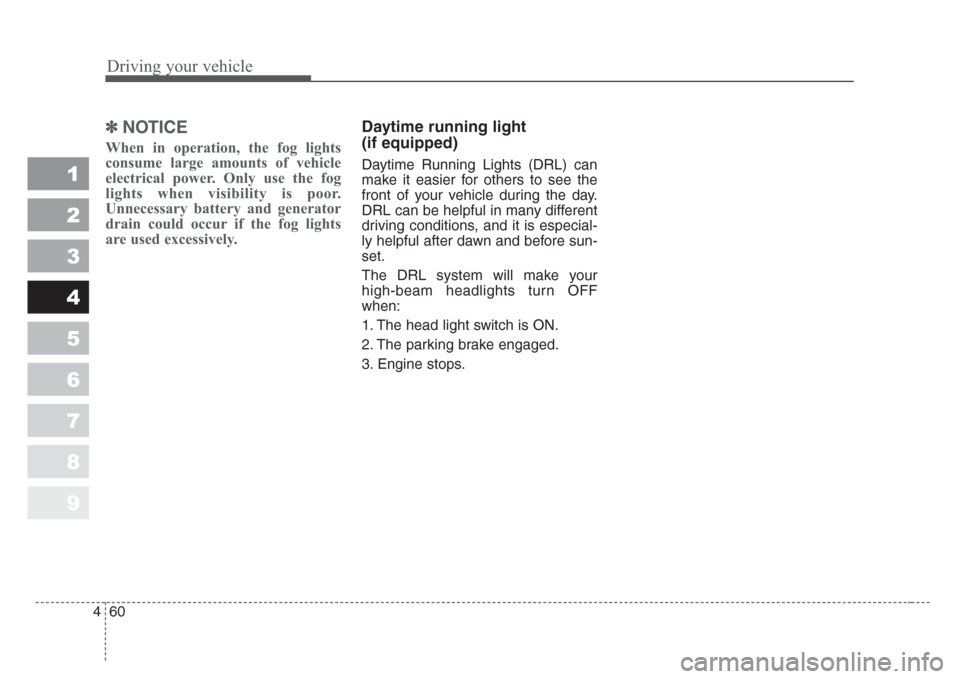
Daytime running light
(if equipped)
Daytime Running Lights (DRL) can
make it easier for others to see the
front of your vehicle during the day.
DRL can be helpful in many different
driving conditions, and it is especial-
ly helpful after dawn and before sun-
set.
The DRL system will make your
high-beam headlights turn OFF
when:
1. The head light switch is ON.
2. The parking brake engaged.
3. Engine stops.
Page 180 of 350
Driving your vehicle
62 4
1
2
3
4
5
6
7
8
9
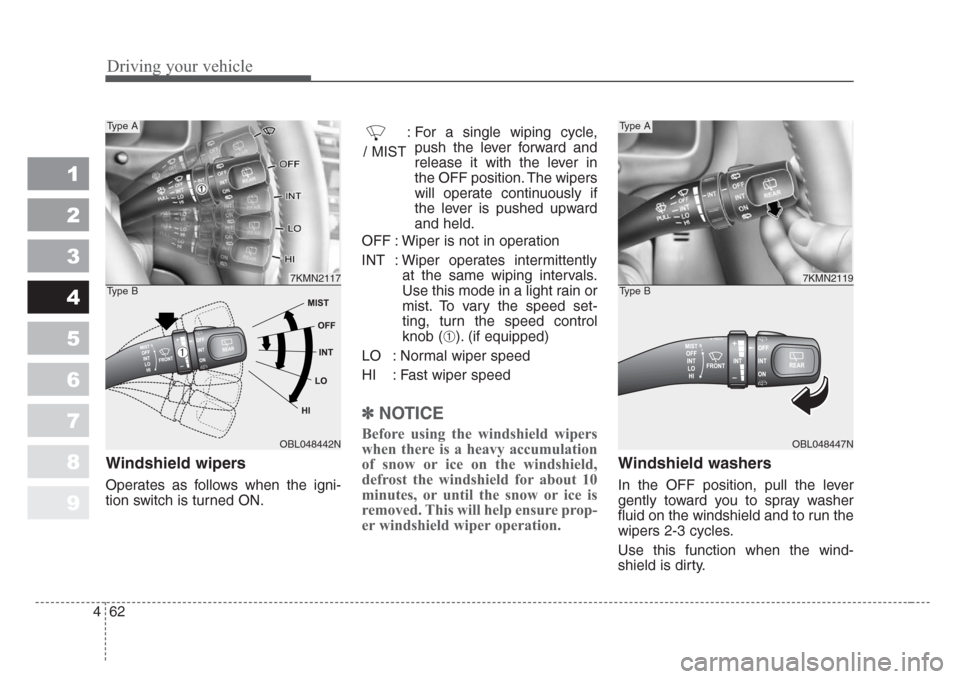
Windshield wipers
Operates as follows when the igni-
tion switch is turned ON.: For a single wiping cycle,
push the lever forward and
release it with the lever in
the OFF position. The wipers
will operate continuously if
the lever is pushed upward
and held.
OFF : Wiper is not in operation
INT : Wiper operates intermittently
at the same wiping intervals.
Use this mode in a light rain or
mist. To vary the speed set-
ting, turn the speed control
knob (
➀). (if equipped)
LO : Normal wiper speed
HI : Fast wiper speed
✽
NOTICE
Before using the windshield wipers
when there is a heavy accumulation
of snow or ice on the windshield,
defrost the windshield for about 10
minutes, or until the snow or ice is
removed. This will help ensure prop-
er windshield wiper operation.
Windshield washers
In the OFF position, pull the lever
gently toward you to spray washer
fluid on the windshield and to run the
wipers 2-3 cycles.
Use this function when the wind-
shield is dirty.
7KMN2117
OBL048442N
Type A
Type B
/ MIST
7KMN2119
OBL048447N
Type A
Type B
➀
Page 182 of 350
Driving your vehicle
64 4
1
2
3
4
5
6
7
8
9
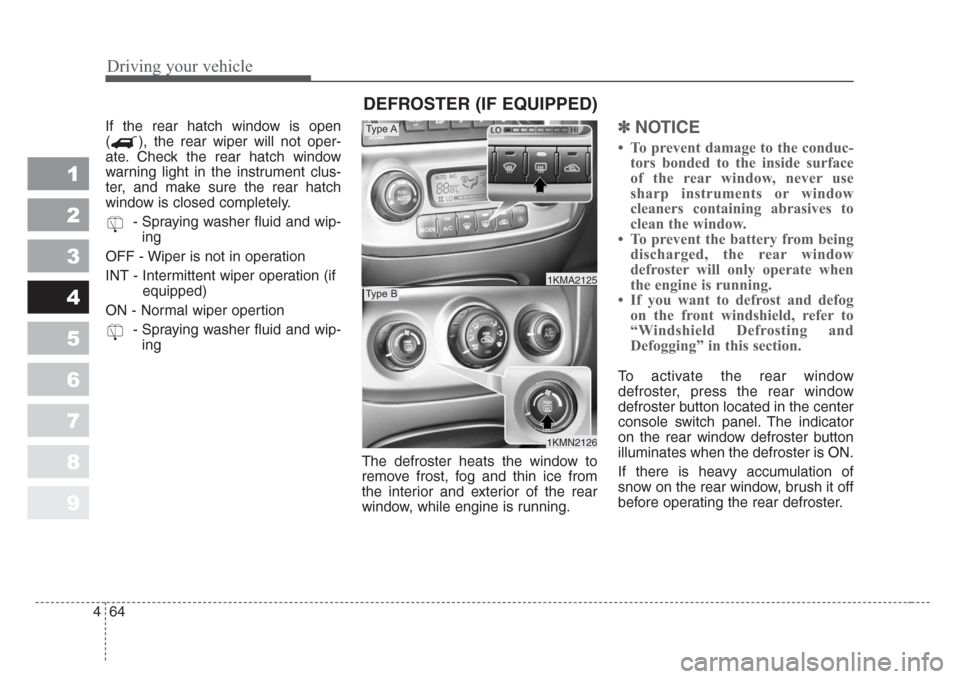
If the rear hatch window is open
( ), the rear wiper will not oper-
ate. Check the rear hatch window
warning light in the instrument clus-
ter, and make sure the rear hatch
window is closed completely.
- Spraying washer fluid and wip-
ing
OFF - Wiper is not in operation
INT - Intermittent wiper operation (if
equipped)
ON - Normal wiper opertion
- Spraying washer fluid and wip-
ing
The defroster heats the window to
remove frost, fog and thin ice from
the interior and exterior of the rear
window, while engine is running.✽
NOTICE
• To prevent damage to the conduc-
tors bonded to the inside surface
of the rear window, never use
sharp instruments or window
cleaners containing abrasives to
clean the window.
• To prevent the battery from being
discharged, the rear window
defroster will only operate when
the engine is running.
• If you want to defrost and defog
on the front windshield, refer to
“Windshield Defrosting and
Defogging” in this section.
To activate the rear window
defroster, press the rear window
defroster button located in the center
console switch panel. The indicator
on the rear window defroster button
illuminates when the defroster is ON.
If there is heavy accumulation of
snow on the rear window, brush it off
before operating the rear defroster.
1KMN2126
1KMA2125
Type A
Type B
DEFROSTER (IF EQUIPPED)