Page 138 of 350
Driving your vehicle
20 4
1
2
3
4
5
6
7
8
9
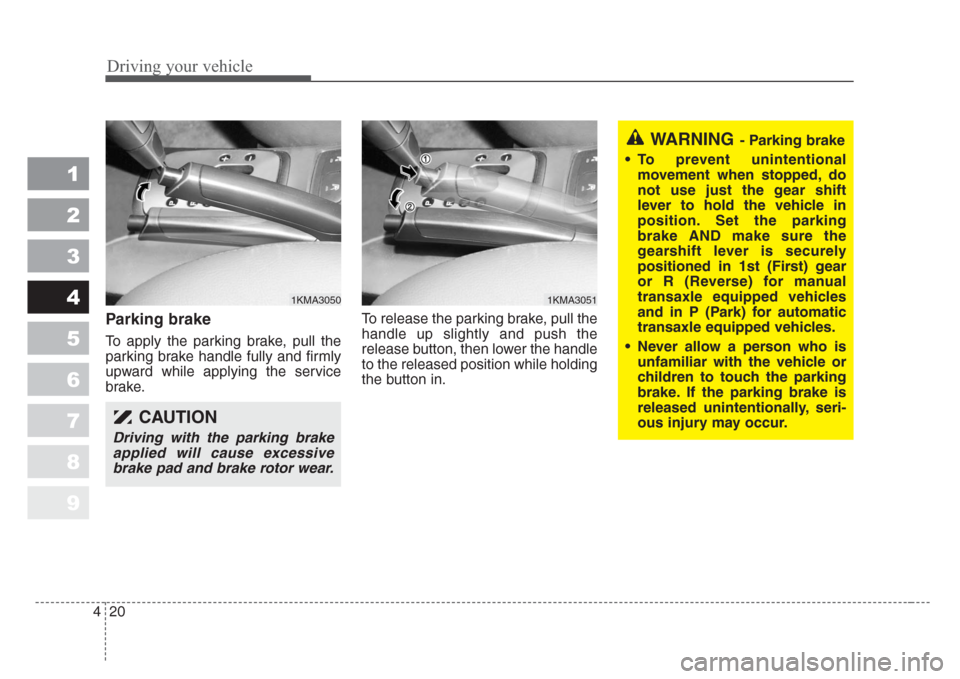
Parking brake
To apply the parking brake, pull the
parking brake handle fully and firmly
upward while applying the service
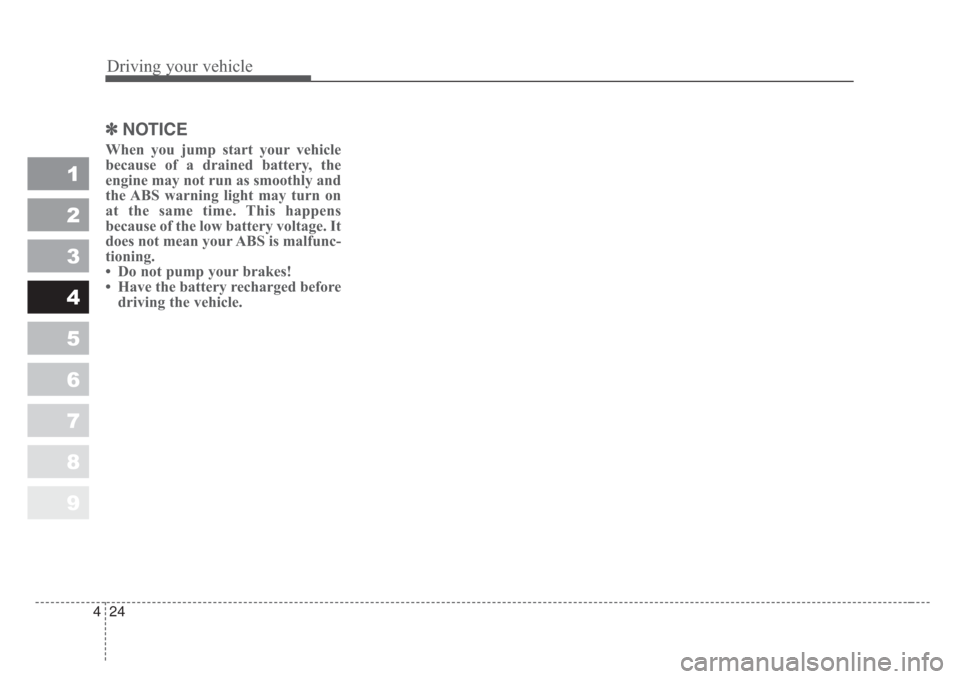
brake.To release the parking brake, pull the
handle up slightly and push the
release button, then lower the handle
to the released position while holding
the button in.
CAUTION
Driving with the parking brake
applied will cause excessive
brake pad and brake rotor wear.
1KMA30501KMA3051
WARNING- Parking brake
• To prevent unintentional
movement when stopped, do
not use just the gear shift
lever to hold the vehicle in
position.Set the parking
brake AND make sure the
gearshift lever is securely
positioned in 1st (First) gear
or R (Reverse) for manual
transaxle equipped vehicles
and in P (Park) for automatic
transaxle equipped vehicles.
• Never allow a person who is
unfamiliar with the vehicle or
children to touch the park
ing
brake.If the parking brake is
released unintentionally,seri-
ous injury may occur.
Page 139 of 350
421
Driving your vehicle
1
2
3
4
5
6
7
8
9
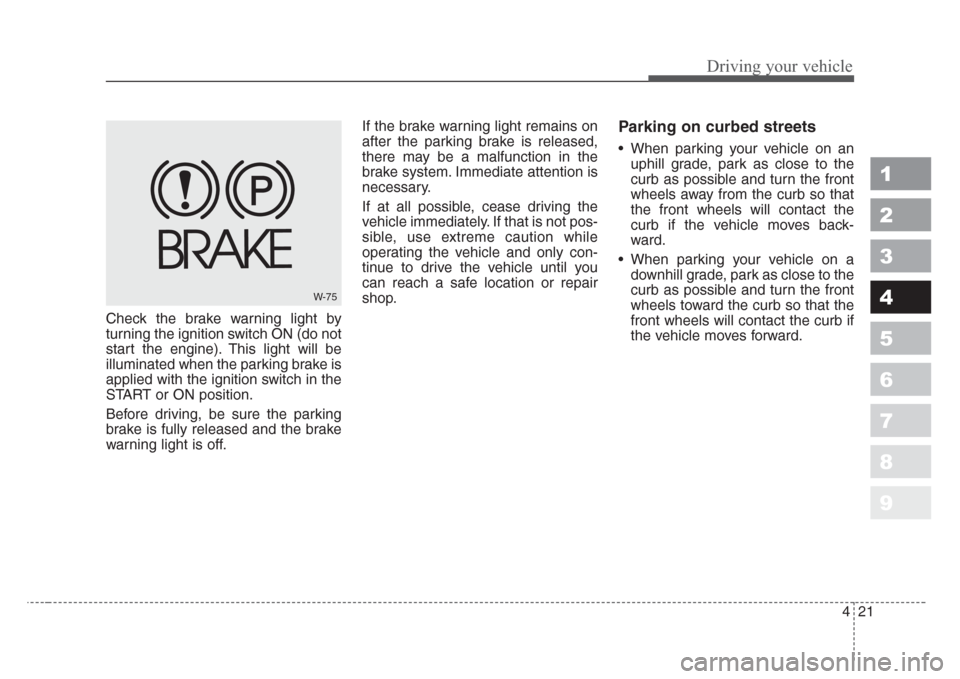
Check the brake warning light by
turning the ignition switch ON (do not
start the engine). This light will be
illuminated when the parking brake is
applied with the ignition switch in the
START or ON position.
Before driving, be sure the parking
brake is fully released and the brake
warning light is off.If the brake warning light remains on
after the parking brake is released,
there may be a malfunction in the
brake system. Immediate attention is
necessary.
If at all possible, cease driving the
vehicle immediately. If that is not pos-
sible, use extreme caution while
operating the vehicle and only con-
tinue to drive the vehicle until you
can reach a safe location or repair
shop.
Parking on curbed streets
• When parking your vehicle on an
uphill grade, park as close to the
curb as possible and turn the front
wheels away from the curb so that
the front wheels will contact the
curb if the vehicle moves back-
ward.
• When parking your vehicle on a
downhill grade, park as close to the
curb as possible and turn the front
wheels toward the curb so that the
front wheels will contact the curb if
the vehicle moves forward.
W-75
Page 141 of 350
423
Driving your vehicle
1
2
3
4
5
6
7
8
9
• Even with the anti-lock brake sys-
tem, your vehicle still requires suf-
ficient stopping distance. Always
maintain a safe distance from the
vehicle in front of you.
• Always slow down when cornering.
The anti-lock brake system cannot
prevent accidents resulting from
excessive speeds.
• On loose or uneven road surfaces,
operation of the anti-lock brake
system may result in a longer stop-
ping distance than for vehicles
equipped with a conventional
brake system.
✽
NOTICE
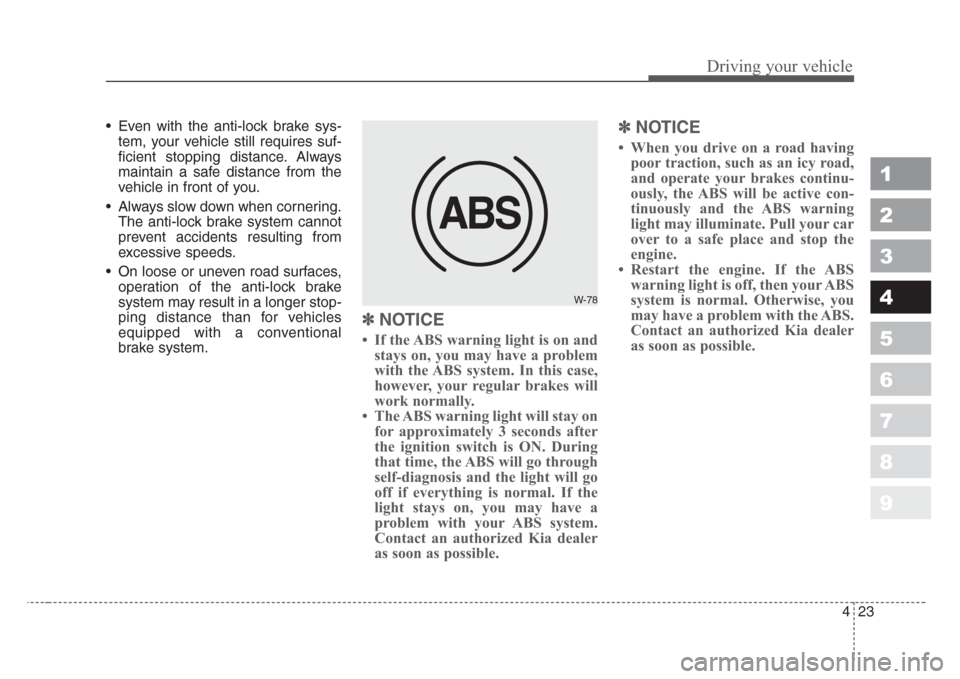
• If the ABS warning light is on and
stays on, you may have a problem
with the ABS system. In this case,
however, your regular brakes will
work normally.
• The ABS warning light will stay on
for approximately 3 seconds after
the ignition switch is ON. During
that time, the ABS will go through
self-diagnosis and the light will go
off if everything is normal. If the
light stays on, you may have a
problem with your ABS system.
Contact an authorized Kia dealer
as soon as possible.
✽
NOTICE
• When you drive on a road having
poor traction, such as an icy road,
and operate your brakes continu-
ously, the ABS will be active con-
tinuously and the ABS warning
light may illuminate. Pull your car
over to a safe place and stop the
engine.
• Restart the engine. If the ABS
warning light is off, then your ABS
system is normal. Otherwise, you
may have a problem with the ABS.
Contact an authorized Kia dealer
as soon as possible.
W-78
Page 142 of 350
Driving your vehicle
24 4
1
2
3
4
5
6
7
8
9
✽
NOTICE
When you jump start your vehicle
because of a drained battery, the
engine may not run as smoothly and
the ABS warning light may turn on
at the same time. This happens
because of the low battery voltage. It
does not mean your ABS is malfunc-
tioning.
• Do not pump your brakes!
• Have the battery recharged before
driving the vehicle.
Page 144 of 350
Driving your vehicle
26 4
1
2
3
4
5
6
7
8
9
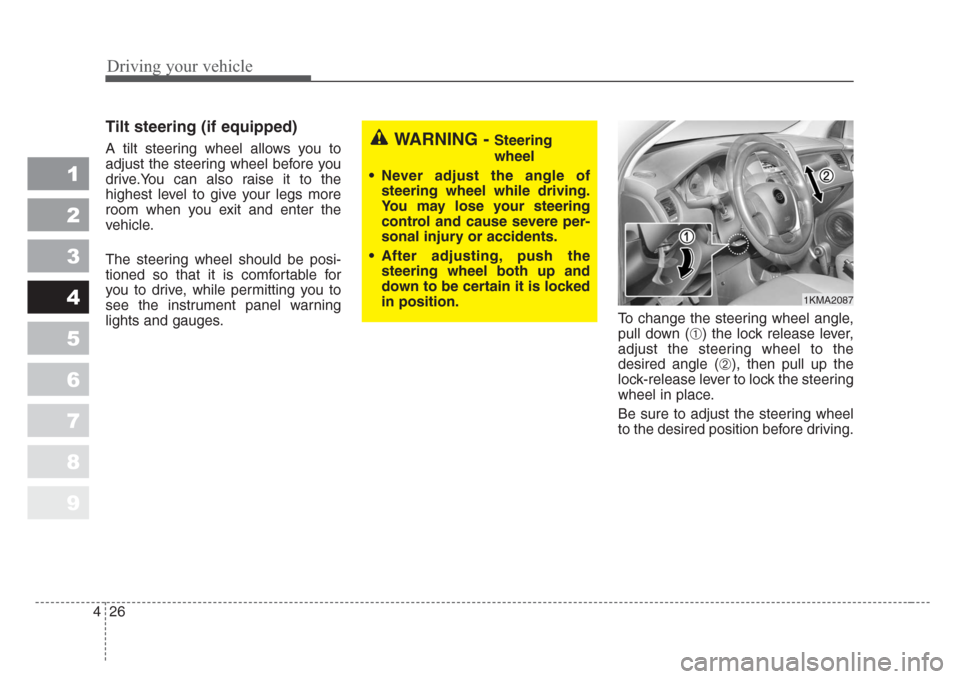
Tilt steering (if equipped)
A tilt steering wheel allows you to
adjust the steering wheel before you
drive.You can also raise it to the
highest level to give your legs more
room when you exit and enter the
vehicle.
The steering wheel should be posi-
tioned so that it is comfortable for
you to drive, while permitting you to
see the instrument panel warning
lights and gauges.To change the steering wheel angle,
pull down (
➀) the lock release lever,
adjust the steering wheel to the
desired angle (
➁), then pull up the
lock-release lever to lock the steering
wheel in place.
Be sure to adjust the steering wheel
to the desired position before driving.
WARNING - Steering
wheel
• Never adjust the angle of
steering wheel while driving.
You may lose your steering
control and cause severe per-
sonal injury or accidents.
• After adjusting, push the
steering wheel both up and
down to be certain it is locked
in position.
1KMA2087
Page 146 of 350
Driving your vehicle
28 4
1
2
3
4
5
6
7
8
9
The cruise control system allows you
to program the vehicle to maintain a
constant speed without resting your
foot on the accelerator pedal.
With cruise control, you can set and
automatically maintain any speed of
between 40 km/h (24 mph) and
160 km/h (96 mph).
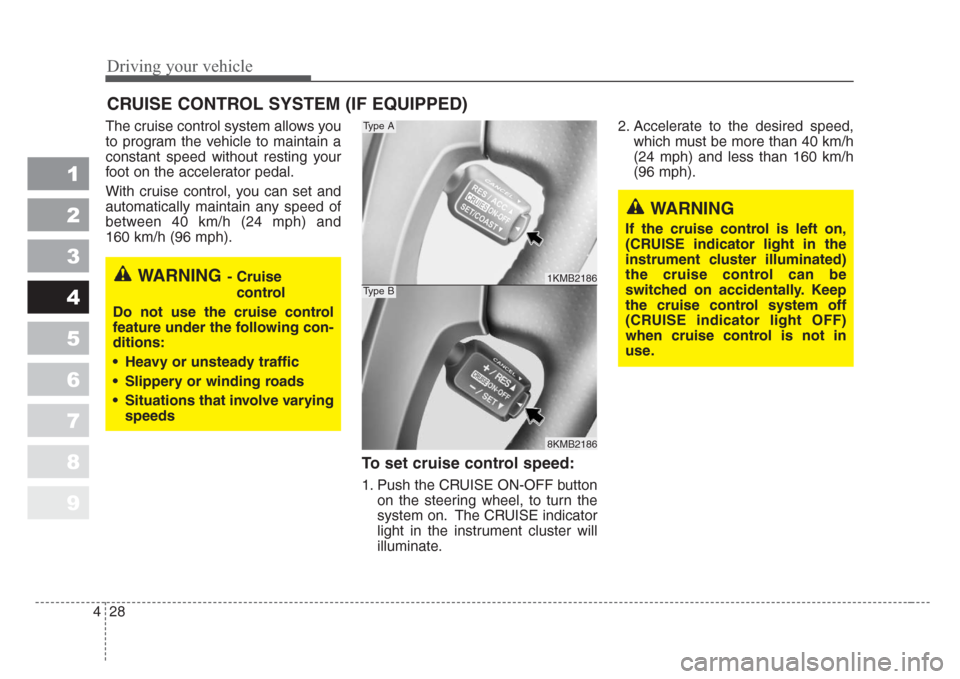
To set cruise control speed:
1. Push the CRUISE ON-OFF button
on the steering wheel, to turn the
system on. The CRUISE indicator
light in the instrument cluster will
illuminate.2. Accelerate to the desired speed,
which must be more than 40 km/h
(24 mph) and less than 160 km/h
(96 mph).
CRUISE CONTROL SYSTEM (IF EQUIPPED)
WARNING- Cruise
control
Do not use the cruise control
feature under the following con-
ditions:
• Heavy or unsteady traffic
•Slippery or winding roads
•Situations that involve varying
speeds
WARNING
If the cruise control is left on,
(CRUISE indicator light in the
instrument cluster illuminated)
the cruise control can be
switched on accidentally.Keep
the cruise control system off
(CRUISE indicator light OFF)
when cruise control is not in
use.
1KMB2186
8KMB2186
Type A
Type B
Page 147 of 350
429
Driving your vehicle
1
2
3
4
5
6
7
8
9
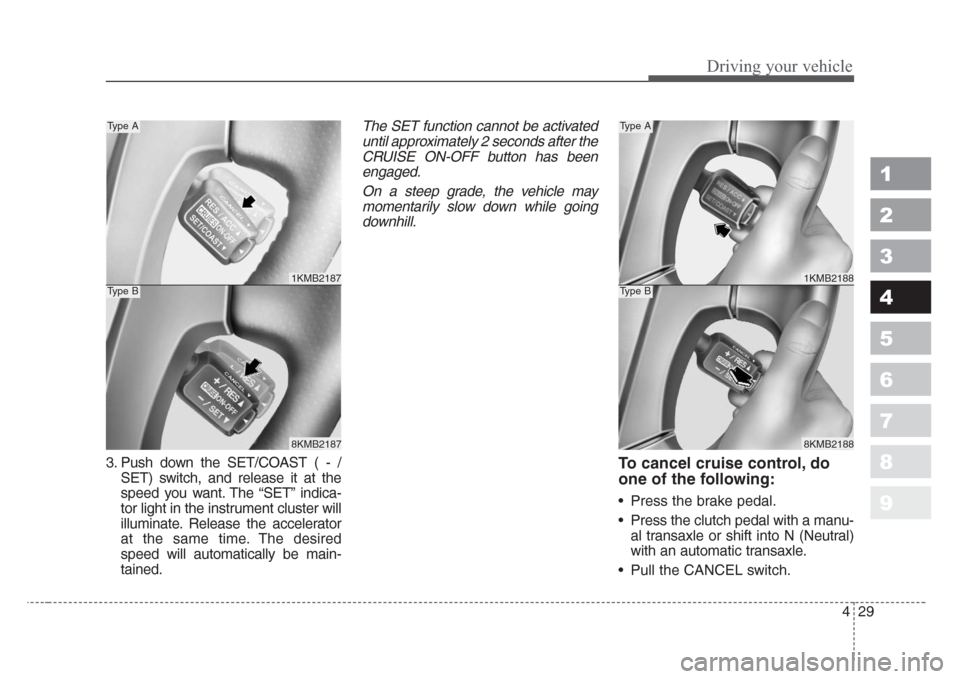
3. Push down the SET/COAST ( - /
SET) switch, and release it at the
speed you want. The “SET” indica-
tor light in the instrument cluster will
illuminate. Release the accelerator
at the same time. The desired
speed will automatically be main-
tained.
The SET function cannot be activated
until approximately 2 seconds after the
CRUISE ON-OFF button has been
engaged.
On a steep grade, the vehicle may
momentarily slow down while going
downhill.
To cancel cruise control, do
one of the following:
• Press the brake pedal.
• Press the clutch pedal with a manu-
al transaxle or shift into N (Neutral)
with an automatic transaxle.
• Pull the CANCEL switch.
1KMB2187
8KMB2187
Type A
Type B
1KMB2188
8KMB2188
Type A
Type B
Page 148 of 350
Driving your vehicle
30 4
1
2
3
4
5
6
7
8
9
Each of these actions will cancel
cruise control operation (the “SET”
indicator light in the instrument clus-
ter will go OFF), but it will not turn the
system off. If you wish to resume
cruise control operation, push up the
RES/ACC
( + / RES)switch located
on your steering wheel. You will
return to your previously preset
speed.
To turn cruise control off, do
one of the following:
• Push the CRUISE ON-OFF button
(the CRUISE indicator light in the
instrument cluster will go OFF).
• Turn the ignition off.
Both of these actions cancel cruise
control operation. If you want to
resume cruise control operation,
repeat the steps provided in “To Set
Cruise Control Speed” on the previ-
ous page.
To increase cruise control set
speed:
Follow either of these procedures:
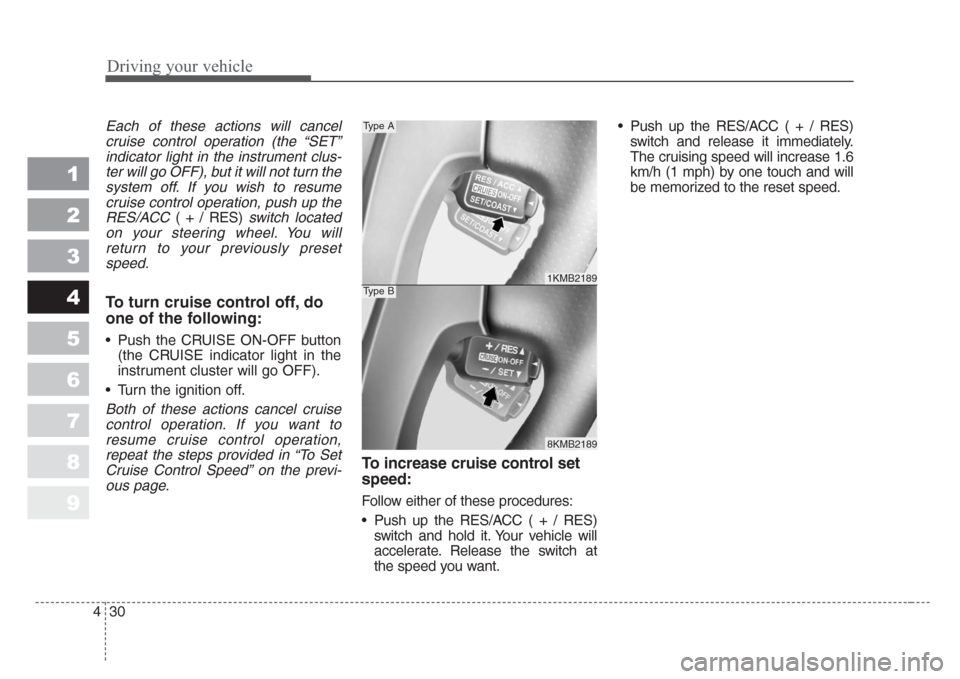
• Push up the RES/ACC ( + / RES)
switch and hold it. Your vehicle will
accelerate. Release the switch at
the speed you want.• Push up the RES/ACC ( + / RES)
switch and release it immediately.
The cruising speed will increase 1.6
km/h (1 mph) by one touch and will
be memorized to the reset speed.
1KMB2189
8KMB2189
Type A
Type B