Page 117 of 393
3 101
Features of your vehicle
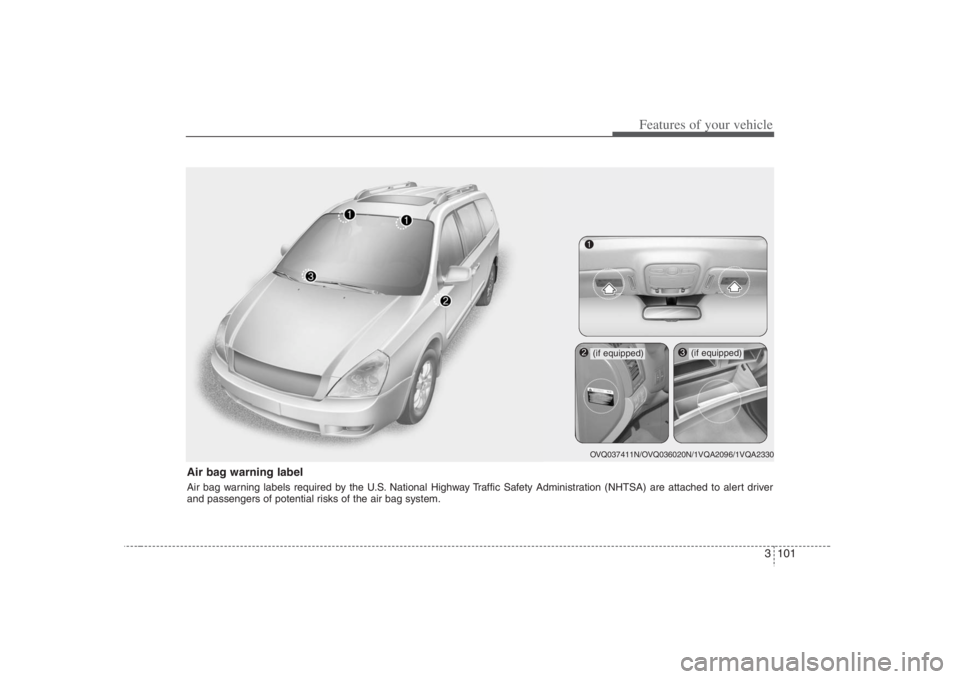
Air bag warning labelAir bag warning labels required by the U.S. National Highway Traffic Safety Administration (NHTSA) are attached to alert driver
and passengers of potential risks of the air bag system.
OVQ037411N/OVQ036020N/1VQA2096/1VQA2330
(if equipped)
(if equipped)
Page 119 of 393
3 103
Features of your vehicle
Tilt steering A tilt steering wheel allows you to adjust
the steering wheel before you drive. You
can also raise it to the highest level to
give your legs more room when you exit
and enter the vehicle.
The steering wheel should be positioned
so that it is comfortable for you to drive,
while permitting you to see the instru-
ment panel warning lights and gauges.
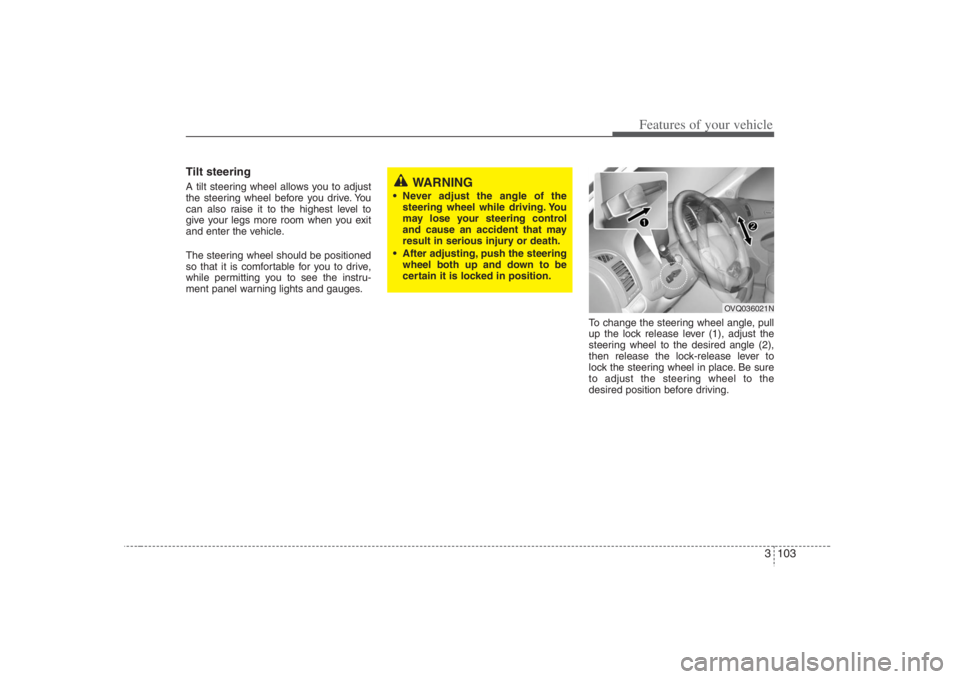
To change the steering wheel angle, pull
up the lock release lever (1), adjust the
steering wheel to the desired angle (2),
then release the lock-release lever to
lock the steering wheel in place. Be sure
to adjust the steering wheel to the
desired position before driving.
WARNING
Never adjust the angle of the
steering wheel while driving. You
may lose your steering control
and cause an accident that may
result in serious injury or death.
After adjusting, push the steering
wheel both up and down to be
certain it is locked in position.
OVQ036021N
Page 120 of 393
Features of your vehicle104 3Outside rearview mirror Be sure to adjust mirror angles before
driving.
Your vehicle is equipped with both left-
hand and right-hand outside rearview
mirrors. The mirrors can be adjusted
remotely with the remote switch. The mir-
ror heads can be folded back to prevent
damage during an automatic car wash or
when passing in a narrow street.
Folding the outside rearview
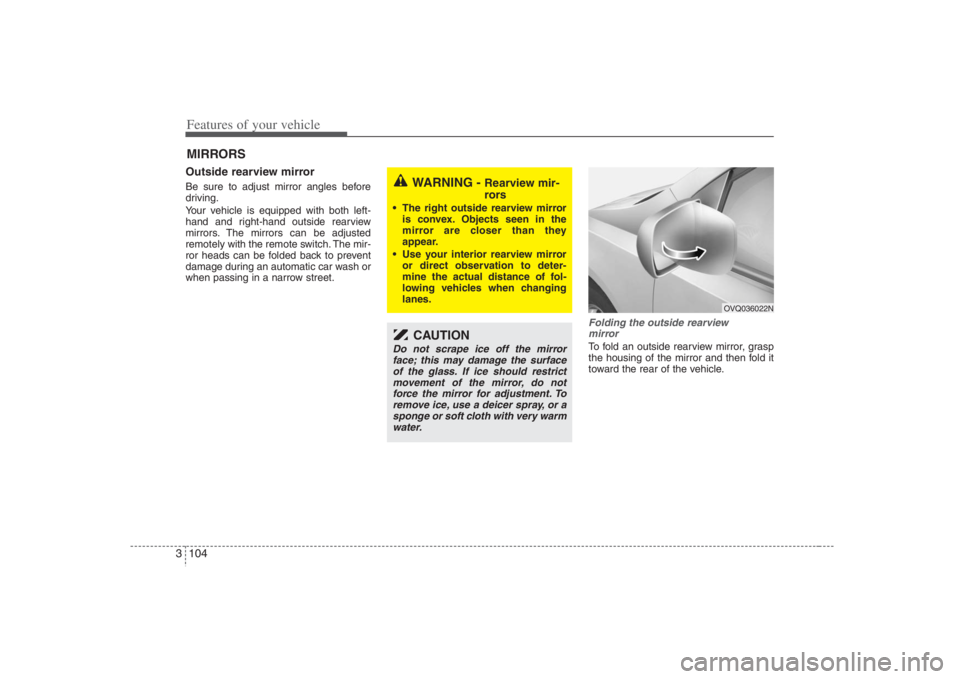
mirrorTo fold an outside rearview mirror, grasp
the housing of the mirror and then fold it
toward the rear of the vehicle.
MIRRORS
WARNING -
Rearview mir-
rors
The right outside rearview mirror
is convex. Objects seen in the
mirror are closer than they
appear.
Use your interior rearview mirror
or direct observation to deter-
mine the actual distance of fol-
lowing vehicles when changing
lanes.
CAUTION
Do not scrape ice off the mirror
face; this may damage the surface
of the glass. If ice should restrict
movement of the mirror, do not
force the mirror for adjustment. To
remove ice, use a deicer spray, or a
sponge or soft cloth with very warm
water.
OVQ036022N
Page 123 of 393
3 107
Features of your vehicle
Day/night rearview mirror Adjust the rearview mirror to center on
the view through the rear window. Make
this adjustment before you start driving.
Manual type Make this adjustment before you start
driving and while the day/night lever is in
the day position.
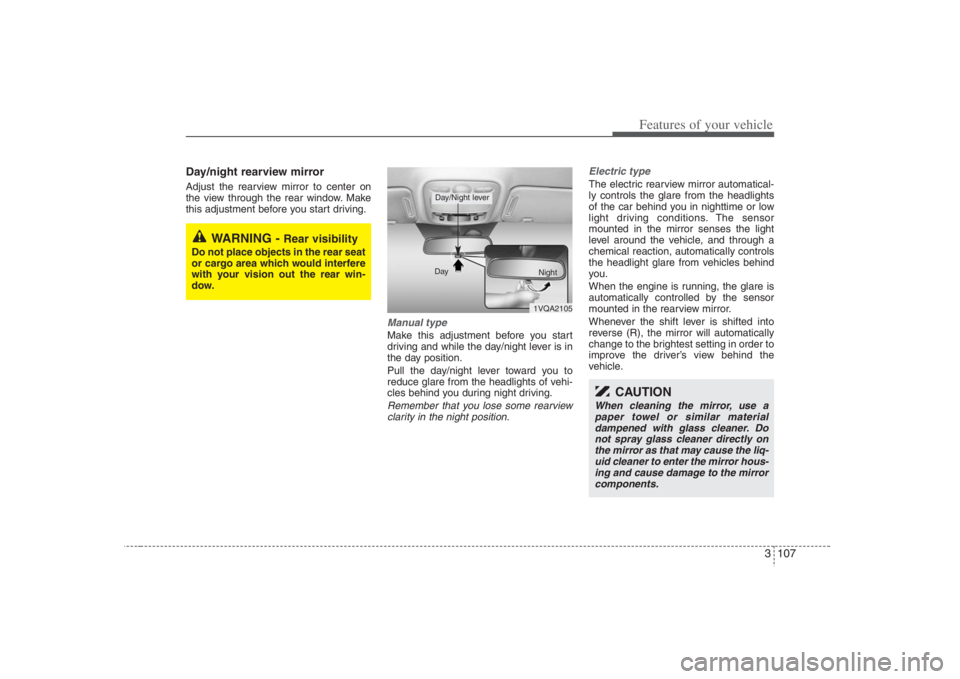
Pull the day/night lever toward you to
reduce glare from the headlights of vehi-
cles behind you during night driving.Remember that you lose some rearview
clarity in the night position.Electric type
The electric rearview mirror automatical-
ly controls the glare from the headlights
of the car behind you in nighttime or low
light driving conditions. The sensor
mounted in the mirror senses the light
level around the vehicle, and through a
chemical reaction, automatically controls
the headlight glare from vehicles behind
you.
When the engine is running, the glare is
automatically controlled by the sensor
mounted in the rearview mirror.
Whenever the shift lever is shifted into
reverse (R), the mirror will automatically
change to the brightest setting in order to
improve the driver’s view behind the
vehicle.
WARNING -
Rear visibility
Do not place objects in the rear seat
or cargo area which would interfere
with your vision out the rear win-
dow.
1VQA2105 Day
Night
Day/Night lever
CAUTION
When cleaning the mirror, use a
paper towel or similar material
dampened with glass cleaner. Do
not spray glass cleaner directly on
the mirror as that may cause the liq-
uid cleaner to enter the mirror hous-
ing and cause damage to the mirror
components.
Page 124 of 393
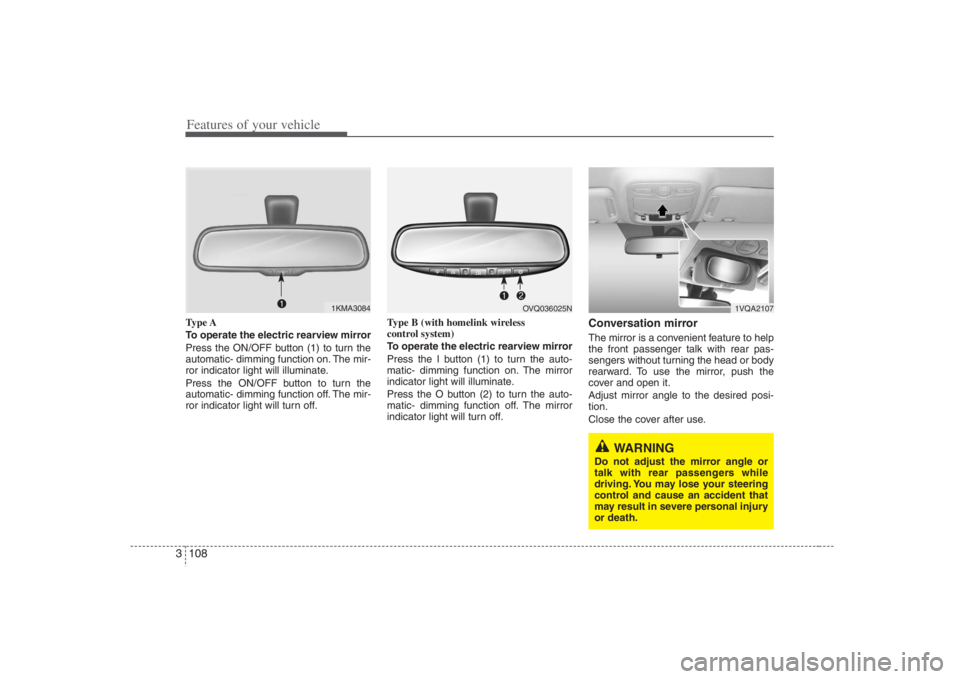
Features of your vehicle108 3Type A
To operate the electric rearview mirror
Press the ON/OFF button (1) to turn the
automatic- dimming function on. The mir-
ror indicator light will illuminate.
Press the ON/OFF button to turn the
automatic- dimming function off. The mir-
ror indicator light will turn off.Type B (with homelink wireless
control system)
To operate the electric rearview mirror
Press the I button (1) to turn the auto-
matic- dimming function on. The mirror
indicator light will illuminate.
Press the O button (2) to turn the auto-
matic- dimming function off. The mirror
indicator light will turn off.
Conversation mirrorThe mirror is a convenient feature to help
the front passenger talk with rear pas-
sengers without turning the head or body
rearward. To use the mirror, push the
cover and open it.
Adjust mirror angle to the desired posi-
tion.
Close the cover after use.
1KMA3084
1VQA2107
WARNING
Do not adjust the mirror angle or
talk with rear passengers while
driving. You may lose your steering
control and cause an accident that
may result in severe personal injury
or death.
OVQ036025N
Page 125 of 393
3 109
Features of your vehicle
INSTRUMENT CLUSTER
1. Tachometer
2. Turn signal indicators
3. Speedometer
4. Engine temperature gauge
5. Warning and indicator lights
6. Shift position indicator
(Automatic transaxle only)
7. Odometer/Trip odometer
8. Fuel gauge
OVQ038026N/OVQ038027N
■ ■
Type A■ ■
Type B
Page 128 of 393
Features of your vehicle112 3Fuel gaugeThe fuel gauge indicates the approxi-
mate amount of fuel remaining in the fuel
tank.Fuel tank capacity : 21 US gallons (80 liters)The fuel gauge is supplemented by a low
fuel warning light, which will illuminate
when the fuel tank is nearly empty.
Instrument panel illuminationWhen the vehicle’s parking lights or head-
lights are on, rotate the illumination con-
trol knob to adjust the instrument panel
illumination intensity.
The instrument cluster (Type B) illumina-
tion intensity can be adjusted by rotating
the control knob with the headlight switch
in any position when the ignition switch is
in ON position.
OVQ036033N
WARNING
- Fuel gauge
Running out of fuel can expose
vehicle occupants to danger.
You must stop and obtain addition-
al fuel as soon as possible after the
warning light comes on or when the
gauge indicator comes close to the
E level.
1VQA2126
Page 135 of 393
3 119
Features of your vehicle
Checking operation All warning lights are checked by turning
the ignition switch ON (do not start the
engine). Any light that does not illuminate
should be checked by an Authorized
Hyundai Dealer.
After starting the engine, check to make
sure that all warning lights are off. If any
are still on, this indicates a situation that
needs attention. When releasing the
parking brake, the brake system warning
light should go off. The fuel warning light
will stay on if the fuel level is low.
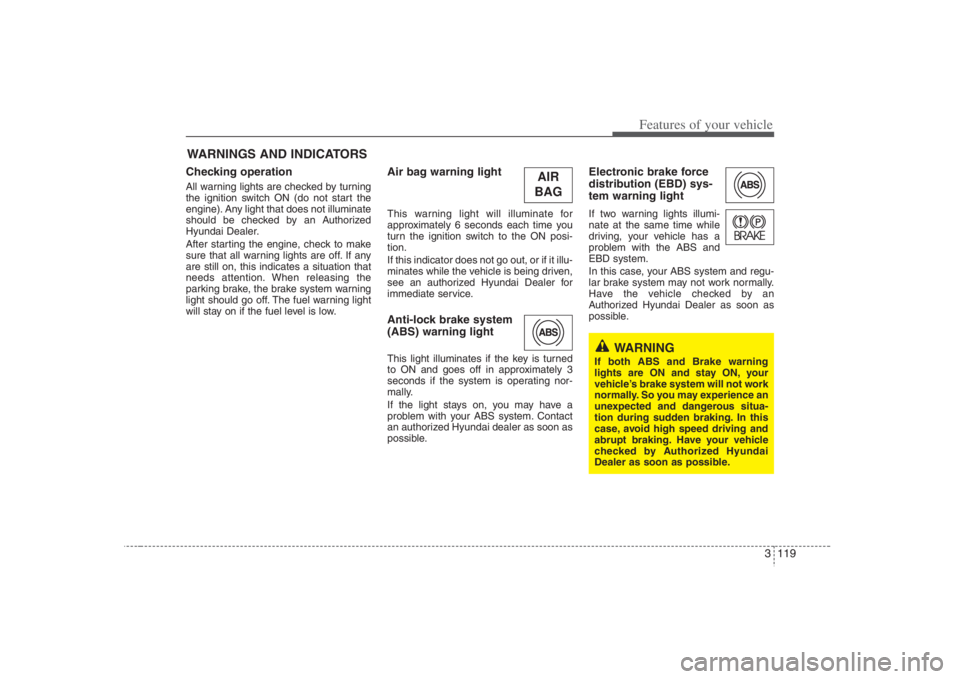
Air bag warning lightThis warning light will illuminate for
approximately 6 seconds each time you
turn the ignition switch to the ON posi-
tion.
If this indicator does not go out, or if it illu-
minates while the vehicle is being driven,
see an authorized Hyundai Dealer for
immediate service.Anti-lock brake system
(ABS) warning light This light illuminates if the key is turned
to ON and goes off in approximately 3
seconds if the system is operating nor-
mally.
If the light stays on, you may have a
problem with your ABS system. Contact
an authorized Hyundai dealer as soon as
possible.
Electronic brake force
distribution (EBD) sys-
tem warning lightIf two warning lights illumi-
nate at the same time while
driving, your vehicle has a
problem with the ABS and
EBD system.
In this case, your ABS system and regu-
lar brake system may not work normally.
Have the vehicle checked by an
Authorized Hyundai Dealer as soon as
possible.
WARNINGS AND INDICATORS
WARNING
If both ABS and Brake warning
lights are ON and stay ON, your
vehicle’s brake system will not work
normally. So you may experience an
unexpected and dangerous situa-
tion during sudden braking. In this
case, avoid high speed driving and
abrupt braking. Have your vehicle
checked by Authorized Hyundai
Dealer as soon as possible.
AIR
BAG