Page 243 of 413
If you select ‘‘Play a New Track List,’’
the system goes into the selected
play mode immediately and begins to
play the files in order to the new list.
To go back to the previous screen,
presstheCANCELbuttononthe
rightsideofthescreen.Toexitthe
play mode screens, press the AUDIO
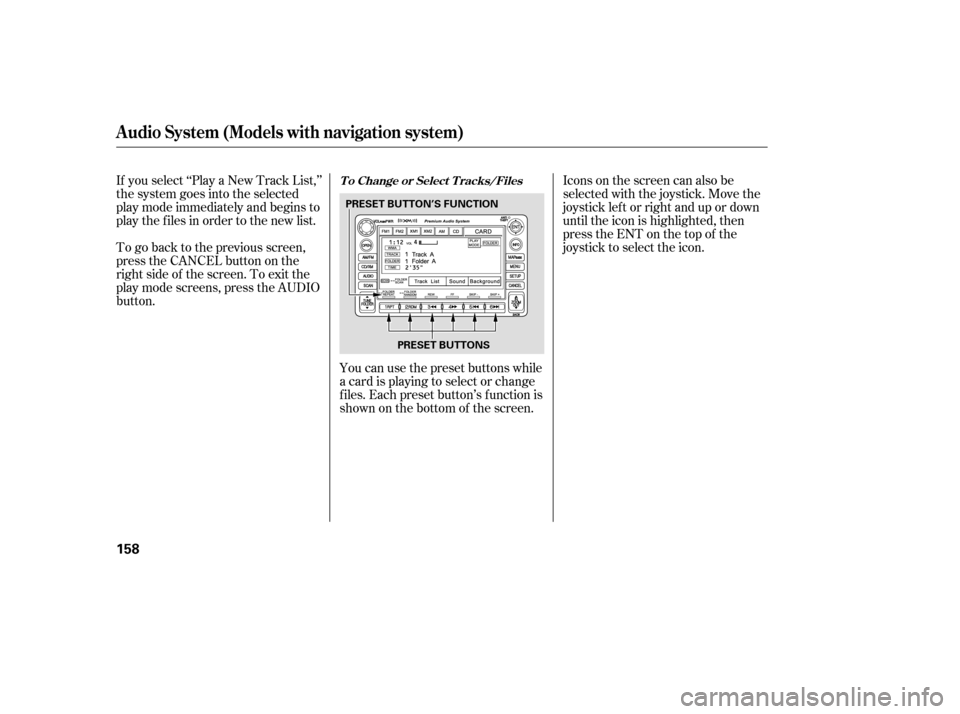
button.You can use the preset buttons while
a card is playing to select or change
f iles. Each preset button’s f unction is
shownonthebottomof thescreen.Iconsonthescreencanalsobe
selected with the joystick. Move the
joystick lef t or right and up or down
until the icon is highlighted, then
press the ENT on the top of the
joystick to select the icon.
Audio System (Models with navigation system)
T o Change or Select T racks/Files
158
PRESET BUTTONS
PRESET BUTTON’S FUNCTION
�����—�����—�����y���
�����������y���
�(�#���������y���
�����y
Page 245 of 413

�µ�µ
The system then selects and plays
f iles randomly. This continues until
you deactivate each random play by
pressing the RDM button again, or
you select a dif f erent f older/artist/
album with the TUNE bar.
Pressing either of the SKIP buttons
(preset 5 or 6) also turns of f the scan
feature. The scan f unction samples
all f iles on the PC card in the order
they are recorded. To activate scan,
press and release the SCAN button.
You will see TRACK SCAN in the
display. You will get a 10 second
sampling of each f ile on the PC card.
Press and hold the SCAN button for
2 seconds to get out of scan mode
and play the last f ile sampled. This f eature, when
activated, samples the first file in
each f older/artist/album on the PC
card in order. To activate each scan
f eature, press and hold the SCAN
button until you hear a beep. You will
see FOLDER SCAN, ARTIST SCAN
or ALBUM SCAN in the display.
The system plays the f irst f ile in the
f older f or about 10 seconds. If you do
nothing, the system plays the first
f ile in each f older, in order, f or 10
seconds each. Af ter playing the f irst
f ile of the last f older/artist/album,
the system returns to normal play. Pressing either of the SKIP buttons
(preset 5 or 6), selecting a dif f erent
folder/artist/album with the TUNE
bar, or pressing the SCAN button,
also turns off the scan feature.
Audio System (Models with navigation system)
SCAN
FOLDER/ARTIST/ALBUM
SCAN
160
�����—�����—�����y���
�����������y���
�(�#���������y���
�����y
Page 259 of 413

Your vehicle’s audio system will
disable itself if it is disconnected
f rom electrical power f or any reason.
To make it work again, you must
enter a specif ic digit code using the
preset buttons (icon on vehicle’s with
navigation system). Because there
are hundreds of number
combinations possible f rom specif ic
digits, making the system work
without knowing the exact code is
nearly impossible.If your vehicle’s battery is
disconnected or goes dead, or the
radio f use is removed, the audio
system will disable itself . If this
happens, you will see ‘‘ENTER
CODE’’ in the f requency display the
nexttimeyouturnonthesystem.
Use the preset buttons (icons on
vehicles with navigation system) to
enter the code. The code is on the
radio code card included in your
owner’s manual kit. When it is
entered correctly, the radio will start
playing.
If you make a mistake entering the
code, do not start over; complete the
sequence, then enter the correct
code. You have 10 tries to enter the
correct code. If you are unsuccessf ul
in 10 attempts, you must then leave
the system on f or 1 hour bef ore
trying again.
If you lose the card, you must obtain
the code number f rom a dealer. To
do this, you will need the system’s
serial number.
Youshouldhavereceivedacardthat
lists your audio system’s code and
serial numbers. It is best to store this
card in a saf e place at home. In
addition, you should write the audio
system’s serial number in this owner’s
manual.
On all models except U.S. DX
Radio T hef t Prot ect ion
Features
173
�����—�����—�����y���
�������
���y���
�(�#���������y���
�����y
Page 355 of 413
�µIf your vehicle’s battery is
disconnected, or goes dead, the
audio system will disable itself . The
nexttimeyouturnontheradio,you
may see ‘‘CODE’’ in the f requency
display. Use the preset buttons to
enter the code (see page ).
The navigation system will also
disableitself.Thenexttimeyouturn
on the ignition switch, the system
will require you to enter a PIN
bef ore it can be used. Ref er to the
navigation system manual.
If you need to connect the battery to
a charger, disconnect both cables to
prevent damaging your vehicle’s
electrical system. Always disconnect
the negative ( ) cable first, and
reconnect it last.
If additional battery maintenance is
needed, see your dealer or a
qualif ied technician.
Battery posts,
terminals, and related accessories
contain lead and lead compounds. 173
On vehicles with navigation system
WARNING:
Wash your hands af ter handling.
Checking the Battery
262
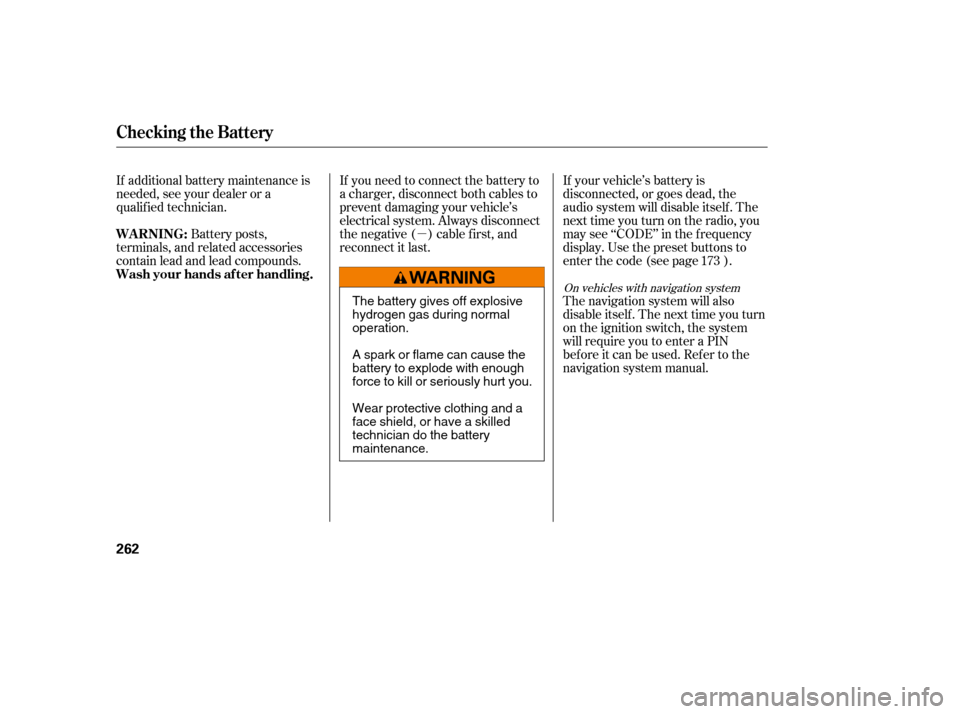
The battery gives off explosive
hydrogen gas during normaloperation.
A spark or flame can cause the
battery to explode with enough
force to kill or seriously hurt you.
Wear protective clothing and a
face shield, or have a skilled
technician do the batterymaintenance.
�����—�����—�����y���
��
��������y���
�(�#���������y���������y
Page 377 of 413
If the driver’s power window f use is
removed, the AUTO function of the
driver’s window will be disabled. You
should reset the AUTO f eature, (see
page ).
If the radio f use is removed, the
audio system will disable itself . The
nexttimeyouturnontheradioyou
will see ‘‘ENTER CODE’’ in the
f requency display. Use the preset
buttons to enter the digit code (see
page ).
When the audio system is disabled,
the clock setting in the audio system
will be canceled. You will need to
reset the clock (see page ).100
174
173
All models except DX and Canadian
DX-G
Fuses
T aking Care of t he Unexpect ed
283
�����—�����—�����y���
�����������y���
�(�#���������y���������y