2008 FORD F150 ignition
[x] Cancel search: ignitionPage 134 of 400
POSITIVE RETENTION FLOOR MAT
Do not install additional floor mats on top of the factory installed
floor mats as they may interfere with the accelerator or the
brake pedals.
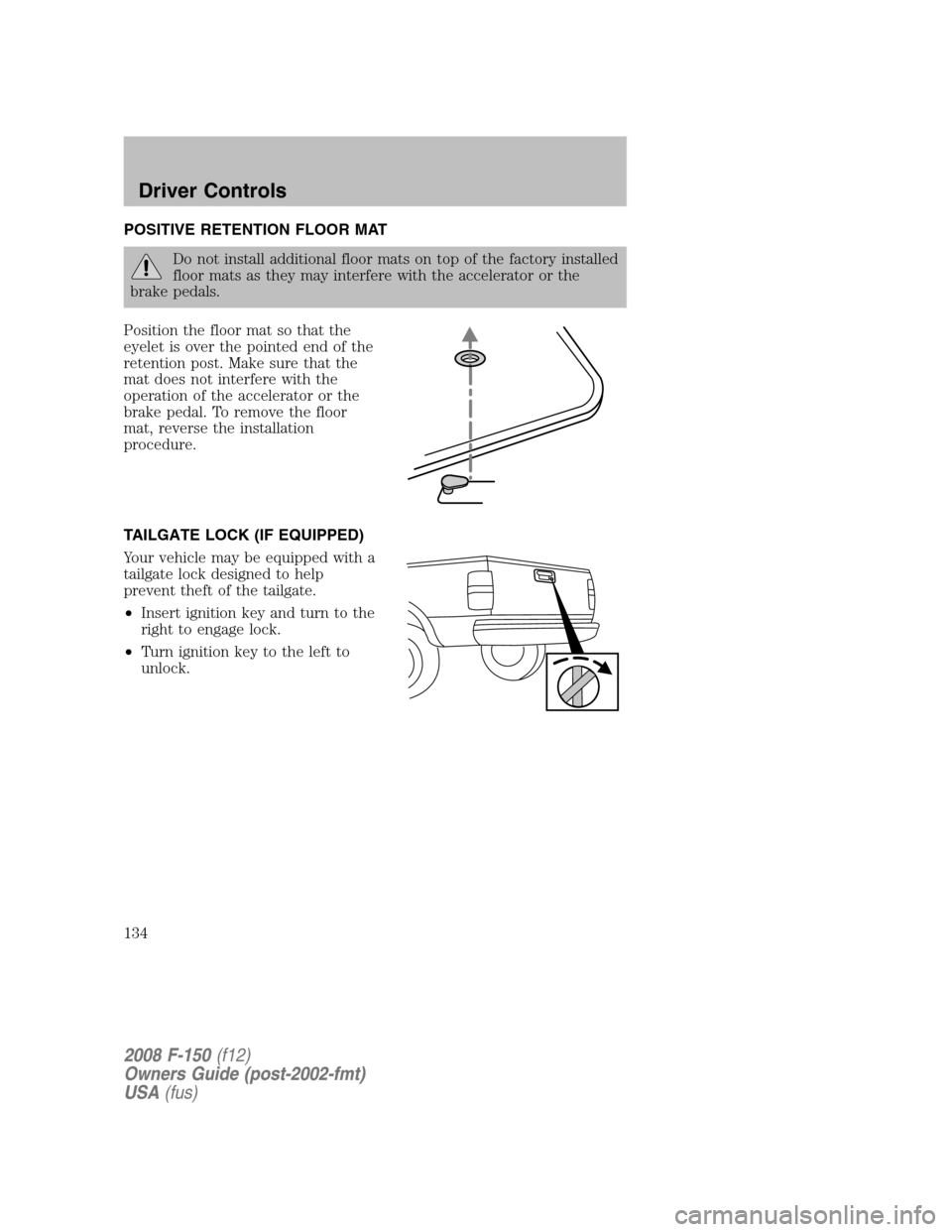
Position the floor mat so that the
eyelet is over the pointed end of the
retention post. Make sure that the
mat does not interfere with the
operation of the accelerator or the
brake pedal. To remove the floor
mat, reverse the installation
procedure.
TAILGATE LOCK (IF EQUIPPED)
Your vehicle may be equipped with a
tailgate lock designed to help
prevent theft of the tailgate.
•Insert ignition key and turn to the
right to engage lock.
•Turn ignition key to the left to
unlock.
2008 F-150(f12)
Owners Guide (post-2002-fmt)
USA(fus)
Driver Controls
134
Page 142 of 400
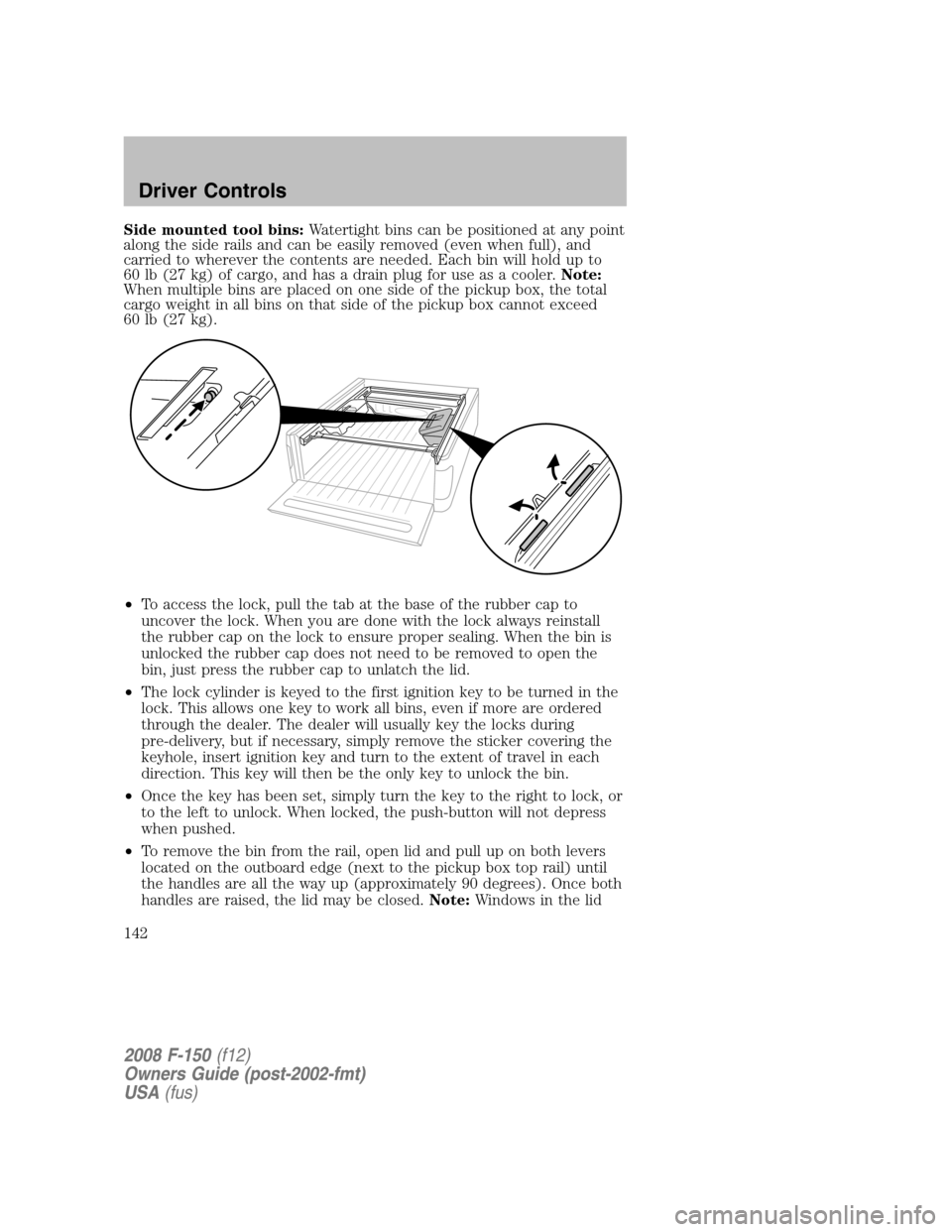
Side mounted tool bins:Watertight bins can be positioned at any point
along the side rails and can be easily removed (even when full), and
carried to wherever the contents are needed. Each bin will hold up to
60 lb (27 kg) of cargo, and has a drain plug for use as a cooler.Note:
When multiple bins are placed on one side of the pickup box, the total
cargo weight in all bins on that side of the pickup box cannot exceed
60 lb (27 kg).
•To access the lock, pull the tab at the base of the rubber cap to
uncover the lock. When you are done with the lock always reinstall
the rubber cap on the lock to ensure proper sealing. When the bin is
unlocked the rubber cap does not need to be removed to open the
bin, just press the rubber cap to unlatch the lid.
•The lock cylinder is keyed to the first ignition key to be turned in the
lock. This allows one key to work all bins, even if more are ordered
through the dealer. The dealer will usually key the locks during
pre-delivery, but if necessary, simply remove the sticker covering the
keyhole, insert ignition key and turn to the extent of travel in each
direction. This key will then be the only key to unlock the bin.
•Once the key has been set, simply turn the key to the right to lock, or
to the left to unlock. When locked, the push-button will not depress
when pushed.
•To remove the bin from the rail, open lid and pull up on both levers
located on the outboard edge (next to the pickup box top rail) until
the handles are all the way up (approximately 90 degrees). Once both
handles are raised, the lid may be closed.Note:Windows in the lid
2008 F-150(f12)
Owners Guide (post-2002-fmt)
USA(fus)
Driver Controls
142
Page 144 of 400
KEYS
The key operates all locks on your vehicle. In case of loss, replacement
keys are available from your dealer.
You should always carry a second key with you in a safe place in case
you require it in an emergency.
Refer to theSecuriLock™ passive anti-theft systemsection in this
chapter for more information.
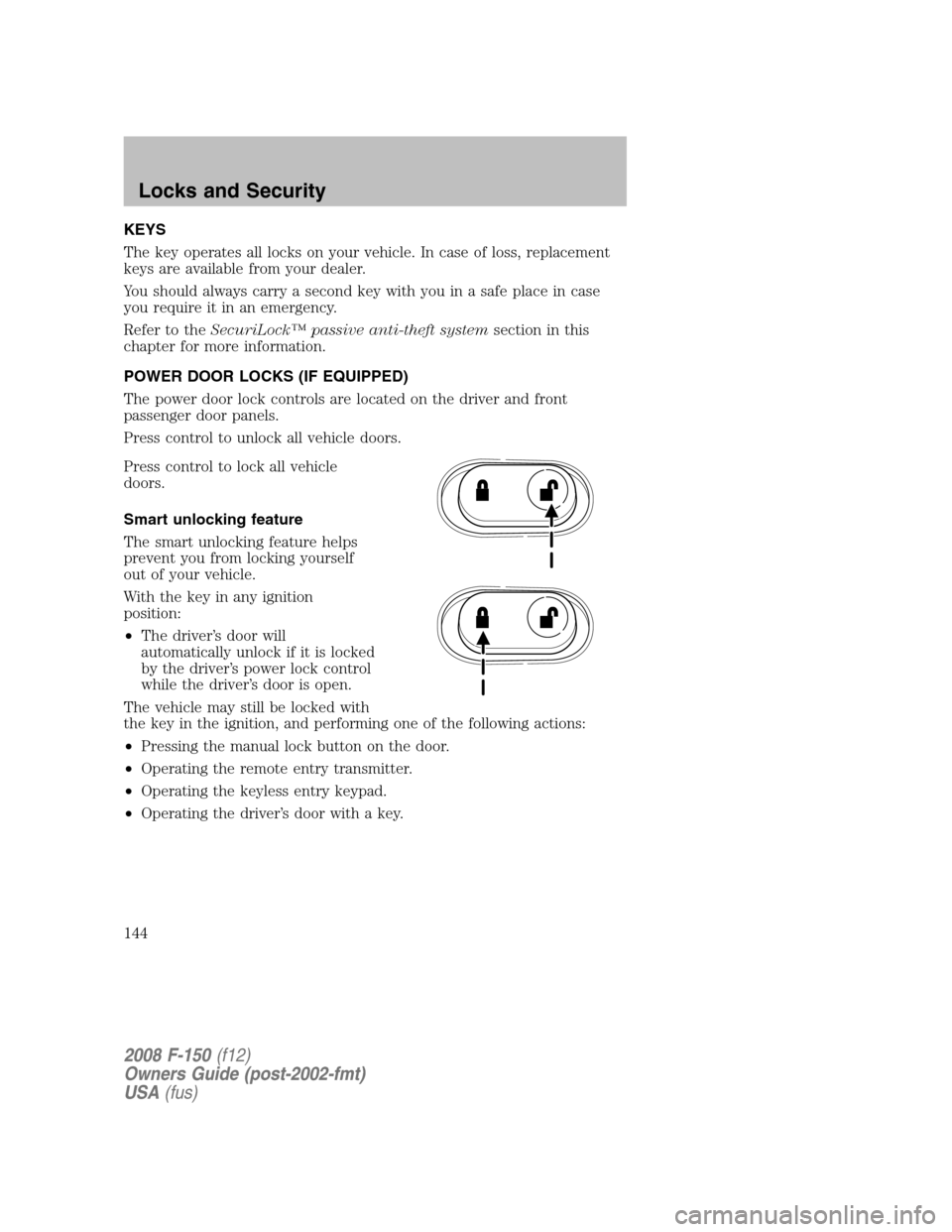
POWER DOOR LOCKS (IF EQUIPPED)
The power door lock controls are located on the driver and front
passenger door panels.
Press control to unlock all vehicle doors.
Press control to lock all vehicle
doors.
Smart unlocking feature
The smart unlocking feature helps
prevent you from locking yourself
out of your vehicle.
With the key in any ignition
position:
•The driver’s door will
automatically unlock if it is locked
by the driver’s power lock control
while the driver’s door is open.
The vehicle may still be locked with
the key in the ignition, and performing one of the following actions:
•Pressing the manual lock button on the door.
•Operating the remote entry transmitter.
•Operating the keyless entry keypad.
•Operating the driver’s door with a key.
2008 F-150(f12)
Owners Guide (post-2002-fmt)
USA(fus)
Locks and Security
144
Page 145 of 400
Autolock (if equipped)
The autolock feature is available on automatic transmission vehicles with
power locking. This feature will lock all the doors when:
•all the doors are closed,
•the ignition is in the 3 (ON) position,
•you shift into any gear putting the vehicle in motion, and
•the brake pedal is released and the vehicle attains a speed greater
than 5 mph (8 km/h).
The autolock feature repeats when:
•any door is opened then closed while the ignition is in the 3 (ON)
position, and
•the brake pedal is released and the vehicle attains a speed greater
than 5 mph (8 km/h).
Deactivating/activating autolock
There are four methods to enable/disable this feature: One is through
your authorized dealer, the second with a power door unlock/lock
sequence, the third with the keypad, and the fourth using the message
center (if equipped).
Before following the activation or deactivation procedures, unlock all
doors using the power door lock/unlock control and ensure all vehicle
doors are closed.
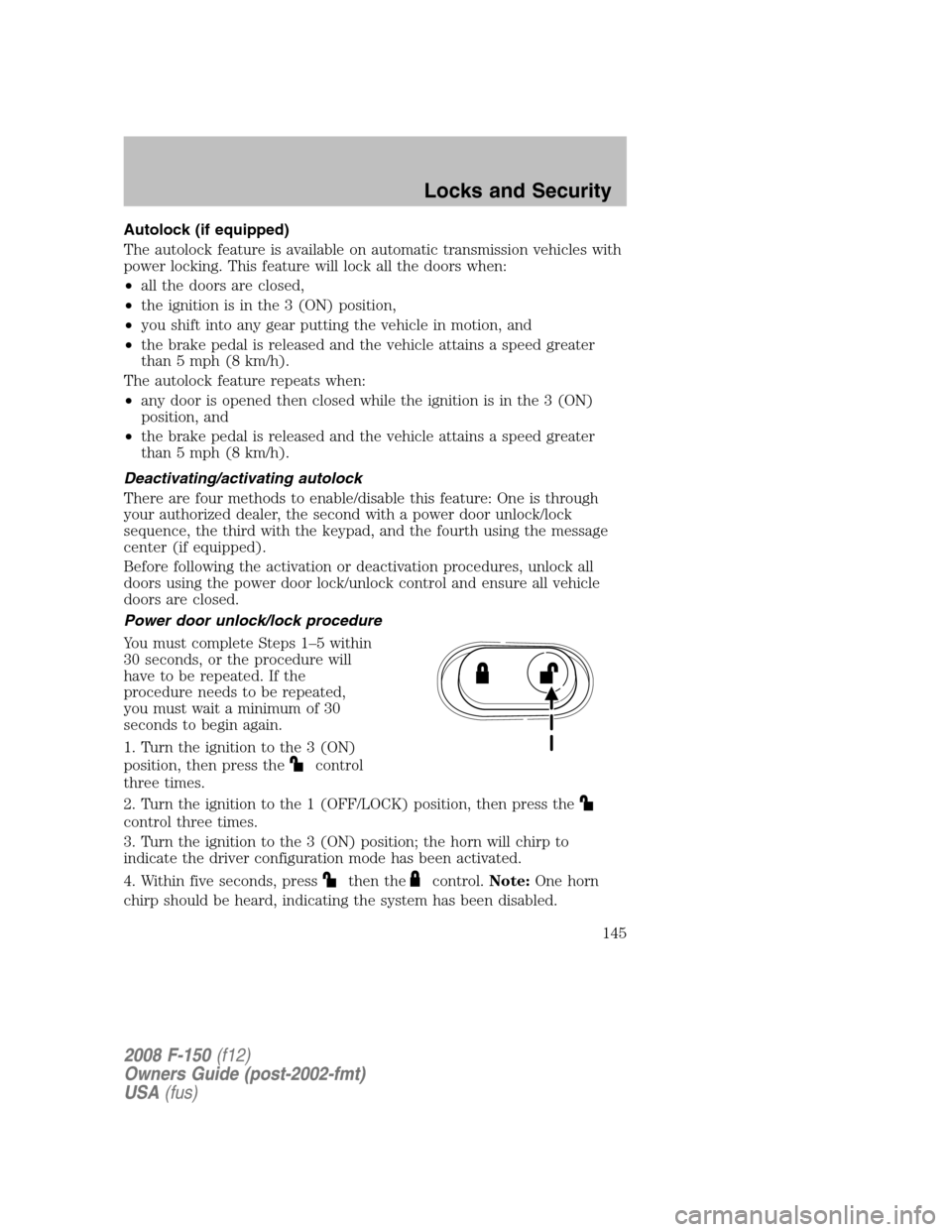
Power door unlock/lock procedure
You must complete Steps 1–5 within
30 seconds, or the procedure will
have to be repeated. If the
procedure needs to be repeated,
you must wait a minimum of 30
seconds to begin again.
1. Turn the ignition to the 3 (ON)
position, then press the
control
three times.
2. Turn the ignition to the 1 (OFF/LOCK) position, then press the
control three times.
3. Turn the ignition to the 3 (ON) position; the horn will chirp to
indicate the driver configuration mode has been activated.
4. Within five seconds, press
then thecontrol.Note:One horn
chirp should be heard, indicating the system has been disabled.
2008 F-150(f12)
Owners Guide (post-2002-fmt)
USA(fus)
Locks and Security
145
Page 146 of 400

Conversely, a horn chirp followed by a honk will indicate the system is
enabled. Pressing the
control then thecontrol will turn the
feature ON if it was previously OFF, or OFF if it was previously ON. The
horn will chirp once if autolock was deactivated or twice (one short
chirp and one long honk) if autolock was activated.
5. Turn the ignition to the 1 (OFF/LOCK) position to exit programming.
Note:After exiting the driver configuration mode, the horn will chirp
once to indicate a feature has been activated/deactivated.
Keyless entry key pad procedure
1. Turn the ignition to the 1 (OFF/LOCK) position.
2. Close all the doors.
3. Enter 5–digit entry code
4. Press and hold the 7•8. While holding the 7•8 press the 3•4.
5. Release the 3•4.
6. Release the 7•8.
The user should receive ahorn chirpto indicate the system has been
disabled or a chirp followed by a honk to indicate the system has been
enabled.
Message center procedure
For information regarding the activation and deactivation of the
autolocks feature using the message center, refer toMessage centerin
theDriver Controlschapter.
CHILDPROOF DOOR LOCKS (ON VEHICLES WITH REAR DOORS)
•When these locks are set, the
rear doors cannot be opened from
the inside.
•The rear doors can be opened
from the outside when the doors
are unlocked.
The childproof locks are located on
rear edge of each rear door and
must be set separately for each
door. Setting the lock for one door
will not automatically set the lock for both doors.
•Move lock control up to engage the childproof lock.
•Move control down to disengage childproof locks.
2008 F-150(f12)
Owners Guide (post-2002-fmt)
USA(fus)
Locks and Security
146
Page 148 of 400

2. Pressand release again within three seconds to confirm that all the
doors are closed and locked.Note:The doors will lock again, the horn
will chirp once, and the parklamps will flash once more.
If any of the doors are not properly closed the horn will make two quick
chirps and the parklamps will not flash.
Power door lock/unlock disable feature (if equipped)
The
(lock) and(unlock) features on your power door locks will
not work from inside the vehicle when:
•the ignition has been turned to the 1 (OFF/LOCK) position, and
•20 seconds elapse after all vehicle doors are closed and locked using
the remote entry transmitter, the keyless entry pad, or the power door
lock control (while the accompanying door is open).
The
(lock) and(unlock) features will work again after:
•a door has become ajar,
•the ignition is turned to the 3 (ON) position, or
•using the UNLOCK
control on your remote entry transmitter or
unlocking via the keyless entry keypad.
Deactivating/activating power door lock/unlock disable feature
All vehicle doors must be closed before beginning the procedure. You
must complete Steps 1–5 within 30 seconds, or the procedure will have
to be repeated. If the procedure needs to be repeated, you must wait a
minimum of 30 seconds to begin again.
1. Turn the ignition to the 3 (ON) position, then press the
button
three times.
2. Turn the ignition to the 1 (OFF/LOCK) position, then press the
button three times.
3. Turn the ignition to the 3 (ON) position; the horn will chirp to
indicate the driver configuration mode has been activated.
4. Within five seconds, press the
control two times.Note:One horn
chirp should be heard, indicating the system has been disabled.
5. Turn the ignition to the 1 (OFF/LOCK) position to exit programming.
Note:After exiting the driver configuration mode, the horn will chirp
once to indicate a feature has been activated/deactivated.
Car finder
Press
twice within three seconds. The horn will chirp and the turn
lamps will flash. It is recommended that this method be used to locate
your vehicle, rather than using the panic alarm.
2008 F-150(f12)
Owners Guide (post-2002-fmt)
USA(fus)
Locks and Security
148
Page 149 of 400
Sounding a panic alarm
Press
to activate the alarm. Press again or turn the ignition to 2
(ACCESSORY) or 3 (ON) to deactivate.
Note:The panic alarm will only operate when the ignition is in the 1
(OFF/LOCK) position.
Memory seat/adjustable pedals feature (if equipped)
The remote entry system can also control the memory feature.
Press the
control once to unlock the driver’s door. Pressing
the
control will automatically move the seat and adjustable pedals to
the desired memory position (the memory position corresponds to the
transmitter being used).
Activating the memory feature
To activate this feature:
1. Position the seat and adjustable pedals to the positions you desire.
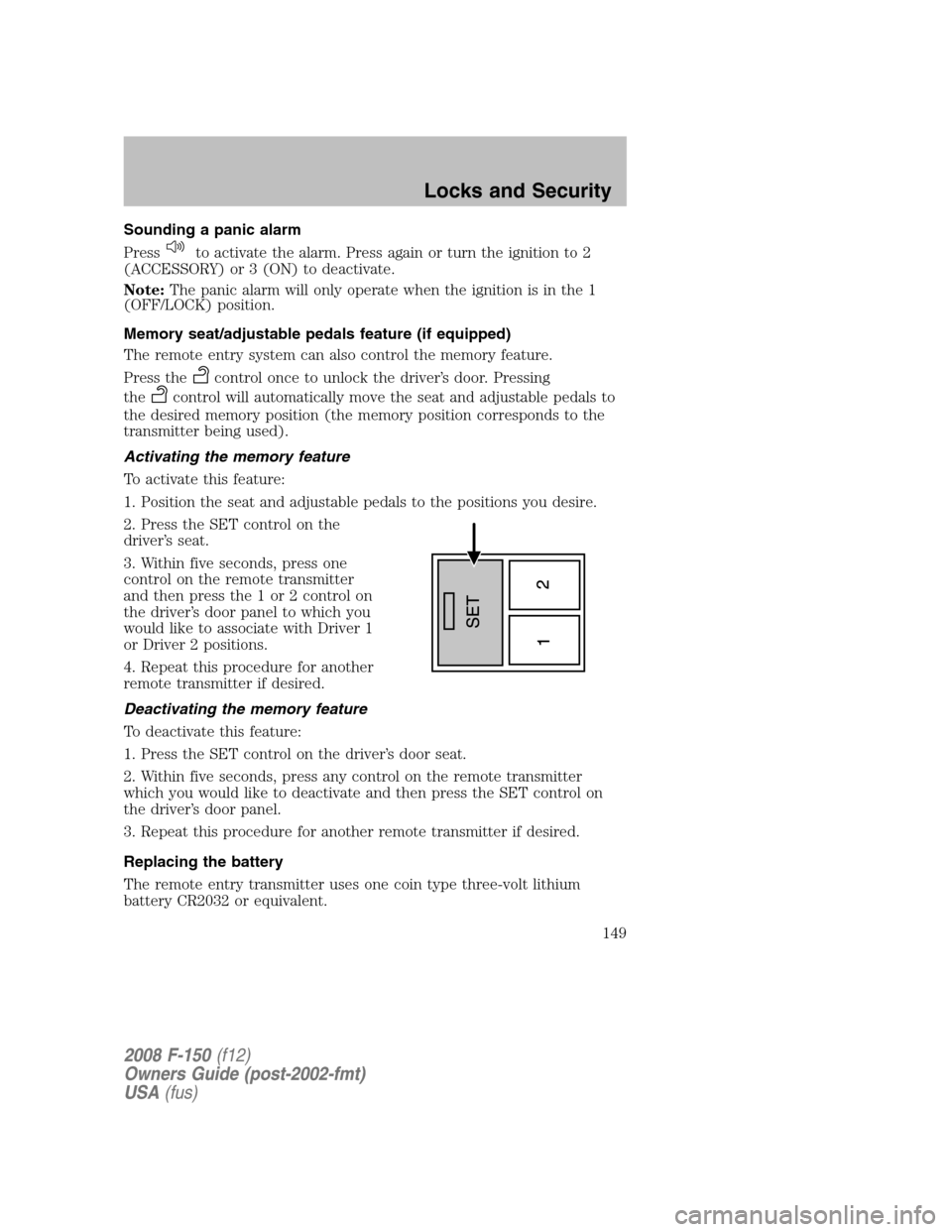
2. Press the SET control on the
driver’s seat.
3. Within five seconds, press one
control on the remote transmitter
and then press the 1 or 2 control on
the driver’s door panel to which you
would like to associate with Driver 1
or Driver 2 positions.
4. Repeat this procedure for another
remote transmitter if desired.
Deactivating the memory feature
To deactivate this feature:
1. Press the SET control on the driver’s door seat.
2. Within five seconds, press any control on the remote transmitter
which you would like to deactivate and then press the SET control on
the driver’s door panel.
3. Repeat this procedure for another remote transmitter if desired.
Replacing the battery
The remote entry transmitter uses one coin type three-volt lithium
battery CR2032 or equivalent.
2008 F-150(f12)
Owners Guide (post-2002-fmt)
USA(fus)
Locks and Security
149
Page 151 of 400
Programming remote transmitters
It is necessary to haveall(maximum of six — original and/or new) of
your remote transmitters available prior to beginning this procedure. If
all remote entry transmitters are not present during the programming
procedure, the transmitters that are not present during programming will
no longer operate the vehicle.
To program the transmitters yourself:
Note:Ensure the brake pedal is not
depressed during this sequence.
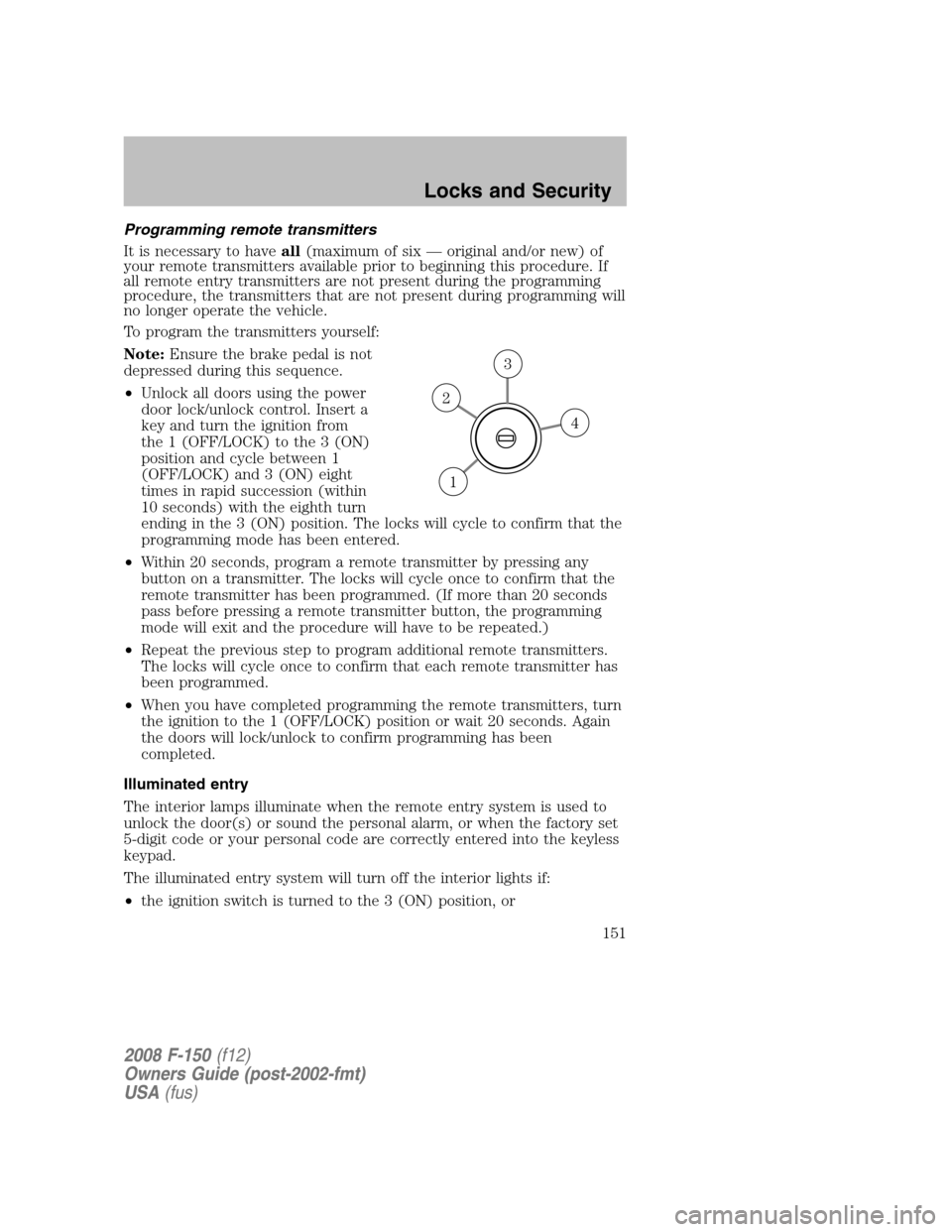
•Unlock all doors using the power
door lock/unlock control. Insert a
key and turn the ignition from
the 1 (OFF/LOCK) to the 3 (ON)
position and cycle between 1
(OFF/LOCK) and 3 (ON) eight
times in rapid succession (within
10 seconds) with the eighth turn
ending in the 3 (ON) position. The locks will cycle to confirm that the
programming mode has been entered.
•Within 20 seconds, program a remote transmitter by pressing any
button on a transmitter. The locks will cycle once to confirm that the
remote transmitter has been programmed. (If more than 20 seconds
pass before pressing a remote transmitter button, the programming
mode will exit and the procedure will have to be repeated.)
•Repeat the previous step to program additional remote transmitters.
The locks will cycle once to confirm that each remote transmitter has
been programmed.
•When you have completed programming the remote transmitters, turn
the ignition to the 1 (OFF/LOCK) position or wait 20 seconds. Again
the doors will lock/unlock to confirm programming has been
completed.
Illuminated entry
The interior lamps illuminate when the remote entry system is used to
unlock the door(s) or sound the personal alarm, or when the factory set
5-digit code or your personal code are correctly entered into the keyless
keypad.
The illuminated entry system will turn off the interior lights if:
•the ignition switch is turned to the 3 (ON) position, or
4
3
2
1
2008 F-150(f12)
Owners Guide (post-2002-fmt)
USA(fus)
Locks and Security
151