Page 73 of 400
Playing a DVD
1. Ensure that the vehicle ignition is in the RUN or ACCESSORY
position.
2. Ensure that the navigation system is on.
3. Insert a DVD label-side up into the system.
4. Use the DVD bezel controls to:
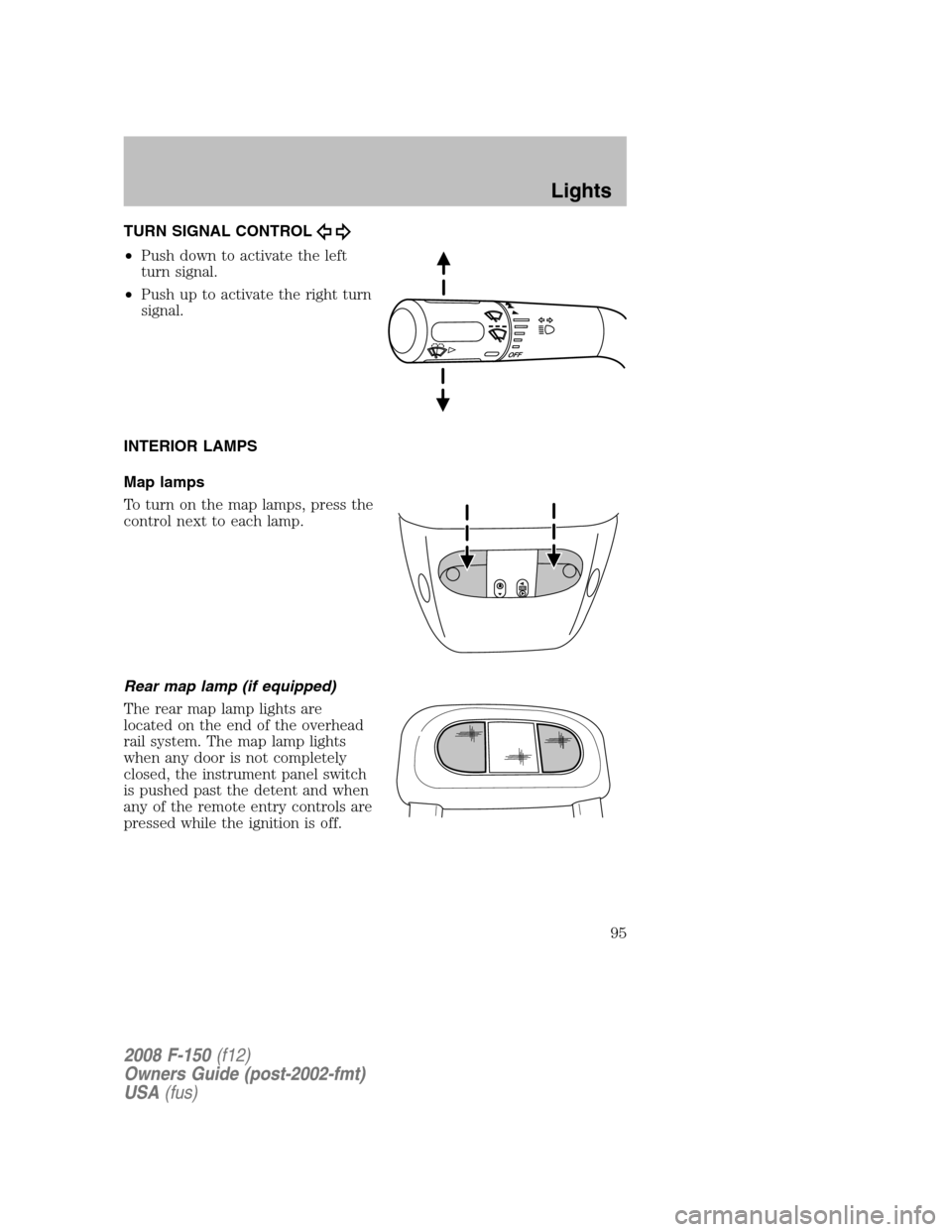
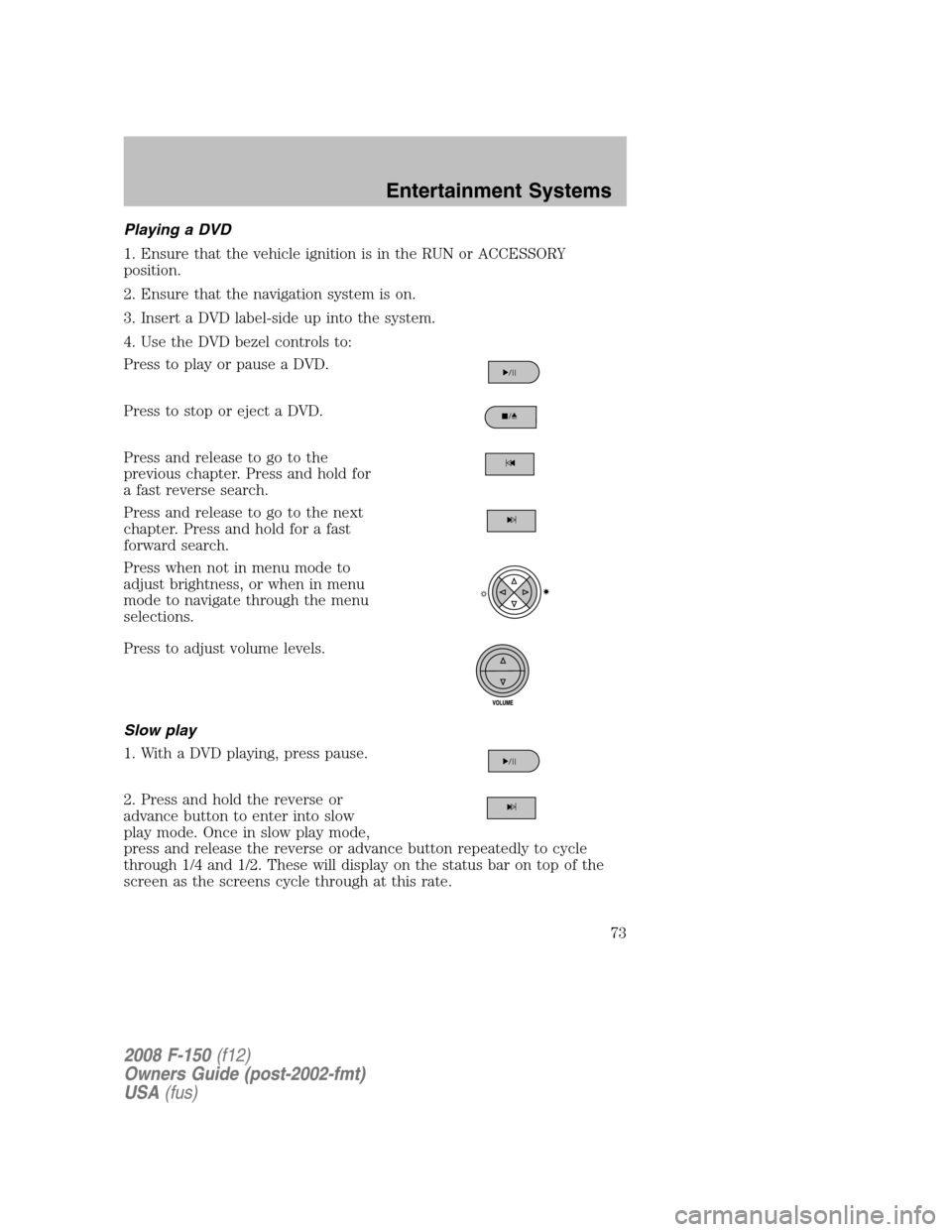
Press to play or pause a DVD.
Press to stop or eject a DVD.
Press and release to go to the
previous chapter. Press and hold for
a fast reverse search.
Press and release to go to the next
chapter. Press and hold for a fast
forward search.
Press when not in menu mode to
adjust brightness, or when in menu
mode to navigate through the menu
selections.
Press to adjust volume levels.
Slow play
1. With a DVD playing, press pause.
2. Press and hold the reverse or
advance button to enter into slow
play mode. Once in slow play mode,
press and release the reverse or advance button repeatedly to cycle
through 1/4 and 1/2. These will display on the status bar on top of the
screen as the screens cycle through at this rate.
2008 F-150(f12)
Owners Guide (post-2002-fmt)
USA(fus)
Entertainment Systems
73
Page 75 of 400
The B headphone jack (5) is located
on the right side of the DVD system.
Plug in wired headphones (not
included) here.
Note:The B headphones can only
access DVD and AUX modes. They
cannot access radio sources.
Audio displays
Your DVD system interacts closely with the front audio system. Status
messages will appear in the radio display showing the DVD status. Some
possible radio display messages:
•SINGLE PLAY or DUAL PLAY
•DVD LOAD
•DVD MENU
•DVD STOP
Audio interaction
You can then also use the front audio controls to advance, reverse, play
and pause a DVD. While a DVD is playing you may use the following
controls on the front radio:
•SEEK: Press to advance to the previous (
) or next () DVD
chapters.
•
: Press to play a DVD or to pause the DVD.
When the radio displays “DVD MENU”, press PLAY on the radio
(memory preset #6), to play the disc.
Parental control for the DVD system
Your Family Entertainment System (FES) allows you to have control
over the rear seat controls in a few different ways. The DVD system is
automatically activated when the vehicle ignition is ON, which allows the
rear seat passengers to use the DVD system.
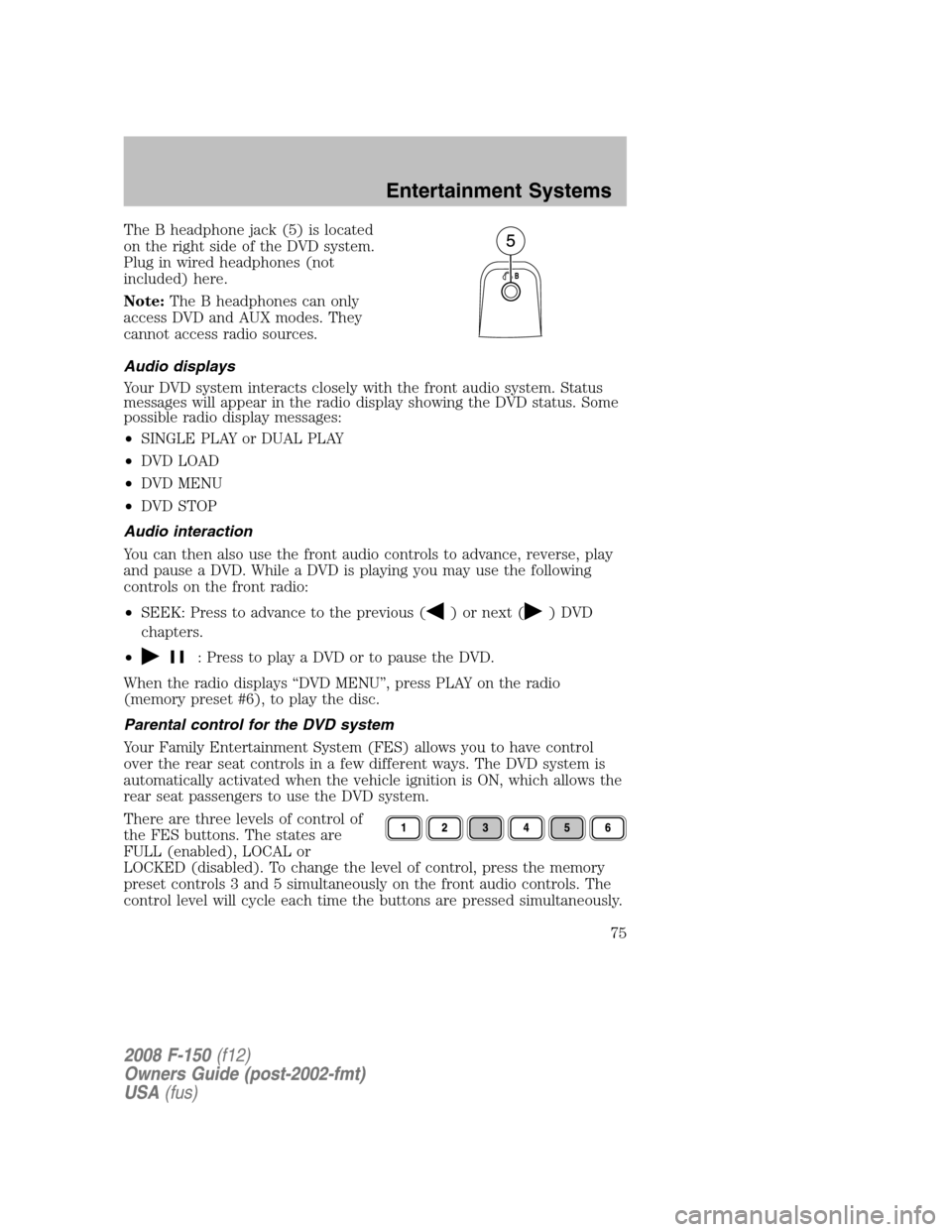
There are three levels of control of
the FES buttons. The states are
FULL (enabled), LOCAL or
LOCKED (disabled). To change the level of control, press the memory
preset controls 3 and 5 simultaneously on the front audio controls. The
control level will cycle each time the buttons are pressed simultaneously.
2008 F-150(f12)
Owners Guide (post-2002-fmt)
USA(fus)
Entertainment Systems
75
Page 90 of 400
Do not place objects on top of the instrument panel as these
objects may become projectiles in a collision or sudden stop.
REAR WINDOW DEFROSTER (IF EQUIPPED)
R
The rear defroster control is located on the climate control panel and
works to defrost your rear window from fog and thin ice. If equipped, it
also operates the heated mirror to remove snow and thin ice from the
side mirrors.
Ensure that the ignition is ON. Press to turn the defroster ON/OFF. The
indicator light will illuminate when activated.
Do not use razor blades or other sharp objects to clean the inside
of the rear window or to remove decals from the inside of the
rear window. This may cause damage to the heated grid lines and
will not be covered by your warranty.
2008 F-150(f12)
Owners Guide (post-2002-fmt)
USA(fus)
Climate Controls
90
Page 91 of 400

HEADLAMP CONTROL
Rotate the headlamp control
clockwise to the first position
to
turn on the parking lamps. Rotate
clockwise to the second
position
to also turn on the
headlamps.
Autolamp control (if equipped)
The autolamp system provides light
sensitive automatic on-off control of
the exterior lights normally
controlled by the headlamp control.
The autolamp system also keeps the
lights on for approximately
20 seconds or, on vehicles equipped
with a message center, you can
select a delay from 0–180 seconds,
after the ignition switch is turned to
OFF.
•To turn autolamps on, rotate the control counterclockwise to
.
•To turn autolamps off, rotate the control clockwise to
.
If your vehicle is not equipped with a message center, then the auto
lamps can be programmed manually by:
1. Start with the ignition in OFF and the autolamps
selected.
2. Turn off the autolamps by turning the headlamp switch to
.
3. Turn the ignition to ON.
4. Turn the ignition to OFF.
5. Select the autolamps by turning the headlamp switch to
.
Steps 2 through 5 must be performed within a 10 second period. At
this point, the headlamps and park lamps will turn on.
6. Deselect the autolamps after the desired autolamp delay time
(maximum of 3 minutes).
At this point, the headlamps and park lamps will turn off.
2008 F-150(f12)
Owners Guide (post-2002-fmt)
USA(fus)
Lights
91
Page 92 of 400
Fog lamp control (if equipped)
The headlamp control also operates
the fog lamps. The fog lamps can be
turned on only when the headlamp
control is in the
,or
position and the high beams are not
turned on.
Pull headlamp control towards you
to turn fog lamps on. The fog lamp
indicator light
will illuminate.
High beams
Push the lever toward the
instrument panel to activate. Pull
the lever towards you to deactivate.
Flash to pass
Pull toward you slightly to activate
and release to deactivate.
Daytime running lamps (DRL) (if equipped)
Turns the headlamps on with a reduced output.
In order for the DRLs to function:
•the ignition must be in the ON position and
•the headlamp control is in the OFF, parking lamp or autolamp
position.
2008 F-150(f12)
Owners Guide (post-2002-fmt)
USA(fus)
Lights
92
Page 95 of 400
TURN SIGNAL CONTROL
•Push down to activate the left
turn signal.
•Push up to activate the right turn
signal.
INTERIOR LAMPS
Map lamps
To turn on the map lamps, press the
control next to each lamp.
Rear map lamp (if equipped)
The rear map lamp lights are
located on the end of the overhead
rail system. The map lamp lights
when any door is not completely
closed, the instrument panel switch
is pushed past the detent and when
any of the remote entry controls are
pressed while the ignition is off.
2008 F-150(f12)
Owners Guide (post-2002-fmt)
USA(fus)
Lights
95
Page 96 of 400
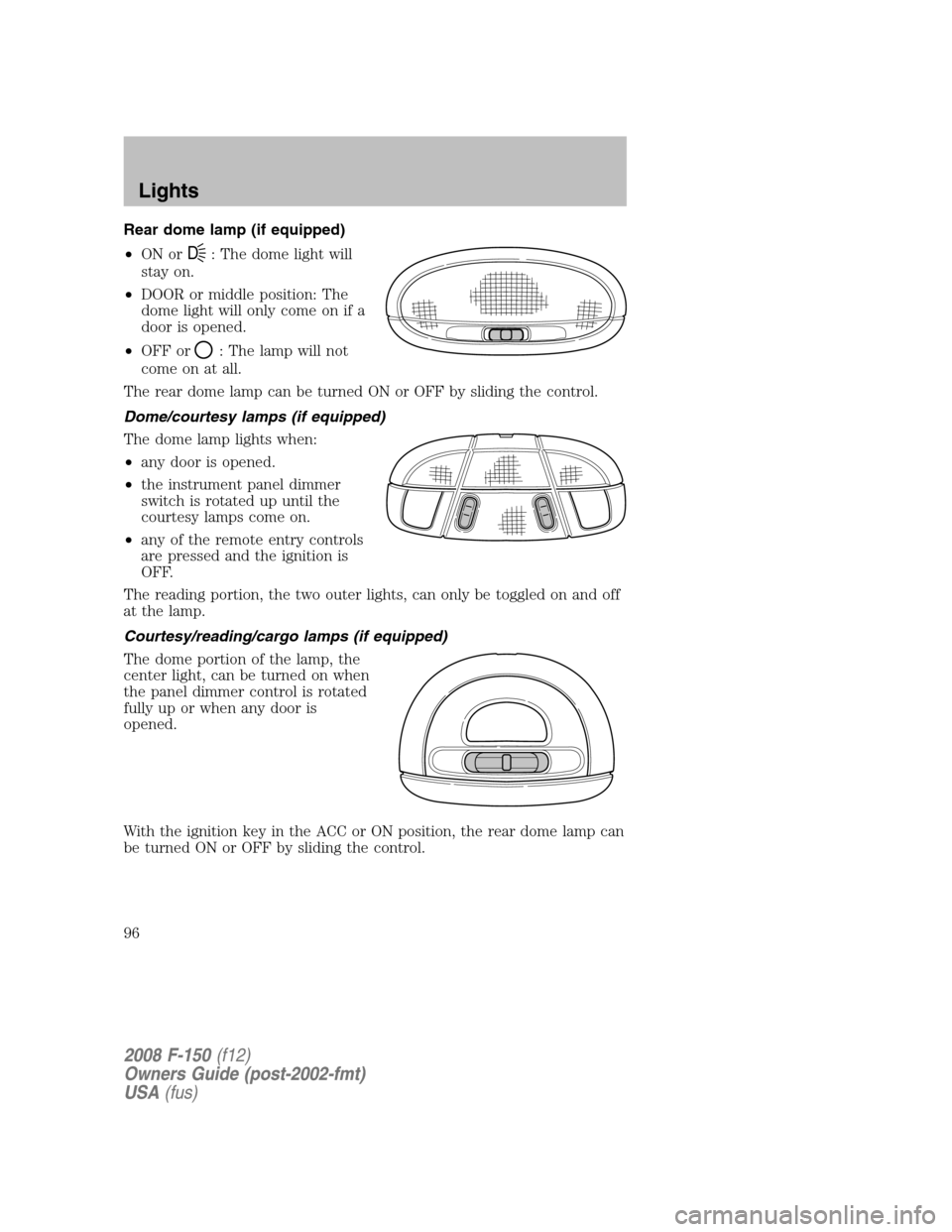
Rear dome lamp (if equipped)
•ON or
D: The dome light will
stay on.
•DOOR or middle position: The
dome light will only come on if a
door is opened.
•OFF or
: The lamp will not
come on at all.
The rear dome lamp can be turned ON or OFF by sliding the control.
Dome/courtesy lamps (if equipped)
The dome lamp lights when:
•any door is opened.
•the instrument panel dimmer
switch is rotated up until the
courtesy lamps come on.
•any of the remote entry controls
are pressed and the ignition is
OFF.
The reading portion, the two outer lights, can only be toggled on and off
at the lamp.
Courtesy/reading/cargo lamps (if equipped)
The dome portion of the lamp, the
center light, can be turned on when
the panel dimmer control is rotated
fully up or when any door is
opened.
With the ignition key in the ACC or ON position, the rear dome lamp can
be turned ON or OFF by sliding the control.
2008 F-150(f12)
Owners Guide (post-2002-fmt)
USA(fus)
Lights
96
Page 111 of 400

Note:The rear window switches will not illuminate when the window
control is in the LOCKED position.
Press the right side to restore the window controls.
Power Sliding Back Window (if equipped)
To operate the power sliding back window, the ignition switch must be in
the Run or Accessory position.
•Press and hold the bottom part of
the rocker switch to open window
all the way to the full open
position.
•Press and hold the top part of the
rocker switch to close the
window.
When operating the power sliding back window you must ensure
all rear seat occupants and/or cargo are not in the proximity of
the back window.
Do not leave children unattended in the vehicle and do not let
children play with the power sliding back window. They may
seriously injure themselves.
Accessory delay (if equipped)
With accessory delay, the window switches may be used for up to ten
minutes after the ignition switch is turned to the OFF position or until
any door is opened.
INTERIOR MIRROR
The interior rear view mirror has two pivot points on the support arm
which lets you adjust the mirror UP or DOWN and from SIDE to SIDE.
Do not adjust the mirror while the vehicle is in motion.
2008 F-150(f12)
Owners Guide (post-2002-fmt)
USA(fus)
Driver Controls
111