2008 FORD CROWN VICTORIA oil change
[x] Cancel search: oil changePage 3 of 280
Maintenance and Specifications 232
Engine compartment 234
Engine oil 236
Battery 239
Engine coolant 241
Fuel information 247
Air filter(s) 263
Part numbers 264
Maintenance product specifications and capacities 266
Engine data 269
Accessories 272
Index 274
All rights reserved. Reproduction by any means, electronic or mechanical
including photocopying, recording or by any information storage and retrieval
system or translation in whole or part is not permitted without written
authorization from Ford Motor Company. Ford may change the contents without
notice and without incurring obligation.
Copyright © 2007 Ford Motor Company
Table of Contents
3
2008 Crown Victoria(cro)
Owners Guide (post-2002-fmt)
USA(fus)
Page 46 of 280
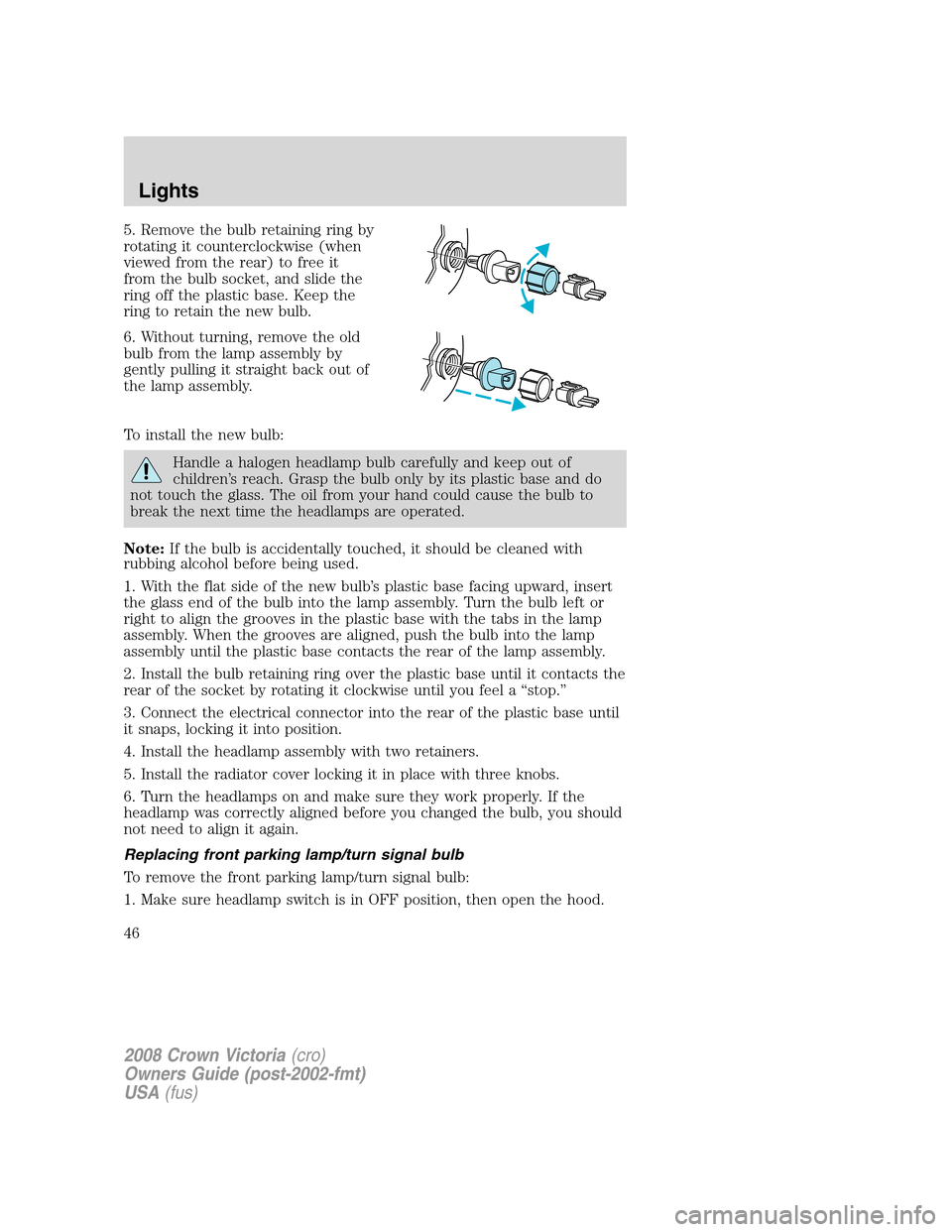
5. Remove the bulb retaining ring by
rotating it counterclockwise (when
viewed from the rear) to free it
from the bulb socket, and slide the
ring off the plastic base. Keep the
ring to retain the new bulb.
6. Without turning, remove the old
bulb from the lamp assembly by
gently pulling it straight back out of
the lamp assembly.
To install the new bulb:
Handle a halogen headlamp bulb carefully and keep out of
children’s reach. Grasp the bulb only by its plastic base and do
not touch the glass. The oil from your hand could cause the bulb to
break the next time the headlamps are operated.
Note:If the bulb is accidentally touched, it should be cleaned with
rubbing alcohol before being used.
1. With the flat side of the new bulb’s plastic base facing upward, insert
the glass end of the bulb into the lamp assembly. Turn the bulb left or
right to align the grooves in the plastic base with the tabs in the lamp
assembly. When the grooves are aligned, push the bulb into the lamp
assembly until the plastic base contacts the rear of the lamp assembly.
2. Install the bulb retaining ring over the plastic base until it contacts the
rear of the socket by rotating it clockwise until you feel a “stop.”
3. Connect the electrical connector into the rear of the plastic base until
it snaps, locking it into position.
4. Install the headlamp assembly with two retainers.
5. Install the radiator cover locking it in place with three knobs.
6. Turn the headlamps on and make sure they work properly. If the
headlamp was correctly aligned before you changed the bulb, you should
not need to align it again.
Replacing front parking lamp/turn signal bulb
To remove the front parking lamp/turn signal bulb:
1. Make sure headlamp switch is in OFF position, then open the hood.
2008 Crown Victoria(cro)
Owners Guide (post-2002-fmt)
USA(fus)
Lights
46
Page 79 of 280
The sequence of the system check report and how it appears in the
message center is as follows:
1. OIL LIFE
— PRESS RESET IF NEW OIL
2. WASHER FLUID
3. AIR SUSPENSION (if equipped))
4. RECONFIGURABLE TELLTALES
—OK
— FAILED RED
— FAILED AMBER
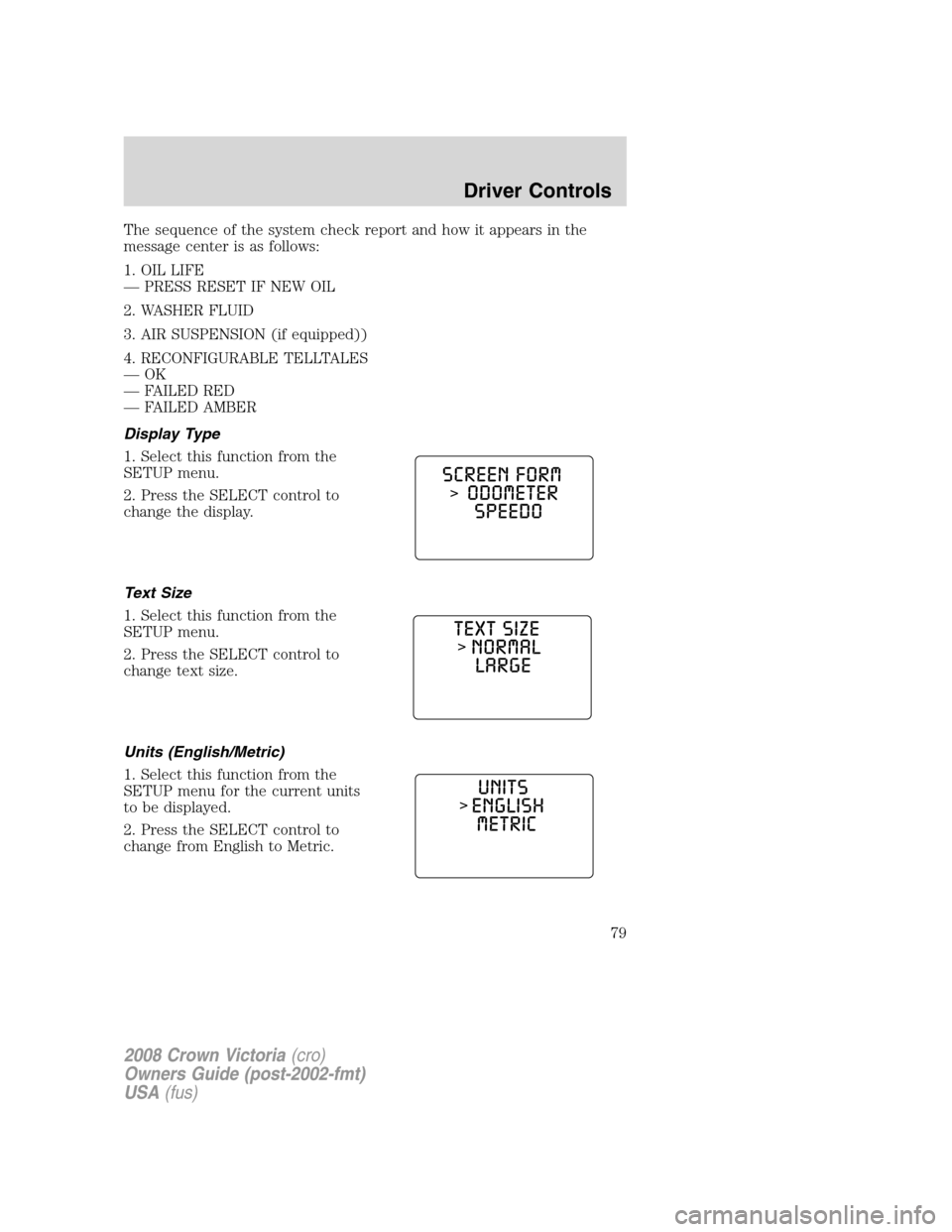
Display Type
1. Select this function from the
SETUP menu.
2. Press the SELECT control to
change the display.
Text Size
1. Select this function from the
SETUP menu.
2. Press the SELECT control to
change text size.
Units (English/Metric)
1. Select this function from the
SETUP menu for the current units
to be displayed.
2. Press the SELECT control to
change from English to Metric.
2008 Crown Victoria(cro)
Owners Guide (post-2002-fmt)
USA(fus)
Driver Controls
79
Page 80 of 280
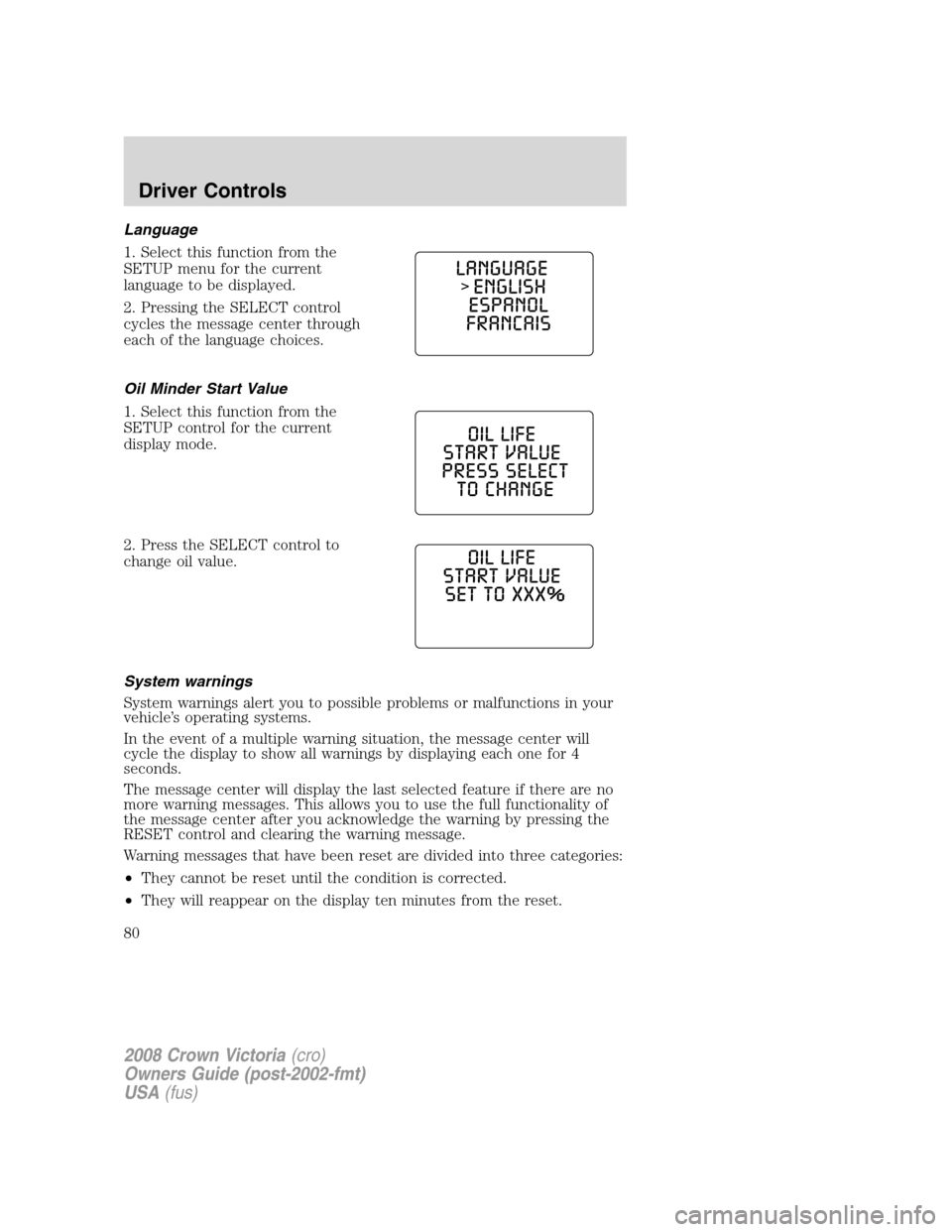
Language
1. Select this function from the
SETUP menu for the current
language to be displayed.
2. Pressing the SELECT control
cycles the message center through
each of the language choices.
Oil Minder Start Value
1. Select this function from the
SETUP control for the current
display mode.
2. Press the SELECT control to
change oil value.
System warnings
System warnings alert you to possible problems or malfunctions in your
vehicle’s operating systems.
In the event of a multiple warning situation, the message center will
cycle the display to show all warnings by displaying each one for 4
seconds.
The message center will display the last selected feature if there are no
more warning messages. This allows you to use the full functionality of
the message center after you acknowledge the warning by pressing the
RESET control and clearing the warning message.
Warning messages that have been reset are divided into three categories:
•They cannot be reset until the condition is corrected.
•They will reappear on the display ten minutes from the reset.
2008 Crown Victoria(cro)
Owners Guide (post-2002-fmt)
USA(fus)
Driver Controls
80
Page 81 of 280
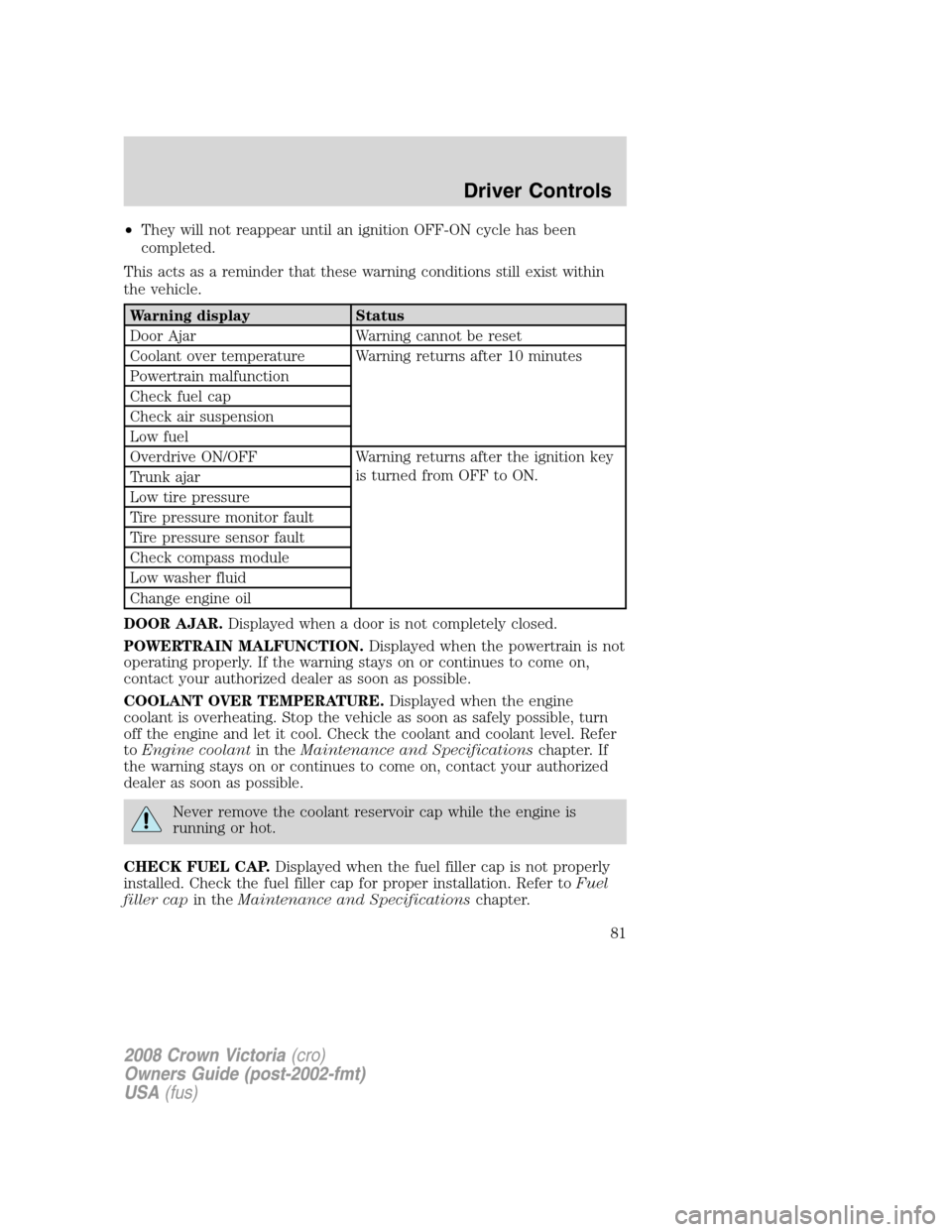
•They will not reappear until an ignition OFF-ON cycle has been
completed.
This acts as a reminder that these warning conditions still exist within
the vehicle.
Warning display Status
Door Ajar Warning cannot be reset
Coolant over temperature Warning returns after 10 minutes
Powertrain malfunction
Check fuel cap
Check air suspension
Low fuel
Overdrive ON/OFF Warning returns after the ignition key
is turned from OFF to ON.
Trunk ajar
Low tire pressure
Tire pressure monitor fault
Tire pressure sensor fault
Check compass module
Low washer fluid
Change engine oil
DOOR AJAR.Displayed when a door is not completely closed.
POWERTRAIN MALFUNCTION.Displayed when the powertrain is not
operating properly. If the warning stays on or continues to come on,
contact your authorized dealer as soon as possible.
COOLANT OVER TEMPERATURE.Displayed when the engine
coolant is overheating. Stop the vehicle as soon as safely possible, turn
off the engine and let it cool. Check the coolant and coolant level. Refer
toEngine coolantin theMaintenance and Specificationschapter. If
the warning stays on or continues to come on, contact your authorized
dealer as soon as possible.
Never remove the coolant reservoir cap while the engine is
running or hot.
CHECK FUEL CAP.Displayed when the fuel filler cap is not properly
installed. Check the fuel filler cap for proper installation. Refer toFuel
filler capin theMaintenance and Specificationschapter.
2008 Crown Victoria(cro)
Owners Guide (post-2002-fmt)
USA(fus)
Driver Controls
81
Page 82 of 280
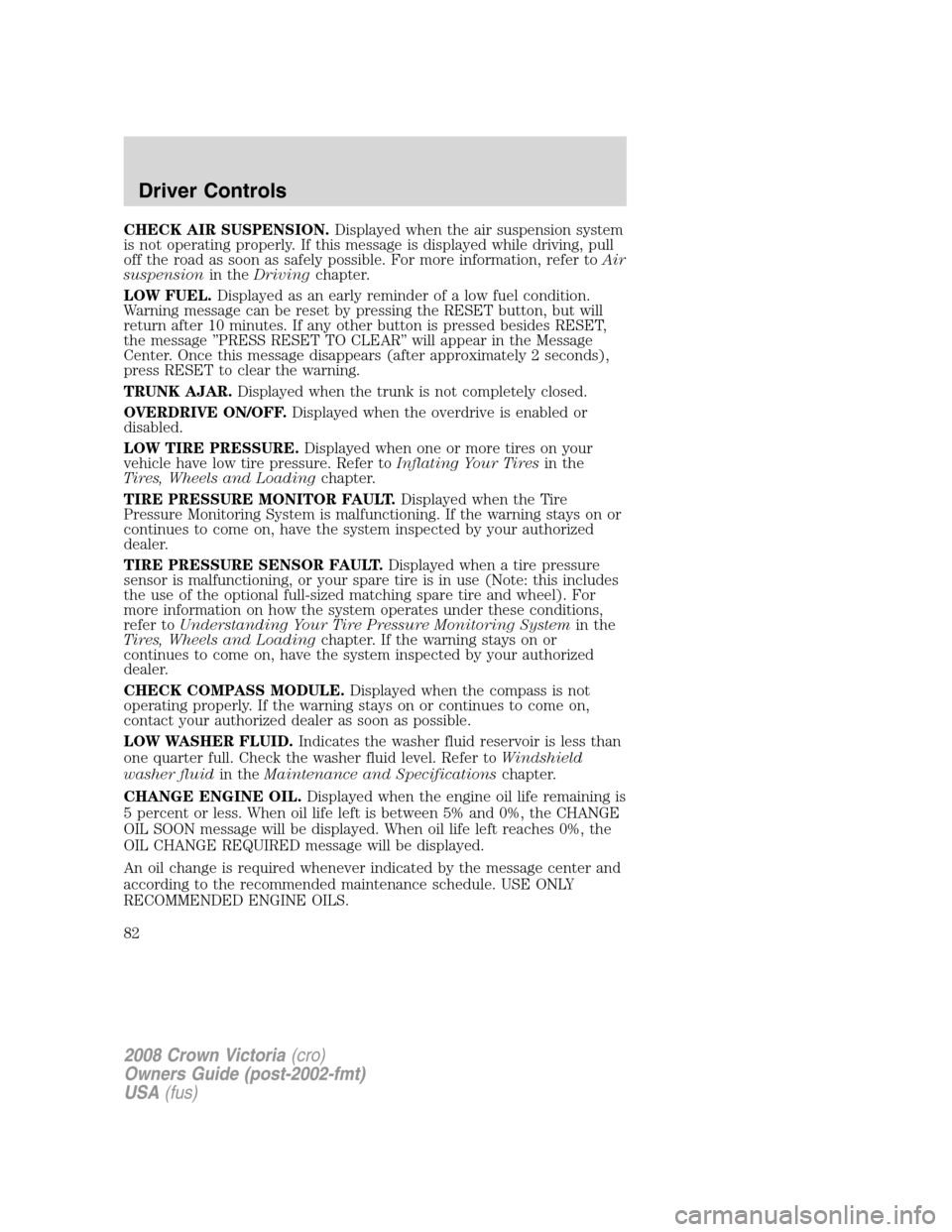
CHECK AIR SUSPENSION.Displayed when the air suspension system
is not operating properly. If this message is displayed while driving, pull
off the road as soon as safely possible. For more information, refer toAir
suspensionin theDrivingchapter.
LOW FUEL.Displayed as an early reminder of a low fuel condition.
Warning message can be reset by pressing the RESET button, but will
return after 10 minutes. If any other button is pressed besides RESET,
the message ’’PRESS RESET TO CLEAR’’ will appear in the Message
Center. Once this message disappears (after approximately 2 seconds),
press RESET to clear the warning.
TRUNK AJAR.Displayed when the trunk is not completely closed.
OVERDRIVE ON/OFF.Displayed when the overdrive is enabled or
disabled.
LOW TIRE PRESSURE.Displayed when one or more tires on your
vehicle have low tire pressure. Refer toInflating Your Tiresin the
Tires, Wheels and Loadingchapter.
TIRE PRESSURE MONITOR FAULT.Displayed when the Tire
Pressure Monitoring System is malfunctioning. If the warning stays on or
continues to come on, have the system inspected by your authorized
dealer.
TIRE PRESSURE SENSOR FAULT.Displayed when a tire pressure
sensor is malfunctioning, or your spare tire is in use (Note: this includes
the use of the optional full-sized matching spare tire and wheel). For
more information on how the system operates under these conditions,
refer toUnderstanding Your Tire Pressure Monitoring Systemin the
Tires, Wheels and Loadingchapter. If the warning stays on or
continues to come on, have the system inspected by your authorized
dealer.
CHECK COMPASS MODULE.Displayed when the compass is not
operating properly. If the warning stays on or continues to come on,
contact your authorized dealer as soon as possible.
LOW WASHER FLUID.Indicates the washer fluid reservoir is less than
one quarter full. Check the washer fluid level. Refer toWindshield
washer fluidin theMaintenance and Specificationschapter.
CHANGE ENGINE OIL.Displayed when the engine oil life remaining is
5 percent or less. When oil life left is between 5% and 0%, the CHANGE
OIL SOON message will be displayed. When oil life left reaches 0%, the
OIL CHANGE REQUIRED message will be displayed.
An oil change is required whenever indicated by the message center and
according to the recommended maintenance schedule. USE ONLY
RECOMMENDED ENGINE OILS.
2008 Crown Victoria(cro)
Owners Guide (post-2002-fmt)
USA(fus)
Driver Controls
82
Page 83 of 280
![FORD CROWN VICTORIA 2008 2.G Owners Manual To reset the oil monitoring system to 100% after each oil change
[approximately 7,500 miles (12,070 km) or 6 months] perform the
following:
1. Press and hold the RESET
control for 2 seconds and releas](/manual-img/11/4784/w960_4784-82.png "FORD CROWN VICTORIA 2008 2.G Owners Manual To reset the oil monitoring system to 100% after each oil change
[approximately 7,500 miles (12,070 km) or 6 months] perform the
following:
1. Press and hold the RESET
control for 2 seconds and releas")
To reset the oil monitoring system to 100% after each oil change
[approximately 7,500 miles (12,070 km) or 6 months] perform the
following:
1. Press and hold the RESET
control for 2 seconds and release.
Oil life is set to 100% and “OIL LIFE
XXX% HOLD RESET IF NEW OIL”
is displayed.
2. Press and hold the RESET
control for 3 seconds and release.
Oil life is set to 100% and “OIL LIFE
START VALUE SET TO XXX%” is
displayed.
POSITIVE RETENTION FLOOR MAT
Do not install additional floor mats on top of the factory installed
floor mats as they may interfere with the accelerator or the
brake pedals.
Position the driver floor mat so that
the eyelet is over the pointed end of
the retention post and rotate
forward to lock in. Make sure that
the mat does not interfere with the
operation of the accelerator or the
brake pedal. To remove the floor
mat, reverse the installation
procedure.
2008 Crown Victoria(cro)
Owners Guide (post-2002-fmt)
USA(fus)
Driver Controls
83
Page 238 of 280
To avoid possible oil loss, DO NOT operate the vehicle with the
engine oil level dipstick and/or the engine oil filler cap removed.
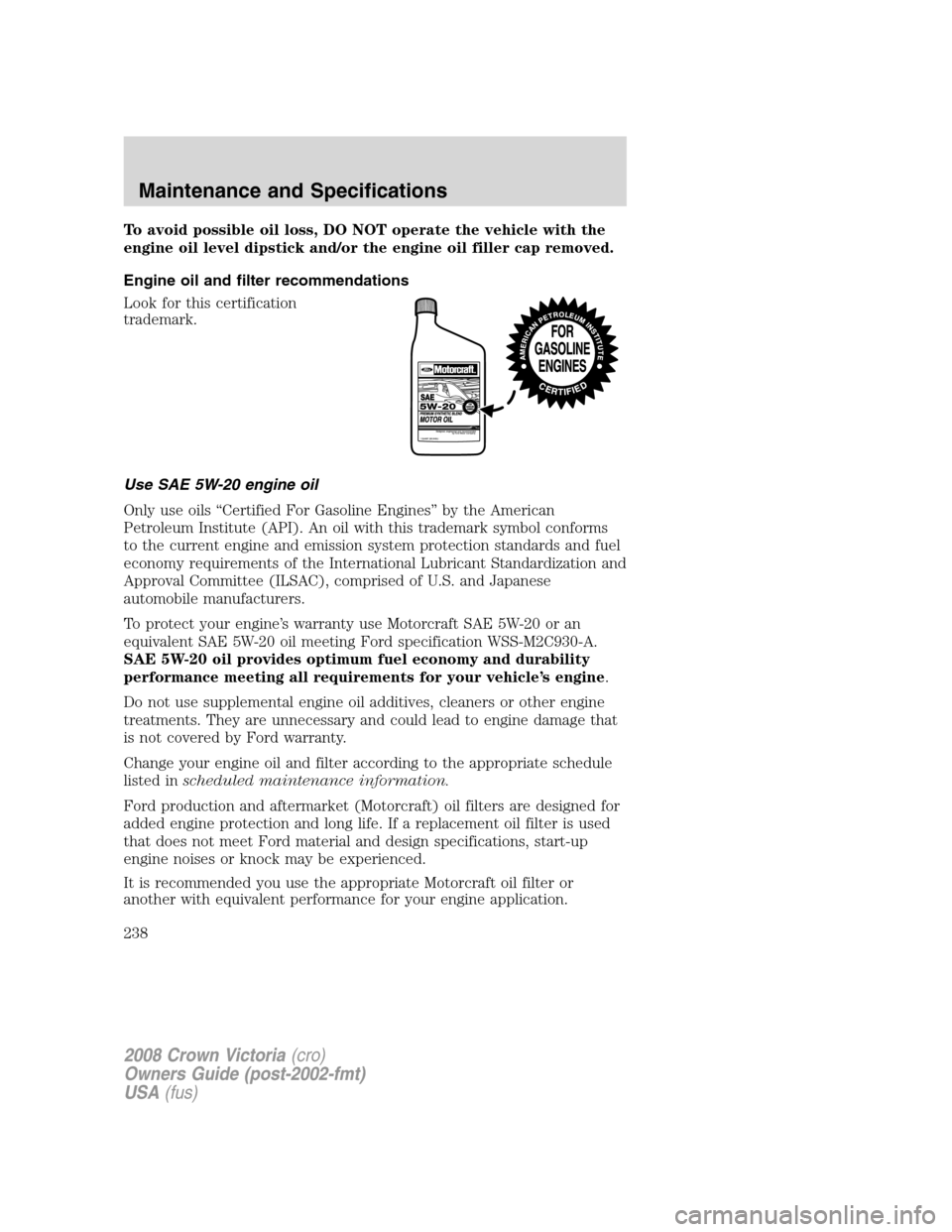
Engine oil and filter recommendations
Look for this certification
trademark.
Use SAE 5W-20 engine oil
Only use oils “Certified For Gasoline Engines” by the American
Petroleum Institute (API). An oil with this trademark symbol conforms
to the current engine and emission system protection standards and fuel
economy requirements of the International Lubricant Standardization and
Approval Committee (ILSAC), comprised of U.S. and Japanese
automobile manufacturers.
To protect your engine’s warranty use Motorcraft SAE 5W-20 or an
equivalent SAE 5W-20 oil meeting Ford specification WSS-M2C930-A.
SAE 5W-20 oil provides optimum fuel economy and durability
performance meeting all requirements for your vehicle’s engine.
Do not use supplemental engine oil additives, cleaners or other engine
treatments. They are unnecessary and could lead to engine damage that
is not covered by Ford warranty.
Change your engine oil and filter according to the appropriate schedule
listed inscheduled maintenance information.
Ford production and aftermarket (Motorcraft) oil filters are designed for
added engine protection and long life. If a replacement oil filter is used
that does not meet Ford material and design specifications, start-up
engine noises or knock may be experienced.
It is recommended you use the appropriate Motorcraft oil filter or
another with equivalent performance for your engine application.
2008 Crown Victoria(cro)
Owners Guide (post-2002-fmt)
USA(fus)
Maintenance and Specifications
238