Page 53 of 280
CENTER CONSOLE (IF EQUIPPED)
Your vehicle may be equipped with a variety of console features. These
include:
•Utility compartment
•Power point (inside storage bin)
•Cupholders
•Air vents to the rear seating positions (heat only)
Use only soft cups in the cupholder. Hard objects can injure you
in a collision.
OVERHEAD CONSOLE WITHOUT MOON ROOF (IF EQUIPPED)
The appearance of your vehicle’s overhead console will vary according to
your option package. Some of the features in the overhead console
include a compass and HomeLink�. To program the Homelink�, refer to
Homelink�Wireless Control Systemit this chapter.
Electronic compass display (if equipped)
Compass:The compass display is contained in the overhead console.
The vehicle heading is displayed as one of N, NE, E, SE, S, SW, W and
NW.
The compass reading may be affected when you drive near large
buildings, bridges, power lines and powerful broadcast antenna. Magnetic
or metallic objects placed in or on the vehicle may also affect compass
accuracy. Adjustments may need to be made to the zone and calibration
of the compass.
Compass zone adjustment
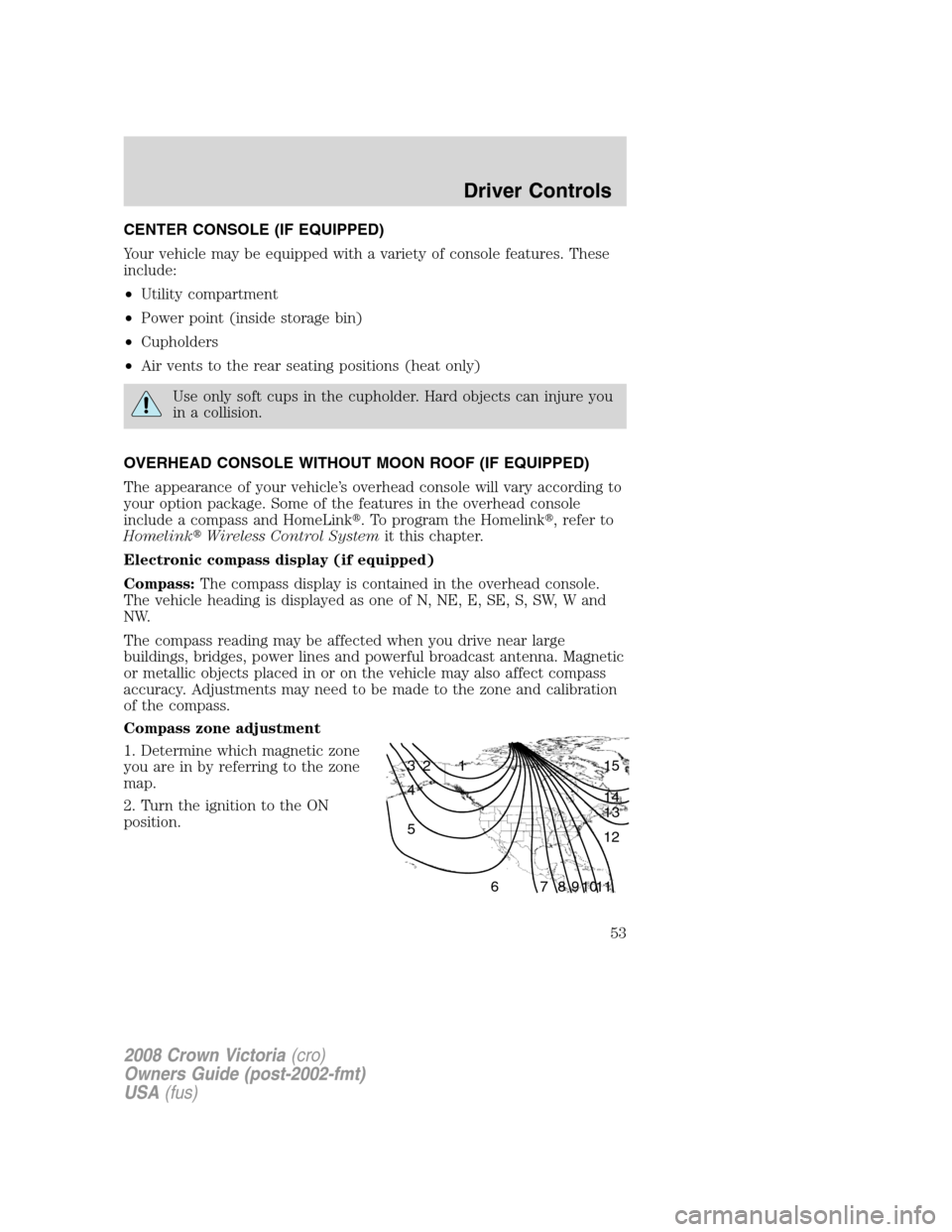
1. Determine which magnetic zone
you are in by referring to the zone
map.
2. Turn the ignition to the ON
position.
1 2 3
4
5
6 7 8 9 101112 13 14 15
2008 Crown Victoria(cro)
Owners Guide (post-2002-fmt)
USA(fus)
Driver Controls
53
Page 54 of 280
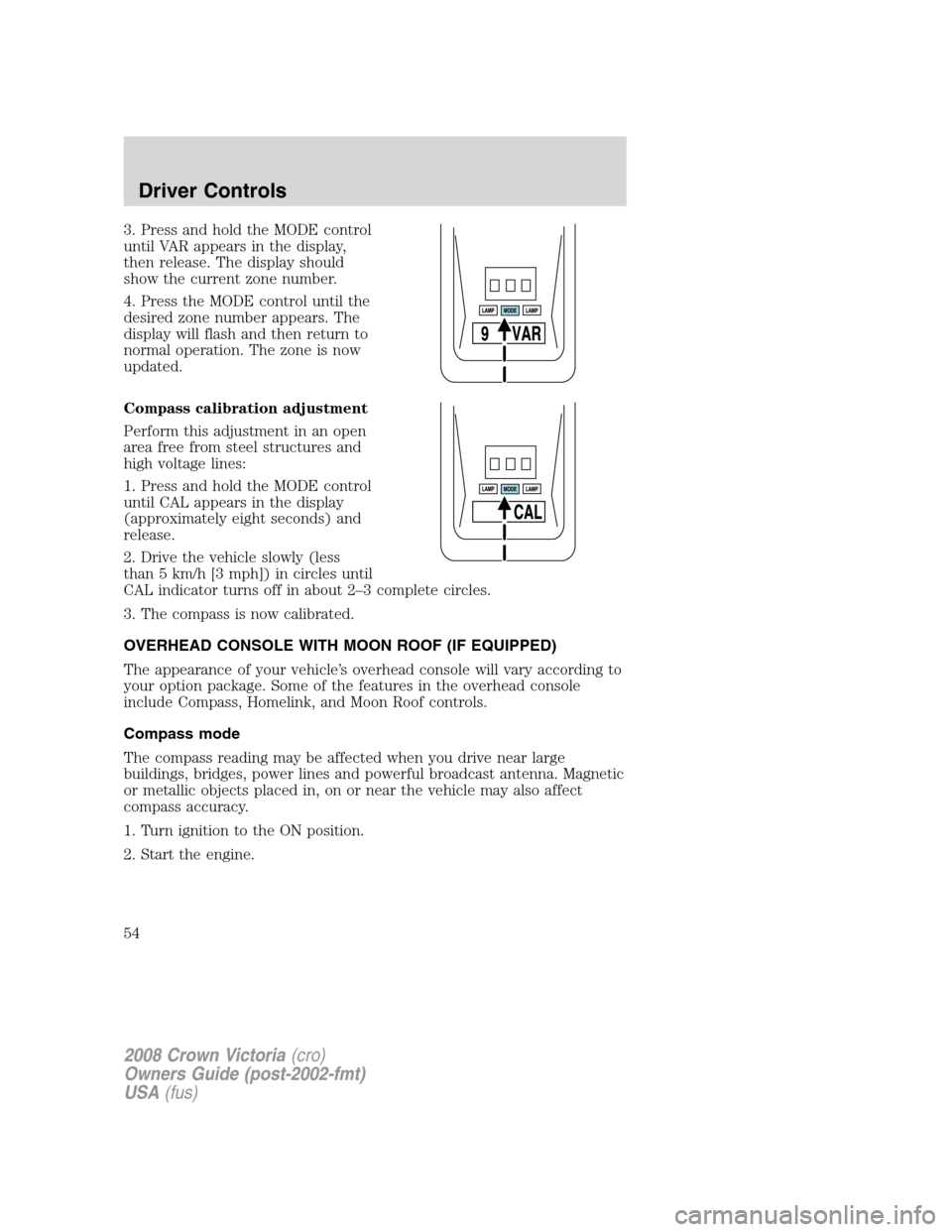
3. Press and hold the MODE control
until VAR appears in the display,
then release. The display should
show the current zone number.
4. Press the MODE control until the
desired zone number appears. The
display will flash and then return to
normal operation. The zone is now
updated.
Compass calibration adjustment
Perform this adjustment in an open
area free from steel structures and
high voltage lines:
1. Press and hold the MODE control
until CAL appears in the display
(approximately eight seconds) and
release.
2. Drive the vehicle slowly (less
than 5 km/h [3 mph]) in circles until
CAL indicator turns off in about 2–3 complete circles.
3. The compass is now calibrated.
OVERHEAD CONSOLE WITH MOON ROOF (IF EQUIPPED)
The appearance of your vehicle’s overhead console will vary according to
your option package. Some of the features in the overhead console
include Compass, Homelink, and Moon Roof controls.
Compass mode
The compass reading may be affected when you drive near large
buildings, bridges, power lines and powerful broadcast antenna. Magnetic
or metallic objects placed in, on or near the vehicle may also affect
compass accuracy.
1. Turn ignition to the ON position.
2. Start the engine.
2008 Crown Victoria(cro)
Owners Guide (post-2002-fmt)
USA(fus)
Driver Controls
54
Page 58 of 280
Programming
Do not program the HomeLink�with the vehicle parked in the
garage.
Note:Some vehicles may require the ignition switch to be turned to the
second (or “ACC”) position for programming and/or operation of the
HomeLink�. It is also recommended that a new battery be placed in the
hand-held transmitter of the device being programmed to HomeLink�for
quicker training and accurate transmission of the radio-frequency signal.
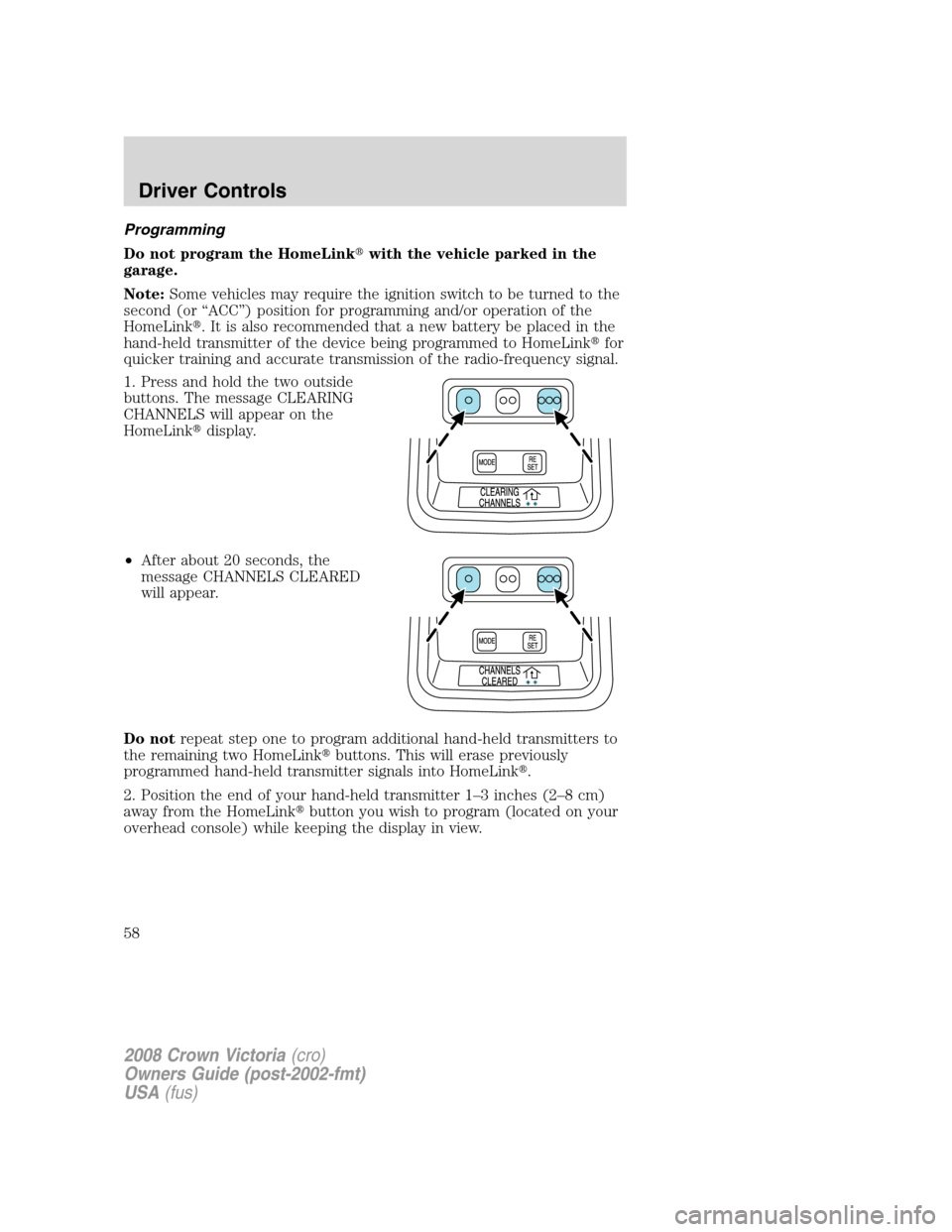
1. Press and hold the two outside
buttons. The message CLEARING
CHANNELS will appear on the
HomeLink�display.
•After about 20 seconds, the
message CHANNELS CLEARED
will appear.
Do notrepeat step one to program additional hand-held transmitters to
the remaining two HomeLink�buttons. This will erase previously
programmed hand-held transmitter signals into HomeLink�.
2. Position the end of your hand-held transmitter 1–3 inches (2–8 cm)
away from the HomeLink�button you wish to program (located on your
overhead console) while keeping the display in view.
2008 Crown Victoria(cro)
Owners Guide (post-2002-fmt)
USA(fus)
Driver Controls
58
Page 69 of 280
Turning off speed control
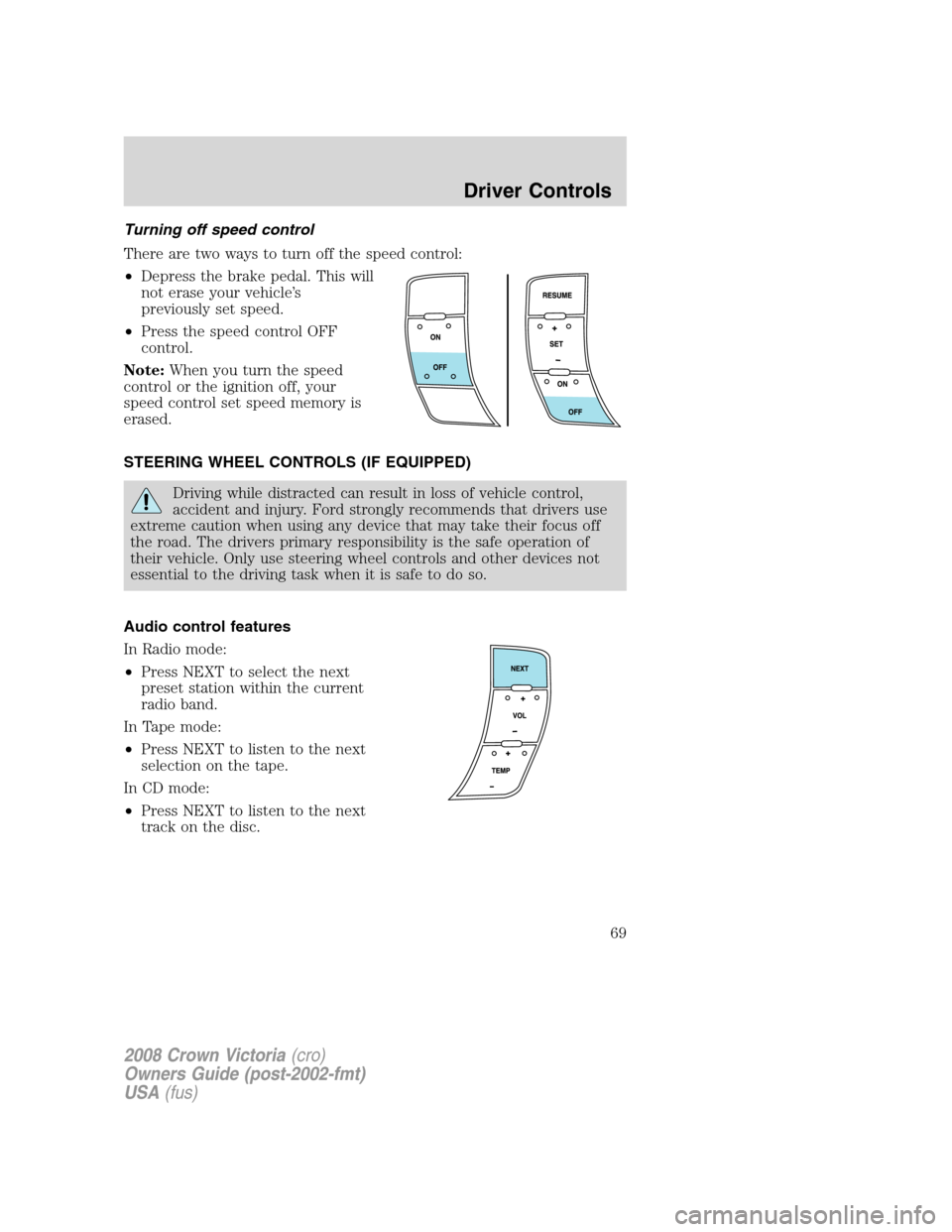
There are two ways to turn off the speed control:
•Depress the brake pedal. This will
not erase your vehicle’s
previously set speed.
•Press the speed control OFF
control.
Note:When you turn the speed
control or the ignition off, your
speed control set speed memory is
erased.
STEERING WHEEL CONTROLS (IF EQUIPPED)
Driving while distracted can result in loss of vehicle control,
accident and injury. Ford strongly recommends that drivers use
extreme caution when using any device that may take their focus off
the road. The drivers primary responsibility is the safe operation of
their vehicle. Only use steering wheel controls and other devices not
essential to the driving task when it is safe to do so.
Audio control features
In Radio mode:
•Press NEXT to select the next
preset station within the current
radio band.
In Tape mode:
•Press NEXT to listen to the next
selection on the tape.
In CD mode:
•Press NEXT to listen to the next
track on the disc.
2008 Crown Victoria(cro)
Owners Guide (post-2002-fmt)
USA(fus)
Driver Controls
69
Page 72 of 280
Programming
Do not program HomeLink�with the vehicle parked in the garage.
Note:Some vehicles may require the ignition switch to be turned to the
second (or “ACC”) position for programming and/or operation of the
HomeLink�. It is also recommended that a new battery be placed in the
hand-held transmitter of the device being programmed to HomeLink�for
quicker training and accurate transmission of the radio-frequency signal.
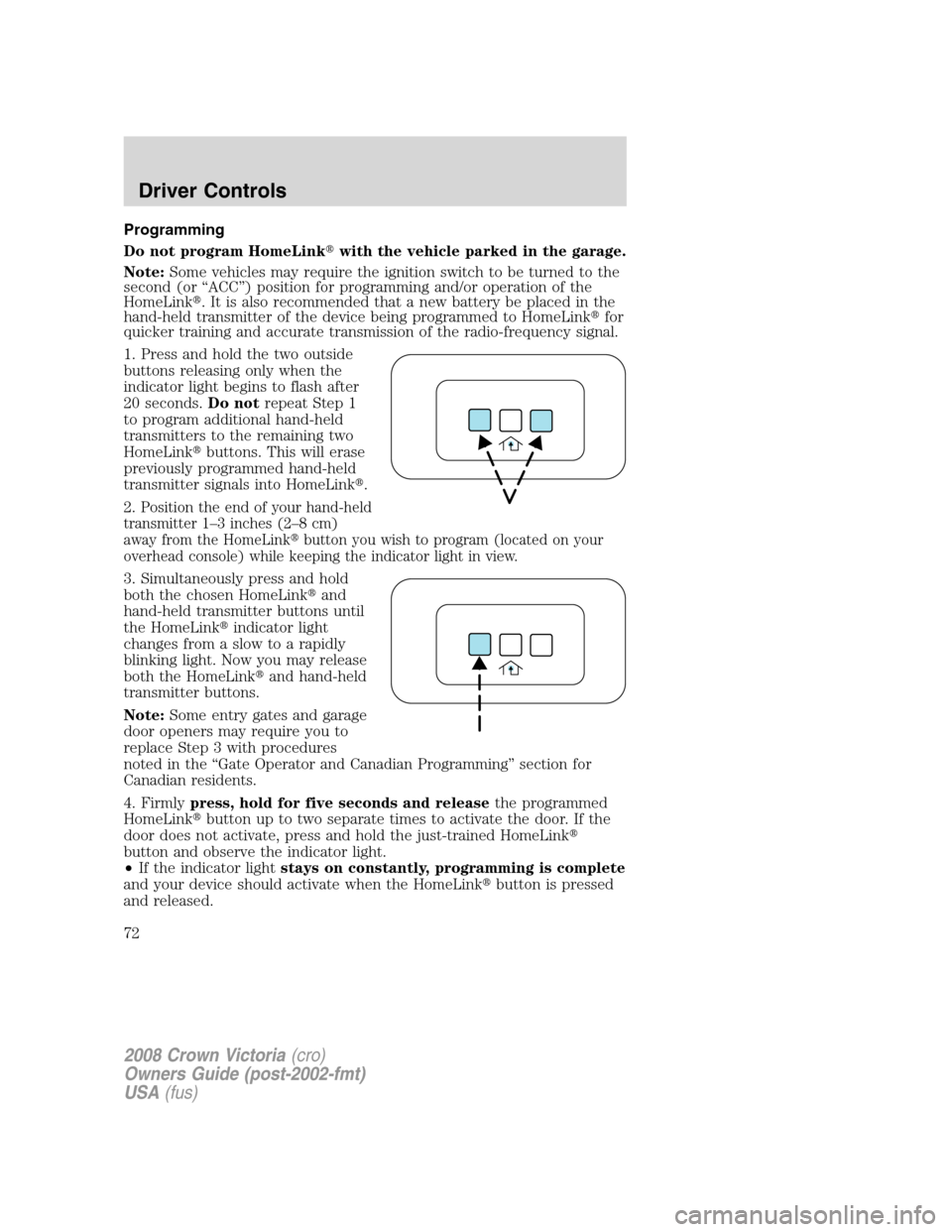
1. Press and hold the two outside
buttons releasing only when the
indicator light begins to flash after
20 seconds.Do notrepeat Step 1
to program additional hand-held
transmitters to the remaining two
HomeLink�buttons. This will erase
previously programmed hand-held
transmitter signals into HomeLink�.
2.
Position the end of your hand-held
transmitter 1–3 inches (2–8 cm)
away from the HomeLink�button you wish to program (located on your
overhead console) while keeping the indicator light in view.
3. Simultaneously press and hold
both the chosen HomeLink�and
hand-held transmitter buttons until
the HomeLink�indicator light
changes from a slow to a rapidly
blinking light. Now you may release
both the HomeLink�and hand-held
transmitter buttons.
Note:Some entry gates and garage
door openers may require you to
replace Step 3 with procedures
noted in the “Gate Operator and Canadian Programming” section for
Canadian residents.
4. Firmlypress, hold for five seconds and releasethe programmed
HomeLink�button up to two separate times to activate the door. If the
door does not activate, press and hold the just-trained HomeLink�
button and observe the indicator light.
•If the indicator lightstays on constantly, programming is complete
and your device should activate when the HomeLink�button is pressed
and released.
2008 Crown Victoria(cro)
Owners Guide (post-2002-fmt)
USA(fus)
Driver Controls
72
Page 75 of 280
MESSAGE CENTER (IF EQUIPPED)
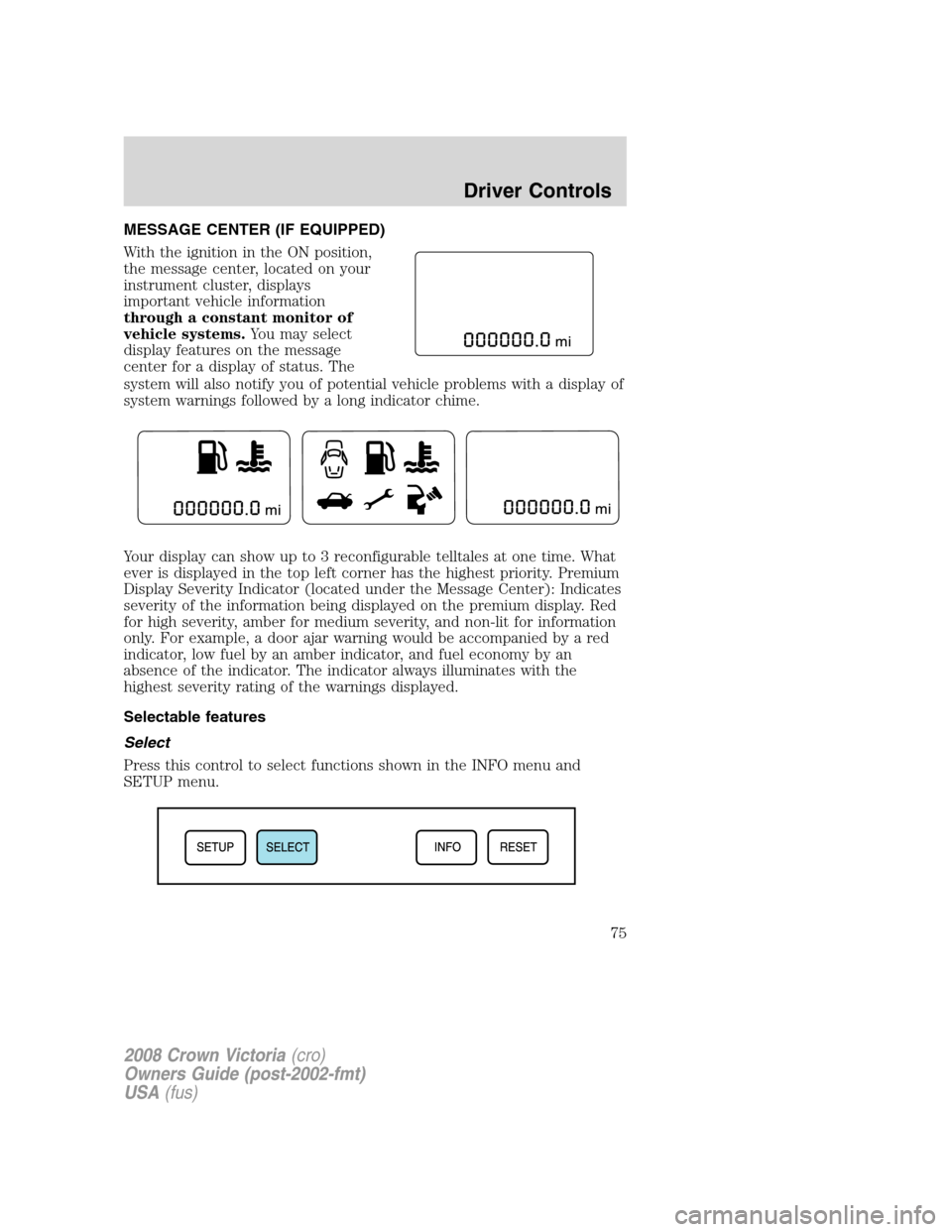
With the ignition in the ON position,
the message center, located on your
instrument cluster, displays
important vehicle information
through a constant monitor of
vehicle systems.You may select
display features on the message
center for a display of status. The
system will also notify you of potential vehicle problems with a display of
system warnings followed by a long indicator chime.
Your display can show up to 3 reconfigurable telltales at one time. What
ever is displayed in the top left corner has the highest priority. Premium
Display Severity Indicator (located under the Message Center): Indicates
severity of the information being displayed on the premium display. Red
for high severity, amber for medium severity, and non-lit for information
only. For example, a door ajar warning would be accompanied by a red
indicator, low fuel by an amber indicator, and fuel economy by an
absence of the indicator. The indicator always illuminates with the
highest severity rating of the warnings displayed.
Selectable features
Select
Press this control to select functions shown in the INFO menu and
SETUP menu.
2008 Crown Victoria(cro)
Owners Guide (post-2002-fmt)
USA(fus)
Driver Controls
75
Page 76 of 280
Reset
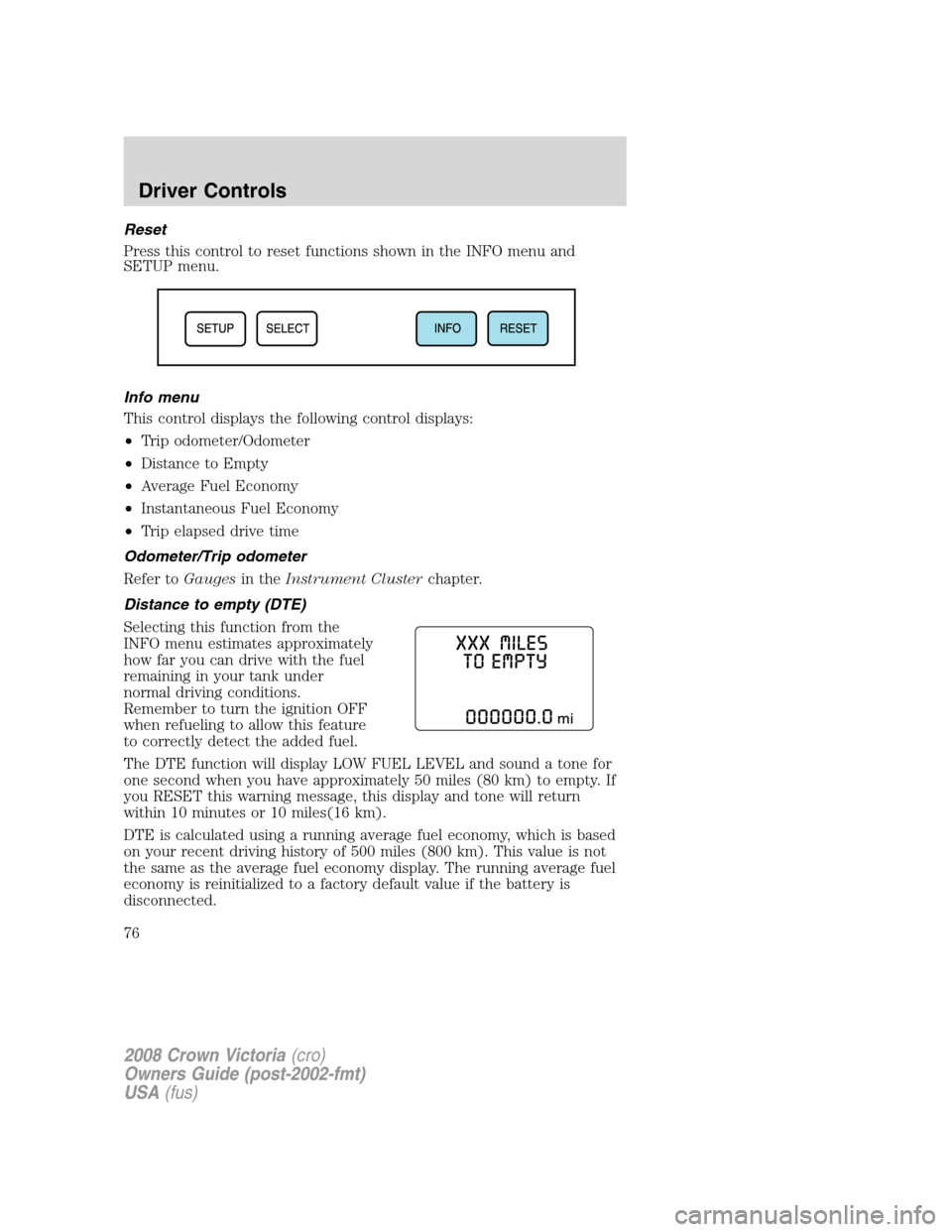
Press this control to reset functions shown in the INFO menu and
SETUP menu.
Info menu
This control displays the following control displays:
•Trip odometer/Odometer
•Distance to Empty
•Average Fuel Economy
•Instantaneous Fuel Economy
•Trip elapsed drive time
Odometer/Trip odometer
Refer toGaugesin theInstrument Clusterchapter.
Distance to empty (DTE)
Selecting this function from the
INFO menu estimates approximately
how far you can drive with the fuel
remaining in your tank under
normal driving conditions.
Remember to turn the ignition OFF
when refueling to allow this feature
to correctly detect the added fuel.
The DTE function will display LOW FUEL LEVEL and sound a tone for
one second when you have approximately 50 miles (80 km) to empty. If
you RESET this warning message, this display and tone will return
within 10 minutes or 10 miles(16 km).
DTE is calculated using a running average fuel economy, which is based
on your recent driving history of 500 miles (800 km). This value is not
the same as the average fuel economy display. The running average fuel
economy is reinitialized to a factory default value if the battery is
disconnected.
2008 Crown Victoria(cro)
Owners Guide (post-2002-fmt)
USA(fus)
Driver Controls
76
Page 81 of 280
•They will not reappear until an ignition OFF-ON cycle has been
completed.
This acts as a reminder that these warning conditions still exist within
the vehicle.
Warning display Status
Door Ajar Warning cannot be reset
Coolant over temperature Warning returns after 10 minutes
Powertrain malfunction
Check fuel cap
Check air suspension
Low fuel
Overdrive ON/OFF Warning returns after the ignition key
is turned from OFF to ON.
Trunk ajar
Low tire pressure
Tire pressure monitor fault
Tire pressure sensor fault
Check compass module
Low washer fluid
Change engine oil
DOOR AJAR.Displayed when a door is not completely closed.
POWERTRAIN MALFUNCTION.Displayed when the powertrain is not
operating properly. If the warning stays on or continues to come on,
contact your authorized dealer as soon as possible.
COOLANT OVER TEMPERATURE.Displayed when the engine
coolant is overheating. Stop the vehicle as soon as safely possible, turn
off the engine and let it cool. Check the coolant and coolant level. Refer
toEngine coolantin theMaintenance and Specificationschapter. If
the warning stays on or continues to come on, contact your authorized
dealer as soon as possible.
Never remove the coolant reservoir cap while the engine is
running or hot.
CHECK FUEL CAP.Displayed when the fuel filler cap is not properly
installed. Check the fuel filler cap for proper installation. Refer toFuel
filler capin theMaintenance and Specificationschapter.
2008 Crown Victoria(cro)
Owners Guide (post-2002-fmt)
USA(fus)
Driver Controls
81