Page 71 of 426
Lights
Check the operation of all exterior lights. Check turn
signal and high beam indicator lights on the instrument
panel.
Door Latches
Check for positive closing, latching and locking.
Fluid Leaks
Check area under vehicle after overnight parking for fuel,
water, oil, or other fluid leaks. Also, if fuel fumes are
detected the cause should be located and corrected.
THINGS TO KNOW BEFORE STARTING YOUR VEHICLE 71
2
Page 74 of 426

NAdjustable Head Restraints Ð Front Seating
Positions...........................107
N6 - Way Power Seat Adjuster Ð Driver's
Side Only...........................108
NExtended Cab/Crew Cab Rear Seat........110
NHeated Seats Ð If Equipped.............110
mTo Open And Close The Hood.............111
mLights...............................112
NInterior Lights.......................113
NBattery Saver........................114
NHeadlamp Delay......................114
NHeadlights, Parking Lights, Panel Lights.....114
NDaytime Running Lights (Canada ± Standard
And US Fleet Vehicles ± If Equipped).......115NLights-On Reminder...................116
NFog Lights Ð If Equipped...............116
NCargo Light Ð If Equipped..............116
NMultifunction Control Lever..............117
mWindshield Wipers And Washers............118
NWindshield Wipers....................119
NWindshield Washers...................120
mTilt Steering Column....................120
mElectronic Speed Control Ð If Equipped......121
NTo Activate..........................122
NTo Set At A Desired Speed...............122
NTo Deactivate........................122
NTo Resume Speed.....................123
74 UNDERSTANDING THE FEATURES OF YOUR VEHICLE
Page 75 of 426

NTo Vary The Speed Setting...............123
NTo Accelerate For Passing...............124
mOverhead Console......................125
NCourtesy/Reading Lights................126
mCompass/Temperature Mini-Trip Computer....126
NUS/M Button........................126
NReset Button.........................127
NGlobal Reset.........................127
NStep Button.........................128
NAverage Fuel Economy (AVG ECO)........128
NDistance To Empty (DTE)...............128
NTrip Odometer (ODO)..................129
NElapsed Time (ET).....................129NC/T Button.........................129
NCompass/Temperature Display...........130
NAutomatic Compass Calibration...........130
NManual Compass Calibration.............130
NTo Put Into a Calibration Mode...........131
NOutside Temperature...................132
mGarage Door Opener Ð If Equipped.........132
NProgramming HomeLinkt...............133
NGate Operator/Canadian Programming.....136
NUsing HomeLinkt.....................137
NReprogramming a Single HomeLinktButton . . 137
NSecurity............................137
NTroubleshooting Tips...................137
UNDERSTANDING THE FEATURES OF YOUR VEHICLE 75
3
Page 77 of 426
MIRRORS
Inside Day/Night Mirror
The mirror should be adjusted to center on the view
through the rear window. A two-point pivot system
allows for horizontal and vertical adjustment of the
mirror.Annoying headlight glare can be reduced by moving the
small control under the mirror to the night position
(toward rear of truck). The mirror should be adjusted
while set in the day position (toward windshield).
Outside Mirrors
To receive maximum benefit, adjust the outside mirror(s)
to center on the adjacent lane of traffic with a slight
overlap of the view obtained on the inside mirror.
Exterior Mirrors Folding Feature Ð If Equipped
Folding exterior mirrors are hinged and may be moved
either forward or rearward to resist damage.
Electric Remote-Control Mirrors
The controls for the power mirrors are located on the
driver's door trim panel.
UNDERSTANDING THE FEATURES OF YOUR VEHICLE 77
3
Page 92 of 426

The UConnecttsystem does slightly lower your chances
of successfully making a phone call as to that for the cell
phone directly.
Your phone must be turned on and paired to the
UConnecttsystem to allow use of this vehicle feature in
emergency situations when the cell phone has network
coverage and stays paired to the UConnecttsystem.
Towing Assistance
If you need towing assistance,
²Press the ªPhoneº button to begin.
²After the9Ready9prompt and the following beep, say
9Towing Assistance.9
NOTE:The Towing Assistance number dialed is based
on the Country where the vehicle is purchased (1-800-
528-2069 for USA, 1-877-213-4525 for Canada, 55-14-3454
for Mexico City and 1-800-712-3040 for outside Mexico
City in Mexico).Please refer to the 24-Hour ªTowing Assistanceº cover-
age details in the Warranty information booklet and on
the 24±Hour Towing Assistance Card.
Paging
To learn how to page refer to9Working with Automated
Systems.9Paging works properly except for pagers of
certain companies which time-out a little too soon to
work properly with the UConnecttsystem.
Voice Mail Calling
To learn how to access your voice mail, refer to9Working
with Automated Systems.9
Working with Automated Systems
This method is used in instances where one generally has
to press numbers on the cellular phone keypad while
navigating through an automated telephone system.
You can use your UConnecttsystem to access a voice-
mail system or an automated service, such as, paging
92 UNDERSTANDING THE FEATURES OF YOUR VEHICLE
Page 106 of 426
WARNING!
Adjusting a seat while the vehicle is moving is
dangerous. The sudden movement of the seat could
cause you to lose control. The seat belt might not be
properly adjusted and you could be injured. Adjust
any seat only while the vehicle is parked.
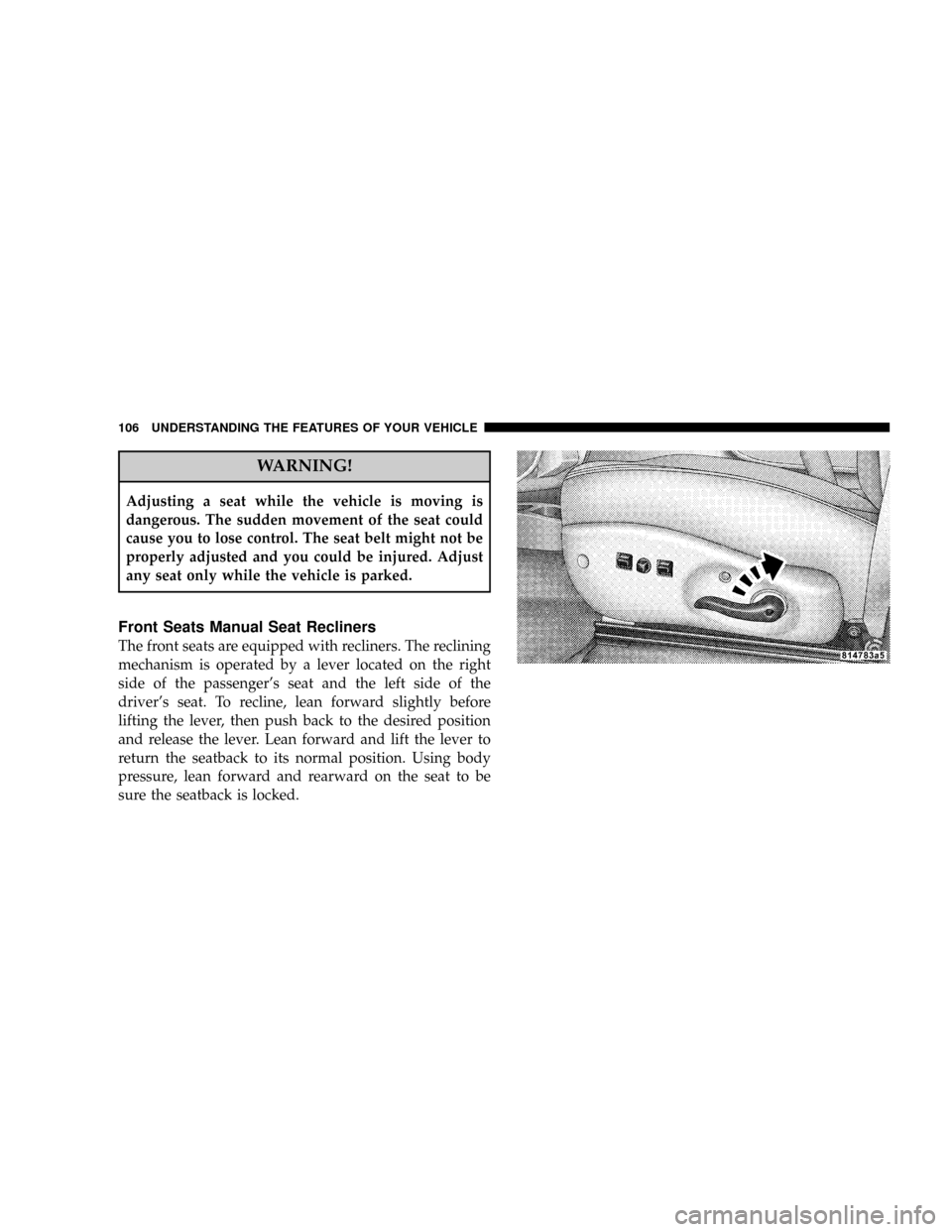
Front Seats Manual Seat Recliners
The front seats are equipped with recliners. The reclining
mechanism is operated by a lever located on the right
side of the passenger's seat and the left side of the
driver's seat. To recline, lean forward slightly before
lifting the lever, then push back to the desired position
and release the lever. Lean forward and lift the lever to
return the seatback to its normal position. Using body
pressure, lean forward and rearward on the seat to be
sure the seatback is locked.
106 UNDERSTANDING THE FEATURES OF YOUR VEHICLE
Page 110 of 426
Extended Cab/Crew Cab Rear Seat
More cargo space is available by lifting up on the rear
seat cushion.
The Crew Cab rear seat is a 60/40 split cushion and full
back. Either cushion can be raised independently.
Heated Seats Ð If Equipped
The heated seat switches are located on the center of the
instrument panel.
Press the desired switch once to obtain High heat level,
then press the switch again to obtain Low heat level. A
third button press will turn Off the heated seat. If you do
not purposefully turn the switch Off, the seat heating
level will automatically change to the next lower level, or
Off. The High heat level operates for 30 minutes (ap-
proximate), the Low heat level operates for 30 minutes
(approximate). The heated seat will also turn Off when
the ignition is turned Off. Both indicators On identifies
High heat level. The lower indicator On identifies Lowheat level. Flashing indicator lights on the switch indicate
that the Heated Seat system needs servicing.
WARNING!
Persons who are unable to feel pain to the skin
because of advanced age, chronic illness, diabetes,
spinal cord injury, medication, alcohol use, exhaus-
tion or other physical condition must exercise care
when using the seat heater. It may cause burns even
at low temperatures, especially if used for long
periods of time.
Do not place anything on the seat that insulates
against heat, such as a blanket or cushion. This may
cause the seat heater to overheat.
110 UNDERSTANDING THE FEATURES OF YOUR VEHICLE
Page 112 of 426
To prevent possible damage, do not slam the hood to
close it. Use a firm downward push at the center front
edge of the hood to ensure that both latches engage.
Never drive your vehicle unless the hood is fully closed,
with both latches engaged.
WARNING!
If the hood is not fully latched, it could fly up when
the vehicle is moving and block your forward vision.
Be sure all hood latches are fully latched before
driving.
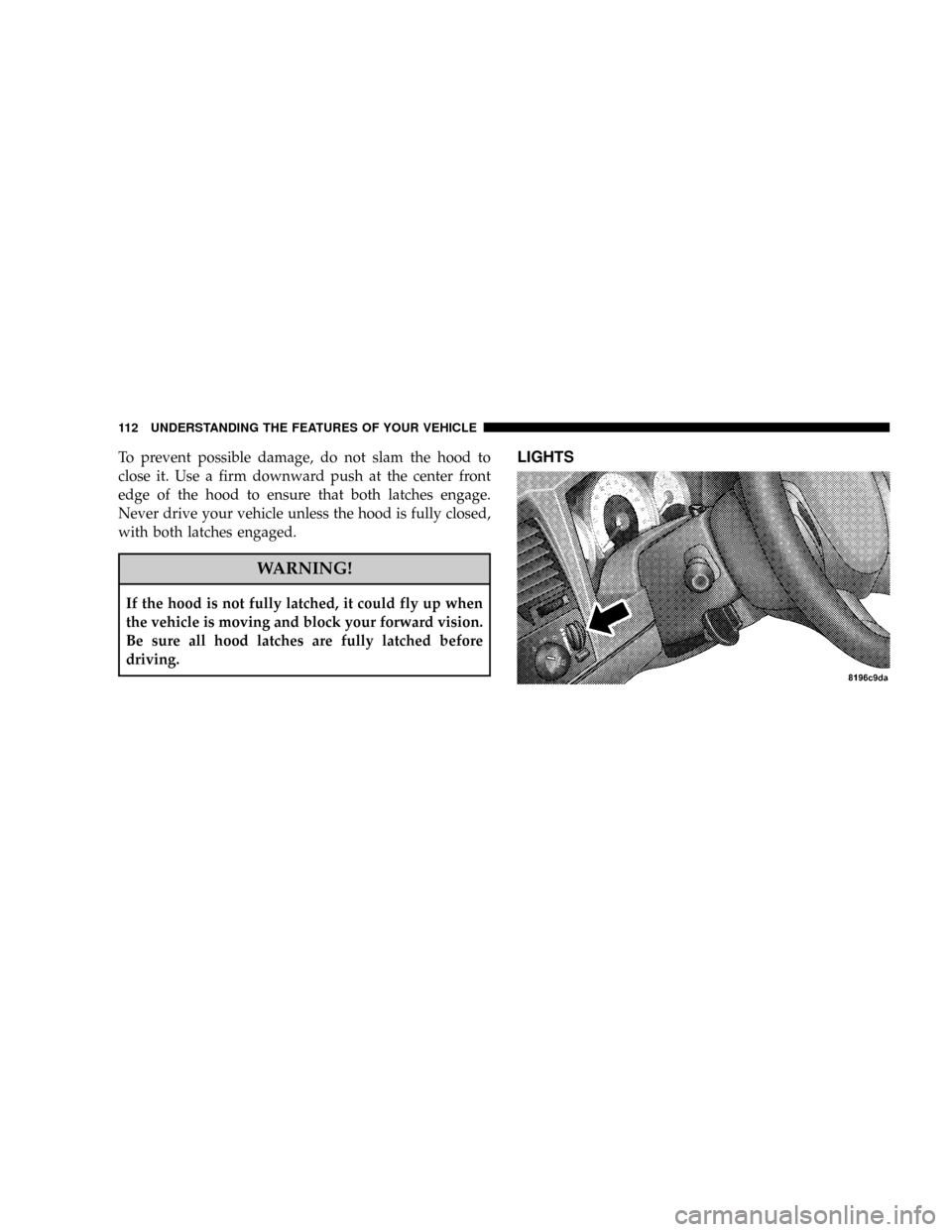
LIGHTS
112 UNDERSTANDING THE FEATURES OF YOUR VEHICLE