Page 145 of 467
On steep hills, a greater speed loss or gain may occur so
it may be preferable to drive without speed control.
GARAGE DOOR OPENER Ð IF EQUIPPED
HomeLink t replaces up to three remote controls (hand-
held transmitters) that operate devices such as garage
door openers, motorized gates, lighting, or home security
systems. The HomeLink t unit operates off your vehicle's
battery.
The HomeLink t buttons that are located in the headliner
or sun visor designate the three different HomeLink t
channels.
NOTE: HomeLink t is disabled when the Vehicle Secu-
rity Alarm is active. HomeLink t ButtonsUNDERSTANDING THE FEATURES OF YOUR VEHICLE 143
3
Page 147 of 467
Your vehicle should be parked outside of the garage
when programming.
Begin Programming
1. Turn the ignition switch to the ON/RUN position.
2. Hold the battery side of the hand-held transmitter
away from the HomeLink t button you wish to program.
Place the hand-held transmitter 1 to 3 in (3 to 8 cm) away
from the HomeLink t button you wish to program while
keeping the indicator light in view.
3. Simultaneously press and hold both the chosen
HomeLink t button and the hand-held transmitter button
until the HomeLink t indicator changes from a slow to a
rapidly blinking light, then release both the HomeLink t
and hand-held transmitter buttons. Watch for the HomeLink t indicator to change flash rates.
When it changes, it is programmed. It may take up to 30
seconds, or longer in rare cases. The garage door may
open and close while you train.
NOTE: Some gate operators and garage door openers
may require you to replace Step 3 with procedures noted
in the ªGate Operator/Canadian Programmingº section.
NOTE: After training a HomeLink t channel, if the
garage door does not operate with HomeLink t and the
garage door opener was manufactured after 1995, the
garage door opener may have a rolling code. If so,
proceed to Step 5 ªProgramming A Rolling Code Sys-
tem.º
4. Press and hold the just-trained HomeLink t button
and observe the indicator light. UNDERSTANDING THE FEATURES OF YOUR VEHICLE 145
3
Page 148 of 467
If the indicator light stays on constantly, programming is
complete and the garage door (or device) should activate
when the HomeLink t button is pressed.
If the indicator light blinks rapidly for two seconds, and
then turns to a constant light, proceed to Step 5 ªPro-
gramming A Rolling Code System.º
5. Programming A Rolling Code System
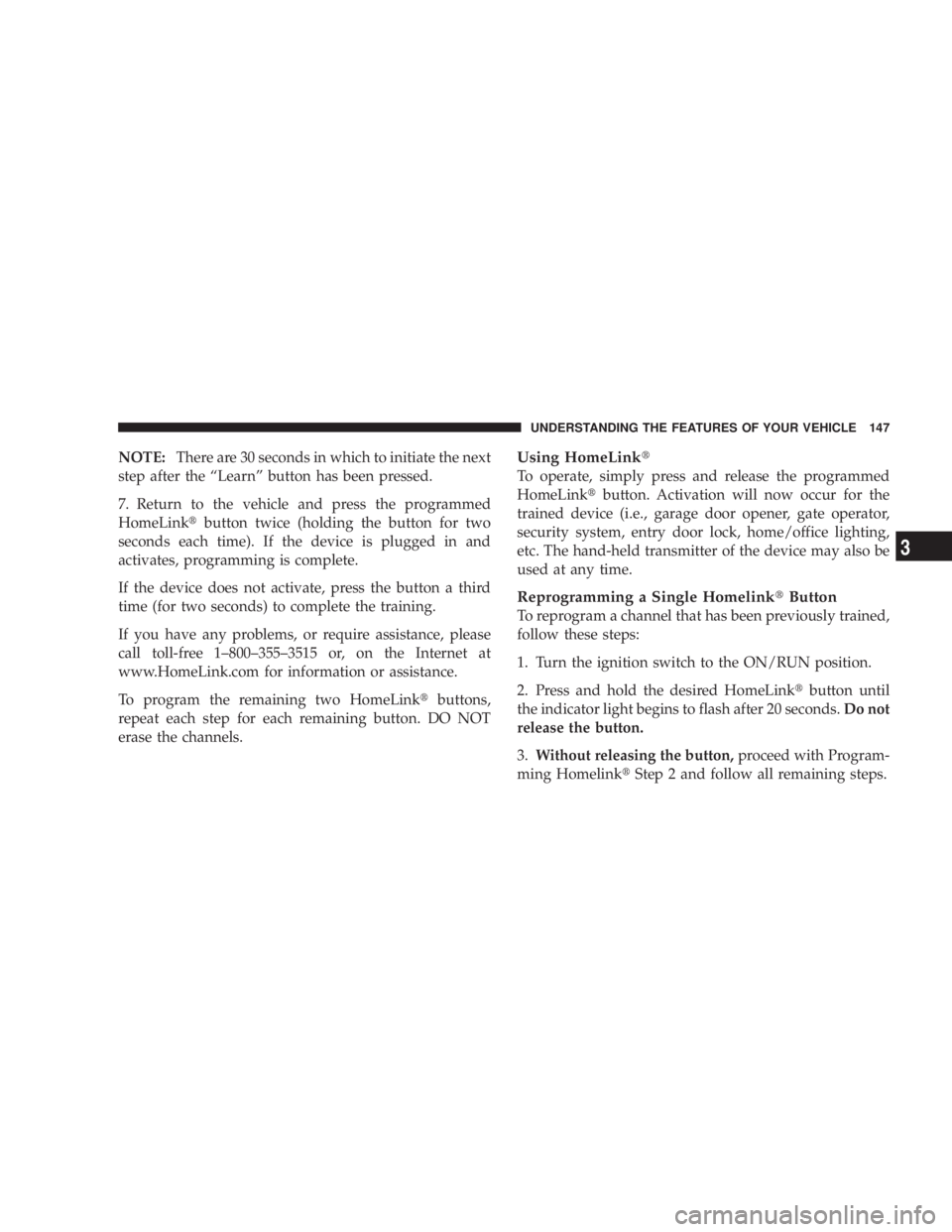
At the garage door opener motor (in the garage), locate
the ªLearnº or ªTrainingº button.
This can usually be found where the hanging antenna
wire is attached to the garage door opener motor (it is
NOT the button normally used to open and close the
door).
6. Firmly press and release the ªLearnº or ªTrainingº
button. The name and color of the button may vary by
manufacturer. GARAGE DOOR OPENER TRAIN BUTTON 1 Ð Door Opener 2 Ð Training Button146 UNDERSTANDING THE FEATURES OF YOUR VEHICLE
Page 149 of 467
NOTE: There are 30 seconds in which to initiate the next
step after the ªLearnº button has been pressed.
7. Return to the vehicle and press the programmed
HomeLink t button twice (holding the button for two
seconds each time). If the device is plugged in and
activates, programming is complete.
If the device does not activate, press the button a third
time (for two seconds) to complete the training.
If you have any problems, or require assistance, please
call toll-free 1±800±355±3515 or, on the Internet at
www.HomeLink.com for information or assistance.
To program the remaining two HomeLink t buttons,
repeat each step for each remaining button. DO NOT
erase the channels. Using HomeLink t
To operate, simply press and release the programmed
HomeLink t button. Activation will now occur for the
trained device (i.e., garage door opener, gate operator,
security system, entry door lock, home/office lighting,
etc. The hand-held transmitter of the device may also be
used at any time.
Reprogramming a Single Homelink t Button
To reprogram a channel that has been previously trained,
follow these steps:
1. Turn the ignition switch to the ON/RUN position.
2. Press and hold the desired HomeLink t button until
the indicator light begins to flash after 20 seconds. Do not
release the button.
3. Without releasing the button, proceed with Program-
ming Homelink t Step 2 and follow all remaining steps.UNDERSTANDING THE FEATURES OF YOUR VEHICLE 147
3
Page 150 of 467
GATE OPERATOR/CANADIAN PROGRAMMING
Canadian radio frequency laws require transmitter sig-
nals to time-out (or quit) after several seconds of trans-
mission ± which may not be long enough for HomeLink t
to pick up the signal during programming. Similar to this
Canadian law, some U.S. gate operators are designed to
time-out in the same manner.
It may be helpful to unplug the device during the cycling
process to prevent possible overheating of the garage
door or gate motor.
If you are having difficulties programming a garage door
opener or a gate operator, replace ªProgramming
HomeLink t º Step 3, with the following:
3. Continue to press and hold the HomeLink t button
while you press and release - every two seconds
(ªcycleº) your hand-held transmitter until HomeLink t has successfully accepted the frequency signal. The
indicator light will flash slowly and then rapidly when
fully trained.
If you unplugged the device for training, plug it back in
at this time.
Then proceed with Step 4 under ªProgramming
HomeLink t ,º earlier in this section.
SECURITY
It is advised to erase all channels before you sell or turn
in your vehicle.
To do this, press and hold the two outside buttons for 20
seconds until the red indicator flashes. Note that all
channels will be erased. Individual channels cannot be
erased.
The HomeLink t Universal Transceiver is disabled when
the Vehicle Security Alarm is active.148 UNDERSTANDING THE FEATURES OF YOUR VEHICLE
Page 152 of 467
POWER SUNROOF Ð IF EQUIPPED
The sunroof controls are mounted between the sun visors
in the Dome/Reading Lamp.
WARNING!² Never leave children in a vehicle, with the keys in
the ignition switch. Occupants, particularly unat-
tended children, can become entrapped by the
power sunroof while operating the power sunroof
switch. Such entrapment may result in serious
injury or death.
² In an accident, there is greater risk of being
thrown from a vehicle with an open sunroof. You
could also be seriously injured or killed. Always
fasten your seat belt properly and make sure all
passengers are properly secured too.
² Do not allow small children to operate the sun-
roof. Never allow fingers or other body parts, or
any object to project through the sunroof opening.
Injury may result.Power Sunroof Switch1 - Left Interior Light 3 - ATC Sensor - If Equipped
2 - Power Sunroof Switch 4 - Right Interior Light150 UNDERSTANDING THE FEATURES OF YOUR VEHICLE
Page 155 of 467
ELECTRICAL POWER OUTLETS
There are two 12-volt electrical outlets on this vehicle.
Both of the outlets are protected by a fuse.
The instrument panel power outlet, located below the
climate control knobs, has power available only when the
ignition is on. This outlet will also operate a conventional
cigar lighter unit.
NOTE: If desired, the instrument panel power outlet
can be converted by your authorized dealer to provide
power with the ignition switch while in the LOCK
position. Instrument Panel Power OutletUNDERSTANDING THE FEATURES OF YOUR VEHICLE 153
3
Page 156 of 467
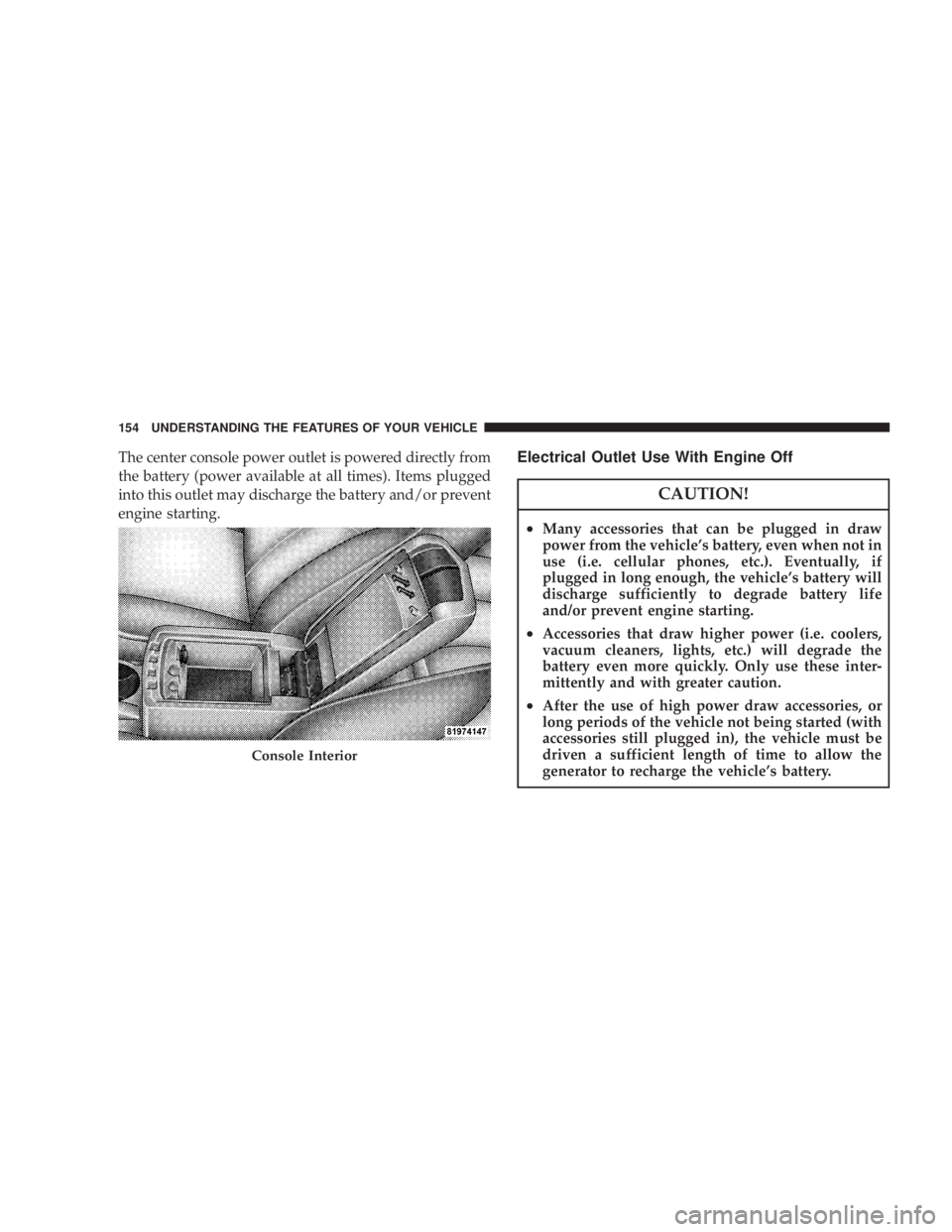
The center console power outlet is powered directly from
the battery (power available at all times). Items plugged
into this outlet may discharge the battery and/or prevent
engine starting. Electrical Outlet Use With Engine Off
CAUTION!² Many accessories that can be plugged in draw
power from the vehicle's battery, even when not in
use (i.e. cellular phones, etc.). Eventually, if
plugged in long enough, the vehicle's battery will
discharge sufficiently to degrade battery life
and/or prevent engine starting.
² Accessories that draw higher power (i.e. coolers,
vacuum cleaners, lights, etc.) will degrade the
battery even more quickly. Only use these inter-
mittently and with greater caution.
² After the use of high power draw accessories, or
long periods of the vehicle not being started (with
accessories still plugged in), the vehicle must be
driven a sufficient length of time to allow the
generator to recharge the vehicle's battery.Console Interior154 UNDERSTANDING THE FEATURES OF YOUR VEHICLE