Page 26 of 482

2. Remove and replace the batteries. Avoid touching the
new batteries with your fingers. Skin oils may cause
battery deterioration. If you touch a battery, clean it with
rubbing alcohol.
3. Reposition the access door panel over the battery
opening and snap into place.
General Information
This device complies with Part 15 of the FCC rules and
RSS 210 of Industry Canada. Operation is subject to the
following conditions:
•This device may not cause harmful interference.
•This device must accept any interference received,
including interference that may cause undesired op-
eration.
NOTE:Changes or modifications not expressly ap-
proved by the party responsible for compliance could
void the user’s authority to operate the equipment.
If your Remote Keyless Entry (RKE) transmitter fails to
operate from a normal distance, check for these two
conditions:
1. A weak battery in the transmitter. The expected life of
the battery is a minimum of three years.
Battery Replacement
24 THINGS TO KNOW BEFORE STARTING YOUR VEHICLE
Page 76 of 482

The engine oil, transmission fluid, and axle lubricant
installed at the factory is high-quality and energy-
conserving. Oil, fluid, and lubricant changes should be
consistent with anticipated climate and conditions under
which vehicle operations will occur. The recommended
viscosity and quality grades is shown in Section 7.
CAUTION!
Never use Non-Detergent Oil or Straight Mineral Oil
in the engine or damage may result.
NOTE:A new engine may consume some oil during its
first few thousand miles (kilometers) of operation. This
should be considered as a normal part of the break-in and
not interpreted as an indication of difficulty.
SAFETY TIPS
Transporting Passengers
NEVER TRANSPORT PASSENGERS IN THE CARGO
AREA.
WARNING!
It is extremely dangerous to ride in a cargo area,
inside or outside of a vehicle. In a collision, people
riding in these areas are more likely to be seriously
injured or killed.
Do not allow people to ride in any area of your
vehicle that is not equipped with seats and seat belts.
Be sure everyone in your vehicle is in a seat and
using a seat belt properly.
74 THINGS TO KNOW BEFORE STARTING YOUR VEHICLE
Page 77 of 482

Lock Your Vehicle
Always remove the key from the ignition and lock all
doors when leaving the vehicle unattended, even in your
own driveway or garage. Try to park your vehicle in a
well-lit area and never invite theft by leaving articles of
value exposed.
Exhaust Gas
Do not run the engine in a closed garage or in confined
areas any longer than needed to move your vehicle in or
out of the area.
If it is necessary to sit in a parked vehicle with the engine
running, adjust your heating or cooling controls to force
outside air into the vehicle. Set the blower at high speed.
The best protection against carbon monoxide entry into
the vehicle body is a properly maintained engine exhaust
system.Whenever a change is noticed in the sound of the exhaust
system, when exhaust fumes can be detected inside the
vehicle, or when the underside or rear of the vehicle is
damaged, have a competent mechanic inspect the com-
plete exhaust system and adjacent body areas for broken,
damaged, deteriorated, or mispositioned parts. Open
seams or loose connections could permit exhaust fumes
to seep into the passenger compartment. In addition,
inspect the exhaust system each time the vehicle is raised
for lubrication or oil change. Replace as required.
THINGS TO KNOW BEFORE STARTING YOUR VEHICLE 75
2
Page 79 of 482

Defroster
Check operation by selecting the defrost mode and place
the blower control on high speed. You should be able to
feel the air directed against the windshield. See your
authorized dealer for service if your defroster is inoper-
able.
Periodic Safety Checks You Should Make Outside
The Vehicle
Tires
Examine tires for excessive tread wear and uneven wear
patterns. Check for stones, nails, glass, or other objects
lodged in the tread. Inspect the tread and sidewall for
cuts and cracks. Check the wheel nuts for tightness.
Check the tires (including spare) for proper pressure.
Lights
Have someone observe the operation of exterior lights
while you work the controls. Check turn signal and high
beam indicator lights on the instrument panel.
Door Latches
Check for positive closing, latching, and locking.
Fluid Leaks
Check area under vehicle after overnight parking for fuel,
engine coolant, oil, or other fluid leaks. Also, if gasoline
fumes are detected or if fuel, power steering fluid, or
brake fluid leaks are suspected, the cause should be
located and corrected immediately.
THINGS TO KNOW BEFORE STARTING YOUR VEHICLE 77
2
Page 206 of 482

CAUTION!
Driving with a hot cooling system could damage
your vehicle. If the temperature gauge reads 240°F
(116°C) or greater, pull over and stop the vehicle. Idle
the vehicle with the air conditioner turned off until
the pointer drops back into the normal range 200–
230°F (93–110°C). If the pointer remains at 240°F
(116°C) or greater and you hear a chime, turn the
engine OFF immediately, and call for service.
WARNING!
A hot engine cooling system is dangerous. You or
others could be badly burned by steam or boiling
coolant. You may want to call a service center if your
vehicle overheats. If you decide to look under the
hood yourself, refer to Section 7 and follow the
warnings under the Cooling System Pressure Cap
paragraph.
15. Trip Odometer Button
Press this button to change the display from odometer to
either of two trip odometer settings. The letter “A” or “B”
will appear when in the trip odometer mode. Push in and
hold the button for two seconds to reset the trip odometer
to 0 mi (km). The odometer must be in TRIP mode to
reset it.
204 UNDERSTANDING YOUR INSTRUMENT PANEL
Page 210 of 482
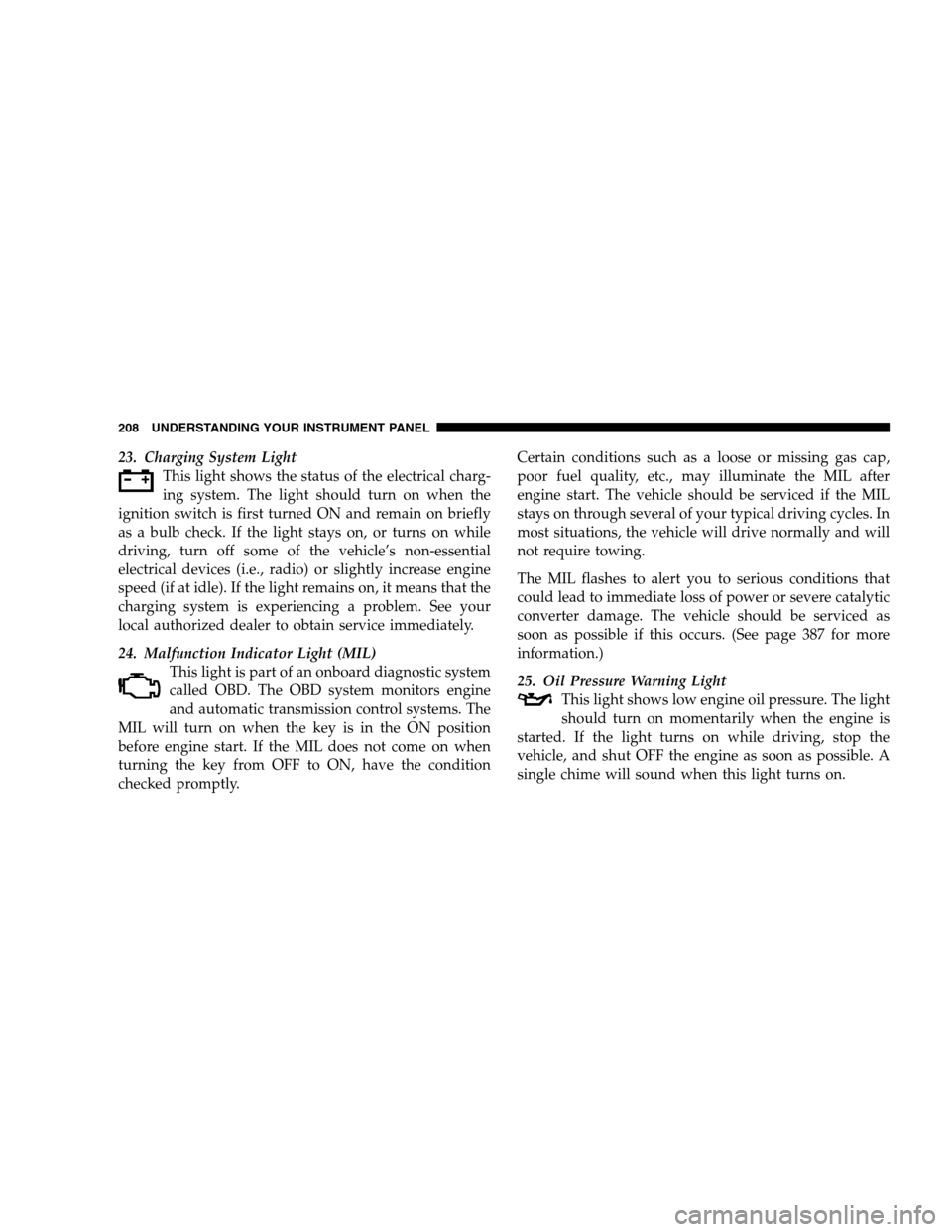
23. Charging System Light
This light shows the status of the electrical charg-
ing system. The light should turn on when the
ignition switch is first turned ON and remain on briefly
as a bulb check. If the light stays on, or turns on while
driving, turn off some of the vehicle’s non-essential
electrical devices (i.e., radio) or slightly increase engine
speed (if at idle). If the light remains on, it means that the
charging system is experiencing a problem. See your
local authorized dealer to obtain service immediately.
24. Malfunction Indicator Light (MIL)
This light is part of an onboard diagnostic system
called OBD. The OBD system monitors engine
and automatic transmission control systems. The
MIL will turn on when the key is in the ON position
before engine start. If the MIL does not come on when
turning the key from OFF to ON, have the condition
checked promptly.Certain conditions such as a loose or missing gas cap,
poor fuel quality, etc., may illuminate the MIL after
engine start. The vehicle should be serviced if the MIL
stays on through several of your typical driving cycles. In
most situations, the vehicle will drive normally and will
not require towing.
The MIL flashes to alert you to serious conditions that
could lead to immediate loss of power or severe catalytic
converter damage. The vehicle should be serviced as
soon as possible if this occurs. (See page 387 for more
information.)
25. Oil Pressure Warning Light
This light shows low engine oil pressure. The light
should turn on momentarily when the engine is
started. If the light turns on while driving, stop the
vehicle, and shut OFF the engine as soon as possible. A
single chime will sound when this light turns on.
208 UNDERSTANDING YOUR INSTRUMENT PANEL
Page 211 of 482
Do not operate the vehicle until the cause is corrected.
This light does not show how much oil is in the engine.
The engine oil level must be checked using the procedure
shown in Section 7. (See page 391 for more information.)
ELECTRONIC VEHICLE INFORMATION CENTER
(EVIC)
The Electronic Vehicle Information Center (EVIC) fea-
tures a driver-interactive display. It is located in the
upper part of the cluster between the speedometer and
tachometer. Vehicles equipped with steering wheel-
mounted buttons (described in this section) are also
equipped with the EVIC. The EVIC consists of the
following:
•System status,
•Vehicle information warning message displays,
•Tire Pressure Monitor System (if equipped),
•Personal settings (customer programmable features),
•Compass display,
•Outside temperature display,
•Trip computer functions,
Electronic Vehicle Information Center
UNDERSTANDING YOUR INSTRUMENT PANEL 209
4
Page 214 of 482

•Door(s) Ajar (with a single chime if vehicle is in
motion)
•Trunk Ajar (with a single chime)
•Low Washer Fluid (with a single chime)
•Oil Pressure
•ACC Off — When the Adaptive Cruise Control (ACC)
system is turned off. Refer to “Adaptive Cruise Con-
trol (ACC)” in Section 3 (if so equipped).
•ACC Ready — When the Adaptive Cruise Control
(ACC) system is activated. Refer to “Adaptive Cruise
Control (ACC)” in Section 3 (if so equipped).
•ACC Set — After setting the desired speed in the
Adaptive Cruise Control (ACC) system. Refer to
“Adaptive Cruise Control (ACC)” in Section 3 (if so
equipped).
•Driver Override — If you apply the accelerator after
setting the desired speed in the Adaptive Cruise
Control (ACC) system. Refer to “Adaptive Cruise
Control (ACC)” in Section 3 (if so equipped).
•Distance Set — After changing the desired following
distance in the Adaptive Cruise Control (ACC) system,
this message will display momentarily. Refer to
“Adaptive Cruise Control (ACC)” in Section 3 (if so
equipped).
•Attention — If the Adaptive Cruise Control (ACC)
system predicts that its maximum braking level is not
sufficient to maintain the set distance, this message
will flash and a chime will sound while ACC continues
to apply its maximum braking capacity. When this
occurs, you should immediately apply the brakes as
needed to maintain a safe distance from the vehicle
ahead. Refer to “Adaptive Cruise Control (ACC)” in
Section 3 (if so equipped).
212 UNDERSTANDING YOUR INSTRUMENT PANEL
