Page 79 of 482

Defroster
Check operation by selecting the defrost mode and place
the blower control on high speed. You should be able to
feel the air directed against the windshield. See your
authorized dealer for service if your defroster is inoper-
able.
Periodic Safety Checks You Should Make Outside
The Vehicle
Tires
Examine tires for excessive tread wear and uneven wear
patterns. Check for stones, nails, glass, or other objects
lodged in the tread. Inspect the tread and sidewall for
cuts and cracks. Check the wheel nuts for tightness.
Check the tires (including spare) for proper pressure.
Lights
Have someone observe the operation of exterior lights
while you work the controls. Check turn signal and high
beam indicator lights on the instrument panel.
Door Latches
Check for positive closing, latching, and locking.
Fluid Leaks
Check area under vehicle after overnight parking for fuel,
engine coolant, oil, or other fluid leaks. Also, if gasoline
fumes are detected or if fuel, power steering fluid, or
brake fluid leaks are suspected, the cause should be
located and corrected immediately.
THINGS TO KNOW BEFORE STARTING YOUR VEHICLE 77
2
Page 136 of 482
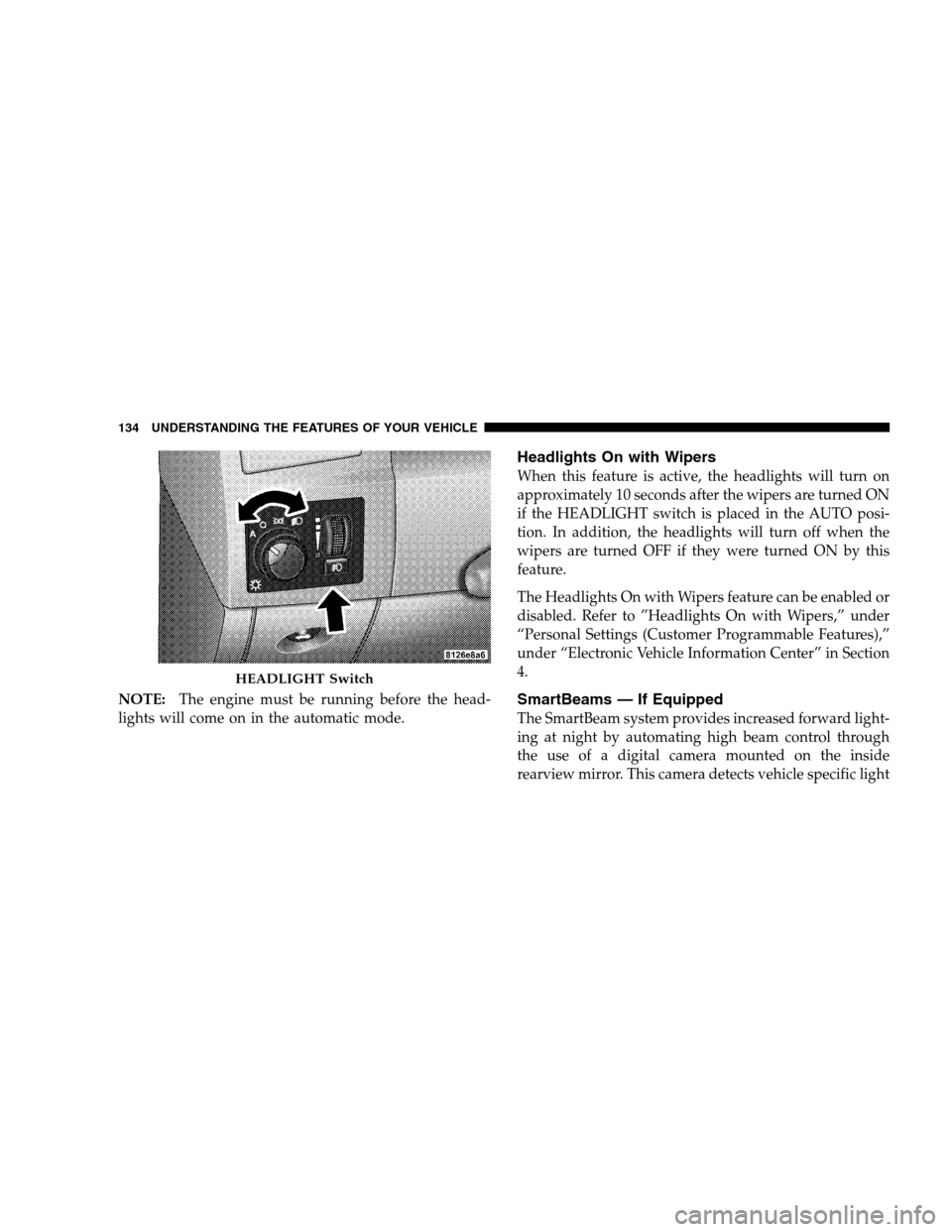
NOTE:The engine must be running before the head-
lights will come on in the automatic mode.
Headlights On with Wipers
When this feature is active, the headlights will turn on
approximately 10 seconds after the wipers are turned ON
if the HEADLIGHT switch is placed in the AUTO posi-
tion. In addition, the headlights will turn off when the
wipers are turned OFF if they were turned ON by this
feature.
The Headlights On with Wipers feature can be enabled or
disabled. Refer to ”Headlights On with Wipers,” under
“Personal Settings (Customer Programmable Features),”
under “Electronic Vehicle Information Center” in Section
4.
SmartBeams — If Equipped
The SmartBeam system provides increased forward light-
ing at night by automating high beam control through
the use of a digital camera mounted on the inside
rearview mirror. This camera detects vehicle specific light
HEADLIGHT Switch
134 UNDERSTANDING THE FEATURES OF YOUR VEHICLE
Page 137 of 482

and automatically switches from high beams to low
beams until the approaching vehicle is out of view.
To Activate
1. Select “Automatic High Beams — ON” through the
Electronic Vehicle Information Center (EVIC). Refer to
“Automatic High Beams,” under “Personal Settings
(Customer Programmable Features),” under “Electronic
Vehicle Information Center” in Section 4.
2. Rotate the HEADLIGHT switch counterclockwise to
the AUTO (A) position.
3. Push the multifunction lever away from you to switch
the headlights to the HIGH BEAM position.
NOTE:This system will not activate until the vehicle is
at or above 25 mph (40 km/h).
To Deactivate
Perform either of the following steps to deactivate the
SmartBeam system.
1. Pull the multifunction lever toward you to switch the
headlights from the HIGH BEAM to the LOW BEAM
position.
2. Rotate the headlight switch clockwise from the AUTO
(A) to the ON position.
NOTE:Broken, muddy, or obstructed headlights and
taillights of vehicles in the field of view will cause
headlights to remain on longer (closer to the vehicle).
Also, dirt, film, and other obstructions on the windshield
or camera lens will cause the system to function improp-
erly.
UNDERSTANDING THE FEATURES OF YOUR VEHICLE 135
3
Page 138 of 482

Headlight Time Delay
This feature provides the safety of headlight illumination
for up to 90 seconds (programmable) when leaving your
vehicle in an unlit area.
To activate the delay feature, turn OFF the ignition switch
while the headlights are still on. Then, turn OFF the
headlights within 45 seconds. The delay interval begins
when the HEADLIGHT switch is turned OFF.
If you turn the headlights, park lights, or ignition switch
ON again, the system will cancel the delay.
If you turn the headlights OFF before the ignition, they
will turn off in the normal manner.
NOTE:The lights must be turned OFF within 45 sec-
onds of turning the ignition OFF to activate this feature.The Headlight delay time is programmable. Refer to
“Delay Turning Headlights Off,” under “Personal Set-
tings (Customer Programmable Features),” under “Elec-
tronic Vehicle Information Center (EVIC)” in Section 4.
Daytime Running Lights — If Equipped
The high beam headlights will come on as Daytime
Running Lights whenever the ignition switch is ON, the
headlights are off, and the parking brake is off. The
HEADLIGHT switch must be used for normal nighttime
driving.
Lights-On Reminder
If the headlights or parking lights are on after the ignition
is turned OFF, a chime will sound to alert the driver
when the driver’s door is opened.
136 UNDERSTANDING THE FEATURES OF YOUR VEHICLE
Page 139 of 482
Fog Lights
The front FOG LIGHT switch is on the HEAD-
LIGHT switch below the dimmer control. To acti-
vate the front fog lights, turn ON the parking
lights or the low beam headlights and press the FOG
LIGHT switch.
An indicator light in the instrument cluster illuminates
when the fog lights are turned ON.
NOTE:The fog lights will operate with the low beam
headlights or parking lights on. However, selecting the
high beam headlights will turn off the fog lights.
Multifunction Lever
The multifunction lever controls the operation of the turn
signals, headlight beam selection, and passing lights. The
lever is located on the left side of the steering column.
Multifunction Lever
UNDERSTANDING THE FEATURES OF YOUR VEHICLE 137
3
Page 140 of 482

Turn Signals
Move the multifunction lever up or down and the
corresponding turn signal indicator in the instrument
cluster flashes to show proper operation of the front and
rear turn signal lights. You can also signal a lane change
by moving the lever partially up or down without
moving beyond the detent. Releasing the lever at the
detent will provide three flashes.
If either indicator has a very fast flash rate, check for a
defective outside light bulb. If an indicator fails to light
when the lever is moved, see your authorized dealer for
service.
NOTE:A “Turn Signal On” message will appear in the
EVIC and a continuous chime will sound if the vehicle is
driven more than 1 mi (1.6 km) with either turn signal on.
Highbeam/Lowbeam Select Switch
Push the multifunction lever away from you to switch
the headlights to HIGH beam. Pull the lever toward you
to switch the headlights back to LOW beam.
Flash to Pass
You can signal another vehicle with your headlights by
lightly pulling the multifunction lever toward you. This
will cause the headlights to turn on at high beam and
remain on until the lever is released.
Overhead Console Map/Reading Lights
These lights are mounted between the sun visors on the
overhead console. Each light is turned ON by pressing
the lens. Press the lens a second time to turn OFF the
light. These lights also turn on when a door is opened, or
when the UNLOCK button on the Remote Keyless Entry
(RKE) transmitter is pressed, or when the dimmer control
is turned fully upward, past the second detent.
138 UNDERSTANDING THE FEATURES OF YOUR VEHICLE
Page 207 of 482

16. High Beam Light
This light will turn on when the high beam
headlights are ON. Push the multifunction lever
away from the steering wheel to switch the headlights to
high beam. (See page 137 for more information.)
17. Transmission Range Indicator
This display indicator shows the automatic transmission
gear selection.
18. Seat Belt Reminder Light
This light will turn on for five to eight seconds as
a bulb check when the ignition switch is first
turned ON. A chime will sound if the driver’s seat
belt is unbuckled during the bulb check. The Seat Belt
Warning Light will flash, or remain on continuously, if
the driver’s seat belt remains unbuckled after the bulb
check or when driving. (See page 46 for more informa-
tion.)19. Vehicle Security Alarm (VSA) Indicator Light — If
Equipped
The VSA Indicator Light flashes rapidly when the VSA is
arming, and slowly when the VSA is armed. (See page 18
for more information.)
20. Fuel Gauge
The pointer shows the level of fuel in the fuel tank when
the ignition switch is in the ON position.
21. Electronic Throttle Control (ETC) Light
This light will turn on briefly, as a bulb check,
when the ignition switch is turned ON. This
light will also turn on while the engine is
running if there is a problem with the Elec-
tronic Throttle Control system.
If the light comes on while the engine is running, safely
bring the vehicle to a complete stop as soon as possible,
place the shift lever in PARK, and cycle the ignition key.
The light should turn off. If the light remains lit with the
UNDERSTANDING YOUR INSTRUMENT PANEL 205
4
Page 232 of 482

“Park Assist System”
When ON is selected, the system will scan for objects
behind the vehicle when the transmission is in the
REVERSE or NEUTRAL position. To make your selec-
tion, press and release the FUNCTION SELECT button
until “ON” or “OFF” appears.
“Turn-by-Turn Navigation” — If Equipped
When ON is selected, the turn-by-turn directions will
appear in the display as the vehicle approaches a desig-
nated turn within a programmed route. To make your
selection, press and release the FUNCTION SELECT
button until “ON” or “OFF” appears.
“Display Units of Measure in”
The EVIC, odometer, and navigation system (if
equipped) can be changed between English and Metric
units of measure. To make your selection, press and
release the FUNCTION SELECT button until “US” or
“METRIC” appears.
“Automatic High Beams” — If Equipped
When this feature is selected, the high beam headlights
will deactivate automatically under certain conditions. To
make your selection, press and release the FUNCTION
SELECT button until “ON” or “OFF” appears. Refer to
“SmartBeams” in Section 3.
230 UNDERSTANDING YOUR INSTRUMENT PANEL