2008 CHEVROLET SILVERADO wheel torque
[x] Cancel search: wheel torquePage 123 of 596
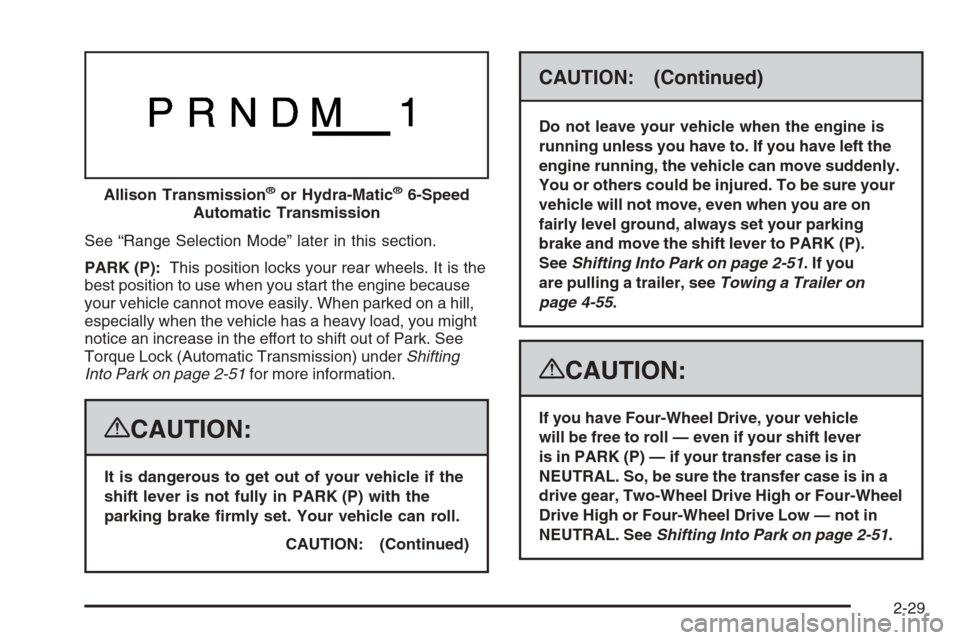
See “Range Selection Mode” later in this section.
PARK (P):This position locks your rear wheels. It is the
best position to use when you start the engine because
your vehicle cannot move easily. When parked on a hill,
especially when the vehicle has a heavy load, you might
notice an increase in the effort to shift out of Park. See
Torque Lock (Automatic Transmission) underShifting
Into Park on page 2-51for more information.
{CAUTION:
It is dangerous to get out of your vehicle if the
shift lever is not fully in PARK (P) with the
parking brake rmly set. Your vehicle can roll.
CAUTION: (Continued)
CAUTION: (Continued)
Do not leave your vehicle when the engine is
running unless you have to. If you have left the
engine running, the vehicle can move suddenly.
You or others could be injured. To be sure your
vehicle will not move, even when you are on
fairly level ground, always set your parking
brake and move the shift lever to PARK (P).
SeeShifting Into Park on page 2-51. If you
are pulling a trailer, seeTowing a Trailer on
page 4-55.
{CAUTION:
If you have Four-Wheel Drive, your vehicle
will be free to roll — even if your shift lever
is in PARK (P) — if your transfer case is in
NEUTRAL. So, be sure the transfer case is in a
drive gear, Two-Wheel Drive High or Four-Wheel
Drive High or Four-Wheel Drive Low — not in
NEUTRAL. SeeShifting Into Park on page 2-51. Allison Transmission
®or Hydra-Matic®6-Speed
Automatic Transmission
2-29
Page 127 of 596
To use this feature, do the following:
1. Move the shift lever to the MANUAL MODE (M).
2. Press the plus/minus buttons, located on the
steering column shift lever, to select the desired
range of gears for your current driving conditions.
When MANUAL MODE (M) is selected a number
displays next to the M, indicating the current gear.
This number is the highest gear that can be used.
However, your vehicle can automatically shift to lower
gears as it adjusts to driving conditions. This means
that all gears below that number are available. When
FIFTH (5) is selected, FIRST (1) through FIFTH (5)
gears are automatically shifted by the vehicle, but
SIXTH (6) cannot be used until the plus/minus button
located on the steering column lever is used to change
to the gear.
Grade Braking is not available when the Range
Selection Mode is active. SeeTow/Haul Mode on
page 2-34While using the Range Selection mode feature, cruise
control and the Tow/Haul mode can be used.
Notice:Spinning the tires or holding the vehicle
in one place on a hill using only the accelerator
pedal may damage the transmission. The repair will
not be covered by your warranty. If you are stuck,
do not spin the tires. When stopping on a hill,
use the brakes to hold the vehicle in place.
Low Traction Mode
If your vehicle has the Allison Transmission®,orthe
Hydra-Matic®6-Speed Automatic Transmission, it has a
Low Traction Mode that assist in vehicle acceleration
when road conditions are slippery, such as with ice or
snow. While the vehicle is at a stop, select the second
gear range using the Range Selection system. This will
limit torque to the wheels after it detects wheel slip,
preventing the tires from spinning.
2-33
Page 130 of 596
Grade Braking (Allison Transmission®
or Hydra-Matic®6-Speed Automatic
Transmission)
The Grade Braking shift modes can be activated by
pressing the button on the end of the shift control lever.
While in Range Selection Mode, Grade Braking is
deactivated allowing the driver to select a desired
range of gears.
Grade Braking is only active while the Tow/Haul Mode is
selected and you are not in the Range Selection Mode.
See “Tow/Haul Mode listed previously andAutomatic
Transmission Operation on page 2-28for more
information on the Range Selection Mode. Grade Braking
assists in maintaining desired vehicle speeds when
driving on downhill grades by automatically implementing
a shift schedule that utilizes the engine and transmission
to slow the vehicle. This reduces wear on the braking
system and increases control of the vehicle. Grade
Braking monitors vehicle speed, acceleration, engine
torque and brake pedal usage. Using this information,
it detects when the truck is on a downhill grade and the
driver desires to slow the vehicle by pressing the brake.
See the diesel supplement for information on Cruise
Grade Braking.
Also seeTowing a Trailer on page 4-55for more
information.
Four-Wheel Drive
If your vehicle has Four-Wheel Drive, you can send the
engine’s driving power to all four wheels for extra traction.
To get the most satisfaction out of Four-Wheel Drive, you
must be familiar with its operation. Read the part that
follows before using Four-Wheel Drive. See the
appropriate text for the transfer case in your vehicle.
Notice:Driving on clean, dry pavement in
Four-Wheel-Drive High or Four-Wheel-Drive Low for
an extended period of time may cause premature
wear on your vehicle’s powertrain. Do not drive on
clean, dry pavement in Four-Wheel-Drive High or
Four-Wheel-Drive Low for extended periods of time.
While driving on clean dry pavement and during tight
turns, you may experience vibration in the steering
system.
Front Axle
The front axle engages and disengages automatically
when you shift the transfer case. Some delay for
the axle to engage or disengage is normal.
2-36
Page 132 of 596
4n(Four-Wheel-Drive Low):This setting also
engages the front axle and delivers extra torque.
You may never need Four-Wheel-Drive Low. It sends
maximum power to all four wheels. You might choose
Four-Wheel-Drive Low if you are driving off-road in deep
sand, deep mud, deep snow, and while climbing or
descending steep hills. When operating in Four-Wheel
Low, the gear ratio provides additional torque when
compared to Four-Wheel-Drive High. The transmission
gear shift feel is exaggerated.
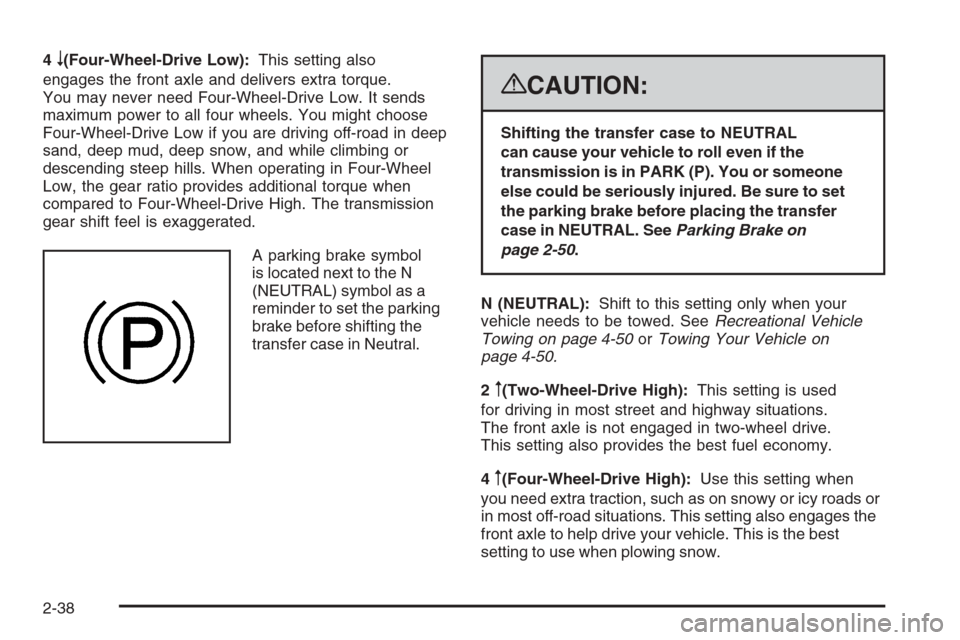
A parking brake symbol
is located next to the N
(NEUTRAL) symbol as a
reminder to set the parking
brake before shifting the
transfer case in Neutral.
{CAUTION:
Shifting the transfer case to NEUTRAL
can cause your vehicle to roll even if the
transmission is in PARK (P). You or someone
else could be seriously injured. Be sure to set
the parking brake before placing the transfer
case in NEUTRAL. SeeParking Brake on
page 2-50.
N (NEUTRAL):Shift to this setting only when your
vehicle needs to be towed. SeeRecreational Vehicle
Towing on page 4-50orTowing Your Vehicle on
page 4-50.
2
m(Two-Wheel-Drive High):This setting is used
for driving in most street and highway situations.
The front axle is not engaged in two-wheel drive.
This setting also provides the best fuel economy.
4
m(Four-Wheel-Drive High):Use this setting when
you need extra traction, such as on snowy or icy roads or
in most off-road situations. This setting also engages the
front axle to help drive your vehicle. This is the best
setting to use when plowing snow.
2-38
Page 136 of 596
4m(Four-Wheel-Drive High):Use the
Four-Wheel-Drive High position when extra traction is
needed, such as on snowy or icy roads or in most off-road
situations. This setting also engages the front axle to help
drive your vehicle. This is the best setting to use when
plowing snow.
4
n(Four-Wheel-Drive Low):This setting also
engages the front axle and delivers extra torque. You
may never need this setting. It sends maximum power
to all four wheels. You might choose Four-Wheel-Drive
Low while driving off-road in deep sand, deep mud, deep
snow, and while climbing or descending steep hills.
StabiliTrak
®will not engage in this mode.
{CAUTION:
Shifting the transfer case to NEUTRAL
can cause your vehicle to roll even if the
transmission is in PARK (P). You or someone
else could be seriously injured. Be sure to set
the parking brake before placing the transfer
case in NEUTRAL. SeeParking Brake on
page 2-50.N (NEUTRAL):Shift the vehicle’s transfer case
to NEUTRAL only when towing your vehicle. See
Recreational Vehicle Towing on page 4-50orTowing
Your Vehicle on page 4-50for more information.
If the SERVICE 4–Wheel Drive message stays on, you
should take your vehicle to your dealer for service.
See “Service 4–Wheel Drive message” underDIC
Warnings and Messages on page 3-66.
Shifting Into Two-Wheel-Drive High
Turn the knob to the Two-Wheel-Drive High position.
This can be done at any speed, except when shifting
from Four-Wheel-Drive Low. See Shifting Out of
Four-Wheel-Drive Low for more information.
2-42
Page 140 of 596
for driving in most street and highway situations. The
front axle is not engaged in Two-Wheel Drive.
This setting also provides the best fuel economy.
AUTO (Automatic Four-Wheel Drive):This setting is
ideal for use when road surface traction conditions are
variable. When driving your vehicle in AUTO, the front
axle is engaged, but the vehicle’s power is sent only to
the front and rear wheels automatically based on driving
conditions. Driving in this mode results in slightly lower
fuel economy than Two-Wheel-Drive High.
4
m(Four-Wheel-Drive High):Use the
Four-Wheel-Drive High position when extra traction is
needed, such as on snowy or icy roads or in most off-road
situations. This setting also engages the front axle to help
drive your vehicle. This is the best setting to use when
plowing snow.
4
n(Four-Wheel-Drive Low):This setting also
engages the front axle and delivers extra torque.
You may never need this setting. It sends maximum
power to all four wheels. You might choose
Four-Wheel-Drive Low if you are driving off-road in
deep sand, deep mud, deep snow, and while climbing
or descending steep hills. StabiliTrak
®will not engage
in this mode. SeeStabiliTrak®System on page 4-6for
more information.
{CAUTION:
Shifting the transfer case to NEUTRAL
can cause your vehicle to roll even if the
transmission is in PARK (P). You or someone
else could be seriously injured. Be sure to set
the parking brake before placing the transfer
case in NEUTRAL. SeeParking Brake on
page 2-50.
N (NEUTRAL):Shift the vehicle’s transfer case
to NEUTRAL only when towing your vehicle. See
Recreational Vehicle Towing on page 4-50orTowing
Your Vehicle on page 4-50for more information.
If the SERVICE 4–Wheel Drive message stays on, you
should take your vehicle to your dealer for service.
See “Service 4–Wheel Drive message” underDIC
Warnings and Messages on page 3-66.
2-46
Page 146 of 596
Leaving Your Vehicle With the Engine
Running
{CAUTION:
It can be dangerous to leave your vehicle with
the engine running. Your vehicle could move
suddenly if the shift lever is not fully in PARK
(P) with the parking brake rmly set.
If you have four-wheel drive and your transfer
case is in NEUTRAL, your vehicle will be free
to roll, even if your shift lever is in PARK (P).
So be sure the transfer case is in a drive
gear — not in NEUTRAL.
And, if you leave the vehicle with the engine
running, it could overheat and even catch re.
You or others could be injured. Do not leave
your vehicle with the engine running unless
you have to.If you have to leave your vehicle with the engine
running, be sure your vehicle is in PARK (P) and the
parking brake is rmly set before you leave it. After you
move the shift lever into PARK (P), hold the regular
brake pedal down. Then, see if you can move the
shift lever away from PARK (P) without rst pulling
it toward you. If you can, it means that the shift lever
was not fully locked into PARK (P).
Torque Lock
If you are parking on a hill and you do not shift your
transmission into PARK (P) properly, the weight of the
vehicle may put too much force on the parking pawl
in the transmission. You may nd it difficult to pull the
shift lever out of PARK (P). This is called torque lock.
To prevent torque lock, set the parking brake and
then shift into PARK (P) properly before you leave
the driver’s seat. To nd out how, seeShifting Into
Park on page 2-51.
When you are ready to drive, move the shift lever out of
PARK (P) before you release the parking brake.
If torque lock does occur, you may need to have another
vehicle push yours a little uphill to take some of the
pressure from the parking pawl in the transmission, then
you will be able to pull the shift lever out of PARK (P).
2-52
Page 451 of 596
Brake Wear
Your vehicle has front disc brakes and could have rear
drum brakes or rear disc brakes.
Disc brake pads have built-in wear indicators that make
a high-pitched warning sound when the brake pads
are worn and new pads are needed. The sound can
come and go or be heard all the time your vehicle
is moving, except when you are pushing on the brake
pedal rmly.
{CAUTION:
The brake wear warning sound means that soon
the brakes will not work well. That could lead to
an accident. When you hear the brake wear
warning sound, have your vehicle serviced.
Notice:Continuing to drive with worn-out brake
pads could result in costly brake repair.
Some driving conditions or climates can cause a brake
squeal when the brakes are rst applied or lightly
applied. This does not mean something is wrong with
the brakes.Properly torqued wheel nuts are necessary to help
prevent brake pulsation. When tires are rotated,
inspect brake pads for wear and evenly tighten wheel
nuts in the proper sequence to torque specications
inCapacities and Specifications on page 5-133.
If you have rear drum brakes, they do not have wear
indicators, but if you ever hear a rear brake rubbing
noise, have the rear brake linings inspected immediately.
Rear brake drums should be removed and inspected
each time the tires are removed for rotation or changing.
Drum brakes have an inspection hole to inspect lining
wear during scheduled maintenance. When you
have the front brake pads replaced, have the rear
brakes inspected, too.
Brake linings should always be replaced as complete
axle sets.
Brake Pedal Travel
See your dealer/retailer if the brake pedal does not
return to normal height, or if there is a rapid increase in
pedal travel. This could be a sign that brake service
might be required.
Brake Adjustment
Every time you make a brake stop, the brakes adjust
for wear.
5-45