2008 CHEVROLET SILVERADO ECO mode
[x] Cancel search: ECO modePage 55 of 596
{CAUTION:
Children can be seriously injured or strangled
if a shoulder belt is wrapped around their neck
and the safety belt continues to tighten.
Secure any unused safety belts behind the
child restraint so children cannot reach them.
Pull the shoulder belt all the way out of the
retractor to set the lock, if your vehicle has
one, after the child restraint has been installed.
Be sure to follow the instructions of the child
restraint manufacturer.
Notice:Contact between the child restraint LATCH
attachment parts and the vehicle’s safety belt
assembly may cause damage to these parts. Make
sure when securing unused safety belts behind
the child restraint that there is no contact between
the child restraint LATCH attachment parts and
the vehicle’s safety belt assembly.
Folding an empty rear seat with the safety belts
secured may cause damage to the safety belt or
the seat. When removing the child restraint, always
remember to return the safety belts to their normal,
stowed position before folding the rear seat.
Regular Cab Models
1. If the child restraint manufacturer recommends that
the top tether be attached, attach and tighten the top
tether to the top tether anchor, if your vehicle has
one. Refer to the child restraint instructions and the
following steps:
1.1. Pull the passenger seatback forward by
pulling the recliner handle upward to access
the top tether anchor. SeeReclining
Seatbacks on page 1-8for additional
information.
1.2. Find the top tether anchor.
1.3. Remove the cover to expose the anchor.
1.4. Route, attach, and tighten the top tether
according to your child restraint instructions
and the following instructions:
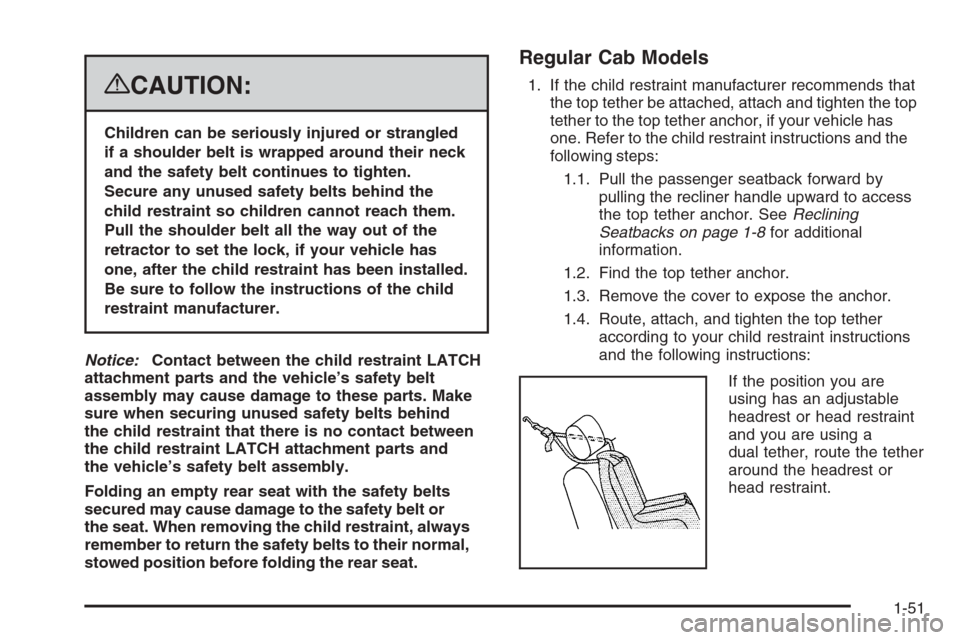
If the position you are
using has an adjustable
headrest or head restraint
and you are using a
dual tether, route the tether
around the headrest or
head restraint.
1-51
Page 56 of 596
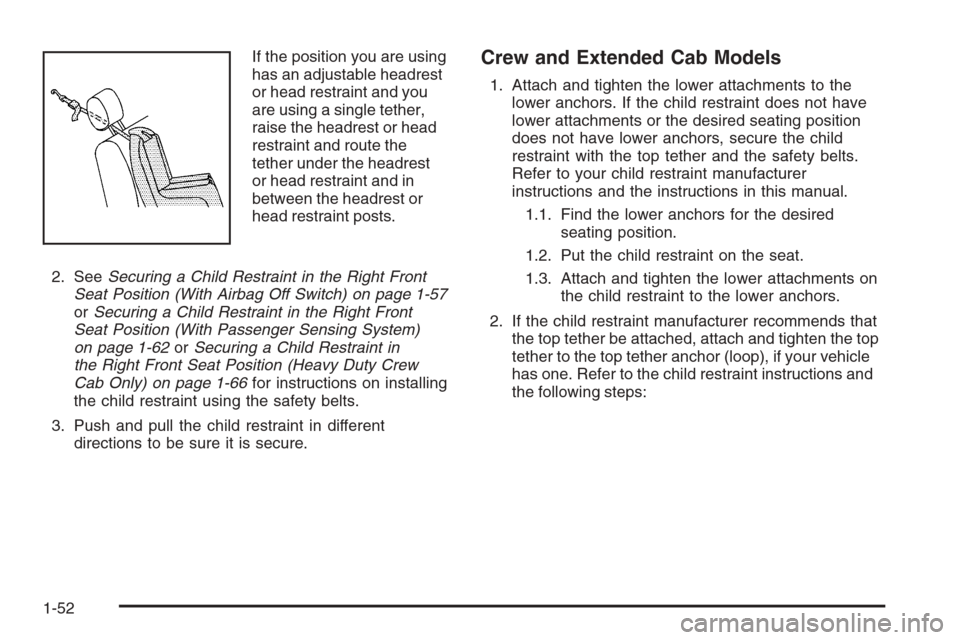
If the position you are using
has an adjustable headrest
or head restraint and you
are using a single tether,
raise the headrest or head
restraint and route the
tether under the headrest
or head restraint and in
between the headrest or
head restraint posts.
2. SeeSecuring a Child Restraint in the Right Front
Seat Position (With Airbag Off Switch) on page 1-57
orSecuring a Child Restraint in the Right Front
Seat Position (With Passenger Sensing System)
on page 1-62orSecuring a Child Restraint in
the Right Front Seat Position (Heavy Duty Crew
Cab Only) on page 1-66for instructions on installing
the child restraint using the safety belts.
3. Push and pull the child restraint in different
directions to be sure it is secure.Crew and Extended Cab Models
1. Attach and tighten the lower attachments to the
lower anchors. If the child restraint does not have
lower attachments or the desired seating position
does not have lower anchors, secure the child
restraint with the top tether and the safety belts.
Refer to your child restraint manufacturer
instructions and the instructions in this manual.
1.1. Find the lower anchors for the desired
seating position.
1.2. Put the child restraint on the seat.
1.3. Attach and tighten the lower attachments on
the child restraint to the lower anchors.
2. If the child restraint manufacturer recommends that
the top tether be attached, attach and tighten the top
tether to the top tether anchor (loop), if your vehicle
has one. Refer to the child restraint instructions and
the following steps:
1-52
Page 80 of 596
How Does an Airbag Restrain?
In moderate to severe frontal or near frontal collisions,
even belted occupants can contact the steering wheel
or the instrument panel. In moderate to severe side
collisions, even belted occupants can contact the
inside of the vehicle.
Airbags supplement the protection provided by safety
belts. Frontal airbags distribute the force of the impact
more evenly over the occupant’s upper body, stopping
the occupant more gradually. Roof-rail airbags distribute
the force of the impact more evenly over the occupant’s
upper body.
Rollover capable roof-rail airbags are designed to
help contain the head and chest of occupants in the
outboard seating positions in the rst and second rows.
The rollover capable roof-rail airbags are designed to
help reduce the risk of full or partial ejection in rollover
events, although no system can prevent all such
ejections.
But airbags would not help in many types of collisions,
primarily because the occupant’s motion is not toward
those airbags. SeeWhen Should an Airbag Inflate? on
page 1-74for more information.
Airbags should never be regarded as anything more
than a supplement to safety belts.
What Will You See After an
Airbag Inates?
After the frontal airbags inate, they quickly deate,
so quickly that some people may not even realize an
airbag inated. Roof-rail airbags may still be at least
partially inated for some time after they deploy. Some
components of the airbag module may be hot for several
minutes. For location of the airbag modules, seeWhat
Makes an Airbag Inflate? on page 1-75.
The parts of the airbag that come into contact with you
may be warm, but not too hot to touch. There may be
some smoke and dust coming from the vents in the
deated airbags. Airbag ination does not prevent the
driver from seeing out of the windshield or being able to
steer the vehicle, nor does it prevent people from leaving
the vehicle.
1-76
Page 122 of 596
How long should you keep the coolant heater plugged
in? The answer depends on the outside temperature, the
kind of oil you have, and some other things. Instead of
trying to list everything here, we ask that you contact your
dealer/retailer in the area where you will be parking your
vehicle. The dealer/retailer can give you the best advice
for that particular area.
Active Fuel Management™
Your vehicle’s V8 engine may have Active Fuel
Management™. This system allows the engine to
operate on either all or half of its cylinders, depending
on the driving conditions.
When less power is required, such as cruising at a
constant vehicle speed, the system will operate in the
half cylinder mode, allowing your vehicle to achieve
better fuel economy. When greater power demands are
required, such as accelerating from a stop, passing,
or merging onto a freeway, the system will maintain
full-cylinder operation.
If your vehicle has an Active Fuel Management™
indicator, seeDIC Operation and Displays (With DIC
Buttons) on page 3-57orDIC Operation and Displays
(Without DIC Buttons) on page 3-63for more information
on using this display.
Automatic Transmission Operation
If your vehicle is has an automatic transmission,
it has an electronic shift position indicator within the
instrument panel cluster. This display comes on when
the ignition key is turned to the ON/RUN position.
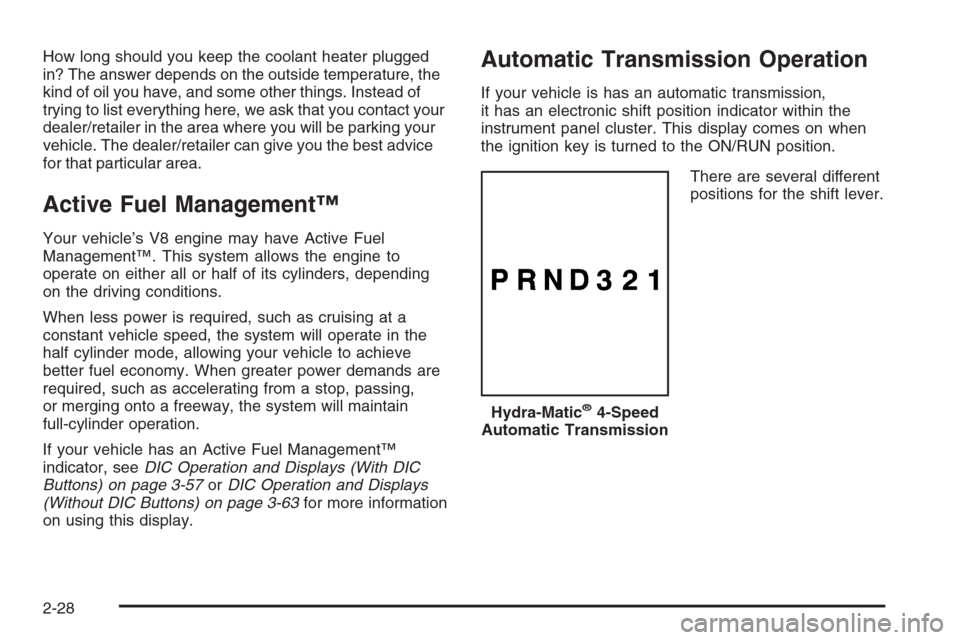
There are several different
positions for the shift lever.
Hydra-Matic
®4-Speed
Automatic Transmission
2-28
Page 125 of 596
Your vehicle has a shift stabilization feature that adjusts
the transmission shifting to the current driving conditions
in order to reduce rapid upshifts and downshifts. This shift
stabilization feature is designed to determine, before
making an upshift, if the engine is able to maintain vehicle
speed by analyzing things such as vehicle speed, throttle
position, and vehicle load. If the shift stabilization feature
determines that a current vehicle speed cannot be
maintained, the transmission does not upshift and instead
holds the current gear. In some cases, this could appear
to be a delayed shift, however the transmission is
operating normally.
Your vehicle’s transmission uses adaptive shift controls.
Adaptive shift controls continually compares key shift
parameters to pre-programmed ideal shifts stored in the
transmissions computer. The transmission constantly
makes adjustments to improve vehicle performance
according to how the vehicle is being used, such as with
a heavy load or when temperature changes. During this
adaptive shift control process, shifting might feel different
as the transmission determines the best settings.
When temperatures are very cold, the Allison
Transmission
®and Hydra-Matic®6-Speed transmission’s
gear shifting could be delayed providing more stable
shifts until the engine warms up. Shifts could be more
noticeable with a cold transmission. This difference in
shifting is normal.MANUAL MODE (M):This position, is available on
vehicles with the Allison Transmission
®or Hydra-Matic®
6-Speed transmission. It lets drivers select the range
of gears appropriate for current driving conditions.
If your vehicle has this feature, see Range Select
Mode (Allison Transmission
®or Hydra-Matic®
6-Speed transmission) later in this section.
THIRD (3):This position is also used for normal driving.
It reduces vehicle speed more than DRIVE (D) without
using the brakes. You might choose THIRD (3)
instead of DRIVE (D) when driving on hilly, winding
roads, when towing a trailer, so there is less shifting
between gears and when going down a steep hill.
SECOND (2):This position reduces vehicle speed even
more than THIRD (3) without using your brakes. You can
use SECOND (2) on hills. It can help control your speed
as you go down steep mountain roads, but then you
would also want to use the brakes off and on.
If you manually select SECOND (2) in an automatic
transmission, the transmission will start in second gear.
You can use this feature for reducing the speed of the
rear wheels when you are trying to start your vehicle
from a stop on slippery road surfaces.
2-31
Page 126 of 596
FIRST (1):For the Hydra-Matic®4-Speed transmission
this position reduces vehicle speed even more than
SECOND (2) without using the brakes. You can use it on
very steep hills, or in deep snow or mud. If the shift lever
is put in FIRST (1) while the vehicle is moving forward,
the transmission does not shift into rst gear until the
vehicle is going slowly enough.
For an Allison Transmission
®or Hydra-Matic®6-Speed
transmission, this position reduces vehicle speed
without using your brakes. You can use it for
major/severe downgrades and off-road driving where
the vehicle would otherwise accelerate due to steepness
of grade. When you shift to FIRST (1) it provides the
lowest gear appropriate to your current road speed and
continues to downshift as the vehicle slows, eventually
downshifting to FIRST (1) gear.
Notice:Spinning the tires or holding the vehicle
in one place on a hill using only the accelerator
pedal may damage the transmission. The repair will
not be covered by your warranty. If you are stuck,
do not spin the tires. When stopping on a hill,
use the brakes to hold the vehicle in place.
Range Selection Mode (Allison®or
Hydra-Matic®6-Speed Transmission)
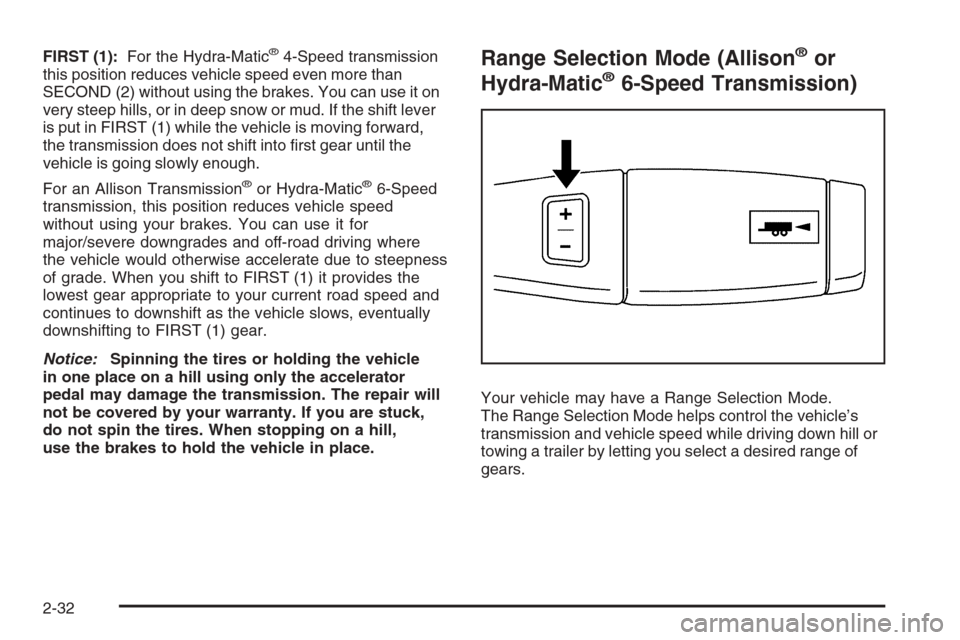
Your vehicle may have a Range Selection Mode.
The Range Selection Mode helps control the vehicle’s
transmission and vehicle speed while driving down hill or
towing a trailer by letting you select a desired range of
gears.
2-32
Page 127 of 596
To use this feature, do the following:
1. Move the shift lever to the MANUAL MODE (M).
2. Press the plus/minus buttons, located on the
steering column shift lever, to select the desired
range of gears for your current driving conditions.
When MANUAL MODE (M) is selected a number
displays next to the M, indicating the current gear.
This number is the highest gear that can be used.
However, your vehicle can automatically shift to lower
gears as it adjusts to driving conditions. This means
that all gears below that number are available. When
FIFTH (5) is selected, FIRST (1) through FIFTH (5)
gears are automatically shifted by the vehicle, but
SIXTH (6) cannot be used until the plus/minus button
located on the steering column lever is used to change
to the gear.
Grade Braking is not available when the Range
Selection Mode is active. SeeTow/Haul Mode on
page 2-34While using the Range Selection mode feature, cruise
control and the Tow/Haul mode can be used.
Notice:Spinning the tires or holding the vehicle
in one place on a hill using only the accelerator
pedal may damage the transmission. The repair will
not be covered by your warranty. If you are stuck,
do not spin the tires. When stopping on a hill,
use the brakes to hold the vehicle in place.
Low Traction Mode
If your vehicle has the Allison Transmission®,orthe
Hydra-Matic®6-Speed Automatic Transmission, it has a
Low Traction Mode that assist in vehicle acceleration
when road conditions are slippery, such as with ice or
snow. While the vehicle is at a stop, select the second
gear range using the Range Selection system. This will
limit torque to the wheels after it detects wheel slip,
preventing the tires from spinning.
2-33
Page 133 of 596
You can shift from Two-Wheel-Drive High to
Four-Wheel-Drive High or Four-Wheel-Drive High to
Two-Wheel-Drive High while the vehicle is moving. In
extremely cold weather, it may be necessary to stop or
slow the vehicle to shift into Four-Wheel-Drive High.
When Using the Manual Transfer Case
Shifting should be made using quick motions.
Shifting slowly may make it more difficult to shift.
You may notice that it is harder to shift when the
vehicle is cold. After the vehicle warms up the
shifting will return to normal.
While in Four-Wheel High or Four-Wheel-Drive Low
you may experience reduced fuel economy.
Avoid driving in Four-Wheel Drive on clean, dry
pavement. It may cause your tires to wear faster,
and make the transfer case harder to shift and run
noisier.
If the transfer case shifter is in the NEUTRAL
position and you have difficulty reaching the
selected transfer case mode, with the engine
running, shift the transmission momentarily to
drive and then back to NEUTRAL. This will realign
the gear teeth in the transfer case and allow
you to complete the shift.
Shifting from Two-Wheel-Drive High to
Four-Wheel-Drive High
Shifts between Two-Wheel-Drive High and
Four-Wheel-Drive High can be made at any
vehicle speed.
Shift the transfer case lever in one continuous
motion into either the Four-Wheel-Drive High
or Two-Wheel-Drive High position.
In extremely cold weather, it may be necessary to
slow or stop the vehicle to shift into Four-wheel-Drive
High until your vehicle has warmed up.
While in Four-Wheel-Drive High, your vehicle can be
driven at any posted legal speed limit.
2-39