2008 CHEVROLET SILVERADO ECO mode
[x] Cancel search: ECO modePage 170 of 596
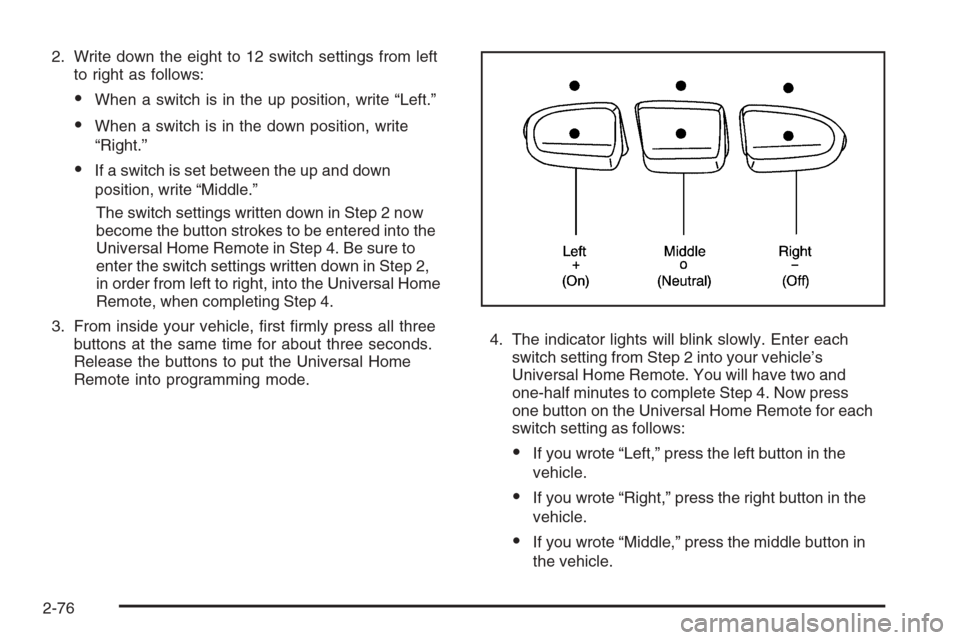
2. Write down the eight to 12 switch settings from left
to right as follows:
When a switch is in the up position, write “Left.”
When a switch is in the down position, write
“Right.”
If a switch is set between the up and down
position, write “Middle.”
The switch settings written down in Step 2 now
become the button strokes to be entered into the
Universal Home Remote in Step 4. Be sure to
enter the switch settings written down in Step 2,
in order from left to right, into the Universal Home
Remote, when completing Step 4.
3. From inside your vehicle, rst rmly press all three
buttons at the same time for about three seconds.
Release the buttons to put the Universal Home
Remote into programming mode.4. The indicator lights will blink slowly. Enter each
switch setting from Step 2 into your vehicle’s
Universal Home Remote. You will have two and
one-half minutes to complete Step 4. Now press
one button on the Universal Home Remote for each
switch setting as follows:
If you wrote “Left,” press the left button in the
vehicle.
If you wrote “Right,” press the right button in the
vehicle.
If you wrote “Middle,” press the middle button in
the vehicle.
2-76
Page 188 of 596
Turn and Lane-Change Signals
The turn signal has two upward (for right) and two
downward (for left) positions. These positions allow you
to signal a turn or a lane change.
To signal a turn, move the lever all the way up or
down. When the turn is nished, the lever will return
automatically.
To signal a lane change, raise or lower the lever for
less than one second until the arrow starts to ash.
This will cause the turn signals to automatically ash
three times. It will ash six times if tow-haul mode
is active. Holding the turn signal lever for more than
one second will cause the turn signals to ash until you
release the lever. The lever will return by itself when
it is released.
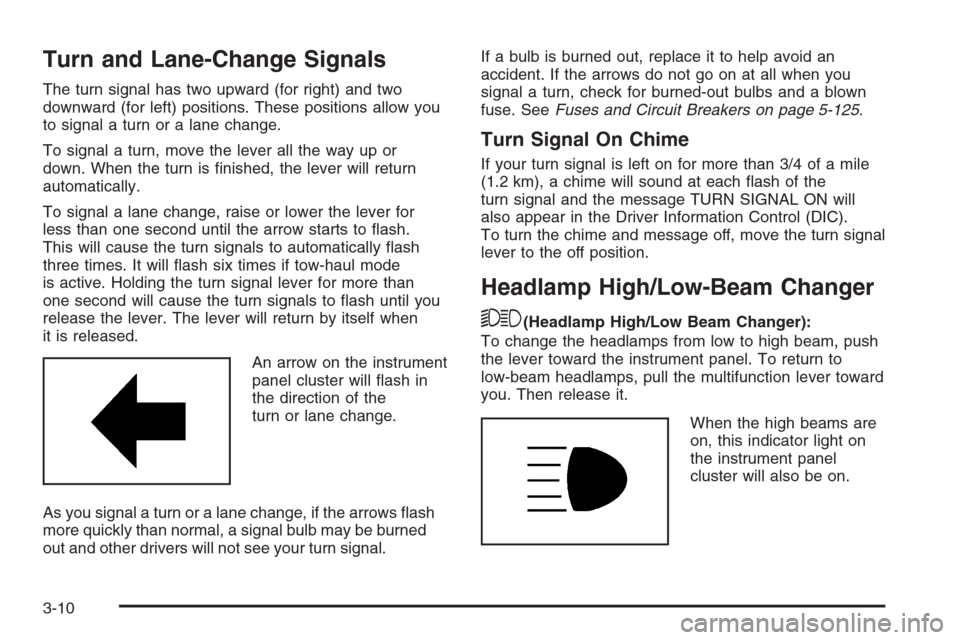
An arrow on the instrument
panel cluster will ash in
the direction of the
turn or lane change.
As you signal a turn or a lane change, if the arrows ash
more quickly than normal, a signal bulb may be burned
out and other drivers will not see your turn signal.If a bulb is burned out, replace it to help avoid an
accident. If the arrows do not go on at all when you
signal a turn, check for burned-out bulbs and a blown
fuse. SeeFuses and Circuit Breakers on page 5-125.
Turn Signal On Chime
If your turn signal is left on for more than 3/4 of a mile
(1.2 km), a chime will sound at each ash of the
turn signal and the message TURN SIGNAL ON will
also appear in the Driver Information Control (DIC).
To turn the chime and message off, move the turn signal
lever to the off position.
Headlamp High/Low-Beam Changer
53(Headlamp High/Low Beam Changer):
To change the headlamps from low to high beam, push
the lever toward the instrument panel. To return to
low-beam headlamps, pull the multifunction lever toward
you. Then release it.
When the high beams are
on, this indicator light on
the instrument panel
cluster will also be on.
3-10
Page 190 of 596

Rainsense™ II Wipers
If your vehicle has Rainsense™ II windshield wipers,
the moisture sensor is located next to the inside
rearview mirror and is mounted on the windshield. When
active, these sensors are able to detect moisture on
the windshield and automatically turn on the wipers.
To turn on the Rainsense™ feature, the wipers must be
set to one of the ve delay settings on the multifunction
lever. Each of the ve settings adjusts the sensitivity
of the rainsensor.
Since different drivers have different setting preferences,
it is recommended that the mid-range setting (position 3)
be used initially. For more wipes, select the higher
settings; for fewer wipes, select the lower settings located
closer to the off position on the multifunction lever.
The rainsensor will automatically control the frequency of
the wipes from the off setting to the high speed setting
according to the weather conditions. The wipers can be
left in a rainsense mode even when it is not raining.
When Rainsense™ is active, the headlamps will turn on
automatically if the exterior lamp control is in the
AUTO position and the wipers are active.
Notice:Going through an automatic car wash with
the wipers on can damage them. Turn the wipers
off when going through an automatic car wash.
Windshield Washer
{CAUTION:
In freezing weather, do not use your washer
until the windshield is warmed. Otherwise the
washer uid can form ice on the windshield,
blocking your vision.
L(Washer Fluid):Push the paddle marked with the
windshield washer symbol at the top of the multifunction
lever, to spray washer uid on the windshield. The wipers
clear the window and then either stop or return to the
preset speed.
3-12
Page 206 of 596
Climate Control System
(Heater Only)
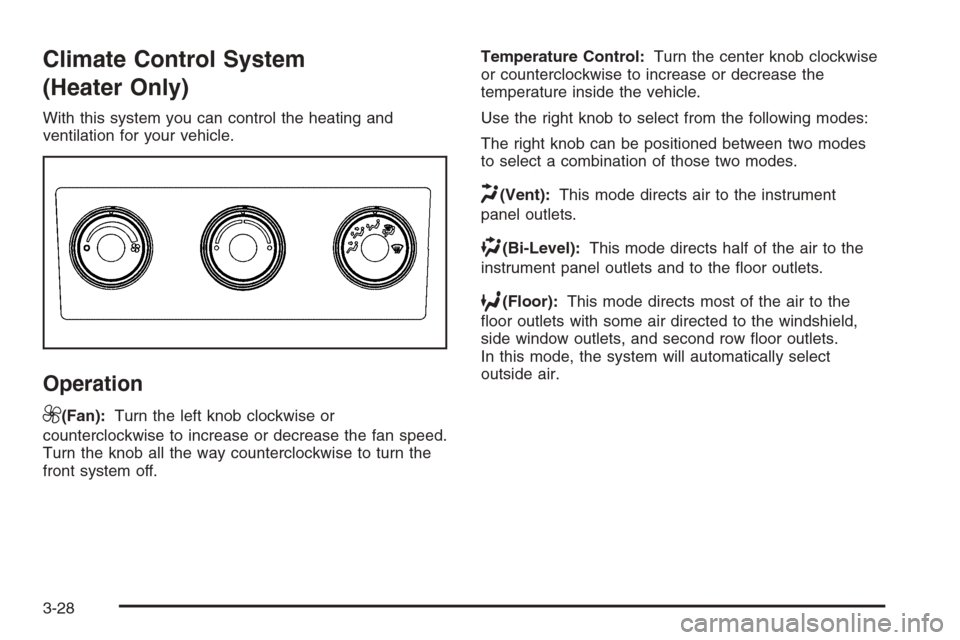
With this system you can control the heating and
ventilation for your vehicle.
Operation
9
(Fan):Turn the left knob clockwise or
counterclockwise to increase or decrease the fan speed.
Turn the knob all the way counterclockwise to turn the
front system off.Temperature Control:Turn the center knob clockwise
or counterclockwise to increase or decrease the
temperature inside the vehicle.
Use the right knob to select from the following modes:
The right knob can be positioned between two modes
to select a combination of those two modes.
H(Vent):This mode directs air to the instrument
panel outlets.
)(Bi-Level):This mode directs half of the air to the
instrument panel outlets and to the oor outlets.
6(Floor):This mode directs most of the air to the
oor outlets with some air directed to the windshield,
side window outlets, and second row oor outlets.
In this mode, the system will automatically select
outside air.
3-28
Page 208 of 596
Driver and Passenger Side Temperature
Controls
The driver and passenger side temperature buttons
are used to adjust the temperature of the air coming
through the system on the driver or passenger’s side of
the vehicle. The temperature can be adjusted even if
the system is turned off. This is possible since outside
air always ows through the system as the vehicle
is moving forward unless it is set to recirculation mode.
See “Recirculation” later in this section.
Press the + or−buttons to increase or decrease the
cabin temperature. The driver side or passenger
side temperature display shows the temperature setting
decreasing or increasing.
The passenger’s temperature setting can be set to
match the driver’s temperature setting by pressing the
PASS button and turning off the PASS indicator.
When the passenger’s temperature setting is set
different than the driver’s setting, the indicator on the
PASS button illuminates and both the driver’s side and
passenger’s side temperature displays are shown.
Automatic Operation
AUTO (Automatic):When automatic operation is
active the system controls the inside temperature,
the air delivery, and the fan speed.
Use the steps below to place the entire system in
automatic mode:
1. Press the AUTO button.
When AUTO is selected, the display changes to
show the current temperature(s) and AUTO is lit on
the display. The current air delivery mode and
fan speed are also displayed for about 5 seconds.
When AUTO is selected, the air conditioning
operation and air inlet are automatically controlled.
The air conditioning compressor may run when
the outside temperature is above freezing. The air
inlet will normally be set to outside air. If it is hot
outside, the air inlet may automatically switch to the
recirculate mode to help quickly cool down the
air inside the vehicle. The light on the button comes
on in recirculation.
3-30
Page 210 of 596
Manual Operation
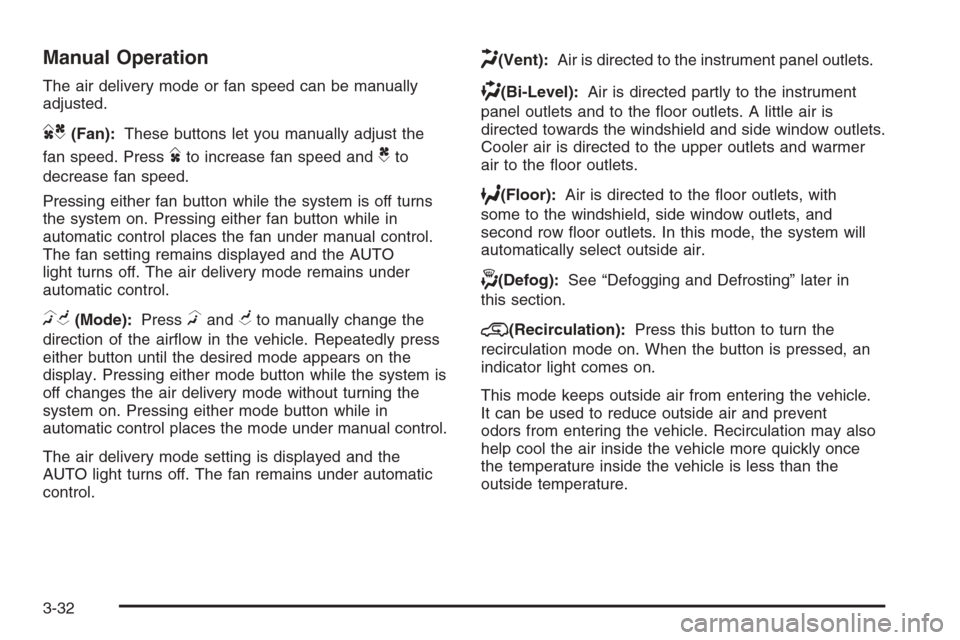
The air delivery mode or fan speed can be manually
adjusted.
DC(Fan):These buttons let you manually adjust the
fan speed. Press
Dto increase fan speed andCto
decrease fan speed.
Pressing either fan button while the system is off turns
the system on. Pressing either fan button while in
automatic control places the fan under manual control.
The fan setting remains displayed and the AUTO
light turns off. The air delivery mode remains under
automatic control.
HG(Mode):PressHandGto manually change the
direction of the airow in the vehicle. Repeatedly press
either button until the desired mode appears on the
display. Pressing either mode button while the system is
off changes the air delivery mode without turning the
system on. Pressing either mode button while in
automatic control places the mode under manual control.
The air delivery mode setting is displayed and the
AUTO light turns off. The fan remains under automatic
control.
H(Vent):Air is directed to the instrument panel outlets.
)(Bi-Level):Air is directed partly to the instrument
panel outlets and to the oor outlets. A little air is
directed towards the windshield and side window outlets.
Cooler air is directed to the upper outlets and warmer
air to the oor outlets.
6(Floor):Air is directed to the oor outlets, with
some to the windshield, side window outlets, and
second row oor outlets. In this mode, the system will
automatically select outside air.
-(Defog):See “Defogging and Defrosting” later in
this section.
@(Recirculation):Press this button to turn the
recirculation mode on. When the button is pressed, an
indicator light comes on.
This mode keeps outside air from entering the vehicle.
It can be used to reduce outside air and prevent
odors from entering the vehicle. Recirculation may also
help cool the air inside the vehicle more quickly once
the temperature inside the vehicle is less than the
outside temperature.
3-32
Page 216 of 596
Speedometer and Odometer
Your speedometer lets you see your speed in both
miles per hour (mph) and kilometers per hour (km/h).
Your odometer shows how far your vehicle has
been driven, in either miles (used in the United States)
or kilometers (used in Canada).
Engine Hour Meter Display
The Driver Information Center (DIC) can also display
the number of hours the engine has run. To display the
engine hours, turn the ignition off, press and hold the
reset button for at least four seconds. The hour meter
will be displayed for up to 30 seconds, or until the
ignition is turned on. SeeDIC Operation and Displays
(With DIC Buttons) on page 3-57orDIC Operation
and Displays (Without DIC Buttons) on page 3-63for
more information.
Trip Odometer
The trip odometer can tell you how far your vehicle
has been driven since you last set the trip odometer
to zero.
Press the reset button, located on the instrument panel
cluster next to the voltmeter, to toggle between the
trip odometer and the regular odometer. Holding the
reset button for approximately one second while
the trip odometer is displayed will reset it.
To display the odometer reading with the ignition off,
press the reset button.
SeeDIC Operation and Displays (With DIC Buttons)
on page 3-57orDIC Operation and Displays (Without
DIC Buttons) on page 3-63for more information.
Tachometer
Your tachometer displays the engine speed in
revolutions per minute (rpm). See “Grade Braking
(Allison Transmission
®)” underTow/Haul Mode on
page 2-34for more information.
3-38
Page 223 of 596
Charging System Light
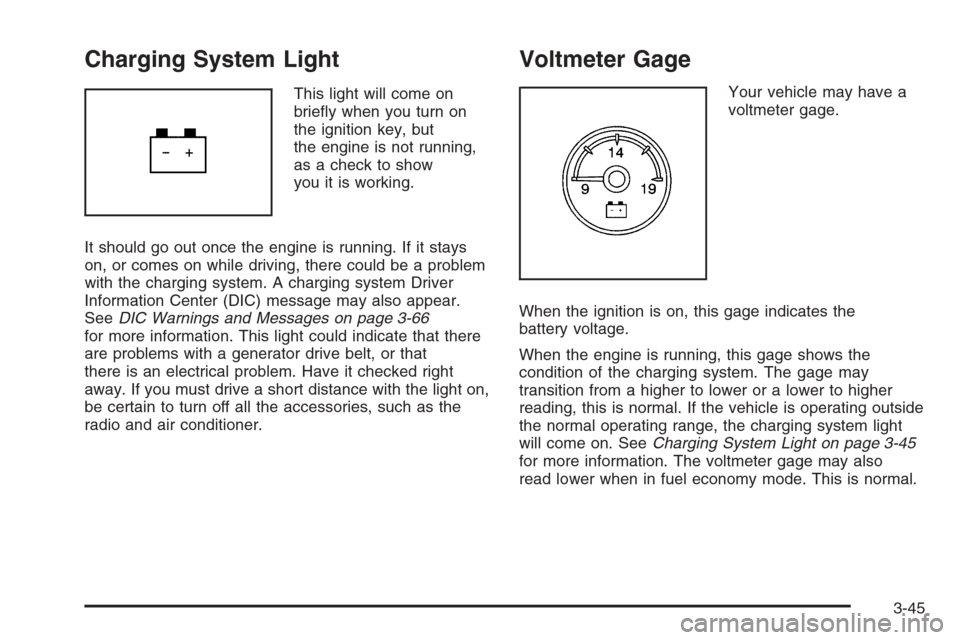
This light will come on
briey when you turn on
the ignition key, but
the engine is not running,
as a check to show
you it is working.
It should go out once the engine is running. If it stays
on, or comes on while driving, there could be a problem
with the charging system. A charging system Driver
Information Center (DIC) message may also appear.
SeeDIC Warnings and Messages on page 3-66
for more information. This light could indicate that there
are problems with a generator drive belt, or that
there is an electrical problem. Have it checked right
away. If you must drive a short distance with the light on,
be certain to turn off all the accessories, such as the
radio and air conditioner.
Voltmeter Gage
Your vehicle may have a
voltmeter gage.
When the ignition is on, this gage indicates the
battery voltage.
When the engine is running, this gage shows the
condition of the charging system. The gage may
transition from a higher to lower or a lower to higher
reading, this is normal. If the vehicle is operating outside
the normal operating range, the charging system light
will come on. SeeCharging System Light on page 3-45
for more information. The voltmeter gage may also
read lower when in fuel economy mode. This is normal.
3-45