2008 CHEVROLET SILVERADO display
[x] Cancel search: displayPage 95 of 596

Keys...............................................................2-3
Remote Keyless Entry (RKE) System................2-4
Remote Keyless Entry (RKE) System
Operation...................................................2-5
Remote Vehicle Start......................................2-7
Doors and Locks............................................2-10
Door Locks..................................................2-10
Power Door Locks........................................2-10
Delayed Locking...........................................2-11
Programmable Automatic Door Locks..............2-11
Rear Door Security Locks..............................2-11
Lockout Protection........................................2-12
Rear Doors..................................................2-12
Tailgate.......................................................2-13
Windows........................................................2-15
Manual Windows..........................................2-15
Power Windows............................................2-16
Power Sliding Rear Window...........................2-17
Sun Visors...................................................2-18
Theft-Deterrent Systems..................................2-18
Content Theft-Deterrent.................................2-18
PASS-Key
®III+ Electronic Immobilizer.............2-20
PASS-Key®III+ Electronic Immobilizer
Operation.................................................2-20Starting and Operating Your Vehicle................2-22
New Vehicle Break-In....................................2-22
Ignition Positions..........................................2-22
Retained Accessory Power (RAP)...................2-24
Starting the Engine.......................................2-24
Fast Idle System..........................................2-25
Adjustable Throttle and Brake Pedal................2-26
Engine Coolant Heater..................................2-27
Active Fuel Management™.............................2-28
Automatic Transmission Operation...................2-28
Tow/Haul Mode............................................2-34
Four-Wheel Drive..........................................2-36
Parking Brake..............................................2-50
Shifting Into Park..........................................2-51
Shifting Out of Park......................................2-53
Parking Over Things That Burn.......................2-53
Engine Exhaust............................................2-54
Running the Vehicle While Parked..................2-54
Mirrors...........................................................2-56
Manual Rearview Mirror.................................2-56
Automatic Dimming Rearview Mirror
with OnStar
®, Compass and Temperature
Display....................................................2-56
Automatic Dimming Rearview Mirror with
Compass and Temperature Display..............2-58
Section 2 Features and Controls
2-1
Page 100 of 596
"(Unlock):Press to unlock the driver’s door. If"is
pressed again within three seconds, all remaining doors
will unlock.
If it is dark enough outside, your interior lamps will
come on and stay on for 20 seconds or until the ignition
is turned on. If enabled through the DIC, the turn signal
lamps will ash twice to indicate unlocking has occurred.
SeeDIC Vehicle Customization (With DIC Buttons)
on page 3-76. If enabled through the DIC, the exterior
lights will turn on briey if it is dark enough outside.
See “APPROACH LIGHTING” underDIC Vehicle
Customization (With DIC Buttons) on page 3-76.
Pressing
"on the RKE transmitter will disarm the content
theft-deterrent system. SeeContent Theft-Deterrent on
page 2-18.
L(Vehicle Locator/Panic Alarm):Press and release
to locate your vehicle. The turn signal lamps will ash
and the horn will sound three times.
Press and hold
Lfor more than two seconds to
activate the panic alarm. The turn signal lamps will ash
and the horn will sound repeatedly for 30 seconds.
The alarm will turn off when the ignition is moved
to ON/RUN or
Lis pressed again. The ignition
must be in LOCK/OFF for the panic alarm to work.
Matching Transmitter(s) to Your
Vehicle
Each RKE transmitter is coded to prevent another
transmitter from unlocking your vehicle. If a transmitter is
lost or stolen, a replacement can be purchased through
your dealer/retailer. All transmitters need to be re-coded
to match the new transmitter. The lost transmitter will no
longer work after the new transmitters are re-coded.
The vehicle can have a maximum of eight transmitters
matched to it. See “Relearn Remote Key” underDIC
Operation and Displays (With DIC Buttons) on page 3-57
orDIC Operation and Displays (Without DIC Buttons)
on page 3-63for instructions on how to match RKE
transmitters to your vehicle.
Battery Replacement
Replace the battery if the REPLACE BATTERY
IN REMOTE KEY message displays in the DIC.
See “REPLACE BATTERY IN REMOTE KEY” under
DIC Warnings and Messages on page 3-66for additional
information.
Notice:When replacing the battery, do not to touch
any of the circuitry on the transmitter. Static from
your body could damage the transmitter.
2-6
Page 120 of 596
To control the fast idle:
To Enable the Fast idle, press and release the
Cruise Control On/Off button and ensure that
the LED is lit.
For the preset Fast Idle, press and release the
cruise set switch. This will set the preset fast
idle speed.
For the variable fast idle, press and hold the
accelerator at the desired RPM, then press
and release the cruise control cruise set switch
to set the desired idle speed.
When the fast idle is active the Driver Information
Center (DIC) will display “FAST IDLE ON”.
One of the following actions will turn off the fast idle:
Pressing the brake.
Selecting the Cancel button.
Releasing the Parking Brake.
The transmission shifter is moved out of PARK (P)
or NEUTRAL (N).
Selecting the cruise control on/off button when it
was previously on.
Adjustable Throttle and Brake Pedal
On vehicles with this feature, you can change the
position of the throttle and brake pedals.
This feature is designed for shorter drivers, since the
pedals cannot move farther away from the standard
position, but can move toward the driver for better
pedal reach.
No adjustment to the pedals can be made when the
vehicle is in REVERSE (R) or while using the cruise
control.
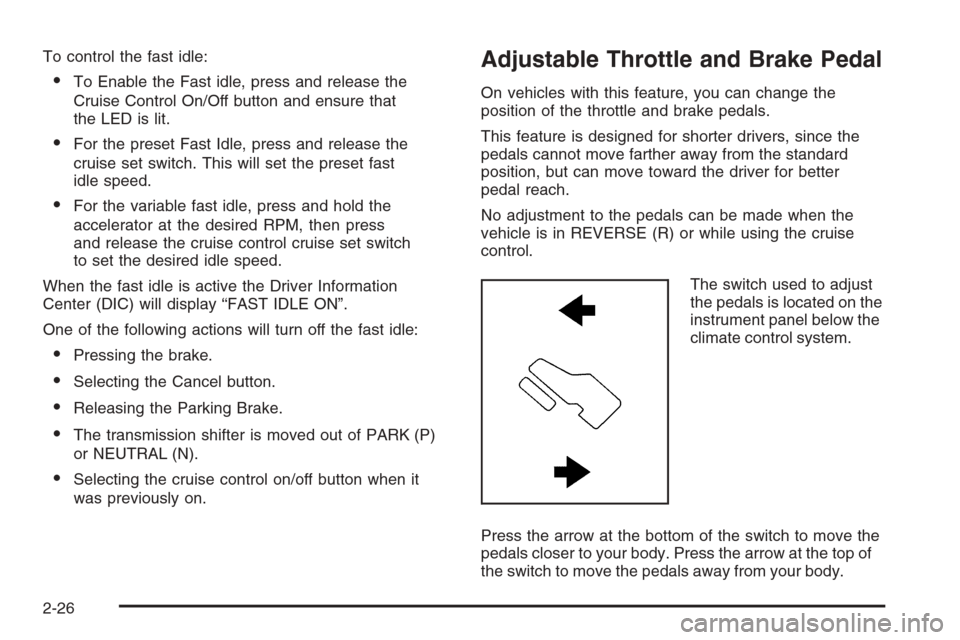
The switch used to adjust
the pedals is located on the
instrument panel below the
climate control system.
Press the arrow at the bottom of the switch to move the
pedals closer to your body. Press the arrow at the top of
the switch to move the pedals away from your body.
2-26
Page 122 of 596
How long should you keep the coolant heater plugged
in? The answer depends on the outside temperature, the
kind of oil you have, and some other things. Instead of
trying to list everything here, we ask that you contact your
dealer/retailer in the area where you will be parking your
vehicle. The dealer/retailer can give you the best advice
for that particular area.
Active Fuel Management™
Your vehicle’s V8 engine may have Active Fuel
Management™. This system allows the engine to
operate on either all or half of its cylinders, depending
on the driving conditions.
When less power is required, such as cruising at a
constant vehicle speed, the system will operate in the
half cylinder mode, allowing your vehicle to achieve
better fuel economy. When greater power demands are
required, such as accelerating from a stop, passing,
or merging onto a freeway, the system will maintain
full-cylinder operation.
If your vehicle has an Active Fuel Management™
indicator, seeDIC Operation and Displays (With DIC
Buttons) on page 3-57orDIC Operation and Displays
(Without DIC Buttons) on page 3-63for more information
on using this display.
Automatic Transmission Operation
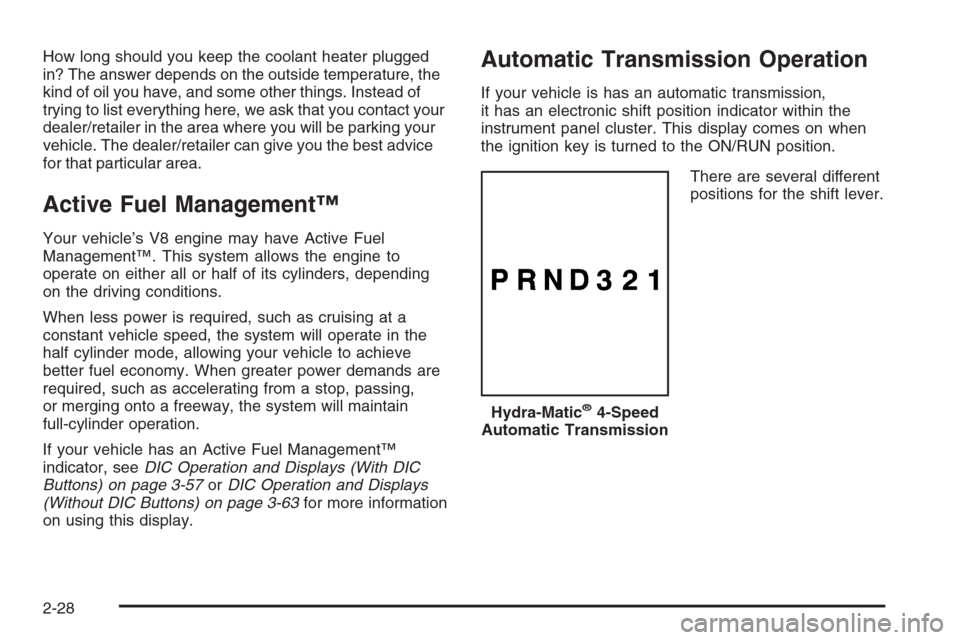
If your vehicle is has an automatic transmission,
it has an electronic shift position indicator within the
instrument panel cluster. This display comes on when
the ignition key is turned to the ON/RUN position.
There are several different
positions for the shift lever.
Hydra-Matic
®4-Speed
Automatic Transmission
2-28
Page 127 of 596
To use this feature, do the following:
1. Move the shift lever to the MANUAL MODE (M).
2. Press the plus/minus buttons, located on the
steering column shift lever, to select the desired
range of gears for your current driving conditions.
When MANUAL MODE (M) is selected a number
displays next to the M, indicating the current gear.
This number is the highest gear that can be used.
However, your vehicle can automatically shift to lower
gears as it adjusts to driving conditions. This means
that all gears below that number are available. When
FIFTH (5) is selected, FIRST (1) through FIFTH (5)
gears are automatically shifted by the vehicle, but
SIXTH (6) cannot be used until the plus/minus button
located on the steering column lever is used to change
to the gear.
Grade Braking is not available when the Range
Selection Mode is active. SeeTow/Haul Mode on
page 2-34While using the Range Selection mode feature, cruise
control and the Tow/Haul mode can be used.
Notice:Spinning the tires or holding the vehicle
in one place on a hill using only the accelerator
pedal may damage the transmission. The repair will
not be covered by your warranty. If you are stuck,
do not spin the tires. When stopping on a hill,
use the brakes to hold the vehicle in place.
Low Traction Mode
If your vehicle has the Allison Transmission®,orthe
Hydra-Matic®6-Speed Automatic Transmission, it has a
Low Traction Mode that assist in vehicle acceleration
when road conditions are slippery, such as with ice or
snow. While the vehicle is at a stop, select the second
gear range using the Range Selection system. This will
limit torque to the wheels after it detects wheel slip,
preventing the tires from spinning.
2-33
Page 150 of 596
Mirrors
Manual Rearview Mirror
Adjust the mirror to see clearly behind your vehicle.
Hold the mirror in the center to move it up or down and
side to side. Adjust the mirror to avoid glare from the
lamps behind you. Push the tab forward for daytime
use and pull it for nighttime use.
Automatic Dimming Rearview Mirror
with OnStar
®, Compass and
Temperature Display
Your vehicle may have this feature. When on, the
automatic dimming mirror dims to the proper level to
minimize glare from lights behind you after dark.
The mirror has a dual display in the upper right corner
of the mirror face that shows the compass reading
and the outside temperature.
Control buttons for the OnStar
®system are at the bottom
of the mirror. SeeOnStar®System on page 2-67for more
information about the services OnStar®provides.
P(On/Off):This is the on/off button.
Temperature and Compass Display
Press the on/off button, located to the far left, briey to
turn the compass/temperature display on or off.
If the display reads CAL, the compass needs to be
calibrated. For more information, see “Compass
Calibration” following.
To adjust between Fahrenheit and Celsius:
1. Press and hold the on/off button for approximately
four seconds until either a ashing F or C appears.
2. Press the button again to change the display to the
desired unit of measurement. After approximately
four seconds of inactivity, the new unit will be locked
in and the compass/temperature display will return.
If an abnormal temperature reading is displayed for
an extended period of time, see your dealer/retailer.
Under certain circumstances, a delay in updating
the temperature is normal.
Automatic Dimming Mirror Operation
The automatic dimming mirror comes on each time
the ignition is turned to start. To turn the automatic
dimming feature off or back on, press the on/off button.
The indicator light on the mirror is lit when the
automatic dimming feature is on.
2-56
Page 151 of 596
Compass Calibration
The compass may need calibration if one of the
following occurs:
After approximately ve seconds, the display does
not show a compass heading, N for North, for
example, there may be a strong magnetic eld
interfering with the compass. Such interference may
be caused by a magnetic antenna mount, magnetic
note pad holder, or a similar magnetic item.
The compass does not display the correct heading
and the compass zone variance is set correctly.
In order to calibrate, CAL must be displayed in the
mirror compass windows. If CAL is not displayed,
push the on/off button for approximately 12 seconds
or until CAL is displayed.
The compass can be calibrated by driving the vehicle
in circles at 5 mph (8 km/h) or less until the display
reads a direction.
Compass Variance
The mirror is set in zone eight upon leaving the factory.
It will be necessary to adjust the compass to compensate
for compass variance if the vehicle is outside of zone
eight. Under certain circumstances, as during a long
distance cross-country trip, it will be necessary to
adjust for compass variance. Compass variance is
the difference between earth’s magnetic north and
true geographic north. If not adjusted to account for
compass variance, the compass could give false
readings.
2-57
Page 152 of 596
To adjust for compass variance:
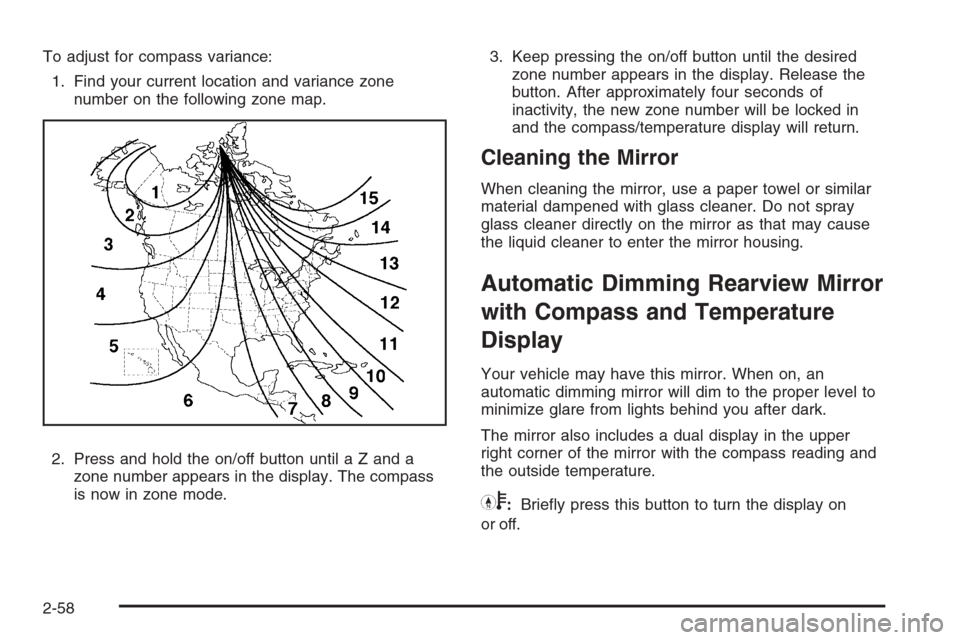
1. Find your current location and variance zone
number on the following zone map.
2. Press and hold the on/off button until a Z and a
zone number appears in the display. The compass
is now in zone mode.3. Keep pressing the on/off button until the desired
zone number appears in the display. Release the
button. After approximately four seconds of
inactivity, the new zone number will be locked in
and the compass/temperature display will return.
Cleaning the Mirror
When cleaning the mirror, use a paper towel or similar
material dampened with glass cleaner. Do not spray
glass cleaner directly on the mirror as that may cause
the liquid cleaner to enter the mirror housing.
Automatic Dimming Rearview Mirror
with Compass and Temperature
Display
Your vehicle may have this mirror. When on, an
automatic dimming mirror will dim to the proper level to
minimize glare from lights behind you after dark.
The mirror also includes a dual display in the upper
right corner of the mirror with the compass reading and
the outside temperature.
Yb:Briey press this button to turn the display on
or off.
2-58