2008 CHEVROLET SILVERADO instrument cluster
[x] Cancel search: instrument clusterPage 184 of 596
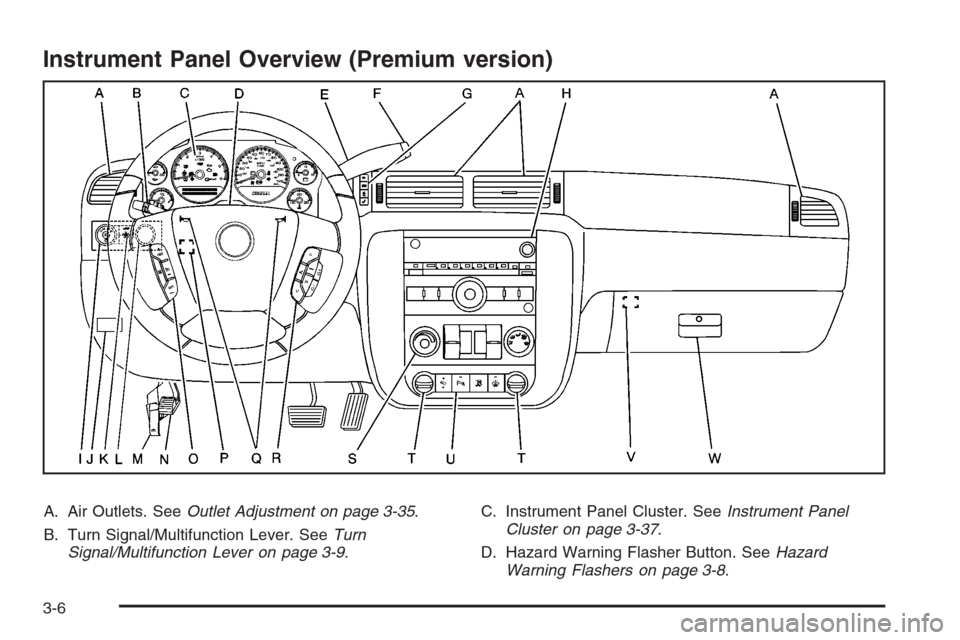
Instrument Panel Overview (Premium version)
A. Air Outlets. SeeOutlet Adjustment on page 3-35.
B. Turn Signal/Multifunction Lever. SeeTurn
Signal/Multifunction Lever on page 3-9.C. Instrument Panel Cluster. SeeInstrument Panel
Cluster on page 3-37.
D. Hazard Warning Flasher Button. SeeHazard
Warning Flashers on page 3-8.
3-6
Page 188 of 596
Turn and Lane-Change Signals
The turn signal has two upward (for right) and two
downward (for left) positions. These positions allow you
to signal a turn or a lane change.
To signal a turn, move the lever all the way up or
down. When the turn is nished, the lever will return
automatically.
To signal a lane change, raise or lower the lever for
less than one second until the arrow starts to ash.
This will cause the turn signals to automatically ash
three times. It will ash six times if tow-haul mode
is active. Holding the turn signal lever for more than
one second will cause the turn signals to ash until you
release the lever. The lever will return by itself when
it is released.
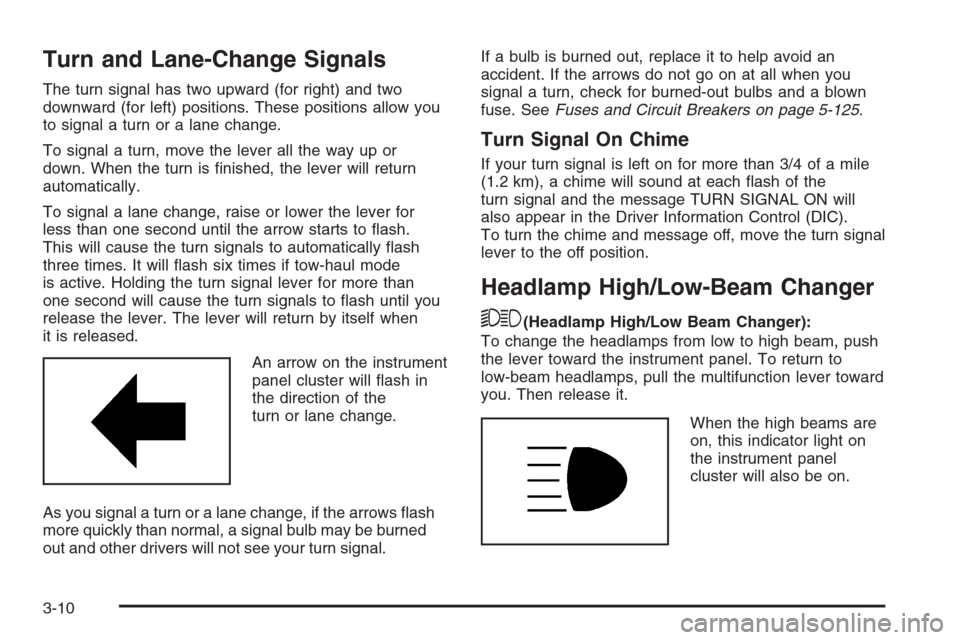
An arrow on the instrument
panel cluster will ash in
the direction of the
turn or lane change.
As you signal a turn or a lane change, if the arrows ash
more quickly than normal, a signal bulb may be burned
out and other drivers will not see your turn signal.If a bulb is burned out, replace it to help avoid an
accident. If the arrows do not go on at all when you
signal a turn, check for burned-out bulbs and a blown
fuse. SeeFuses and Circuit Breakers on page 5-125.
Turn Signal On Chime
If your turn signal is left on for more than 3/4 of a mile
(1.2 km), a chime will sound at each ash of the
turn signal and the message TURN SIGNAL ON will
also appear in the Driver Information Control (DIC).
To turn the chime and message off, move the turn signal
lever to the off position.
Headlamp High/Low-Beam Changer
53(Headlamp High/Low Beam Changer):
To change the headlamps from low to high beam, push
the lever toward the instrument panel. To return to
low-beam headlamps, pull the multifunction lever toward
you. Then release it.
When the high beams are
on, this indicator light on
the instrument panel
cluster will also be on.
3-10
Page 189 of 596
Flash-to-Pass
This feature lets you use your high-beam headlamps to
signal a driver in front of you that you want to pass.
It works even if your headlamps are in the automatic
position.
To use it, pull the turn signal lever toward you, then
release it.
If your headlamps are in the automatic position or on
low beam, your high-beam headlamps will turn on.
They will stay on as long as you hold the lever toward
you. The high-beam indicator on the instrument
panel cluster will come on. Release the lever to return
to normal operation.
Windshield Wipers
Clear ice and snow from the wiper blades before using
them. If they are frozen to the windshield, gently
loosen or thaw them. Damaged wiper blades may not
clear the windshield well, making it harder to see
and drive safely. If the blades do become damaged,
install new blades or blade inserts. For more information,
seeWindshield Wiper Blade Replacement on page 5-67.Heavy snow or ice can overload the wiper motor.
A circuit breaker will stop the motor until it cools down.
Clear away snow or ice to prevent an overload.
Turn the band with the wiper symbol to control the
windshield wipers.
8(Mist):Turn the band to mist for a single wiping
cycle. Hold it there until the wipers start. Then let
go. The wipers stop after one wipe. Hold the band on
mist longer, for more wipe cycles.
9(Off):To stop the wipers, move the band to off.
6(Delay):Turn the band to adjust the delay time.
The delay between wiping cycles becomes shorter as
the band is moved to the top of the lever. This can
be very useful in light rain or snow.
6(Low Speed):Turn the band away from you to
the rst solid band past the delay settings, for steady
wiping at low speed.
?(High Speed):Turn the band further, to the
second solid band past the delay settings, for
high-speed wiping.
3-11
Page 193 of 596
Setting Cruise Control
Cruise control will not work if the parking brake is set, or
if the master cylinder brake uid level is low.
The cruise control light on the instrument panel cluster
will come on after the cruise control has been set to
the desired speed.
{CAUTION:
If you leave your cruise control on when you
are not using cruise, you might hit a button
and go into cruise when you do not want to.
You could be startled and even lose control.
Keep the cruise control switch off until you
want to use cruise control.
1. Press the cruise control On/Off button.
2. Get up to the desired speed.
3. Press the SET−button located on the steering
wheel and release it.
4. Take your foot off the accelerator.
Resuming a Set Speed
If the brakes are applied while the cruise control is set,
the cruise control is disengaged. But it does not
need to be reset.
Once the vehicle speed reaches about 25 mph
(40 km/h) or more, press the +RES button on the
steering wheel. The vehicle will go back to the
previous set speed and stay there.
Increasing Speed While Using Cruise
Control
To increase the cruise speed while using cruise control:
Press and hold the +RES button on the steering
wheel until the desired speed is reached, then
release it.
To increase vehicle speed in small increments,
press the +RES button. Each time this is done,
the vehicle goes about 1 mph (1.6 km/h) faster.
3-15
Page 197 of 596

Automatic Headlamp System
When it is dark enough outside, the automatic headlamp
system will turn on the headlamps at the normal
brightness, along with the taillamps, sidemarker, parking
lamps, and the instrument panel lights. The radio lights
will also be dim.
To turn off the automatic headlamp system, turn the
exterior lamps switch to the off position and then release
it. For vehicles rst sold in Canada, the transmission
must be in the PARK (P) position, before the automatic
headlamp system can be turned off.
The vehicle has a light sensor located on the top of the
instrument panel in the defroster grille that regulates
when the automatic headlamps turn on. Be sure it is not
covered, or the headlamps will come on whenever
the ignition is on.
The system may also turn on the headlamps when
driving through a parking garage, heavy overcast
weather, or a tunnel. This is normal.
There is a delay in the transition between the
daytime and nighttime operation of the Daytime
Running Lamps (DRL) and the automatic headlamp
systems so that driving under bridges or bright
overhead street lights does not affect the system.The DRL and automatic headlamp system will only be
affected when the light sensor detects a change in
lighting lasting longer than the delay.
If the vehicle is started in a dark garage, the automatic
headlamp system will come on immediately. Once the
vehicle leaves the garage, it takes approximately
one minute for the automatic headlamp system to
change to DRL if it is bright enough outside. During that
delay, the instrument panel cluster may not be as
bright as usual. Make sure the instrument panel
brightness control is in the full bright position.
SeeInstrument Panel Brightness on page 3-21.
To idle the vehicle with the automatic headlamp system
off, turn the control to the off position.
The headlamps will also stay on after you exit the
vehicle. This feature can be programmed using the
Driver Information Center (DIC). SeeDIC Vehicle
Customization (With DIC Buttons) on page 3-76.
The regular headlamp system can be turned on
when needed.
3-19
Page 198 of 596
Puddle Lamps
If your vehicle has puddle lamps, they come on when
the unlock button on the Remote Keyless Entry (RKE)
Transmitter is pressed. The lamps time out or turn
off once the engine is started.
Fog Lamps
-(Fog Lamps):If your vehicle has fog lamps, the
control is located next to the exterior lamps control
on the instrument panel, to the left of the steering
column.
The ignition must be in the ON/RUN position for the fog
lamps to come on.
Press the button to turn the fog lamps on or off. A light
will come on in the instrument panel cluster.
When the fog lamps are turned on, the parking lamps
automatically turn on.
When the headlamps are changed to high-beam, the
fog lamps also go off. When the high-beam headlamps
are turned off, the fog lamps will come on again.
Some localities have laws that require the headlamps to
be on along with the fog lamps.
Auxiliary Roof Mounted Lamp
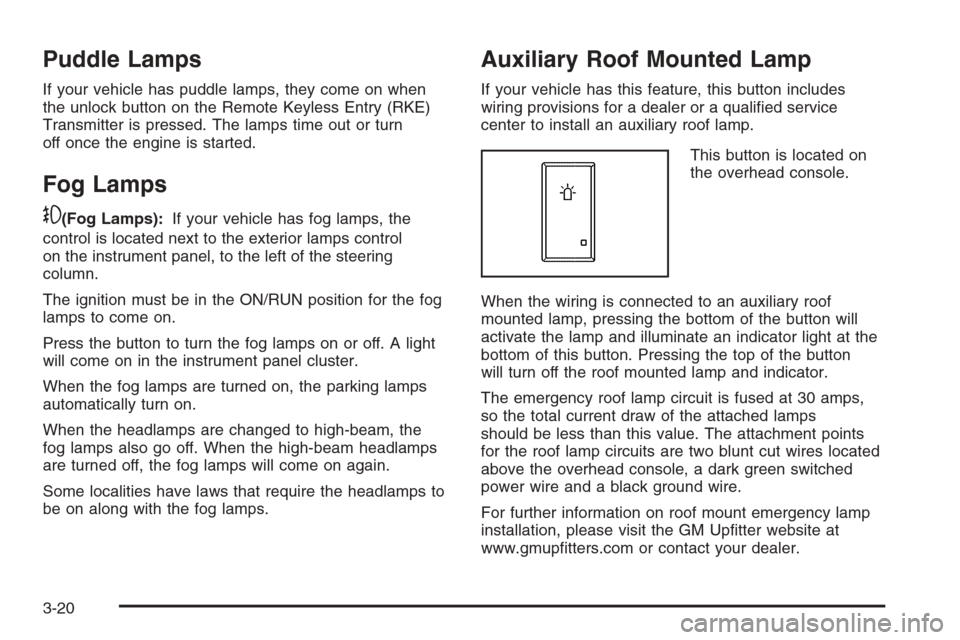
If your vehicle has this feature, this button includes
wiring provisions for a dealer or a qualied service
center to install an auxiliary roof lamp.
This button is located on
the overhead console.
When the wiring is connected to an auxiliary roof
mounted lamp, pressing the bottom of the button will
activate the lamp and illuminate an indicator light at the
bottom of this button. Pressing the top of the button
will turn off the roof mounted lamp and indicator.
The emergency roof lamp circuit is fused at 30 amps,
so the total current draw of the attached lamps
should be less than this value. The attachment points
for the roof lamp circuits are two blunt cut wires located
above the overhead console, a dark green switched
power wire and a black ground wire.
For further information on roof mount emergency lamp
installation, please visit the GM Uptter website at
www.gmuptters.com or contact your dealer.
3-20
Page 215 of 596
Instrument Panel Cluster
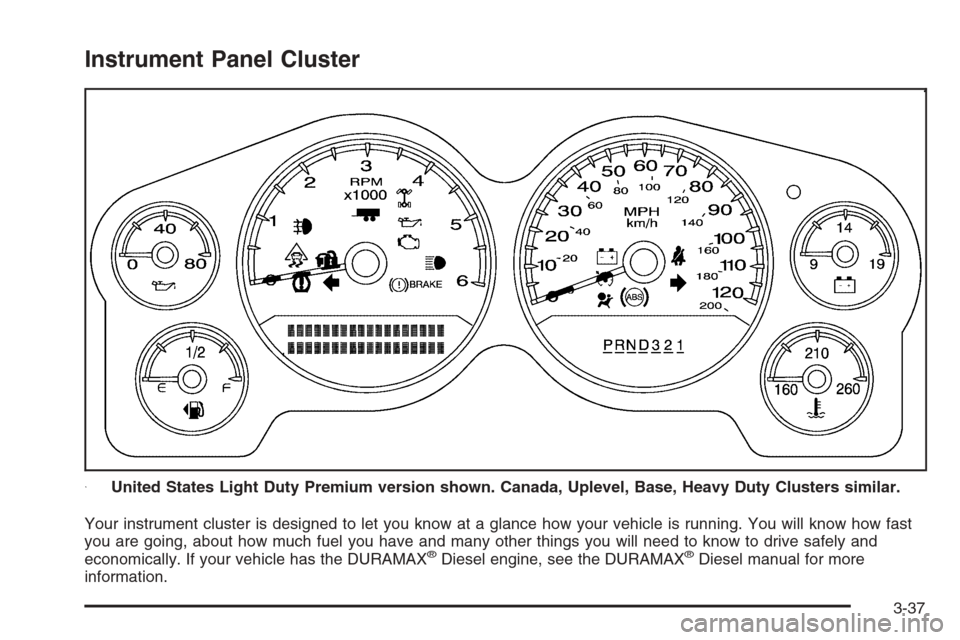
Your instrument cluster is designed to let you know at a glance how your vehicle is running. You will know how fast
you are going, about how much fuel you have and many other things you will need to know to drive safely and
economically. If your vehicle has the DURAMAX
®Diesel engine, see the DURAMAX®Diesel manual for more
information.United States Light Duty Premium version shown. Canada, Uplevel, Base, Heavy Duty Clusters similar.
3-37
Page 216 of 596
Speedometer and Odometer
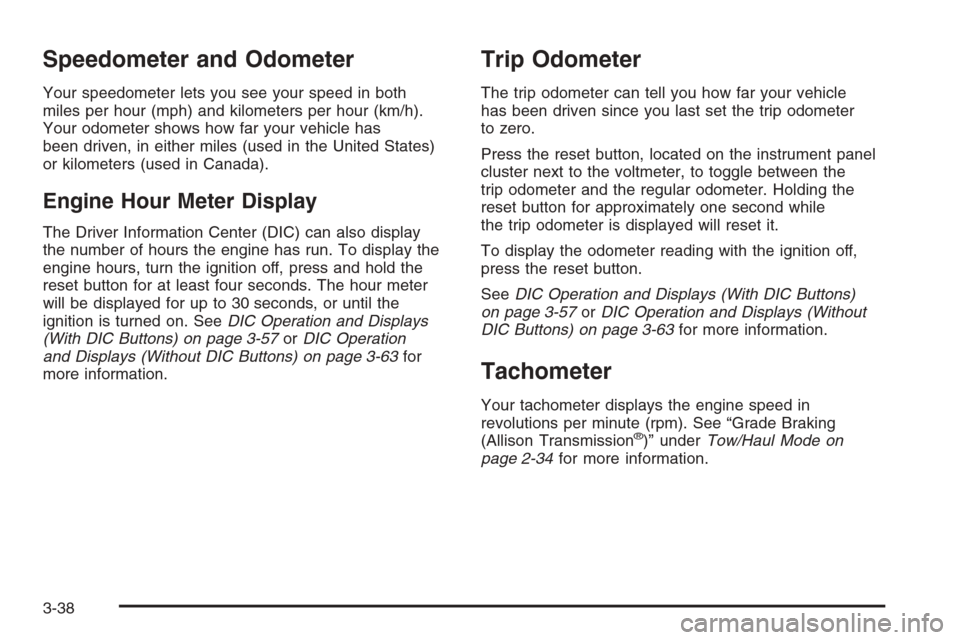
Your speedometer lets you see your speed in both
miles per hour (mph) and kilometers per hour (km/h).
Your odometer shows how far your vehicle has
been driven, in either miles (used in the United States)
or kilometers (used in Canada).
Engine Hour Meter Display
The Driver Information Center (DIC) can also display
the number of hours the engine has run. To display the
engine hours, turn the ignition off, press and hold the
reset button for at least four seconds. The hour meter
will be displayed for up to 30 seconds, or until the
ignition is turned on. SeeDIC Operation and Displays
(With DIC Buttons) on page 3-57orDIC Operation
and Displays (Without DIC Buttons) on page 3-63for
more information.
Trip Odometer
The trip odometer can tell you how far your vehicle
has been driven since you last set the trip odometer
to zero.
Press the reset button, located on the instrument panel
cluster next to the voltmeter, to toggle between the
trip odometer and the regular odometer. Holding the
reset button for approximately one second while
the trip odometer is displayed will reset it.
To display the odometer reading with the ignition off,
press the reset button.
SeeDIC Operation and Displays (With DIC Buttons)
on page 3-57orDIC Operation and Displays (Without
DIC Buttons) on page 3-63for more information.
Tachometer
Your tachometer displays the engine speed in
revolutions per minute (rpm). See “Grade Braking
(Allison Transmission
®)” underTow/Haul Mode on
page 2-34for more information.
3-38