2008 CHEVROLET HHR steering
[x] Cancel search: steeringPage 147 of 430
Headlamps
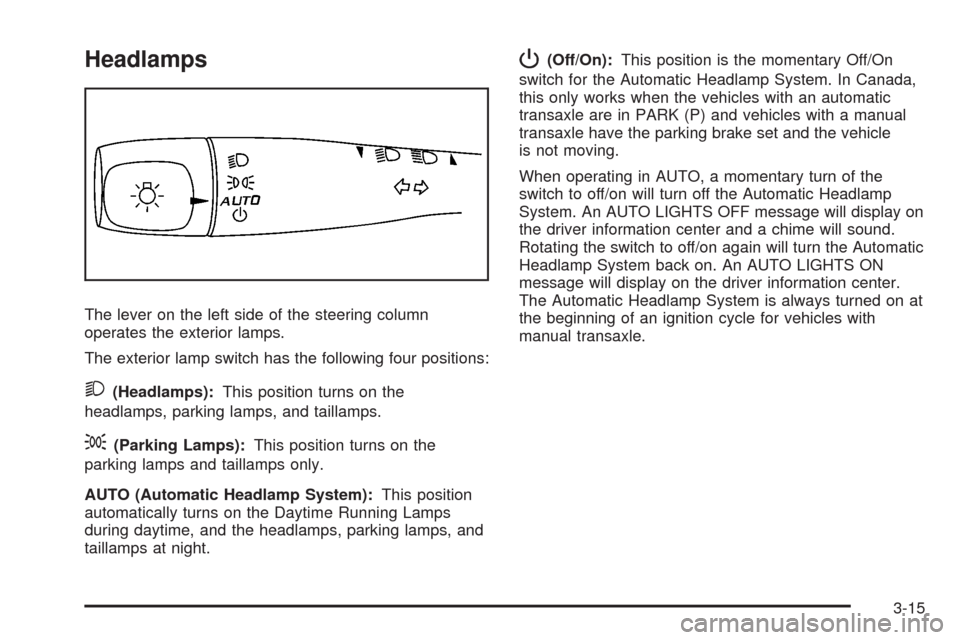
The lever on the left side of the steering column
operates the exterior lamps.
The exterior lamp switch has the following four positions:
2(Headlamps):This position turns on the
headlamps, parking lamps, and taillamps.
;(Parking Lamps):This position turns on the
parking lamps and taillamps only.
AUTO (Automatic Headlamp System):This position
automatically turns on the Daytime Running Lamps
during daytime, and the headlamps, parking lamps, and
taillamps at night.
P(Off/On):This position is the momentary Off/On
switch for the Automatic Headlamp System. In Canada,
this only works when the vehicles with an automatic
transaxle are in PARK (P) and vehicles with a manual
transaxle have the parking brake set and the vehicle
is not moving.
When operating in AUTO, a momentary turn of the
switch to off/on will turn off the Automatic Headlamp
System. An AUTO LIGHTS OFF message will display on
the driver information center and a chime will sound.
Rotating the switch to off/on again will turn the Automatic
Headlamp System back on. An AUTO LIGHTS ON
message will display on the driver information center.
The Automatic Headlamp System is always turned on at
the beginning of an ignition cycle for vehicles with
manual transaxle.
3-15
Page 150 of 430
Fog Lamps
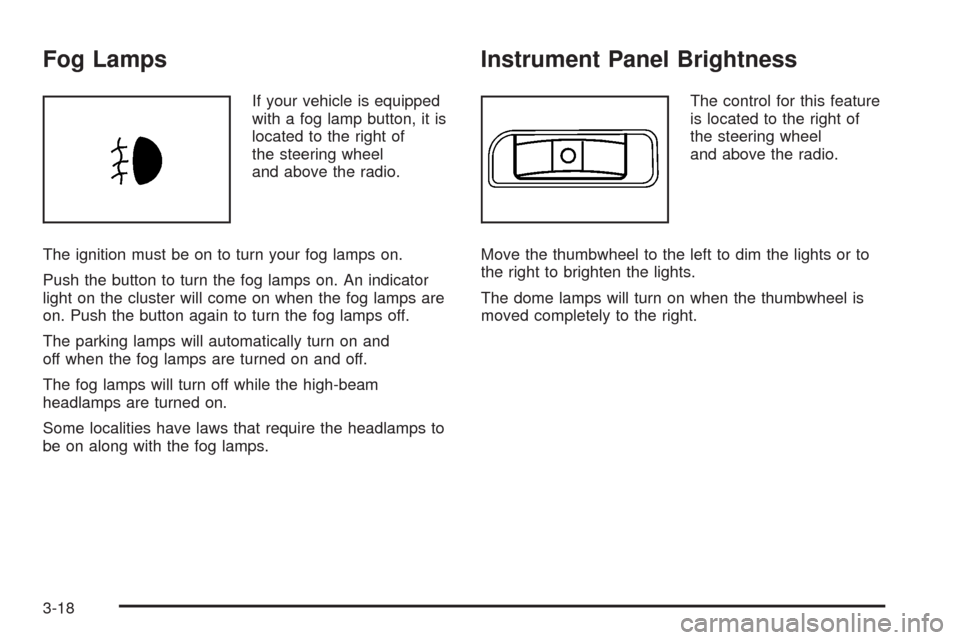
If your vehicle is equipped
with a fog lamp button, it is
located to the right of
the steering wheel
and above the radio.
The ignition must be on to turn your fog lamps on.
Push the button to turn the fog lamps on. An indicator
light on the cluster will come on when the fog lamps are
on. Push the button again to turn the fog lamps off.
The parking lamps will automatically turn on and
off when the fog lamps are turned on and off.
The fog lamps will turn off while the high-beam
headlamps are turned on.
Some localities have laws that require the headlamps to
be on along with the fog lamps.
Instrument Panel Brightness
The control for this feature
is located to the right of
the steering wheel
and above the radio.
Move the thumbwheel to the left to dim the lights or to
the right to brighten the lights.
The dome lamps will turn on when the thumbwheel is
moved completely to the right.
3-18
Page 178 of 430
Driver Information Center (DIC)
Your vehicle has a Driver Information Center (DIC).
The DIC display gives you the status of many of your
vehicle’s systems. The DIC is also used to display driver
personalization menu modes and warning/status
messages. All messages will appear in the DIC display,
located at the bottom of the instrument panel cluster.
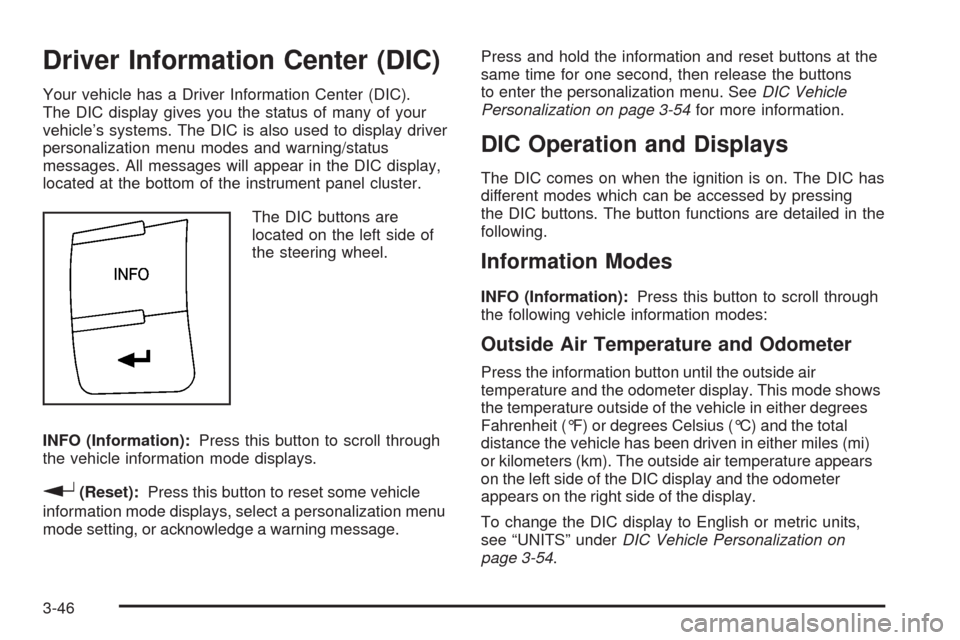
The DIC buttons are
located on the left side of
the steering wheel.
INFO (Information):Press this button to scroll through
the vehicle information mode displays.
r(Reset):Press this button to reset some vehicle
information mode displays, select a personalization menu
mode setting, or acknowledge a warning message.Press and hold the information and reset buttons at the
same time for one second, then release the buttons
to enter the personalization menu. SeeDIC Vehicle
Personalization on page 3-54for more information.
DIC Operation and Displays
The DIC comes on when the ignition is on. The DIC has
different modes which can be accessed by pressing
the DIC buttons. The button functions are detailed in the
following.
Information Modes
INFO (Information):Press this button to scroll through
the following vehicle information modes:
Outside Air Temperature and Odometer
Press the information button until the outside air
temperature and the odometer display. This mode shows
the temperature outside of the vehicle in either degrees
Fahrenheit (°F) or degrees Celsius (°C) and the total
distance the vehicle has been driven in either miles (mi)
or kilometers (km). The outside air temperature appears
on the left side of the DIC display and the odometer
appears on the right side of the display.
To change the DIC display to English or metric units,
see “UNITS” underDIC Vehicle Personalization on
page 3-54.
3-46
Page 184 of 430
LOW TRACTION
If your vehicle has the Enhanced Traction System (ETS)
or Traction Control System (TCS), this message
displays and the ETS light or the ESC/TCS light on the
instrument panel cluster ashes when the system is
actively limiting wheel spin. Slippery road conditions may
exist if this message is displayed, so adjust your
driving accordingly. This message stays on for a few
seconds after the system stops limiting wheel spin. See
Enhanced Traction System (ETS) on page 4-9or
Traction Control System (TCS) on page 4-6and
Enhanced Traction System Warning Light on page 3-37
orElectronic Stability Control (ESC)/Traction Control
System (TCS) Indicator/Warning Light on page 3-37for
more information.
PARKING BRAKE
This message displays if the parking brake is left
engaged. SeeParking Brake on page 2-33for more
information.
POWER STEERING
This message displays if a problem has been detected
with the electric power steering. Have your vehicle
serviced by your dealer/retailer immediately.
SERVICE AIR BAG
This message displays when there is a problem with the
airbag system. Have your vehicle serviced by your
dealer/retailer immediately.
SERVICE ESC (ELECTRONIC STABILITY
CONTROL)
If your vehicle has Electronic Stability Control (ESC),
this message displays and a chime sounds if there has
been a problem detected with ESC. The ESC/TCS
light also appears on the instrument panel cluster. This
light stays on solid as long as the detected problem
remains present. When this message displays, the
system is not working. Adjust your driving accordingly.
SeeElectronic Stability Control (ESC) on page 4-10and
Electronic Stability Control (ESC)/Traction Control
System (TCS) Indicator/Warning Light on page 3-37for
more information.
If this message turns on while you are driving, pull off
the road as soon as possible and stop carefully.
Try resetting the system by turning the ignition off and
then back on. If this message still stays on or turns back
on again while you are driving, your vehicle needs
service. Have the ESC inspected by your dealer/retailer
as soon as possible.
3-52
Page 191 of 430

Audio System(s)
Determine which radio your vehicle has and then read
the pages following to familiarize yourself with its
features.
{CAUTION:
This system provides you with far greater
access to audio stations and song listings.
Giving extended attention to entertainment
tasks while driving can cause a crash and you
or others can be injured or killed. Always keep
your eyes on the road and your mind on the
drive — avoid engaging in extended searching
while driving.
Keeping your mind on the drive is important for safe
driving. SeeDefensive Driving on page 4-2. Here
are some ways in which you can help avoid distraction
while driving.
While your vehicle is parked:
Familiarize yourself with all of its controls.
Familiarize yourself with its operation.
Set up your audio system by presetting your
favorite radio stations, setting the tone, and
adjusting the speakers. Then, when driving
conditions permit, you can tune to your favorite
radio stations using the presets and steering wheel
controls if the vehicle has them.
Notice:Before adding any sound equipment to
your vehicle, such as an audio system, CD player,
CB radio, mobile telephone, or two-way radio, make
sure that it can be added by checking with your
dealer/retailer. Also, check federal rules covering
mobile radio and telephone units. If sound
equipment can be added, it is very important to do
it properly. Added sound equipment may interfere
with the operation of your vehicle’s engine, radio, or
other systems, and even damage them. Your
vehicle’s systems may interfere with the operation
of sound equipment that has been added.
Your vehicle has a feature called Retained Accessory
Power (RAP). With RAP, the audio system can be
played even after the ignition is turned off. SeeRetained
Accessory Power (RAP) on page 2-25for more
information.
3-59
Page 197 of 430
Storing a Radio Station as a Favorite
Drivers are encouraged to set up their radio station
favorites while the vehicle is parked. Tune to your
favorite stations using the presets, favorites button, and
steering wheel controls if the vehicle has this feature.
SeeDefensive Driving on page 4-2.
FAV (Favorites):A maximum of 36 stations can be
programmed as favorites using the six pushbuttons
positioned below the radio station frequency labels and
by using the radio favorites page button (FAV button).
Press the FAV button to go through up to six pages
of favorites, each having six favorite stations available
per page. Each page of favorites can contain any
combination of AM, FM, or XM™ (if equipped) stations.
To store a station as a favorite, perform the following
steps:
1. Tune to the desired radio station.
2. Press the FAV button to display the page where
you want the station stored.
3. Press and hold one of the six pushbuttons until a
beep sounds. When that pushbutton is pressed
and released, the station that was set, returns.
4. Repeat the steps for each pushbutton radio station
you want stored as a favorite.The number of favorites pages can be setup using the
MENU button. To setup the number of favorites
pages, perform the following steps:
1. Press the MENU button to display the radio
setup menu.
2. Press the pushbutton located below the FAV 1
through 6 label.
3. Select the desired number of favorites pages by
pressing the pushbutton located below the
displayed page numbers.
4. Press the FAV button, or let the menu time out, to
return to the original main radio screen showing the
radio station frequency labels and to begin the
process of programming your favorites for the
chosen amount of numbered pages.
Setting the Tone (Bass/Treble) (Radio
with CD (Base))
BASS/TREB (Bass/Treble):To adjust the bass or
treble, press the
fknob or the BASS/TREBLE
pushbutton until the desired tone control label displays.
Turn the
fknob clockwise or counterclockwise to
increase or decrease the setting. The current bass or
treble level displays. If a station’s frequency is weak, or
has static, decrease the treble.
EQ (Equalization):Press to adjust BASS and TREBLE
Settings.
3-65
Page 211 of 430
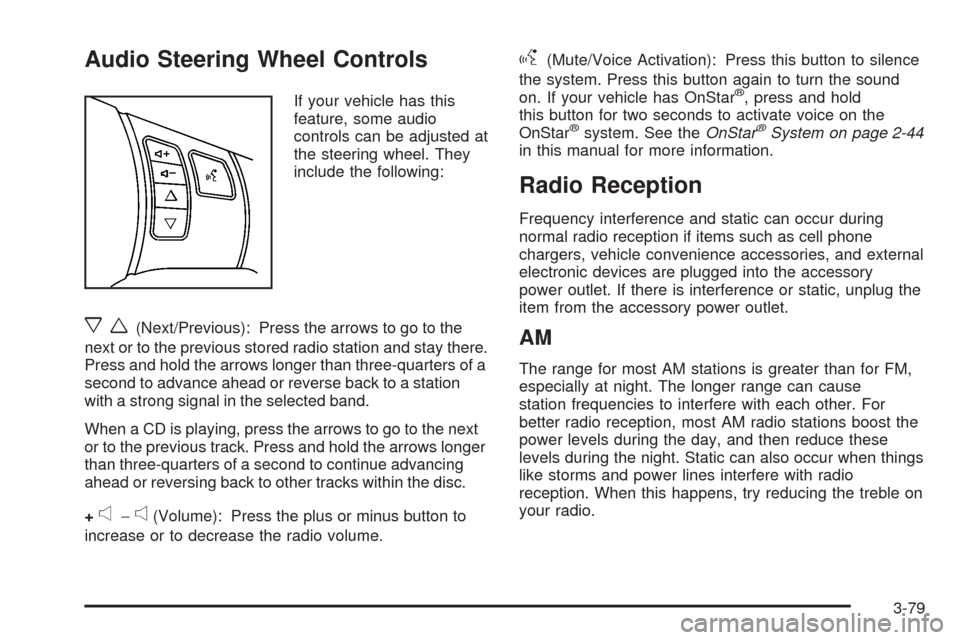
Audio Steering Wheel Controls
If your vehicle has this
feature, some audio
controls can be adjusted at
the steering wheel. They
include the following:
xw(Next/Previous): Press the arrows to go to the
next or to the previous stored radio station and stay there.
Press and hold the arrows longer than three-quarters of a
second to advance ahead or reverse back to a station
with a strong signal in the selected band.
When a CD is playing, press the arrows to go to the next
or to the previous track. Press and hold the arrows longer
than three-quarters of a second to continue advancing
ahead or reversing back to other tracks within the disc.
+
e−e(Volume): Press the plus or minus button to
increase or to decrease the radio volume.
g(Mute/Voice Activation): Press this button to silence
the system. Press this button again to turn the sound
on. If your vehicle has OnStar
®, press and hold
this button for two seconds to activate voice on the
OnStar
®system. See theOnStar®System on page 2-44
in this manual for more information.
Radio Reception
Frequency interference and static can occur during
normal radio reception if items such as cell phone
chargers, vehicle convenience accessories, and external
electronic devices are plugged into the accessory
power outlet. If there is interference or static, unplug the
item from the accessory power outlet.
AM
The range for most AM stations is greater than for FM,
especially at night. The longer range can cause
station frequencies to interfere with each other. For
better radio reception, most AM radio stations boost the
power levels during the day, and then reduce these
levels during the night. Static can also occur when things
like storms and power lines interfere with radio
reception. When this happens, try reducing the treble on
your radio.
3-79
Page 213 of 430
Your Driving, the Road, and Your Vehicle..........4-2
Defensive Driving...........................................4-2
Drunk Driving.................................................4-2
Control of a Vehicle........................................4-3
Braking.........................................................4-3
Antilock Brake System (ABS)...........................4-5
Braking in Emergencies...................................4-6
Traction Control System (TCS).........................4-6
Enhanced Traction System (ETS).....................4-9
Limited-Slip Differential..................................4-10
Electronic Stability Control (ESC)....................4-10
Steering......................................................4-13
Off-Road Recovery.......................................4-15
Passing.......................................................4-16
Loss of Control.............................................4-16Driving at Night............................................4-18
Driving in Rain and on Wet Roads..................4-18
Before Leaving on a Long Trip.......................4-20
Highway Hypnosis........................................4-20
Hill and Mountain Roads................................4-20
Winter Driving..............................................4-22
If Your Vehicle is Stuck in Sand, Mud, Ice,
or Snow...................................................4-26
Rocking Your Vehicle to Get It Out.................4-26
Loading Your Vehicle....................................4-27
Towing..........................................................4-32
Towing Your Vehicle.....................................4-32
Recreational Vehicle Towing...........................4-32
Towing a Trailer (Manual Transaxle)................4-34
Towing a Trailer (Automatic Transaxle)............4-34
Section 4 Driving Your Vehicle
4-1