2008 CHEVROLET CORVETTE steering
[x] Cancel search: steeringPage 211 of 432
DIC Vehicle Personalization
Many features on your vehicle can be personalized.
This means that the operation of these features can be
set to operate differently depending on who is driving
the vehicle. See “Personal Options” later in this section
for the features that you can personalize.
The personalization settings for other features are
automatically updated and saved as the driver adjusts
them. These include the following settings and presets:
The radio presets, tone, volume, fade, balance,
equalization (EQ) settings and source (radio or CD)
The last climate control setting
The Head-Up Display (HUD) position and dimming
level, if your vehicle has this feature
The instrument panel cluster dimming level and last
selected DIC display
Separate personalization settings are saved for
two different drivers. One of the keyless access
transmitters is assigned to driver 1. The other is
assigned to driver 2. The back of the keyless access
transmitters are labelled 1 or 2 to correspond to
each driver.The current driver’s preferences are recalled when one
of the following occurs:
The lock or unlock button on the keyless access
transmitter, labelled 1 or 2, is pressed.
The appropriate memory button, 1 or 2, located on
the driver’s door is pressed. SeeMemory Seat,
Mirrors and Steering Wheel on page 1-4for more
information.
A valid keyless access transmitter is detected upon
opening the driver’s door.
If more than one valid keyless access transmitter is
detected upon opening the driver’s door, the driver
preferences for the lowest driver number will be recalled.
If a keyless access transmitter that is not labelled 1 or 2
is used, the personalization system will not recognize
the transmitter. The Driver Information Center (DIC) will
not display a current driver number and the features
that are normally programmed through the DIC will be
set to the default states. Also, if the OPTION button
is pressed, the DIC does not display the menus used to
set personalizations, but instead displays OPTIONS
UNAVAILABLE for a few seconds.
3-75
Page 212 of 432
Entering the Personal Options Menu
To enter the personal options menu, use the following
steps:
1. If you have an automatic transmission vehicle,
turn the vehicle on with the shift lever in PARK (P).
If you have a manual transmission vehicle, turn
the vehicle on with the parking brake set.
To avoid excessive drain on the battery, it is
recommended that the headlamps are turned off.
2. Press the OPTION button and you will enter the
PERSONAL OPTIONS menu.
The DIC will display the current driver
number (1 or 2) for a few seconds and then will
display instructions on which buttons to use
for setting the personalizations. The RESET button
is used to select a setting for a particular feature.
The OPTION button is used to move to the
next feature.
3. Press the OPTION button while the instruction
screen is displayed to enter the rst personalization
menu item.
4. Once you have cycled through all of the personal
options, pressing the OPTION button a nal time
exits the personal options menu. In addition,
if no button is pressed within 45 seconds, the DIC
will exit the personal options menu.
Personal Options
The following options are available for programming:
Display Units:This option allows you to choose
the measurement units.
Press the OPTION button until DISPLAY UNITS appears
on the display, then press the RESET button to scroll
through the following modes:
ENGLISH (default)
METRIC
If you choose ENGLISH, all information will be displayed
in English units.
If you choose METRIC, all information will be displayed
in metric units.
When the mode you want is selected, press the
OPTION button to set your choice and advance to the
next personal option.
Auto Memory Recall (Automatic Transmission only):
If your automatic transmission vehicle has the memory
package, you may have this option. This option
allows the driver’s seat, the telescopic steering column,
if your vehicle has this feature, and the outside
rearview mirrors to automatically move to the current
driver’s set position when the engine starts.
3-76
Page 213 of 432
Press the OPTION button until AUTO MEMORY
RECALL appears on the display, then press the RESET
button to scroll through the following modes:
YES
NO (default)
If you choose YES, the driver’s seat, the outside
rearview mirrors and the telescopic steering column, if
your vehicle has this feature, positions are recalled when
you turn the ignition on.
If you choose NO, this option will turn off.
When the mode you want is selected, press the
OPTION button to set your choice and advance to the
next personal option.
Auto Exit Recall:If your vehicle has the memory
package, you may have this option. This option allows
the driver’s seat and telescopic steering column, if
your vehicle has this feature, to automatically move to
the current driver’s exit position when one of the
following occurs:
The vehicle is turned off or in Retained Accessory
Power (RAP) or accessory mode and the driver’s
door is opened.
The vehicle is turned off or in RAP and the unlock
button on the keyless access transmitter is
pressed.In order for the Auto Exit Recall feature to work on an
automatic transmission vehicle, the vehicle must be
in PARK (P). On a manual transmission vehicle,
the parking brake must be set.
Press the OPTION button until AUTO EXIT RECALL
appears on the display, then press the RESET button to
scroll through the following modes:
YES
NO (default)
If you choose YES, when you turn the ignition off and
open the driver’s door or press the unlock button on the
keyless access transmitter, the seat and the telescopic
steering wheel, if your vehicle has this feature, will return
to their stored exit positions for an easy exit or an
easy entrance when returning to the vehicle.
The seat and steering wheel will only return to the
stored driving position if you press the appropriate
memory button or activate the auto memory recall
feature.
If you choose NO, this option will turn off.
When the mode you want is selected, press the
OPTION button to set your choice and advance to the
next personal option.
3-77
Page 220 of 432
Audio System(s)
Determine which radio your vehicle has and then read
the pages following to familiarize yourself with its
features.
{CAUTION:
This system provides you with far greater
access to audio stations and song listings.
Giving extended attention to entertainment
tasks while driving can cause a crash and you
or others can be injured or killed. Always keep
your eyes on the road and your mind on the
drive — avoid engaging in extended searching
while driving.
Keeping your mind on the drive is important for
safe driving. SeeDefensive Driving on page 4-2.
Here are some ways in which you can help avoid
distraction while driving.While your vehicle is parked:
Familiarize yourself with all of its controls.
Familiarize yourself with its operation.
Set up your audio system by presetting your
favorite radio stations, setting the tone, and
adjusting the speakers. Then, when driving
conditions permit, you can tune to your favorite
radio stations using the presets and steering wheel
controls if the vehicle has them.
Notice:Before adding any sound equipment to
your vehicle, such as an audio system, CD player,
CB radio, mobile telephone, or two-way radio, make
sure that it can be added by checking with your
dealer/retailer. Also, check federal rules covering
mobile radio and telephone units. If sound
equipment can be added, it is very important to do
it properly. Added sound equipment may interfere
with the operation of your vehicle’s engine, radio,
or other systems, and even damage them. Your
vehicle’s systems may interfere with the operation
of sound equipment that has been added.
Your vehicle has a feature called Retained Accessory
Power (RAP). With RAP, the audio system can be
played even after the ignition is turned off. SeeRetained
Accessory Power (RAP) on page 2-23for more
information.
3-84
Page 239 of 432
Navigation/Radio System
Your vehicle may have a navigation radio system.
The navigation system has built-in features intended to
minimize driver distraction. Technology alone, no
matter how advanced, can never replace your own
judgment. See the Navigation System manual for some
tips to help you reduce distractions while driving.
Theft-Deterrent Feature
THEFTLOCK®is designed to discourage theft of your
vehicle’s radio. The feature works automatically by
learning a portion of the Vehicle Identication Number
(VIN). If the radio is moved to a different vehicle, it
will not operate and LOCKED will appear on the display.
With THEFTLOCK
®activated, the radio will not
operate if stolen.
Your radio has a blinking indicator light located on the
upper left side of the radio. The indicator light is used
to show that the theft-deterrent feature mode is set.
The blinking indicator light will only ash when the
ignition is in the off position.
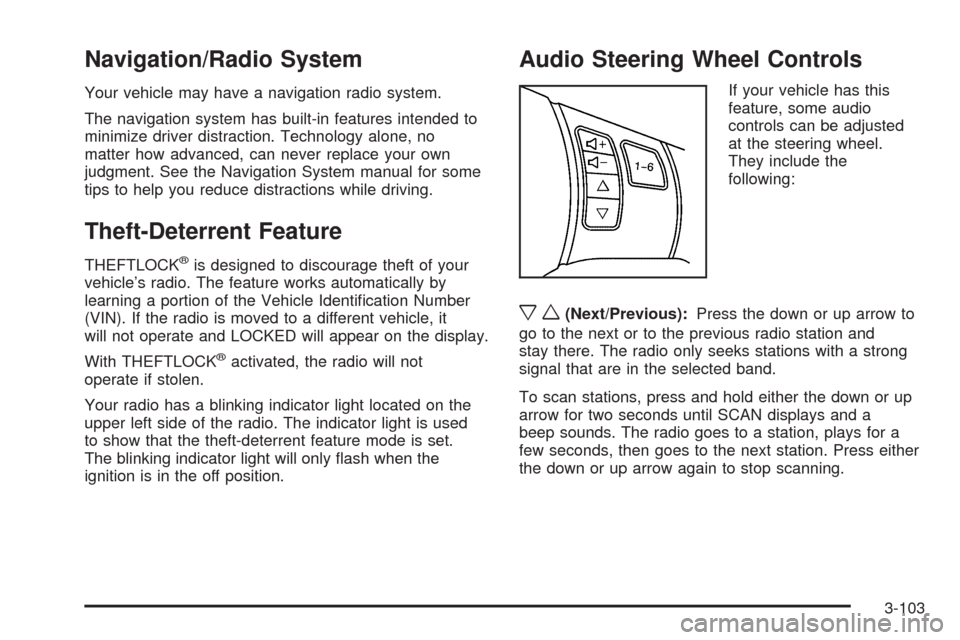
Audio Steering Wheel Controls
If your vehicle has this
feature, some audio
controls can be adjusted
at the steering wheel.
They include the
following:
xw(Next/Previous):Press the down or up arrow to
go to the next or to the previous radio station and
stay there. The radio only seeks stations with a strong
signal that are in the selected band.
To scan stations, press and hold either the down or up
arrow for two seconds until SCAN displays and a
beep sounds. The radio goes to a station, plays for a
few seconds, then goes to the next station. Press either
the down or up arrow again to stop scanning.
3-103
Page 243 of 432

Your Driving, the Road, and the Vehicle............4-2
Defensive Driving...........................................4-2
Drunk Driving.................................................4-2
Control of a Vehicle........................................4-3
Braking.........................................................4-4
Antilock Brake System (ABS)...........................4-5
Braking in Emergencies...................................4-5
Traction Control System (TCS).........................4-6
Active Handling System...................................4-7
Limited-Slip Rear Axle.....................................4-9
Selective Ride Control...................................4-10
Steering......................................................4-11
Off-Road Recovery.......................................4-13
Passing.......................................................4-13
Loss of Control.............................................4-13Racing or Other Competitive Driving................4-15
Driving at Night............................................4-16
Driving in Rain and on Wet Roads..................4-16
Before Leaving on a Long Trip.......................4-18
Highway Hypnosis........................................4-18
Hill and Mountain Roads................................4-18
Winter Driving..............................................4-19
If Your Vehicle is Stuck in Sand, Mud, Ice,
or Snow...................................................4-23
Rocking Your Vehicle to Get It Out.................4-24
Loading the Vehicle......................................4-24
Towing..........................................................4-29
Towing Your Vehicle.....................................4-29
Recreational Vehicle Towing...........................4-29
Towing a Trailer...........................................4-29
Section 4 Driving Your Vehicle
4-1
Page 245 of 432
Alcohol affects four things that anyone needs to drive a
vehicle: judgment, muscular coordination, vision, and
attentiveness.
Police records show that almost 40 percent of all motor
vehicle-related deaths involve alcohol. In most cases,
these deaths are the result of someone who was
drinking and driving. In recent years, more than
17,000 annual motor vehicle-related deaths have been
associated with the use of alcohol, with about
250,000 people injured.
For persons under 21, it is against the law in every
U.S. state to drink alcohol. There are good medical,
psychological, and developmental reasons for
these laws.
The obvious way to eliminate the leading highway
safety problem is for people never to drink alcohol and
then drive.Medical research shows that alcohol in a person’s
system can make crash injuries worse, especially
injuries to the brain, spinal cord, or heart. This means
that when anyone who has been drinking — driver
or passenger — is in a crash, that person’s chance of
being killed or permanently disabled is higher than if the
person had not been drinking.
Control of a Vehicle
The following three systems help to control your vehicle
while driving — brakes, steering, and accelerator.
At times, as when driving on snow or ice, it is easy to
ask more of those control systems than the tires
and road can provide. Meaning, you can lose control of
your vehicle. SeeTraction Control System (TCS) on
page 4-6andActive Handling System on page 4-7.
Adding non-dealer/non-retailer accessories can
affect your vehicle’s performance. SeeAccessories
and Modifications on page 5-3.
4-3
Page 247 of 432
Antilock Brake System (ABS)
Your vehicle has the Antilock Brake System (ABS), an
advanced electronic braking system that will help
prevent a braking skid.
When you start the engine and begin to drive away,
ABS will check itself. You might hear a momentary
motor or clicking noise while this test is going on, and
you might even notice that the brake pedal moves
a little. This is normal.
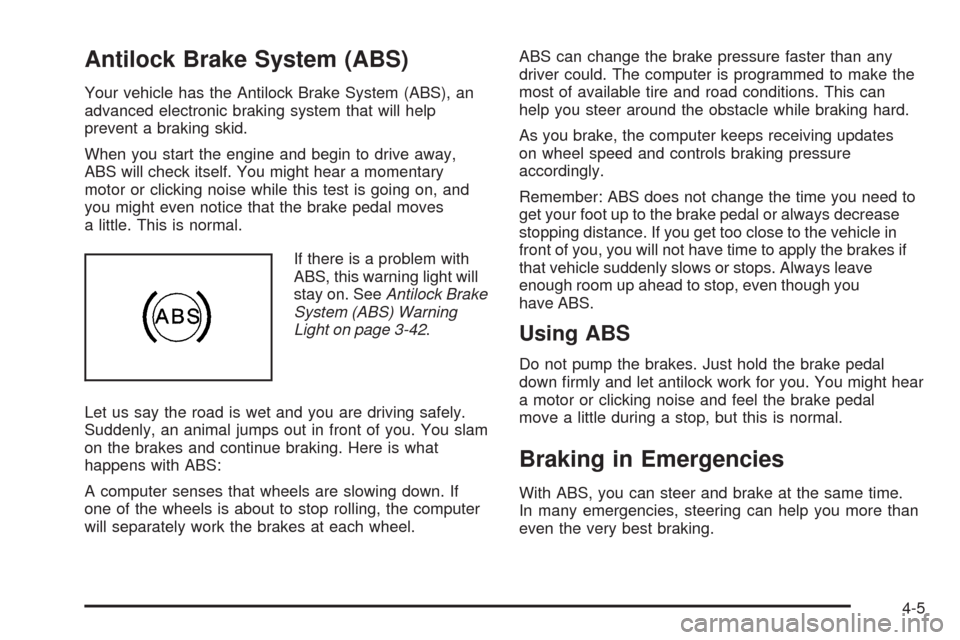
If there is a problem with
ABS, this warning light will
stay on. SeeAntilock Brake
System (ABS) Warning
Light on page 3-42.
Let us say the road is wet and you are driving safely.
Suddenly, an animal jumps out in front of you. You slam
on the brakes and continue braking. Here is what
happens with ABS:
A computer senses that wheels are slowing down. If
one of the wheels is about to stop rolling, the computer
will separately work the brakes at each wheel.ABS can change the brake pressure faster than any
driver could. The computer is programmed to make the
most of available tire and road conditions. This can
help you steer around the obstacle while braking hard.
As you brake, the computer keeps receiving updates
on wheel speed and controls braking pressure
accordingly.
Remember: ABS does not change the time you need to
get your foot up to the brake pedal or always decrease
stopping distance. If you get too close to the vehicle in
front of you, you will not have time to apply the brakes if
that vehicle suddenly slows or stops. Always leave
enough room up ahead to stop, even though you
have ABS.
Using ABS
Do not pump the brakes. Just hold the brake pedal
down rmly and let antilock work for you. You might hear
a motor or clicking noise and feel the brake pedal
move a little during a stop, but this is normal.
Braking in Emergencies
With ABS, you can steer and brake at the same time.
In many emergencies, steering can help you more than
even the very best braking.
4-5