2008 CHEVROLET CORVETTE mirror
[x] Cancel search: mirrorPage 127 of 432
Notice:Lowering the convertible top when there
are objects in the storage area could damage
it or break the glass rear window. Always verify that
no objects are in the storage area before lowering
the convertible top.
Notice:Lowering the top if it is damp, wet, or dirty
can cause stains, mildew, and damage to the
inside of your vehicle. Dry off the top before
lowering it.
Notice:If you lower the top on your vehicle in cold
weather (0°F/-18°C or lower), you may damage
top components. Do not lower the top in cold
weather.
Notice:If you raise or lower the convertible top
while the vehicle is in motion, you could damage the
top or the top mechanism. The repairs would not
be covered by your warranty. Always put an
automatic transmission in PARK (P) or a manual
transmission in NEUTRAL before raising or lowering
the convertible top.Lowering the Manual Convertible Top
1. Park on a level surface. Shift an automatic
transmission into PARK (P) and set the parking
brake. Shift a manual transmission into NEUTRAL
and set the parking brake.
2. Make sure the ignition is off.
3. Make sure the trunk is closed.
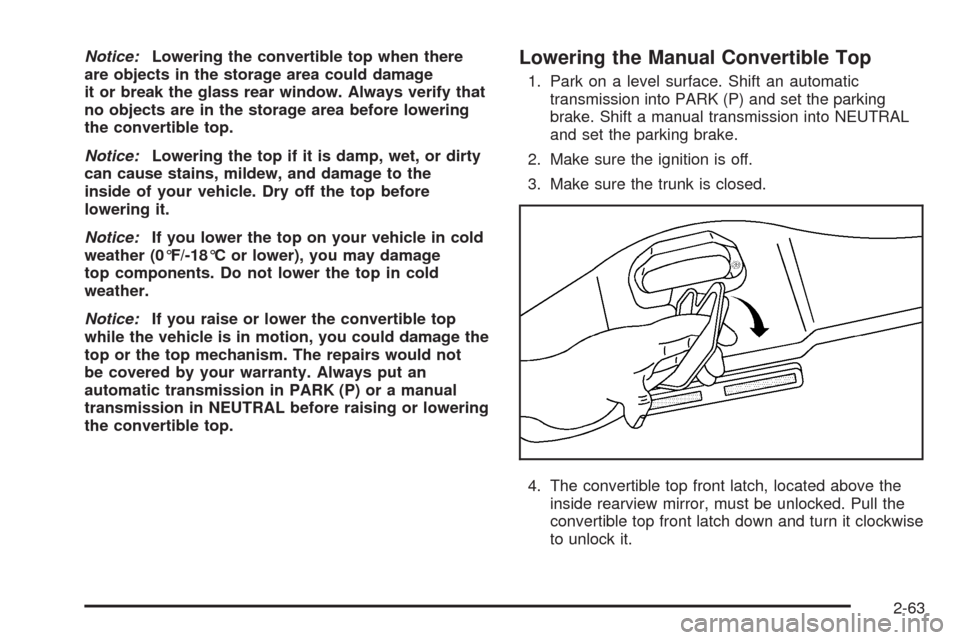
4. The convertible top front latch, located above the
inside rearview mirror, must be unlocked. Pull the
convertible top front latch down and turn it clockwise
to unlock it.
2-63
Page 133 of 432
Lowering the Power Convertible Top
1. Park on a level surface. Start the engine. Shift an
automatic transmission into PARK (P) and set the
parking brake. Shift a manual transmission into
NEUTRAL, and set the parking brake.
2. Make sure the trunk is closed and the rear trunk
partition in the rear storage area is in the fastened
upright position, and that no objects are forward
of the divider. See “Rear Trunk Partition” under
Rear Storage Area on page 2-54.
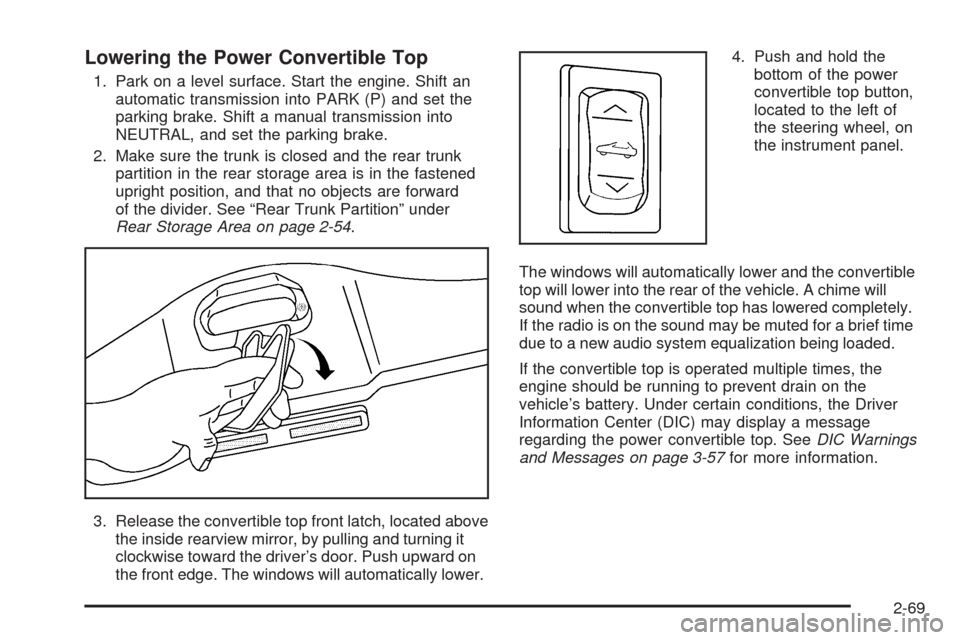
3. Release the convertible top front latch, located above
the inside rearview mirror, by pulling and turning it
clockwise toward the driver’s door. Push upward on
the front edge. The windows will automatically lower.4. Push and hold the
bottom of the power
convertible top button,
located to the left of
the steering wheel, on
the instrument panel.
The windows will automatically lower and the convertible
top will lower into the rear of the vehicle. A chime will
sound when the convertible top has lowered completely.
If the radio is on the sound may be muted for a brief time
due to a new audio system equalization being loaded.
If the convertible top is operated multiple times, the
engine should be running to prevent drain on the
vehicle’s battery. Under certain conditions, the Driver
Information Center (DIC) may display a message
regarding the power convertible top. SeeDIC Warnings
and Messages on page 3-57for more information.
2-69
Page 144 of 432
Telescopic Steering Column
If your vehicle has this feature, the telescopic steering
column will allow you to adjust the distance the steering
wheel is from the instrument panel.
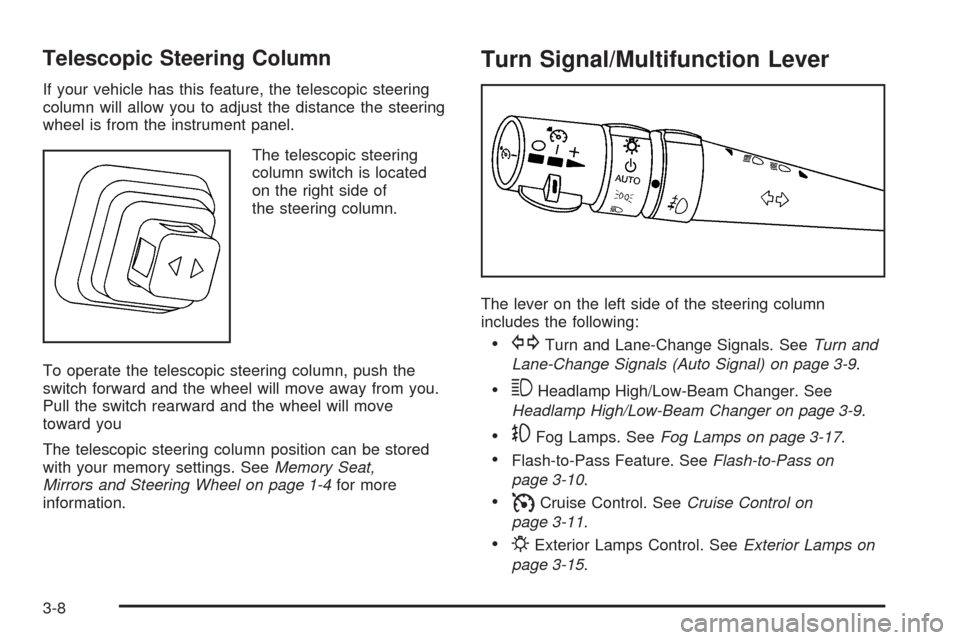
The telescopic steering
column switch is located
on the right side of
the steering column.
To operate the telescopic steering column, push the
switch forward and the wheel will move away from you.
Pull the switch rearward and the wheel will move
toward you
The telescopic steering column position can be stored
with your memory settings. SeeMemory Seat,
Mirrors and Steering Wheel on page 1-4for more
information.
Turn Signal/Multifunction Lever
The lever on the left side of the steering column
includes the following:
GTurn and Lane-Change Signals. SeeTurn and
Lane-Change Signals (Auto Signal) on page 3-9.
3Headlamp High/Low-Beam Changer. See
Headlamp High/Low-Beam Changer on page 3-9.
-Fog Lamps. SeeFog Lamps on page 3-17.
Flash-to-Pass Feature. SeeFlash-to-Pass on
page 3-10.
ICruise Control. SeeCruise Control on
page 3-11.
PExterior Lamps Control. SeeExterior Lamps on
page 3-15.
3-8
Page 156 of 432
Reading Lamps
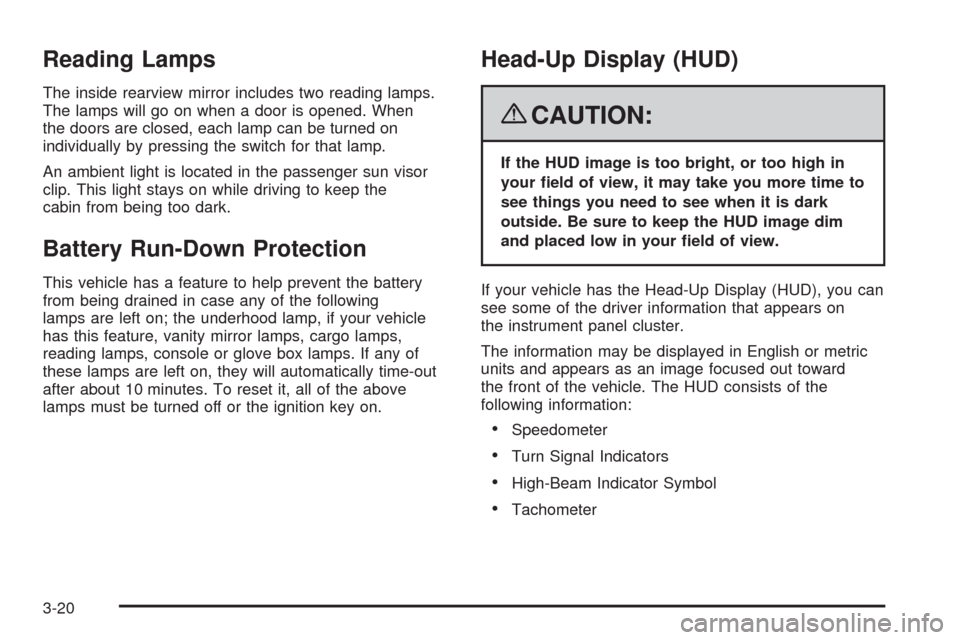
The inside rearview mirror includes two reading lamps.
The lamps will go on when a door is opened. When
the doors are closed, each lamp can be turned on
individually by pressing the switch for that lamp.
An ambient light is located in the passenger sun visor
clip. This light stays on while driving to keep the
cabin from being too dark.
Battery Run-Down Protection
This vehicle has a feature to help prevent the battery
from being drained in case any of the following
lamps are left on; the underhood lamp, if your vehicle
has this feature, vanity mirror lamps, cargo lamps,
reading lamps, console or glove box lamps. If any of
these lamps are left on, they will automatically time-out
after about 10 minutes. To reset it, all of the above
lamps must be turned off or the ignition key on.
Head-Up Display (HUD)
{CAUTION:
If the HUD image is too bright, or too high in
your eld of view, it may take you more time to
see things you need to see when it is dark
outside. Be sure to keep the HUD image dim
and placed low in your eld of view.
If your vehicle has the Head-Up Display (HUD), you can
see some of the driver information that appears on
the instrument panel cluster.
The information may be displayed in English or metric
units and appears as an image focused out toward
the front of the vehicle. The HUD consists of the
following information:
Speedometer
Turn Signal Indicators
High-Beam Indicator Symbol
Tachometer
3-20
Page 167 of 432
Rear Window Defogger
The rear window defogger uses a warming grid to
remove fog or frost from the rear window.
The rear window defogger will only work when the
engine is running.
=(Rear Window Defogger):Press this button to turn
the rear window defogger on. Be sure to clear as much
snow from the rear window as possible. An indicator
light in the button will come on to let you know that the
rear window defogger is activated.
The rear window defogger will turn off about 10 minutes
after the button is pressed when traveling less than
30 mph (48 km/h). If turned on again, the defogger will
only run for about ve minutes before turning off.
The defogger can also be turned off by pressing the
button again or by turning off the engine.Your vehicle has heated outside rearview mirrors.
The mirrors will heat to help clear fog or frost from the
surface of the mirrors when the rear window defog
button is pressed.
If your vehicle has the power convertible top, the rear
window defogger and heated mirrors are automatically
disabled when the power convertible top is moving
or down.
Notice:Do not use anything sharp on the inside of
the rear window. If you do, you could cut or
damage the warming grid, and the repairs would not
be covered by the vehicle warranty. Do not attach
a temporary vehicle license, tape, a decal or
anything similar to the defogger grid.
3-31
Page 174 of 432
Passenger Airbag Status Indicator
The vehicle has the passenger sensing system.
The rearview mirror has a passenger airbag status
indicator.
When you start the vehicle, the passenger airbag status
indicator will light ON and OFF, or the symbol for on
and off, for several seconds as a system check.Then, after several more seconds, the status indicator
will light either ON or OFF, or either the on or off symbol,
to let you know the status to let you know the status
of the right front passenger frontal and seat-mounted
side impact airbags (if equipped).
If the word ON or the on symbol is lit on the passenger
airbag status indicator, it means that the right front
passenger frontal airbag and seat-mounted side impact
airbag (if equipped) are enabled (may inate).
{CAUTION:
If the on indicator comes on when you have a
rear-facing child restraint installed in the right
front passenger’s seat, it means that the
passenger sensing system has not turned
off the passenger’s frontal airbag and
seat-mounted side impact airbag (if equipped).
A child in a rear-facing child restraint can be
seriously injured or killed if the right front
passenger’s airbag inates. This is because the
back of the rear-facing child restraint would be
very close to the inating airbag. Do not use a
rear-facing child restraint in the right front
passenger’s seat if the airbag is turned on. United States
Canada
3-38
Page 205 of 432
SERVICE TRACTION SYSTEM
If this message displays when you are driving, there is a
problem with the Traction Control System (TCS) and
your vehicle is in need of service. See your
dealer/retailer. When this message is displayed, the
system will not limit wheel spin. Adjust your driving
accordingly.
The traction control system (TCS) warning light on the
instrument panel cluster will also turn on and a
chime will sound.
When this message is displayed, the computer
controlled systems will not assist the driver in controlling
the vehicle. Have the system repaired by your
dealer/retailer as soon as possible. Adjust your driving
accordingly. SeeTraction Control System (TCS) on
page 4-6for more information.
To acknowledge the message, press the RESET button.
SERVICE TRANSMISSION
This message displays when there is a problem with the
transmission. See your dealer/retailer for service.
SERVICE VEHICLE SOON
This message displays and a chime sounds when there
may be an electrical or another system problem with
your vehicle. Have your vehicle checked by your
dealer/retailer if this message keeps appearing.
SET PARK BRAKE FOR SEAT RECALL
If your vehicle has a manual transmission, this
message displays if you try to recall the memory
positions when the ignition is on and the parking brake
is not set. If the vehicle is on, you must set the
parking brake in order for the memory positions to
recall. SeeMemory Seat, Mirrors and Steering Wheel
on page 1-4for more information.
SET PARK BRAKE TO MOVE TOP
If your vehicle has a manual transmission, this message
displays and a chime sounds if you try to operate the
power convertible top without rst setting the parking
brake. Set the parking brake before trying to operate the
power convertible top. SeeConvertible Top (Manual)
on page 2-62orConvertible Top (Power) on page 2-68
for more information.
3-69
Page 211 of 432
DIC Vehicle Personalization
Many features on your vehicle can be personalized.
This means that the operation of these features can be
set to operate differently depending on who is driving
the vehicle. See “Personal Options” later in this section
for the features that you can personalize.
The personalization settings for other features are
automatically updated and saved as the driver adjusts
them. These include the following settings and presets:
The radio presets, tone, volume, fade, balance,
equalization (EQ) settings and source (radio or CD)
The last climate control setting
The Head-Up Display (HUD) position and dimming
level, if your vehicle has this feature
The instrument panel cluster dimming level and last
selected DIC display
Separate personalization settings are saved for
two different drivers. One of the keyless access
transmitters is assigned to driver 1. The other is
assigned to driver 2. The back of the keyless access
transmitters are labelled 1 or 2 to correspond to
each driver.The current driver’s preferences are recalled when one
of the following occurs:
The lock or unlock button on the keyless access
transmitter, labelled 1 or 2, is pressed.
The appropriate memory button, 1 or 2, located on
the driver’s door is pressed. SeeMemory Seat,
Mirrors and Steering Wheel on page 1-4for more
information.
A valid keyless access transmitter is detected upon
opening the driver’s door.
If more than one valid keyless access transmitter is
detected upon opening the driver’s door, the driver
preferences for the lowest driver number will be recalled.
If a keyless access transmitter that is not labelled 1 or 2
is used, the personalization system will not recognize
the transmitter. The Driver Information Center (DIC) will
not display a current driver number and the features
that are normally programmed through the DIC will be
set to the default states. Also, if the OPTION button
is pressed, the DIC does not display the menus used to
set personalizations, but instead displays OPTIONS
UNAVAILABLE for a few seconds.
3-75