2008 CHEVROLET CORVETTE change time
[x] Cancel search: change timePage 163 of 432

The length of time needed for warm up will depend
on the outside temperature and the length of time
that has elapsed since your vehicle was last driven.
3. Wait for the system to regulate. This may take from
10 to 30 minutes. Then adjust the temperature, if
necessary.
Do not cover the solar sensor located in the center of
the instrument panel, near the windshield. For more
information on the solar sensor, see “Sensor” later in
this section.
Manual Operation
Driver Power/Temperature:Press the driver
temperature knob on the driver side of the climate
control panel to turn the climate control system off.
This is the only setting that completely shuts off the fan.
The digital display will show only the outside
temperature. You can still adjust the driver and the
passenger set temperature and the air intake mode
when the climate control is off.
Passenger Power/Temperature:Press the passenger
temperature knob on the passenger side of the
climate control panel to turn the passenger’s climate
control system on or off. Turn the knob to increase
or decrease the temperature for the passenger.If the passenger’s climate control system is off, the
driver’s temperature knob will control the temperature
for the entire vehicle.
N(MODE):Press this button to manually lock in the
current air delivery setting and to stop the automatic
mode control. Pressing the MODE button will delete
AUTO from the digital display and the mode graphics will
be shown. To change the setting, press the MODE
button again. The AUTO button must be pressed
to return to the automatic mode selection.
To change the current mode, select one of the following:
H(Vent):This mode directs most of the air to the
instrument panel outlets, with a very small amount of
air directed to the oor outlets.
%(Bi-Level):This mode directs about half of the air to
the instrument panel outlets, and directs the remaining
air to the oor outlets.
6(Floor):This mode directs most of the air to the
oor outlets with some air directed to the side window
defogger outlets and some air directed toward the
windshield.
The MODE button can also be used to select the defog
mode. Information on defogging and defrosting can
be found later in this section.
3-27
Page 164 of 432
x9w(Fan):Press the button with the fan symbol
to manually increase or decrease the fan speed.
Keep pressing the up or down arrow on this switch until
the desired fan speed appears on the display.
Pressing the arrows will delete AUTO from the digital
display. The fan graphics with the fan speed bars will be
shown. To increase the fan speed so that more air
ows into the vehicle, press the up arrow on the
fan switch. To decrease the fan speed and airow,
press the down arrow. The AUTO button must be
pressed to return to the automatic fan control.
If the airow seems low when the fan speed is at the
highest setting, the passenger compartment air lter
may need to be replaced. For more information,
seePassenger Compartment Air Filter on page 3-32
andScheduled Maintenance on page 6-4.
?(Recirculation):Press this button to turn the
recirculation mode on or off. When the climate control
system is in recirculation mode an indicator light will
come on. This mode prevents outside air from entering
your vehicle. It can be used to prevent outside air and
odors from entering your vehicle and to help cool the air
inside your vehicle more quickly. Recirculation mode is
not available in defrost or defog mode.
^(Air Conditioning Off):Press this button to turn the
air conditioning compressor off. Press AUTO to return
to automatic operation. When in AUTO, the air
conditioning compressor will come on automatically,
as needed.
Air conditioning does not operate at temperatures below
about 35°F to 40°F (2°C to 4°C). In temperatures
above 40°F (4°C), the air conditioning cannot be turned
off in defrost and defog, as it helps to remove moisture
from the vehicle. It also helps to keep the windows clear.
You may notice a slight change in engine performance
when the air-conditioning compressor shuts off and
turns on again. This is normal. The system is designed
to make adjustments to help with fuel economy while
still maintaining the selected temperature.
On hot days, open the windows to let hot inside air
escape; then close them. This helps to reduce the time
it takes for your vehicle to cool down. It also helps
the system to operate more efficiently.
3-28
Page 165 of 432
For quick cool down on hot days press the AUTO button
and adjust the temperature to a cool, comfortable setting.
To achieve maximum cool down, do the following:
1. Select the vent mode.
2. Select recirculation mode.
3. Select the A/C on.
4. Select the coolest temperature.
5. Select the highest fan speed.
Using these settings together for long periods of time
may cause the air inside of your vehicle to become
too dry. To prevent this from happening, after the air
in your vehicle has cooled, turn the recirculation
mode off.
The air conditioning system removes moisture from the
air, so you may sometimes notice a small amount of
water dripping underneath your vehicle while idling
or after turning off the engine. This is normal.Sensors
The solar sensor on your vehicle monitors the solar
radiation and uses the information to maintain the
selected temperature when operating in AUTO mode by
initiating needed adjustments to the temperature, the
fan speed and the air delivery system. The system may
also supply cooler air to the side of the vehicle facing
the sun. The recirculation mode will also be activated,
as necessary. Do not cover the solar sensor located on
the top of the instrument panel near the windshield or
the system will not work properly.
There is also a sensor located behind the front bumper.
This sensor reads the outside air temperature and
helps to maintain the temperature inside the vehicle.
Any cover on the front of the vehicle could give a false
reading in the temperature.
If the outside temperature goes up, the displayed
temperature will not change until:
The vehicle’s speed is above 12 mph (19 km/h)
for ve minutes.
The vehicle’s speed is above 32 mph (52 km/h)
for two and a half minutes.
3-29
Page 186 of 432
Lights On Reminder
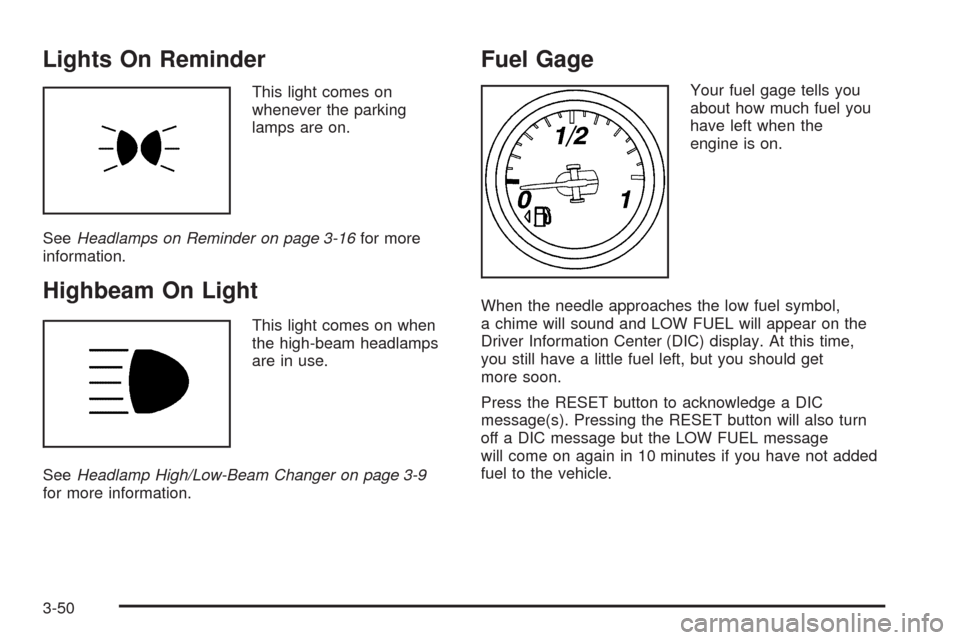
This light comes on
whenever the parking
lamps are on.
SeeHeadlamps on Reminder on page 3-16for more
information.
Highbeam On Light
This light comes on when
the high-beam headlamps
are in use.
SeeHeadlamp High/Low-Beam Changer on page 3-9
for more information.
Fuel Gage
Your fuel gage tells you
about how much fuel you
have left when the
engine is on.
When the needle approaches the low fuel symbol,
a chime will sound and LOW FUEL will appear on the
Driver Information Center (DIC) display. At this time,
you still have a little fuel left, but you should get
more soon.
Press the RESET button to acknowledge a DIC
message(s). Pressing the RESET button will also turn
off a DIC message but the LOW FUEL message
will come on again in 10 minutes if you have not added
fuel to the vehicle.
3-50
Page 189 of 432
FUEL Button
The fuel button displays average fuel economy and
instantaneous fuel economy, calculated for your specic
driving conditions, and range information.
Average Fuel Economy:The average fuel economy is
viewed as a long-term approximation of your overall
driving conditions. You should reset the average
fuel economy display every time you refuel. If you press
the RESET button in this mode while you are driving,
the system will reset this display and begin guring fuel
economy from that point in time.
Press the fuel button to display average fuel economy,
such as:
AVERAGE FUEL ECONOMY 20.1 MPG or
AVERAGE FUEL ECONOMY 11.7 L/100 km
Instantaneous Fuel Economy:Instantaneous fuel
economy reects only the fuel economy that the vehicle
has right now and will change frequently as driving
conditions change. Unlike average fuel economy, this
menu item cannot be reset.
Press the fuel button again to display instantaneous
fuel economy, such as:
INSTANT FUEL ECONOMY 20.1 MPG or
INSTANT FUEL ECONOMY 11.7 L/100 kmFuel Range:The range calculates the remaining
distance you can drive without refueling. It is based on
fuel economy and the fuel remaining in the tank.
Press the fuel button again to display the range,
such as:
RANGE 30 MI or
RANGE 48 km
If the LOW FUEL warning is displayed or if RANGE
is less than 40 miles (64 km), the display will read
RANGE LOW.
The fuel economy data used to determine fuel range is
an average of recent driving conditions. As your
driving conditions change, this data is gradually updated
automatically.
If the vehicle has been idling for a long time, the range
displayed on the DIC could be abnormally low.
The vehicle must be driven 5-10 miles (8-16 km) to
get an accurate reading.
3-53
Page 192 of 432
Both of the trip odometers can be used simultaneously.
TRIP A could be used to track the distance to a
destination. TRIP B could be used to track maintenance
periods. The trip odometers can be reset by pressing
the RESET button on the DIC.
There is also a miles since last ignition feature that
displays the number of miles (kilometers) driven since
you last started the vehicle. Press and hold the
RESET button for three seconds, then release it.
The miles (kilometers) since the last ignition cycle will
be set into the trip odometer.
Elapsed Timer:Press the TRIP button until ELAPSED
TIMER is displayed, such as ELAPSED TIMER .00.
When the ignition is in on, the DIC can be used as a
stopwatch. The display can show hours, minutes and
seconds. The elapsed time indicator will record up to
23 hours, 59 minutes and 59 seconds, then it will reset to
zero and continue counting. The display appears as
ELAPSED TIMER .00 in the elapsed time function.
You can start or stop the elapsed time by pressing the
RESET button. To reset the elapsed time to zero,
press the RESET button for three seconds while the
timer is displayed.Pressing and holding the RESET button for at least
10 seconds will reset the timer display to the time since
last ignition cycle.
Average Speed:Press the TRIP button until the
average speed is displayed, such as:
AVERAGE SPEED 62 MPH or
AVERAGE SPEED 100 km/h
Press and hold the RESET button to reset to
0.0 mph (km/h).
Engine Oil Life:Press the TRIP button until the engine
oil life is displayed, such as OIL LIFE REMAINING 89%.
This is an estimate of the engine oil’s remaining
useful life. It will show 100% when the system is reset
after an oil change. It will alert you to change the oil
on a schedule consistent with your driving conditions.
When the remaining oil life is low, the system will
alert you with the message CHANGE ENGINE OIL.
3-56
Page 193 of 432
Remember, you must reset the engine oil life system
yourself after each oil change. It will not reset itself.
To reset the system, seeEngine Oil Life System
on page 5-23. Be careful not to reset the engine oil life
system accidentally at any time other than when the
oil has just been changed. It cannot be reset accurately
until the next oil change.
SeeScheduled Maintenance on page 6-4andEngine
Oil on page 5-17for more information.
OPTION Button
The OPTION button allows you to access the
PERSONAL OPTIONS menu and customize the
personalization settings on your vehicle. SeeDIC
Vehicle Personalization on page 3-75for more
information.
RESET Button
The RESET button, used along with other buttons, will
reset system functions and turn off or acknowledge
messages on the DIC.
DIC Warnings and Messages
Messages are displayed on the DIC to notify the driver
that the status of the vehicle has changed and that
some action may be needed by the driver to correct the
condition. Multiple messages may appear one after
another. You can scroll through the messages that
may have been sent at the same time. The DIC is
continuously updated with the vehicle performance
status.
Some messages may not require immediate action,
but you can press the RESET button to acknowledge
that you received the messages and to clear them from
the display.
Some messages cannot be cleared from the DIC
display because they are more urgent. These messages
require action before they can be cleared. You should
take any messages that appear on the display seriously
and remember that clearing the messages will only
make the messages disappear, not correct the problem.
The following are the possible messages that can be
displayed and some information about them.
3-57
Page 200 of 432
LOW TIRE PRESSURE
{CAUTION:
When the LOW TIRE PRESSURE or TIRE FLAT
message is displayed on the Driver Information
Center, your vehicle’s handling capabilities
will be reduced during severe maneuvers.
The active handling system will be affected.
SeeActive Handling System on page 4-7.
If you drive too fast, you could lose control of
your vehicle. You or others could be injured.
Do not drive over 55 mph (90 km/h) when the
LOW TIRE PRESSURE or TIRE FLAT message
is displayed. Drive cautiously and check your
tire pressures as soon as you can.
This message displays when one or more of the tires
is under-inated. This message also displays LEFT
FRONT, RIGHT FRONT, LEFT REAR, or RIGHT REAR
to indicate which tire is affected. Multiple chimes
sound and the tire pressure light on the instrument
panel cluster turns on when this message is displayed.SeeTire Pressure Light on page 3-44. You can receive
more than one tire pressure message at a time.
To read other messages that may have been sent at
the same time, press the RESET button. If a tire
pressure message appears on the DIC, stop as soon as
you can. Have the tire pressures checked and set to
those shown on the Tire Loading Information label.
SeeRun-Flat Tires on page 5-64,Loading the Vehicle
on page 4-24,Inflation - Tire Pressure on page 5-66,
andTire Pressure Monitor System on page 5-68.
The DIC also shows the tire pressure values.
SeeDIC Operation and Displays on page 3-52.
To acknowledge the message, press the RESET button.
A message reappears every 10 minutes until the
condition is corrected.
MAXIMUM SPEED 80 MPH (129 km/h)
This message displays when a malfunction is present in
the Selective Ride Control system. The vehicle speed
will be limited to a value determined by the vehicle when
the shock absorber system has failed and the shocks
are in their full soft mode. Have your vehicle serviced by
your dealer/retailer as soon as possible.
To acknowledge the message, press the RESET button.
The message reappears every 10 minutes until this
condition changes.
3-64