2008 CHEVROLET AVEO service
[x] Cancel search: servicePage 95 of 384

If the immobilizer system does not recognize the
electronic code when the key is turned to START,
the engine will not start and the security indicator will
continue blinking. If your key is ever damaged, you may
not be able to start your vehicle.
When trying to start the vehicle, if the engine does not
start and the security light continues flashing, there
may be a problem with the theft-deterrent system.
Turn the ignition off and try again.
If the engine still does not start, and the key appears to
be undamaged, try another key. At this time, you may
also want to check the fuse. SeeFuses and Circuit
Breakers on page 5-89. If the engine still does not start
with the other key, your vehicle needs service. If your
vehicle does start, the first key may be faulty. See your
dealer/retailer who can have a new key made.
Up to five keys may be programmed for the vehicle.
If you lose or damage your keys, only a dealer/retailer
can have new keys made.
In an emergency, contact Roadside Assistance.
SeeRoadside Assistance Program on page 7-8.
Do not leave the key or device that disarms or
deactivates the theft deterrent system in the vehicle.Starting and Operating Your
Vehicle
New Vehicle Break-In
Notice:Your vehicle does not need an elaborate
break-in. But it will perform better in the long run if
you follow these guidelines:
Do not drive at any one constant speed, fast
or slow, for the rst 500 miles (805 km).
Do not make full-throttle starts. Avoid
downshifting to brake or slow the vehicle.
Avoid making hard stops for the rst
200 miles (322 km) or so. During this time
the new brake linings are not yet broken in.
Hard stops with new linings can mean
premature wear and earlier replacement.
Follow this breaking-in guideline every time
you get new brake linings.
Following break-in, engine speed and load can be
gradually increased.
2-17
Page 96 of 384
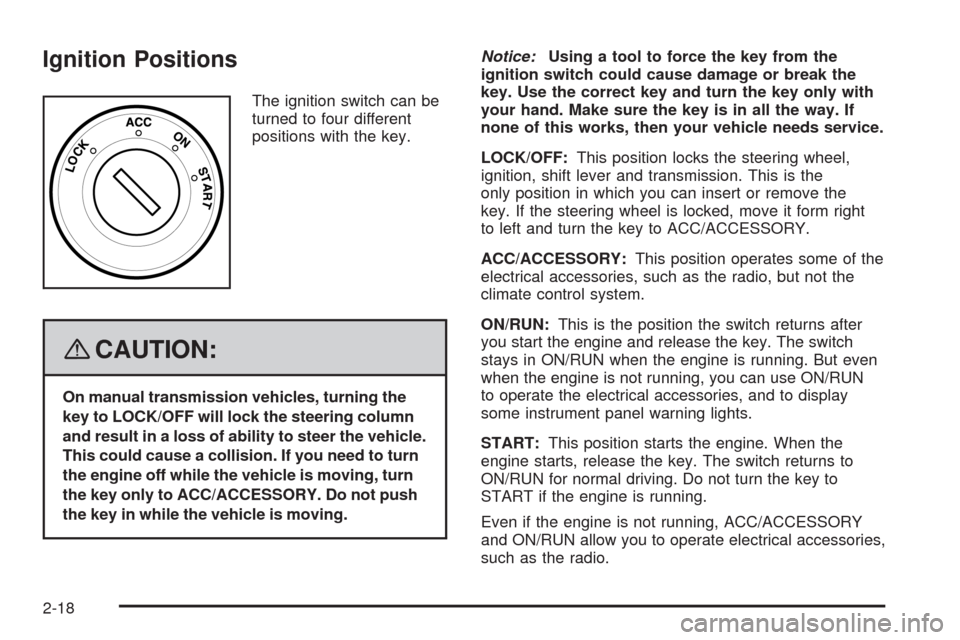
Ignition Positions
The ignition switch can be
turned to four different
positions with the key.
{CAUTION:
On manual transmission vehicles, turning the
key to LOCK/OFF will lock the steering column
and result in a loss of ability to steer the vehicle.
This could cause a collision. If you need to turn
the engine off while the vehicle is moving, turn
the key only to ACC/ACCESSORY. Do not push
the key in while the vehicle is moving.Notice:Using a tool to force the key from the
ignition switch could cause damage or break the
key. Use the correct key and turn the key only with
your hand. Make sure the key is in all the way. If
none of this works, then your vehicle needs service.
LOCK/OFF:This position locks the steering wheel,
ignition, shift lever and transmission. This is the
only position in which you can insert or remove the
key. If the steering wheel is locked, move it form right
to left and turn the key to ACC/ACCESSORY.
ACC/ACCESSORY:This position operates some of the
electrical accessories, such as the radio, but not the
climate control system.
ON/RUN:This is the position the switch returns after
you start the engine and release the key. The switch
stays in ON/RUN when the engine is running. But even
when the engine is not running, you can use ON/RUN
to operate the electrical accessories, and to display
some instrument panel warning lights.
START:This position starts the engine. When the
engine starts, release the key. The switch returns to
ON/RUN for normal driving. Do not turn the key to
START if the engine is running.
Even if the engine is not running, ACC/ACCESSORY
and ON/RUN allow you to operate electrical accessories,
such as the radio.
2-18
Page 101 of 384
Notice:If your vehicle seems to start up rather
slowly or not shift gears when you go faster, and
you continue to drive your vehicle that way, you
could damage the transmission. Have your vehicle
serviced right away. You can drive in SECOND (2)
when you are driving less than 35 mph (55 km/h)
and AUTOMATIC OVERDRIVE (D) for higher speeds
until then.
SECOND (2):This position gives you more power but
lower fuel economy. You can use SECOND (2) on
hills. It can help control your speed as you go down
steep mountain roads, but then you would also want
to use your brakes off and on.
Notice:Do not drive in SECOND (2) at speeds
over 65 mph (105 km/h), or you can damage
the transmission. Use AUTOMATIC OVERDRIVE (D4)
as much as possible. Do not shift into SECOND (2)
unless you are going slower than 65 mph (105 km/h)
or you can damage your engine.FIRST (1):This position gives you even more power but
lower fuel economy than SECOND (2). You can use it on
very steep hills, or in deep snow or mud. If the shift lever
is put in FIRST (1), the transmission will not shift into first
gear until the vehicle is going slowly enough.
Notice:Spinning the tires or holding the vehicle
in one place on a hill using only the accelerator
pedal may damage the transmission. The repair will
not be covered by your warranty. If you are stuck,
do not spin the tires. When stopping on a hill,
use the brakes to hold the vehicle in place.
If there is a malfunction with the automatic transmission,
the malfunction indicator lamp (MIL) or the HOLD
indicator light will turn on or flash. SeeMalfunction
Indicator Lamp on page 3-49orHold Mode Light
on page 3-48.
Have your vehicle fixed as soon as possible.
2-23
Page 144 of 384

Safety Belt Reminders
Safety Belt Reminder Light
The safety belt light will
come on when the engine
is started and stay on
until the driver’s safety belt
is buckled.
If the driver’s belt is already buckled, the light will not
come on.
Safety Belt Reminder Tone
If your vehicle has this feature, a tone will sound for
several seconds when the engine is started to remind
people to fasten their safety belts. The tone will not
sound if the driver’s safety belt is already buckled.
Airbag Readiness Light
There is an airbag readiness light on the instrument panel
cluster, which shows the airbag symbol. The system
checks the airbag’s electrical system for malfunctions.
The light tells you if there is an electrical problem. The
system check includes the airbag sensor, the airbag
modules, the wiring and the crash sensing and diagnostic
module. For more information on the airbag system,
seeAirbag System on page 1-56.
This light will come on
when you start your
vehicle, and it will flash for
a few seconds. The light
should go out and the
system is ready.
If the airbag readiness light stays on after you start the
vehicle or comes on when you are driving, your airbag
system may not work properly. Have your vehicle
serviced right away.
3-30
Page 145 of 384

{CAUTION:
If the airbag readiness light stays on after you
start your vehicle, it means the airbag system
may not be working properly. The airbags in
your vehicle may not inate in a crash, or they
could even inate without a crash. To help avoid
injury to yourself or others, have your vehicle
serviced right away if the airbag readiness light
stays on after you start your vehicle.
The airbag readiness light should flash for a few
seconds when the engine is started. If the light does not
come on then, have it fixed so it will be ready to warn
you if there is a problem.
Passenger Airbag Status Indicator
(Sedan)
Your vehicle has the passenger sensing system.
If you have a sedan, the airbag off symbol will be visible
near the clock, located in the center of the instrument
panel, during the system check.United States – Sedan
Canada – Sedan
3-31
Page 146 of 384
When you start the vehicle, the passenger airbag status
indicator will light for several seconds as a system check.
Then, after several more seconds, if the off symbol is lit
on the passenger airbag status indicator, it means that
the passenger sensing system has turned off the right
front passenger’s frontal airbag and seat-mounted side
impact airbag (if equipped).
{CAUTION:
If the off symbol in the passenger airbag
status indicator does not come on when you
have a rear-facing child restraint installed in
the right front passenger’s seat, it means that
the passenger sensing system has not turned
off the passenger’s frontal airbag and side
airbag (if equipped). A child in a rear-facing
child restraint can be seriously injured or killed
if the right front passenger’s airbag or airbags
inate. This is because the back of the
rear-facing child restraint would be very close
to the inating airbag or airbags. Do not use
a rear-facing child restraint in the right front
passenger’s seat unless the airbag or airbags
have been turned off.If the off symbol is not lit on the passenger airbag status
indicator, it means that the right front passenger’s
frontal airbag and seat-mounted side impact airbag
(if equipped) are enabled (may inflate).
{CAUTION:
If the airbag readiness light in the instrument
panel cluster ever comes on and stays on,
it means that something may be wrong with
the airbag system. If this ever happens, have
the vehicle serviced promptly, because an
adult-size person sitting in the right front
passenger’s seat may not have the protection
of the airbag(s). SeeAirbag Readiness Light
on page 3-30for more on this, including
important safety information.
3-32
Page 148 of 384
If the light comes on while you are driving, pull off the
road and stop carefully. You may notice that the pedal
is harder to push or the pedal may go closer to the
floor. It may take longer to stop. If the light is still on,
have the vehicle towed for service. SeeTowing
Your Vehicle on page 4-27.
{CAUTION:
Your brake system may not be working properly
if the brake system warning light is on. Driving
with the brake system warning light on can lead
to an accident. If the light is still on after you
have pulled off the road and stopped carefully,
have the vehicle towed for service.
Antilock Brake System Warning
Light
For vehicles with
the Antilock Brake
System (ABS), this light
will come on briefly
when the engine is started.
If the light stays on, turn the ignition to LOCK/OFF or if
the light comes on, stop as soon as possible and turn
the ignition off. Then start the engine again to reset the
system. If the light still stays on, or comes on again while
you are driving, your vehicle needs service. See your
dealer/retailer. If the regular brake system warning light is
not on, you still have brakes, but you do not have antilock
brakes. If the regular brake system warning light is also
on, you do not have antilock brakes and there is a
problem with your regular brakes. SeeBrake System
Warning Light on page 3-33.
The ABS warning light will come on briefly when you
turn the ignition to ON/RUN. This is normal. If the
light does not come on then, have it fixed so it will
be ready to warn you if there is a problem.
3-34
Page 150 of 384
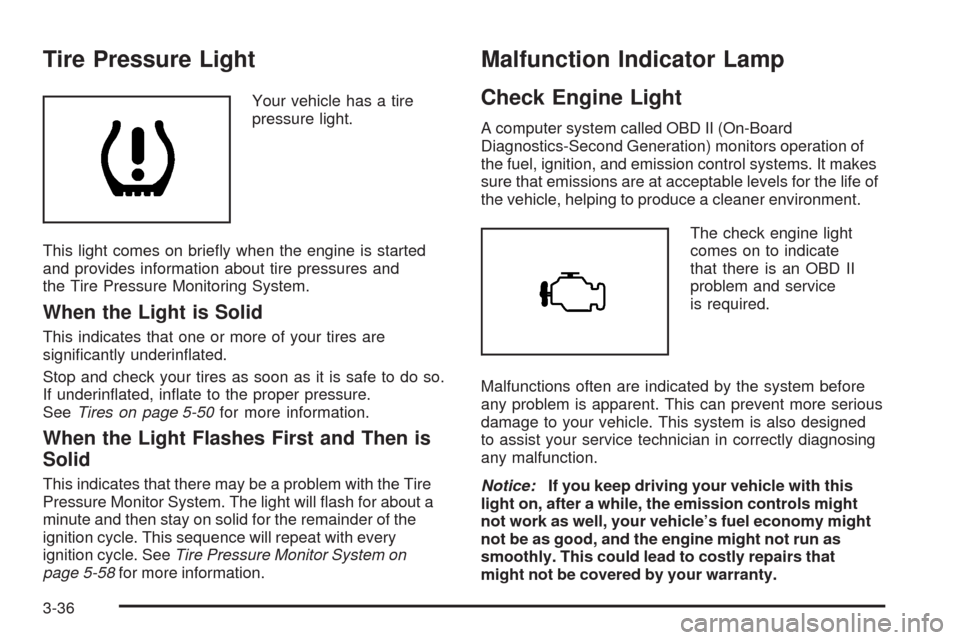
Tire Pressure Light
Your vehicle has a tire
pressure light.
This light comes on briefly when the engine is started
and provides information about tire pressures and
the Tire Pressure Monitoring System.
When the Light is Solid
This indicates that one or more of your tires are
significantly underinflated.
Stop and check your tires as soon as it is safe to do so.
If underinflated, inflate to the proper pressure.
SeeTires on page 5-50for more information.
When the Light Flashes First and Then is
Solid
This indicates that there may be a problem with the Tire
Pressure Monitor System. The light will flash for about a
minute and then stay on solid for the remainder of the
ignition cycle. This sequence will repeat with every
ignition cycle. SeeTire Pressure Monitor System on
page 5-58for more information.
Malfunction Indicator Lamp
Check Engine Light
A computer system called OBD II (On-Board
Diagnostics-Second Generation) monitors operation of
the fuel, ignition, and emission control systems. It makes
sure that emissions are at acceptable levels for the life of
the vehicle, helping to produce a cleaner environment.
The check engine light
comes on to indicate
that there is an OBD II
problem and service
is required.
Malfunctions often are indicated by the system before
any problem is apparent. This can prevent more serious
damage to your vehicle. This system is also designed
to assist your service technician in correctly diagnosing
any malfunction.
Notice:If you keep driving your vehicle with this
light on, after a while, the emission controls might
not work as well, your vehicle’s fuel economy might
not be as good, and the engine might not run as
smoothly. This could lead to costly repairs that
might not be covered by your warranty.
3-36