2008 CADILLAC STS ignition
[x] Cancel search: ignitionPage 389 of 500

The low tire pressure warning light may come on in cool
weather when the vehicle is rst started, and then
turn off as you start to drive. This could be an early
indicator that the air pressure in the tire(s) are getting
low and need to be inated to the proper pressure.
A Tire and Loading Information label, attached to your
vehicle, shows the size of your vehicle’s original
equipment tires and the correct ination pressure for your
vehicle’s tires when they are cold. SeeLoading Your
Vehicle on page 4-26for an example of the Tire and
Loading Information label and its location on your vehicle.
Also seeInflation - Tire Pressure on page 5-66.
Your vehicle’s TPMS can warn you about a low tire
pressure condition but it does not replace normal
tire maintenance. SeeTire Inspection and Rotation on
page 5-73andTires on page 5-57.
Your vehicle, when new, may have included a
factory-installed Tire Inator Kit. This kit uses a GM
approved liquid tire sealant. SeeTire Sealant and
Compressor Kit on page 5-87.
Notice:Using non-approved tire sealants could
damage the Tire Pressure Monitor System (TPMS)
sensors. TPMS sensor damage caused by using
an incorrect tire sealant is not covered by the
vehicle warranty. Always use the GM approved tire
sealant available through your dealer/retailer.TPMS Malfunction Light and Message
The TPMS will not function properly if one or more of the
TPMS sensors are missing or inoperable. When the
system detects a malfunction, the low tire warning light
ashes for about one minute and then stays on for
the remainder of the ignition cycle. A DIC warning
message is also displayed. The low tire warning light
and DIC warning message come on at each ignition
cycle until the problem is corrected. Some of the
conditions that can cause the malfunction light and
DIC message to come on are:
One of the road tires has been replaced with the
spare tire. The spare tire does not have a TPMS
sensor. The DIC message should go off once
you re-install the road tire containing the TPMS
sensor.
The TPMS sensor matching process was started
but not completed or not completed successfully
after rotating the vehicle’s tires. The DIC message
and TPMS malfunction light should go off once
the TPMS sensor matching process is performed
successfully. See “TPMS Sensor Matching Process”
later in this section.
5-71
Page 391 of 500

The TPM matching process is outlined below:
1. Set the parking brake.
2. Press the push-button ignition switch to Acc.
3. Using the keyless access transmitter, lock and
unlock the vehicle’s doors.
4. Press the lock and unlock buttons, at the same
time, on the keyless access transmitter. A single
horn chirp will sound, indicating that the TPMS
is ready, and the sensor matching process
can begin.
5. Start with the driver side front tire.
6. Remove the valve cap from the valve stem.
Activate the TPMS sensor by increasing or
decreasing the tire’s air pressure for ve seconds,
or until a horn chirp sounds. The horn chirp,
which may take up to 30 seconds to sound,
conrms that the sensor identication code has
been matched to this tire position.
7. Proceed to the passenger side front tire, and repeat
the procedure in Step 6.
8. Proceed to the passenger side rear tire, and repeat
the procedure in Step 6.
9. Proceed to the driver side rear tire, and repeat the
procedure in Step 6.10. After hearing the conrming single horn chirp for the
driver side rear tire, a double horn chirp will sound to
signal the tire matching mode is no longer active.
Press the push-button ignition switch to Acc.
11. Set all four tires to the recommended air pressure
level as indicated on the tire and loading information
label.
12. Put the valve caps back on the valve stems.
Tire Inspection and Rotation
We recommend that you regularly inspect your
vehicle’s tires, including the spare tire, for signs of
wear or damage. SeeWhen It Is Time for New
Tires on page 5-75for more information.
Tire rotation is not recommended if your vehicle
has the following performance tire combinations:
P235/50R17 size tires on the front wheels
and P255/45R17 size tires on the rear wheels.
P235/50ZR18 size tires on the front wheels
and P255/45ZR18 size tires on the rear
wheels.
P255/45R18 size tires on the front wheels and
P275/40R19 size tires on the rear wheels.
5-73
Page 437 of 500

The underhood fuse block is located in the front of the
engine compartment on the passenger’s side of the
vehicle. SeeEngine Compartment Overview on
page 5-11for more information on location and removal
procedure for the front compartment underhood
sights shields.
To access the fuses, push in the tabs located on each
side of the fuse block cover, then lift the cover off.
Notice:Spilling liquid on any electrical components
on your vehicle may damage it. Always keep the
covers on any electrical component.
Fuses JCase Usage
ABS MTRABS Module- ABS
Module-StabiliTrak
®
AFS Active Front Steering
BLWR Blower Motor
FAN 1 Cooling Fan-Low Speed
FAN 2 Cooling Fan-High Speed
LPDB 1 Driver Side Rear Fuse Block
LPDB 2 Driver Side Rear Fuse Block
RPDB 1 Passenger Side Rear Fuse Block
RPDB 2 Passenger Side Rear Fuse Block
SPARE Spare
SPARE Spare
STRTR Starter
Fuses Mini Usage
A/C CLTCH Air Conditioning Compressor Clutch
ABS ABS Module-StabiliTrak
®
ABS IGN Antilock Brake Controller
AUX OUTLET Rear Accessory Power Outlet
BRK VAC
PUMPBrake Vacuum Pump
CCP Climate Control Panel
CCP/RLY
COILSClimate Control Panel, Headlamp
Level Control, Active Cruise Control,
Relay Coils, Starter, Front Blower
ECM 1 Engine Control Module (ECM)
ECM/TCM
BATTECM, Transmission Control
Module (TCM)
ECM/TCM IGNECM, TCM, Instrument Panel
Cluster
EKM/I/P MDLEasy Key Module (EKM), Instrument
Panel Module (I/P MDL)
EVEN COILSEven Ignition Coils, Even Fuel
Injectors
FOG LAMP Front Fog Lamps
FRT PWR
OUTLETFront Accessory Power Outlet
FUEL COOL Fuel Cooling
HORN Horn
HTD
WASH/AQSHeated Headlamp Washer, Air
Quality Sensor
5-119
Page 438 of 500

Fuses Mini Usage
HUDHeads-Up Display, Steering Column
Switch
I/BEAM IntelliBeam Relay
I/P MDL/ALDLInstrument Panel Module, Assembly
Line Data Link Connector
LIC DIMLicense Plate, Instrument Panel
Dimming
LT HI BEAM Driver Side High Beam Headlamp
LT LO BEAM Driver Side Low Beam Headlamp
LT PRKDriver Side Park Lamp/Driver Side
Taillamp
ODD COILSOdd Ignition Coils, Odd Fuel
Injectors
POST
O2 SNSRPost Oxygen Sensor
PRE O2 SNSR Pre Oxygen Sensor, CAM Sensors
RAIN
SNSR/TPMRain Sensor, Relay Coil:
Headlamp Wash
RT HI BEAMPassenger Side High Beam
Headlamp
RT LO BEAMPassenger Side Low Beam
Headlamp
RT PRKPassenger Side Park Lamp,
Passenger Side Taillamp
SPARE Spare
SPARE SpareFuses Mini Usage
SPARE Spare
SPARE Spare
SPARE Spare
SPARE Spare
SPARE Spare
V/CHKInstrument Panel Module-Voltage
Check
WPR Wipe/Wash Module Assembly
WPR SW/VICS Rain Sensor, Wiper Switch
Relays Usage
A/C CMPRSR
CLTCHAir Conditioning Compressor Clutch
ACCYAccessory Rain Sensor, Headlamp
Washer Relay Coil, Windshield
Wiper/Washer Module
BRK
VAC PUMPBrake Vacuum Pump
FAN S/P Cooling Fan Series/Parallel
FOG LAMP Fog Lamps
FRT BLWR Front Blower Motor
FUEL COOL Fuel Cooling Pump
HI BEAM High Beam Headlamp
HI FAN SPD Cooling Fan High Speed
HORN Horn
5-120
Page 443 of 500

Fuses Usage
TV/VICS/SCMInfotainment (Export Only),
Supervisory Control Module (Option)
REAR
HTD/SEATSRear Heated Seats
SPARE Spare
SPARE Spare
IGN3Front Passenger Heated Seat, Auto
Shifter, Occupant Protection,
Electronic Tension Reducer for
Seatbelt
REAR SHLF
SPKRRear Shelf Speaker (Option)
MSM Memory Seat Module Lumbar
TRUNK
RELSE SWTrunk Release, Valet Lockout
Switch
BCK/UP LAMPReverse Lamps, Rear Parking Aid,
Inside Rearview Mirrors
AIR BAG/BATT Airbag
POS LAMPS Rear Taillamps
ELC CMPRSR Automatic Level Control (Option)
Relays Usage
INCLR PUMP Inner Cooler Pump (Option)
ELC CMPRSRElectronic Level Control,
Compressor (Option)
Relays Usage
LT POSLeft Rear Taillamp, Position Lamps
(Option)
RT POSRight Rear Taillamp, Position Lamps
(Option)
RUN Ignition 3
STDBY LAMPRear Taillamps, Position Lamps
(Option)
TRUNK RELSE Trunk Release Motor
BCK/UP LAMPReverse Lamps, Rear Parking Aid,
Inside Rearview Mirror
Circuit
BreakersUsage
PWR SEATS Power Seats
Diodes Usage
SPARE Spare
Joint
ConnectorUsage
J/C Splice Pack (Green)
5-125
Page 445 of 500

Fuses Usage
RDO/ONSTAR Radio, OnStar®
INT LAMP Interior Lamps
LT TRN/LDWLeft Turn Signal, Lane Departure
Warning (Option)
REAR DEFOG Rear Defogger
REAR/FOG Rear Fog Lamps (Option)
RIM Rear Integration Module
RIM /RPA /
ISRVM /CLMRear Integration Module, Rear
Parking Aid, Inside Rearview Mirror,
Column Lock Module, Power
Sounder, Active Front Steering
(AFS), Supervisory Control Module
RUN/CRNKUHBEC Run, CRNK Relay Coil,
Rear Fog Lamp Relay Coil
S/ROOF Sun Roof Module (Option)
SPARE Spare
STOP LAMPS Stop Lamps
RT TRN/SZBARight Turn Signal, Side Blind Zone
Alert (Option)
Relays Usage
DIFF PUMP Rear Differential Pump (Option)
FUEL PUMP Fuel Pump
INT LAMP Interior Lamps
Relays Usage
REAR DEFOG Rear Defogger
REAR/FOG Rear Fog Lamps (Option)
RUN/CRNK Ignition 1
SPARE Spare
STOP LAMP Stop Lamp
Circuit
Breakers Usage
WINDOW
MTRSPower Window Motors Circuit
Breaker
Diodes Usage
TRUNK DIODE Trunk Release
Joint
Connector Usage
J/C Splice Pack (Blue)
5-127
Page 485 of 500

To read data recorded by an EDR, special equipment is
required, and access to the vehicle or the EDR is
needed. In addition to the vehicle manufacturer, other
parties, such as law enforcement, that have the special
equipment, can read the information if they have
access to the vehicle or the EDR.
GM will not access this data or share it with others
except: with the consent of the vehicle owner or, if the
vehicle is leased, with the consent of the lessee; in
response to an official request of police or similar
government office; as part of GM’s defense of litigation
through the discovery process; or, as required by law.
Data that GM collects or receives may also be used for
GM research needs or may be made available to others
for research purposes, where a need is shown and the
data is not tied to a specic vehicle or vehicle owner.
OnStar®
If your vehicle has OnStar®and you subscribe to the
OnStar®services, please refer to the OnStar®Terms
and Conditions for information on data collection
and use. See alsoOnStar
®System on page 2-48in
this manual for more information.
Navigation System
If your vehicle has a navigation system, use of the
system may result in the storage of destinations,
addresses, telephone numbers, and other trip
information. Refer to the navigation system operating
manual for information on stored data and for deletion
instructions.
Radio Frequency
Identication (RFID)
RFID technology is used in some vehicles for functions
such as tire pressure monitoring and ignition system
security, as well as in connection with conveniences
such as key fobs for remote door locking/unlocking and
starting, and in-vehicle transmitters for garage door
openers. RFID technology in GM vehicles does not use
or record personal information or link with any other
GM system containing personal information.
7-17
Page 492 of 500
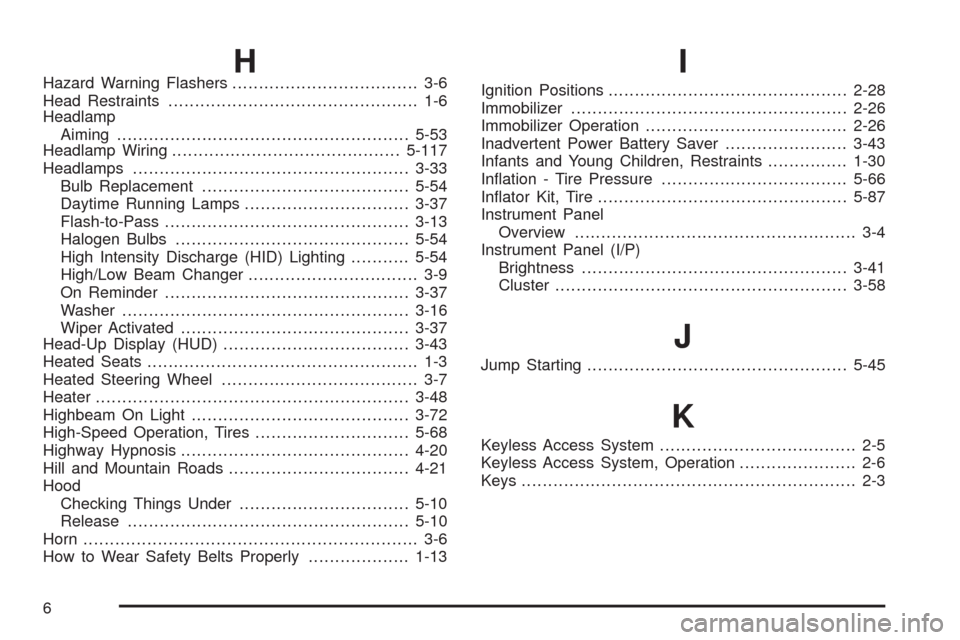
HHazard Warning Flashers................................... 3-6
Head Restraints............................................... 1-6
Headlamp
Aiming.......................................................5-53
Headlamp Wiring...........................................5-117
Headlamps....................................................3-33
Bulb Replacement.......................................5-54
Daytime Running Lamps...............................3-37
Flash-to-Pass..............................................3-13
Halogen Bulbs............................................5-54
High Intensity Discharge (HID) Lighting...........5-54
High/Low Beam Changer................................ 3-9
On Reminder..............................................3-37
Washer......................................................3-16
Wiper Activated...........................................3-37
Head-Up Display (HUD)...................................3-43
Heated Seats................................................... 1-3
Heated Steering Wheel..................................... 3-7
Heater...........................................................3-48
Highbeam On Light.........................................3-72
High-Speed Operation, Tires.............................5-68
Highway Hypnosis...........................................4-20
Hill and Mountain Roads..................................4-21
Hood
Checking Things Under................................5-10
Release.....................................................5-10
Horn............................................................... 3-6
How to Wear Safety Belts Properly...................1-13I
Ignition Positions.............................................2-28
Immobilizer....................................................2-26
Immobilizer Operation......................................2-26
Inadvertent Power Battery Saver.......................3-43
Infants and Young Children, Restraints...............1-30
Ination - Tire Pressure...................................5-66
Inator Kit, Tire...............................................5-87
Instrument Panel
Overview..................................................... 3-4
Instrument Panel (I/P)
Brightness..................................................3-41
Cluster.......................................................3-58
J
Jump Starting.................................................5-45
K
Keyless Access System..................................... 2-5
Keyless Access System, Operation...................... 2-6
Keys............................................................... 2-3
6