2008 CADILLAC STS ignition
[x] Cancel search: ignitionPage 264 of 500

F5 MODE:Press to select from NORMAL, RPT TRCK
(Repeat Track), RPT DISC (Repeat CD), RDM TRCK
(Random Track), and RDM ALL (Random All CDs).
NORMAL:Sets the system for normal play of
the CD(s). NORMAL does not display while in
this mode.
RPT TRCK (Repeat Track):Repeats the track
over again. RPT TRCK displays. Press the
MODE pushbutton again to turn off repeat play.
RPT TRCK disappears from the display.
RPT DISC (Repeat CD):Repeats the CD over
again. RPT DISC displays. Press the MODE
pushbutton again to turn off repeat play.
RPT DISC disappears from the display.
RDM TRCK (Random Track):Plays the tracks on
the current CD in random, rather than sequential,
order. RDM TRCK displays. Press the MODE
pushbutton again to turn off random play.
RDM TRCK disappears from the display.
RDM ALL (Random All CDs):Plays all of the CDs
loaded in random, rather than sequential, order.
RDM ALL displays. Press the MODE pushbutton
again to turn off random play. RDM ALL disappears
from the display.F6 DISP (Display):Press to display the time of the
track. Press again to display CD PLAY MODE.
©¨(Seek):Press the left arrow to go to the previous
or press the right arrow button to go to the next track
on the CD.
©¨(Scan):Press the arrows to listen to each track
for 10 seconds. The CD goes to a track, plays for
10 seconds, then goes to the next track. Press the
arrows again to stop scanning.
Z(Eject):Press to eject the CD that is currently
playing, or press and hold to eject all of the CDs loaded.
A beep sounds. Eject can be activated with the
ignition or radio off.
Playing an MP3 CD-R Disc
The vehicle’s radio system could have the MP3 feature.
If it has this feature, it is capable of playing an MP3
CD-R disc. For more information on how to play an MP3
CD-R disc, seeUsing an MP3 on page 3-112later in
this section.
3-110
Page 268 of 500

Preprogrammed Playlists
Preprogrammed playlists that were created using
WinAmp™, MusicMatch™, or Real Jukebox™ software
can be accessed, however, they cannot be edited
using the radio. These playlists are treated as special
folders containing compressed audio song les.
Playing an MP3
Insert a CD partway into the slot, label side up. The
player pulls it in, and LOADING CD displays. The CD
should begin playing and the CD symbol displays.
If the ignition and the radio are on, the CD begins
playing. A CD can be loaded with the radio off,
but it does not start playing until the radio is on.
F1
r(Previous Folder):Press this button to go
to the rst track in the previous folder.
Press and hold this button to reverse quickly within a
track. Release this button to play the passage. REV
and the elapsed time of the track displays.
Pressing this button while in folder random mode goes
to the previous folder and plays the tracks in that
folder in random order.F2
[(Next Folder):Press this button to go to the
rst track in the next folder.
Press and hold this button to advance quickly within a
track. Release this button to play the passage. FWD and
the elapsed time of the track displays.
Pressing this button while in folder random mode takes
you to the next folder and plays the tracks in that
folder in random order.
F3 RDM (Random):To play the tracks on the CD in
random, rather than sequential order, press and release
this pushbutton until RDM TRCK displays. Once all
of the tracks in the current folder or playlist have played,
the system moves on to the next folder or playlist and
plays all of the tracks in random order.
To play the tracks in the current folder in random, rather
than sequential order, press and release this button
until RDM FLDR displays. This feature does not work
with playlists.
While in random, pressing and releasing either
©¨seek arrow goes to the previous or to the
next random track.
3-114
Page 289 of 500

When certain faults or vehicle conditions are detected,
the Stability control will automatically go into a secure
mode and the STABILITY SECURE MODE message will
be displayed on the DIC. When the Stability Secure Mode
is activated, the stability control system will not respond
to driver requests to change the stability mode until the
next ignition cycle or until the vehicle condition or fault is
returned to normal. When the Stability Secure Mode is
activated, you may see other messages, such as
SERVICE STEERING SYS, SERVICE SUSPENSION
SYS or CHECK TIRE PRESSURE on the DIC. When the
Stability Secure Mode is activated, a larger degree of
steering wheel input at low vehicle speeds and a smaller
degree of steering wheel input at high vehicle speeds
may be required. Stability Secure Mode will be activated
if you are using a compact spare tire. SeeDIC Warnings
and Messages on page 3-80andCompact Spare Tire on
page 5-106.
Persistent operation of your vehicle in the STABILITY
SECURE MODE may be an indication that your vehicle
needs to be serviced by the dealer/retailer.
When certain faults are present, the vehicle’s speed may
be limited and the SPEED LIMITED TO XXX message
will be displayed on the DIC. SeeDIC Warnings and
Messages on page 3-80. When the vehicle’s speed is
limited, you may see other messages, such as SERVICE
STABILITY SYS, SERVICE STEERING SYS or
SERVICE SUSPENSION SYS on the DIC. Have your
vehicle serviced by your dealer/retailer.Enhanced StabiliTrak®and Traction
Control Mode Selection
Enhanced StabiliTrak®can be operated in Touring Mode
or Competitive Mode. It can also be turned off. The
traction control button is used to change stability control
modes (Touring, Competitive or Off) as well as to turn
traction control on or off. SeeTraction Control System
(TCS) on page 4-6. The following information describes
the operation of the traction control button for changing
Traction Control and Stability Control Modes.
When you start your vehicle, Stability control comes on
automatically in the Stability Touring Mode.
To change from Stability Touring Mode to Stability
Competitive Mode, press and hold the traction
control button for about three seconds until
the STABILITY COMPETITIVE MODE message is
displayed on the DIC.
To change from Stability Touring Mode to Stability
Off Mode, press and hold the traction control
button for about ve seconds until the STABILITY
SYS OFF message is displayed on the DIC.
The DIC will temporarily display the STABILITY
COMPETITIVE MODE message prior to displaying
the STABILITY SYS OFF message.
4-11
Page 299 of 500

Hill and Mountain Roads
Driving on steep hills or through mountains is different
than driving on at or rolling terrain. Tips for driving
in these conditions include:
Keep your vehicle serviced and in good shape.
Check all uid levels and brakes, tires, cooling
system, and transmission.
Going down steep or long hills, shift to a lower gear.
{CAUTION:
If you do not shift down, the brakes could get
so hot that they would not work well. You
would then have poor braking or even none
going down a hill. You could crash. Shift down
to let the engine assist the brakes on a steep
downhill slope.
{CAUTION:
Coasting downhill in NEUTRAL (N) or with the
ignition off is dangerous. The brakes will have
to do all the work of slowing down and they
could get so hot that they would not work well.
You would then have poor braking or even
none going down a hill. You could crash.
Always have the engine running and your
vehicle in gear when you go downhill.
Stay in your own lane. Do not swing wide or cut
across the center of the road. Drive at speeds
that let you stay in your own lane.
Top of hills: Be alert — something could be in your
lane (stalled car, accident).
Pay attention to special road signs (falling rocks
area, winding roads, long grades, passing or
no-passing zones) and take appropriate action.
4-21
Page 357 of 500
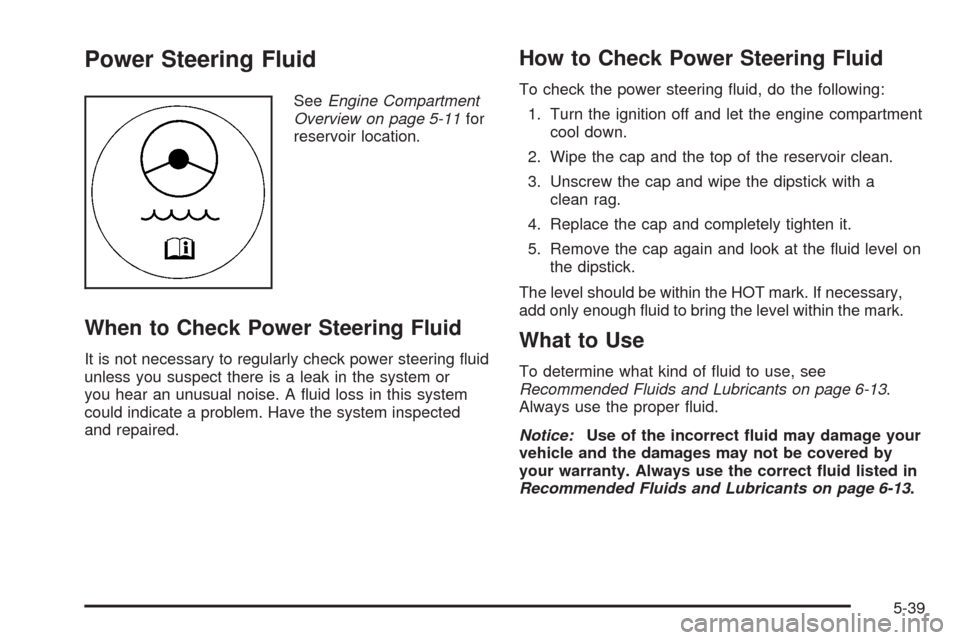
Power Steering Fluid
SeeEngine Compartment
Overview on page 5-11for
reservoir location.
When to Check Power Steering Fluid
It is not necessary to regularly check power steering uid
unless you suspect there is a leak in the system or
you hear an unusual noise. A uid loss in this system
could indicate a problem. Have the system inspected
and repaired.
How to Check Power Steering Fluid
To check the power steering uid, do the following:
1. Turn the ignition off and let the engine compartment
cool down.
2. Wipe the cap and the top of the reservoir clean.
3. Unscrew the cap and wipe the dipstick with a
clean rag.
4. Replace the cap and completely tighten it.
5. Remove the cap again and look at the uid level on
the dipstick.
The level should be within the HOT mark. If necessary,
add only enough uid to bring the level within the mark.
What to Use
To determine what kind of uid to use, see
Recommended Fluids and Lubricants on page 6-13.
Always use the proper uid.
Notice:Use of the incorrect uid may damage your
vehicle and the damages may not be covered by
your warranty. Always use the correct uid listed in
Recommended Fluids and Lubricants on page 6-13.
5-39
Page 359 of 500

Brakes
Brake Fluid
The brake master cylinder
reservoir is lled with
DOT-3 brake uid. See
Engine Compartment
Overview on page 5-11for
reservoir location and
access.
There are only two reasons why the brake uid level in
the reservoir might go down. The rst is that the
brake uid goes down to an acceptable level during
normal brake lining wear. When new linings are put in,
the uid level goes back up. The other reason is
that uid is leaking out of the brake hydraulic system.
If it is, you should have the brake hydraulic system xed,
since a leak means that sooner or later the brakes
will not work well.It is not a good idea to top off the brake uid. Adding
brake uid will not correct a leak. If uid is added when
the linings are worn, there will be too much uid
when new brake linings are installed. Add or remove
brake uid, as necessary, only when work is done on the
brake hydraulic system.
{CAUTION:
If your vehicle has too much brake uid, it can
spill on the engine. The uid will burn if the
engine is hot enough. You or others could be
burned, and your vehicle could be damaged.
Add brake uid only when work is done on the
brake hydraulic system.
If the ignition is on and the brake uid is low, the
CHECK BRAKE FLUID message will be displayed in
the Driver Information Center (DIC). SeeDIC Warnings
and Messages on page 3-80.
5-41
Page 364 of 500

Notice:If you leave your radio or other accessories
on during the jump starting procedure, they could
be damaged. The repairs would not be covered
by your warranty. Always turn off your radio and
other accessories when jump starting your vehicle.
3. Turn off the ignition on both vehicles. Unplug
unnecessary accessories plugged into the cigarette
lighter or the accessory power outlets. Turn off
the radio and all lamps that are not needed. This
will avoid sparks and help save both batteries.
And it could save the radio!
4. Open the hoods and locate the positive (+) and
negative (−) terminal locations or the remote
positive (+) and remote negative (−) terminals of the
other vehicle. Then locate the remote positive (+)
location on your vehicle. SeeEngine Compartment
Overview on page 5-11for more information on
locations the terminals.Your vehicle has a remote negative (−) ground
location, as shown in the illustration. It is located
on the passenger side front shock tower. See
Engine Compartment Overview on page 5-11. You
should always use this remote ground location,
instead of the terminal on the battery.
5-46
Page 388 of 500

The Tire Pressure Monitor System (TPMS) operates on
a radio frequency and complies with RSS-210 of
Industry and Science Canada. Operation is subject to
the following two conditions:
1. This device may not cause interference.
2. This device must accept any interference received,
including interference that may cause undesired
operation of the device.
Changes or modications to this system by other than
an authorized service facility could void authorization to
use this equipment.
Tire Pressure Monitor Operation
The Tire Pressure Monitor System (TPMS) is designed
to warn the driver when a low tire pressure condition
exists. TPMS sensors are mounted onto each tire
and wheel assembly, excluding the spare tire and wheel
assembly. The TPMS sensors monitor the air pressure
in the vehicle’s tires and transmits the tire pressure
readings to a receiver located in the vehicle.When a low tire pressure
condition is detected, the
TPMS illuminates the
low tire pressure warning
light located on the
instrument panel cluster.
At the same time a message to check the pressure in a
specic tire appears on the Driver Information Center
(DIC) display. The low tire pressure warning light
and the DIC warning message come on at each ignition
cycle until the tires are inated to the correct ination
pressure. Using the DIC, tire pressure levels can
be viewed by the driver. For additional information and
details about the DIC operation and displays see
DIC Operation and Displays on page 3-74andDIC
Warnings and Messages on page 3-80.
5-70