2008 CADILLAC STS steering
[x] Cancel search: steeringPage 276 of 500

Some audio controls can be adjusted at the steering
wheel. See the following descriptions of the controls
that can adjusted.
©SEEK¨:Press the SEEK arrows to go to the
previous or the next radio station while in AM, FM,
or XM™ (if equipped).The radio seeks stations only with a strong signal that
are in the selected band.
Press either SEEK arrow to go to the previous or the
next track while sourced to a CD.
SRCE (Source):Press this button to switch between
the radio (AM, FM), XM™ (if equipped) and CD.
SCAN:To scan stations, press and hold this button for
a few seconds, the radio goes to a station, plays for
a few seconds, then goes to the next station. Press this
button again to stop scanning.
The radio scans stations only with a strong signal that
are in the selected band.
yz(Previous/Next):Press the arrows to go to the
previous or the next radio station stored as a favorite.
While a CD is playing, press either arrow to go to
the previous or to the next track.
+
e−e(Volume):Press the plus or minus volume
button to increase or to decrease the volume. Audio Controls With
Heated Steering Wheel,
Adaptive Cruise
Control GAP, and
Cruise Control Cancel
Right-Side Audio
Controls
3-122
Page 279 of 500

Your Driving, the Road, and Your Vehicle..........4-2
Defensive Driving...........................................4-2
Drunk Driving.................................................4-2
Control of a Vehicle........................................4-3
Braking.........................................................4-4
Antilock Brake System (ABS)...........................4-5
Braking in Emergencies...................................4-6
Traction Control System (TCS).........................4-6
Competitive Driving Mode (STS-V)....................4-7
Magnetic Ride Control.....................................4-8
Limited-Slip Rear Axle.....................................4-8
StabiliTrak
®System........................................4-8
Enhanced StabiliTrak®.....................................4-9
Panic Brake Assist........................................4-12
All-Wheel Drive (AWD) System.......................4-13
Steering......................................................4-13
Off-Road Recovery.......................................4-16
Passing.......................................................4-16
Loss of Control.............................................4-16Competitive Driving.......................................4-18
Driving at Night............................................4-18
Driving in Rain and on Wet Roads..................4-19
Before Leaving on a Long Trip.......................4-20
Highway Hypnosis........................................4-20
Hill and Mountain Roads................................4-21
Winter Driving..............................................4-22
If Your Vehicle is Stuck in Sand, Mud,
Ice, or Snow.............................................4-25
Rocking Your Vehicle to Get It Out.................4-26
Loading Your Vehicle....................................4-26
Towing..........................................................4-31
Towing Your Vehicle.....................................4-31
Recreational Vehicle Towing...........................4-31
Towing a Trailer (Vehicles With
Heavy Duty Cooling)..................................4-34
Towing a Trailer (Vehicles Without
Heavy Duty Cooling)..................................4-40
Section 4 Driving Your Vehicle
4-1
Page 281 of 500

Death and injury associated with drinking and driving is a
global tragedy.
Alcohol affects four things that anyone needs to drive a
vehicle: judgment, muscular coordination, vision, and
attentiveness.
Police records show that almost 40 percent of all motor
vehicle-related deaths involve alcohol. In most cases,
these deaths are the result of someone who was drinking
and driving. In recent years, more than 17,000 annual
motor vehicle-related deaths have been associated with
the use of alcohol, with about 250,000 people injured.
For persons under 21, it is against the law in every U.S.
state to drink alcohol. There are good medical,
psychological, and developmental reasons for
these laws.
The obvious way to eliminate the leading highway
safety problem is for people never to drink alcohol and
then drive.Medical research shows that alcohol in a person’s
system can make crash injuries worse, especially
injuries to the brain, spinal cord, or heart. This means
that when anyone who has been drinking — driver
or passenger — is in a crash, that person’s chance of
being killed or permanently disabled is higher than if the
person had not been drinking.
Control of a Vehicle
The following three systems help to control your vehicle
while driving — brakes, steering, and accelerator. At
times, as when driving on snow or ice, it is easy to ask
more of those control systems than the tires and
road can provide. Meaning, you can lose control of your
vehicle. SeeTraction Control System (TCS) on
page 4-6andStabiliTrak
®System on page 4-8or
Enhanced StabiliTrak®on page 4-9.
Adding non-dealer/non-retailer accessories can affect
your vehicle’s performance. SeeAccessories and
Modifications on page 5-3.
4-3
Page 284 of 500
Braking in Emergencies
With ABS, you can steer and brake at the same time. In
many emergencies, steering can help you more than
even the very best braking.
Traction Control System (TCS)
Your vehicle has a traction control system that limits
wheel spin. This is especially useful in slippery
road conditions. On a rear-wheel-drive vehicle, the
system operates if it senses that one or both of the rear
wheels are spinning or beginning to lose traction. On
an All-Wheel-Drive (AWD) vehicle, the system will
operate if it senses that any of the wheels are spinning
or beginning to lose traction. When this happens,
the system brakes the spinning wheel(s) and/or reduces
engine power to limit wheel spin.
You may feel or hear the system working, but this is
normal.
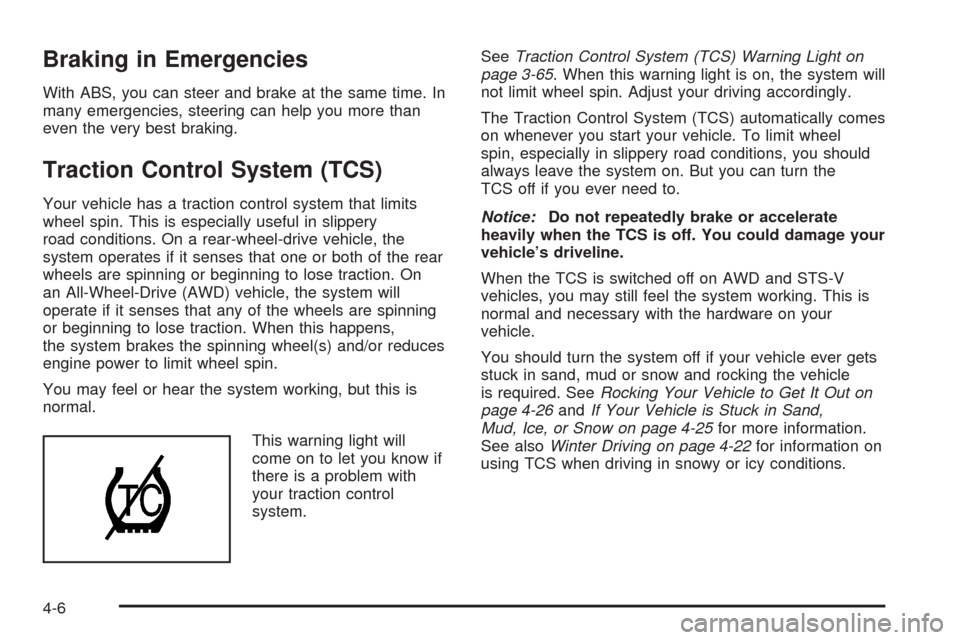
This warning light will
come on to let you know if
there is a problem with
your traction control
system.SeeTraction Control System (TCS) Warning Light on
page 3-65. When this warning light is on, the system will
not limit wheel spin. Adjust your driving accordingly.
The Traction Control System (TCS) automatically comes
on whenever you start your vehicle. To limit wheel
spin, especially in slippery road conditions, you should
always leave the system on. But you can turn the
TCS off if you ever need to.
Notice:Do not repeatedly brake or accelerate
heavily when the TCS is off. You could damage your
vehicle’s driveline.
When the TCS is switched off on AWD and STS-V
vehicles, you may still feel the system working. This is
normal and necessary with the hardware on your
vehicle.
You should turn the system off if your vehicle ever gets
stuck in sand, mud or snow and rocking the vehicle
is required. SeeRocking Your Vehicle to Get It Out on
page 4-26andIf Your Vehicle is Stuck in Sand,
Mud, Ice, or Snow on page 4-25for more information.
See alsoWinter Driving on page 4-22for information on
using TCS when driving in snowy or icy conditions.
4-6
Page 285 of 500

To turn the system off,
press the TC (traction
control) button located
near the shift lever.
If your All Wheel Drive vehicle has the optional
enhanced vehicle stability control system called Active
Steering with Enhanced StabiliTrak
®, the Traction
Control button is used to turn traction control on and off
and to select between three stability control modes:
Touring, Competitive and Off. SeeEnhanced
StabiliTrak
®on page 4-9for Traction Control button
operating instructions.
If you press the TC button once, the Traction Control
System will turn off and the Traction Control System
Warning Light will come on. Press the TC button again
to turn the system back on. If you press and hold
the TC button for ve seconds, the StabiliTrak
®system
and the Traction Control System will turn off. Press
the TC button again to turn StabiliTrak
®back on. For
more information, seeStabiliTrak®System on page 4-8.
Adding non-GM accessories can affect your vehicle’s
performance. SeeAccessories and Modifications
on page 5-3for more information.
Competitive Driving Mode (STS-V)
The driver can select this optional handling mode
by pressing the Traction Control button, located near
the shift lever, twice within ve seconds. Competitive
driving mode allows the driver to have control of
the power applied to the rear wheels, while the
StabiliTrak
®system helps steer the vehicle by selective
brake application. In competitive mode, the levels at
which StabiliTrak
®is engaged have been modied
to better suit a performance driving environment. When
the traction control warning light is on, the Traction
Control System will not be operating. Adjust your driving
accordingly.
When you press the Traction Control button again, the
Traction Control System will be on. The traction
engaged symbol will be displayed temporarily in the DIC
and a chime will be heard. SeeDIC Warnings and
Messages on page 3-80for more information.
4-7
Page 286 of 500

Magnetic Ride Control
Your vehicle may have Magnetic Ride Control that
automatically adjusts the ride of your vehicle. Automatic
ride control is achieved through a computer used to
control and monitor the suspension system. The
controller receives input from various sensors to
determine the proper system response. If the controller
detects a problem within the system, the DIC will
display a SERVICE SUSPENSION SYS message. See
DIC Warnings and Messages on page 3-80for more
information. See your dealer for service.
Limited-Slip Rear Axle
Your limited-slip rear axle can give you additional
traction on snow, mud, ice, sand or gravel. It works like
a standard axle most of the time, but when one of
the rear wheels has no traction and the other does, this
feature will allow the wheel with traction to move the
vehicle.
StabiliTrak®System
Your vehicle has a vehicle stability enhancement
system called StabiliTrak®. It is an advanced computer
controlled system that assists with directional control
of the vehicle in difficult driving conditions.
If your all-wheel-drive vehicle has the optional enhanced
vehicle stability control system called Active Steering
with Enhanced StabiliTrak
®, seeEnhanced StabiliTrak®
on page 4-9.
StabiliTrak
®activates when the computer senses a
discrepancy between the intended path and the direction
the vehicle is actually traveling. StabiliTrak
®selectively
applies braking pressure at any one of the vehicle’s
brakes to help steer the vehicle in the direction which
you are steering.
When the system activates, a STABILITY SYS ACTIVE
message will be displayed on the Driver Information
Center (DIC). SeeDIC Warnings and Messages
on page 3-80. You may also hear a noise or feel
vibration in the brake pedal. This is normal. Continue to
steer the vehicle in the direction you want it to go.
4-8
Page 287 of 500

If there is a problem detected with StabiliTrak®,a
SERVICE STABILITY SYS message will be displayed
on the DIC. SeeDIC Warnings and Messages on
page 3-80. When this message is displayed, the system
is not operational. Driving should be adjusted
accordingly.
StabiliTrak
®comes on automatically whenever the
vehicle is started. To help assist with directional control
of the vehicle, always leave the system on. StabiliTrak
®
can be turned off, however, by using the TC (traction
control) on/off button. SeeTraction Control System
(TCS) on page 4-6.
If the vehicle is in cruise control when the StabiliTrak
®
activates, the cruise control will automatically disengage.
When road conditions allow you to safely use it again,
you may reengage the cruise control. SeeCruise Control
on page 3-17orAdaptive Cruise Control on page 3-20for
more information.
Enhanced StabiliTrak®
All-wheel-drive (AWD) vehicles with the Active Steering
with Enhanced StabiliTrak®option have an enhanced
computer controlled vehicle stability system that assists
with directional control of the vehicle in difficult driving
conditions. This system coordinates automatic control of
the Active Steering System, the Magnetic Ride Control
Suspension System, and the Brake Control System for
better vehicle performance.During extreme cold temperature conditions, the active
steering function may be temporarily disabled which may
cause the steering wheel to be off set from the center
position while driving straight. This is normal operation
and the vehicle is safe to drive in these cases.
Stability control activates when the computer senses a
difference between the intended path and the direction
the vehicle is actually traveling. Stability control
automatically adjusts the front road wheel steering angle,
modies the suspension stiffness, and selectively applies
braking pressure at any one of the vehicle’s brakes to
help maintain directional control of the vehicle.
When the system activates, a STABILITY SYS ACTIVE
message displays on the Driver Information Center (DIC).
SeeDIC Warnings and Messages on page 3-80You may
also hear a noise or feel vibration in the brake pedal. This
is normal. Continue to steer the vehicle in the direction
you want it to go.
4-9
Page 288 of 500

If the vehicle is in cruise control when Enhanced
StabiliTrak®activates, the cruise control will automatically
disengage. When road conditions allow you to safely use
it again, you may re-engage the cruise control. See
Cruise Control on page 3-17,orAdaptive Cruise Control
on page 3-20for more information.
Enhanced StabiliTrak
®comes on automatically in the
Stability Touring Mode, when the vehicle is started. The
Stability Touring Mode is recommended for normal
driving. Enhanced StabiliTrak
®also has Stability
Competitive Mode that is turned on by pressing the
Traction Control (TC) Button. SeeTraction Control
System (TCS) on page 4-6. This mode is designed to be
used by the performance conscious driver who desires
less stabilty control intervention. SeeCompetitive Driving
Mode (STS-V) on page 4-7. When the Stability Control
Competitive Mode has been activated, traction control
operates in competitive mode and cannot be turned off.
The STABILITY COMPETITIVE MODE message will be
displayed on the DIC. SeeDIC Warnings and Messages
on page 3-80.
When operating your vehicle in the Stability Competitive
Mode, the system provides less stability control
intervention. Driving should be adjusted accordingly.When the stability control Stability Competitive Mode
has been selected, the Active Steering and Magnetic
Ride Control Touring Mode is not available. These
systems are automatically changed to the Performance
Mode, providing more response to road conditions
and quicker steering response. For more information,
see “Active Steering and Magnetic Ride Control
Mode” in the Index of the vehicle’s Navigation Manual.
To assist you with directional control of the vehicle,
always leave the system on. Stability control can
be turned off however, by using the traction control
button. SeeTraction Control System (TCS) on page 4-6.
The STABILITY SYS OFF message will be displayed
on the DIC. SeeDIC Warnings and Messages on
page 3-80.
If there is a problem detected with Enhanced
StabiliTrak
®, the SERVICE STABILITY SYS message
will be displayed on the DIC. SeeDIC Warnings
and Messages on page 3-80. When this message is
displayed, the system is not operating. Driving should be
adjusted accordingly.
4-10