2008 CADILLAC SRX light
[x] Cancel search: lightPage 130 of 448
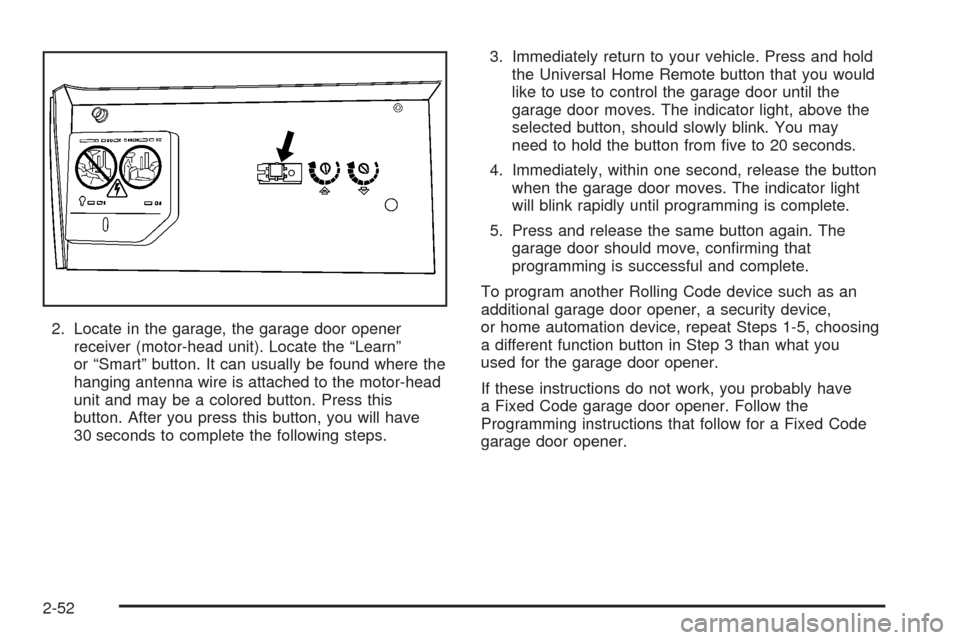
2. Locate in the garage, the garage door opener
receiver (motor-head unit). Locate the “Learn”
or “Smart” button. It can usually be found where the
hanging antenna wire is attached to the motor-head
unit and may be a colored button. Press this
button. After you press this button, you will have
30 seconds to complete the following steps.3. Immediately return to your vehicle. Press and hold
the Universal Home Remote button that you would
like to use to control the garage door until the
garage door moves. The indicator light, above the
selected button, should slowly blink. You may
need to hold the button from ve to 20 seconds.
4. Immediately, within one second, release the button
when the garage door moves. The indicator light
will blink rapidly until programming is complete.
5. Press and release the same button again. The
garage door should move, conrming that
programming is successful and complete.
To program another Rolling Code device such as an
additional garage door opener, a security device,
or home automation device, repeat Steps 1-5, choosing
a different function button in Step 3 than what you
used for the garage door opener.
If these instructions do not work, you probably have
a Fixed Code garage door opener. Follow the
Programming instructions that follow for a Fixed Code
garage door opener.
2-52
Page 133 of 448

2. Write down the eight to 12 switch settings from
left to right as follows:
When a switch is in the up position,
write “Left.”
When a switch is in the down position,
write “Right.”
If a switch is set between the up and down
position, write “Middle.”
The switch settings that you wrote down in
Step 2 will now become the button strokes
you enter into the Universal Home Remote in
Step 4. Be sure to enter the switch settings
that you wrote down in Step 2, in order from
left to right, into the Universal Home Remote,
when completing Step 4.
3. From inside your vehicle, rst rmly press all
three buttons at the same time for about
three seconds. Release the buttons to put the
Universal Home Remote into programming mode.4. The indicator lights will blink slowly. Enter each
switch setting from Step 2 into your vehicle’s
Universal Home Remote. You will have two and
one-half minutes to complete Step 4. Now press
one button on the Universal Home Remote for
each switch setting as follows:
If you wrote “Left,” press the left button in
the vehicle.
If you wrote “Right,” press the right button in
the vehicle.
If you wrote “Middle,” press the middle button
in the vehicle.
2-55
Page 134 of 448

5. After entering all of the switch positions, again,
rmly press and release all three buttons at the
same time. The indicator lights will turn on.
6. Press and hold the button you would like to use
to control the garage door until the garage door
moves. The indicator light above the selected
button should slowly blink. You may need to
hold the button from ve to 55 seconds.
7. Immediately release the button when the garage
door moves. The indicator light will blink rapidly
until programming is complete.
8. Press and release the same button again.
The garage door should move, conrming
that programming is successful and complete.
To program another Fixed Code device such as an
additional garage door opener, a security device,
or home automation device, repeat Steps 1-8,
choosing a different button in Step 6 than what
you used for the garage door opener.Using Universal Home Remote
Press and hold the appropriate button for at least
half of a second. The indicator light will come on
while the signal is being transmitted.
Reprogramming Universal Home
Remote Buttons
You can reprogram any of the three buttons by
repeating the instructions.
Erasing Universal Home
Remote Buttons
You should erase the programmed buttons when
you sell or terminate your lease.
2-56
Page 135 of 448

To erase either Rolling Code or Fixed Code on the
Universal Home Remote device:
1. Press and hold the two outside buttons at the
same time for approximately 20 seconds, until
the indicator lights, located directly above the
buttons, begin to blink rapidly.
2. Once the indicator lights begin to blink, release
both buttons. The codes from all buttons will
be erased.
For help or information on the Universal Home
Remote System, call the customer assistance
phone number underCustomer Assistance Offices
on page 7-6.Storage Areas
Glove Box
To open, lift the handle up. Use the key to lock
and unlock.
Cupholder(s)
Your vehicle has cupholders located between the front
seats. Slide the cover back to expose them. There
are also cupholders in the armrest of the second row
seat. Press the panel on the front of the armrest
to expose the cupholders. On the outboard sides of
the third row there may also be cupholders.
Center Console Storage
Your vehicle has a center console storage area
located between the front seats. It includes storage
areas, and accessory power outlet(s) on the rear
of the console.
2-57
Page 141 of 448

Instrument Panel Overview...............................3-4
Hazard Warning Flashers................................3-6
Other Warning Devices...................................3-6
Horn.............................................................3-6
Tilt Wheel.....................................................3-6
Heated Steering Wheel...................................3-7
Turn Signal/Multifunction Lever.........................3-7
Turn and Lane-Change Signals........................3-8
Headlamp High/Low-Beam Changer..................3-8
Flash-to-Pass.................................................3-9
Windshield Wipers..........................................3-9
Windshield Washer.......................................3-10
Rear Window Wiper/Washer...........................3-11
Headlamp Washer........................................3-12
Cruise Control..............................................3-12
Headlamps..................................................3-16
Wiper Activated Headlamps............................3-16Headlamps on Reminder................................3-16
Daytime Running Lamps (DRL).......................3-17
Fog Lamps..................................................3-18
Exterior Lighting Battery Saver........................3-19
Instrument Panel Brightness...........................3-19
Entry Lighting...............................................3-19
Parade Dimming...........................................3-19
Reading Lamps............................................3-20
Electric Power Management...........................3-20
Accessory Power Outlet(s).............................3-21
Ashtray(s) and Cigarette Lighter......................3-21
Analog Clock...............................................3-22
Climate Controls............................................3-23
Dual Climate Control System..........................3-23
Outlet Adjustment.........................................3-29
Rear Air Conditioning System.........................3-29
Passenger Compartment Air Filter..................
.3-30
Section 3 Instrument Panel
3-1
Page 142 of 448

Warning Lights, Gages, and Indicators............3-31
Instrument Panel Cluster................................3-32
Speedometer and Odometer...........................3-33
Tachometer.................................................3-33
Engine Speed Limiter....................................3-33
Safety Belt Reminders...................................3-33
Airbag Readiness Light..................................3-34
Passenger Airbag Status Indicator...................3-35
Charging System Light..................................3-37
Brake System Warning Light..........................3-38
Antilock Brake System Warning Light...............3-39
Traction Control System (TCS) Warning Light......3-39
Engine Coolant Temperature Warning Light......3-40
Engine Coolant Temperature Gage..................3-40
Tire Pressure Light.......................................3-41
Malfunction Indicator Lamp.............................3-42
Oil Pressure Light.........................................3-44
Security Light...............................................3-45
Fog Lamp Light............................................3-45
Lights On Reminder......................................3-46
Cruise Control Light......................................3-46Highbeam On Light.......................................3-46
Tow/Haul Mode Light....................................3-46
Fuel Gage...................................................3-47
Driver Information Center (DIC).......................3-47
DIC Operation and Displays...........................3-48
DIC Warnings and Messages.........................3-53
DIC Vehicle Customization.............................3-62
Audio System(s).............................................3-70
Setting the Time...........................................3-71
Radio(s) (MP3).............................................3-75
Using an MP3..............................................3-84
XM Radio Messages.....................................3-89
Navigation/Radio System..............................
.3-90
Rear Seat Entertainment (RSE) System...........3-90
Rear Seat Audio (RSA).................................3-90
Theft-Deterrent Feature..................................3-92
Audio Steering Wheel Controls.......................3-92
Radio Reception...........................................3-93
Rear Side Window Antenna...........................3-94
XM™ Satellite Radio Antenna System.............3-94
Section 3 Instrument Panel
3-2
Page 145 of 448

The main components of the instrument panel are the following:
A. Air Outlets. SeeOutlet Adjustment on page 3-29.
B. Turn Signal/Multifunction Lever. SeeTurn
Signal/Multifunction Lever on page 3-7.
C. Instrument Panel Cluster. SeeInstrument Panel
Cluster on page 3-32.
D. Windshield Wiper Lever. SeeWindshield Wipers on
page 3-9.
E. Analog Clock. SeeAnalog Clock on page 3-22.
F. Driver Information Center Controls (DIC). SeeDIC
Operation and Displays on page 3-48.
G. Hood Release. SeeHood Release on page 5-11.
Parking Brake Release. SeeParking Brake on
page 2-34.
H. Instrument Panel Brightness Control. SeeInstrument
Panel Brightness on page 3-19.
I. Cruise Control Buttons. SeeCruise Control on
page 3-12.
J. Tilt Wheel Lever. SeeTilt Wheel on page 3-6.K. Adjustable Pedal Button (If Equipped). See
Adjustable Throttle and Brake Pedal on page 2-28.
L. Horn. SeeHorn on page 3-6.
M. Audio Steering Wheel Controls. SeeAudio Steering
Wheel Controls on page 3-92.
N. Ashtray (If Equipped). SeeAshtray(s) and Cigarette
Lighter on page 3-21.
O. Traction Control Button. SeeTraction Control
System (TCS) on page 4-5.
P. Tow/Haul Selector Button (If Equipped).
SeeTow/Haul Mode on page 2-33.
Q. Hazard Warning Flasher Button. SeeHazard
Warning Flashers on page 3-6.
R. Dual Climate Control System. SeeDual Climate
Control System on page 3-23.
S. Audio System. SeeAudio System(s) on page 3-70.
T. Glove Box. SeeGlove Box on page 2-57.
3-5
Page 147 of 448

To tilt the wheel, hold the steering wheel and pull the
lever. Then move the steering wheel to a comfortable
position and release the lever to lock the wheel in place.
Heated Steering Wheel
Your vehicle may have a heated steering wheel.
The button with this
symbol is located on
the left side of the
steering wheel.
Press the button to turn the heated steering wheel on or
off. A light on the button will display when the feature
is turned on.
The steering wheel will take about three minutes to start
heating.
Turn Signal/Multifunction Lever
The lever on the left side of the steering column
includes the following:
GTurn and Lane-Change Signals. SeeTurn and
Lane-Change Signals on page 3-8.
PExterior Lamp Control. SeeHeadlamps on
page 3-16.
23Headlamp High/Low-Beam Changer. See
Headlamp High/Low-Beam Changer on page 3-8.
Flash-To-Pass Feature. SeeFlash-to-Pass
on page 3-9.
-Fog Lamps. SeeFog Lamps on page 3-18.
3-7