2008 BUICK LUCERNE mirror
[x] Cancel search: mirrorPage 117 of 434
Compass Variance
Compass variance is the difference between earth’s
magnetic north and true geographic north. If the mirror
is not adjusted for compass variance, the compass
could give false readings.
The mirror is set in zone eight upon leaving the factory.
It will be necessary to adjust the compass to
compensate for compass variance if the vehicle is
driven outside zone eight. Under certain circumstances,
such as a long distance, cross-country trip, it will be
necessary to adjust the compass variance.
To adjust for compass variance, do the following:
1. Find your current location and variance zone
number on the zone map. SeeAutomatic Dimming
Rearview Mirror with OnStar
®and Compass on
page 2-34for map information.
2. Press and hold the on/off button until a zone
number appears on the display.
3. Once the zone number appears on the display,
press the on/off button quickly until you reach
the correct zone number. If C or CAL appears in
the compass window, the compass may need
calibration. See “Compass Calibration” listed
previously.
Outside Power Mirrors
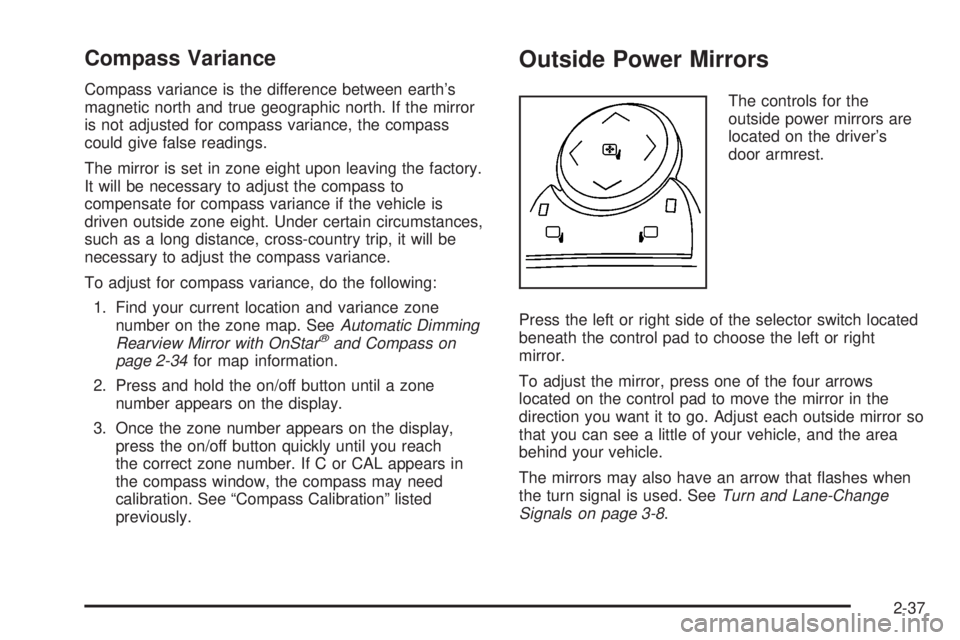
The controls for the
outside power mirrors are
located on the driver’s
door armrest.
Press the left or right side of the selector switch located
beneath the control pad to choose the left or right
mirror.
To adjust the mirror, press one of the four arrows
located on the control pad to move the mirror in the
direction you want it to go. Adjust each outside mirror so
that you can see a little of your vehicle, and the area
behind your vehicle.
The mirrors may also have an arrow that ashes when
the turn signal is used. SeeTurn and Lane-Change
Signals on page 3-8.
2-37
Page 118 of 434

Park Tilt Mirrors
If your vehicle has memory mirrors, the outside mirrors
have park tilt mirrors. This feature tilts the driver
side and passenger side mirror to a factory programmed
position when the vehicle is in REVERSE (R). This
feature may be useful in allowing you to view the curb
when you are parallel parking.
When the vehicle is shifted out of REVERSE (R) and
either a ve second delay has occurred, or the ignition is
turned to LOCK/OFF, the driver and passenger side
mirrors return to their original position.
SeeDIC Vehicle Customization on page 3-66for more
information.
Outside Convex Mirror
{CAUTION:
A convex mirror can make things (like other
vehicles) look farther away than they really are.
If you cut too sharply into the right lane, you
could hit a vehicle on your right. Check your
inside mirror or glance over your shoulder
before changing lanes.The passenger side mirror is convex. A convex mirror’s
surface is curved so more can be seen from the
driver seat. It also makes things, like other vehicles,
look farther away than they really are.
Outside Automatic Dimming Heated
Mirror
If your vehicle has this feature, the outside driver’s
mirror will adjust for the glare of headlamps behind you.
When you operate the rear window defogger, the
heated driver’s and passenger’s outside rearview mirrors
are warmed to help clear them of ice and snow. See
“Rear Window Defogger” underClimate Control System
on page 3-21orDual Automatic Climate Control
System on page 3-24for more information.
Your vehicle may also have a turn signal indicator on
the mirror. An arrow on the outside rearview mirror
will ash in the direction of the turn or lane change. See
Turn and Lane-Change Signals on page 3-8for more
information.
Side Blind Zone Alert (SBZA)
If your vehicle has the Side Blind Zone Alert (SBZA)
system, seeSide Blind Zone Alert on page 2-41.
2-38
Page 119 of 434
Object Detection Systems
Ultrasonic Rear Parking
Assist (URPA)
If your vehicle has the Ultrasonic Rear Parking Assist
(URPA) system, it helps you park easier and avoid other
vehicles while in REVERSE (R). It operates at speeds
less than 5 mph (8 km/h). It can determine how
close objects are to the rear bumper, up to 8 feet (2.5 m)
behind your vehicle. The distance sensors are located
on the rear bumper.
{CAUTION:
The Ultrasonic Rear Parking Assist (URPA)
system does not replace driver vision. It
cannot detect:
objects that are below the bumper,
underneath the vehicle, or if they are too
close or far from the vehicle
children, pedestrians, bicyclists, or pets.
CAUTION: (Continued)
CAUTION: (Continued)
If you do not use proper care before and while
backing; vehicle damage, injury, or death
could occur. Even with URPA, always check
behind your vehicle before backing up. While
backing, be sure to look for objects and check
your vehicle’s mirrors.
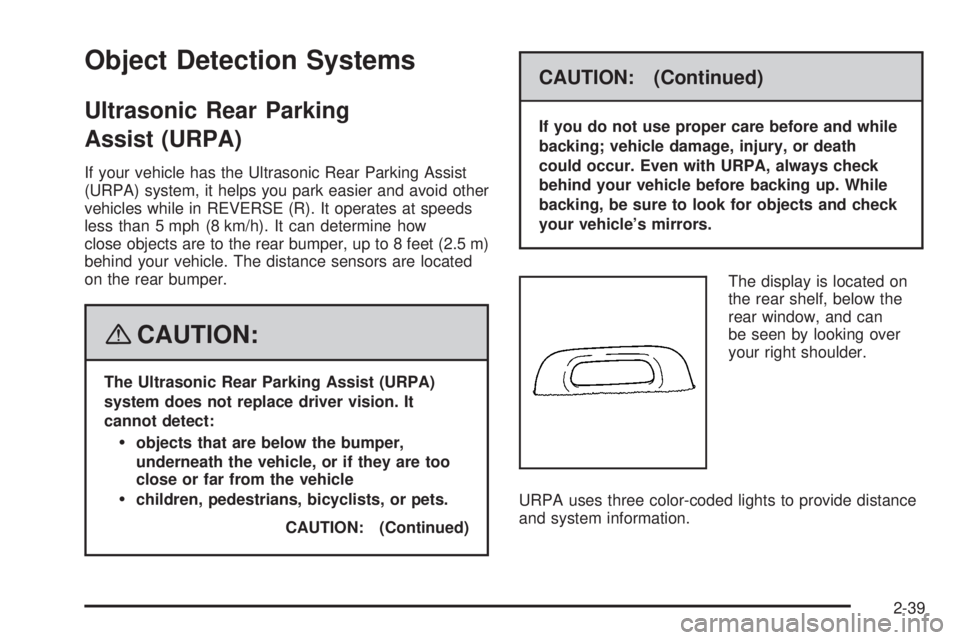
The display is located on
the rear shelf, below the
rear window, and can
be seen by looking over
your right shoulder.
URPA uses three color-coded lights to provide distance
and system information.
2-39
Page 121 of 434

Side Blind Zone Alert
Your vehicle may have a Side Blind Zone Alert (SBZA)
system. Read this entire section before using the
system.
{CAUTION:
The Side Blind Zone Alert (SBZA) system does
not detect vehicles outside the side blind
zones, which may be rapidly approaching.
SBZA is not designed to detect pedestrians,
bicyclists, or animals. SBZA is only a lane
change aid. If you do not use proper care
before changing lanes, vehicle damage, injury,
or death could occur. Even with SBZA, always
check your vehicle’s mirrors, glance over your
shoulder, and start your turn signal before
changing lanes.The SBZA system is an aid that may help you avoid
lane change crashes with vehicles in your side
blind spots (zones). When the system detects a vehicle
in the side blind zone, amber SBZA displays will light
up in your side mirrors. This indicates that it may
be unsafe for you to change lanes. Before making a
lane change, always check the SBZA display, check the
outside and rearview mirrors, look over your shoulder
for vehicles and hazards, and start the turn signal.
2-41
Page 122 of 434

SBZA Detection Zones
The SBZA sensor covers a zone of approximately one
lane over from both sides of the vehicle, 11 ft. or
3.5 m. This zone starts at each side mirror and goes
back approximately 16 ft. (5.0 m). The height of the zone
is approximately between 1.5 ft. (0.5 m) and 6 ft. (2.0 m)
off the ground.
The SBZA detection zones do not change if your
vehicle is towing a trailer. So be extra careful when
changing lanes while towing a trailer.
How the System Works
When the vehicle is started, both outside mirror displays
will briey come on to indicate that the system is
operating. When you are driving forward, the left or right
side mirror SBZA display will light up if a vehicle is
detected in that blind zone. If you activate a turn signal
and a vehicle has been detected on the same side,
the SBZA display will ash to give you extra warning not
to change lanes.
SBZA displays do not come on while your vehicle is
approaching or passing other vehicles.
SBZA can be disabled through the Driver Information
Center (DIC). SeeDriver Information Center (DIC)
on page 3-48for more information. If the SBZA
is disabled by the driver, the SBZA mirror displays will
not light up.
Left Side Mirror Display
Right Side Mirror
Display
2-42
Page 124 of 434

Lane Departure Warning
Your vehicle may have a Lane Departure Warning (LDW)
system. Read this entire section before using the system.
{CAUTION:
The Lane Departure Warning (LDW) system
does not steer the vehicle and is only an aid to
help you stay in your driving lane. The LDW
system may not:
Provide you with enough time to avoid a
lane change collision.
Be loud enough for you to hear the
warning beeps.
Work properly under bad weather
conditions or if the windshield is not kept
clean.
Detect lane markings and will not detect
road edges.
Warn you that your vehicle is crossing a
lane marking if the system does not detect
the lane marking.
CAUTION: (Continued)
CAUTION: (Continued)
LDW will indicate the system is working
whenever it detects either the left or right lane
marking. So if you depart on the side of the
lane that LDW is not detecting, LDW will not
warn you.
If you do not carefully maintain your vehicle
position within the lane, vehicle damage,
injury, or death could occur. Even with LDW,
always keep your attention on the road and
maintain proper vehicle position within the
lane. Always keep the windshield clean and do
not use LDW in bad weather conditions.
When you cross a detected lane marking, the LDW
symbol will ash and you will hear three beeps. LDW will
not warn you if your turn signal is on or if you make a
sharp maneuver. Before making a lane change,
check your vehicle’s mirrors, glance over your shoulder
for vehicles and hazards, and start your turn signal
before changing lanes.
2-44
Page 125 of 434

How the System Works
LDW uses a camera located between the inside
rearview mirror and the windshield to detect the lane
markings.
@(Lane Departure Warning):To turn LDW on and
off, press the LDW control, located by the exterior
headlamp control. An indicator on the control will light to
indicate that LDW is on.
When the vehicle is started, the LDW symbol, located in
the instrument panel cluster, will briey come on to
indicate that the light is operational.LDW only operates at speeds of 35 mph (56 km) or
greater. If LDW is turned on when traveling at these
speeds, the LDW symbol will appear green if the system
detects a left or right lane marking. This symbol will
change to amber and ash and three beeps will sound if
you cross a detected lane marking without using your
turn signal.
If the LDW symbol does not appear, LDW is not
currently operating and will not warn you.
If you would like to change the volume of the warning
chime, see Chime Volume underDIC Vehicle
Customization on page 3-66for more information.
When the System Does Not Seem To Work
Properly
The LDW symbol will not appear when the system is
having difficulty seeing the lines on the road or if the view
of the camera on the windshield is blocked with mud, dirt,
snow, ice, or slush, if the windshield is damaged, or when
weather limits visibility, such as while driving in fog, rain,
or snow conditions. This is normal operation, your vehicle
does not need service. For cleaning instructions, see
Washing Your Vehicle on page 5-98.
LDW warnings may occasionally occur due to tar marks,
shadows, cracks in the road, or other road
imperfections. This is normal system operation, your
vehicle does not need service.
2-45
Page 146 of 434

Turn Signal/Multifunction Lever
The lever on the left side of the steering column
includes the following:
GTurn and Lane-Change Signals. SeeTurn and
Lane-Change Signals on page 3-8.
23Headlamp High/Low-Beam Changer. See
Headlamp High/Low-Beam Changer on page 3-9.
Flash-To-Pass Feature. SeeFlash-to-Pass
on page 3-9.
NWindshield Wipers. SeeWindshield Wipers on
page 3-9.
LWindshield Washer. SeeWindshield Washer
on page 3-11.
_Heated Washer Fluid. SeeWindshield Washer
on page 3-11.
Turn and Lane-Change Signals
To signal a turn, move the lever on the left side of the
steering wheel all the way up or down. The lever returns
automatically when the turn is complete.
An arrow on the instrument
panel cluster will ash in
the direction of the
turn or lane change.
You may also have an arrow in the outside mirror that
ashes when the turn signal is used. SeeOutside Power
Mirrors on page 2-37for more information.
Raise or lower the lever until the arrow starts to ash to
signal a lane change. Hold it there until the lane
change is complete. If you momentarily press and
release the lever, the turn signal will ash three times.
If the arrows ash very fast as you signal a turn or
a lane change, a signal bulb may be burned out and
other drivers will not see your turn signal. If a bulb
is burned out, replace it to help avoid an accident.
If the arrows do not go on at all when you signal a turn,
check the fuse. SeeFuses and Circuit Breakers on
page 5-105.
3-8