2008 AUDI S5 heating
[x] Cancel search: heatingPage 109 of 294
Downloaded from www.Manualslib.com manuals search engine Heating and cooling107
Controls
Safety
Driving tips
General maintenance
Self-help
Technical data
Deluxe automatic air conditioner plus
- basic settingsApplies to vehicles: with deluxe automatic air conditioner plusGeneral notes
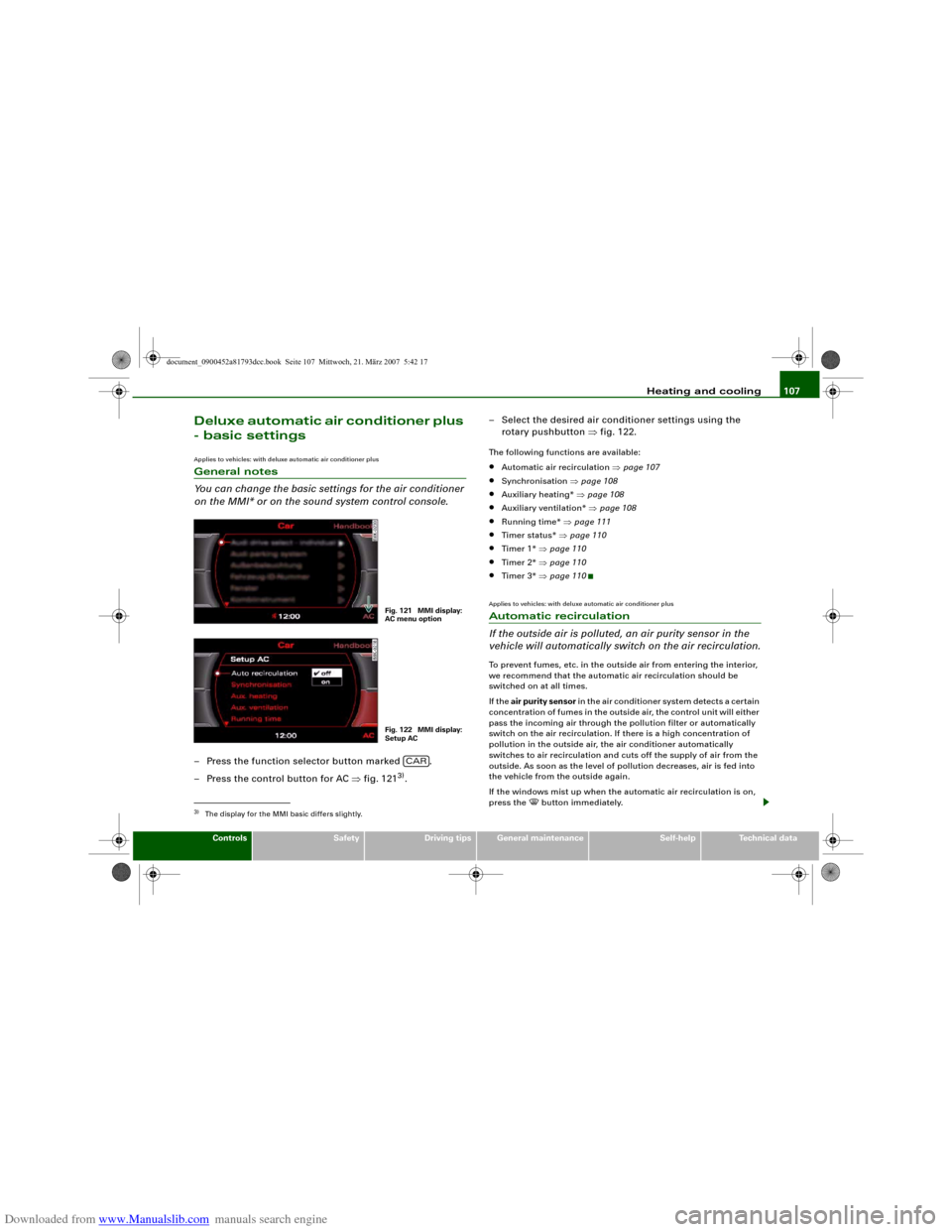
You can change the basic settings for the air conditioner
on the MMI* or on the sound system control console.– Press the function selector button marked .
– Press the control button for AC ⇒fig. 121
3).– Select the desired air conditioner settings using the
rotary pushbutton ⇒fig. 122.
The following functions are available:•
Automatic air recirculation ⇒page 107
•
Synchronisation ⇒page 108
•
Auxiliary heating* ⇒page 108
•
Auxiliary ventilation* ⇒page 108
•
Running time* ⇒page 111
•
Timer status* ⇒page 110
•
Timer 1* ⇒page 110
•
Timer 2* ⇒page 110
•
Timer 3* ⇒page 110
Applies to vehicles: with deluxe automatic air conditioner plusAutomatic recirculation
If the outside air is polluted, an air purity sensor in the
vehicle will automatically switch on the air recirculation.To prevent fumes, etc. in the outside air from entering the interior,
we recommend that the automatic air recirculation should be
switched on at all times.
If the air purity sensor in the air conditioner system detects a certain
concentration of fumes in the outside air, the control unit will either
pass the incoming air through the pollution filter or automatically
switch on the air recirculation. If there is a high concentration of
pollution in the outside air, the air conditioner automatically
switches to air recirculation and cuts off the supply of air from the
outside. As soon as the level of pollution decreases, air is fed into
the vehicle from the outside again.
If the windows mist up when the automatic air recirculation is on,
press the
button immediately.
3)The display for the MMI basic differs slightly.
Fig. 121 MMI display:
AC menu optionFig. 122 MMI display:
Setup AC
CAR
document_0900452a81793dcc.book Seite 107 Mittwoch, 21. März 2007 5:42 17
Page 110 of 294
Downloaded from www.Manualslib.com manuals search engine Heating and cooling 108The automatic air recirculation can switch itself off in certain condi-
tions. If the outside temperature is less than about +10 °C, the auto-
matic air recirculation will only operate for 30 seconds. If the air
conditioner is switched to the ECON mode, or if the outside temper-
ature is less than about -1 °C, the automatic air recirculation will
only operate for 15 seconds.Applies to vehicles: with deluxe automatic air conditioner plusSynchronisation
The air conditioner settings can be synchronised for all
passengers.When the synchronisation function is on, the driver's settings are
also applied to the front passenger or vice versa. Any subsequent
changes to the air conditioner settings (except for the seat heating*)
are also applied to the other occupant.
You can still change the setting on the “synchronised” side (this will
deactivate the synchronisation function).Auxiliary heating and auxiliary
ventilationApplies to vehicles: with auxiliary heating - under development at the time of printingDescription
The auxiliary heating and ventilation systems heat and
cool the interior independently of the engine.The auxiliary heating
works in conjunction with the air condi-
tioner system, but does not rely on heat from the engine. Instead of
this, the system burns fuel. The system's main function is to warm
up the interior of the vehicle and to defrost the windows in cold
weather.The auxiliary heating system can be used both when the vehicle is
stationary and when driving (to provide extra heat while the engine
is warming up).
The auxiliary ventilation
also operates independently of the
engine. This feature can be used to cool the interior with the blower
when the vehicle is left parked in the sun.
The system will automatically activate either the auxiliary heating or
the auxiliary ventilation mode, depending on the actual tempera-
ture measured inside the car and the temperature you have set with
the air conditioner controls. It is possible to alter the temperature
setting while the auxiliary heating/ventilation is running.
Switching on and off
There are two different ways of switching on the auxiliary
heating/ventilation system.
•
Immediate start: You can switch the auxiliary heating/ventilation
on and off at any time in the MMI Car menu ⇒page 109. You can
also switch the system on and off using the remote control
⇒page 111.
•
Switching on via timer: You can programme various start times
using the timers ⇒page 110. However you must first activate the
timer before the auxiliary heating/ventilation system will switch on
automatically.
The auxiliary heating/ventilation will switch itself off at the end of
the programmed running time. The running time can be set to 15,
30, 45 or 60 minutes ⇒page 111.
WARNING
•
The auxiliary heating must not be allowed to run when the
vehicle is in a confined space because it can give off toxic fumes.
•
To avoid any possible fire risk, never have the auxiliary heating
switched on when refuelling the vehicle.
•
Because of the high temperatures which occur when the auxil-
iary heating is running, make sure when parking the car that the
document_0900452a81793dcc.book Seite 108 Mittwoch, 21. März 2007 5:42 17
Page 111 of 294
Downloaded from www.Manualslib.com manuals search engine Heating and cooling109
Controls
Safety
Driving tips
General maintenance
Self-help
Technical data exhaust outlet under the car is not obstructed in any way and that
the exhaust gases do not come into contact with flammable mate-
rials (fire risk).
Note
•
It is advisable to open the air outlets when using the auxiliary
heating/ventilation.
•
The auxiliary heating/ventilation will not switch on if the fuel in
the tank has reached the reserve zone.
•
The auxiliary heating/ventilation will not switch on if the battery
charge level is low.
•
The symbols
(auxiliary ventilation) or
(auxiliary heating)
flash in the instrument cluster next to the clock display when the
auxiliary heating/ventilation is switched on. Both symbols light
continuously when the timer is activated.
•
At low outside temperatures some visible water vapour may
form in the engine compartment. This is a normal phenomenon,
and no reason for concern.
Applies to vehicles: with auxiliary heating - under development at the time of printingSwitching on/off immediately
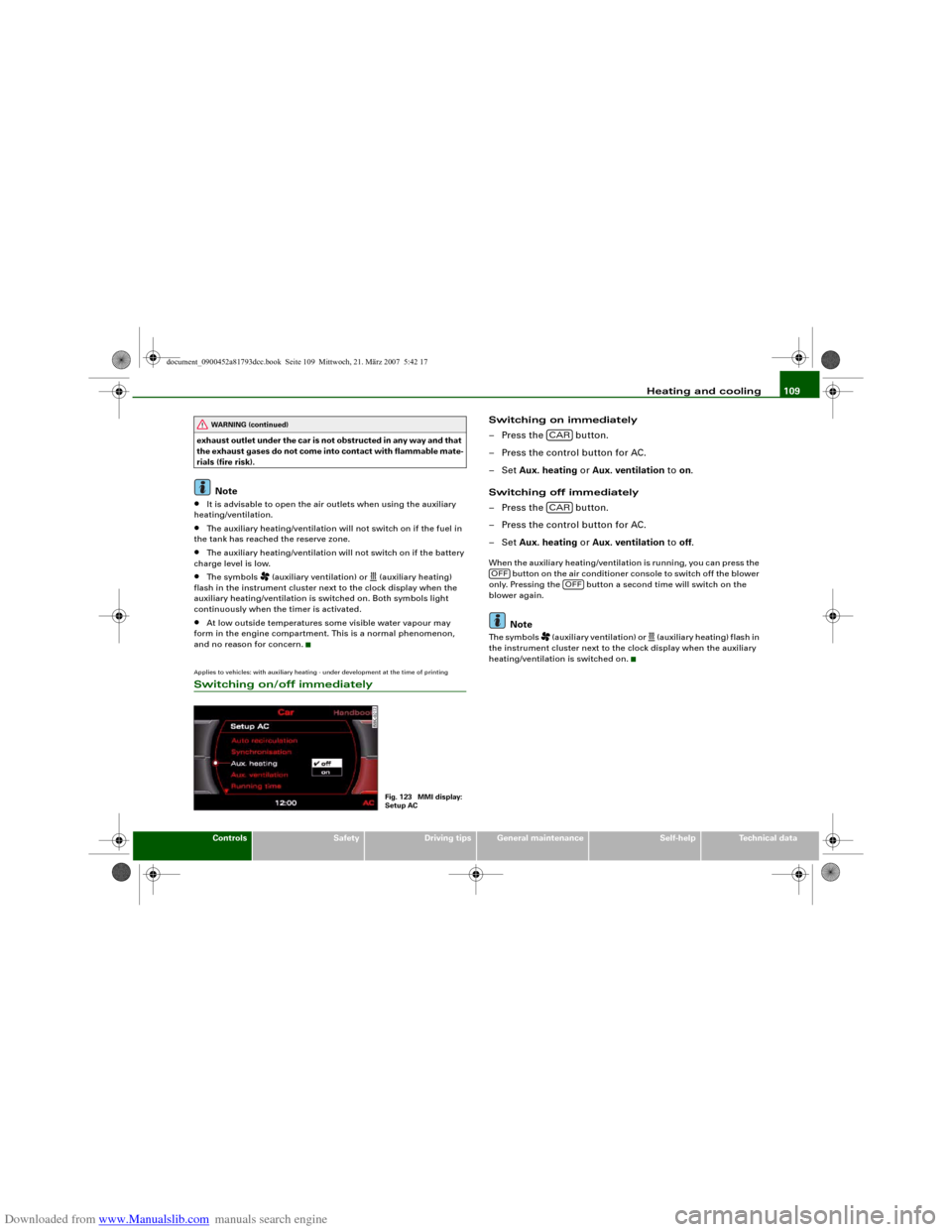
Switching on immediately
– Press the button.
– Press the control button for AC.
–Set Aux. heating or Aux. ventilation to on.
Switching off immediately
– Press the button.
– Press the control button for AC.
–Set Aux. heating or Aux. ventilation to off.When the auxiliary heating/ventilation is running, you can press the
button on the air conditioner console to switch off the blower
only. Pressing the button a second time will switch on the
blower again.
Note
The symbols
(auxiliary ventilation) or
(auxiliary heating) flash in
the instrument cluster next to the clock display when the auxiliary
heating/ventilation is switched on.
WARNING (continued)
Fig. 123 MMI display:
Setup AC
CARCAR
OFF
OFF
document_0900452a81793dcc.book Seite 109 Mittwoch, 21. März 2007 5:42 17
Page 112 of 294
Downloaded from www.Manualslib.com manuals search engine Heating and cooling 110Applies to vehicles: with auxiliary heating - under development at the time of printingSetting the timers
The timers need to be activated before they will switch on
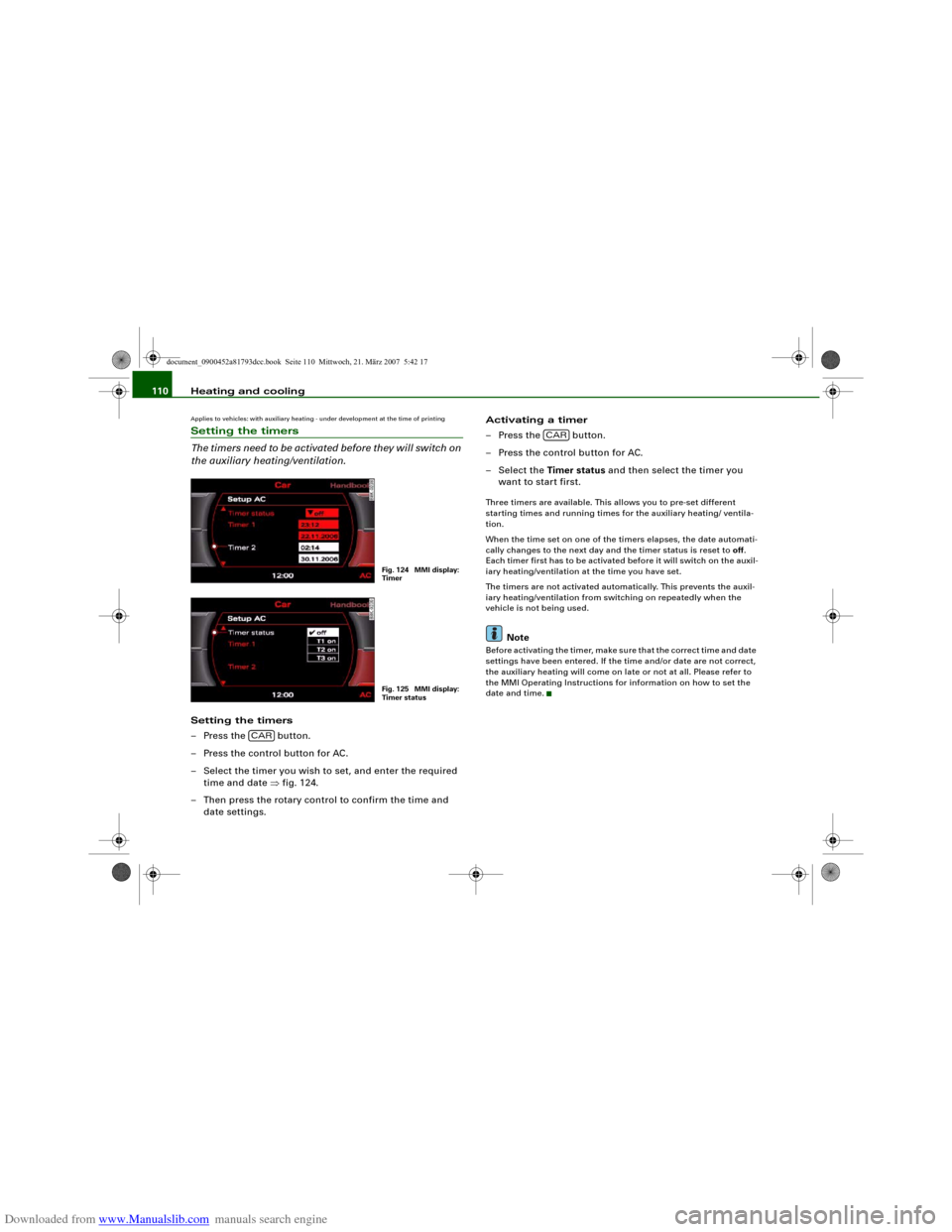
the auxiliary heating/ventilation.Setting the timers
– Press the button.
– Press the control button for AC.
– Select the timer you wish to set, and enter the required
time and date ⇒fig. 124.
– Then press the rotary control to confirm the time and
date settings.Activating a timer
– Press the button.
– Press the control button for AC.
– Select the Timer status and then select the timer you
want to start first.
Three timers are available. This allows you to pre-set different
starting times and running times for the auxiliary heating/ ventila-
tion.
When the time set on one of the timers elapses, the date automati-
cally changes to the next day and the timer status is reset to off.
Each timer first has to be activated before it will switch on the auxil-
iary heating/ventilation at the time you have set.
The timers are not activated automatically. This prevents the auxil-
iary heating/ventilation from switching on repeatedly when the
vehicle is not being used.
Note
Before activating the timer, make sure that the correct time and date
settings have been entered. If the time and/or date are not correct,
the auxiliary heating will come on late or not at all. Please refer to
the MMI Operating Instructions for information on how to set the
date and time.
Fig. 124 MMI display:
TimerFig. 125 MMI display:
Timer status
CAR
CAR
document_0900452a81793dcc.book Seite 110 Mittwoch, 21. März 2007 5:42 17
Page 113 of 294
Downloaded from www.Manualslib.com manuals search engine Heating and cooling111
Controls
Safety
Driving tips
General maintenance
Self-help
Technical data
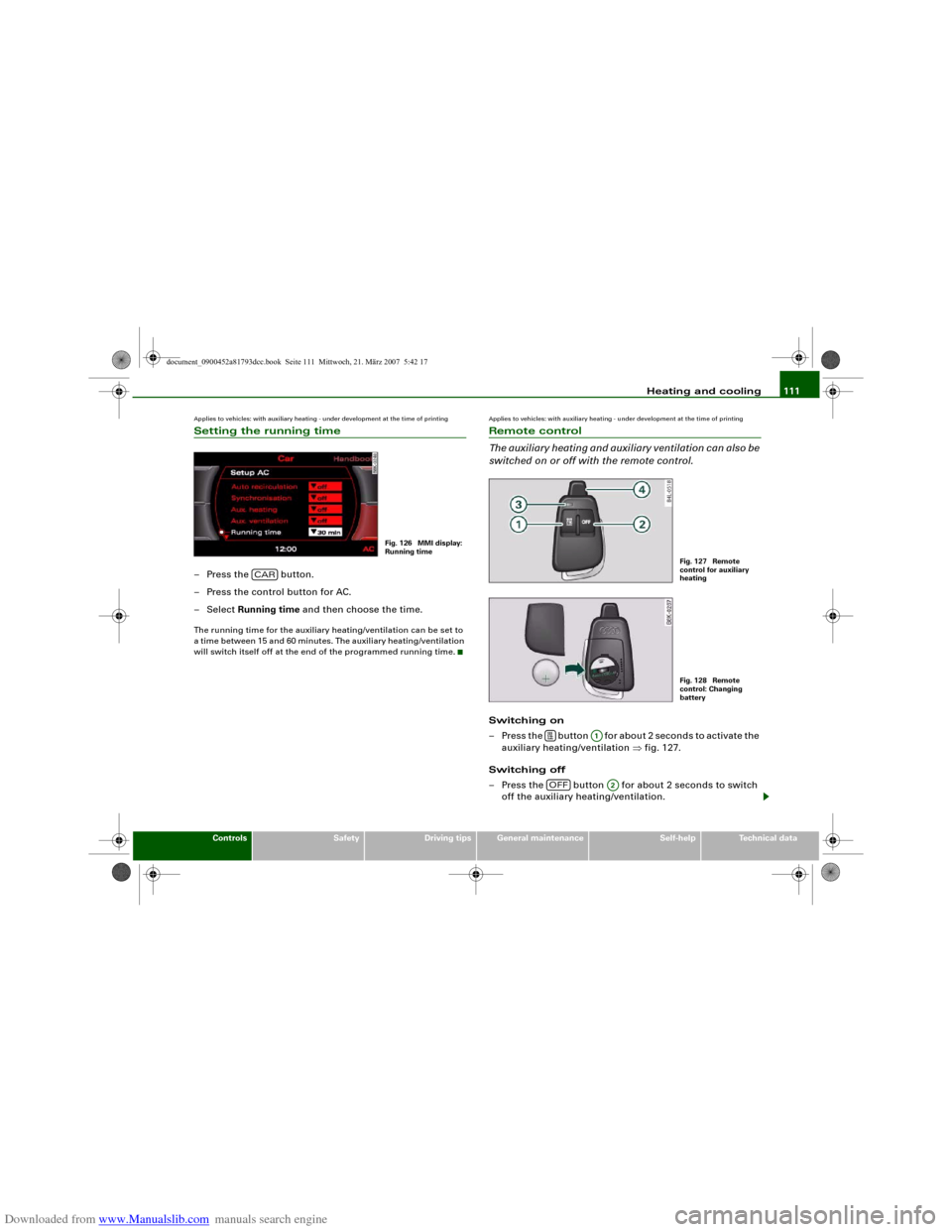
Applies to vehicles: with auxiliary heating - under development at the time of printingSetting the running time– Press the button.
– Press the control button for AC.
– Select Running time and then choose the time.The running time for the auxiliary heating/ventilation can be set to
a time between 15 and 60 minutes. The auxiliary heating/ventilation
will switch itself off at the end of the programmed running time.
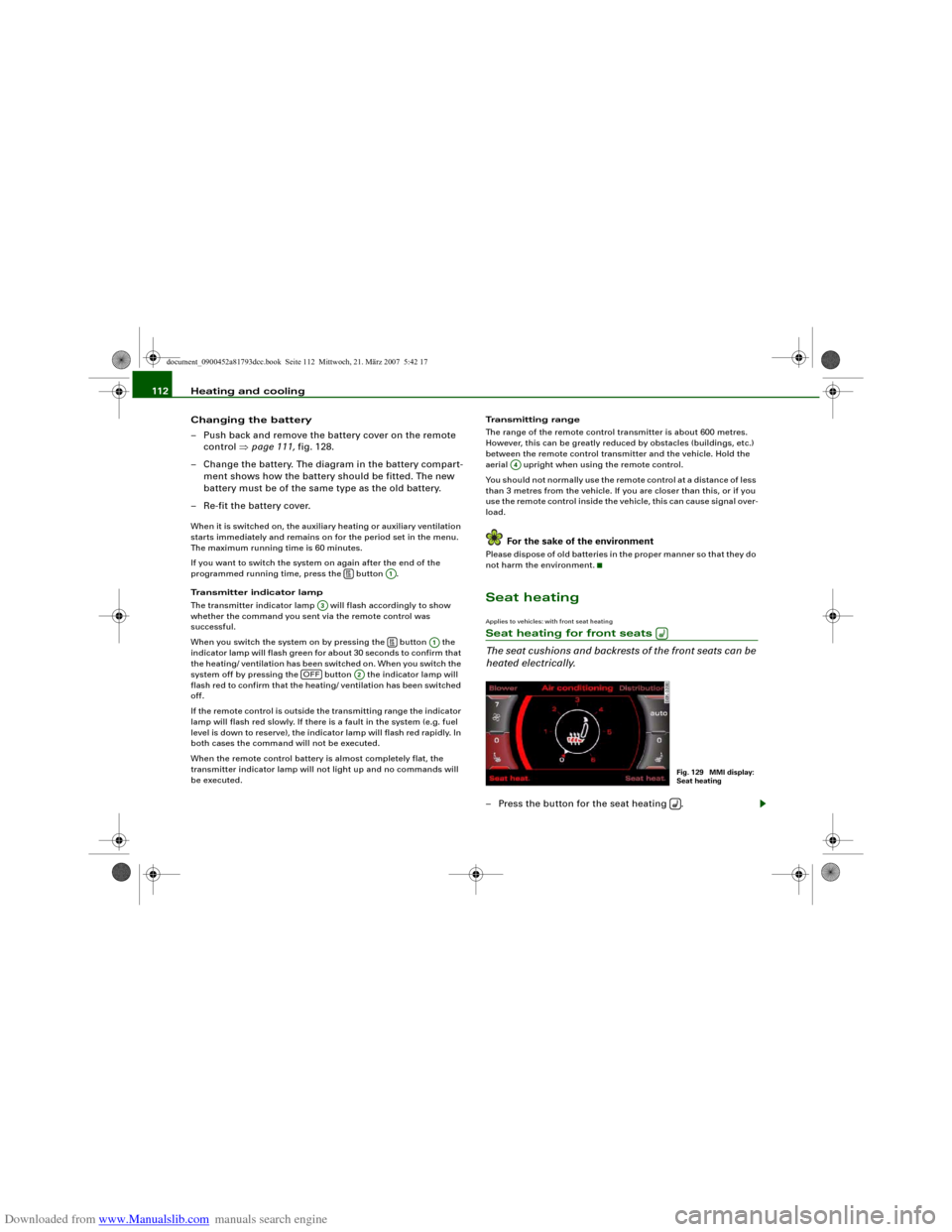
Applies to vehicles: with auxiliary heating - under development at the time of printingRemote control
The auxiliary heating and auxiliary ventilation can also be
switched on or off with the remote control.Switching on
– Press the button for about 2 seconds to activate the
auxiliary heating/ventilation ⇒fig. 127.
Switching off
– Press the button for about 2 seconds to switch
off the auxiliary heating/ventilation.
Fig. 126 MMI display:
Running time
CAR
Fig. 127 Remote
control for auxiliary
heatingFig. 128 Remote
control: Changing
battery
A1
OFF
A2
document_0900452a81793dcc.book Seite 111 Mittwoch, 21. März 2007 5:42 17
Page 114 of 294
Downloaded from www.Manualslib.com manuals search engine Heating and cooling 112
Changing the battery
– Push back and remove the battery cover on the remote
control ⇒page 111, fig. 128.
– Change the battery. The diagram in the battery compart-
ment shows how the battery should be fitted. The new
battery must be of the same type as the old battery.
– Re-fit the battery cover.When it is switched on, the auxiliary heating or auxiliary ventilation
starts immediately and remains on for the period set in the menu.
The maximum running time is 60 minutes.
If you want to switch the system on again after the end of the
programmed running time, press the button .
Transmitter indicator lamp
The transmitter indicator lamp will flash accordingly to show
whether the command you sent via the remote control was
successful.
When you switch the system on by pressing the button the
indicator lamp will flash green for about 30 seconds to confirm that
the heating/ ventilation has been switched on. When you switch the
system off by pressing the button the indicator lamp will
flash red to confirm that the heating/ ventilation has been switched
off.
If the remote control is outside the transmitting range the indicator
lamp will flash red slowly. If there is a fault in the system (e.g. fuel
level is down to reserve), the indicator lamp will flash red rapidly. In
both cases the command will not be executed.
When the remote control battery is almost completely flat, the
transmitter indicator lamp will not light up and no commands will
be executed.Transmitting range
The range of the remote control transmitter is about 600 metres.
However, this can be greatly reduced by obstacles (buildings, etc.)
between the remote control transmitter and the vehicle. Hold the
aerial upright when using the remote control.
You should not normally use the remote control at a distance of less
than 3 metres from the vehicle. If you are closer than this, or if you
use the remote control inside the vehicle, this can cause signal over-
load.
For the sake of the environment
Please dispose of old batteries in the proper manner so that they do
not harm the environment.Seat heatingApplies to vehicles: with front seat heatingSeat heating for front seats
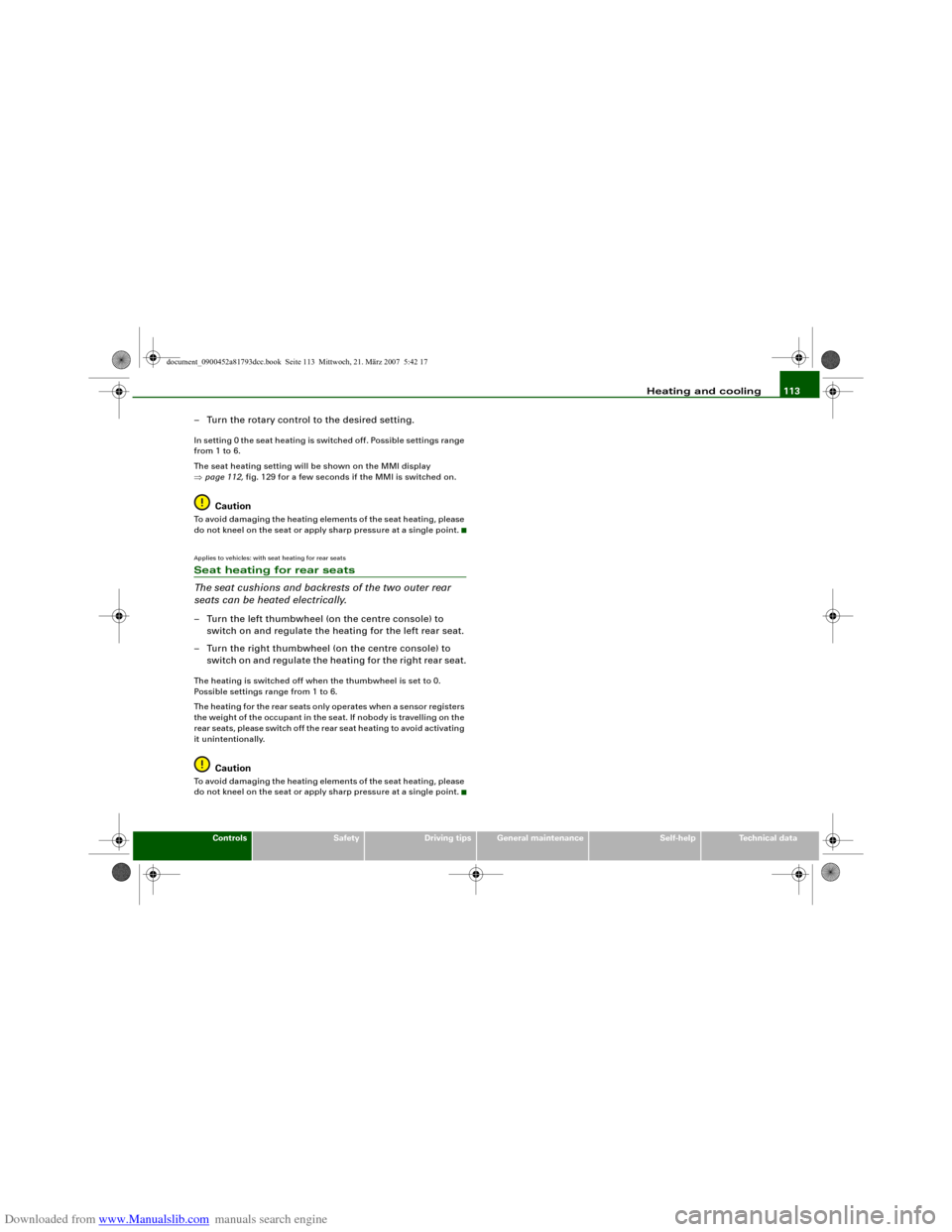
The seat cushions and backrests of the front seats can be
heated electrically.– Press the button for the seat heating .
A1
A3
A1
OFF
A2
A4
Fig. 129 MMI display:
Seat heating
document_0900452a81793dcc.book Seite 112 Mittwoch, 21. März 2007 5:42 17
Page 115 of 294
Downloaded from www.Manualslib.com manuals search engine Heating and cooling113
Controls
Safety
Driving tips
General maintenance
Self-help
Technical data
– Turn the rotary control to the desired setting.In setting 0 the seat heating is switched off. Possible settings range
from 1 to 6.
The seat heating setting will be shown on the MMI display
⇒page 112, fig. 129 for a few seconds if the MMI is switched on.
Caution
To avoid damaging the heating elements of the seat heating, please
do not kneel on the seat or apply sharp pressure at a single point.Applies to vehicles: with seat heating for rear seatsSeat heating for rear seats
The seat cushions and backrests of the two outer rear
seats can be heated electrically.– Turn the left thumbwheel (on the centre console) to
switch on and regulate the heating for the left rear seat.
– Turn the right thumbwheel (on the centre console) to
switch on and regulate the heating for the right rear seat.The heating is switched off when the thumbwheel is set to 0.
Possible settings range from 1 to 6.
The heating for the rear seats only operates when a sensor registers
the weight of the occupant in the seat. If nobody is travelling on the
rear seats, please switch off the rear seat heating to avoid activating
it unintentionally.
Caution
To avoid damaging the heating elements of the seat heating, please
do not kneel on the seat or apply sharp pressure at a single point.
document_0900452a81793dcc.book Seite 113 Mittwoch, 21. März 2007 5:42 17
Page 191 of 294
Downloaded from www.Manualslib.com manuals search engine Intelligent technology189
Controls
Safety
Driving tips
General maintenance
Self-help
Technical data can cause the system to reduce engine power when this is not
desired. Also refer to ⇒page 234, “Replacing wheels and tyres”.
Electronic differential lock (EDL)
The electronic differential lock monitors the speed of the
driven wheels.General notes
The electronic differential lock (EDL) helps the car to start moving,
accelerate and climb a gradient in slippery conditions where this
may otherwise be difficult or even impossible.
How the system works
The EDL acts automatically. With the aid of the ABS sensors
⇒page 187, the system monitors the rotational speed of the driven
wheels on each axle. Whenever it detects a significant difference in
the speed of the driven wheels of one axle (for example, if the road is
slippery on one side) the system applies the brake to slow down the
spinning wheel so that more of the power is directed to the other
wheels. This function is active up to about 100 km/h. The brake
system will make noises while it is working.
Driving away from a standstill
Sometimes one wheel has less grip and starts spinning, for
example, if one of the driven wheels is on ice. In this case, keep
pressing the accelerator gradually until the car starts moving, even
though the wheel with less grip will still spin.
Overheating of the brakes
To prevent the disc brake of the braked wheel from overheating, the
EDL cuts out automatically if subjected to excessive loads. The car
remains operational and will behave in the same way as a car
without EDL.
The EDL will switch on again automatically when the brake has
cooled down.
WARNING
•
When accelerating on a uniformly slippery surface (for instance
all four wheels on ice or snow), press the accelerator gradually and
carefully. The driven wheels may otherwise start to spin (in spite
of the EDL), which would impair the car's stability and could lead
to an accident.
•
Even with EDL, you should always adjust your speed to suit the
conditions. Do not let the extra safety provided tempt you into
taking any risks when driving – this can cause accidents.Note
If the ABS warning lamp lights up, this can also mean there is a fault
in the EDL. Please contact a qualified workshop as soon as
possible.BrakesNew brake pads
New brake pads do not give full braking effect for the first 400 km,
they must first be “bedded in”. However, you can compensate for
the slightly reduced braking effect by applying more pressure on
the brake pedal. Avoid placing a heavy load on the brakes during the
running-in period.
We ar
The rate of wear on the brake pads depends a great deal on how you
drive and the conditions in which the vehicle is operated. Negative
factors are, for instance, city traffic, frequent short trips or hard
driving with abrupt starts and stops.
Wet roads; road salt
When you are driving at a speed higher than 80 km/h and have the
windscreen wipers switched on the brake pads are very briefly
document_0900452a81793dcc.book Seite 189 Mittwoch, 21. März 2007 5:42 17