2008 AUDI A4 door
[x] Cancel search: doorPage 64 of 342
Lights and vision 62•
When reaching the tail end of a traffic jam
•
If your vehicle breaks down or there is an emergency
•
If your vehicle is being towed away, or if you are towing another
vehicle.
Turn signal and main beam lever
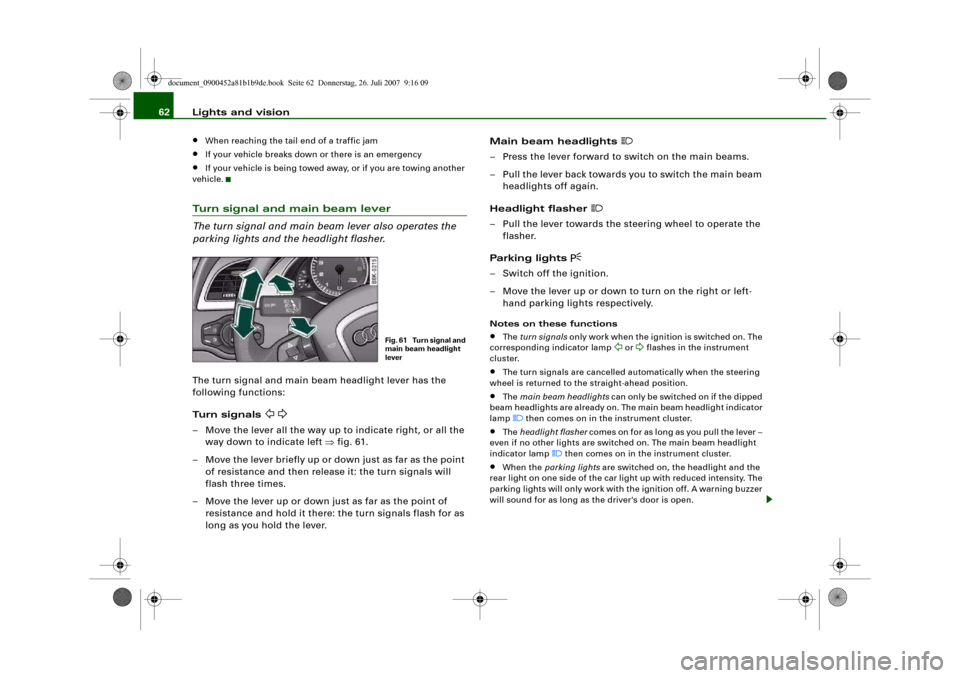
The turn signal and main beam lever also operates the
parking lights and the headlight flasher.The turn signal and main beam headlight lever has the
following functions:
Turn signals
– Move the lever all the way up to indicate right, or all the
way down to indicate left ⇒fig. 61.
– Move the lever briefly up or down just as far as the point
of resistance and then release it: the turn signals will
flash three times.
– Move the lever up or down just as far as the point of
resistance and hold it there: the turn signals flash for as
long as you hold the lever.Main beam headlights
– Press the lever forward to switch on the main beams.
– Pull the lever back towards you to switch the main beam
headlights off again.
Headlight flasher
– Pull the lever towards the steering wheel to operate the
flasher.
Parking lights
– Switch off the ignition.
– Move the lever up or down to turn on the right or left-
hand parking lights respectively.Notes on these functions•
The turn signals only work when the ignition is switched on. The
corresponding indicator lamp
or
flashes in the instrument
cluster.
•
The turn signals are cancelled automatically when the steering
wheel is returned to the straight-ahead position.
•
The main beam headlights can only be switched on if the dipped
beam headlights are already on. The main beam headlight indicator
lamp then comes on in the instrument cluster.
•
The headlight flasher comes on for as long as you pull the lever –
even if no other lights are switched on. The main beam headlight
indicator lamp
then comes on in the instrument cluster.
•
When the parking lights are switched on, the headlight and the
rear light on one side of the car light up with reduced intensity. The
parking lights will only work with the ignition off. A warning buzzer
will sound for as long as the driver's door is open.
Fig. 61 Turn signal and
main beam headlight
lever
document_0900452a81b1b9de.book Seite 62 Donnerstag, 26. Juli 2007 9:16 09
Page 65 of 342
Lights and vision63
Controls
Safety
Driving tips
General maintenance
Self-help
Technical data
Caution
Do not use the main beam headlights or the headlight flasher if this
would dazzle oncoming traffic.Interior lightsFront interior lights
The front interior lighting also incorporates the reading
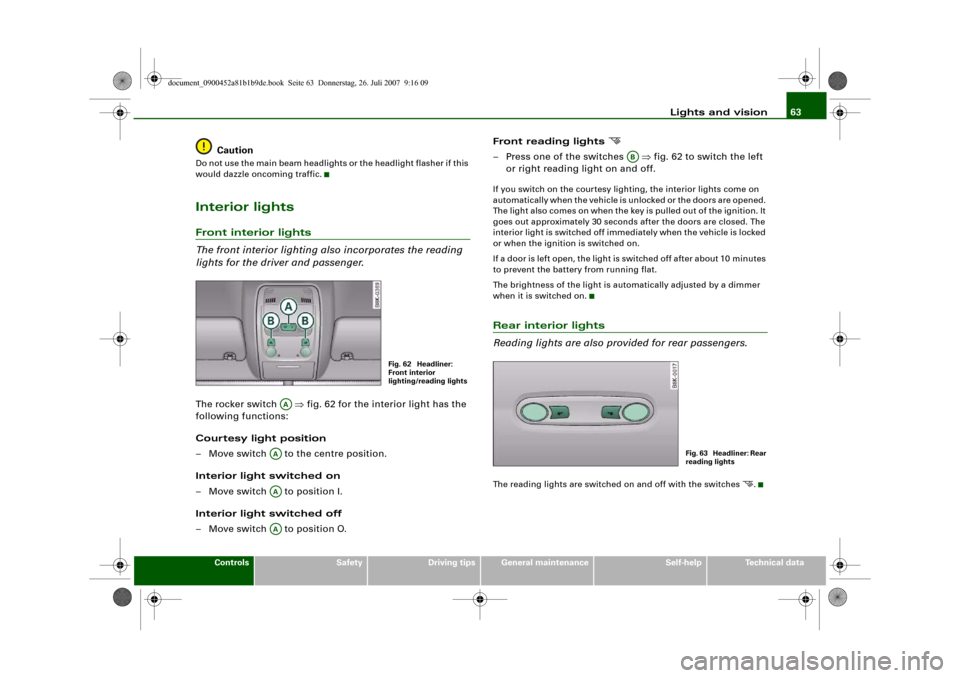
lights for the driver and passenger.The rocker switch ⇒fig. 62 for the interior light has the
following functions:
Courtesy light position
– Move switch to the centre position.
Interior light switched on
– Move switch to position I.
Interior light switched off
– Move switch to position O.Front reading lights
– Press one of the switches ⇒fig. 62 to switch the left
or right reading light on and off.If you switch on the courtesy lighting, the interior lights come on
automatically when the vehicle is unlocked or the doors are opened.
The light also comes on when the key is pulled out of the ignition. It
goes out approximately 30 seconds after the doors are closed. The
interior light is switched off immediately when the vehicle is locked
or when the ignition is switched on.
If a door is left open, the light is switched off after about 10 minutes
to prevent the battery from running flat.
The brightness of the light is automatically adjusted by a dimmer
when it is switched on.Rear interior lights
Reading lights are also provided for rear passengers.The reading lights are switched on and off with the switches
.
Fig. 62 Headliner:
Front interior
lighting/reading lights
AA
AAAAAA
AB
Fig. 63 Headliner: Rear
reading lights
document_0900452a81b1b9de.book Seite 63 Donnerstag, 26. Juli 2007 9:16 09
Page 66 of 342
Lights and vision 64Clear visionSun visors
The sun visors can improve visibility and contribute to
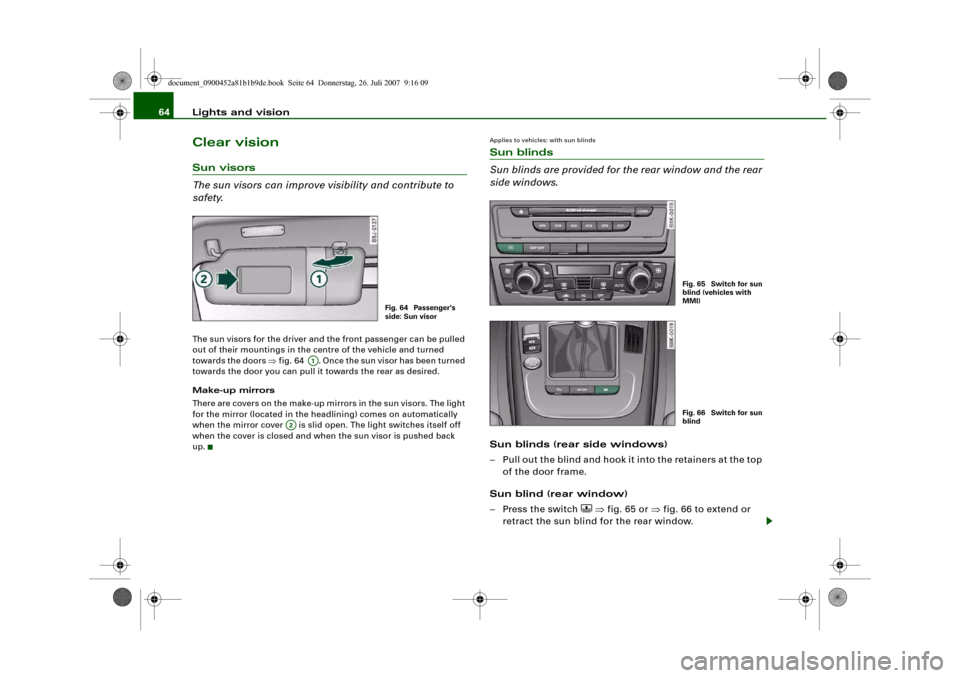
safety.The sun visors for the driver and the front passenger can be pulled
out of their mountings in the centre of the vehicle and turned
towards the doors ⇒fig. 64 . Once the sun visor has been turned
towards the door you can pull it towards the rear as desired.
Make-up mirrors
There are covers on the make-up mirrors in the sun visors. The light
for the mirror (located in the headlining) comes on automatically
when the mirror cover is slid open. The light switches itself off
when the cover is closed and when the sun visor is pushed back
up.
Applies to vehicles: with sun blindsSun blinds
Sun blinds are provided for the rear window and the rear
side windows.Sun blinds (rear side windows)
– Pull out the blind and hook it into the retainers at the top
of the door frame.
Sun blind (rear window)
– Press the switch
⇒fig. 65 or ⇒fig. 66 to extend or
retract the sun blind for the rear window.
Fig. 64 Passenger's
side: Sun visor
A1
A2
Fig. 65 Switch for sun
blind (vehicles with
MMI)Fig. 66 Switch for sun
blind
document_0900452a81b1b9de.book Seite 64 Donnerstag, 26. Juli 2007 9:16 09
Page 77 of 342
Seats and storage75
Controls
Safety
Driving tips
General maintenance
Self-help
Technical data
Adjusting contour of lumbar support
– Press the front or rear of switch to increase or
decrease the curvature of the lumbar support as
required.
Adjusting height of lumbar support
– Press the top or bottom of adjuster switch to move the
lumbar support upwards or downwards as required.
Moving seat backwards or forwards
– Press switch ⇒page 74, fig. 76 forwards or back-
wards.
Adjusting seat height
– Press switch up or down.
Raising/lowering seat at front
– Press the front of switch up or down.
Raising/lowering seat at rear
– Press the rear of switch up or down.
Adjusting backrest angle
– Press switch forwards or backwards.
Extending or shortening the thigh support*
– Lift the control below the seat cushion. The front seat
cushion will spring forward.
– Slide the seat cushion back to the normal position after
each use.
WARNING
•
Never adjust the driver's seat when the vehicle is moving - this
could lead to an accident.
•
The electrical seat adjustment also works when the ignition is
off and when the key is not in the ignition. To avoid accidental inju-
ries, never leave children unattended in the vehicle.
•
Be careful when adjusting the seat height. Careless or uncon-
trolled use of the height adjustment can cause injuries.
•
Do not drive with the backrests of the front seats reclined too
far as otherwise the seat belt and airbag could fail to restrain the
wearer properly in an accident, possibly leading to injury.
Seat memoryMemory for driver's seat
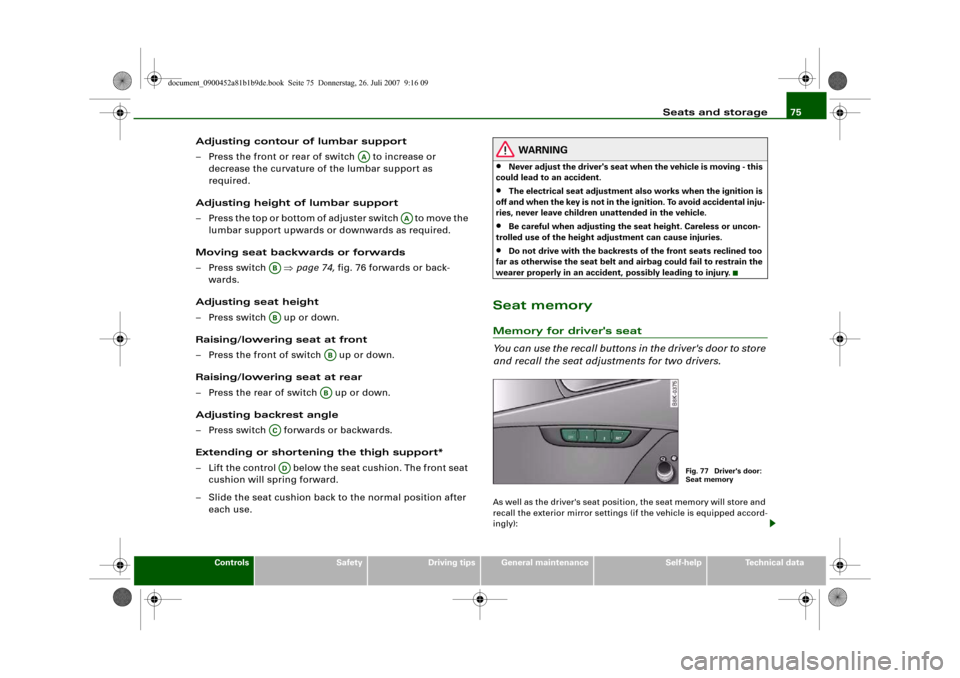
You can use the recall buttons in the driver's door to store
and recall the seat adjustments for two drivers.As well as the driver's seat position, the seat memory will store and
recall the exterior mirror settings (if the vehicle is equipped accord-
ingly):
AA
AA
ABAB
ABAB
ACAD
Fig. 77 Driver's door:
Seat memory
document_0900452a81b1b9de.book Seite 75 Donnerstag, 26. Juli 2007 9:16 09
Page 78 of 342
Seats and storage 76Storing and recalling settings
You can store and recall the settings for two different drivers using
the recall buttons 1 and 2 ⇒page 75, fig. 77 ⇒page 76.
In addition, the current settings are automatically stored when you
lock the vehicle and assigned to the remote control key that is being
used. When you unlock the vehicle, the system automatically recalls
the settings stored on that remote control key.
Switching seat memory on and off
The seat memory will be out of action if the switch has been
pressed and the diode in the switch is lit. In this case, the setting
cannot be stored.
The stored settings will all remain in the memory. However, the seat
can now only be adjusted using the conventional electrical
adjustment.Applies to vehicles: with seat memoryStoring and recalling settingsStoring settings
– Adjust the driver's seat as required.
– Adjust both exterior mirrors.
– Press the button. The diode in the switch will light
up to indicate that it is ready to store the settings. Now
press the desired recall button for at least a second.
– Release the button. The setting is now stored on the
selected recall button.
Recalling settings
– If the driver's door is open, press the desired recall
button briefly.– If the driver's door is closed, press and hold down the
desired recall button until the programmed settings are
reached.
A tone will sound and the diode in the button ⇒page 75,
fig. 77 will light up to confirm that the settings have been stored.
When you lock the vehicle the current settings are automatically
stored and assigned to the remote control key. However, the
settings assigned to the remote control key will not overwrite the
settings stored on recall buttons 1 and 2. The settings stored on the
recall buttons can be called up at any time. When you unlock the
vehicle, the settings assigned to the remote control key are recalled
automatically.
If your vehicle is also driven by other persons using your remote
control key, it is advisable to store your personal settings on one of
the recall buttons. You can then recall your own settings at any time
simply by pressing the corresponding recall button. When you lock
the vehicle these settings are then stored automatically and
assigned once again to the remote control key.
WARNING
•
For safety reasons, never recall seat settings when the vehicle
is moving - this could lead to an accident.
•
In an emergency the recall function can be stopped at any time
by pressing the switch, or by briefly pressing any of the
recall buttons.
OFF
SET
SET
ON/OFF
document_0900452a81b1b9de.book Seite 76 Donnerstag, 26. Juli 2007 9:16 09
Page 81 of 342
Seats and storage79
Controls
Safety
Driving tips
General maintenance
Self-help
Technical data
Luggage compar tmentLoading the luggage compartment
Loads in the luggage compartment should be safely
secured.To maintain safe handling on the road, please observe the
following points:
– Distribute the weight as evenly as possible.
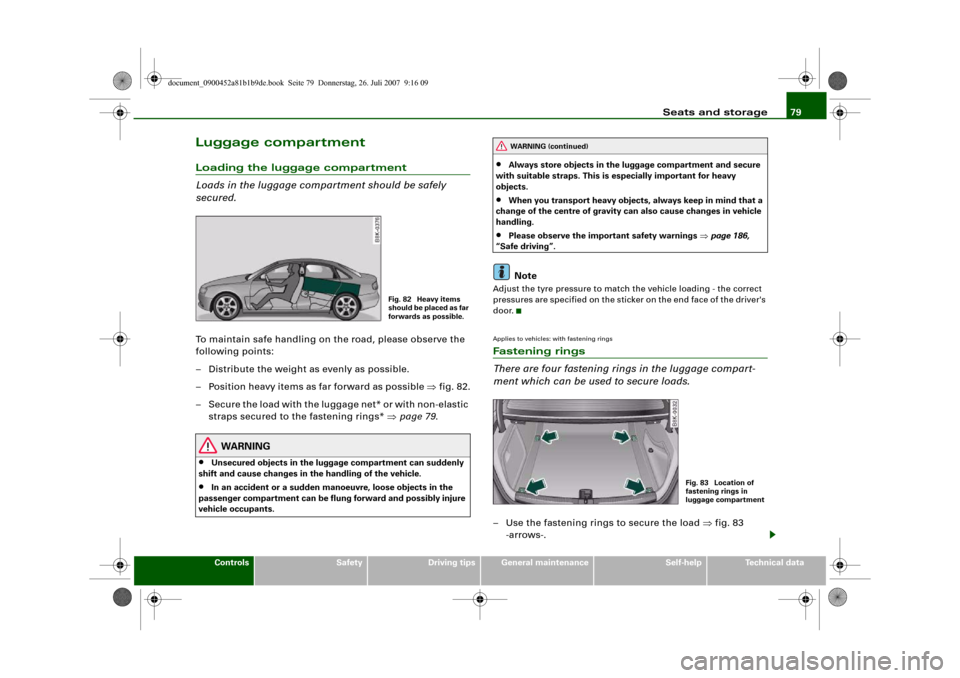
– Position heavy items as far forward as possible ⇒fig. 82.
– Secure the load with the luggage net* or with non-elastic
straps secured to the fastening rings* ⇒page 79.
WARNING
•
Unsecured objects in the luggage compartment can suddenly
shift and cause changes in the handling of the vehicle.
•
In an accident or a sudden manoeuvre, loose objects in the
passenger compartment can be flung forward and possibly injure
vehicle occupants.
•
Always store objects in the luggage compartment and secure
with suitable straps. This is especially important for heavy
objects.
•
When you transport heavy objects, always keep in mind that a
change of the centre of gravity can also cause changes in vehicle
handling.
•
Please observe the important safety warnings ⇒page 186,
“Safe driving”.Note
Adjust the tyre pressure to match the vehicle loading - the correct
pressures are specified on the sticker on the end face of the driver's
door.Applies to vehicles: with fastening ringsFastening rings
There are four fastening rings in the luggage compart-
ment which can be used to secure loads.– Use the fastening rings to secure the load ⇒fig. 83
-arrows-.
Fig. 82 Heavy items
s h o u l d b e p l a c e d a s fa r
forwards as possible.
WARNING (continued)
Fig. 83 Location of
fastening rings in
luggage compartment
document_0900452a81b1b9de.book Seite 79 Donnerstag, 26. Juli 2007 9:16 09
Page 86 of 342
Seats and storage 84Attachment points
The roof carrier must be attached at the marked points
only.Mounting
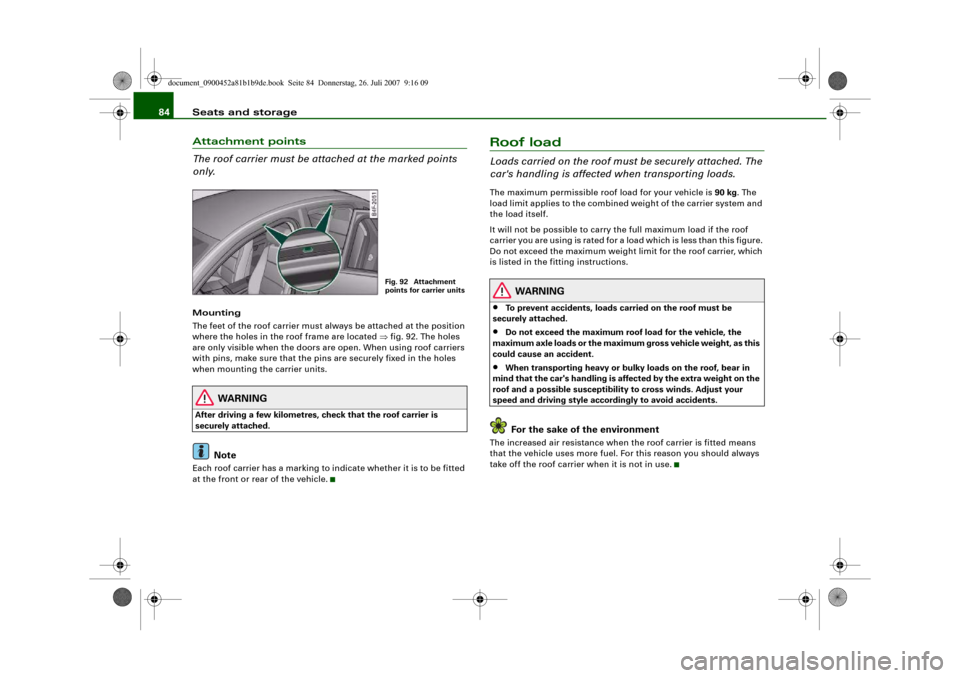
The feet of the roof carrier must always be attached at the position
where the holes in the roof frame are located ⇒fig. 92. The holes
are only visible when the doors are open. When using roof carriers
with pins, make sure that the pins are securely fixed in the holes
when mounting the carrier units.
WARNING
After driving a few kilometres, check that the roof carrier is
securely attached.
Note
Each roof carrier has a marking to indicate whether it is to be fitted
at the front or rear of the vehicle.
Roof loadLoads carried on the roof must be securely attached. The
car's handling is affected when transporting loads.The maximum permissible roof load for your vehicle is 90 kg. The
load limit applies to the combined weight of the carrier system and
the load itself.
It will not be possible to carry the full maximum load if the roof
carrier you are using is rated for a load which is less than this figure.
Do not exceed the maximum weight limit for the roof carrier, which
is listed in the fitting instructions.
WARNING
•
To prevent accidents, loads carried on the roof must be
securely attached.
•
Do not exceed the maximum roof load for the vehicle, the
maximum axle loads or the maximum gross vehicle weight, as this
could cause an accident.
•
When transporting heavy or bulky loads on the roof, bear in
mind that the car's handling is affected by the extra weight on the
roof and a possible susceptibility to cross winds. Adjust your
speed and driving style accordingly to avoid accidents.For the sake of the environment
The increased air resistance when the roof carrier is fitted means
that the vehicle uses more fuel. For this reason you should always
take off the roof carrier when it is not in use.
Fig. 92 Attachment
points for carrier units
document_0900452a81b1b9de.book Seite 84 Donnerstag, 26. Juli 2007 9:16 09
Page 102 of 342
Heating and cooling 100adequate cooling effect, you should not close these outlets
completely.Applies to vehicles: with deluxe automatic air conditionerEconomical operation of the air conditioner
Economical operation of the air conditioner will help to
save fuel.When the air conditioner is operating in the cooling mode it
reduces engine power and increases fuel consumption. To
ensure that the cooling mode is activated only when really
necessary, please note the following points:
– Switch off the cooling mode by pressing the AC button
(LED off) if you wish to save fuel.
– You should also switch off the cooling mode by pressing
the AC button (LED off) if you open the windows or the
tilting panorama roof* while driving.
– If the vehicle has heated up after standing in the sun,
open the windows and doors for a short time to cool the
vehicle.
For the sake of the environmentBy saving fuel you also reduce the amount of pollutants emitted
from your vehicle.
Deluxe automatic air conditioner -
basic settingsApplies to vehicles: with deluxe automatic air conditionerGeneral notes
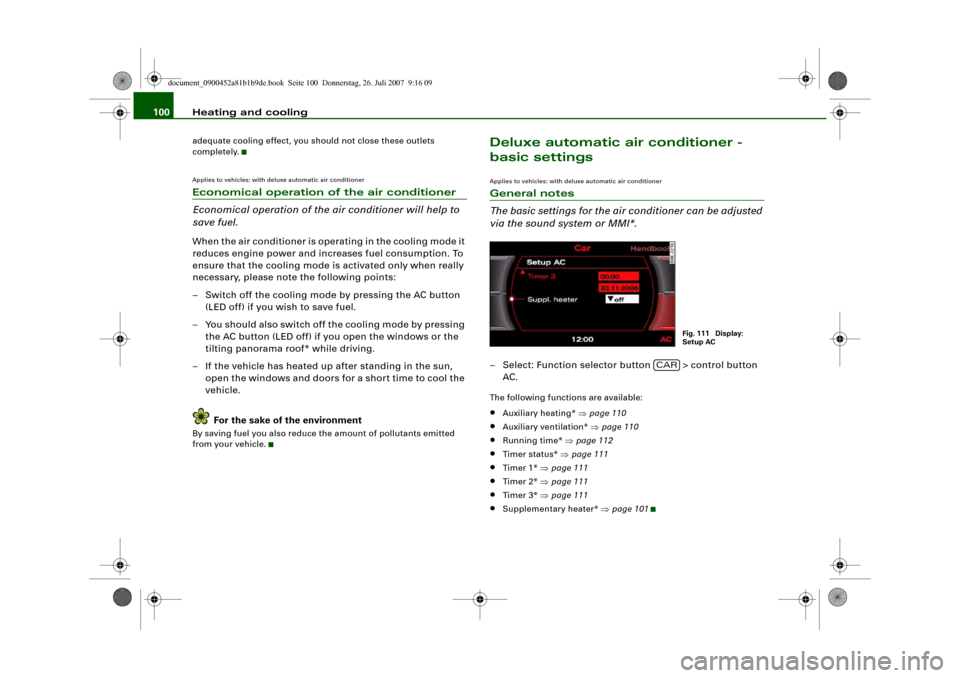
The basic settings for the air conditioner can be adjusted
via the sound system or MMI*.– Select: Function selector button > control button
AC.The following functions are available:•
Auxiliary heating* ⇒page 110
•
Auxiliary ventilation* ⇒page 110
•
Running time* ⇒page 112
•
Timer status* ⇒page 111
•
Timer 1* ⇒page 111
•
Timer 2* ⇒page 111
•
Timer 3* ⇒page 111
•
Supplementary heater* ⇒page 101
Fig. 111 Display:
Setup AC
CAR
document_0900452a81b1b9de.book Seite 100 Donnerstag, 26. Juli 2007 9:16 09