Page 55 of 283

2007 Volvo XC70
Please see page 135 for information on adjusting the active chassis settings.
Dynamic Stability Traction Control (DSTC) button
This button is available on R-models only and is used to temporarily dea\
ctivate the Spin control and
Active Yaw Control functions. See
page 126 for more information. On non R-models, DSTC is
controlled via the menu control ring on the left steering wheel lever, s\
ee
page 125.
WARNING!
Please be aware that the vehicle's handling characteristics may be affec\
ted if the Spin Control
function is switched off.
Temporarily disconnecting the alarm sensors (option)
See
page 117 for more details.
12 volt socket
This 12 volt socket can be used to plug in certain accessories such as c\
ellular telephones, etc. The
ignition key must be in position 1 (or higher) for the auxiliary socke\
t to function.
NOTE: The auxiliary sockets can also be used for cigarette lighters, which ar\
e available at your Volvo
retailer
Front/rear park assist (option/accessory)
See
page 153 for more information on this function.
file:///K|/ownersdocs/2007/2007_XC70/07xc70_02.htm (11 of 35)12/30/200\
6 5:51:30 PM
Page 57 of 283

2007 Volvo XC70
driver. Pull down the lever on the left of the steering column. Adjust t\
he steering wheel to a suitable
position and press the lever back into place to lock the steering wheel \
in the new position. Check that the
steering wheel is locked in the new position.
WARNING!
Never adjust the steering wheel while
driving.
pg. 55 Instruments and controls
Lighting panel
1. Headlight/parking light switch
2. Front fog lights
3. Rear fog light
4. Instrument panel lighting
5. Fuel filler door unlock button
Parking lights
The front and rear parking lights can be turned on even when the ignitio\
n is switched off.
- Turn switch 1 to position
.
The license plate lights also illuminate when the parking lights are swi\
tched on.
Headlights
- Turn the ignition key to position II.
- The low beam headlights (daytime running lights) illuminate automati\
cally, except when the light
switch (1) is in position
1.
See
page 57 for information on switching between high and low beams.
file:///K|/ownersdocs/2007/2007_XC70/07xc70_02.htm (13 of 35)12/30/200\
6 5:51:30 PM
Page 64 of 283
2007 Volvo XC70
pg. 60 Instruments and controls
Hazard warning flashers, rear window/sideview mirror defroster
Hazard warning flashers
The four-way flasher should be used to indicate that the vehicle has bec\
ome a traffic hazard. To activate
the flashers, press the triangular button in the center dash. Press the \
button again to turn off the flashers.
NOTE: Regulations regarding the use of the hazard warning flasher may vary, d\
epending on where you
live.
Rear window and sideview mirror defroster
Press the switch to start heating the rear window and sideview mirrors t\
o remove ice or condensation.
An LED in the switch will light up.
A timer automatically switches off the heating after approximately 12 mi\
nutes. The LED will go out
correspondingly.
pg. 61 Instruments and controls
Trip computer
file:///K|/ownersdocs/2007/2007_XC70/07xc70_02.htm (20 of 35)12/30/200\
6 5:51:30 PM
Page 65 of 283

2007 Volvo XC70
Trip computer
The trip computer stores information gathered from several systems in yo\
ur vehicle and has four menus
that can be displayed in the text window.
l Driving distance on current fuel reserve
l Average fuel consumption
l Current fuel consumption
l Average speed
l Current speed in mph (Canadian models only)
l STC/DSTC (see page 125 for detailed information)
NOTE: Warning messages from the vehicle's monitoring systems will override th\
e trip computer
function. If a warning message is displayed in the text window while you\
are using the trip computer,
you must acknowledge the message by pressing button A. Press button A ag\
ain to return to the trip
computer function.
Trip computer controls and functions
The four
1 trip computer functions can be accessed by twisting control B one step \
at a time in either
direction. Twisting a fifth
2 time returns you to the original function. The trip computer can be res\
et
(current data will be erased from system memory) by pressing RESET (b\
utton C).
1. Driving distance on current fuel reserve
This function shows the approximate distance that can be driven on the f\
uel remaining in the tank. This
calculation is based on average fuel consumption during the last 20 mile\
s (30 km) of driving and the
amount of fuel remaining in the tank when the reading was taken. When th\
e driving distance on current
fuel reserve is less than 12 miles (20 km), "----" will be displayed i\
n the text window.
2. Average fuel consumption
This value indicates fuel consumption since the last time the trip compu\
ter was reset (by pressing
RESET, button C). When the engine is switched off, information on fuel \
consumption is stored and
remains in system memory until the RESET (button C) is pressed again.
3. Current fuel consumption
This value indicates the current fuel consumption, based on readings tak\
en once per second. When the
file:///K|/ownersdocs/2007/2007_XC70/07xc70_02.htm (21 of 35)12/30/200\
6 5:51:30 PM
Page 68 of 283
2007 Volvo XC70
l if the vehicle's speed falls below approximately 20 mph (30 km/h).
pg. 63 Instruments and controls
Cruise control
Temporarily disengaging cruise control
l Press 0 to temporarily disengage cruise control. CRUISE will be displaye\
d in the information window
in the instrument panel.
l Press the brake pedal.
Press "resume"
to return to the previously set speed.
WARNING!
Cruise control should not be used in heavy traffic or when driving on we\
t or slippery roads, or when
driving on unpaved or uneven road surfaces. Cruise control may not maint\
ain set speed on steep
downgrades.
pg. 64 Instruments and controls
Parking brake, auxiliary socket/cigarette lighter
Parking brake (hand brake)
The lever is located between the front seats. The brake is applied to th\
e rear wheels.
file:///K|/ownersdocs/2007/2007_XC70/07xc70_02.htm (24 of 35)12/30/200\
6 5:51:30 PM
Page 69 of 283
2007 Volvo XC70
When applying the parking brake
- Press firmly on the brake pedal.
- Pull up the parking brake lever as far as possible.
WARNING!
Always apply the parking brake fully when the vehicle is parked. The ind\
icator light will light up
even if the parking brake has only been partially applied. Always pull u\
p the lever as far as possible.
- Release the brake pedal and ensure that the vehicle is at a standstill\
.
- Put the gear selector in P (automatic transmission) or in 1st gear (\
manual transmission).
Parking on a hill
l If the vehicle is pointing uphill, turn the front wheels so that they po\
int away from the curb.
l If the vehicle is pointing downhill, turn the front wheels so that they \
point toward the curb.
Releasing the parking brake
- Press firmly on the brake pedal.
- Pull the lever up slightly, press the button at the end of the lever a\
nd lower the lever completely.
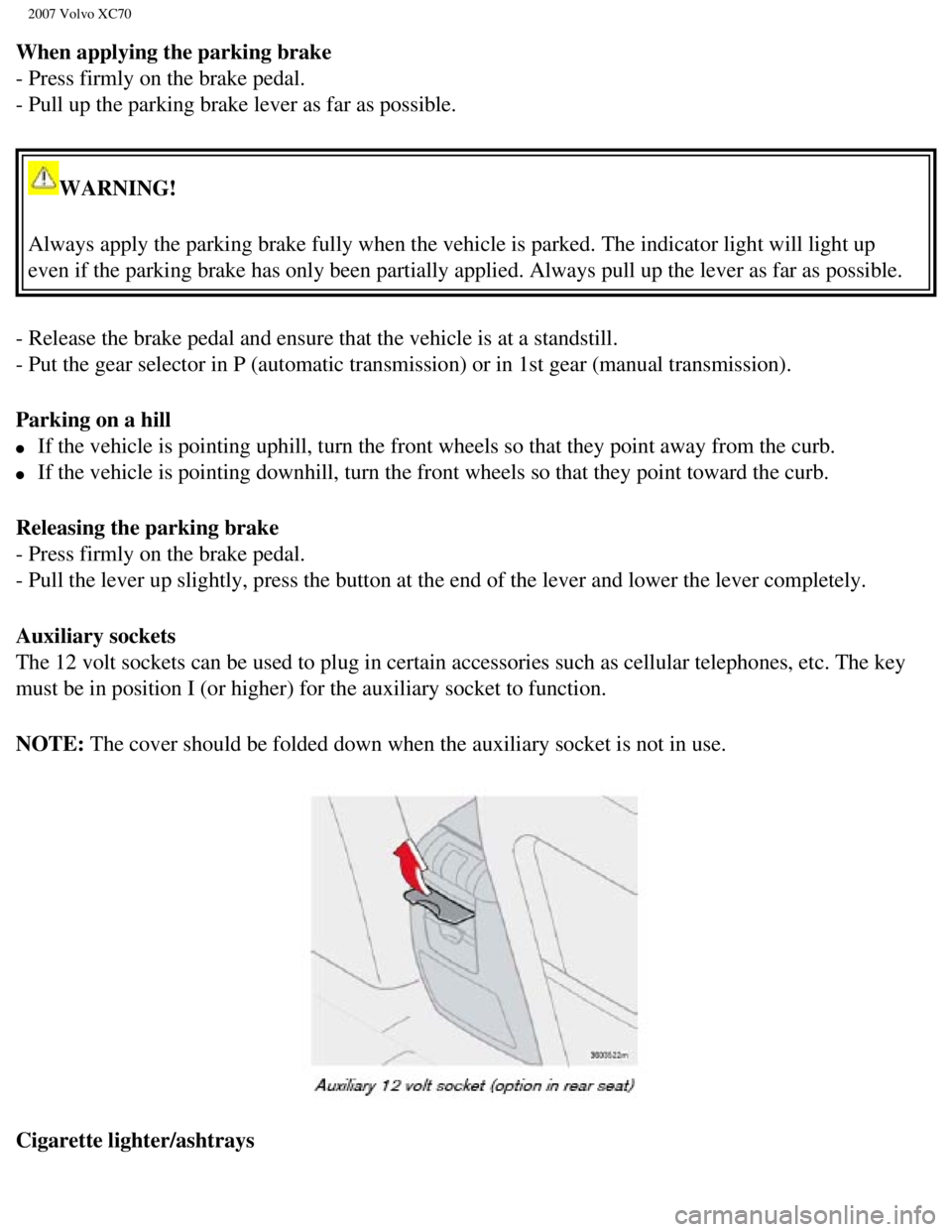
Auxiliary sockets
The 12 volt sockets can be used to plug in certain accessories such as c\
ellular telephones, etc. The key
must be in position I (or higher) for the auxiliary socket to function\
.
NOTE: The cover should be folded down when the auxiliary socket is not in use.\
Cigarette lighter/ashtrays
file:///K|/ownersdocs/2007/2007_XC70/07xc70_02.htm (25 of 35)12/30/200\
6 5:51:30 PM
Page 71 of 283
2007 Volvo XC70
WARNING!
Always remove the ignition key when the vehicle is unattended.
Make sure that the windows are completely unobstructed before they are o\
perated.
Never leave children unattended in the vehicle.
1. The electrically operated windows will also function after the igniti\
on has been switched off as long as neither
of the front doors has been opened.
pg. 66 Instruments and controls
Power windows
Cutout switch for rear windows
The electrically operated rear door windows can be disabled by a switch \
located on the driver's door (see
illustration).
If the LED in the switch is OFF: The rear door windows can be raised or lowered with the buttons on
the rear door armrests or with the buttons on the driver's door armrest.\
If the LED in the switch is ON: The rear door windows can only be raised or lowered with the buttons
on the driver's door armrest.
file:///K|/ownersdocs/2007/2007_XC70/07xc70_02.htm (27 of 35)12/30/200\
6 5:51:30 PM
Page 76 of 283

2007 Volvo XC70
WARNING!
The mirrors should always be adjusted prior to driving. Objects seen in \
the passenger's side wide-
angle sideview mirror are closer than they appear to be.
Remote central locking and sideview mirror memory-option
If you lock the vehicle and later unlock it with the same remote control and open the driver's door, the
sideview mirrors (and the driver's seat) will automatically move to th\
e position they were in when you
left the vehicle. This feature will work in the same way with all of the\
remote control transmitters (up to
3) that you use with your vehicle. This feature will not function if yo\
u lock your vehicle with the key.
Water repellent glass-option on certain models
The side door windows can be treated with a water repellent coating. The\
symbol to the left indicates
these windows have this coating. The optional laminated side windows alw\
ays have this coating.
The coating improves vision by causing the water to run off quickly.
See
page 179 for information on cleaning this type of glass.
CAUTION!
Use only suitable plastic scrapers to remove ice or snow from the mirror\
s. Using a metal ice scraper
could damage the water repellent coating.
pg. 70 Instruments and controls
Power moonroof (option)
file:///K|/ownersdocs/2007/2007_XC70/07xc70_02.htm (32 of 35)12/30/200\
6 5:51:30 PM


