Page 104 of 251
2. Press the control.
3. Release the brake pedal and ensure that the vehicle is at a standstill.
4. When the vehicle is parked, the gear selector must be in position P.
The
symbol in the instrument panel flashes while the parking bake is being applied, and glows steadily when
the parking brake has been fully applied.
NOTE
In an emergency the parking brake can be applied when the vehicle is moving by holding in the control. Braking
will be interrupted when the accelerator pedal is depressed or the control is released.
An audible signal will sound during this procedure if the vehicle is moving at speeds above 6 mph (10 km/h).
Parking on a hill
If the vehicle is pointing uphill, turn the front wheels so that they point away from the curb.
If the vehicle is pointing downhill, turn the front wheels so that they point toward the curb.
Releasing the electric parking brake
Manual release
1. Insert the remote key in the ignition slot.
2. Press firmly on the brake pedal.
3. Pull the parking brake control.
Vehicles with Keyless drive (option)
1. Press the START/STOP button.
2. Press firmly on the brake pedal.
3. Pull the parking brake control.
Automatic release
1. Start the engine.
111 03 Your driving environment
Parking brake
2. Fasten the seat belt.
NOTE
For safety reasons, the parking brake is only released automatically if the engine is running and the driver is
wearing a seat belt.
The electric parking brake will be released immediately when the accelerator pedal is pressed and the gear selector
ProCarManuals.com
Page 159 of 251
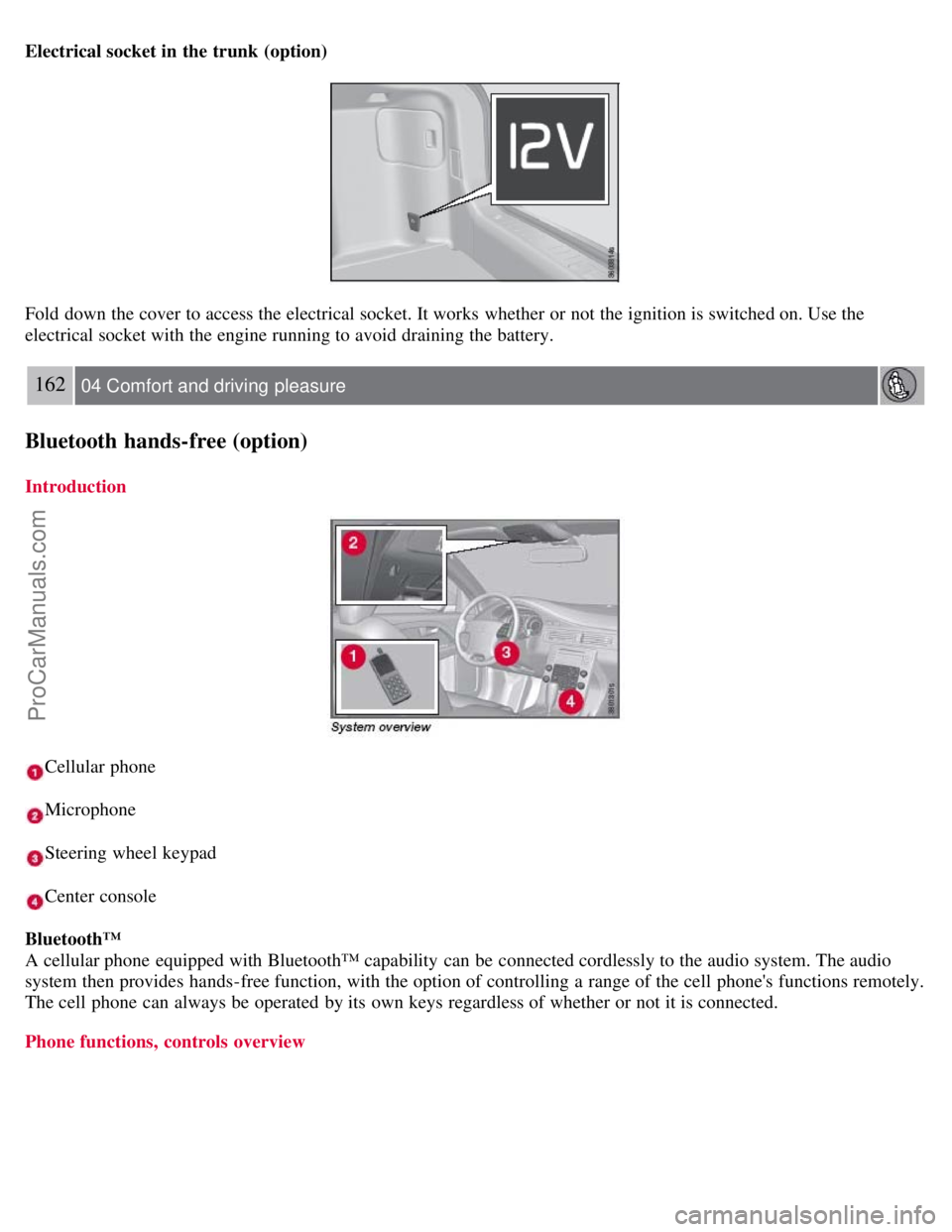
Electrical socket in the trunk (option)
Fold down the cover to access the electrical socket. It works whether or not the ignition is switched on. Use the
electrical socket with the engine running to avoid draining the battery.
162 04 Comfort and driving pleasure
Bluetooth hands-free (option)
Introduction
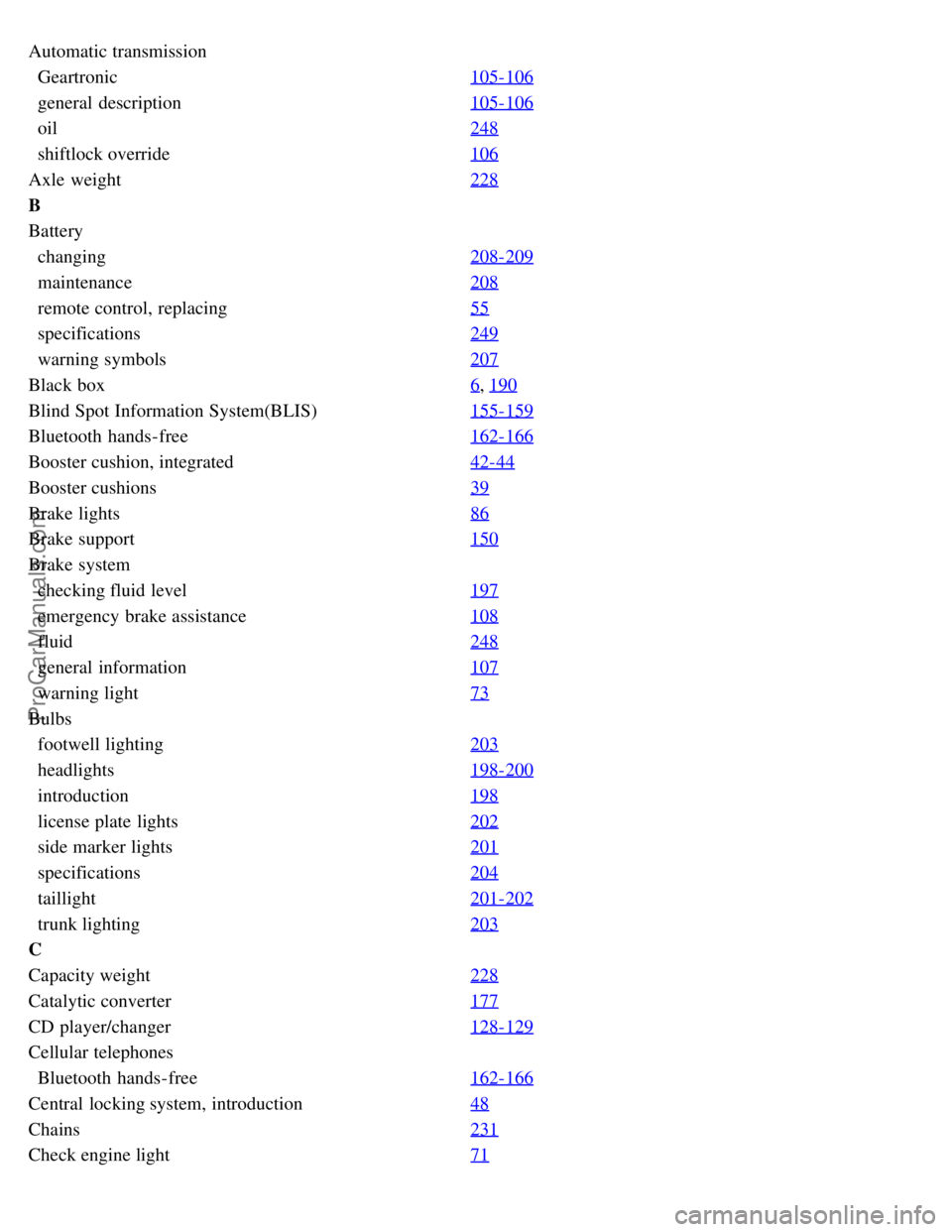
Cellular phone
Microphone
Steering wheel keypad
Center console
Bluetooth™
A cellular phone equipped with Bluetooth™ capability can be connected cordlessly to the audio system. The audio
system then provides hands-free function, with the option of controlling a range of the cell phone's functions remotely.
The cell phone can always be operated by its own keys regardless of whether or not it is connected.
Phone functions, controls overview
ProCarManuals.com
Page 241 of 251
Automatic transmission
Geartronic105-106
general description105-106
oil248
shiftlock override106
Axle weight228
B
Battery
changing208-209
maintenance208
remote control, replacing55
specifications249
warning symbols207
Black box6, 190
Blind Spot Information System(BLIS)155-159
Bluetooth hands-free162-166
Booster cushion, integrated42-44
Booster cushions39
Brake lights86
Brake support150
Brake system
checking fluid level197
emergency brake assistance108
fluid248
general information107
warning light73
Bulbs
footwell lighting203
headlights198-200
introduction198
license plate lights202
side marker lights201
specifications204
taillight201-202
trunk lighting203
C
Capacity weight228
Catalytic converter177
CD player/changer128-129
Cellular telephones
Bluetooth hands-free162-166
Central locking system, introduction48
Chains231
Check engine light71
ProCarManuals.com
Page 247 of 251
speed-dependent141
Power windows92-93
laminated glass93
water repellent glass93
Pregnancy, using seat belts during16
Proposition 65 warning9, 104, 209, 249
R
Radio
functions130
Sirius satellite radio132-135
Rain sensor90
READ button116-117
Rear fog light86
Rear park assist153-154
Rear seats
center head restraint80
folding80
heated121
lowering outboard head restraints81
Rear window defroster95
Rearview mirror
auto-dim function95
compass137
Refrigerant248
Refueling174-175
fuel filler cap177
fuel filler door176
octane ratings175
Remote control48
approach lighting50
common functions50
immobilizer49
key blade48, 53-54
key memory49
locking the vehicle50
panic alarm51
Personal Car Communicator50-52
replacing battery55
unlocking the trunk51
unlocking the vehicle50
valet locking54
Reporting safety defects13
Roadside Assistance250
Roof loads181
ProCarManuals.com