2007 VOLVO S80 center console
[x] Cancel search: center consolePage 138 of 251
immediate steering response. The indicator light in the button will be on to indicate that Sport mode has been selected.
Advanced
In this mode, movement of the shock absorbers is minimal and body sway in curves or when cornering is sharply
reduced.
Operation
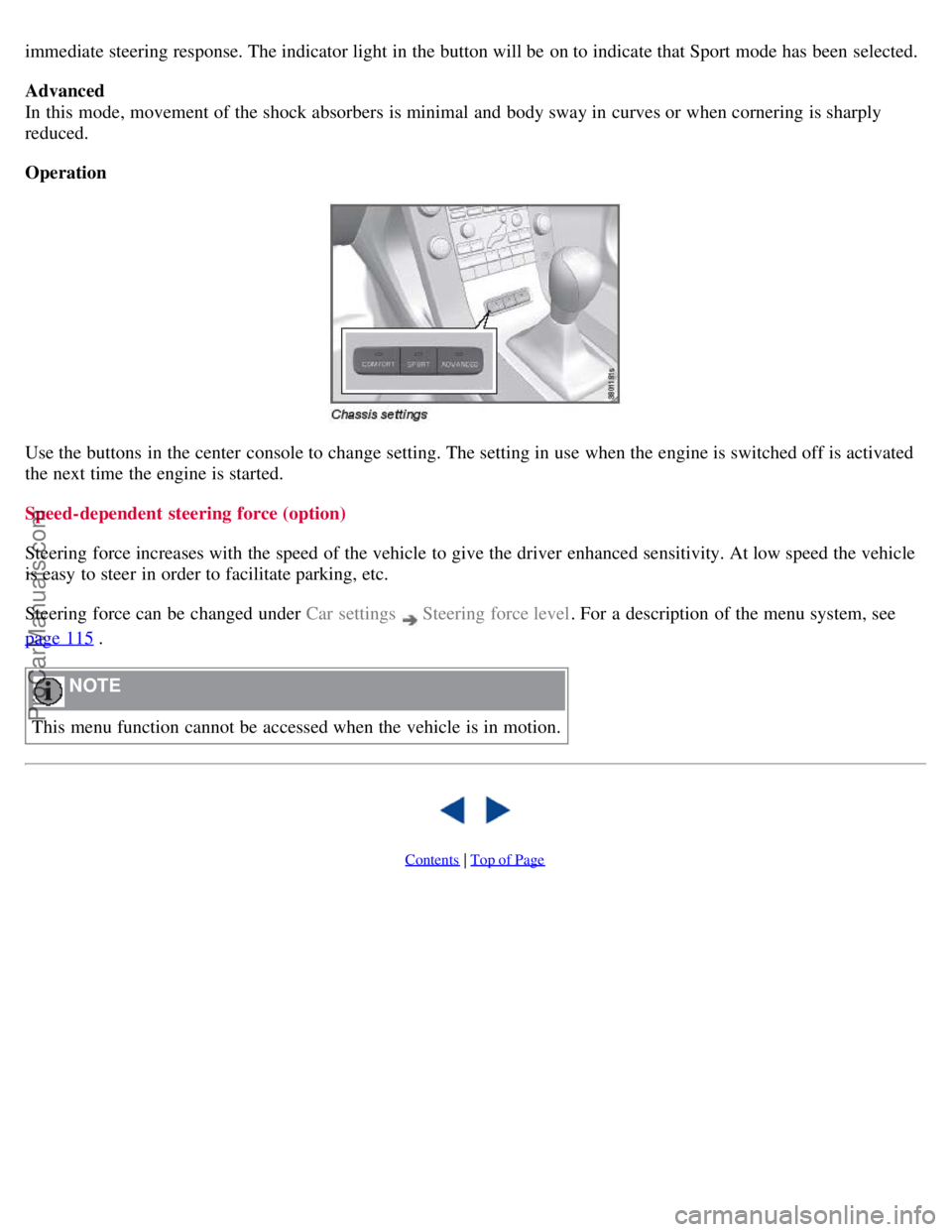
Use the buttons in the center console to change setting. The setting in use when the engine is switched off is activated
the next time the engine is started.
Speed-dependent steering force (option)
Steering force increases with the speed of the vehicle to give the driver enhanced sensitivity. At low speed the vehicle
is easy to steer in order to facilitate parking, etc.
Steering force can be changed under Car settings
Steering force level. For a description of the menu system, see
page 115
.
NOTE
This menu function cannot be accessed when the vehicle is in motion.
Contents | Top of Page
ProCarManuals.com
Page 149 of 251
A delayed warning means that brake support will also be delayed.
The false warnings may be in the form of both audio and visual signals.
NOTE
The number of false warnings can be limited by reducing the warning distance. See the section "Set warning
distance."
Operation
Some settings are controlled from the center console via a menu system. For information on how the menu system is
used, see page 114
.
NOTE
The following settings apply to the collision warning system only and do not affect brake support.
Activating/deactivating warning signals
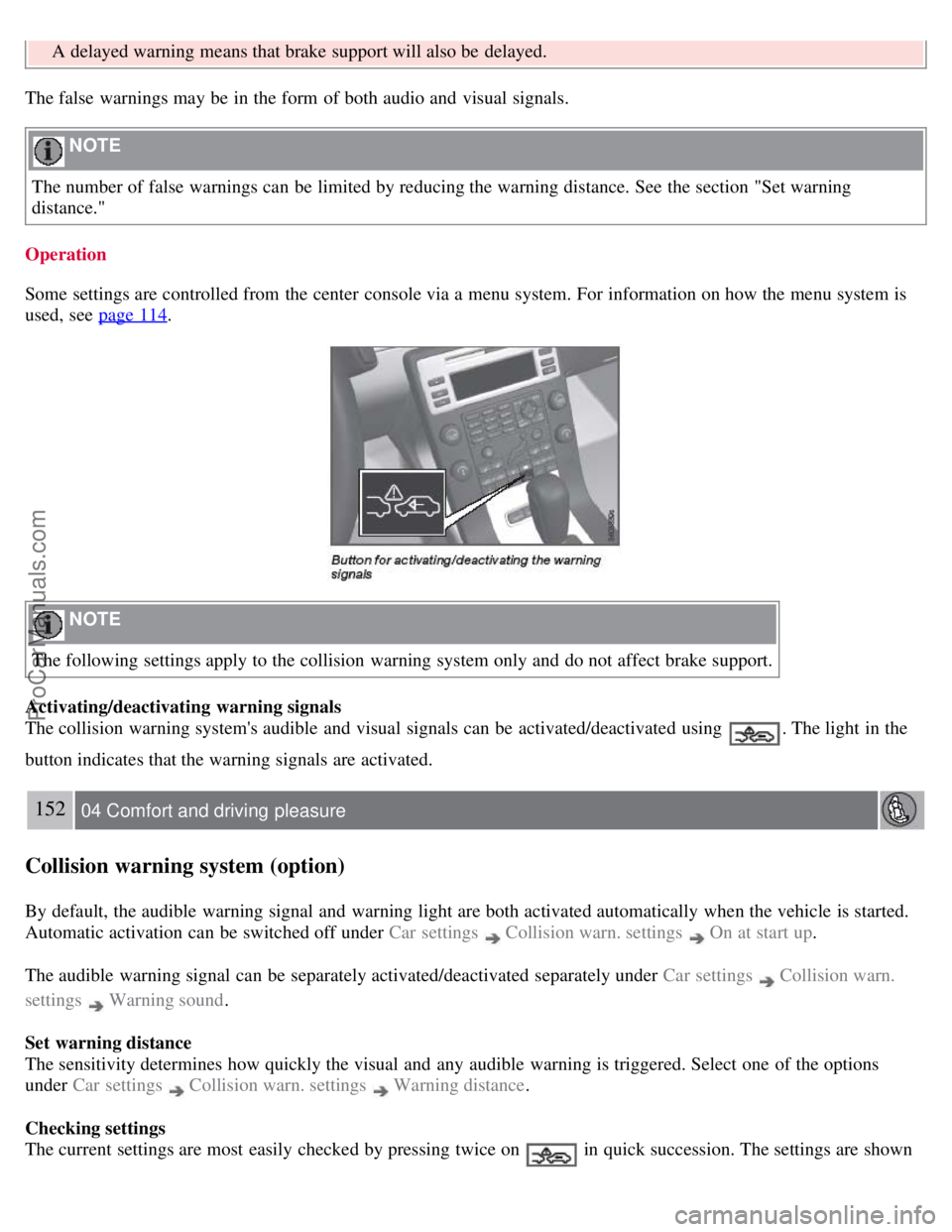
The collision warning system's audible and visual signals can be activated/deactivated using
. The light in the
button indicates that the warning signals are activated.
152 04 Comfort and driving pleasure
Collision warning system (option)
By default, the audible warning signal and warning light are both activated automatically when the vehicle is started.
Automatic activation can be switched off under Car settings
Collision warn. settings On at start up.
The audible warning signal can be separately activated/deactivated separately under Car settings
Collision warn.
settings
Warning sound .
Set warning distance
The sensitivity determines how quickly the visual and any audible warning is triggered. Select one of the options
under Car settings
Collision warn. settings Warning distance .
Checking settings
The current settings are most easily checked by pressing twice on
in quick succession. The settings are shown
ProCarManuals.com
Page 150 of 251

in the display.
Messages on the display
Clean the radar sensor in the grille - The collision warning system is temporarily disengaged. The message is shown
temporarily if for example slush has collected in front of the radar sensor.
Collision warn. Service required - The collision warning system is disengaged. Contact an authorized Volvo workshop
if the message remains.
153 04 Comfort and driving pleasure
Park assist (option)
Introduction
The park assist system(s) are designed to assist you when driving into parking spaces, garages, etc. They utilize
ultrasound sensors located in the bumpers to measure the distance to a vehicle or other object, or a person who may be
close to the front or rear of the vehicle.
WARNING
These systems are designed to be a supplementary aid when parking the vehicle. They are not, however, intended to
replace the driver's attention and judgement.
Function
The system is activated automatically when the vehicle is started. The indicator light in the button in the center console
illuminates. The text Park Assist ON is shown in the center console display if reverse gear is selected or if the front
sensors detect an object.
The front park assist system is active from the time the engine is started until the vehicle exceeds a speed of
approximately 10 mph (15 km/h). It is also active when the vehicle is backing up.
Rear park assist is active when the engine is running and reverse gear has been selected.
An intermittent audio signal becomes audible when your vehicle approaches an object. The frequency of the signal
increases as you come closer to the object in front of or behind the vehicle. If the volume of another audio source from
the audio system is high, this will be automatically lowered.
The tone becomes constant at a distance of approximately 1 ft (30 cm). If there are objects within this distance both
behind and in front of the vehicle, the signal alternates between front and rear speakers.
Rear park assist
ProCarManuals.com
Page 152 of 251

Press the Park assist button on the center console to temporarily deactivate the system(s). The indicator light in the
button will go out when the system(s) have been deactivated.
If the vehicle is equipped with front and rear park assist, both systems will be deactivated by pressing the button.
Park assist will be automatically reactivated the next time the engine is started, or if the button is pressed (the indicator
light in the button will illuminate).
NOTE
Front park assist is disengaged automatically when the parking brake is applied.
Cleaning the sensors
The sensors must be cleaned regularly to ensure that they work properly. Clean them with water and a suitable car
washing detergent.
Ice and snow covering the sensors may cause incorrect warning signals.
155 04 Comfort and driving pleasure
Blind Spot Information System (option)
Introduction
ProCarManuals.com
Page 155 of 251
cameras were obscured.
In both of the above mentioned conditions, a message will appear in the information display.
When driving in such conditions, the system's function will be limited or it may be temporarily switched off. See
page 157
for instructions.
When the message is no longer displayed, BLIS will return to normal function.
The BLIS cameras have the same limitation as the human eye. In other words, their "vision is impaired" by
adverse weather conditions such as heavy snowfall, dense fog, etc.
157 04 Comfort and driving pleasure
Blind Spot Information System (option)
Cleaning the BLIS camera lenses
In order to function optimally, the BLIS camera lenses must be kept clean. They can be wiped clean with a soft cloth
or wet sponge.
CAUTION
Clean the lenses carefully to avoid scratching.
The lenses are electrically heated to help melt ice or snow. If necessary, gently brush away snow from the lenses.
Switching BLIS on and off
BLIS is automatically activated when the ignition is switched on. The indicator lights will provide confirmation by
flashing 3 times.
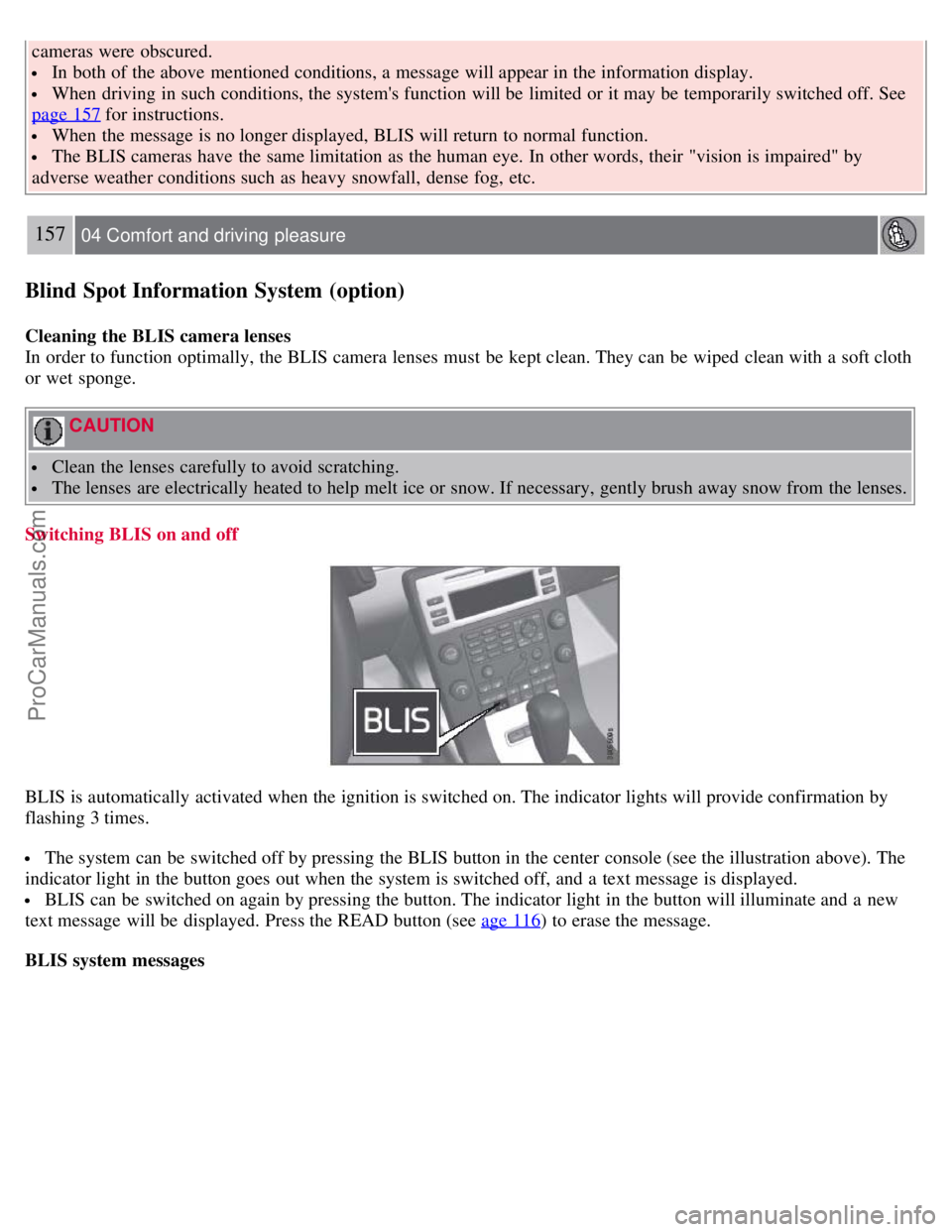
The system can be switched off by pressing the BLIS button in the center console (see the illustration above). The
indicator light in the button goes out when the system is switched off, and a text message is displayed.
BLIS can be switched on again by pressing the button. The indicator light in the button will illuminate and a new
text message will be displayed. Press the READ button (see age 116
) to erase the message.
BLIS system messages
ProCarManuals.com
Page 159 of 251
Electrical socket in the trunk (option)
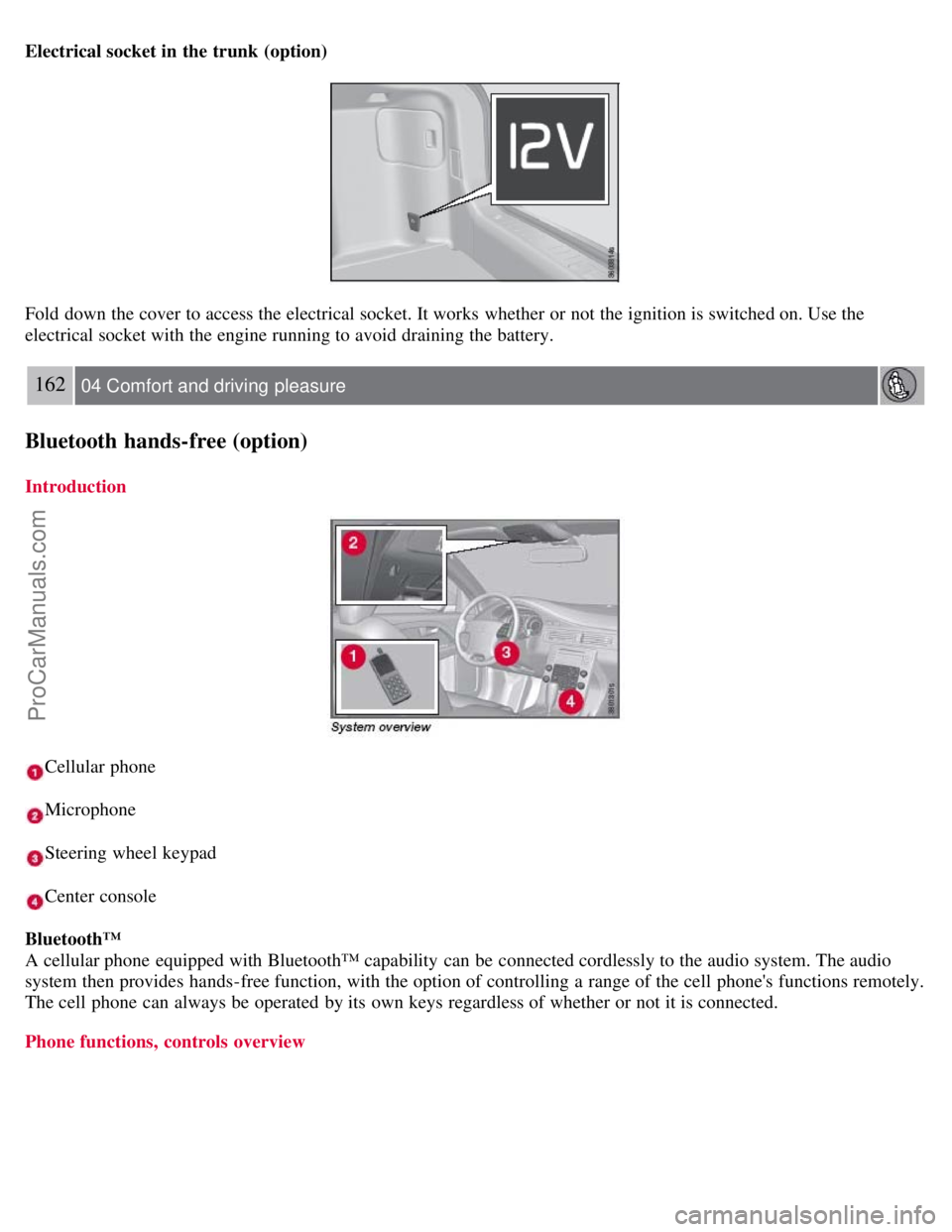
Fold down the cover to access the electrical socket. It works whether or not the ignition is switched on. Use the
electrical socket with the engine running to avoid draining the battery.
162 04 Comfort and driving pleasure
Bluetooth hands-free (option)
Introduction
Cellular phone
Microphone
Steering wheel keypad
Center console
Bluetooth™
A cellular phone equipped with Bluetooth™ capability can be connected cordlessly to the audio system. The audio
system then provides hands-free function, with the option of controlling a range of the cell phone's functions remotely.
The cell phone can always be operated by its own keys regardless of whether or not it is connected.
Phone functions, controls overview
ProCarManuals.com
Page 160 of 251
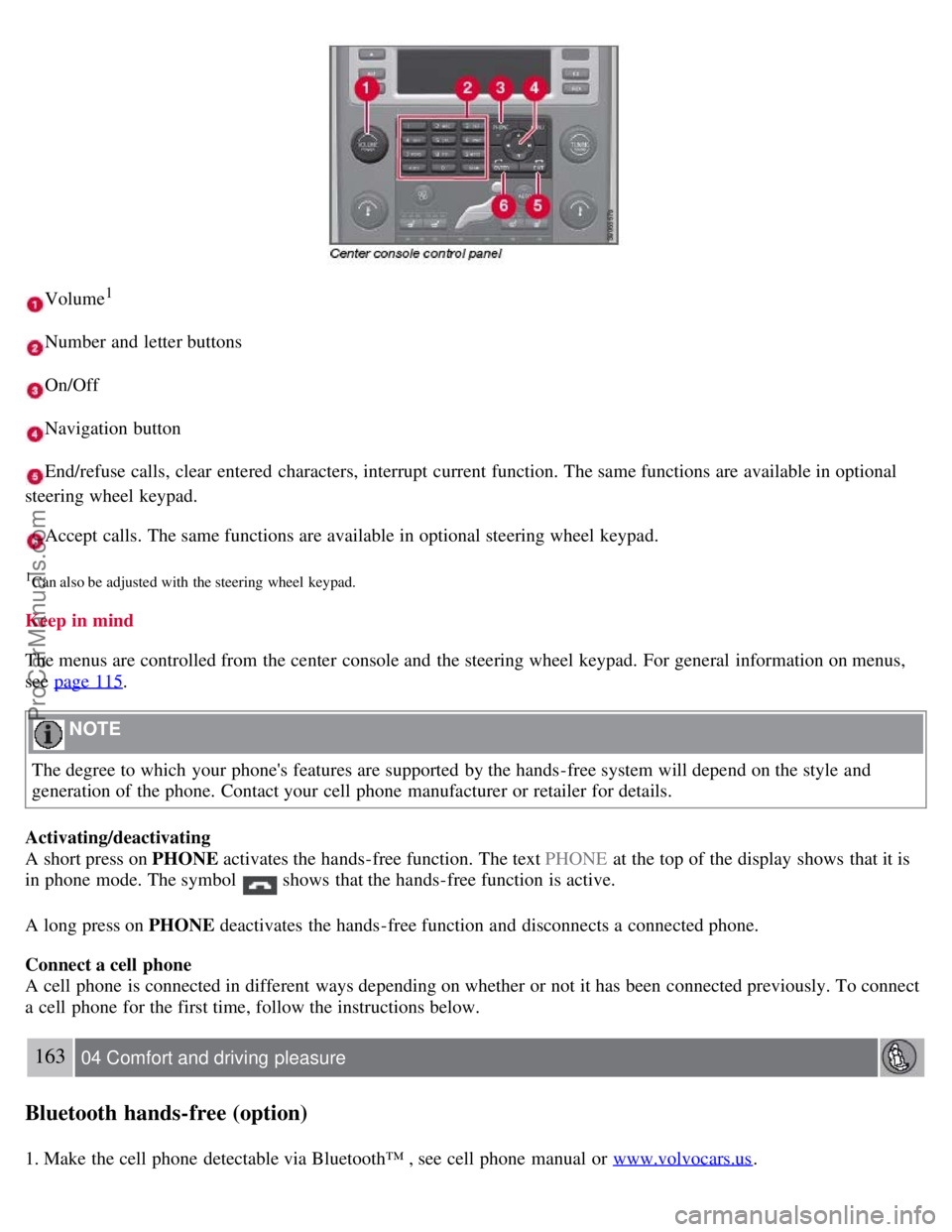
Volume1
Number and letter buttons
On/Off
Navigation button
End/refuse calls, clear entered characters, interrupt current function. The same functions are available in optional
steering wheel keypad.
Accept calls. The same functions are available in optional steering wheel keypad.
1Can also be adjusted with the steering wheel keypad.
Keep in mind
The menus are controlled from the center console and the steering wheel keypad. For general information on menus,
see page 115
.
NOTE
The degree to which your phone's features are supported by the hands-free system will depend on the style and
generation of the phone. Contact your cell phone manufacturer or retailer for details.
Activating/deactivating
A short press on PHONE activates the hands-free function. The text PHONE at the top of the display shows that it is
in phone mode. The symbol
shows that the hands-free function is active.
A long press on PHONE deactivates the hands-free function and disconnects a connected phone.
Connect a cell phone
A cell phone is connected in different ways depending on whether or not it has been connected previously. To connect
a cell phone for the first time, follow the instructions below.
163 04 Comfort and driving pleasure
Bluetooth hands-free (option)
1. Make the cell phone detectable via Bluetooth™ , see cell phone manual or www.volvocars.us.
ProCarManuals.com
Page 164 of 251
If the phone book contains a caller's contact information, this is shown in the display.
Searching for entries in phone book The easiest way to search in the phone book is with long presses on the keys 2 to
9. This starts a search in the phone book based on the key's first letter.
The phone book can also be reached with
on the navigation button or with on the steering wheel keypad.
166 04 Comfort and driving pleasure
Bluetooth hands-free (option)
The search can also be performed from the phone book's Search menu under Phone book Search:
1. Enter the first few letters of the entry and press ENTER , or simply press ENTER.
2. Scroll to an entry and press ENTER to call.
Voice recognition
If the cell phone supports voice dialing, this function can be used by holding in ENTER .
Voice mailbox
The number to your voice mailbox can be changed in Phone settings
Voice mail number . If no number has been
stored, this menu can be accessed by an extended press on 1. Use the stored number by pressing 1 for several seconds.
Call lists
The call lists are copied to the hands-free function at each new connection and are then updated during the connection.
Press ENTER to show the last dialled. Other call lists are available under Call list .
NOTE
Certain cell phones show a list of the last dialled calls in reverse order.
Entering text
Input text using the keypad in the center console. Press once for the key's first character, twice for the second
character, etc. Continue pressing for more characters, see the table below.
A short press on EXIT deletes an entered characters. One long press on EXIT clears all entered characters.
/ on
the navigation button scrolls between the characters.
ProCarManuals.com