2007 VOLKSWAGEN JETTA sound system
[x] Cancel search: sound systemPage 1 of 477

Contents
0.1 Alphabetical Index 2
. . . . . . . . . . . . . . . . . . . . . . . . . . . .
1.1 Maintenance 21
. . . . . . . . . . . . . . . . . . . . . . . . . . . . . . .
1.2 USA Warranty 86
. . . . . . . . . . . . . . . . . . . . . . . . . . . . . .
2.1 Safety First 122
. . . . . . . . . . . . . . . . . . . . . . . . . . . . . . .
3.1 Controls and Equipment 202
. . . . . . . . . . . . . . . . . . . . . . .
3.2 Tips and Advice 320
. . . . . . . . . . . . . . . . . . . . . . . . . . . .
3.3 Technical Data 420
. . . . . . . . . . . . . . . . . . . . . . . . . . . .
3.4 Premium Sound System 434
. . . . . . . . . . . . . . . . . . . . . . .
Page 126 of 477

Booklet 2.1 Safety first
Safety is everybody 's res pon sibilit y! ..
Important things to do before driving
Safety is job. Vehicle and occupant safety always depends on the in
fo rm ed and
driver.
For your safety and th e sa fe ty of yo ur pas
se ng ers, before drivi ng a lways :
- Make sure that a ll lights and signals are
ope ratin g correctly.
- Mak e sur e that the tire pressure is co r
rect.
- Make s ure that all wind ows are clea n
and a fford good vis ib ili ty to the out side.
- Secu re all luggage a nd oth er items care
fully
10.
- Make sure that not hing can interf ere
w ith the peda ls .
What impairs driving safety
- Adju st fr ont sea t, head res traint and
mirror s correct ly for your heig ht.
- Instru ct pa ssengers to adjust the head
restra ints accor ding to th eir h eig ht .
- Ma ke su re to use the r ig ht chil d re
s tra int and use it cor rectl y to prot ect chil
dren
5 l.
- Sit p rope rly in you r sea t and make sur e
that your passenger s do th e sa me
4.
- Faste n yo ur safe ty belt and wear it prop
e rly. A lso i nst ruct your pa ssenge rs to
fasten their safety belts prop erl y
.-
Safe driv ing is directly re lat ed to the condition of the vehicle , the driv er as well as
the driver's
to concentrate on the road without being distracted.
The driv er i s respo nsibl e for the sa fe ty o f
th e ve hicle and a ll of its occupan ts. If yo ur
ab ilit y to dr ive is im paired, safe ty risks for
eve ry bod y in th e veh icle increase and you
a lso become a hazard to everyo ne e lse on
t he road
The refo re:
- Do not le t yo urse lf be distra cte d b y pas
se nge rs or by usi ng the sound system o r a
ce llul ar t elep hone
- Never drive when yo ur driv in g abil ity is
imp air ed (b y m edi ca tions, alco hol , drugs,
etc.) .
- Obse rve a ll traffic laws, rules of th e road
and sp eed limit s and plai n co mm on se nse . -
Alw ays ad just yo ur spee d to road , traffic
a nd wea ther condition s.
- Take frequ ent breaks on long trips.
Don't drive for more than two hou rs at a
s tr etc h.
- Do n ot dr ive w he n yo u are tir ed, und er
press ure o r w hen you a re s tressed.
WARNING
dri vin g sa fe ty increases the risk of
se riou s perso nal inju ry and dea th when ever a
ve hicle is being use d ...
Safe driving 3
Page 228 of 477

Booklet 3.1 Controls and Equipment
If the warning light ligh ts up again after d rivi ng
o n for a sh o rt dis tan ce, stop the vehicle and
swi tch off the engine. C onta ct an authorized
V olk swa gen deal er or a qualifi ed wor ksh op.
WARNING
Stop! Before working in the engine compart
ment, always read and heed all WARNINGS
3.2 "Working in the engine com
partment. " The engine compartment of any
motor vehicle is a pot entially dangerou s area
and can cause serious personal injury.
WARNING
Hot steam or coo lant can cause serious burns.
• Never open the engine hood if you sec
steam or coo lant escapi ng from the engine
compartment. Always wa it until you no longer
sec or hea r steam or coo lant escap ing from the
engi ne.
• Always let the en gi ne to cool down com
pletely before carefully open ing the engine
h ood. Hot components w ill burn skin on co n
tact.
• When the engine has cooled down and you
are ready to open the engine hood:
R emove the key from the ignition.
Engine oil pressure 9=:7:
WARNING (continued)
Apply the parking brake firmly and put
the selector in P (Park, automatic trans
mis sion) or Neutral (manual transmis
s ion) .
Keep c hildren a nd oth ers away from the
vehicle.
• Never reach into the area around or touch
the radiato r fan. Contact with the blades can
re sult in serious persona l injury.
• Alway s remember that the radiator fan is
temperature-contro lled and can t urn on sud
den ly - even when the engine has been
switched
for a longer period of tim e and the
k ey has been removed from the ignition.
• Never unscrew the coolant expansio n tank
ca p when the engine is hot. A hot engine will
h eat the coolant and put it under pressure . Re
moving a ca p that is under pressure can result
in serious personal injury and/or burns.
• Alw ays protect face, hands and arms from
h ot escap ing coo lant or steam by cover ing the
cap w ith a large, thick rag.
• Turn the cap slowly and very carefully in a
co unt er-clockwise direction while applying
light downward pres sure on the top of the cap.
• Never sp ill antifreeze or coo lant on the ex
haust system or hot engine parts. Under some
co ndit ions, the ethylene g lyco l in engine
coo lant can catch fire.
This warning symbol indicat es that the en gin e oil pressure is low.
I f thi s wa rning symbo l s tart s to flas h. an d thr ee
w arning s sound , sw itch th e e ngin e and ch ec k
th e oi l leve l. Top off with en gin e oil if necessary
3.2 "Tip s an d Adv ic e" , ch ap te r "E n
g in e o il."
The follo win g inform ation text is disp la ye d:
ST OP Oil p ressure Engin e off Owner 's manual!.
If th e sy mb ol fl as hes eve n though the oil l eve l is
co rrec t, do 11 01 drive on. D o not le t th e engine
idl e. Co nta ct a n authori zed Vo lksw age n d eale r
or a qua lified wo rksh op .
Tip s
Th e oil pre ssure wa rnin g symbol is not an oil
l eve l ga uge. Check the o il leve l reg ularl y, pre fe r
a bl y every time you get gas .
Instrument panel 25
Page 239 of 477

Booklet 3.1 Controls and Equipment
lock ca n be switch ed on and off using a key in th e
opened door.
Anti-theft alarm system
Applies to vehicles: with anti-theft alarm
Description of anti-theft alarm system
The anti-theft alarm triggers an alarm unauthorized movements are detected
around the vehicle.
Activating the anti-theft alarm system
- Lock the vehi cle.
Switching the alarm off
-Un lock the vehicle using the unlo ck
button in the remote control key or unlock
the veh icle by inserting the vehicle key into
the driver's door lock.
The anti-th eft alarm make s it more difficult break into the vehicle or steal You will hea r
and see the alarms if someone tri es break inlO
th e ve hicle.
Whe n yo u lock the ve hicle, the an ti-t heft alarm
syste m is aulOmat ica lly sw itched on.
Close all windows a nd doors compl etely befo re
locking the vehicle so that the ant i-t hef t system
does no t tr igger alarms unnecessar ily.
What triggers th e alarm?
With the vehicle locked, th e alarm will go
under th e fo llowing circ umstances:
• Man ually open ing of the rear lid u sing the ve
hi cle key,
36 Opening and closing Keys
• Opening a doo r,
• Ope ning th e en gine ho od,
• Opening the rea r lid.
Wh en th e alarm is triggered, th e horn
will sound
for about 30 seco nds and the turn signals wi ll
fla sh for about 4 minutes.
Ho w c an I switch off the ala rm system?
You ca n sw itch th e anti- theft alarm sys te m ei
ther by unlock ing th e veh icle using the unl ock
the remote contro l or by unlocking
the vehicle in se rting th e key into the driv er's
d oor lock.
Tips
• When the alarm stops sound ing and you
op en anothe r door or the rear lid or any other
part
th e vehicle that is monito red by the anti
th eft alarm system, the alar m will be triggered
aga in.
• The anti-t heft ala rm syste m works even if t he
battery is disconnected or not wo rking
prop erl y.
Page 350 of 477

Booklet 3.2 Tips and Advice
Cellular phones and CB radios
will need an antenna for cellular phones and CB radio s
Volk swa gen h as a pproved your vehicle fo r use
w ith cellul ar phon es and CB r adio s prov iding
th e fo llowi ng co ndition s:
• correc t in sta ll ation of outside antenn a,
• transm itting pow er is no more than a m ax
imum of
JO wa tts.
A n outs ide ante nna is nee ded
g ive the eq uip
m ent it s opt imal range and pr eve lll in terfer
ence with elec troni cs in th e vehicle.
I f y ou want to use a ce llul ar phone or a CB ra dio
w ith a tran smillin g powe r g re at er than 10 watts,
fir st ch eck wit h a auth orize d Vo lksw agen dea le r.
Ce llul ar phone s and CB radios s houl d be in
s ta lled only by a qualified worksh op or by your
a uthori zed Vo lkswage n deale r.
Carefu lly fo llow the o perat ing in stru ction s for
yo ur cellula r te lep hon e or CB radi o.
WARNING
• Always concentrate on your driving, and the road. Driver di str act ion causes acci
dents!
• Alwa ys set v olume le vels so that you can
clearl y hear horn s, sire n s a nd oth er warning
sounds outside the vehicle.
WARNING (continued )
• Using a cellul ar te lephone or CB radio in
side the vehicle without having a separate out
s ide antenna can be dangerous to your health
and that of your passengers because th e elec
tromagnetic radiation energy that the se de
vice s emit may be above esta blish ed limit s.
• Never attach anything, including acce sso
ries (for example cup holders or teleph one
brackets) to the airbag covers or within the
airbag d eployment zone.
• Objects on or near the surface s where air
bags are located can come loo se and cause se
riou s personal injury
if the airbag deploy s 2.1 "Safety first", chapter "Airbag
system."
Note
Improper in stallation of cellular te le phon es, CB
ra dios or other electro nic compon ent s can
ca use oth er ve hicl e systems to malfunction. Th e
m os t co mmon causes of fault s ar e:
• no ex te rnal
• incorrec tly insta lled ex te rnal antenna,
• tran smitting power in excess of 10 wa tts.
Accessories, new parts, repairs and modifications 29
Page 434 of 477
Premium Sound
System
J e tta
Page 436 of 477
Booklet 3.4 Premium Sound System
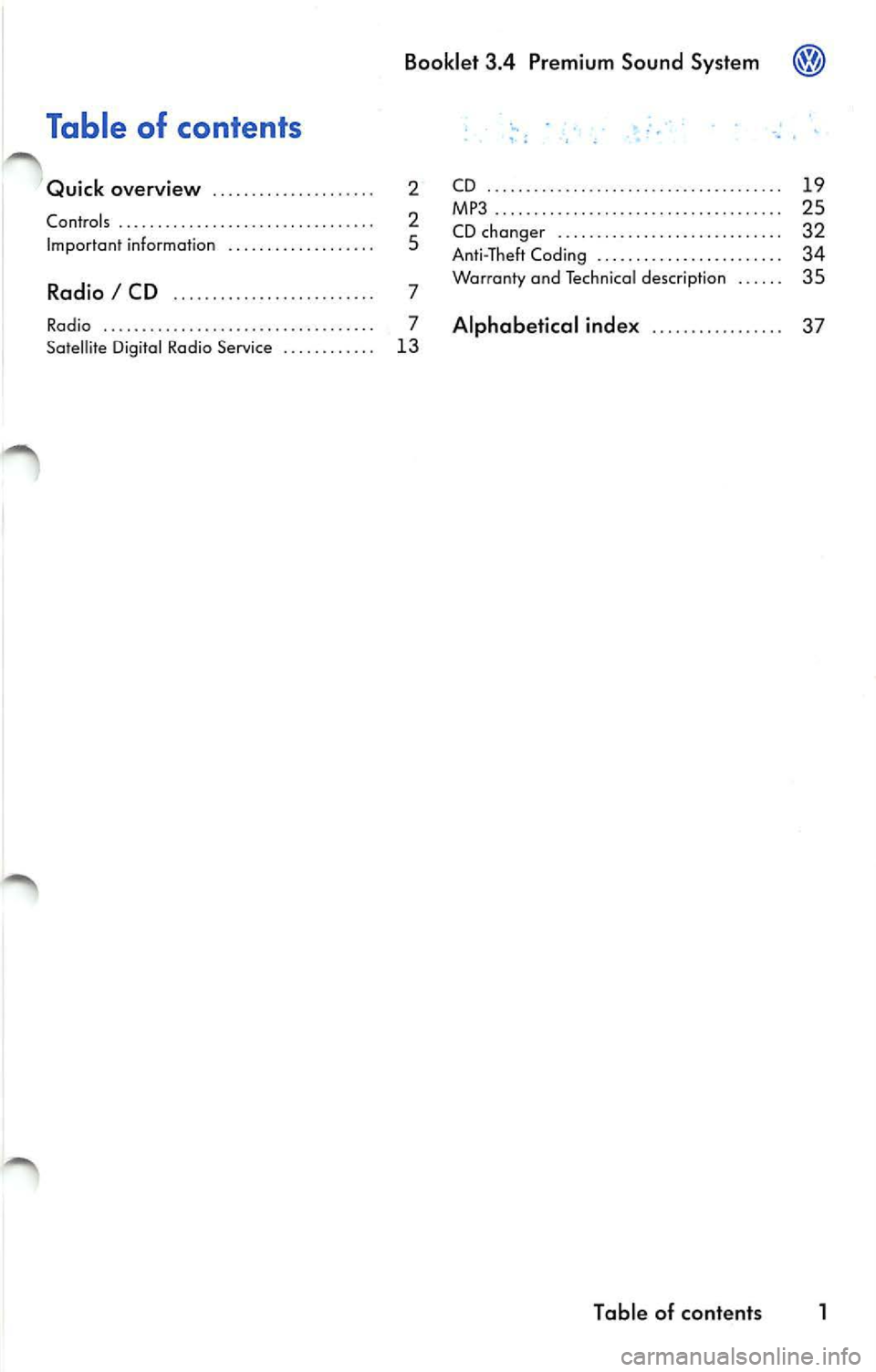
Table of contents
Quick overview . . . . . . . . . . . . . . . .. . . . . 2
Contro ls .. . . . .. . . . .. . . .. .. . . . .. . . . . . . . . .. 2
Imp ort an t information . . . . . . . . . . . . . . . . . . . 5
Radio I CD ...... .......... ... .. ... .. 7
Radio .. . .. .. . . . . .. . . .. . .. .. .. .. .. . . . . . .. 7
Satell ite Digita l Rad io Serv ice . . . . . . . . . . . . 13 CD
.. .... .. .. .... .... .. ... .... ... .. .. ... . 1 9
MP3......... ....... .. .... ..... ..... .. ... 25
CD ch anger . . . . . . . . . . . . . . . . . . . . . . . . . . . . . 32
A nti- T heft Codi ng . . . . . . . . . . . . . . . . . . . . . . . . 34
Warranty and Te ch nical des crip tion . . . . . . 35
Alphabetical inde x .. . . . . . . . . . . . .. .. 37
Tabl e of cont ents 1
Page 437 of 477
Booklet 3.4 Premium Sound System
Quick overview
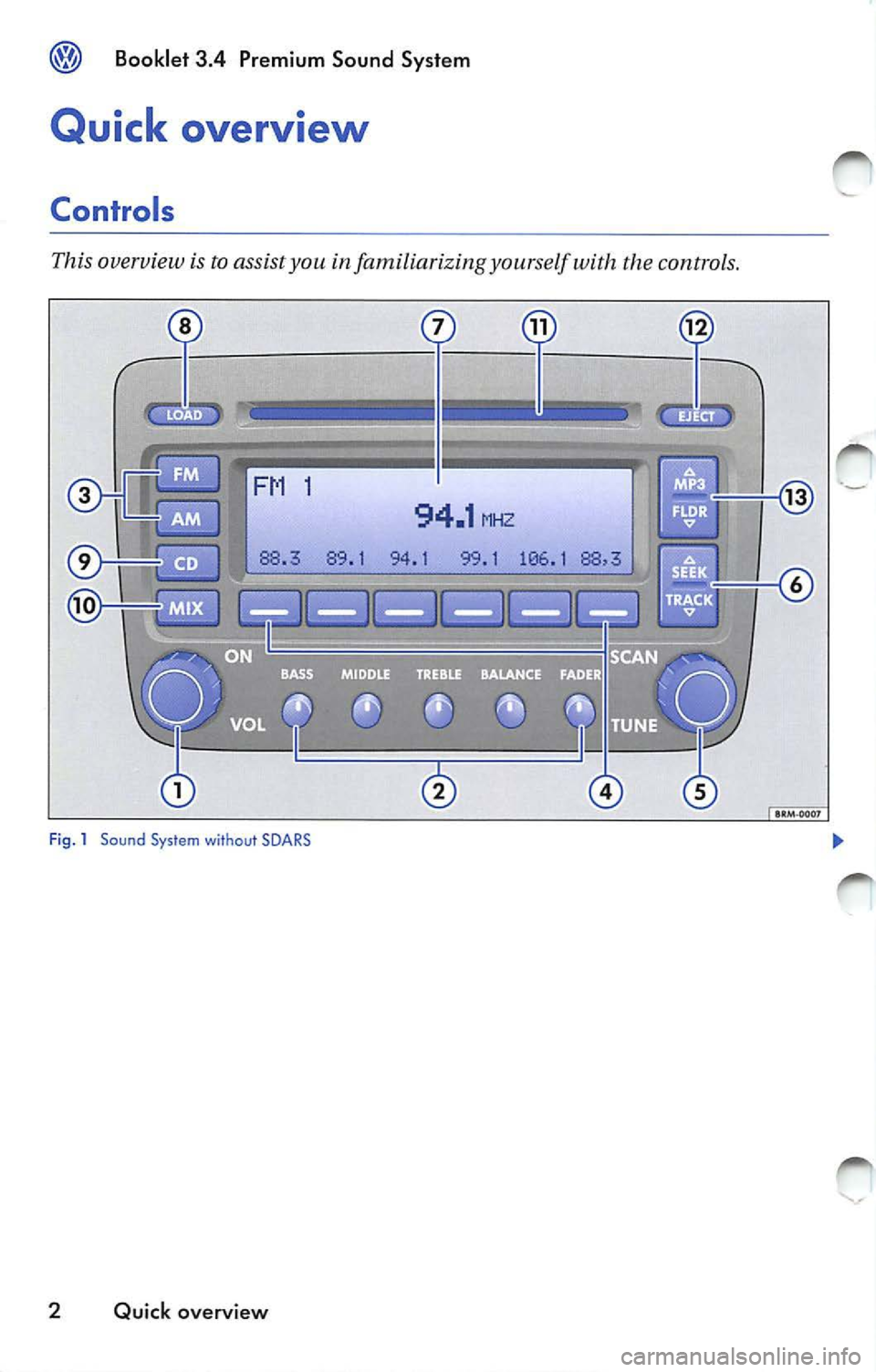
Controls
This overview is to assist you in familiarizing yourself with the controls.
·-
94.1 MHZ
94.1 99.1 106 .1
Fig . 1 Sound Sys tem without SOARS
2 Quick overview