Page 178 of 458
178
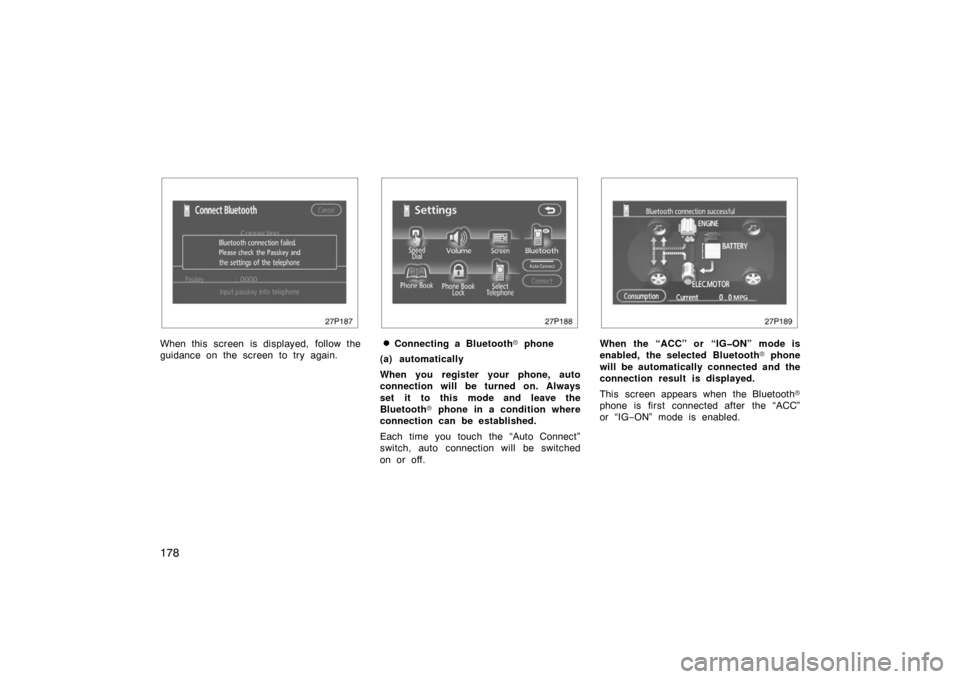
27p187
When this screen is displayed, follow the
guidance on the screen to try again.
27p188
�Connecting a Bluetooth� phone
(a) automatically
When you register your phone, auto
connection will be turned on. Always
set it to this mode and leave the
Bluetooth � phone in a condition where
connection can be established.
Each time you touch the “Auto Connect”
switch, auto connection will be switched
on or off.
27p189
When the “ACC” or “IGON” mode is
enabled, the selected Bluetooth � phone
will be automatically connected and the
connection result is displayed.
This screen appears when the Bluetooth �
phone is first connected after the “ACC”
or “IG −ON” mode is enabled.
Page 179 of 458
179
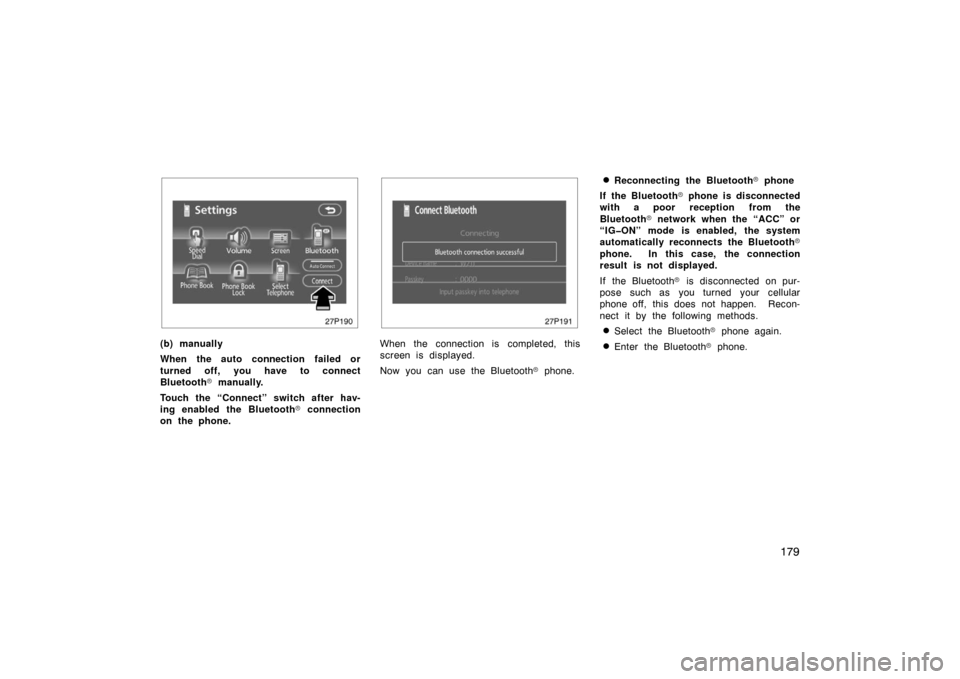
27p190
(b) manually
When the auto connection failed or
turned off, you have to connect
Bluetooth� manually.
Touch the “Connect” switch after hav-
ing enabled the Bluetooth � connection
on the phone.
27p191
When the connection is completed, this
screen is displayed.
Now you can use the Bluetooth � phone.
�Reconnecting the Bluetooth � phone
If the Bluetooth � phone is disconnected
with a poor reception from the
Bluetooth � network when the “ACC” or
“IGON” mode is enabled, the system
automatically reconnects the Bluetooth �
phone. In this case, the connection
result is not displayed.
If the Bluetooth � is disconnected on pur-
pose such as you turned your cellular
phone off, this does not happen. Recon-
nect it by the following methods.
�Select the Bluetooth � phone again.
�Enter the Bluetooth � phone.
Page 181 of 458
181
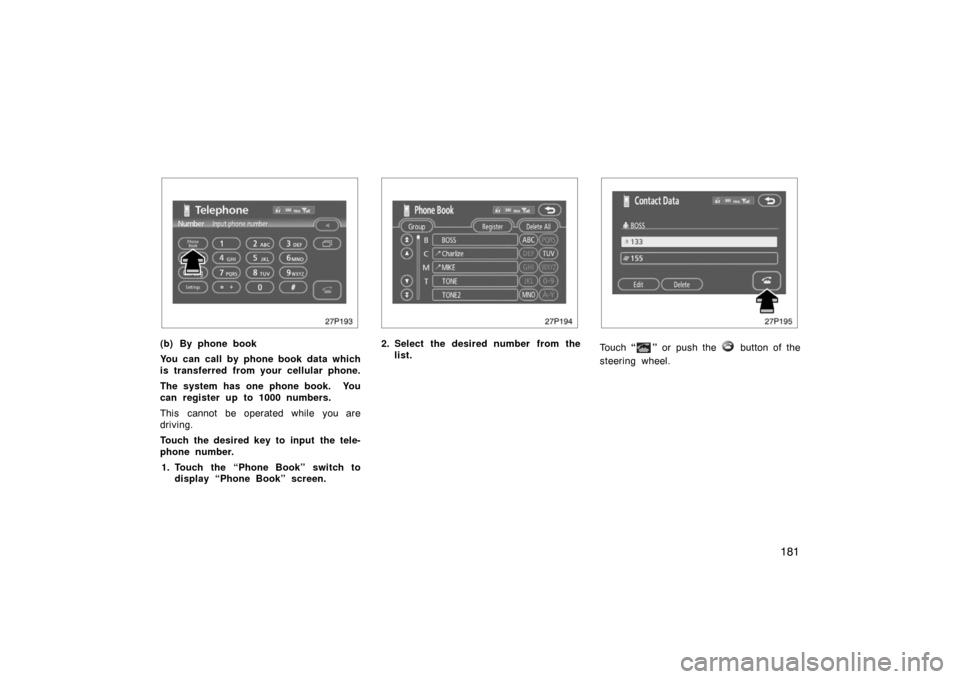
27p193
(b) By phone book
You can call by phone book data which
is transferred from your cellular phone.
The system has one phone book. You
can register up to 1000 numbers.
This cannot be operated while you are
driving.
Touch the desired key to input the tele-
phone number.1. Touch the “Phone Book” switch to display “Phone Book” screen.
27p194
2. Select the desired number from the
list.
27p195
Touch “” or push the button of the
steering wheel.
Page 182 of 458
182
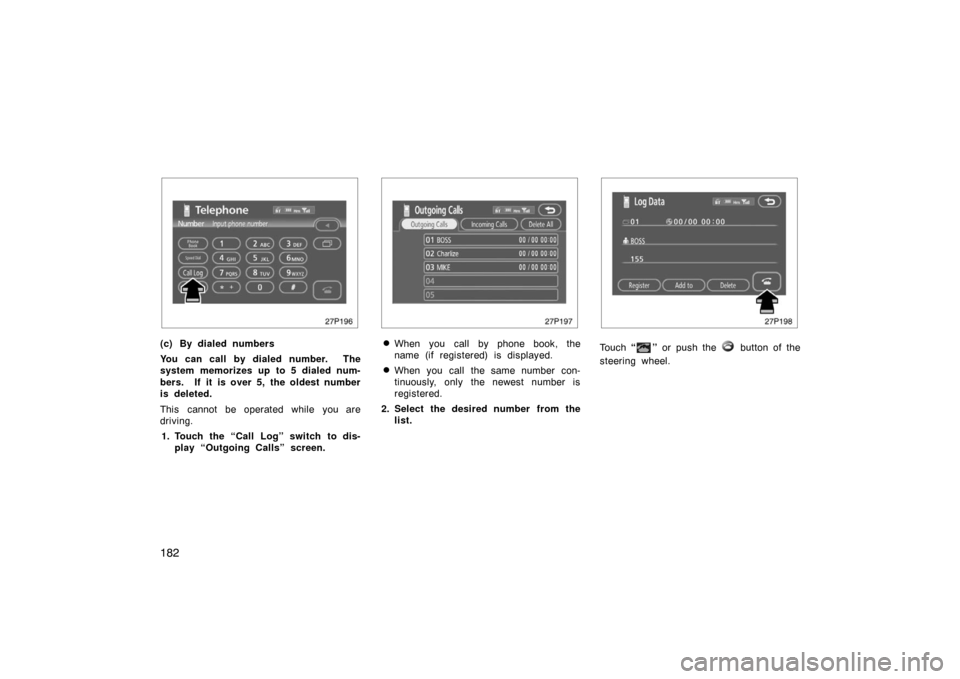
27p196
(c) By dialed numbers
You can call by dialed number. The
system memorizes up to 5 dialed num-
bers. If it is over 5, the oldest number
is deleted.
This cannot be operated while you are
driving.1. Touch the “Call Log” switch to dis- play “Outgoing Calls” screen.
27p197
�When you call by phone book, the
name (if registered) is displayed.
�When you call the same number con-
tinuously, only the newest number is
registered.
2. Select the desired number from the list.
27p198
Touch “” or push the button of the
steering wheel.
Page 183 of 458
183
27p196
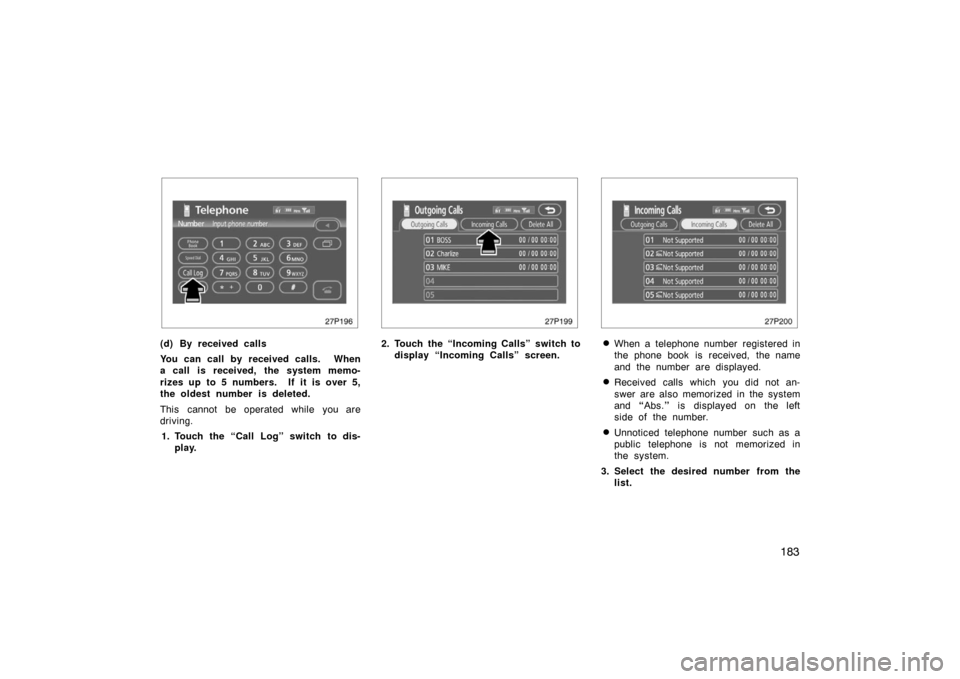
(d) By received calls
You can call by received calls. When
a call is received, the system memo-
rizes up to 5 numbers. If it is over 5,
the oldest number is deleted.
This cannot be operated while you are
driving.1. Touch the “Call Log” switch to dis- play.
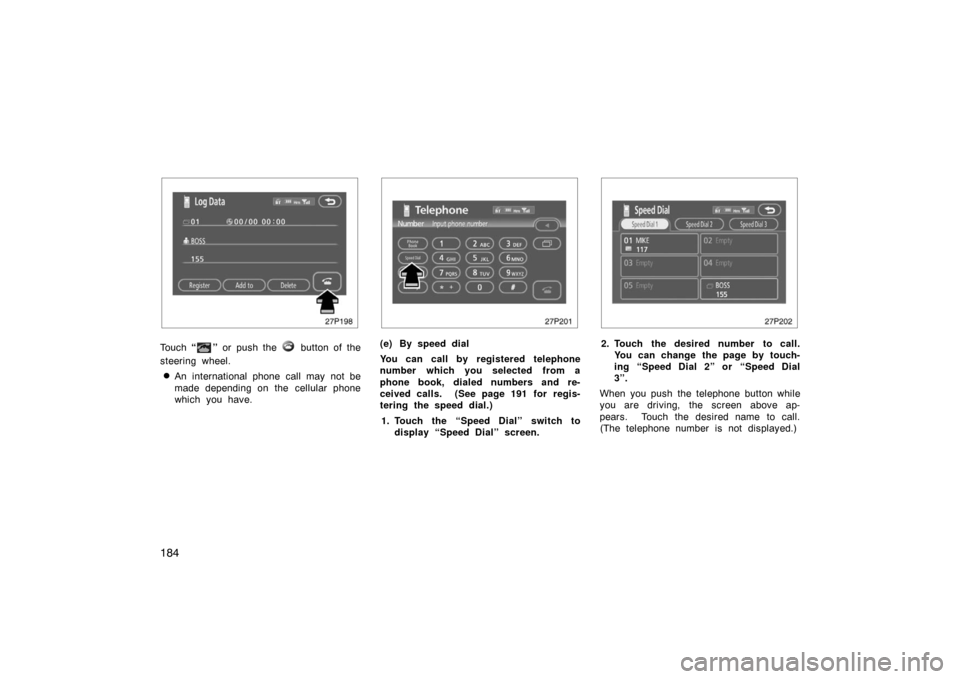
27p199
2. Touch the “Incoming Calls” switch todisplay “Incoming Calls” screen.
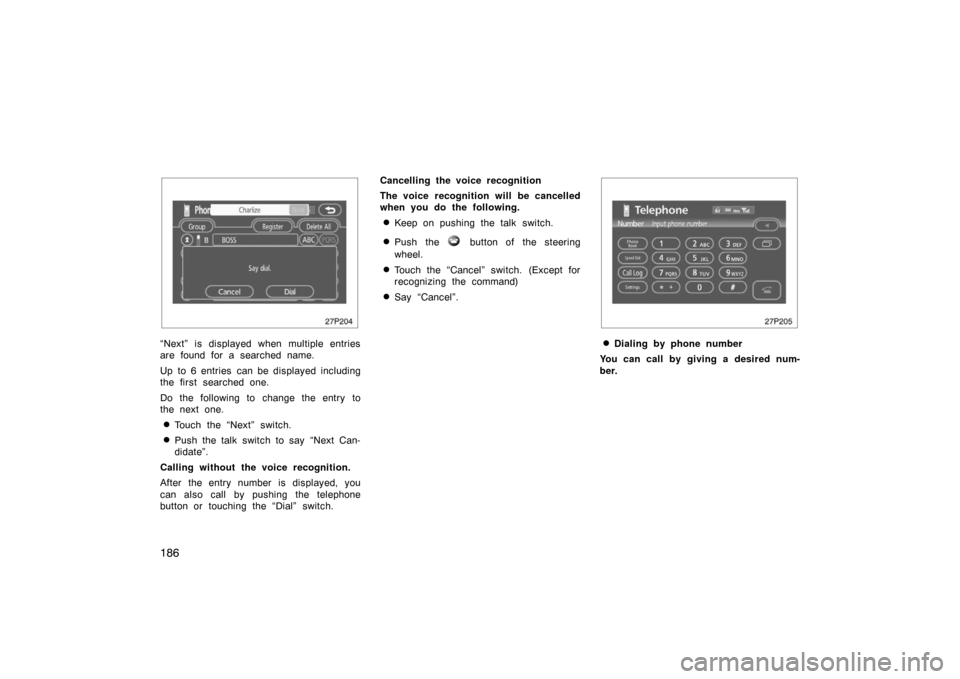
27p200
�When a telephone number registered in
the phone book is received, the name
and the number are displayed.
�Received calls which you did not an-
swer are also memorized in the system
and “Abs. ” is displayed on the left
side of the number.
�Unnoticed telephone number such as a
public telephone is not memorized in
the system.
3. Select the desired number from the list.
Page 184 of 458
184
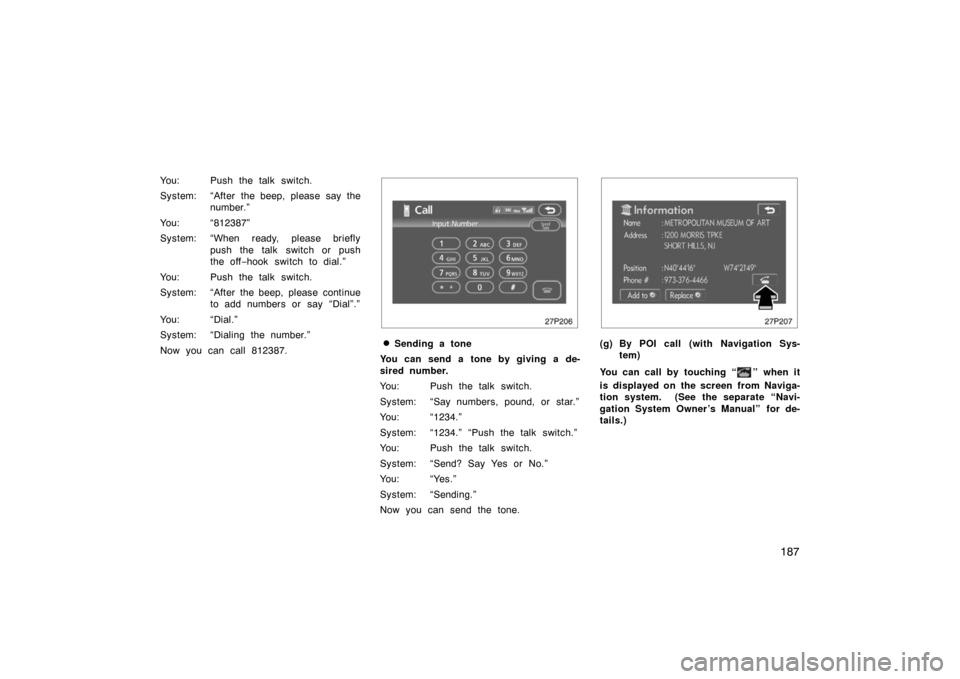
27p198
Touch “” or push the button of the
steering wheel.
�An international phone call may not be
made depending on the cellular phone
which you have.
27p201
(e) By speed dial
You can call by registered telephone
number which you selected from a
phone book, dialed numbers and re-
ceived calls. (See page 191 for regis-
tering the speed dial.)
1. Touch the “Speed Dial” switch to display “Speed Dial” screen.
27p202
2. Touch the desired number to call.You can change the page by touch-
ing “Speed Dial 2” or “Speed Dial
3”.
When you push the telephone button while
you are driving, the screen above ap-
pears. Touch the desired name to call.
(The telephone number is not displayed.)
Page 186 of 458
186
27p204
“Next” is displayed when multiple entries
are found for a searched name.
Up to 6 entries can be displayed including
the first searched one.
Do the following to change the entry to
the next one.
�Touch the “Next” switch.
�Push the talk switch to say “Next Can-
didate”.
Calling wit hout the voice recognition.
After the entry number is displayed, you
can also call by pushing the telephone
button or touching the “Dial” switch. Cancelling the voice rec
ognition
The voice recognition will be cancelled
when you do the following.
�Keep on pushing the talk switch.
�Push the button of the steering
wheel.
�Touch the “Cancel” switch. (Except for
recognizing the command)
�Say “Cancel”.
27p205
�Dialing by phone number
You can call by giving a desired num-
ber.
Page 187 of 458
187
You: Push the talk switch.
System: “After the beep, please say thenumber.”
You: “812387”
System: “When ready, please briefly push the talk switch or push
the off−hook switch to dial.”
You: Push the talk switch.
System: “After the beep, please continue to add numbers or say “Dial”.”
You: “Dial.”
System: “Dialing the number.”
Now you can call 812387.
27p206
�Sending a tone
You can send a tone by giving a de-
sired number.
You: Push the talk switch.
System: “Say numbers, pound, or star.”
You: “1234.”
System: “1234.” “Push the talk switch.”
You: Push the talk switch.
System: “Send? Say Yes or No.”
You: “Yes.”
System: “Sending.”
Now you can send the tone.
27p207
(g) By POI call (with Navigation Sys- tem)
You can call by touching “
” when it
is displayed on the screen from Naviga-
tion system. (See the separate “Navi-
gation System Owner ’s Manual” for de-
tails.)