Page 176 of 490

Airbag Readiness Light
There is an airbag readiness light on the instrument
panel, which shows the airbag symbol. The system
checks the airbag’s electrical system for
malfunctions. The light tells you if there is an
electrical problem. The system check includes the
airbag sensor, the airbag modules, the wiring and
the crash sensing and diagnostic module.
This light will come on
when you start your
vehicle, and it will ash
for a few seconds.
Then the light should go
out. This means the
system is ready.
If the airbag readiness light stays on after you
start the vehicle or comes on when you are driving,
your airbag system may not work properly.
Have your vehicle serviced right away.{CAUTION:
If the airbag readiness light stays on after
you start your vehicle, it means the airbag
system may not be working properly. The
airbags in your vehicle may not inate in
a crash, or they could even inate without
a crash. To help avoid injury to yourself
or others, have your vehicle serviced right
away if the airbag readiness light stays on
after you start your vehicle.
The airbag readiness light should ash for a
few seconds when you turn the ignition key to
RUN. If the light does not come on then, have it
xed so it will be ready to warn you if there is
a problem.
176
Page 177 of 490
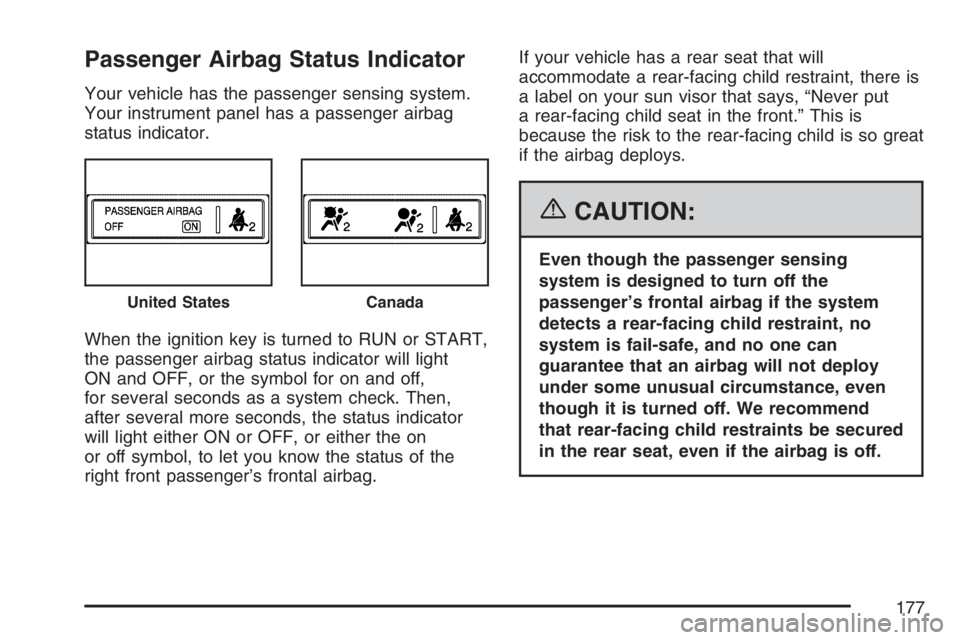
Passenger Airbag Status Indicator
Your vehicle has the passenger sensing system.
Your instrument panel has a passenger airbag
status indicator.
When the ignition key is turned to RUN or START,
the passenger airbag status indicator will light
ON and OFF, or the symbol for on and off,
for several seconds as a system check. Then,
after several more seconds, the status indicator
will light either ON or OFF, or either the on
or off symbol, to let you know the status of the
right front passenger’s frontal airbag.If your vehicle has a rear seat that will
accommodate a rear-facing child restraint, there is
a label on your sun visor that says, “Never put
a rear-facing child seat in the front.” This is
because the risk to the rear-facing child is so great
if the airbag deploys.
{CAUTION:
Even though the passenger sensing
system is designed to turn off the
passenger’s frontal airbag if the system
detects a rear-facing child restraint, no
system is fail-safe, and no one can
guarantee that an airbag will not deploy
under some unusual circumstance, even
though it is turned off. We recommend
that rear-facing child restraints be secured
in the rear seat, even if the airbag is off.
United StatesCanada
177
Page 180 of 490
Brake System Warning Light
Your vehicle’s hydraulic brake system is divided
into two parts. If one part is not working, the other
part can still work and stop you. For good
braking, though, you need both parts working well.
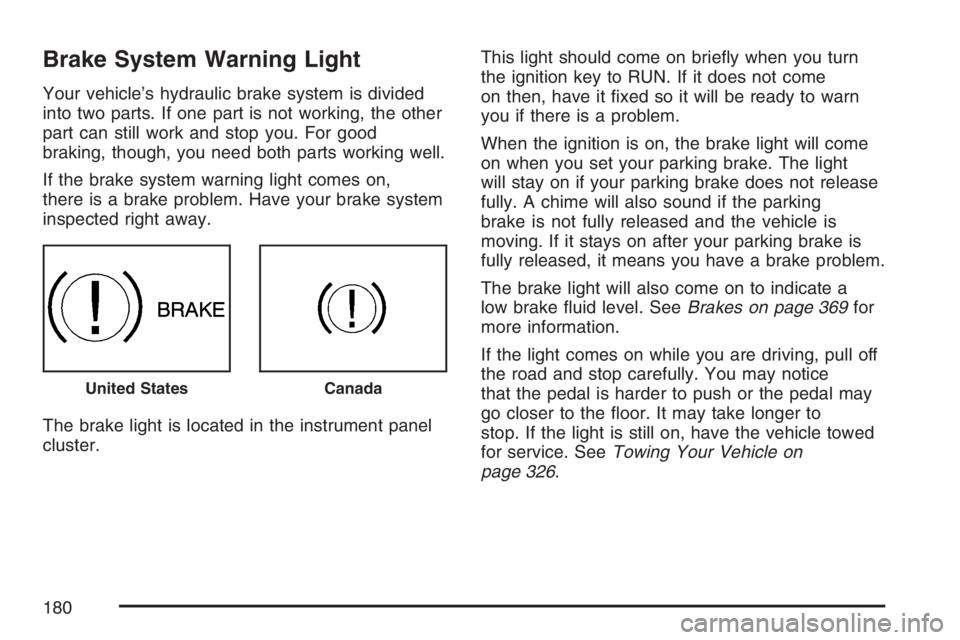
If the brake system warning light comes on,
there is a brake problem. Have your brake system
inspected right away.
The brake light is located in the instrument panel
cluster.This light should come on briey when you turn
the ignition key to RUN. If it does not come
on then, have it xed so it will be ready to warn
you if there is a problem.
When the ignition is on, the brake light will come
on when you set your parking brake. The light
will stay on if your parking brake does not release
fully. A chime will also sound if the parking
brake is not fully released and the vehicle is
moving. If it stays on after your parking brake is
fully released, it means you have a brake problem.
The brake light will also come on to indicate a
low brake uid level. SeeBrakes on page 369for
more information.
If the light comes on while you are driving, pull off
the road and stop carefully. You may notice
that the pedal is harder to push or the pedal may
go closer to the oor. It may take longer to
stop. If the light is still on, have the vehicle towed
for service. SeeTowing Your Vehicle on
page 326.
United StatesCanada
180
Page 191 of 490
Service All-Wheel Drive Light
This light is located in
the center of your
instrument panel cluster.
This light and the SERVICE ALL WHEEL DRIVE
message in the Driver Information Center (DIC) will
come on and stay on to indicate that there may be a
problem with the drive system and service is
required. SeeAll-Wheel Drive (AWD) System on
page 299andDIC Warnings and Messages on
page 200for more information.
All-Wheel Drive Disabled Light
This light will come on
when the rear drive
system is overheating.
An ALL WHEEL DRIVE OFF message will appear
in the Driver Information Center (DIC) too. This
light will turn off when the rear drive system cools
down. If this light stays on for a while, you
need to reset the light. To reset the light, turn the
ignition off and then back on again. If the light
stays on, see your dealer right away.
SeeAll-Wheel Drive on page 378andDIC
Warnings and Messages on page 200for more
information.
191
Page 194 of 490
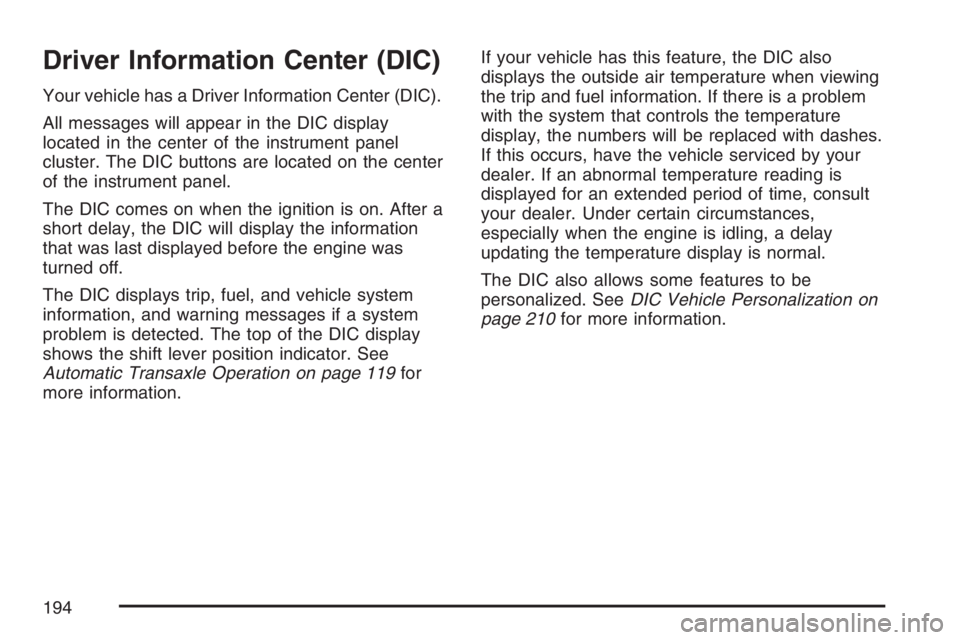
Driver Information Center (DIC)
Your vehicle has a Driver Information Center (DIC).
All messages will appear in the DIC display
located in the center of the instrument panel
cluster. The DIC buttons are located on the center
of the instrument panel.
The DIC comes on when the ignition is on. After a
short delay, the DIC will display the information
that was last displayed before the engine was
turned off.
The DIC displays trip, fuel, and vehicle system
information, and warning messages if a system
problem is detected. The top of the DIC display
shows the shift lever position indicator. See
Automatic Transaxle Operation on page 119for
more information.If your vehicle has this feature, the DIC also
displays the outside air temperature when viewing
the trip and fuel information. If there is a problem
with the system that controls the temperature
display, the numbers will be replaced with dashes.
If this occurs, have the vehicle serviced by your
dealer. If an abnormal temperature reading is
displayed for an extended period of time, consult
your dealer. Under certain circumstances,
especially when the engine is idling, a delay
updating the temperature display is normal.
The DIC also allows some features to be
personalized. SeeDIC Vehicle Personalization on
page 210for more information.
194
Page 195 of 490
DIC Operation and Displays
The DIC has different displays which can be
accessed by pressing the DIC buttons located on
the center of the instrument panel.
DIC Buttons
The buttons are the trip/fuel, vehicle information,
and set/reset buttons. The button functions
are detailed in the following pages.
3(Trip/Fuel):Press this button to scroll
through the trip and fuel displays. See “Trip/Fuel
Menu Items” following for more information on
these displays.
T(Vehicle Information):Press this button to
scroll through the vehicle information displays
and to personalize the feature settings on
your vehicle. See “Vehicle Information Menu
Items” following andDIC Vehicle Personalization
on page 210for more information on these
displays.
V(Set/Reset):Press this button to set or reset
certain functions and to turn off or acknowledge
messages on the DIC.
195
Page 202 of 490

BUCKLE SEATBELT
This message reminds you to buckle the driver’s
safety belt.
This message displays and a chime sounds when
the ignition is on, the driver’s safety belt is
unbuckled, and the vehicle is in motion. You
should buckle your safety belt.
If the driver remains unbuckled when the ignition
is on and the vehicle is in motion, the reminder
will be repeated. If the driver’s safety belt is
already buckled, this message and chime will not
come on.
This message is an additional reminder to the
Safety Belt Reminder Light in the instrument panel
cluster. SeeSafety Belt Reminder Light on
page 175.
CHANGE ENGINE OIL SOON
This message displays when service is required
for the vehicle. See your dealer. SeeEngine Oil on
page 349andScheduled Maintenance on
page 440for more information.Acknowledging this message will not reset the OIL
LIFE REMAINING display. That must be done
at the OIL LIFE screen under the vehicle
information menu. See “OIL LIFE” underDIC
Operation and Displays on page 195andEngine
Oil Life System on page 352for more information.
CHECK TIRE PRESSURE
This message displays when the tire pressure in
one of the tires needs to be checked. This message
also displays LEFT FRONT, RIGHT FRONT, LEFT
REAR, or RIGHT REAR to indicate which tire needs
to be checked. You can receive more than one tire
pressure message at a time. To read the other
messages that may have been sent at the same
time, press the set/reset button. If a tire pressure
message appears on the DIC, stop as soon as you
can. Have the tire pressures checked and set to
those shown on the Tire Loading Information label.
SeeTires on page 386,Loading Your Vehicle on
page 321, andInation - Tire Pressure on
page 393. The DIC display also shows the tire
pressure values for the front and rear tires by
pressing the vehicle information button. SeeDIC
Operation and Displays on page 195. If the tire
pressure is low, the low tire pressure warning light
comes on. SeeTire Pressure Light on page 183.
202
Page 203 of 490

DRIVER DOOR OPEN
This message displays when the driver’s door is
not closed properly. When this message appears,
make sure that the driver’s door is closed
completely.
ENGINE HOT A/C
(Air Conditioning) OFF
This message displays when the engine coolant
becomes hotter than the normal operating
temperature. To avoid added strain on a hot
engine, the air conditioning compressor is
automatically turned off. When the coolant
temperature returns to normal, the A/C operation
automatically resumes. You can continue to
drive your vehicle.
ENGINE OVERHEATD (Overheated)
IDLE ENGINE
Notice:If you drive your vehicle while the
engine is overheating, severe engine damage
may occur. If an overheat warning appears
on the instrument panel cluster and/or
DIC, stop the vehicle as soon as possible.
Do not increase the engine speed above
normal idling speed. SeeEngine Overheating
on page 360for more information.
This message displays when the engine coolant
temperature is too hot. Stop and allow the vehicle
to idle until it cools down.
203

