2007 NISSAN VERSA power steering
[x] Cancel search: power steeringPage 15 of 304
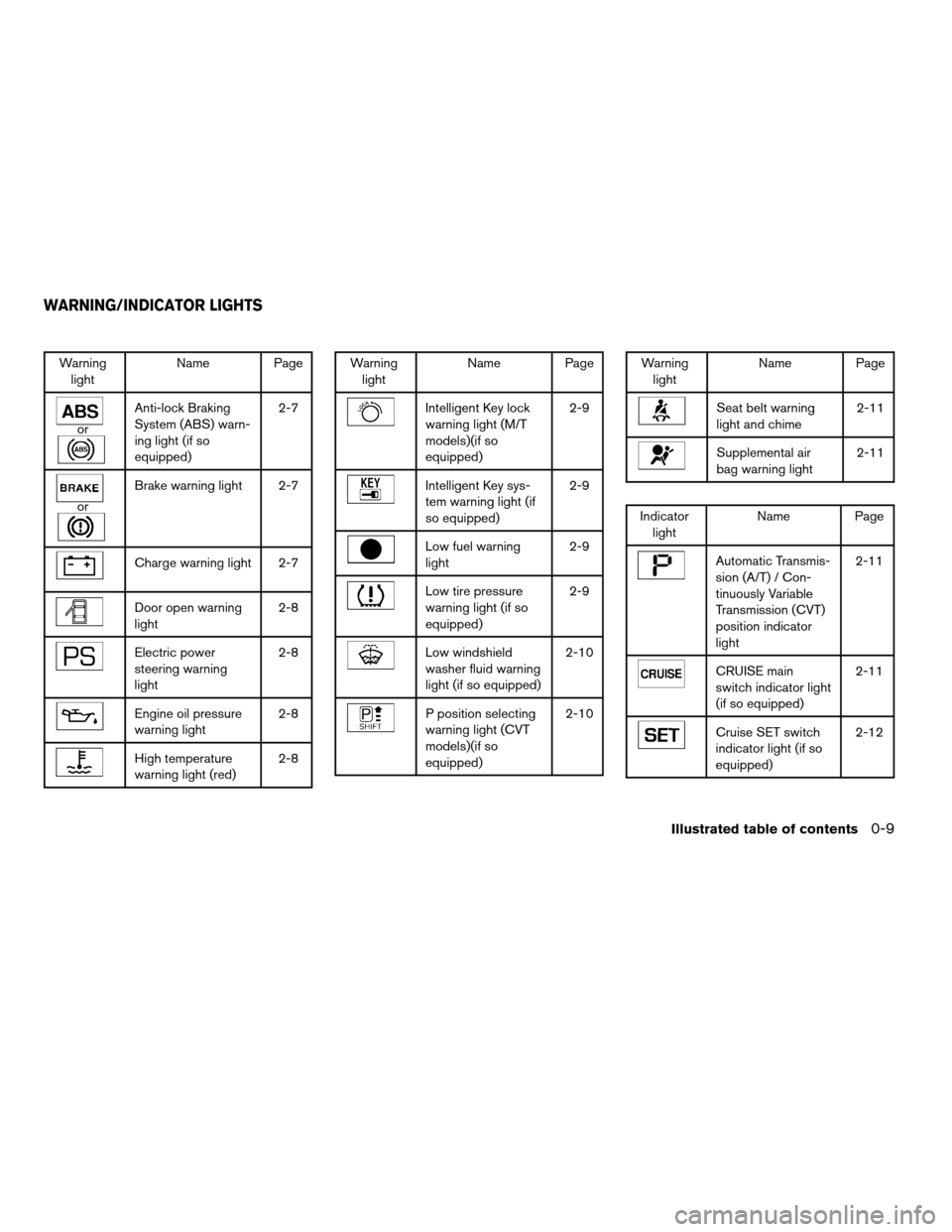
Warning
lightName Page
or
Anti-lock Braking
System (ABS) warn-
ing light (if so
equipped)2-7
or
Brake warning light 2-7
Charge warning light 2-7
Door open warning
light2-8
Electric power
steering warning
light2-8
Engine oil pressure
warning light2-8
High temperature
warning light (red)2-8
Warning
lightName Page
Intelligent Key lock
warning light (M/T
models)(if so
equipped)2-9
Intelligent Key sys-
tem warning light (if
so equipped)2-9
Low fuel warning
light2-9
Low tire pressure
warning light (if so
equipped)2-9
Low windshield
washer fluid warning
light (if so equipped)2-10
P position selecting
warning light (CVT
models)(if so
equipped)2-10
Warning
lightName Page
Seat belt warning
light and chime2-11
Supplemental air
bag warning light2-11
Indicator
lightName Page
Automatic Transmis-
sion (A/T) / Con-
tinuously Variable
Transmission (CVT)
position indicator
light2-11
CRUISE main
switch indicator light
(if so equipped)2-11
Cruise SET switch
indicator light (if so
equipped)2-12
WARNING/INDICATOR LIGHTS
Illustrated table of contents0-9
ZREVIEW COPYÐ2007 Versa(vrs)
Owners ManualÐUSA_English(nna)
10/05/06Ðdebbie
X
Page 72 of 304

orAnti-lock braking system (ABS)
warning light (if so equipped)Low fuel warning lightCruise SET switch indicator light
(if so equipped)
orBrake warning lightLow tire pressure warning light
(if so equipped)Front passenger air bag status light
Charge warning lightLow windshield washer fluid warning light
(if so equipped)High beam indicator light (Blue)
Door open warning lightP position selecting warning light
(CVT models) (if so equipped)Low temperature indicator light (Blue)
Electric power steering warning lightSeat belt warning light and chimeMalfunction indicator light (MIL)
Engine oil pressure warning lightSupplemental air bag warning lightOverdrive off indicator light
(A/T / CVT models)
High temperature warning light (Red)Automatic Transmission (A/T)/Continuously
Variable Transmission (CVT) position indicator
lightSecurity indicator light
Intelligent Key lock warning light (M/T models)
(if so equipped)CRUISE main switch indicator light
(if so equipped)Turn signal/hazard indicator lights
Intelligent Key system warning light
(if so equipped)
WARNING/INDICATOR LIGHTS AND
AUDIBLE REMINDERS
2-6Instruments and controls
ZREVIEW COPYÐ2007 Versa(vrs)
Owners ManualÐUSA_English(nna)
10/05/06Ðdebbie
X
Page 74 of 304
the generator belt. If the belt is loose, broken,
missing, or if the light remains on, see a NISSAN
dealer immediately.
CAUTION
Do not continue driving if the generator
belt is loose, broken or missing.
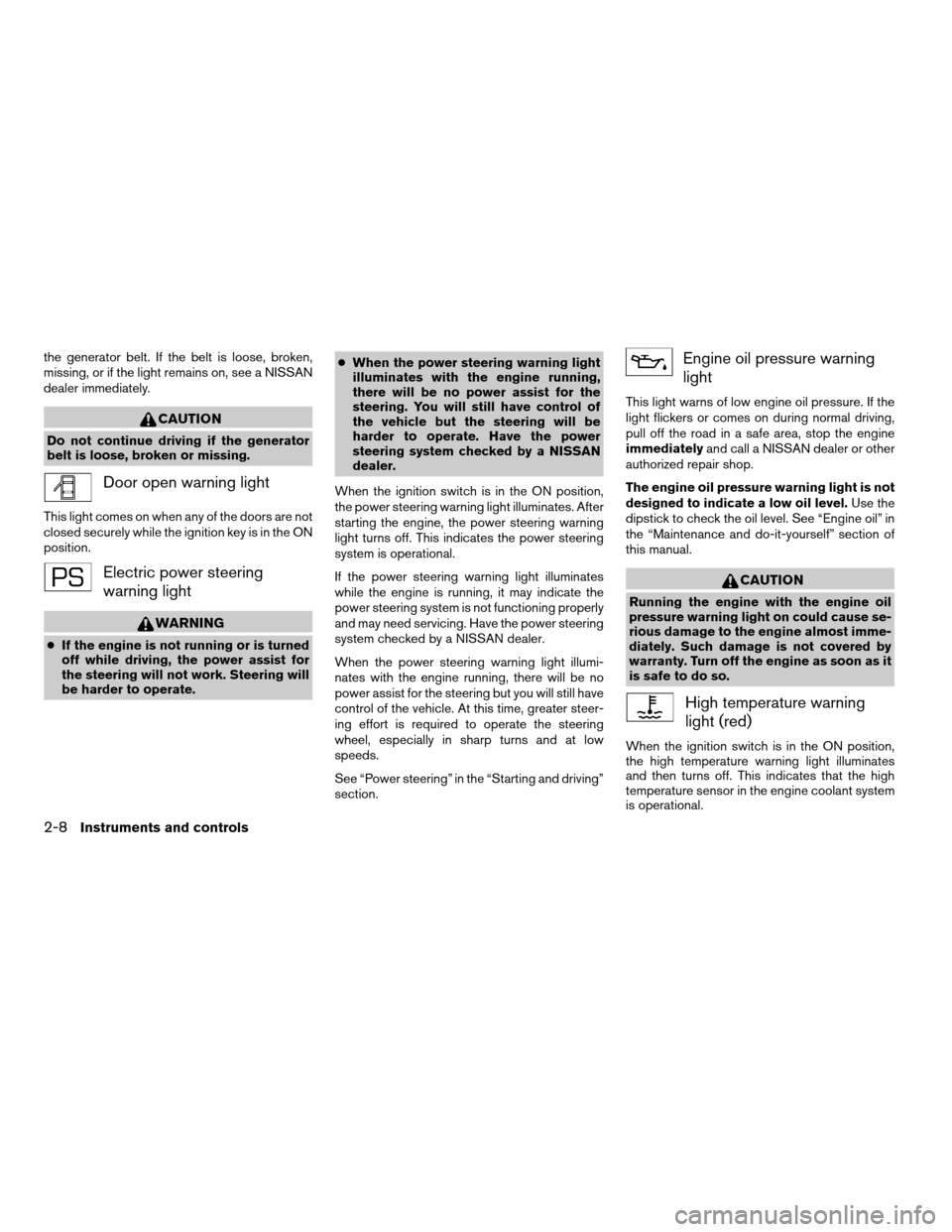
Door open warning light
This light comes on when any of the doors are not
closed securely while the ignition key is in the ON
position.
Electric power steering
warning light
WARNING
cIf the engine is not running or is turned
off while driving, the power assist for
the steering will not work. Steering will
be harder to operate.cWhen the power steering warning light
illuminates with the engine running,
there will be no power assist for the
steering. You will still have control of
the vehicle but the steering will be
harder to operate. Have the power
steering system checked by a NISSAN
dealer.
When the ignition switch is in the ON position,
the power steering warning light illuminates. After
starting the engine, the power steering warning
light turns off. This indicates the power steering
system is operational.
If the power steering warning light illuminates
while the engine is running, it may indicate the
power steering system is not functioning properly
and may need servicing. Have the power steering
system checked by a NISSAN dealer.
When the power steering warning light illumi-
nates with the engine running, there will be no
power assist for the steering but you will still have
control of the vehicle. At this time, greater steer-
ing effort is required to operate the steering
wheel, especially in sharp turns and at low
speeds.
See “Power steering” in the “Starting and driving”
section.
Engine oil pressure warning
light
This light warns of low engine oil pressure. If the
light flickers or comes on during normal driving,
pull off the road in a safe area, stop the engine
immediatelyand call a NISSAN dealer or other
authorized repair shop.
The engine oil pressure warning light is not
designed to indicate a low oil level.Use the
dipstick to check the oil level. See “Engine oil” in
the “Maintenance and do-it-yourself” section of
this manual.
CAUTION
Running the engine with the engine oil
pressure warning light on could cause se-
rious damage to the engine almost imme-
diately. Such damage is not covered by
warranty. Turn off the engine as soon as it
is safe to do so.
High temperature warning
light (red)
When the ignition switch is in the ON position,
the high temperature warning light illuminates
and then turns off. This indicates that the high
temperature sensor in the engine coolant system
is operational.
2-8Instruments and controls
ZREVIEW COPYÐ2007 Versa(vrs)
Owners ManualÐUSA_English(nna)
10/05/06Ðdebbie
X
Page 88 of 304
cTurn signals do not work when the haz-
ard warning flasher lights are on.
The flashers will operate with the ignition switch
in any position.
Some state laws may prohibit the use of
the hazard warning flasher switch while
driving.
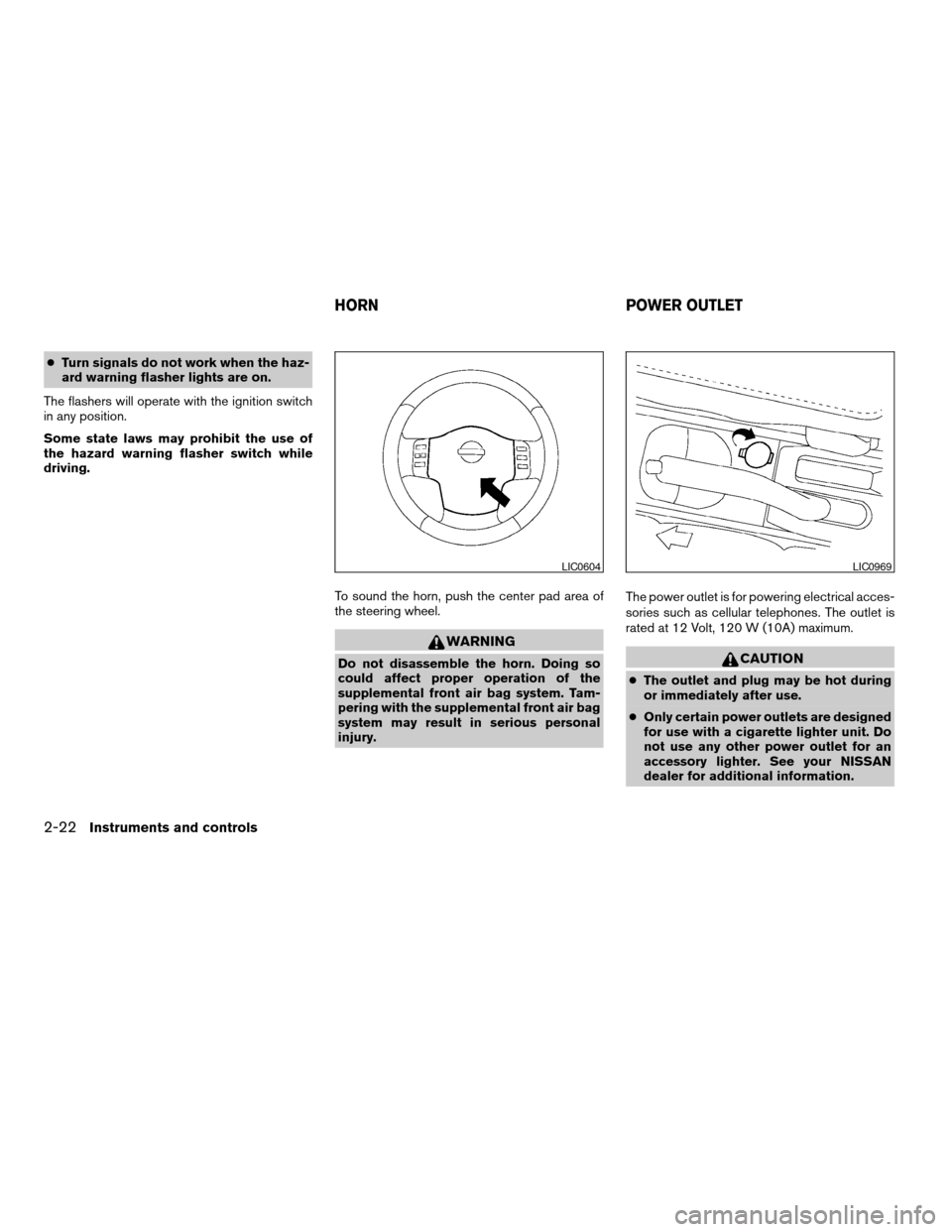
To sound the horn, push the center pad area of
the steering wheel.
WARNING
Do not disassemble the horn. Doing so
could affect proper operation of the
supplemental front air bag system. Tam-
pering with the supplemental front air bag
system may result in serious personal
injury.The power outlet is for powering electrical acces-
sories such as cellular telephones. The outlet is
rated at 12 Volt, 120 W (10A) maximum.CAUTION
cThe outlet and plug may be hot during
or immediately after use.
cOnly certain power outlets are designed
for use with a cigarette lighter unit. Do
not use any other power outlet for an
accessory lighter. See your NISSAN
dealer for additional information.
LIC0604LIC0969
HORN POWER OUTLET
2-22Instruments and controls
ZREVIEW COPYÐ2007 Versa(vrs)
Owners ManualÐUSA_English(nna)
10/05/06Ðdebbie
X
Page 101 of 304

3 Pre-driving checks and adjustments
Keys .............................................3-2
NISSAN vehicle immobilizer system keys..........3-2
Intelligent keys (if so equipped)..................3-3
Doors............................................3-4
Locking with key................................3-4
Locking with inside lock knob....................3-5
Locking with power door lock switch
(if so equipped)................................3-5
Child safety rear door lock.......................3-6
Remote keyless entry system (models without
Intelligent Key system) (if so equipped)...............3-7
How to use remote keyless entry system..........3-7
Intelligent Key system (if so equipped)..............3-10
Operating range...............................3-12
Door locks/unlocks precaution..................3-12
Intelligent Key operation........................3-13
How to use the remote keyless entry
function......................................3-16
Warning lights and audible reminders............3-19
Warning signals...............................3-20Troubleshooting guide.........................3-22
Hood...........................................3-23
Rear hatch (if so equipped)........................3-24
Opening the rear hatch.........................3-24
Rear hatch release.............................3-25
Trunk lid (if so equipped)..........................3-26
Opening the trunk lid...........................3-26
Key operation.................................3-27
Interior trunk lid release........................3-27
Fuel-filler door...................................3-28
Opener operation..............................3-28
Fuel-filler cap.................................3-28
Steering wheel...................................3-29
Tilt operation..................................3-29
Sun visors.......................................3-30
Vanity mirrors (if so equipped)...................3-30
Mirrors..........................................3-30
Rearview mirror...............................3-30
Outside mirrors...............................3-31
ZREVIEW COPYÐ2007 Versa(vrs)
Owners ManualÐUSA_English(nna)
10/05/06Ðdebbie
X
Page 158 of 304

1. Tuning switch
2. Phone operation switch
3. POWER on and SOURCE select
switch
4. Volume control switch
STEERING WHEEL SWITCH FOR
AUDIO CONTROL (if so equipped)
The audio system can be operated using the
controls on the steering wheel.
POWER on switch
With the ignition key turned to the ACC or ON
position, push the POWER switch to turn the
audio system on.
SOURCE select switch:
Push the SOURCE select switch to change the
mode in the following sequence: PRESET A!
PRESET B!PRESET C!PRESET A.
With a CD inserted and an auxiliary device
plugged in, push the SOURCE select switch to
change the mode in the following sequence: CD
!AUX!PRESET A!PRESET B!PRESET
C!CD.
While in one of the preset radio station banks (A,
B or C) , use the tuning switch
orto
select one of the preset radio stations (1–6) .
Volume control switch
Push the volume control switch to increase or
decrease the volume.
Tuning
Memory change (radio):
While in one of the preset radio station banks (A,
B or C) , push the tuning switch
orfor less than 1.5 seconds to change to the next
preset station in memory.
Seek tuning (radio):
Push the tuning switch
orfor more
than 1.5 seconds to seek the next or previous
radio station.
Next/Previous track (CD):
Push the tuning switch
orfor less
than 1.5 seconds to return to the beginning of the
present track or skip to the next track. Push
several times to skip back or skip through tracks.
Change disc (CD) (if so equipped):
Push the tuning switch
orfor more
than 1.5 seconds to change the playing disc up
or down.
WHA0785
4-26Heater, air conditioner, audio and phone systems
ZREVIEW COPYÐ2007 Versa(vrs)
Owners ManualÐUSA_English(nna)
10/05/06Ðdebbie
X
Page 162 of 304

– Your cellular phone is locked to prevent it
from being dialed.
When the radio wave condition is not ideal or
ambient sound is too loud, it may be difficult to
hear the other person’s voice during a call.
Do not place the cellular phone in an area sur-
rounded by metal or far away from the in-vehicle
phone module to prevent tone quality degrada-
tion and wireless connection disruption.
While a cellular phone is connected through the
BluetoothTwireless connection, the battery
power of the cellular phone may discharge
quicker than usual. The BluetoothTHands-Free
Phone System cannot charge cellular phones.
If the hands-free phone system seems to be
malfunctioning, please refer to “Troubleshooting
guide” later in this section. You can also visit
www.nissanusa.com/bluetooth for troubleshoot-
ing help.
Refer to the cellular phone Owner’s Manual re-
garding the telephone charges, cellular phone
antenna and body, etc.
This device complies with Part 15 of the
FCC Rules. Operation is subject to the fol-
lowing two conditions: (1) this device may
not cause harmful interference, and (2) this
device must accept any interference re-ceived, including interference that may
cause undesired operation.
FCC Radiation Exposure Statement:
This equipment complies with FCC radiation ex-
posure limits set forth for an uncontrolled envi-
ronment. This equipment should be installed and
operated with minimum distance of 8 inches (20
cm) between the radiator and your body. This
Transmitter must not be co-located or operating
in conjunction with any other antenna or transmit-
ter.
USING THE SYSTEM
The NISSAN Voice Recognition system allows
hands-free operation of the BluetoothTPhone
System.
If the vehicle is in motion, some commands may
not be available so full attention may be given to
vehicle operation.
Initialization
When the ignition switch is turned to the ON
position, NISSAN Voice Recognition is initialized,
which takes a few seconds. When completed,
the amber light on the overhead console illumi-
nates and the system is ready to accept voice
commands. If the
button is pressed before
the initialization completes, the system will an-nounce “Hands-free phone system not ready”
and will not react to voice commands.
Operating tips
To get the best performance out of the NISSAN
Voice Recognition system, observe the following:
cKeep the interior of the vehicle as quiet as
possible. Close the windows to eliminate
surrounding noises (traffic noises, vibration
sounds, etc.) , which may prevent the system
from recognizing voice commands correctly.
cWait until the tone sounds before speaking a
command. Otherwise, the command will not
be received properly.
cStart speaking a command within 5 seconds
after the tone sounds.
cSpeak in a natural voice without pausing
between words.
Giving voice commands
To operate NISSAN Voice Recognition, press
and release thebutton located on the
steering wheel. The light on the overhead con-
sole flashes to signal you have entered a voice
recognition (VR) session. After the tone sounds,
speak a command.
4-30Heater, air conditioner, audio and phone systems
ZREVIEW COPYÐ2007 Versa(vrs)
Owners ManualÐUSA_English(nna)
10/05/06Ðdebbie
X
Page 175 of 304

5 Starting and driving
Precautions when starting and driving................5-2
Exhaust gas (carbon monoxide)..................5-2
Three-way catalyst..............................5-2
Tire pressure monitoring system (TPMS)
(if so equipped)................................5-3
Avoiding collision and rollover....................5-5
Drinking alcohol/drugs and driving................5-5
Ignition switch.....................................5-5
Intelligent Key System (if so equipped)............5-6
Continuously Variable Transmission (CVT).........5-7
Automatic transmission..........................5-8
Manual transmission............................5-9
Key positions.................................5-10
Nissan vehicle immobilizer system...............5-10
Before starting the engine.........................5-11
Starting the engine...............................5-11
Driving the vehicle................................5-13
Automatic transmission (if so equipped)..........5-13
Continuously Variable Transmission (CVT)
(if so equipped)...............................5-16
Manual transmission (if so equipped)............5-20Parking brake....................................5-22
Cruise control (if so equipped).....................5-23
Precautions on cruise control...................5-23
Cruise control operations.......................5-23
Break-in schedule................................5-24
Increasing fuel economy...........................5-25
Parking/parking on hills............................5-26
Power steering...................................5-27
Brake system....................................5-27
Brake precautions.............................5-27
Anti-lock braking system (ABS)
(if so equipped)...............................5-28
Cold weather driving..............................5-29
Freeing a frozen door lock......................5-29
Anti-freeze....................................5-29
Battery.......................................5-29
Draining of coolant water.......................5-30
Tire equipment................................5-30
Special winter equipment.......................5-30
Driving on snow or ice.........................5-30
Engine block heater (if so equipped).............5-31
ZREVIEW COPYÐ2007 Versa(vrs)
Owners ManualÐUSA_English(nna)
10/05/06Ðdebbie
X