53
If necessary
Precautions/System Performance
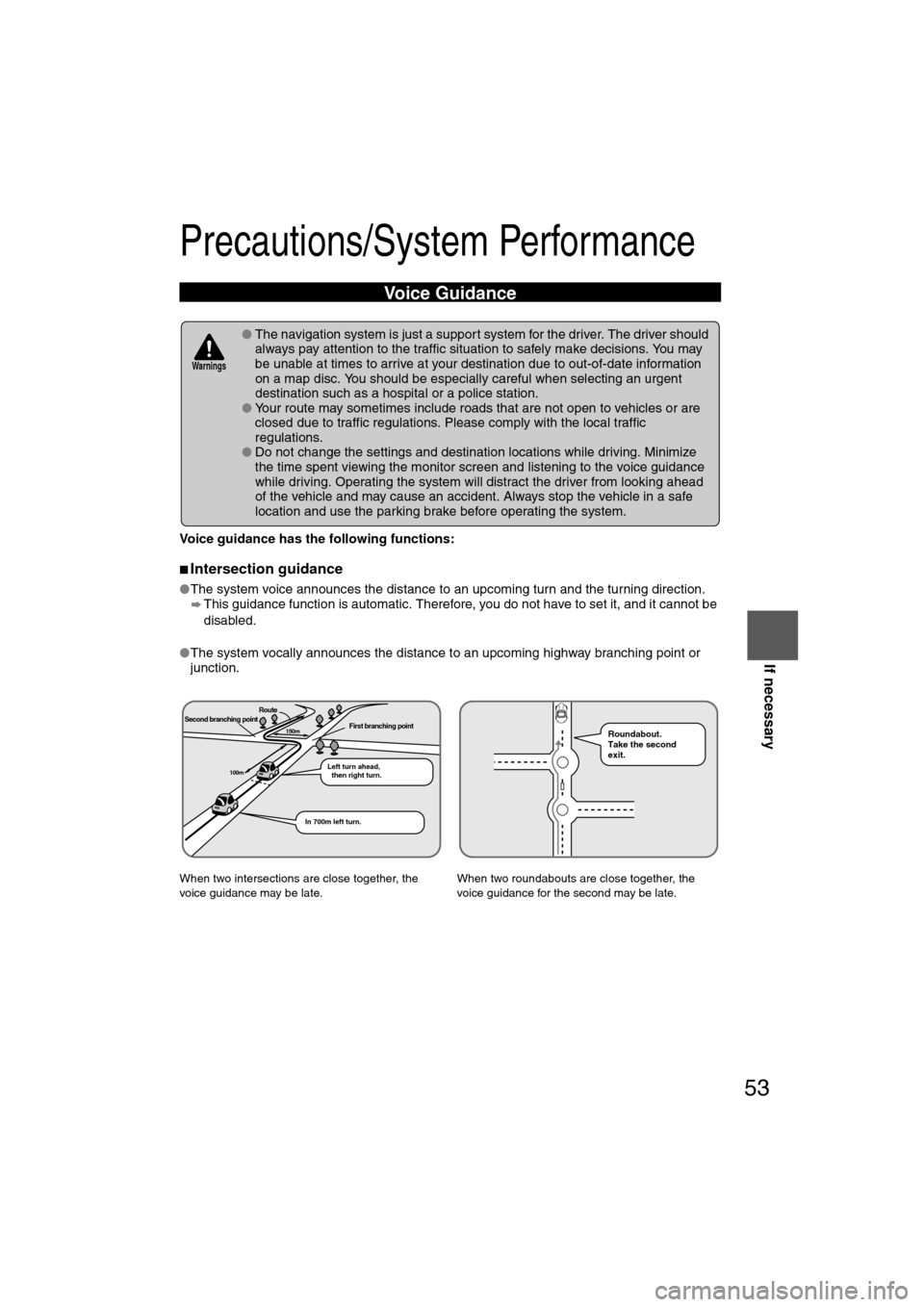
Voice guidance has the following functions:
nIntersection guidance
lThe system voice announces the distance to an upcoming turn and the turning direction.
This guidance function is automatic. Therefore, you do not have to set it, and it cannot be
disabled.
l The system vocally announces the distance to an upcoming highway branching point or
junction.
Voice Guidance
l The navigation system is just a support system for the driver. The driver should
always pay attention to the traffic situation to safely make decisions. You may
be unable at times to arrive at your destination due to out-of-date information
on a map disc. You should be especially careful when selecting an urgent
destination such as a hospital or a police station.
l Your route may sometimes include roads that are not open to vehicles or are
closed due to traffic regulations. Please comply with the local traffic
regulations.
l Do not change the settings and destination locations while driving. Minimize
the time spent viewing the monitor screen and listening to the voice guidance
while driving. Operating the system will distract the driver from looking ahead
of the vehicle and may cause an accident. Always stop the vehicle in a safe
location and use the parking brake before operating the system.
When two intersections are close together, the
voice guidance may be late. When two roundabouts are close together, the
voice guidance for the second may be late.
Warnings
Second branching pointFirst branching point150m
100m
Route
In 700m left turn. Left turn ahead,
then right turn.
Roundabout.
Take the second
exit.
%:��A'#�DQQM��2CIG�����6JWTUFC[��/CTEJ����������������2/
78
Before
UseGetting
started
RoutingAddress
Book
Voice Recognition
Navigation
Set Up
RDM-TMC
Rear View Monitor
Rear View Monitor
Rear View Monitor Cautions
The rear view monitor is a visual assist system when reversing the vehicle that provides
images from the rear of the vehicle.
Note
l
If water, snow, or mud is stuck on the camera lens, wipe it off using a soft cloth. If it cannot
be wiped off, use a mild detergent.
l If the camera temperature changes rapidly, such as by pouring hot water on it under cold
temperature conditions, the rear view monitor may not operate correctly.
Rear View Parking Camera Location
The rear view monitor is only a visual assist device when reversing the vehicle. The images on
the screen may be different from the actual conditions. Always drive carefully confirming the
safety of the rear and the surrounding conditions by looking directly with your eyes. Reversing the
vehicle by only looking at the screen may cause an accident or a collision with an object.
lWhen the display is cold, images may course across the monitor or the screen
and may be dimmer than usual, which could cause difficulty in confirming the
surrounding conditions of the vehicle. Always drive carefully confirming the safety
of the rear and the surrounding conditions by looking directly with your eyes.
l Do not apply excessive force to the camera. The camera position and angle
may deviate.
l Do not disassemble, modify, or remove it as it may no longer be waterproof.
l The camera cover is made of plastic. Do not apply degreasing agents,
organic solvents, wax, or glass coating agents to the camera cover. If any
are spilled on the cover, wipe off with a soft cloth immediately.
l Do not rub the cover excessively, or polish it using an abrasive compound or
a hard brush. The cover may be damaged affecting the image.
Warning
Cautions
Rear View Parking Camera
%:��A'#�DQQM��2CIG�����6JWTUFC[��/CTEJ����������������2/