1FEATURES OF YOUR HYUNDAI
136
B290H03HP-GAT The CD auto changer is located in the right side of the luggage compartment.
o To use the CD auto changer.
1. Open the sliding lid of the CD autochanger.
2. To eject the compact disc maga-
zine, press the EJECT button lo- cated inside the CD auto changer.
3. Insert the discs into the magazine.
4. Push the magazine into the CD auto changer and close the sliding lid.
o The CD auto changer can be used when the ignition switch is in either"ON" or "ACC" position.
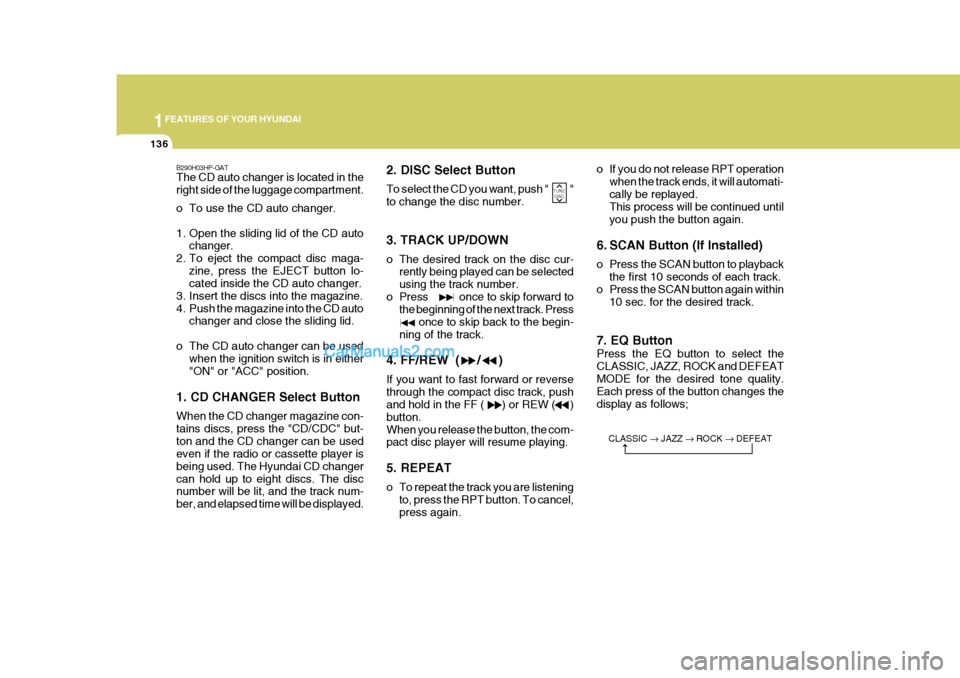
1. CD CHANGER Select Button When the CD changer magazine con- tains discs, press the "CD/CDC" but-ton and the CD changer can be used even if the radio or cassette player is being used. The Hyundai CD changercan hold up to eight discs. The disc number will be lit, and the track num- ber, and elapsed time will be displayed. 2. DISC Select Button To select the CD you want, push " " to change the disc number. 3. TRACK UP/DOWN
o The desired track on the disc cur-
rently being played can be selected using the track number.
o Press once to skip forward to the beginning of the next track. Press once to skip back to the begin-ning of the track.
4. FF/REW ( / ) If you want to fast forward or reverse through the compact disc track, push and hold in the FF ( ) or REW ( ) button.When you release the button, the com- pact disc player will resume playing. 5. REPEAT
o To repeat the track you are listening to, press the RPT button. To cancel, press again. o If you do not release RPT operation
when the track ends, it will automati-cally be replayed. This process will be continued until you push the button again.
6. SCAN Button (If Installed)
o Press the SCAN button to playback the first 10 seconds of each track.
o Press the SCAN button again within 10 sec. for the desired track.
7. EQ Button Press the EQ button to select the CLASSIC, JAZZ, ROCK and DEFEATMODE for the desired tone quality. Each press of the button changes the display as follows;
TUNE DISC
CLASSIC JAZZ ROCK DEFEAT
1FEATURES OF YOUR HYUNDAI
138
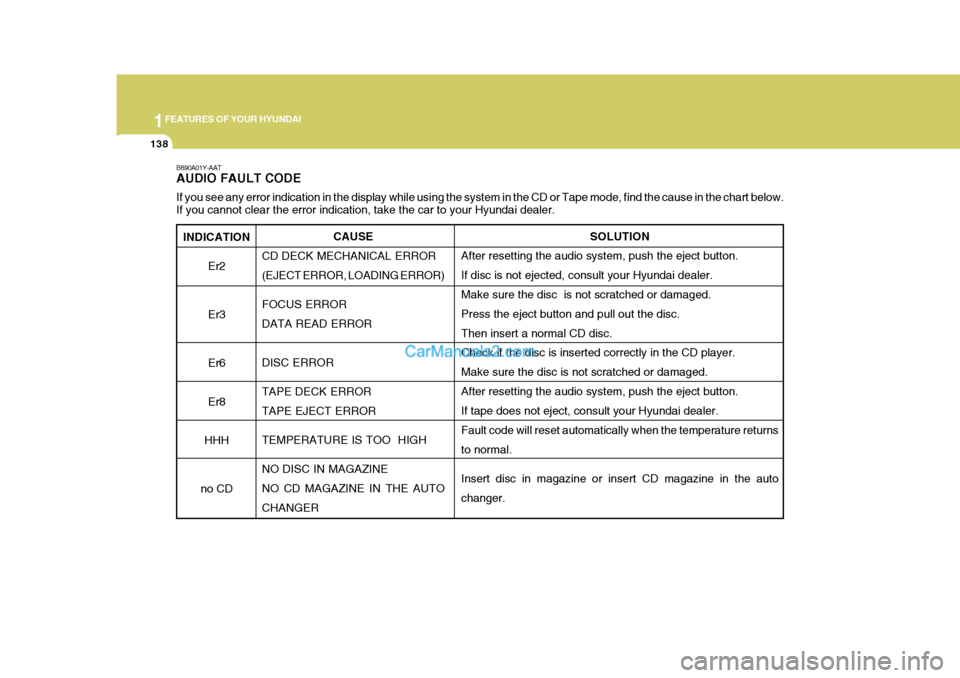
INDICATIONEr2 Er3Er6 Er8
HHH
no CD
B890A01Y-AAT AUDIO FAULT CODE If you see any error indication in the display while using the system in the CD or Tape mode, find the cause in the chart below .
If you cannot clear the error indication, take the car to your Hyundai dealer.
SOLUTION
After resetting the audio system, push the eject button. If disc is not ejected, consult your Hyundai dealer.Make sure the disc is not scratched or damaged. Press the eject button and pull out the disc. Then insert a normal CD disc. Check if the disc is inserted correctly in the CD player. Make sure the disc is not scratched or damaged.After resetting the audio system, push the eject button. If tape does not eject, consult your Hyundai dealer. Fault code will reset automatically when the temperature returnsto normal. Insert disc in magazine or insert CD magazine in the auto changer.
CAUSE
CD DECK MECHANICAL ERROR(EJECT ERROR, LOADING ERROR) FOCUS ERROR DATA READ ERROR DISC ERROR TAPE DECK ERROR TAPE EJECT ERROR TEMPERATURE IS TOO HIGH NO DISC IN MAGAZINE NO CD MAGAZINE IN THE AUTO CHANGER