2007 Hyundai Terracan ESP
[x] Cancel search: ESPPage 142 of 291
1FEATURES OF YOUR HYUNDAI
128
H290B03E-AAT
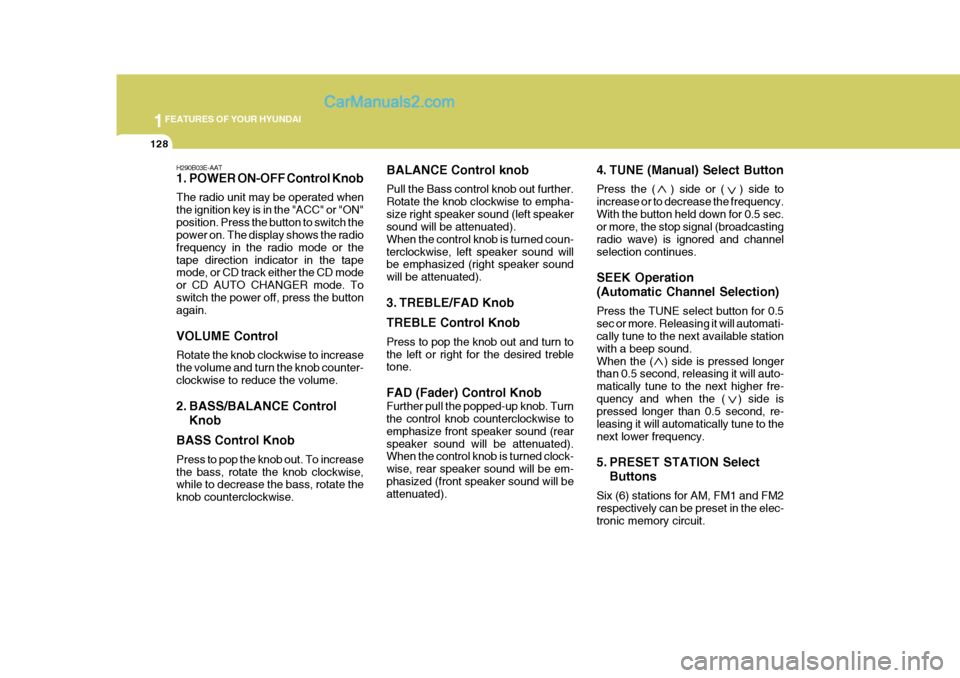
1. POWER ON-OFF Control Knob The radio unit may be operated when the ignition key is in the "ACC" or "ON"position. Press the button to switch the power on. The display shows the radio frequency in the radio mode or thetape direction indicator in the tape mode, or CD track either the CD mode or CD AUTO CHANGER mode. Toswitch the power off, press the button again. VOLUME Control Rotate the knob clockwise to increase the volume and turn the knob counter-clockwise to reduce the volume.
2. BASS/BALANCE ControlKnob
BASS Control Knob Press to pop the knob out. To increase the bass, rotate the knob clockwise, while to decrease the bass, rotate the knob counterclockwise. BALANCE Control knob Pull the Bass control knob out further. Rotate the knob clockwise to empha-size right speaker sound (left speaker sound will be attenuated). When the control knob is turned coun-terclockwise, left speaker sound will be emphasized (right speaker sound will be attenuated).
3. TREBLE/FAD Knob TREBLE Control Knob Press to pop the knob out and turn to the left or right for the desired treble tone. FAD (Fader) Control Knob Further pull the popped-up knob. Turn the control knob counterclockwise to emphasize front speaker sound (rearspeaker sound will be attenuated). When the control knob is turned clock- wise, rear speaker sound will be em-phasized (front speaker sound will be attenuated).
4. TUNE (Manual) Select Button Press the ( ) side or ( ) side to increase or to decrease the frequency.With the button held down for 0.5 sec. or more, the stop signal (broadcasting radio wave) is ignored and channelselection continues. SEEK Operation (Automatic Channel Selection) Press the TUNE select button for 0.5 sec or more. Releasing it will automati- cally tune to the next available station with a beep sound.When the ( ) side is pressed longer than 0.5 second, releasing it will auto- matically tune to the next higher fre-quency and when the ( ) side is pressed longer than 0.5 second, re- leasing it will automatically tune to thenext lower frequency.
5. PRESET STATION Select
Buttons
Six (6) stations for AM, FM1 and FM2 respectively can be preset in the elec- tronic memory circuit.
Page 165 of 291
2
DRIVING YOUR HYUNDAI
9AUTOMATIC TRANSMIS- SION
!
o Exercise extreme caution when driv-
ing on a slippery surface. Be espe- cially careful when braking, acceler- ating or shifting gears. On a slippery surface, an abrupt change in ve-hicle speed can cause the drive wheels to lose traction and the ve- hicle to go out of control. o In the event your vehicle leaves
the roadway, do not steer sharply.Instead, slow down before pull- ing back into the travel lanes.
o Never exceed posted speed lim- its.
WARNING:
o Avoid high cornering speeds.
o Do not make quick steering wheel movements, such as sharp lanechanges or fast, sharp turns.
o Always wear your seat belts. In a collision crash, an unbeltedperson is significantly more likelyto die than a person wearing a seatbelt.
o The risk of rollover is greatly in-
creased if you lose control ofyour vehicle at highway speeds.
o Loss of control often occurs if
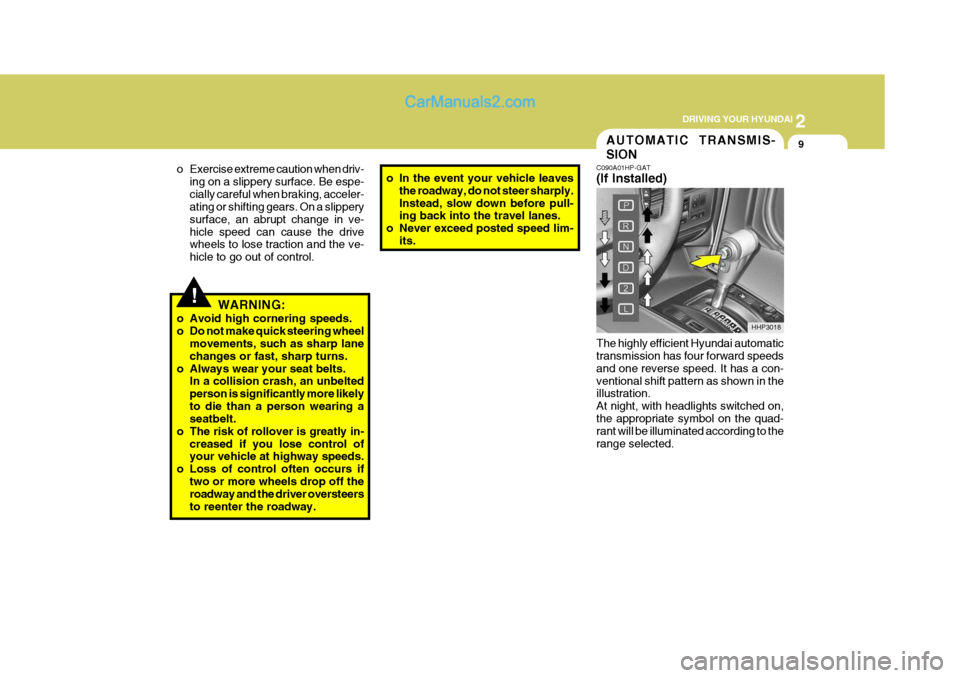
two or more wheels drop off theroadway and the driver oversteers to reenter the roadway. C090A01HP-GAT (If Installed) The highly efficient Hyundai automatic transmission has four forward speeds and one reverse speed. It has a con-ventional shift pattern as shown in the illustration. At night, with headlights switched on,the appropriate symbol on the quad- rant will be illuminated according to the range selected.
HHP3018
Page 169 of 291
2
DRIVING YOUR HYUNDAI
13
!
C090N04A-AAT Good Driving Practices
o Never move the gear selector lever
from "P" or "N" to any other position with the accelerator pedal de- pressed.
o Never move the gear selector lever into "P" when the vehicle is in mo-tion.
o Be sure the car is completely stopped before you attempt to shift into "R".
o Never take the car out of gear and
coast down a hill. This may be ex- tremely hazardous. Always leave the car in gear when moving.
o Do not "ride" the brakes. This can cause them to overheat and mal-function. Instead, when you are driv- ing down a long hill, slow down andshift to a lower gear. When you do this, engine braking will help slow the car.
o Slow down before shifting to a lower gear. Otherwise, the lower gear maynot be engaged.
o Always use the parking brake. Do not depend on placing the transmis-sion in "P" to keep the car frommoving. o Exercise extreme caution when driv-
ing on a slippery surface. Be espe-cially careful when braking, acceler-ating or shifting gears. On a slippery surface, an abrupt change in ve- hicle speed can cause the drivewheels to lose traction and the ve- hicle to go out of control.
o Turn the overdrive switch on for good fuel economy and smooth driv-ing. If engine braking is needed in the "D" range or if repeated upshift-ing and downshifting between 3rd and 4th gear is needed when climb- ing a gentle slope, it is recommended that the overdrive switch be turned off. Turn the overdrive switch backon immediately afterward.
o Optimum vehicle performance and
economy is obtained by smoothlydepressing and releasing the accel- erator pedal.
WARNING:
o Avoid high cornering speeds.
o Do not make quick steering wheel movements, such as sharp lane changes or fast, sharp turns. o Always wear your seat belts.
In a collision crash, an unbelted person is significantly more likelyto die than a person wearing a seat belt.
o The risk of rollover is greatly in- creased if you lose control ofyour vehicle at highway speeds.
o Loss of control often occurs if
two or more wheels drop off theroadway and the driver oversteers to reenter the roadway.
o In the event your vehicle leaves the roadway, do not steer sharply.Instead, slow down before pull-ing back into the travel lanes.
o Never exceed posted speed lim-
its.
o If your vehicle becomes stuck in snow, mud, sand, etc., then youmay attempt to rock the vehiclefree by moving it forward and back- ward. Do not attempt this proce- dure if people or objects are any-where near the vehicle. During the rocking operation the vehicle may suddenly move forward of back-ward as it becomes unstuck, caus- ing injury or damage to nearby people or objects.
Page 170 of 291
2 DRIVING YOUR HYUNDAI
14
!
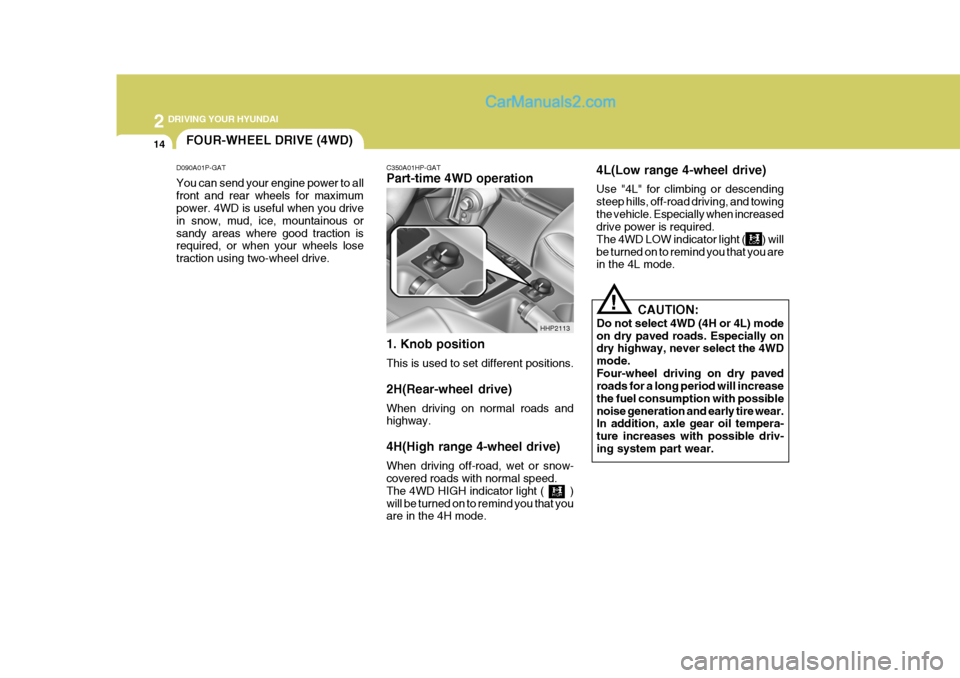
C350A01HP-GAT Part-time 4WD operation 1. Knob position This is used to set different positions. 2H(Rear-wheel drive) When driving on normal roads and highway. 4H(High range 4-wheel drive) When driving off-road, wet or snow- covered roads with normal speed. The 4WD HIGH indicator light ( )will be turned on to remind you that you are in the 4H mode. 4L(Low range 4-wheel drive) Use "4L" for climbing or descending steep hills, off-road driving, and towingthe vehicle. Especially when increased drive power is required. The 4WD LOW indicator light ( ) willbe turned on to remind you that you are in the 4L mode.
CAUTION:
Do not select 4WD (4H or 4L) mode on dry paved roads. Especially on dry highway, never select the 4WD mode.Four-wheel driving on dry paved roads for a long period will increase the fuel consumption with possiblenoise generation and early tire wear. In addition, axle gear oil tempera- ture increases with possible driv-ing system part wear.
HHP2113
FOUR-WHEEL DRIVE (4WD)
D090A01P-GAT You can send your engine power to all front and rear wheels for maximum power. 4WD is useful when you drive in snow, mud, ice, mountainous orsandy areas where good traction is required, or when your wheels lose traction using two-wheel drive.
Page 172 of 291
2 DRIVING YOUR HYUNDAI
16
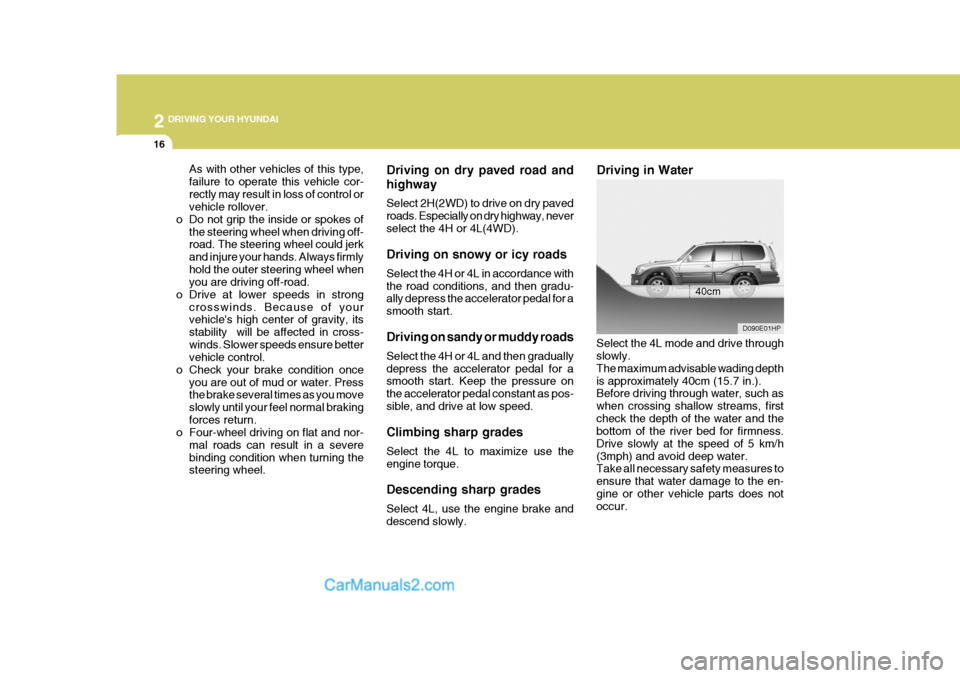
Driving on dry paved road and highway Select 2H(2WD) to drive on dry paved roads. Especially on dry highway, neverselect the 4H or 4L(4WD). Driving on snowy or icy roads Select the 4H or 4L in accordance with the road conditions, and then gradu- ally depress the accelerator pedal for a smooth start. Driving on sandy or muddy roads Select the 4H or 4L and then gradually depress the accelerator pedal for a smooth start. Keep the pressure on the accelerator pedal constant as pos-sible, and drive at low speed. Climbing sharp grades Select the 4L to maximize use the engine torque. Descending sharp grades Select 4L, use the engine brake and descend slowly. Driving in Water
Select the 4L mode and drive throughslowly. The maximum advisable wading depthis approximately 40cm (15.7 in.). Before driving through water, such as when crossing shallow streams, firstcheck the depth of the water and the bottom of the river bed for firmness. Drive slowly at the speed of 5 km/h(3mph) and avoid deep water. Take all necessary safety measures to ensure that water damage to the en-gine or other vehicle parts does not occur. 40cm
D090E01HP
As with other vehicles of this type, failure to operate this vehicle cor-rectly may result in loss of control or vehicle rollover.
o Do not grip the inside or spokes of
the steering wheel when driving off-road. The steering wheel could jerk and injure your hands. Always firmlyhold the outer steering wheel when you are driving off-road.
o Drive at lower speeds in strong crosswinds. Because of yourvehicle's high center of gravity, its stability will be affected in cross-winds. Slower speeds ensure better vehicle control.
o Check your brake condition once you are out of mud or water. Pressthe brake several times as you move slowly until your feel normal brakingforces return.
o Four-wheel driving on flat and nor-
mal roads can result in a severebinding condition when turning the steering wheel.
Page 173 of 291
2
DRIVING YOUR HYUNDAI
17
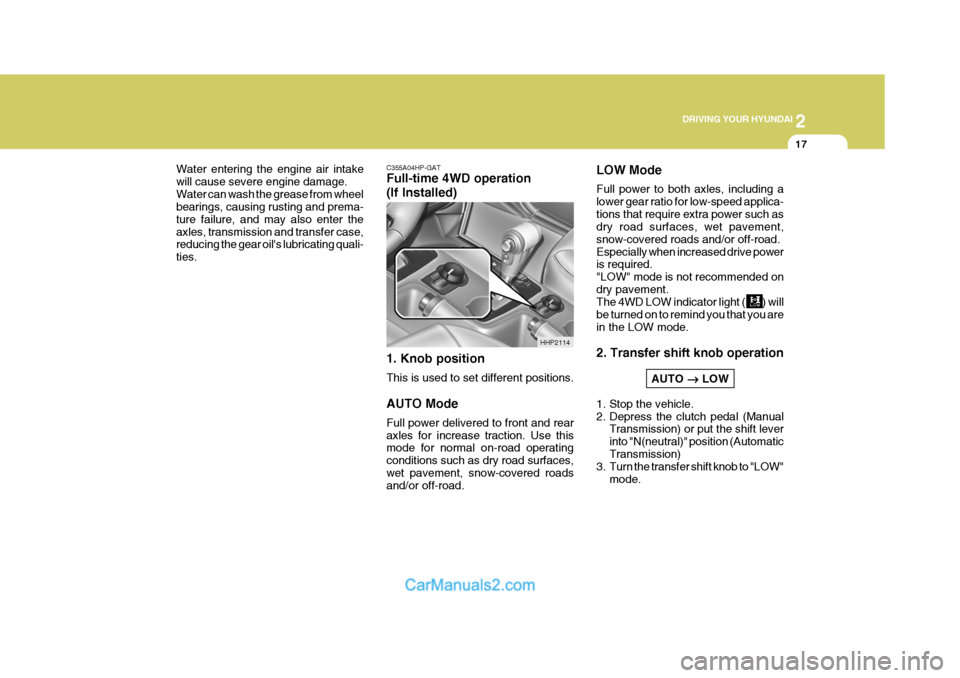
C355A04HP-GAT Full-time 4WD operation (If Installed) 1. Knob position This is used to set different positions. AUTO Mode Full power delivered to front and rear axles for increase traction. Use this mode for normal on-road operating conditions such as dry road surfaces,wet pavement, snow-covered roads and/or off-road.
Water entering the engine air intake will cause severe engine damage.Water can wash the grease from wheel bearings, causing rusting and prema- ture failure, and may also enter theaxles, transmission and transfer case, reducing the gear oil's lubricating quali- ties.
HHP2114LOW Mode Full power to both axles, including a lower gear ratio for low-speed applica-tions that require extra power such as dry road surfaces, wet pavement, snow-covered roads and/or off-road.Especially when increased drive power is required. "LOW" mode is not recommended ondry pavement. The 4WD LOW indicator light ( ) will be turned on to remind you that you arein the LOW mode. 2. Transfer shift knob operation
AUTO
LOW
1. Stop the vehicle.
2. Depress the clutch pedal (Manual Transmission) or put the shift leverinto "N(neutral)" position (AutomaticTransmission)
3. Turn the transfer shift knob to "LOW"
mode.
Page 175 of 291
2
DRIVING YOUR HYUNDAI
19
!
Roll tester (Speedometer)
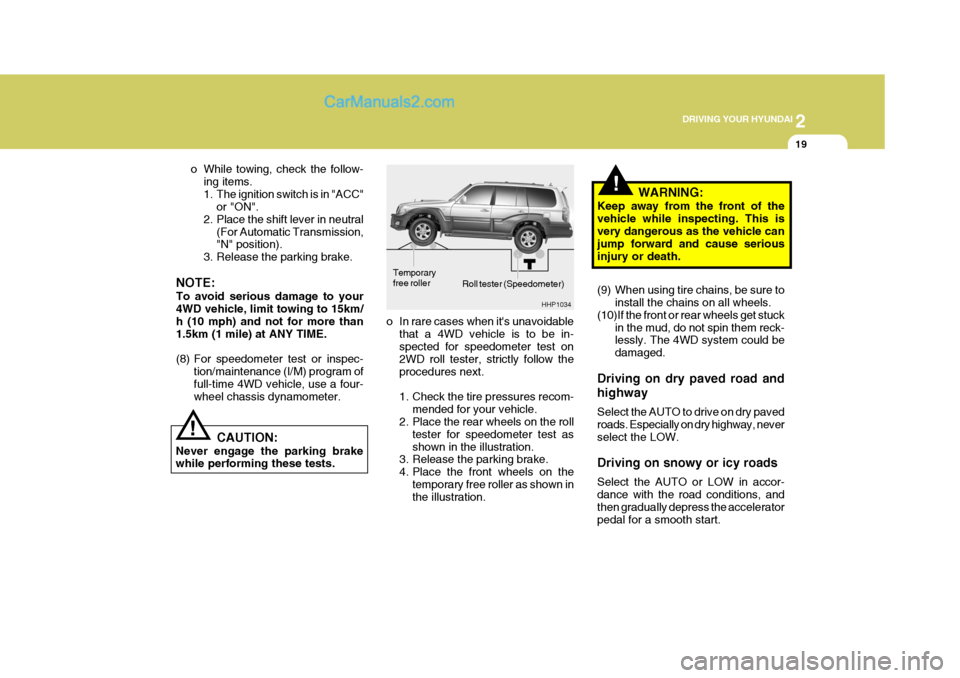
o In rare cases when it's unavoidable that a 4WD vehicle is to be in- spected for speedometer test on 2WD roll tester, strictly follow theprocedures next.
1. Check the tire pressures recom- mended for your vehicle.
2. Place the rear wheels on the roll
tester for speedometer test as shown in the illustration.
3. Release the parking brake.
4. Place the front wheels on the
temporary free roller as shown in the illustration. WARNING:
Keep away from the front of the vehicle while inspecting. This is very dangerous as the vehicle can jump forward and cause seriousinjury or death.
(9) When using tire chains, be sure to install the chains on all wheels.
(10)If the front or rear wheels get stuck in the mud, do not spin them reck- lessly. The 4WD system could be damaged.
Driving on dry paved road and highway Select the AUTO to drive on dry paved roads. Especially on dry highway, neverselect the LOW. Driving on snowy or icy roads Select the AUTO or LOW in accor- dance with the road conditions, and then gradually depress the accelerator pedal for a smooth start.
! CAUTION:
Never engage the parking brake while performing these tests. o While towing, check the follow-
ing items.
1. The ignition switch is in "ACC" or "ON".
2. Place the shift lever in neutral
(For Automatic Transmission, "N" position).
3. Release the parking brake.
NOTE: To avoid serious damage to your 4WD vehicle, limit towing to 15km/ h (10 mph) and not for more than1.5km (1 mile) at ANY TIME.
(8) For speedometer test or inspec- tion/maintenance (I/M) program of full-time 4WD vehicle, use a four- wheel chassis dynamometer. HHP1034
Temporary free roller
Page 179 of 291
2
DRIVING YOUR HYUNDAI
23
o Don't coast down hills with the car out of gear. This is extremely haz- ardous. Keep the car in gear at all times, use the brakes to slow down, then shift to a lower gear so thatengine braking will help you main- tain a safe speed.
o Don't "ride" the brake pedal. Rest- ing your foot on the brake pedalwhile driving can be dangerous be- cause it can result in the brakesoverheating and losing their effec- tiveness. It also increases the wear of thebrake components.
o If a tire goes flat while you are
driving, apply the brakes gently andkeep the car pointed straight ahead while you slow down. When you are moving slowly enough for it to besafe to do so, pull off the road and stop in a safe place.
o If your car is equipped with an auto- matic transmission, don't let yourcar creep forward. To avoid creep- ing forward, keep your foot firmly onthe brake pedal when the car is stopped.
o Use caution when parking on a hill. Engage the parking brake and place the gear selector lever in "P" (auto- matic transmission) or in first orreverse gear (manual transmission). If your car is facing downhill, turn the front wheels into the curb to helpkeep the car from rolling. If your car is facing uphill, turn the front wheels away from the curb to help keep thecar from rolling. If there is no curb or if it is required by other conditions to keep the car from rolling, block thewheels.
o Under some conditions your park-
ing brake can freeze in the engagedposition. This is most likely to hap- pen when there is an accumulation of snow or ice around or near therear brakes or if the brakes are wet. If there is a risk that the parking brake may freeze, apply it only tem-porarily while you put the gear se- lector lever in "P" (automatic) or in first or reverse gear (manual trans-mission) and block the rear wheels so the car cannot roll. Then release the parking brake.
o Do not hold the vehicle on the up- grade with the accelerator pedal.This can cause the transmission tooverheat. Always use the brake pedal or parking brake.DRIVING FOR ECONOMY
C140A02A-AAT You can save fuel and get more miles from your car if you follow these sug- gestions:
o Drive smoothly. Accelerate at a moderate rate. Don't make "jack- rabbit" starts or full-throttle shiftsand maintain a steady cruising speed. Don't race between stop- lights. Try to adjust your speed tothat of the other traffic so you don't have to change speeds unneces- sarily. Avoid heavy traffic wheneverpossible. Always maintain a safe distance from other vehicles so you can avoid unnecessary braking. Thisalso reduces brake wear.
o Drive at a moderate speed. The
faster you drive, the more fuel yourcar uses. Driving at a moderate speed, especially on the highway, is one of the most effective ways toreduce fuel consumption.