Page 87 of 304
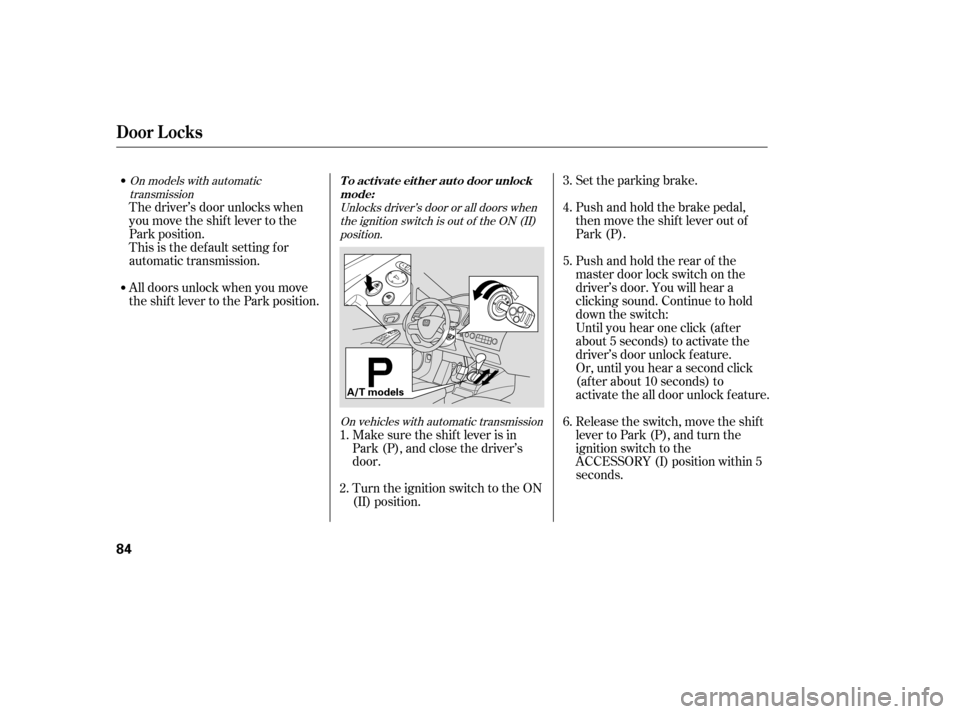
Set the parking brake.
Push and hold the brake pedal,
then move the shift lever out of
Park (P).
Pushandholdtherearof the
master door lock switch on the
driver’s door. You will hear a
clicking sound. Continue to hold
down the switch:
Until you hear one click (af ter
about 5 seconds) to activate the
driver’s door unlock f eature.
Or, until you hear a second click
(af ter about 10 seconds) to
activate the all door unlock feature.
Release the switch, move the shif t
lever to Park (P), and turn the
ignition switch to the
ACCESSORY (I) position within 5
seconds.
Make sure the shif t lever is in
Park (P), and close the driver’s
door.
Turn the ignition switch to the ON
(II) position.
The driver’s door unlocks when
you move the shif t lever to the
Park position.
This is the def ault setting f or
automatic transmission.
All doors unlock when you move
the shif t lever to the Park position.
1. 2. 3. 4. 5. 6.
Unlocks driver’s door or all doors when
the ignition switch is out of the ON (II)position.
On vehicles with automatic transmission
On models with automatic
transmission
Door L ocks
To activate either auto door unlock
mode:
84
A/T models
�����—�����—�����y���������������y���
�(�#�����
���y���������y
Page 88 of 304
CONT INUED
Until you hear one click (af ter
about 5 seconds) to activate the
driver’s door unlock f eature.
Or, until you hear a second click
(af ter about 10 seconds) to
activate the all door unlock feature.
Release the switch, and turn the
ignition switch to the
ACCESSORY (I) position within 5
seconds.
Turn the ignition switch to the ON
(II) position.
Set the parking brake.
Make sure the shif t lever is in
Park (P), and close the driver’s
door.
Close the driver’s door.
Turn the ignition switch to the ON
(II) position.
Set the parking brake.
Pushandholdtherearof the
master door lock switch on the
driver’s door. You will hear a
clicking sound. Continue to hold
down the switch:
Pushandholdtherearof the
master door lock switch on the
driver’s door. You will hear a
clicking sound. Continue to hold
down the switch:
Until you hear one click (af ter
about 5 seconds) to activate the
driver’s door unlock f eature.
Or, until you hear a second click
(af ter about 10 seconds) to
activate the all door unlock feature.
Release the switch, and turn the
ignition switch to the
ACCESSORY (I) position within 5
seconds. 1. 2. 3. 4. 5.
1. 2. 3. 4. 5.
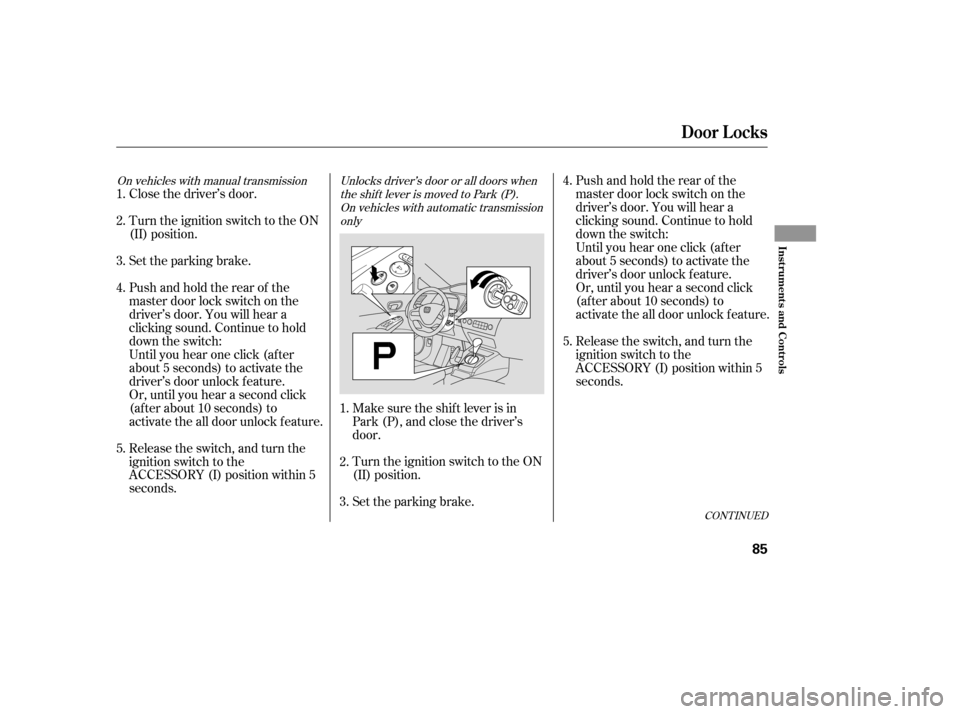
Unlocks driver’s door or all doors when
the shift lever is moved to Park (P).On vehicles with automatic transmission only
On vehicles with manual transmission
Door L ocks
Inst rument s and Cont rols
85
�����—�����—�����y���������������y���
�(�#�����
���y���������y
Page 89 of 304
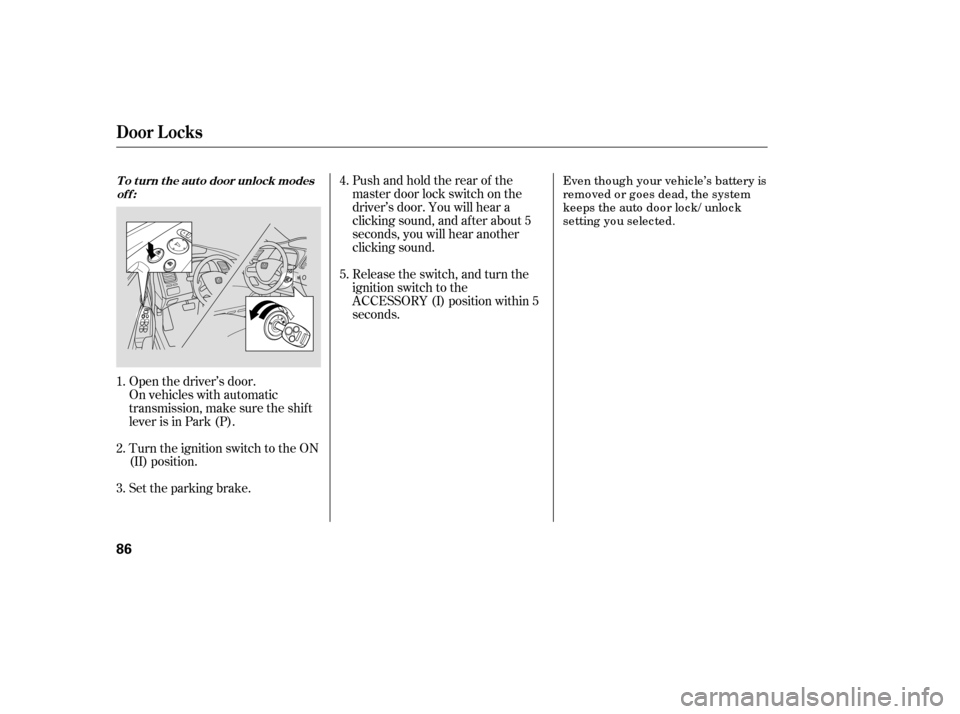
Turn the ignition switch to the ON
(II) position.
Set the parking brake.
Open the driver’s door.
On vehicles with automatic
transmission, make sure the shif t
lever is in Park (P). Release the switch, and turn the
ignition switch to the
ACCESSORY (I) position within 5
seconds.
Pushandholdtherearof the
master door lock switch on the
driver’s door. You will hear a
clicking sound, and af ter about 5
seconds, you will hear another
clicking sound.
Even tho ug h yo ur vehic le’s battery is
remo ved o r g o es dead, the system
keeps the auto do o r lo c k/ unlo c k
setting yo u selec ted.
1. 2. 3. 4. 5.
To turn the auto door unlock modes
off:
Door L ocks
86
�����—�����—�����y�����������
���y���
�(�#�����
���y�������
�y
Page 90 of 304
Parents should decide if their
children should be shown how to use
this feature.
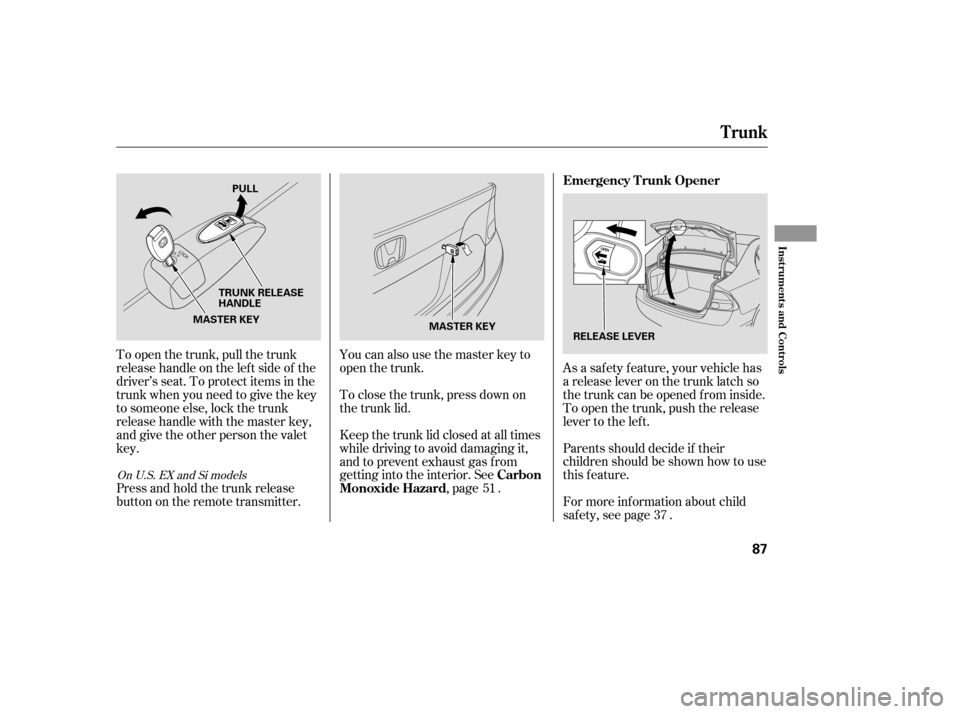
As a saf ety f eature, your vehicle has
a release lever on the trunk latch so
the trunk can be opened f rom inside.
To open the trunk, push the release
lever to the lef t.
To open the trunk, pull the trunk
release handle on the lef t side of the
driver’s seat. To protect items in the
trunk when you need to give the key
to someone else, lock the trunk
release handle with the master key,
and give the other person the valetkey.
For more inf ormation about child
saf ety, see page .
Press and hold the trunk release
button on the remote transmitter. You can also use the master key to
open the trunk.
To close the trunk, press down on
the trunk lid.
Keep the trunk lid closed at all times
while driving to avoid damaging it,
and to prevent exhaust gas from
getting into the interior. See
,page .51
37
OnU.S.EXandSimodels
Emergency T runk Opener
Carbon
Monoxide Hazard
Trunk
Inst rument s and Cont rols
87
MASTER KEY
MASTER KEY PULL
TRUNK RELEASE
HANDLE RELEASE LEVER
�����—�����—�����y���������������y���
�(�#�����
���y���������y
Page 91 of 304

�µ�µ
�µ
�µ
Press this button once to
lock all doors. Some exterior lights
will f lash once. When you push
LOCK twice within 5 seconds, you
will hear a horn to verif y that the
doors are locked. You cannot lock
the doors if any door is not f ully
closed or the key is in the ignition
switch. If you unlock the doors with the
remote transmitter, but do not open
any of the doors within 30 seconds,
the doors automatically relock. On
U.S. LX, EX and Si models, the
security system will also set.
Pressthisbuttonfor
about 1 second to attract attention;
the horn will sound, and the exterior
lights will f lash f or about 30 seconds.
To cancel panic mode, press any
other button on the remote
transmitter, or insert the key.
Press this
button f or about 1 second to open
the trunk. You cannot open the trunk
if the key is in the ignition switch.
The ceiling light (if the ceiling light
switch is in the door activated
position) will come on when you
press the UNLOCK button. If you do
not open any door, the light stays on
f or about 30 seconds, then f ades out.
If you relock the doors with the
remote transmitter before 30
seconds have elapsed, the light goes
of f immediately. Press this button once
to unlock the driver’s door. Push it
twice to unlock the other doors.
Some exterior lights will f lash twice
each time you press the button. This
button does not work when the key
is in the ignition switch.
If you push the LOCK button twice
within 5 seconds, you will hear a
horn to verify that the security
system has set.
On U.S. LX, EX and Si models
OnU.S.EXandSimodels
LOCK PA NIC
T RUNK REL EA SE
UNL OCK
Remote Transmitter
88
LOCK
BUTTON
TRUNK
RELEASE
BUTTON
PANIC BUTTON
UNLOCK BUTTON
PANIC BUTTON UNLOCK
BUTTON
LOCK
BUTTON
U.S. EX and Si models
U.S.: LX model
Canadian: LX, DX-G and EX models
�����—�����—�����y���������������y���
�(�#�����
���y���������y
Page 92 of 304
Avoid dropping or throwing the
transmitter.If it takes several pushes on the
button to lock or unlock the doors,
replace the battery as soon as
possible.
Battery type: CR1616
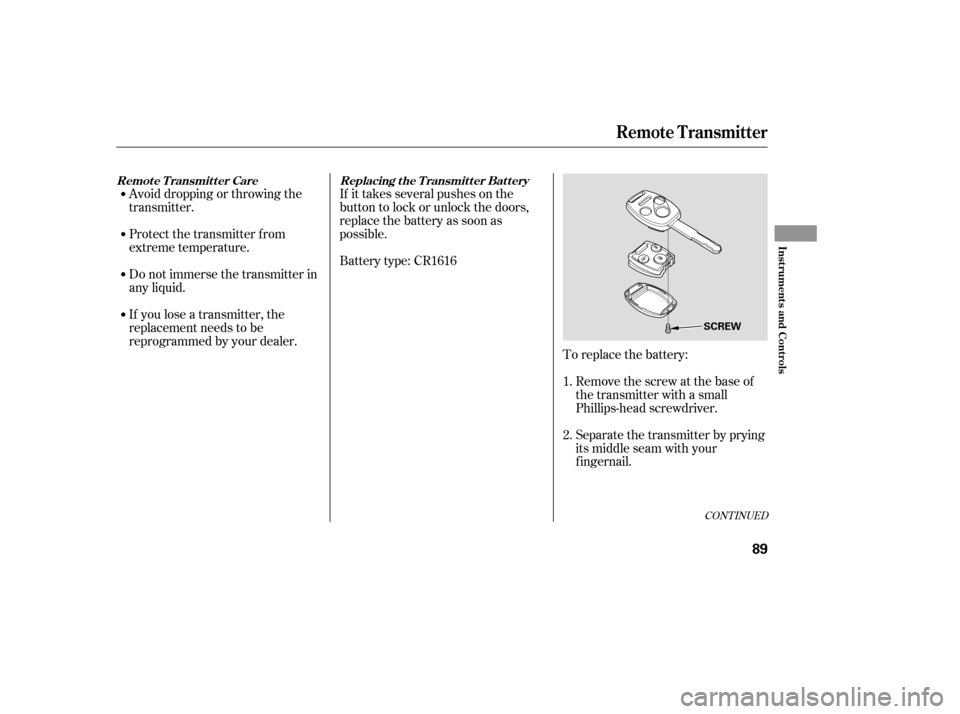
To replace the battery:Remove the screw at the base of
the transmitter with a small
Phillips-head screwdriver.
Separate the transmitter by prying
its middle seam with your
f ingernail.
If you lose a transmitter, the
replacement needs to be
reprogrammed by your dealer.
Do not immerse the transmitter in
any liquid.
Protect the transmitter from
extreme temperature.
1. 2.
CONT INUED
Replacing the Transmitter Battery
Remote Transmitter Care
Remote Transmitter
Inst rument s and Cont rols
89
SCREW
�����—�����—�����y���������������y���
�(�#�����
���y���������y
Page 94 of 304
�µ
See pages f or important saf ety
inf ormation and warnings about how to
properly position seats and seat-backs. 11 13
Make all adjustments bef ore you
start driving.
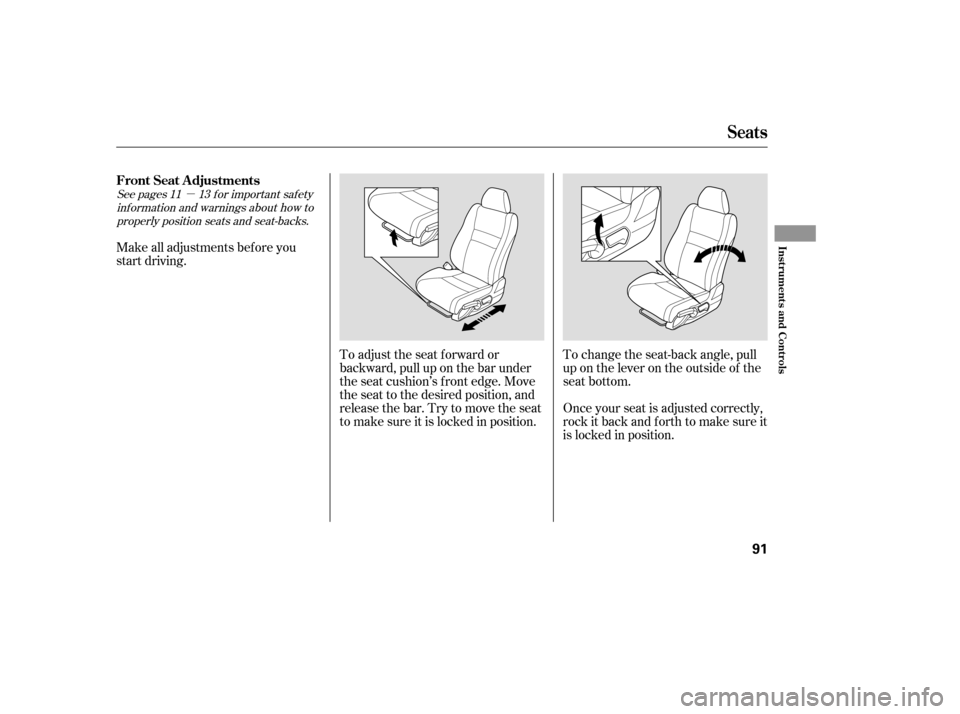
To adjust the seat f orward or
backward, pull up on the bar under
the seat cushion’s f ront edge. Move
the seat to the desired position, and
releasethebar.Trytomovetheseat
to make sure it is locked in position.Once your seat is adjusted correctly,
rock it back and f orth to make sure it
is locked in position.
To change the seat-back angle, pull
up on the lever on the outside of the
seat bottom.
FrontSeatAdjustments
Seats
Inst rument s and Cont rols
91
�����—�����—�����y���������������y���
�(�#�����
���y���������y
Page 97 of 304
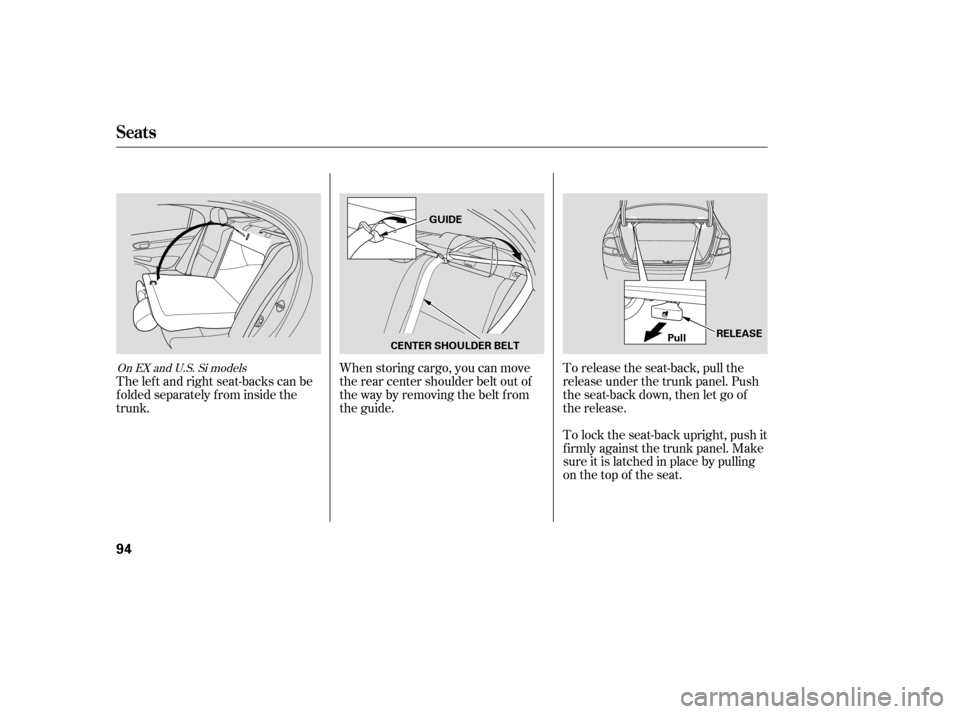
When storing cargo, you can move
therearcentershoulderbeltoutof
the way by removing the belt f rom
the guide.To lock the seat-back upright, push it
firmly against the trunk panel. Make
sure it is latched in place by pulling
on the top of the seat.
To release the seat-back, pull the
release under the trunk panel. Push
the seat-back down, then let go of
the release.
The lef t and right seat-backs can be
f olded separately f rom inside the
trunk.On EX and U.S. Si models
Seats
94
GUIDE
CENTER SHOULDER BELT Pull
RELEASE
�����—�����—�����y�
�������������y���
�(�#�����
���y���������y