Page 49 of 304

Af ter conf irming that the belt is
locked, grab the shoulder part of
the belt near the buckle, and pull
up to remove any slack from the
lap part of the belt. Remember, if
the lap part of the belt is not tight,
the child seat will not be secure.Push and pull the child seat
f orward and f rom side-to-side to
verif y that it is secure enough to
stay upright during normal driving
maneuvers. If the child seat is not
secure, unlatch the belt, allow it to
retract f ully, then repeat these
steps.
To remove slack, it may help to
putweightonthechildseat,or
push on the back of the seat while
pulling up on the belt. To deactivate the lockable retractor
and remove a child seat, unlatch the
buckle, unroute the seat belt, and let
the belt fully retract. Since a tether can provide additional
security to the lap/shoulder belt
installation, we recommend using a
tether whenever one is required or
available.
A child seat with a tether can be
installed in any seating position in
the back seat, using one of the
anchorage points shown above.
4.
5.
CONT INUED
Installing a Child Seat with a
Tether
Inst alling a Child Seat
Driver and Passenger Saf ety
45
COVER
ANCHORAGE POINTS
ANCHOR
�����—�����—�����y�����������
���y���
�(�#�����
���y���������y
Page 59 of 304
�Î
�Î
�Î �Î
: If equipped
Cont rol L ocat ions
56
POWER WINDOW
SWITCHES AUDIO SYSTEM
HEATING/COOLING
CONTROLS
POWER DOOR LOCK
MASTER SWITCH
MIRROR CONTROLS
FUEL FILL DOOR
RELEASE HANDLE
AUTOMATIC
TRANSMISSION
MANUAL
TRANSMISSION
MOONROOF SWITCH
TRUNK RELEASE
HANDLE
Vehicle with navigation system is shown. INSTRUMENT PANEL INDICATORS
ACCESSORY
POWER
SOCKET
AUXILIARY INPUT JACK DOOR LOCK TAB
GAUGES
(P. 57)
(P. 66)
(P. 99)
(P. 80)
(P. 96) (P. 87) (P. 97)
(P. 110)
(P. 106)
(P. 103) (P. 194) (P. 191)
(P. 167)
(P. 177) (P. 79)
�����—�����—�����y���������������y���
�(�#�����
���y�������
�y
Page 60 of 304
�Î
�Î
The U.S. instrument panel is shown. Dif f erences f or Canadian models are noted in the text.
Instrument Panel
Inst rument s and Cont rols
DX, DX-G (Canada),LX, EX
57
IMMOBILIZER SYSTEM
INDICATOR
LOW OIL PRESSURE
INDICATOR SEAT BELT REMINDER
INDICATOR
MAINTENANCE MINDER INDICATOR SUPPLEMENTAL
RESTRAINT SYSTEM
INDICATOR
LIGHTS ON
INDICATOR
CRUISE CONTROL
INDICATOR
CRUISE MAIN
INDICATOR SECURITY SYSTEM INDICATOR
LOW FUEL
INDICATOR
SIDE AIRBAG
OFF INDICATOR
DOOR-OPEN
INDICATOR
TRUNK-OPEN
INDICATOR
ANTI-LOCK BRAKE
SYSTEM INDICATOR
HIGH BEAM
INDICATOR
(P. 62)
(P. 62)
DAYTIME RUNNING
LIGHTS
INDICATOR
(P. 65)
(P. 60) (P. 61)
(P. 61) (P. 60) (P. 64)
(P. 60) (P. 59)
(P. 61)
(P. 64)
(P. 64)
(P. 60)
(P. 65, 267)
(P. 65, 267) (P. 64, 213)
CHARGING
SYSTEM
INDICATOR
MALFUNCTION INDICATOR LAMP (P. 65, 268) PARKING BRAKE AND BRAKE SYSTEM
INDICATOR
(P. 59)
�����—�����—�����y���������������y���
�(�#�����
���y���������y
Page 61 of 304

�Î
�Î�Î
The U.S. instrument panel is shown. Dif f erences f or Canadian models are noted in the te
xt.
:
Instrument Panel
U.S. Si
58
LOW OIL PRESSURE
INDICATOR SECURITY SYSTEM INDICATOR
LOW FUEL
INDICATOR
SEAT BELT REMINDER
INDICATOR
IMMOBILIZER SYSTEM INDICATOR
LIGHTS ON
INDICATOR
SUPPLEMENTAL
RESTRAINT SYSTEM
INDICATOR
SIDE AIRBAG
OFF INDICATOR
CRUISE CONTROL
INDICATOR
ELECTRIC POWER STEERING
(EPS) INDICATOR
CRUISE MAIN
INDICATOR
HIGH BEAM
INDICATOR
CHARGING SYSTEM
INDICATOR ANTI-LOCK BRAKE
SYSTEM INDICATOR
DOOR-OPEN
INDICATOR
TRUNK-OPEN
INDICATOR
REV LIMIT INDICATOR
(P. 61) (P. 61)PARKING BRAKE AND BRAKE SYSTEM
INDICATOR
MAINTENANCE MINDER INDICATOR
DAYTIME RUNNING
LIGHTS INDICATOR
VSA ACTIVATION
INDICATOR
VEHICLE STABILITY ASSIST
(VSA) SYSTEM INDICATOR (P. 65)
(P. 60) (P. 61)
(P. 60)(P. 59)
(P. 60) (P. 64)
(P. 63)
(P. 62)
(P. 62)
(P. 64)
(P. 63)
(P. 65, 267)
(P. 65, 267) (P. 60)
(P. 64, 213) (P. 62)
(P. 62)
(P. 59)
(P. 64)
MALFUNCTION INDICATOR LAMP (P. 65, 268)
�����—�����—�����y���������������y���
�(�#�����
���y���������y
Page 63 of 304

This indicator normally comes on f or
a f ew seconds when you turn the
ignition switch to the ON (II)
position. If it comes on at any other
time, there is a problem with the
ABS. If this happens, have your
vehicle checked at a dealer. With
this indicator on, your vehicle still
has normal braking ability but no
anti-lock f unction. For more
inf ormation, see page .
This indicator comes on f or several
seconds when you turn the ignition
switch to the ON (II) position. If it
comes on at any other time, it
indicates a potential problem with
your f ront airbags. This indicator will
also alert you to a potential problem
with your side airbags, passenger’s
side airbag automatic cutoff system,
side curtain airbags, automatic seat
belt tensioners, driver’s seat position
sensor, or the f ront passenger’s
weight sensors. For more
inf ormation, see page .
This indicator comes on when you
turn the ignition switch to the ON
(II) position. If it comes on at any
other time, it indicates that the
passenger’s side airbag has
automatically shut off. For more
inf ormation, see page .
This indicator comes on brief ly when
you turn the ignition switch to the
ON (II) position. It will then go of f if
you have inserted a properly-coded
ignition key. If it is not a properly-
coded key, the indicator will blink,
and the engine’s f uel system will be
disabled (see page ).
77
29 30
200
Supplemental Restraint
System Indicator
Immobilizer System
Indicator
Anti-lock Brake System
(A BS) Indicator Side Airbag Of f
Indicator
Instrument Panel Indicators
60
U.S. Canada
�����—�����—�����y�������������
�y���
�(�#�����
���y���������y
Page 64 of 304
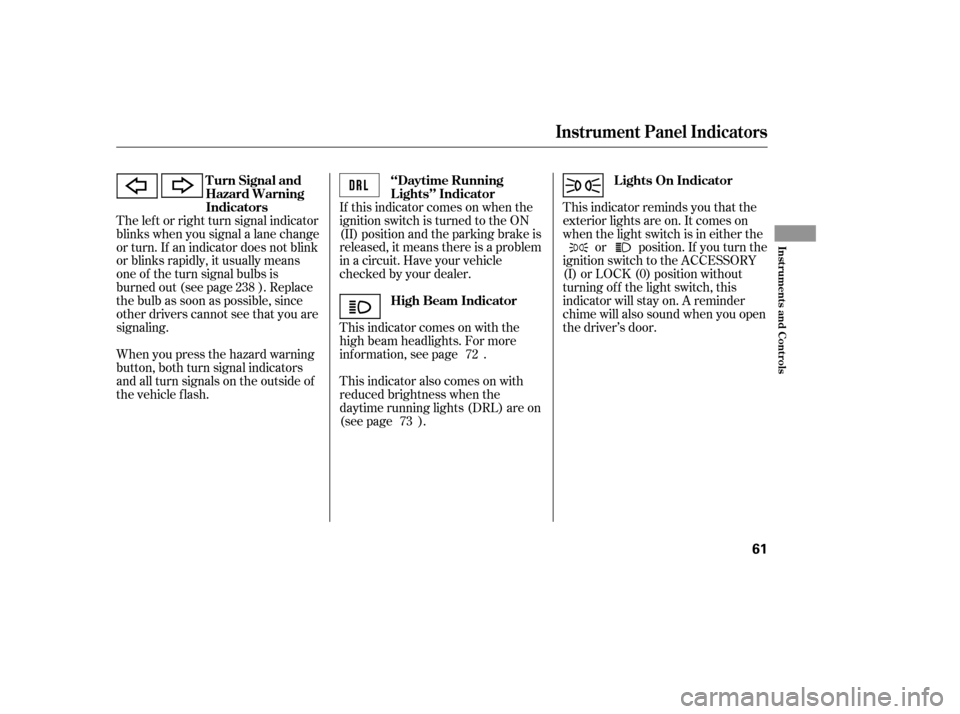
This indicator reminds you that the
exterior lights are on. It comes on
when the light switch is in either theor position. If you turn the
ignition switch to the ACCESSORY
(I) or LOCK (0) position without
turning of f the light switch, this
indicator will stay on. A reminder
chime will also sound when you open
the driver’s door.
When you press the hazard warning
button, both turn signal indicators
and all turn signals on the outside of
the vehicle f lash. If this indicator comes on when the
ignition switch is turned to the ON
(II) position and the parking brake is
released, it means there is a problem
in a circuit. Have your vehicle
checked by your dealer.
This indicator comes on with the
high beam headlights. For more
inf ormation, see page .
This indicator also comes on with
reduced brightness when the
daytime running lights (DRL) are on
(see page ).
The lef t or right turn signal indicator
blinks when you signal a lane change
or turn. If an indicator does not blink
or blinks rapidly, it usually means
one of the turn signal bulbs is
burned out (see page ). Replace
the bulb as soon as possible, since
other drivers cannot see that you are
signaling.
238
72
73
Turn Signal and
Hazard Warning
Indicators
Lights On Indicator
‘‘Daytime Running
Lights’’ Indicator
High Beam Indicator
Instrument Panel Indicators
Inst rument s and Cont rols
61
�����—�����—�����y���������������y���
�(�#�����
���y���������y
Page 76 of 304
�´�µ
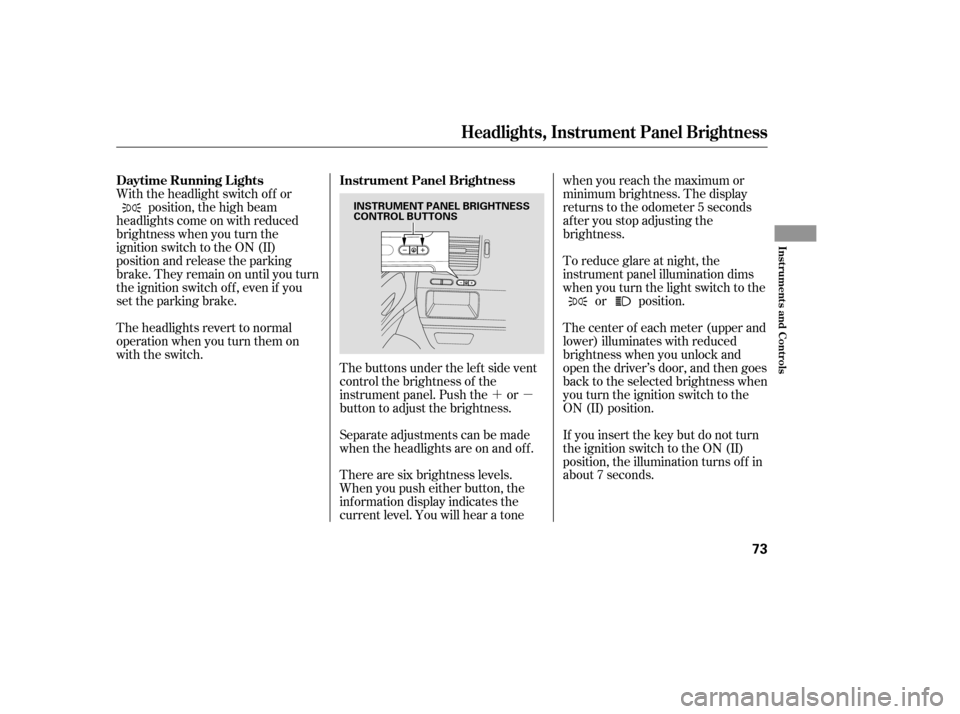
The buttons under the lef t side vent
control the brightness of the
instrument panel. Push the or
button to adjust the brightness.
Separate adjustments can be made
when the headlights are on and of f .
With the headlight switch of f or
position, the high beam
headlights come on with reduced
brightness when you turn the
ignition switch to the ON (II)
position and release the parking
brake. They remain on until you turn
the ignition switch of f , even if you
set the parking brake.
The headlights revert to normal
operation when you turn them on
with the switch.
There are six brightness levels.
When you push either button, the
inf ormation display indicates the
current level. You will hear a tonewhen you reach the maximum or
minimum brightness. The display
returns to the odometer 5 seconds
af ter you stop adjusting the
brightness.
To reduce glare at night, the
instrument panel illumination dims
when you turn the light switch to the
or position.
The center of each meter (upper and
lower) illuminates with reduced
brightness when you unlock and
open the driver’s door, and then goes
back to the selected brightness when
you turn the ignition switch to the
ON (II) position.
If you insert the key but do not turn
the ignition switch to the ON (II)
position, the illumination turns of f in
about 7 seconds.
Daytime Running L ights Instrument Panel Brightness
Headlights, Instrument Panel Brightness
Inst rument s and Cont rols
73
INSTRUMENT PANEL BRIGHTNESS
CONTROL BUTTONS
�����—�����—�����y�����������
�
�y���
�(�#�����
���y���������y
Page 78 of 304
Make sure you have securely
locked the steering wheel in place
by trying to move it up, down, in,
and out.
Push the lever up to lock the
steering wheel in position.
Push the lever under the steering
column all the way down.
Move the steering wheel up or
down, and in or out, so it points
toward your chest, not toward
your f ace. Make sure you can see
the instrument panel gauges and
indicators.
Make any steering wheel adjustment
bef ore you start driving.
1.4.
2. 3.
Steering Wheel A djustment
Inst rument s and Cont rols
75
Adjusting the steering wheel
position while driving may
cause you to lose control of the
vehicle and be seriously injured
inacrash.
Adjust the steering wheel only
when the vehicle is stopped.
�����—�����—�����y���������������y���
�(�#�����
���y���������y