Page 91 of 311
�µ�µ
�µ
�µ
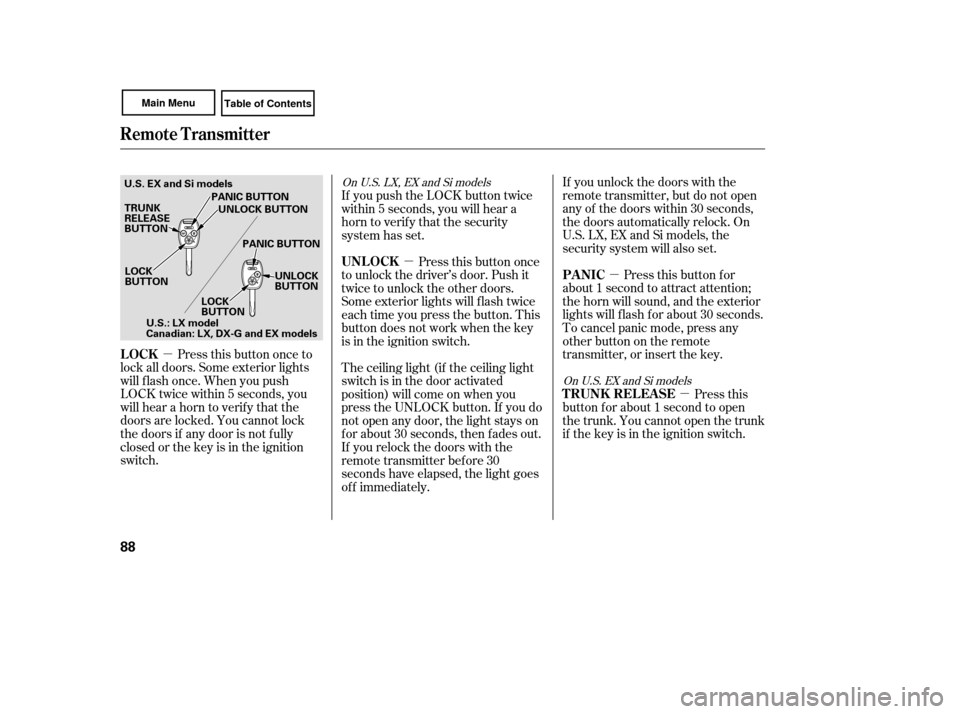
Press this button once to
lock all doors. Some exterior lights
will f lash once. When you push
LOCK twice within 5 seconds, you
will hear a horn to verif y that the
doors are locked. You cannot lock
the doors if any door is not f ully
closed or the key is in the ignition
switch. If you unlock the doors with the
remote transmitter, but do not open
any of the doors within 30 seconds,
the doors automatically relock. On
U.S. LX, EX and Si models, the
security system will also set.
Pressthisbuttonfor
about 1 second to attract attention;
the horn will sound, and the exterior
lights will f lash f or about 30 seconds.
To cancel panic mode, press any
other button on the remote
transmitter, or insert the key.
Press this
button f or about 1 second to open
the trunk. You cannot open the trunk
if the key is in the ignition switch.
The ceiling light (if the ceiling light
switch is in the door activated
position) will come on when you
press the UNLOCK button. If you do
not open any door, the light stays on
f or about 30 seconds, then f ades out.
If you relock the doors with the
remote transmitter before 30
seconds have elapsed, the light goes
of f immediately. Press this button once
to unlock the driver’s door. Push it
twice to unlock the other doors.
Some exterior lights will f lash twice
each time you press the button. This
button does not work when the key
is in the ignition switch. If you push the LOCK button twice
within 5 seconds, you will hear a
horn to verify that the security
system has set.
On U.S. LX, EX and Si models
OnU.S.EXandSimodels
LOCK PA NIC
T RUNK REL EA SE
UNL OCK
Remote Transmitter
88
LOCK
BUTTON
TRUNK
RELEASE
BUTTON
PANIC BUTTON
UNLOCK BUTTON
PANIC BUTTON UNLOCK
BUTTON
LOCK
BUTTON
U.S. EX and Si models
U.S.: LX model
Canadian: LX, DX-G and EX models
Page 96 of 311
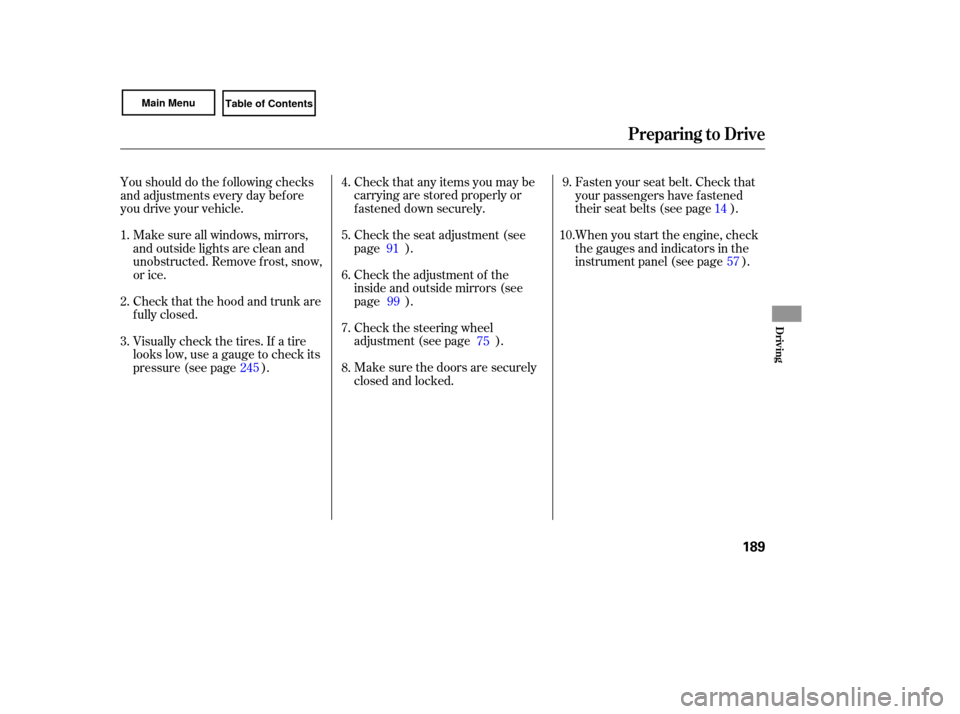
The back of the rear seat folds down,
giving you direct access to the trunk.
The seat-back is released f rom inside
the trunk.
The lid of the console compartment
canbeusedasanarmrestbymoving
it f orward and backward. Make sure
the armrest is securely latched.
Make sure your passenger’s hands
orfingersareawayfromthearmrest
bef ore moving it.
Theseat-backcanbefoldeddownas
one piece.
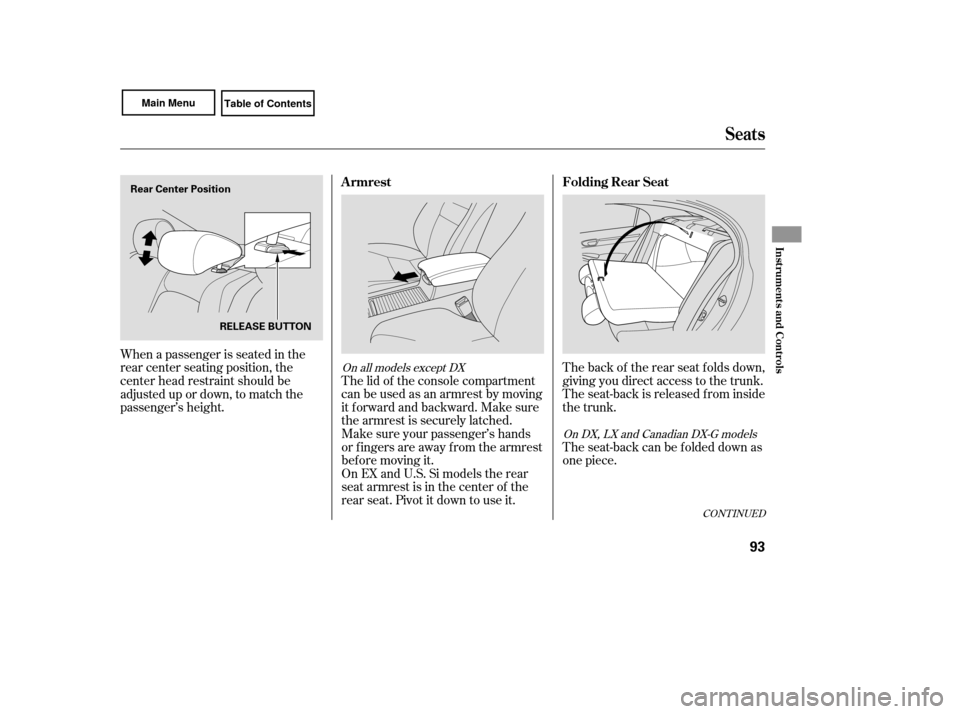
When a passenger is seated in the
rear center seating position, the
center head restraint should be
adjusted up or down, to match the
On EX and U.S. Si models the rear
seat armrest is in the center of the
rear seat. Pivot it down to use it.
CONT INUED
On all models except DX On DX, LX and Canadian DX-G models
Folding Rear Seat
Armrest
Seats
Inst rument s and Cont rols
93
Rear Center Position
RELEASE BUTTON
passenger’s height.
Page 98 of 311
Make sure all items in the trunk, or
items extending through the opening
into the back seat, are secured.
Looseitemscanflyforwardand
cause injury if you have to brake
hard. See on page
.
Never drive with the seat-back
folded down and the trunk lid open.
See on
page .
Make
sure that the folded seat-back
does not interfere with the front
passenger’s seat-back. This will
cause the front passenger’s weight
sensors to work improperly (see
page ). Also check the passenger
airbag of f indicator to assure proper
operation of the passenger’s
advanced front airbag.
Make sure all rear shoulder belts are
positioned in f ront of the rear seat-
back, and the center shoulder belt is
re-positioned in the guide whenever
the seat-back is in its upright position.
Be sure there are no twists in the
center shoulder belt.
Do not put any heavy items on the
seat-back when it is folded down. 26
184
51Carrying Cargo
Carbon Monoxide Hazard
Seats
Inst rument s and Cont rols
95
Page 108 of 311

The heating and air conditioning
system in your vehicle provides a
comf ortable driving environment in
all weather conditions.
The standard audio system has
many f eatures. This section
describes those f eatures and how to
use them. (If you have an optional
audio system, ref er to the operating
instructions that came with it.)
Your vehicle has an anti-theft audio
system that requires a code number
to enable it.
The security system helps to dis-
courage vandalism and thef t of your
vehicle..............
Vents, Heating, and A/C . 106
...........................
Using the A/C .106
................................
Audio System .110
Audio System (Models without ...............
navigation system) . 112
......................
Playing the Radio .113
Playing the XM
Satellite ...................
Radio (Optional) .117
............................
Playing a Disc .122
...
Disc Player Error Messages .128
Audio System (Models with ...............
navigation system) .130
......
Playing the AM/FM Radio .130
Playing the XM
Satellite
......................................
Radio .134
............................
Playing a Disc .142
Disc Player Error Messages
(Vehicles with Navigation ..................................
System) .150
.....................
Playing a PC Card .151
AM/FM Radio Reception ............ 163
..................
Protecting Your Discs . 165
................
Remote Audio Controls . 166
.................
Radio Thef t Protection . 168
..........................
Setting the Clock .169
............................
Security System .170 ...............................
Cruise Control .171
All models except U.S. DX
All U.S. models except DX
Features
Features
105
Page 173 of 311
Once the security system is set,
opening any door, the trunk, or the
hood without using the key or the
remote transmitter will cause it to
alarm. It also alarms if the radio is
removed from the dashboard or the
wiring is cut.
The
security system helps to protect
your vehicle and valuables from theft.
The horn sounds and a combination
of headlights (low beam), parking
lights, side marker lights, and
taillights flash if someone attempts
to break into your vehicle or remove
the radio. This alarm continues for 2
minutes, then it stops. To reset an
alarming system before the 2
minutes have elapsed, unlock the
driver’s door with the key or the
remote transmitter.
The security system automatically
sets 15 seconds after you lock the
doors, hood, and trunk. For the
system to activate, you must lock the
doors from the outside with the key,
driver’s lock tab, door lock switch, or
remote transmitter. The security
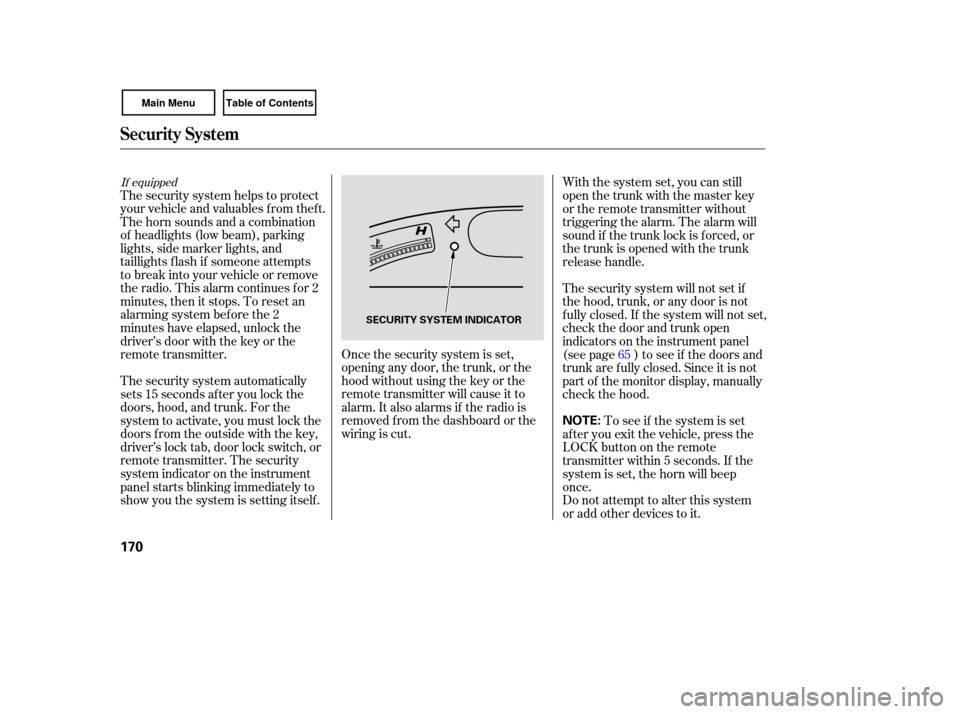
system indicator on the instrument
panel starts blinking immediately to
show you the system is setting itself. With
the system set, you can still
open the trunk with the master key
or the remote transmitter without
triggering the alarm. The alarm will
sound if the trunk lock is forced, or
the trunk is opened with the trunk
release handle.
The security system will not set if
the hood, trunk, or any door is not
f ully closed. If the system will not set,
check the door and trunk open
indicators on the instrument panel
(see page ) to see if the doors and
trunk are f ully closed. Since it is not
part of the monitor display, manually
check the hood.
Do not attempt to alter this system
or add other devices to it. To see if the system is set
af ter you exit the vehicle, press the
LOCK button on the remote
transmitter within 5 seconds. If the
system is set, the horn will beep
once. 65
If equipped
Security System
170
NOTE:
SECURITY SYSTEM INDICATOR
Page 182 of 311
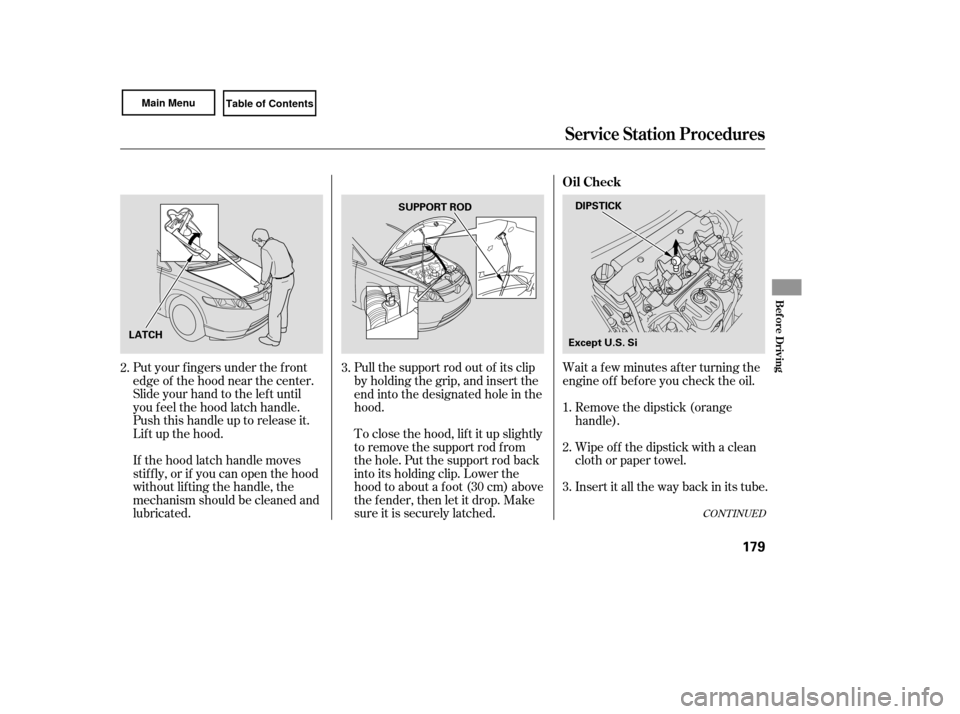
Wait a f ew minutes af ter turning the
engine of f bef ore you check the oil.
Put your f ingers under the f ront
edge of the hood near the center.
Slide your hand to the lef t until
you f eel the hood latch handle.
Push this handle up to release it.
Lif t up the hood.
If the hood latch handle moves
stif f ly, or if you can open the hood
without lifting the handle, the
mechanism should be cleaned and
lubricated. Pull the support rod out of its clip
by holding the grip, and insert the
end into the designated hole in the
hood.
To close the hood, lif t it up slightly
to remove the support rod f rom
the hole. Put the support rod back
into its holding clip. Lower the
hood to about a f oot (30 cm) above
the fender, then let it drop. Make
sure it is securely latched.
Remove the dipstick (orange
handle).
Insert it all the way back in its tube. Wipe of f the dipstick with a clean
cloth or paper towel.
3. 1.
2.
3.
2.
CONT INUED
Service Station Procedures
Oil Check
Bef ore Driving
179
DIPSTICK
SUPPORT ROD
LATCH Except U.S. Si
Page 189 of 311

Store or secure all items that could
be thro wn around and hurt
someone during a crash. Distribute
cargo evenly on the
floor of the trunk, placing the
heaviest items on the bottom and
as far forward as possible.
If you carry large items that
prevent you from closing the trunk
lid, exhaust gas can enter the
pa ssenger area. To avoid the
possibility of , f ollow the instructions
on page . If youfolddownthebackseat,tie
down items that could be thrown
about the vehicle during a crash or
sudden stop.
Do not put any items on top of the
trunk panel. They can block your
view and be thrown around the
vehicle during a crash.
Be sure items placed on the f loor
behind the f ront seats cannot roll
under the seats and interf ere with
the driver’s ability to operate the
pedals, the proper operation of the
seats, or proper operation of the
sensors under the seats.
Keep the glove box closed while
driving. If it is open, a passenger
could injure their knees during a
crash or sudden stop. 51
Carrying Items in the Passenger
Compartment
Carrying Cargo in the Trunk
carbon monoxide
poisoning
Carrying Cargo
186
Page 192 of 311
Make sure all windows, mirrors,
and outside lights are clean and
unobstructed. Remove frost, snow,
or ice.
Check that the hood and trunk are
fully closed. Check
that any items you may be
carrying are stored properly or
fastened down securely.
Check the seat adjustment (see
page ).
Check the adjustment of the
inside and outside mirrors (see
page ).
Check the steering wheel
ad justment (see page ).
Make sure the doors are securely
closed and locked. Fasten
your seat belt. Check that
your passengers have fastened
their seat belts (see page ).
Youshoulddothefollowingchecks
and
adjustments every day before
you drive your vehicle.
When you start the engine, check
the gauges and indicato rs in the
instrument panel (see page ).
Vi sually check the tires. If a tire
looks low, use a gauge to check its
pressure (see page ).
1.
2.
3. 4.
9.
8. 7. 6. 5. 10.
245 91
99 75 14
57
Preparing to Drive
Driving
189