2007 GMC ACADIA high beam
[x] Cancel search: high beamPage 167 of 554
Instrument Panel Overview........................ 170
Hazard Warning Flashers.......................... 172
Other Warning Devices............................. 173
Horn.......................................................... 173
Tilt and Telescopic Steering Wheel............ 173
Power Tilt Wheel and Telescopic
Steering Column.................................... 174
Turn Signal/Multifunction Lever.................. 174
Turn and Lane-Change Signals................. 175
Headlamp High/Low-Beam Changer.......... 176
Flash-to-Pass............................................ 176
Windshield Wipers..................................... 176
Windshield Washer.................................... 177
Rear Window Wiper/Washer...................... 179
Cruise Control........................................... 180
Exterior Lamps.......................................... 183
Delayed Headlamps.................................. 184
Daytime Running Lamps (DRL)/
Automatic Headlamp System.................. 185
Fog Lamps................................................ 186
Instrument Panel Brightness...................... 186
Courtesy Lamps........................................ 186Entry Lighting............................................ 187
Delayed Entry Lighting.............................. 187
Delayed Exit Lighting................................. 188
Parade Dimming........................................ 188
Reading Lamps......................................... 188
Electric Power Management...................... 188
Battery Run-Down Protection..................... 189
Head-Up Display (HUD)............................ 190
Ultrasonic Rear Parking Assist (URPA)...... 194
Accessory Power Outlet(s)........................ 197
Power Outlet 115 Volt Alternating
Current.................................................. 198
Climate Controls......................................... 199
Climate Control System............................. 199
Dual Automatic Climate Control System.... 203
Outlet Adjustment...................................... 210
Rear Air Conditioning and Heating
System.................................................. 211
Rear Air Conditioning and Heating
System and Electronic Climate
Controls................................................. 212
Section 3 Instrument Panel
167
Page 168 of 554
Warning Lights, Gages, and Indicators..... 214
Instrument Panel Cluster........................... 215
Speedometer and Odometer...................... 216
Tachometer............................................... 216
Safety Belt Reminder Light........................ 216
Passenger Safety Belt Reminder Light....... 217
Airbag Readiness Light............................. 217
Passenger Airbag Status Indicator............. 218
Charging System Light.............................. 220
Voltmeter Gage......................................... 221
Brake System Warning Light..................... 222
Anti-Lock Brake System Warning Light...... 223
StabiliTrak
®Indicator Light......................... 224
Engine Coolant Temperature Warning
Light...................................................... 224
Engine Coolant Temperature Gage............ 225
Tire Pressure Light.................................... 225
Malfunction Indicator Lamp........................ 226
Oil Pressure Light..................................... 229
Security Light............................................ 229
Fog Lamp Light......................................... 230Cruise Control Light.................................. 230
Highbeam On Light................................... 230
Tow/Haul Mode Light................................ 230
Fuel Gage................................................. 231
Driver Information Center (DIC).................. 232
DIC Operation and Displays
(With DIC Buttons)................................. 233
DIC Operation and Displays
(Without DIC Buttons)............................ 239
DIC Warnings and Messages.................... 244
DIC Vehicle Customization
(With DIC Buttons)................................. 255
Audio System(s)......................................... 264
Setting the Time........................................ 266
Radio with CD........................................... 268
Radio with CD and DVD........................... 278
Using an MP3 (Radio with CD or
Six-Disc CD Player)............................... 295
Using an MP3 (Radio with CD and
DVD Player)........................................... 301
Section 3 Instrument Panel
168
Page 174 of 554
Power Tilt Wheel and Telescopic
Steering Column
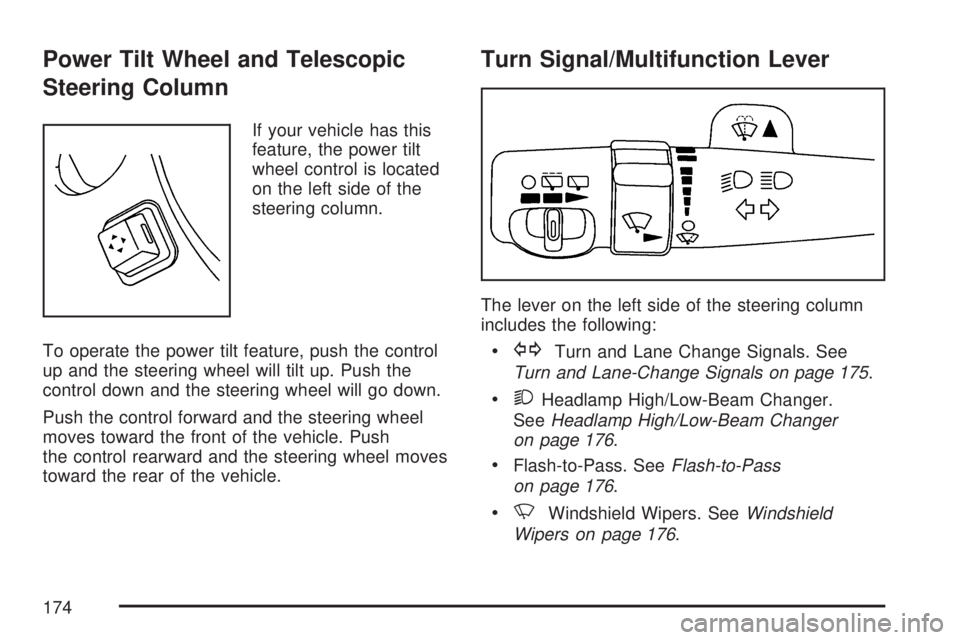
If your vehicle has this
feature, the power tilt
wheel control is located
on the left side of the
steering column.
To operate the power tilt feature, push the control
up and the steering wheel will tilt up. Push the
control down and the steering wheel will go down.
Push the control forward and the steering wheel
moves toward the front of the vehicle. Push
the control rearward and the steering wheel moves
toward the rear of the vehicle.
Turn Signal/Multifunction Lever
The lever on the left side of the steering column
includes the following:
GTurn and Lane Change Signals. See
Turn and Lane-Change Signals on page 175.
2Headlamp High/Low-Beam Changer.
SeeHeadlamp High/Low-Beam Changer
on page 176.
Flash-to-Pass. SeeFlash-to-Pass
on page 176.
NWindshield Wipers. SeeWindshield
Wipers on page 176.
174
Page 176 of 554
Headlamp High/Low-Beam Changer
To change the headlamps from low beam to
high beam, push the turn signal/multifunction
lever toward the front of the vehicle.
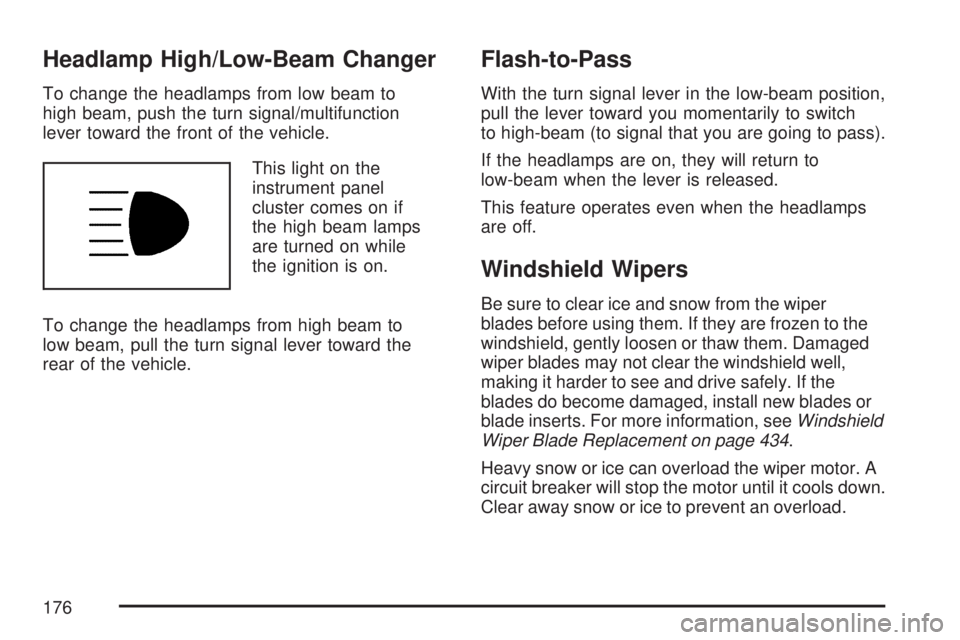
This light on the
instrument panel
cluster comes on if
the high beam lamps
are turned on while
the ignition is on.
To change the headlamps from high beam to
low beam, pull the turn signal lever toward the
rear of the vehicle.
Flash-to-Pass
With the turn signal lever in the low-beam position,
pull the lever toward you momentarily to switch
to high-beam (to signal that you are going to pass).
If the headlamps are on, they will return to
low-beam when the lever is released.
This feature operates even when the headlamps
are off.
Windshield Wipers
Be sure to clear ice and snow from the wiper
blades before using them. If they are frozen to the
windshield, gently loosen or thaw them. Damaged
wiper blades may not clear the windshield well,
making it harder to see and drive safely. If the
blades do become damaged, install new blades or
blade inserts. For more information, seeWindshield
Wiper Blade Replacement on page 434.
Heavy snow or ice can overload the wiper motor. A
circuit breaker will stop the motor until it cools down.
Clear away snow or ice to prevent an overload.
176
Page 186 of 554
Fog Lamps
Use the fog lamps for better vision in foggy or
misty conditions.
-(Fog Lamps):The fog lamps button is located
on the exterior lamps control. The exterior lamps
control is located on the instrument panel to the
left of the steering column.
The ignition must be on for the fog lamps to work.
Press the exterior lamps button to turn the fog
lamps on or off. A light will come on in the
instrument panel cluster when the fog lamps
are in use.
When the headlamps are changed to high-beam,
the fog lamps will turn off. The fog lamps come
back on again when the high-beam headlamps are
turned off.
Some localities have laws that require the
headlamps to be on along with the fog lamps.
Instrument Panel Brightness
D(Instrument Panel Brightness):The knob
with this symbol on it is located next to the exterior
lamps control. Push the knob in all the way until
it pops out and then turn the knob clockwise
to brighten or counterclockwise to dim the lights.
Push the knob back in when nished.
Courtesy Lamps
When a door is opened, the courtesy lamps
automatically come on. They make it easy for you
to enter and leave your vehicle. You can also
manually turn these lamps on by fully turning the
instrument panel brightness control clockwise.
The reading lamps, located on the headliner, can
be turned on or off independent of the automatic
courtesy lamps, when the doors are closed.
186
Page 189 of 554
A high electrical load occurs when several of the
following loads are on: headlamps, high beams,
fog lamps, rear window defogger, climate
control fan at high speed, heated seats, engine
cooling fans, trailer loads, and loads plugged
into accessory power outlets.
EPM works to prevent excessive discharge of
the battery. It does this by balancing the
generator’s output and the vehicle’s electrical
needs. It can increase engine idle speed to
generate more power, whenever needed.
It can temporarily reduce the power demands
of some accessories.
Normally, these actions occur in steps or levels,
without being noticeable. In rare cases at the
highest levels of corrective action, this action
may be noticeable to the driver. If so, a Driver
Information Center (DIC) message might be
displayed, such as Battery Saver Active or Service
Battery Charging System. If this message is
displayed, it is recommended that the driver
reduce the electrical loads as much as possible.
SeeDIC Warnings and Messages on page 244.Battery Run-Down Protection
This vehicle has a feature to help prevent the
battery from being drained, if the interior courtesy
lamps, reading/map lamps, visor vanity lamps
or trunk lamp are accidentally left on. If any
of these lamps are left on, they will automatically
turn off after 10 minutes, if the ignition is off.
The lamps will not come back on again until
one of the following occurs:
The ignition is turned on.
The exterior lamps control is turned off,
then on again.
The headlamps will timeout after 10 minutes,
if they are manually turned on before the
ignition is off.
189
Page 191 of 554

The HUD information appears as an image
focused out toward the front of the vehicle.
When the ignition key is turned to RUN, the HUD
will display an introductory message for a short
time, until the HUD is ready.
The following indicator lights come on the
instrument panel when activated and will also
appear on the HUD:
Turn Signal Indicators
High-Beam Indicator SymbolThe HUD will temporarily display CHECK GAGES
and ICE POSSIBLE when there are messages
on the DIC trip computer.
The HUD will also display the following messages
when these systems are active:
TRACTION CONTROL ACTIVE
STABILITRAK ACTIVE
Notice:If you try to use the HUD image as a
parking aid, you may misjudge the distance
and damage your vehicle. Do not use the
HUD image as a parking aid.
When the HUD is on, the speedometer reading
will continually be displayed. The current radio
station or CD track number will display for a short
period of time after the radio or CD track status
changes. This will happen whenever radio
information is changed. The speedometer size
will be reduced when radio, CD information,
warnings, or turn-by-turn navigation information
are displayed on the HUD.
191
Page 192 of 554

The HUD control is
located to the right of
the steering wheel.
To adjust the HUD image so that items are
properly displayed, do the following:
1. Adjust the driver’s seat to a comfortable
position.
2. Start the engine.
3. Adjust the HUD controls.
Use the following settings to adjust the HUD.
9(Off):To turn HUD off, rotate the dimming
knob fully counterclockwise until the HUD display
turns off.Brightness:Turn the knob on the HUD control
clockwise to brighten the display and
counterclockwise to dim it.
w(Up):x(Down):Press the up or down
arrows to center the HUD image in your view. The
HUD image can only be adjusted up and down,
not side to side.
?(Page):Press this button to select the display
formats. Release the page button when the
format number with the desired display is shown
on the HUD.
The three formats are as follows:
Format One:This display gives the speedometer
reading (in English or metric units), turn signal
indication, high beam indication, transmission
positions, and the outside air temperature.
192