2007 GMC ACADIA buttons
[x] Cancel search: buttonsPage 196 of 554

The system does not work at a reverse speed
greater than 5 mph (8 km/h). To remind you of this,
the red light on the rear display will ash.
To disable URPA, seeDIC Operation and Displays
(With DIC Buttons) on page 233andDIC
Operations and Displays (Without DIC Buttons)
on page 239.
URPA automatically turns back on each time
the vehicle is started.
How the System Works when Backing
If the shift lever is in REVERSE (R), URPA
detects objects close to the rear bumper. The
rst time an object is detected a single beep will
sound. If an object is detected at a REVERSE (R)
speed between 0 mph (0 km/h) and 5 mph
(8 km/h), the following describes what will occur
based on your distance to a detected object
located behind the vehicle:
At distances between 40 inches (1 m) and 8 ft
(2.5 m), a single amber light will come on.
At distances between 23 inches (0.6 m) and
40 inches (1 m), both amber lights will be on.
At distances between 12 inches (0.3 m) and
23 inches (0.6 m), all three lights (amber/
amber/red) will be on.
At distances less than 12 inches (0.3 m), a
beeping sound will repeat for a short time and
all three lights (amber/amber/red) will ash.
When the System Does Not Seem to
Work Properly
If the URPA system will not activate due to a
temporary condition, the message PARK ASSIST
OFF will display on the DIC screen and a red
light will come on the URPA display when the shift
lever is moved into REVERSE (R). This occurs
under the following conditions:
The parking brake pedal is depressed.
A trailer was attached to your vehicle, or a
bicycle or an object was hanging out of
your trunk during your last drive when you
turned off the vehicle. If the attached objects
are removed from your vehicle before the start
of your next drive, the system will return to
normal operation unless an object is detected
when the vehicle is shifted into REVERSE (R).
196
Page 204 of 554

Driver’s Side Temperature Control
The driver side temperature buttons are used to
adjust the temperature of the air coming through
the system on the driver side. The temperature
can be adjusted even if the system is turned
off. This is possible since outside air will always
ow through the system as the vehicle is moving
forward unless it is set to recirculation mode.
See “Recirculation” later in this section.
Press the + or−buttons to increase or decrease
the temperature. The driver side temperature
display will show the temperature setting
decreasing or increasing.
Passenger’s Side Temperature Control
The passenger’s temperature buttons can be
used to change the temperature of the air coming
through the system on the passenger side of
the vehicle. The temperature can be adjusted even
if the system is turned off. This is possible since
outside air will always ow through the system
as the vehicle is moving forward unless it is set to
recirculation mode. See “Recirculation” later in
this section.Press the + or−buttons to increase or decrease
the temperature. The passenger side display
will show the temperature setting decreasing or
increasing.
The passenger’s temperature setting can be
set to match the driver’s temperature setting
by pressing the PASS button and turning off
the PASS indicator. When the passenger’s
temperature setting is set different than the
driver’s setting, the indicator on the PASS
button comes on and both the driver side and
passenger side temperature displays are shown.
Automatic Operation
AUTO (Automatic):When automatic operation is
active the system controls the inside temperature,
the air delivery, and the fan speed.
Use the steps below to place the entire system in
automatic mode:
1. Press the AUTO button.
When AUTO is selected, the display shows
the current temperature(s) selected and AUTO
is on the display. The current delivery mode
and fan speed also display for approximately
5 seconds.
204
Page 205 of 554

When AUTO is selected, the air conditioning
operation and air inlet are automatically
controlled. The air conditioning compressor
runs when the outside temperature is
over about 40°F (4°C). The air inlet is normally
set to outside air. If it is hot outside, the air
inlet can automatically switch to recirculate
inside air to help quickly cool down your
vehicle. The light comes on the recirculation
button while in recirculation.
2. Set the driver’s and passenger’s temperature.
To nd your comfort setting, start with a
73°F (23°C) temperature setting and allow
about 20 minutes for the system to regulate.
Use the driver’s or passenger’s temperature
buttons to adjust the temperature setting
as necessary. If you choose the temperature
setting of 60°F (15°C), the system remains
at the maximum cooling setting. If you choose
the temperature setting of 90°F (32°C), the
system remains at the maximum heat setting.
Choosing either maximum setting will not
cause the vehicle to heat or cool any faster.Do not cover the solar sensor located on the
top of the instrument panel near the windshield.
This sensor regulates air temperature based
on sun load and also turns on your vehicle’s
headlamps. For more information on the solar
sensor, see “Sensors” later in this section.
To avoid blowing cold air in cold weather, the
system delays turning on the fan until warm air is
available. The length of delay depends on the
engine coolant temperature. Press the fan switch
to override this delay and change the fan to a
selected speed.
O(On/Off):Press this button to turn off the
climate control system. Outside air still enters
the vehicle, and is directed to the oor. This
direction can be changed by pressing the mode
button. Recirculation can only be selected in
vent or bi-level mode. The temperature can also
be adjusted using either temperature button.
If you adjust the air delivery mode or temperature
settings with the system off, the display comes
on briey to show the settings and then turns off.
Press the on/off button or the up down arrows
on the fan switch, the defrost button, AUTO button,
or the air conditioning button to turn the system
on when it is off.
205
Page 206 of 554

Manual Operation
The air delivery mode or fan speed can be
manually adjusted.
DC(Fan):The buttons with the fan symbols let
you manually adjust the fan speed. Press the
up arrow to increase fan speed and the down
arrow to decrease fan speed.
Pressing a fan button while the system is off will
turn the system on. Pressing a fan button
while in automatic control places the fan under
manual control. The fan setting remains displayed
and the AUTO light turns off. The air delivery
mode remains in automatic control.
yNz(Mode):Press the mode up and down
buttons to manually change the direction of
the airow in the vehicle. Repeatedly press the
button until the desired mode appears on the
display. Pressing a mode button while the system
is off will change air delivery mode without
turning the system on. Press one of these buttons
while in automatic control to place the mode
under manual control.The air delivery mode setting displays and the
AUTO light turns off. The fan remains under
automatic control.
H(Vent):This setting delivers air to the
instrument panel outlets.
)(Bi-Level):This mode directs air to the
instrument panel outlets and to the oor outlets.
A little air is directed towards the windshield
and side window outlets. Cooler air is directed to
the upper outlets and warmer air to the oor
outlets.
6(Floor):This mode directs most of the air to
the oor outlets, with some of the air directed
to the windshield, side window outlets, and
second row oor outlets. In this mode, the system
automatically selects outside air. Recirculation
cannot be selected in oor mode.
-(Defog):See “Defogging and Defrosting” later
in this section.
@(Recirculation):Press this button to turn
the recirculation mode on. When the button
is pressed, an indicator light comes on.
206
Page 212 of 554
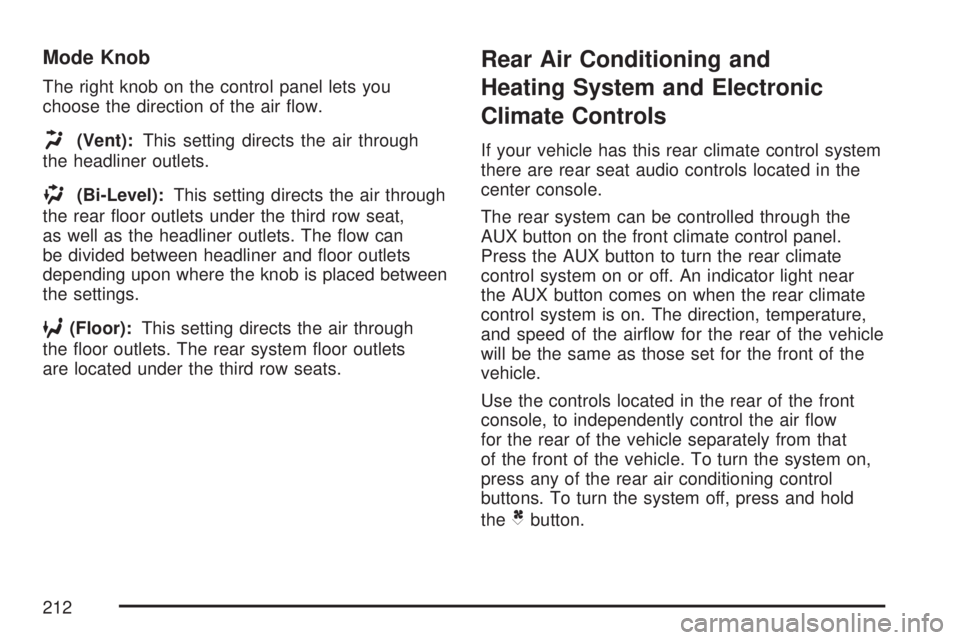
Mode Knob
The right knob on the control panel lets you
choose the direction of the air ow.
H(Vent):This setting directs the air through
the headliner outlets.
)(Bi-Level):This setting directs the air through
the rear oor outlets under the third row seat,
as well as the headliner outlets. The ow can
be divided between headliner and oor outlets
depending upon where the knob is placed between
the settings.
6(Floor):This setting directs the air through
the oor outlets. The rear system oor outlets
are located under the third row seats.
Rear Air Conditioning and
Heating System and Electronic
Climate Controls
If your vehicle has this rear climate control system
there are rear seat audio controls located in the
center console.
The rear system can be controlled through the
AUX button on the front climate control panel.
Press the AUX button to turn the rear climate
control system on or off. An indicator light near
the AUX button comes on when the rear climate
control system is on. The direction, temperature,
and speed of the airow for the rear of the vehicle
will be the same as those set for the front of the
vehicle.
Use the controls located in the rear of the front
console, to independently control the air ow
for the rear of the vehicle separately from that
of the front of the vehicle. To turn the system on,
press any of the rear air conditioning control
buttons. To turn the system off, press and hold
the
Cbutton.
212
Page 213 of 554

Manual Operation
DC(Fan):The fan buttons on the rear seat
audio control panel let you manually adjust
the fan speed. Press
Dto increase airow
and
Cto decrease airow.+/−(Increase/Decrease Temperature):
These buttons select the temperature of the
air owing into the rear passenger area. Press
the + button for warmer air and press the−button
for cooler air. The temperature settings will
display in 0-12 increments, going from the
coolest (0) to the warmest (12) setting.
N(Mode):Press the mode button to manually
change the direction of the airow in the vehicle.
Repeatedly press the button until the desired mode
appears on the display. Multiple presses cycles
through the delivery selections.
H(Vent):This mode directs air through the
headliner outlets.
)(Bi-Level):This mode directs air through the
oor outlets as well as the headliner outlets.
The rear system oor outlets are located under
the third row seats.
6(Floor):This mode directs most of the
air through the oor outlets. The rear system oor
outlets are located under the third row seats.
Rear Climate Control with Rear Seat Audio Controls
213
Page 232 of 554

Driver Information Center (DIC)
Your vehicle has a Driver Information Center (DIC).
The DIC displays information about your vehicle.
It also displays warning messages if a system
problem is detected.
All messages will appear in the DIC display
located at the top of the instrument panel cluster.
The DIC comes on when the ignition is on.
After a short delay, the DIC will display the
information that was last displayed before the
engine was turned off.
The DIC also displays a shift lever position
indicator on the bottom line of the display. See
Automatic Transmission Operation on page 129
for more information.The outside air temperature also displays on the
DIC when viewing the trip and fuel information.
The outside air temperature automatically
appears in the top right corner of the DIC display.
If there is a problem with the system that
controls the temperature display, the numbers
will be replaced with dashes. If this occurs,
have the vehicle serviced.
If your vehicle has DIC buttons, see “DIC Operation
and Displays (With DIC Buttons)” later in this
section andDIC Vehicle Customization (With DIC
Buttons) on page 255for the displays available.
If your vehicle does not have DIC buttons, see
“DIC Operation and Displays (Without DIC
Buttons)” later in this section for the displays
available.
232
Page 233 of 554

DIC Operation and Displays
(With DIC Buttons)
If your vehicle has DIC buttons, the information
below explains the operation of this system.
The DIC has different displays which can be
accessed by pressing the DIC buttons located
on the instrument panel. SeeInstrument Panel
Overview on page 170for more information.
The DIC displays trip, fuel, and vehicle system
information, and warning messages if a system
problem is detected.
The DIC also allows some features to be
customized. SeeDIC Vehicle Customization
(With DIC Buttons) on page 255for more
information.
If your vehicle has DIC buttons, you can also
use the trip odometer reset stem to view the
odometer and trip odometers.
DIC Buttons
The buttons are the set/reset, customization,
vehicle information, and trip/fuel buttons. The
button functions are detailed in the following pages.
V(Set/Reset):Press this button to set or reset
certain functions and to turn off or acknowledge
messages on the DIC.
U(Customization):Press this button to
customize the feature settings on your vehicle.
SeeDIC Vehicle Customization (With DIC Buttons)
on page 255for more information.
233