Page 3 of 312
Maintenance and Specifications 267
Engine compartment 269
Engine oil 271
Battery 274
Engine coolant 276
Fuel information 281
Air filter(s) 294
Part numbers 299
Maintenance product specifications and capacities 300
Engine data 302
Accessories 305
Index 307
All rights reserved. Reproduction by any means, electronic or mechanical
including photocopying, recording or by any information storage and retrieval
system or translation in whole or part is not permitted without written
authorization from Ford Motor Company. Ford may change the contents without
notice and without incurring obligation.
Copyright © 2006 Ford Motor Company
Table of Contents
3
2007 Freestar(win)
Owners Guide (post-2002-fmt)
USA(fus)
Page 5 of 312
SAFETY AND ENVIRONMENT PROTECTION
Warning symbols in this guide
How can you reduce the risk of personal injury to yourself or others? In
this guide, answers to such questions are contained in comments
highlighted by the warning triangle symbol. These comments should be
read and observed.
Warning symbols on your vehicle
When you see this symbol, it is
imperative that you consult the
relevant section of this guide before
touching or attempting adjustment
of any kind.
Protecting the environment
We must all play our part in
protecting the environment. Correct
vehicle usage and the authorized
disposal of waste, cleaning and
lubrication materials are significant
steps towards this aim. Information in this respect is highlighted in this
guide with the tree symbol.
BREAKING-IN YOUR VEHICLE
Your vehicle does not need an extensive break-in. Try not to drive
continuously at the same speed for the first 1,000 miles (1,600 km) of
new vehicle operation. Vary your speed frequently in order to give the
moving parts a chance to break in.
Drive your new vehicle at least 500 miles (800 km) before towing a
trailer. For more detailed information about towing a trailer, refer to
Trailer towingin theTires, Wheels and Loadingchapter.
Do not add friction modifier compounds or special break-in oils since
these additives may prevent piston ring seating. SeeEngine oilin the
Maintenance and Specificationschapter for more information on oil
usage.
2007 Freestar(win)
Owners Guide (post-2002-fmt)
USA(fus)
Introduction
5
Page 9 of 312
Vehicle Symbol Glossary
Power Windows
Front/Rear
Power Window Lockout
Child Safety Door
Lock/UnlockInterior Luggage
Compartment Release
Symbol
Panic AlarmEngine Oil
Engine CoolantEngine Coolant
Temperature
Do Not Open When HotBattery
Avoid Smoking, Flames,
or SparksBattery Acid
Explosive GasFan Warning
Power Steering FluidMaintain Correct Fluid
LevelMAX
MIN
Emission SystemEngine Air Filter
Passenger Compartment
Air FilterJack
Check Fuel CapLow Tire Pressure
Warning
2007 Freestar(win)
Owners Guide (post-2002-fmt)
USA(fus)
Introduction
9
Page 12 of 312
Driving a vehicle with the brake system warning light on is
dangerous. A significant decrease in braking performance may
occur. It will take you longer to stop the vehicle. Have the vehicle
checked by your authorized dealer.
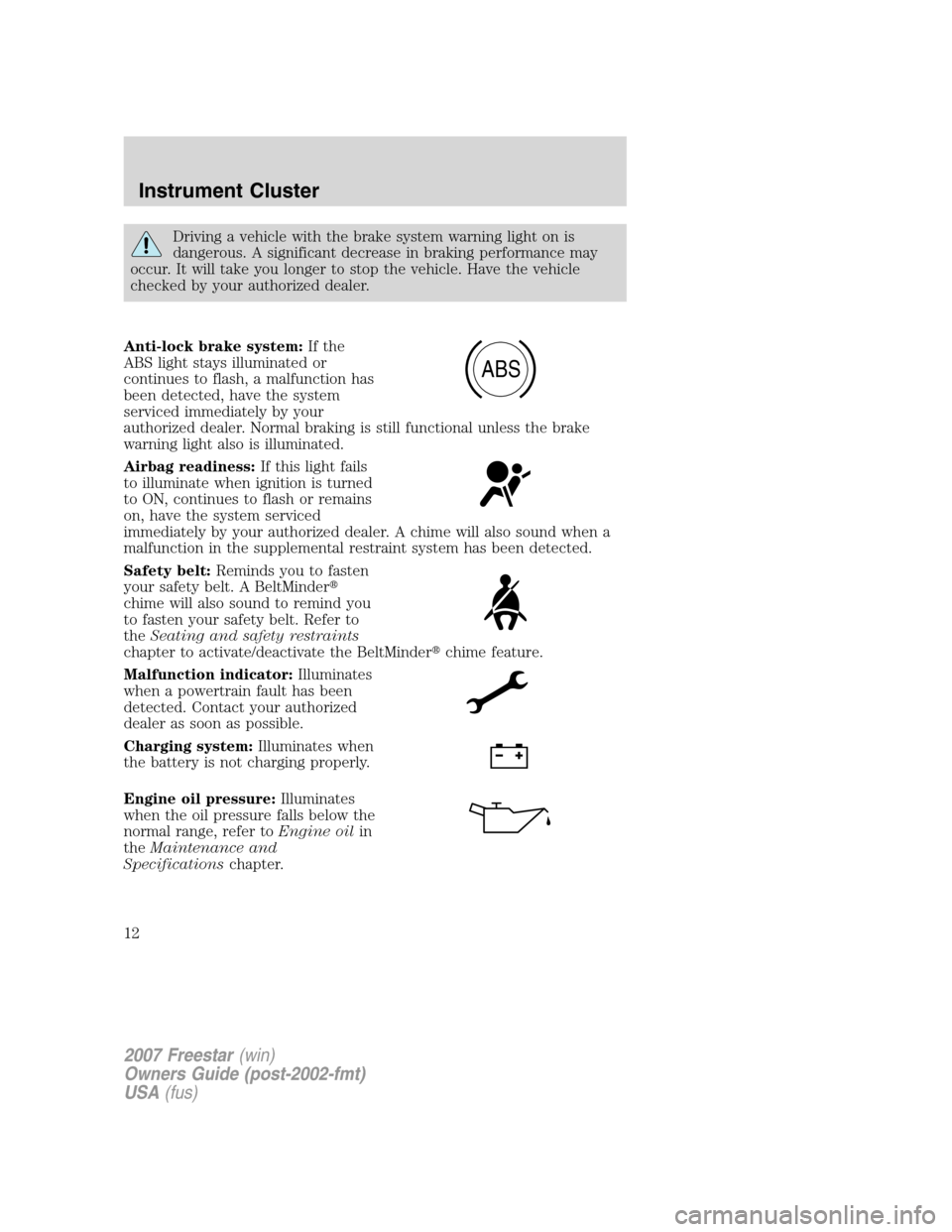
Anti-lock brake system:If the
ABS light stays illuminated or
continues to flash, a malfunction has
been detected, have the system
serviced immediately by your
authorized dealer. Normal braking is still functional unless the brake
warning light also is illuminated.
Airbag readiness:If this light fails
to illuminate when ignition is turned
to ON, continues to flash or remains
on, have the system serviced
immediately by your authorized dealer. A chime will also sound when a
malfunction in the supplemental restraint system has been detected.
Safety belt:Reminds you to fasten
your safety belt. A BeltMinder�
chime will also sound to remind you
to fasten your safety belt. Refer to
theSeating and safety restraints
chapter to activate/deactivate the BeltMinder�chime feature.
Malfunction indicator:Illuminates
when a powertrain fault has been
detected. Contact your authorized
dealer as soon as possible.
Charging system:Illuminates when
the battery is not charging properly.
Engine oil pressure:Illuminates
when the oil pressure falls below the
normal range, refer toEngine oilin
theMaintenance and
Specificationschapter.
ABS
2007 Freestar(win)
Owners Guide (post-2002-fmt)
USA(fus)
Instrument Cluster
12
Page 47 of 312

•and the transmission must be out of PARK.
Always remember to turn on your headlamps at dusk or during
inclement weather. The Daytime Running Light (DRL) System
does not activate your tail lamps and generally may not provide
adequate lighting during these conditions. Failure to activate your
headlamps under these conditions may result in a collision.
Battery saver
The battery saver will shut off the exterior lamps and interior lamps,
except the hazard warning lamps if activated, 10 minutes after the
ignition control has been turned off. The battery saver will extend the
time-out period for courtesy lamps to 30 minutes if the liftgate is ajar or
the dome lamp is on via manual activation using the dome lamp switch
or the headlamp switch, whichever is provided. The system will not turn
off the parking lamps if the headlamp control is in the PARK position.
For interior lights, refer toIlluminated entryin theLocks and Security
chapter.
PANEL DIMMER CONTROL
Use to adjust the brightness of the
instrument panel during headlight
and parklamp operation.
•Rotate the thumbwheel from left
to right to brighten the
instrument panel.
•Rotate the thumbwheel from right
to left to dim the instrument
panel.
Your vehicle also contains a feature called “sleeping baby mode” — in
which the dome lamps will remain off and only the lower lamps will
illuminate. This lighting mode can be activated by rotating the
thumbwheel to the first left detent position (as denoted by the half filled
circle above).
Domelamp Control
The panel dimmer control also controls the domelamp operation.
•Rotate the thumbwheel fully to the right, past detent to activate the
domelamp.
•In order to turn off the domelamp, rotate the thumbwheel to the left.
2007 Freestar(win)
Owners Guide (post-2002-fmt)
USA(fus)
Lights
47
Page 53 of 312
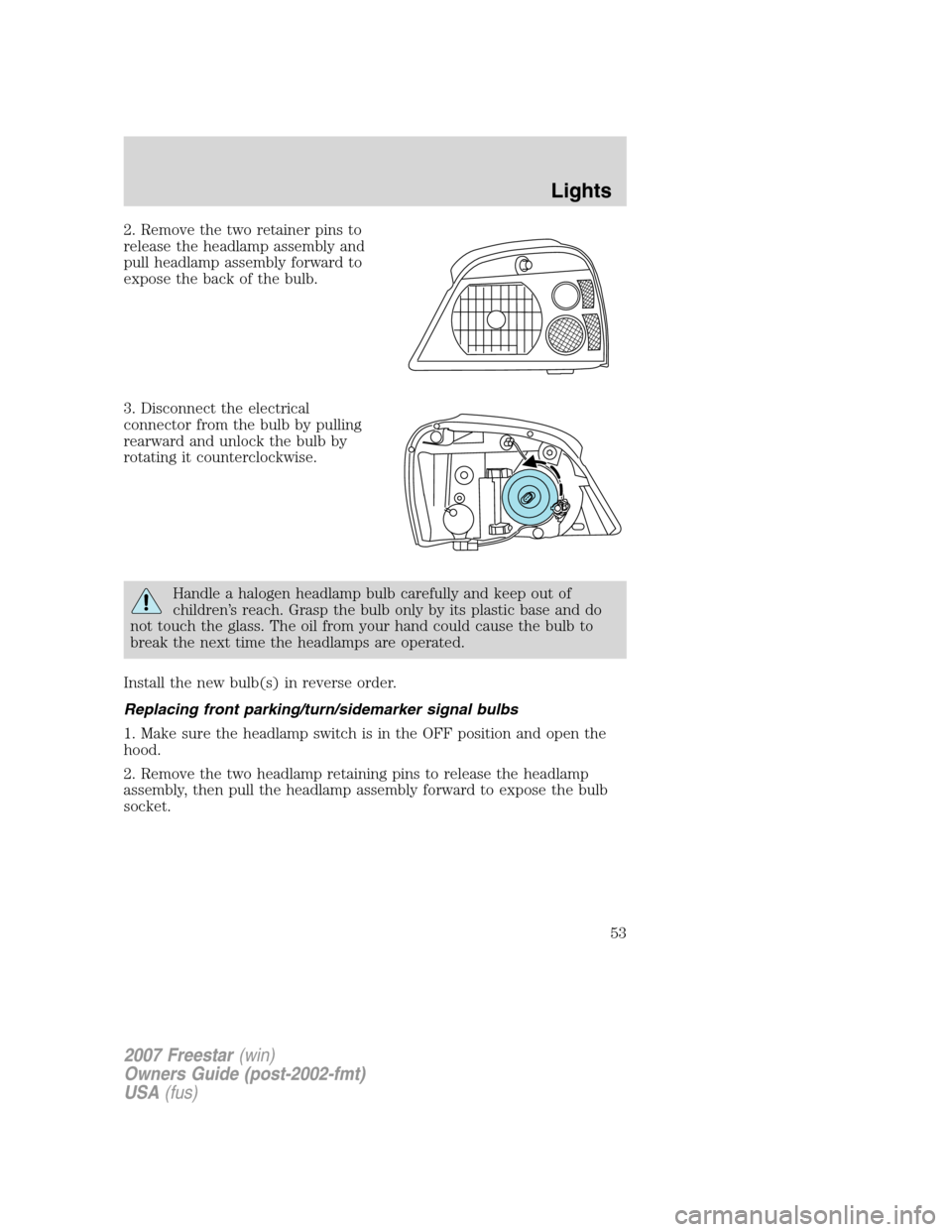
2. Remove the two retainer pins to
release the headlamp assembly and
pull headlamp assembly forward to
expose the back of the bulb.
3. Disconnect the electrical
connector from the bulb by pulling
rearward and unlock the bulb by
rotating it counterclockwise.
Handle a halogen headlamp bulb carefully and keep out of
children’s reach. Grasp the bulb only by its plastic base and do
not touch the glass. The oil from your hand could cause the bulb to
break the next time the headlamps are operated.
Install the new bulb(s) in reverse order.
Replacing front parking/turn/sidemarker signal bulbs
1. Make sure the headlamp switch is in the OFF position and open the
hood.
2. Remove the two headlamp retaining pins to release the headlamp
assembly, then pull the headlamp assembly forward to expose the bulb
socket.
2007 Freestar(win)
Owners Guide (post-2002-fmt)
USA(fus)
Lights
53
Page 82 of 312

Pressing the RESET control cycles the message center through each of
the systems being monitored and will display the followingonly when
there is a malfunction.
1. Oil life in XX%
2. Charging system
3. Washer fluid level
4. Brake fluid level
5. Liftgate status
6. Exterior lamps status
7. Traction Control�status
8. Tire pressure monitoring system
9. Fuel level status (hold to reset to relearn)
10. Distance to empty
System warnings
System warnings alert you to possible problems or malfunctions in your
vehicle’s operating systems.
In the event of a multiple warning situation, the message center will
cycle the display to show all warnings by displaying each one for
4 seconds.
The message center will display the last selected feature if there are no
more warning messages. This allows you to use the full functionality of
the message center after you acknowledge the warning by pressing the
RESET control and clearing the warning message.
Warning messages that have been reset are divided into three categories:
•They will reappear on the display ten minutes from the reset.
•They will not reappear until an ignition OFF-ON cycle has been
completed.
•Warning returns upon another event.
This acts as a reminder that these warning conditions still exist within
the vehicle.
2007 Freestar(win)
Owners Guide (post-2002-fmt)
USA(fus)
Driver Controls
82
Page 83 of 312

Warning display Status
Driver’s door ajar Warning cannot be reset
Passenger door ajar
Left rear door ajar
Right rear door ajar
Park brake set Warning returns after 10 minutes
Check brake system
Liftgate ajar Warning returns after the ignition key
is turned from OFF to ON
Check left park lamp
Check right park lamp
Check left headlamp
Check right headlamp
Check left turn lamp
Washer fluid low
Check right turn lamp
Low fuel level
Change oil soon
Low tire pressure
Tire pressure monitor fault
Tire pressure sensor fault
Check brake lamps
DRIVER’S DOOR AJAR.Displayed when the driver’s door is not
completely closed.
PASSENGER DOOR AJAR.Displayed when the passenger side door is
not completely closed.
LEFT REAR DOOR AJAR.Displayed when the driver’s rear door is not
completely closed.
RIGHT REAR DOOR AJAR.Displayed when the passenger side rear
door is not completely closed.
LIFTGATE AJAR.Displayed when the liftgate is not completely closed.
PARK BRAKE SET.Displayed when the manual park brake is set. If
the warning stays on after the park brake is released, contact your
authorized dealer as soon as possible.
CHECK BRAKE SYSTEM.Displayed when the braking system is not
operating properly. If the warning stays on or continues to come on,
contact your authorized dealer as soon as possible.
2007 Freestar(win)
Owners Guide (post-2002-fmt)
USA(fus)
Driver Controls
83